
Note: This article contains affiliate links. If you click on these links and make a purchase, we may earn a small commission at no extra cost to you. This helps support our research and content. Read our full affiliate disclosure here.
If your home lacks a C-wire, you do not have to give up smart thermostat features. A Wi-Fi thermostat without a C-wire can deliver remote control, scheduling, and basic energy-saving automation while working with existing wiring. Choosing the right model matters because some units rely heavily on batteries, others use power-stealing circuits that can affect system behavior, and installation approaches vary by HVAC type. This guide highlights six shortlisted Wi-Fi thermostats without a C-wire and explains the evaluation criteria used to pick them. We focus on installation ease, power strategy, compatibility with common heating and cooling systems, and everyday usability to help you find a reliable, low-friction upgrade. Read on to see which features matter most and how to pick the right unit for your home.
Top Picks at a Glance
| Best Quality Built to a higher standard if you want something more solid | Levoit Aura Smart Thermostat |  |
| Best Value The sweet spot between price and what you get | SASWELL T18 Smart Thermostat |  |
| Best Budget The cheapest option that still gets the job done reliably | Hamwesh Smart Wi‑Fi Thermostat |  |
| Top Rated A top-rated pick with lots of positive feedback | Cielo Smart Thermostat Eco |  |
| Most Popular A crowd favorite that many people choose with confidence | Sensi Lite ST25 Thermostat | 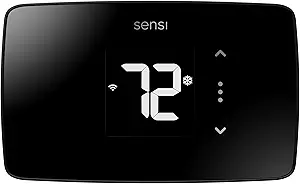 |
| Best Seller A high-volume bestseller chosen again and again | MoesGo Programmable WiFi Thermostat |  |
Levoit Aura Smart Thermostat
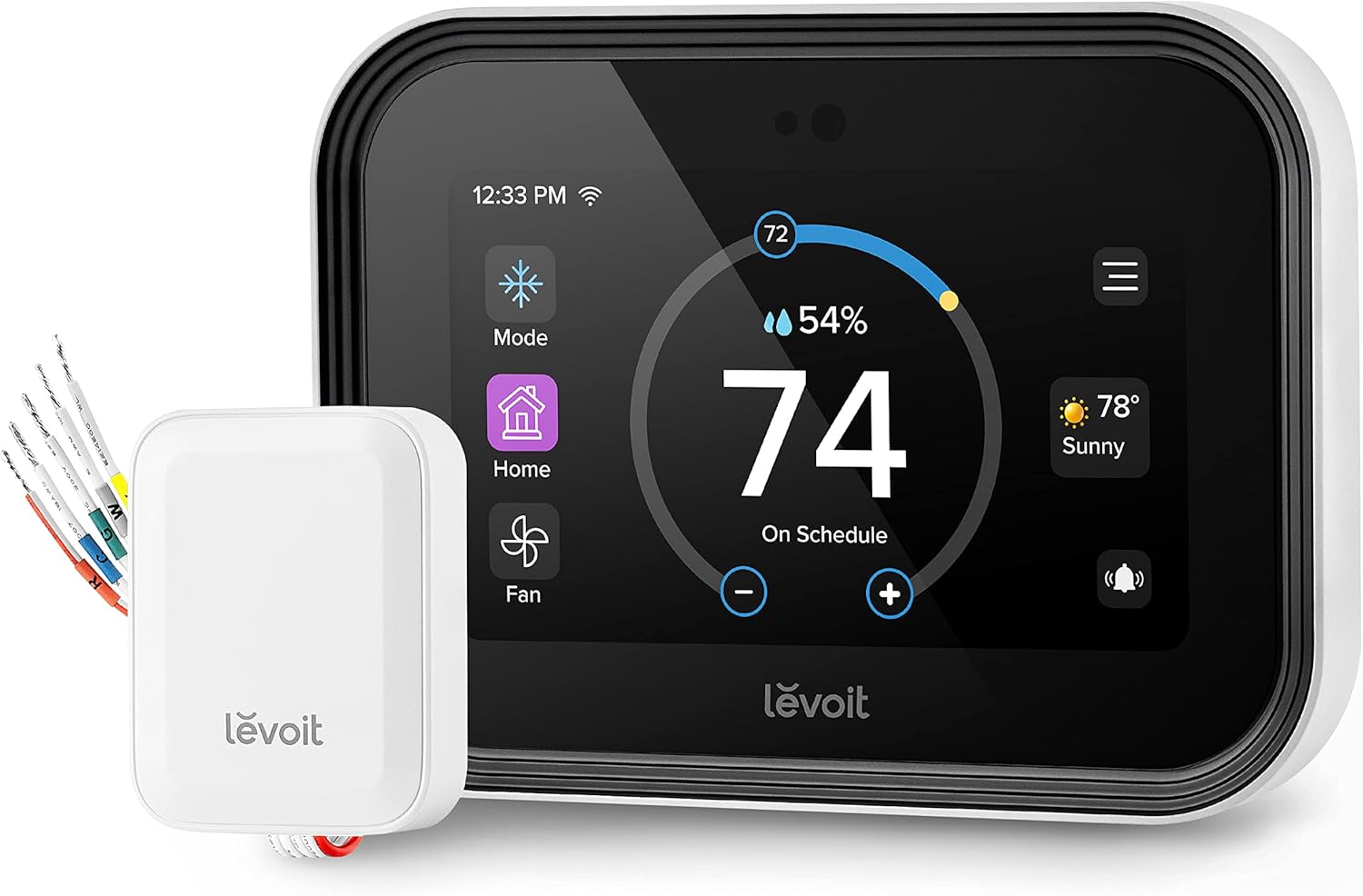
| Connectivity Technology | Wi‑Fi |
|---|---|
| Connectivity Protocol | Wi‑Fi, ZigBee |
| Power Source | AC powered |
| Screen Size | 4 inches |
| Wattage | 3 watts |
The Levoit Aura Smart Thermostat is a touchscreen Wi‑Fi thermostat designed to manage home HVAC from the wall or remotely via the VeSync app and voice assistants. It supports 7×24 scheduling, flexible routines, and eco level settings to prioritize energy savings or tighter temperature control, and it can connect to up to 16 Levoit room sensors over ZigBee to balance room‑to‑room comfort. The 4‑inch IPS display auto-adjusts brightness and shows temperature, humidity, and weather information, while the included C‑wire adapter broadens compatibility with many systems and simplifies DIY installs. Practical benefits include easy voice control with Alexa and Google, energy reports and notifications for system malfunctions, and integration with Levoit humidifiers and purifiers for coordinated smart‑home scenes. Limitations include no support for heating‑only systems without a C‑wire and incompatibility with high voltage 120–240V systems, and ZigBee sensor use ties you to Levoit room sensors rather than broader third‑party devices.
Best for: Buyers who want a performance‑focused smart thermostat that maximizes energy savings and room comfort through detailed scheduling, remote control, and sensor‑based zoning within a Levoit smart‑home setup.
Less Ideal for: People with heating‑only systems without a C‑wire, homes wired for high voltage thermostats, or those who need broad third‑party sensor compatibility.
- 4‑inch IPS touchscreen with auto brightness for clear in‑room control
- Works with Alexa, Google Assistant, and VeSync app for remote and voice control
- Includes C‑wire adapter to enable installation on many systems without an existing C‑wire
- Supports up to 16 Levoit ZigBee room sensors to manage temperature by room
- Energy reports, Eco level setting, and 24/7 scheduling for energy savings
- Does not work with heating‑only systems that lack a C‑wire
- Incompatible with high voltage 120–240V systems
- ZigBee room sensors use Levoit ecosystem only, limiting third‑party sensor options
Verdict: Choose this thermostat if you want a sensor‑aware, energy‑focused smart thermostat that installs easily with a C‑wire adapter and integrates tightly with Levoit smart devices.
SASWELL T18 Smart Thermostat
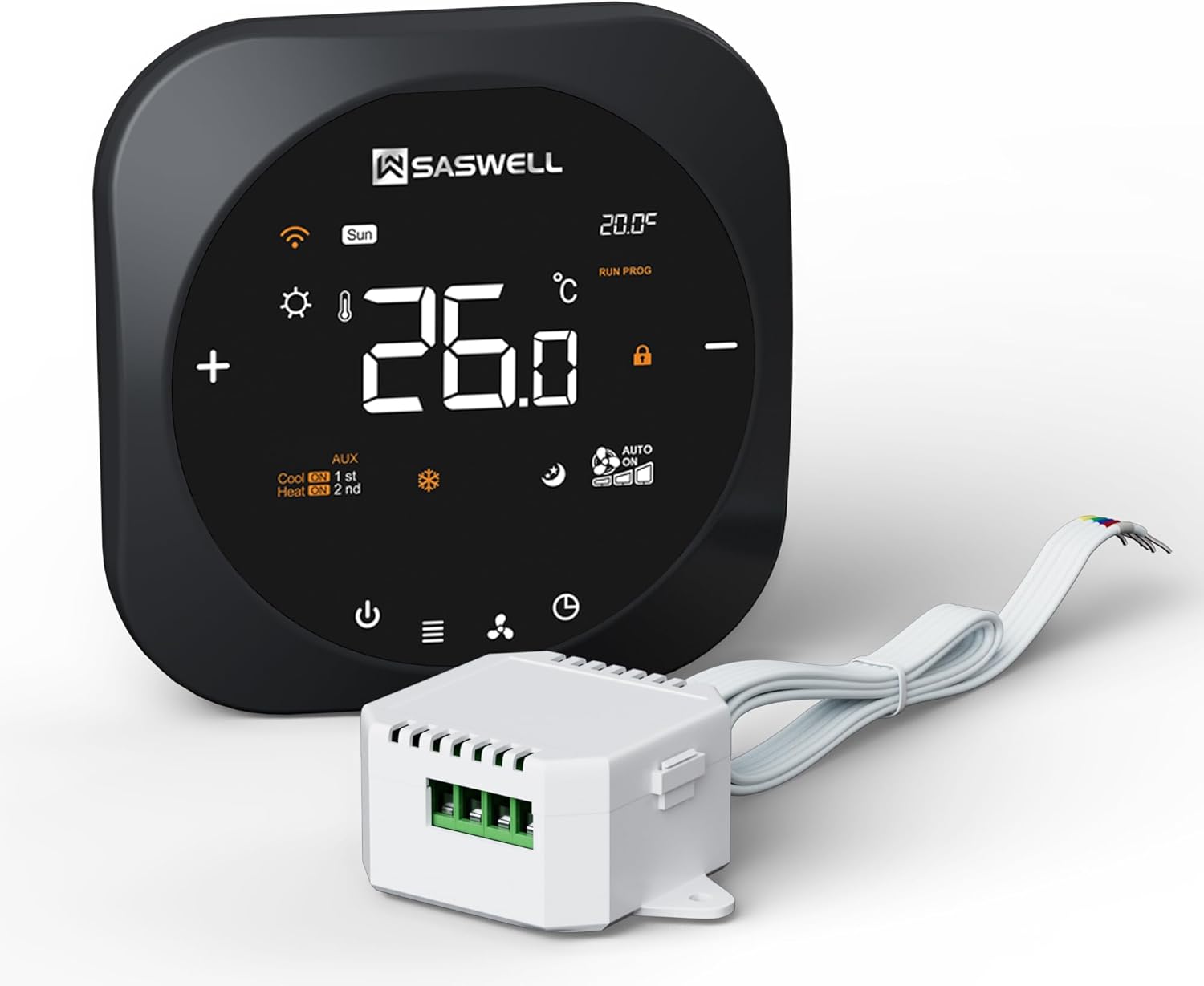
| Controller Type | Smart Life, Tuya Smart |
|---|---|
| Connectivity Technology | Wi‑Fi |
| Voltage | 24 volts |
| Display Type | LED |
| Control Method | App, Touch, Voice |
The SASWELL T18 is a touchscreen Wi‑Fi thermostat built to replace standard and heat‑pump systems while avoiding a full rewiring job thanks to the included C‑wire adapter. It connects to Tuya Smart and Smart Life apps and supports voice commands through Alexa and Google Assistant, so you can change schedules or temperatures remotely. The LED touch display and 7‑day programmable schedule make daily use straightforward, with fan control and multi‑stage heating/cooling support for 3H/2C systems. Installation is intended for DIYers and the package lists a C‑wire adapter and clear instructions to ease setups on systems that lack a dedicated common wire. Practical benefits include remote scheduling to reduce energy use and a simple modern interface that replaces older manual thermostats. Limitations are typical for Tuya‑based devices: advanced HVAC diagnostics or professional integration options are limited compared with high‑end OEM smart thermostats, and some users may prefer a unit with a more established app ecosystem or deeper local controls.
Best for: Buyers who want a budget‑minded smart thermostat that adds remote app and voice control without running a new C‑wire, and who prioritize straightforward scheduling and DIY installation.
Less Ideal for: Homeowners seeking professional‑grade HVAC diagnostics, advanced local integration, or those who require an ecosystem outside Tuya/Smart Life should consider other options.
- Includes C‑wire adapter to avoid rewiring in homes without a common wire
- Works with Tuya Smart and Smart Life apps and supports Alexa and Google voice control
- 7‑day programmable schedule and touchscreen LED make daily control simple
- Supports multi‑stage systems including 3H/2C heat pump and conventional setups
- Relies on Tuya/Smart Life ecosystem which may lack advanced HVAC diagnostics
- May not offer the integration depth or local control preferred by some professional installers
Verdict: A practical smart thermostat that brings app and voice control to systems without a C‑wire using the included adapter, ideal for DIY upgrades.
Hamwesh Smart Wi‑Fi Thermostat

| Connectivity Technology | Wi‑Fi |
|---|---|
| Display Type | LCD |
| Control Method | App, Touch, Voice |
| Additional Features | Programmable, Temperature Display |
This Hamwesh smart thermostat provides basic smart climate control for homes or small offices that lack a C‑wire. It pairs to your Wi‑Fi and the vendor app so you can change temperature remotely, and the color LCD gives a straightforward touchscreen interface for local control. The unit supports programmable schedules and voice control in addition to app and touch inputs, making it useful for routine setpoint changes and remote adjustments when you are away. Installation includes screws and a cable and is intended for typical HVAC systems that can run without a dedicated C‑wire, though compatibility checks are still recommended. The thermostat emphasizes a clear, bright display and simple programming rather than advanced energy analytics or broad ecosystem integration. Expect a no‑frills, budget‑oriented smart thermostat that covers core needs of remote and scheduled temperature control, but do not expect deep platform integrations or premium build refinements found on higher‑end models.
Best for: Buyers who want an inexpensive Wi‑Fi thermostat that adds remote control and simple scheduling to a home without running a C‑wire, and who prioritize straightforward installation and a clear display over advanced integrations.
Less Ideal for: Users who want deep smart home integration, advanced energy reports, or premium build quality should consider higher‑end models instead.
- Works without a C‑wire for installations where providing one is difficult
- Wi‑Fi and mobile app control enable remote temperature changes
- Color LCD touchscreen makes local control and programming intuitive
- Supports app, touch, voice controls and basic programmable schedules
- Limited ecosystem and advanced smart features compared with premium thermostats
- Only basic product information and few customer reviews available
Verdict: A budget smart thermostat that delivers remote app control and a clear color display for homes that need a no‑C‑wire installation option.
Cielo Smart Thermostat Eco

| Connectivity Technology | Wi‑Fi |
|---|---|
| Power Source | AC Adapter |
| Display Type | LCD |
| Control Method | App, Touch, Voice |
| Specification Met | Energy Star |
The Cielo Smart Thermostat Eco converts a conventional central HVAC system into a connected, energy‑saving thermostat without needing an existing C‑wire by including a C‑wire adapter for DIY installation. You control temperature and schedules from the Cielo Home app or the on‑device LCD touch interface, and it supports geofencing, vacation mode, 7‑day scheduling, and energy usage reports so you can tailor comfort or prioritize savings. It integrates with popular smart platforms including Alexa, Google Assistant, Siri Shortcuts, SmartThings, IFTTT, and Home Assistant, and handles common system configurations up to 2H/2C for conventional and 4H/2C for heat pumps. Practical benefits include guided app setup, presets for quick modes, and Energy Star certification that targets lower runtime and improved efficiency. Limitations to note are that it is built for standard 24V ducted central systems only and is not suited for mini‑split units, and advanced commercial HVAC setups or unusual wiring may still require a professional. The unit is compact and low‑power, and Cielo provides phone and email support if you need help during installation or setup.
Best for: Buyers who want a reliable, factory‑quality smart thermostat that makes a central HVAC system Wi‑Fi controllable with straightforward DIY installation and strong vendor support.
Less Ideal for: Homes using ductless mini‑split systems or owners needing thermostats for complex commercial HVAC setups should look for a product designed for those environments.
- Includes C‑wire adapter for homes without a C‑wire enabling DIY installation
- Energy Star certification and usage insights to help reduce heating and cooling energy use
- Supports common central HVAC configurations including conventional and heat pump systems
- Works with major smart platforms and voice assistants for remote and voice control
- 7‑day scheduling, geofencing, vacation mode, and presets for easy automation
- Not compatible with mini‑split systems
- May require professional help for nonstandard or complex HVAC wiring setups
Verdict: A dependable Energy Star smart thermostat that lets homeowners without a C‑wire add Wi‑Fi control and scheduling to their central HVAC with an easy DIY install.
Sensi Lite ST25 Thermostat
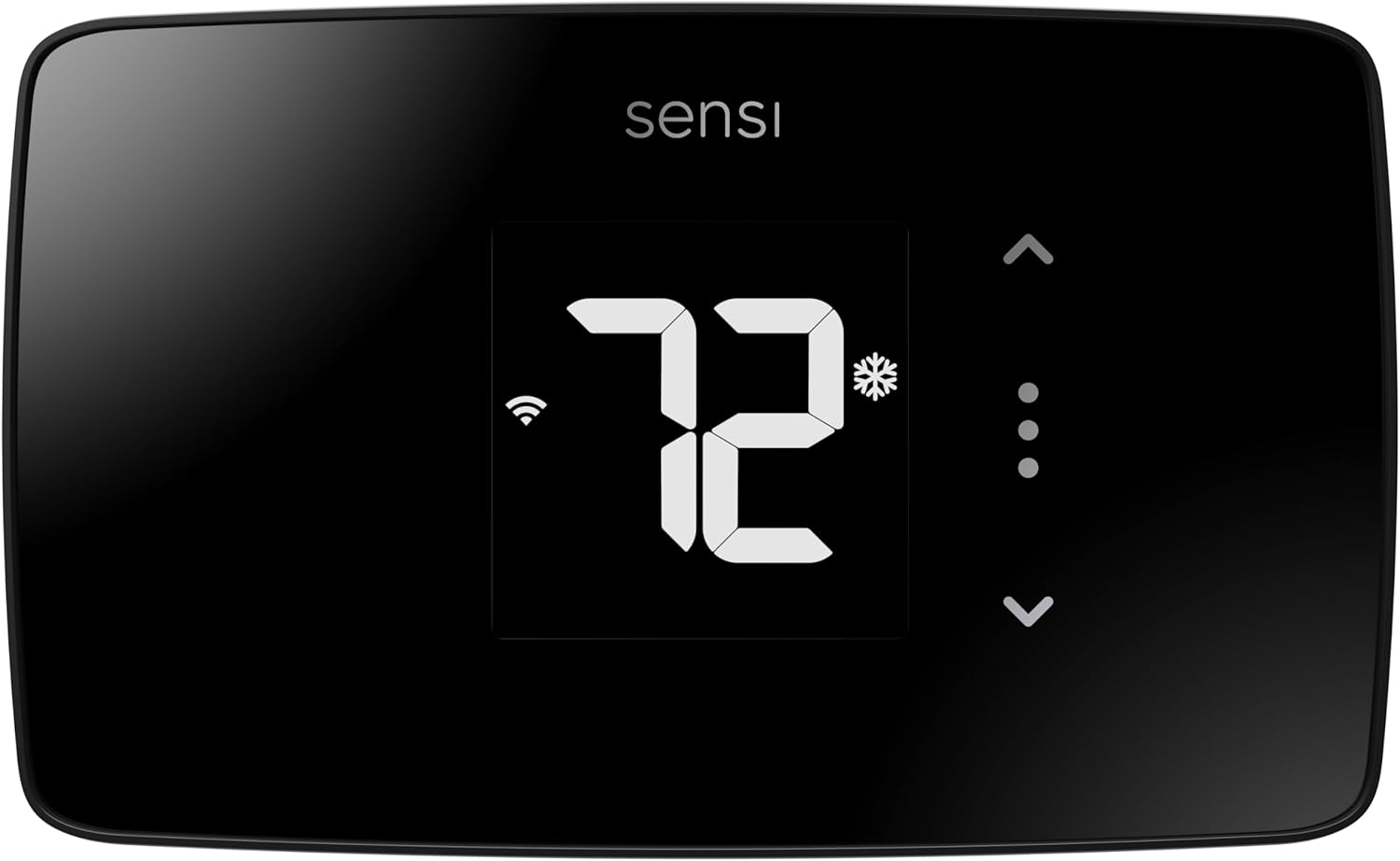
| Connectivity Technology | Wi‑Fi |
|---|---|
| Control Method | App, Touch, Voice |
| Power Source | Battery or C‑wire |
| Number of Batteries | 2 AAA batteries required (included) |
The Sensi Lite ST25 is a straightforward smart thermostat that lets you control heating and cooling from the wall, mobile app, or voice assistants. It supports Wi‑Fi connectivity, works with common HVAC systems including furnaces, boilers, heat pumps, and air conditioners, and offers automatic or programmable temperature control. Installation is aimed at DIYers: the unit includes a built‑in level, mounting hardware, wire labels, and two AAA batteries so most systems do not require a common wire though some heat‑only or cool‑only systems will. The Sensi mobile app provides scheduling, geofencing, and usage reports that can help reduce energy use, and the device is Energy Star certified. Practical benefits include simple setup, remote control from smartphones, and privacy protections that promise not to sell thermostat data. Limitations to note are the basic LCD display and pared‑down feature set compared with higher‑end models, and the occasional need for a C‑wire on certain system types which adds installation complexity for those homes.
Best for: Buyers who want a simple, privacy‑minded smart thermostat that is easy to install themselves and offers reliable remote control and basic energy‑saving features.
Less Ideal for: Users seeking advanced displays, extensive automation, or the most feature-rich smart thermostat experience should consider higher‑end models instead.
- Easy DIY installation with included mounting hardware, wire labels, and built‑in level.
- Works with common HVAC equipment including furnaces, boilers, heat pumps, and air conditioners.
- Wi‑Fi connectivity with app control, voice assistant support, and geofencing for remote management.
- Energy Star certified and app features that provide usage reports to help reduce energy consumption.
- Privacy-forward policy that states thermostat data will not be sold to third parties.
- Some system types (heat‑only or cool‑only) may still require a C‑wire for proper operation.
- Basic LCD and fewer advanced features compared with premium smart thermostats.
Verdict: Choose the Sensi Lite if you want an affordable, privacy-focused Wi‑Fi thermostat that installs easily without a C‑wire on most homes and delivers reliable remote control and energy-saving basics.
MoesGo Programmable WiFi Thermostat

| Connectivity Technology | Wi-Fi |
|---|---|
| Power Source | Hardwired |
| Display Type | digital |
| Specific Uses For Product | Heat Pump |
| Included Components | C-wire adapter, temperature sensor |
The MoesGo Programmable WiFi Thermostat is a smart, wall-mounted controller designed for homes that lack a dedicated C-wire thanks to the included adapter. It connects to 2.4 GHz Wi‑Fi and pairs with the Smart Life/Tuya app for remote control, and it also supports voice control through Alexa and Google Assistant. You can set 7‑day schedules with four modes, use the included remote sensor to better reflect occupied-room temperature, and enable features like vacation mode and automatic shutoff when a door or window is opened. Installation is intended for DIYers and the package lists clear wiring requirements; it supports conventional 2H/2C and heat pump 4H/2C systems but not high-voltage or heating-only systems. Practical benefits include remote scheduling, sensor-based averaging for more accurate comfort, and energy-saving scheduling. Limitations to note are the requirement for 2.4 GHz Wi‑Fi, the need to verify compatible wiring before purchase, and that some systems with stranded or high-voltage wiring are incompatible.
Best for: A cautious buyer who wants a budget-friendly smart thermostat that can be installed without an existing C‑wire and values app control, voice integration, and programmable schedules.
Less Ideal for: Homes with high-voltage HVAC systems, single-wire heating-only setups, or buyers who need 5 GHz‑only Wi‑Fi compatibility.
- Includes C-wire adapter and a remote temperature sensor for homes without a dedicated C-wire.
- Works with Smart Life/Tuya app for remote control and supports Alexa and Google Assistant voice control.
- 7‑day programmable schedule with multiple modes and vacation scheduling for energy savings.
- Sensor-based temperature averaging and open-window detection improve comfort and reduce wasted heating/cooling.
- Only supports 2.4 GHz Wi‑Fi, so dual-band networks must allow 2.4 GHz access.
- Not compatible with high-voltage (120–240V) systems or heating-only setups.
- Requires specific wire connections and may not work with stranded or nonstandard wiring.
Verdict: A practical smart thermostat for risk‑averse buyers who need a factory-style solution to run Wi‑Fi control without an existing C‑wire.
Choosing the Right Wi-Fi Thermostat Without a C-Wire: Key Factors to Consider
Installation and Wiring
Many homes lack a dedicated C-wire, so installation approach is the first practical concern. Some Wi-Fi thermostats run on batteries alone, while others use a power-stealing technique that draws small amounts of current from the control circuit. Battery-based units are simpler to fit but require periodic battery replacement, which affects long-term maintenance.
If a thermostat uses power stealing, compatibility with your HVAC control board matters because certain systems react poorly to the trickle current and can short cycle or throw error codes. Confirm whether the thermostat offers an optional C-wire adapter or a power module if you prefer a permanent hardwired solution later on.
Power Strategy and Battery Life
Understand how the thermostat is powered and what that means for ongoing upkeep. Battery-powered models can run for many months on typical alkaline or lithium cells, but features like bright displays, frequent Wi-Fi polling, and advanced sensors shorten life. Some thermostats include rechargeable batteries or support USB charging which reduces waste and maintenance.
If you choose a power-stealing design, check manufacturer guidance on expected battery assist and whether the unit monitors system draw to avoid HVAC interference. Longer battery life reduces the chance of connectivity or scheduling failures caused by sudden power loss.
Compatibility With Your HVAC System
Not all thermostats work with every heating and cooling setup. Common residential systems include single-stage heat/cool, heat pump systems, multi-stage furnaces, and systems with separate humidifier or dehumidifier control. A thermostat that lacks support for your system type can lead to poor temperature control or unused features.
Before buying, review wiring labels and your current thermostat's terminal layout. Ensure the prospective thermostat supports your control signals and any dual-fuel or auxiliary heat settings your system uses. Compatibility notes are especially important when you cannot easily add a C-wire.
Connectivity and App Reliability
A primary reason homeowners pick Wi-Fi thermostats is remote control and scheduling. Evaluate how reliable the Wi-Fi connection is and whether the app provides the scheduling flexibility you need. Frequent disconnections, slow sync, or limited scheduling options undermine the convenience of a smart thermostat.
Check if the thermostat supports standard home Wi-Fi bands and network security practices. Features to watch for include local control fallback when the cloud is unavailable, push notifications for low battery or system faults, and how often the thermostat receives firmware updates.
User Interface and Local Controls
Even with a good mobile app, the physical thermostat should be easy to use. A clear display, responsive buttons or touch controls, and straightforward menus make daily adjustments painless. Consider how readable the screen is from a distance, whether it shows current mode and temperature clearly, and if it provides quick access to common functions like hold and fan control.
Advanced users may value manual programming options and access to sensor data. If multiple people will interact with the thermostat, look for simple lock options or user profiles to prevent accidental changes.
How Non-C-Wire Thermostats Actually Power Themselves
Thermostats that do not require a C-wire rely on one of two strategies: battery power or power stealing. Battery-powered models draw all operational energy from replaceable or rechargeable cells. They are straightforward to install but require you to monitor and replace batteries periodically. Power-stealing designs draw minute amounts of current from the HVAC control circuit, topping up charge as needed while staying installed like a conventional hardwired thermostat.
- Battery models: easy install, periodic battery changes
- Power stealing: less battery maintenance, potential system compatibility issues
- Some models offer optional add-on modules that simulate a C-wire for difficult control boards
Common Installation Pitfalls and How to Avoid Them
Before you remove your old thermostat, turn off power at the furnace or air handler and photograph the existing wiring. Labeling wires and matching terminal letters to the new thermostat reduces mistakes. If your HVAC system is older or has uncommon wiring, consult the installation manual and look for troubleshooting guidance regarding power stealing and sensor wiring.
If the new thermostat exhibits rapid battery drain or the HVAC system cycles unexpectedly after installation, restore the original thermostat and double-check wiring. Many issues stem from miswired terminals or incompatibility with the control board's sensing thresholds. When in doubt, pause and verify compatibility rather than forcing the unit into service.
- Turn off HVAC power before starting
- Photograph and label wires
- Test system response before finalizing wall-mounting
Maximizing Wi-Fi Reliability and Security
Place the thermostat where it receives good Wi-Fi signal strength. Signal-blocking materials like metal studs, brick, or dense masonry can isolate the device. If the thermostat is distant from the router, consider a Wi-Fi extender or relocating the router for better centralized coverage. Some models support both 2.4 GHz and 5 GHz bands while others only use 2.4 GHz; know what your home network provides.
Secure your thermostat by using strong network passwords and up-to-date router firmware. If the thermostat supports two-factor authentication or local control modes, enable those features to reduce dependency on cloud services and protect against unauthorized access.
- Check signal at the mounting location
- Prefer 2.4 GHz for wider range unless the unit supports 5 GHz
- Use strong Wi-Fi credentials and enable device-level security options
When to Add a C-Wire or Use an Adapter
Adding a dedicated C-wire is the most reliable long-term solution because it provides steady 24 VAC power. If you plan to use advanced features frequently or prefer zero battery maintenance, running a new C-wire or installing a manufacturer-recommended power adapter makes sense. For some homes, adding a C-wire is a simple run through the attic or basement; in others it may require professional help.
Adapters that sit at the furnace control board can emulate a C-wire and are a middle-ground option. They usually require minimal installation effort and avoid drilling new runs to wall cavities. Evaluate this route if you want hardwired reliability without rewiring walls.
- Permanent C-wire: stable power, no batteries
- C-wire adapter: simpler than full rewiring
- Professional installation may be required in complex setups
How We Chose the Best Wi-Fi Thermostat Without a C-Wire
We started by screening thermostats designed to operate without a dedicated C-wire connection, prioritizing models that explicitly support battery-only operation or safe power-stealing methods. Our selection favored units with clear installation guidance and compatibility with single-stage and multi-stage HVAC systems commonly found in residential settings. We gave additional weight to firmware stability, Wi-Fi reliability, and the quality of the mobile app and scheduling features because those directly affect daily experience. Key evaluation dimensions included installation effort and documentation, power management (battery life and charging behavior), HVAC compatibility and wiring flexibility, and user interface including app reliability and local controls. We excluded units that required professional rewiring to function without a C-wire or that had inconsistent reports of causing system short cycling. The resulting shortlist emphasizes thermostats that minimize installation headaches while delivering dependable connectivity and energy-management features.
Our full evaluation process is outlined in our review methodology.
FAQ
Will a Wi-Fi thermostat without a C-wire work with my furnace?
Often it will, but compatibility depends on the furnace control board and how the thermostat powers itself. Check whether the thermostat supports your system type and wiring scheme. If the thermostat uses power stealing, verify that the control board tolerates that method or consider an adapter.
How long do batteries typically last in these thermostats?
Battery life varies by usage, display brightness, and Wi-Fi activity. Many models run several months on standard alkaline cells under normal use; some last a year or more if the unit conserves power and the display is dim. Rechargeable options shorten replacement frequency but require occasional charging.
Can power stealing damage my HVAC system?
Power stealing is generally safe when the thermostat and furnace control board are compatible. However, some older systems can misinterpret the trickle current and react with short cycling or error codes. If you observe unusual system behavior after installation, revert to the original thermostat and reassess compatibility.
Is a Wi-Fi thermostat without a C-wire harder to install?
Not necessarily. Battery-only models tend to be simpler because they avoid manipulating the furnace control board. Power-stealing units install like standard wired thermostats but may require extra troubleshooting if the HVAC system does not respond well to the current draw method.
Do I lose any smart features without a C-wire?
Core smart features like remote control, scheduling, and basic energy reports usually remain available. Features that require constant power, such as bright always-on displays, continuous advanced sensors, or frequent cloud syncing, may be limited or impact battery life on battery-only units.
Final Verdict
For homes without a C-wire, prioritize installation approach and power management when choosing a Wi-Fi thermostat without a C-wire. Battery-powered models minimize upfront complexity but require periodic maintenance. Power-stealing designs reduce battery chores but demand careful compatibility checks with your HVAC control board. Also weigh connectivity reliability and the quality of the app interface because those shape day-to-day use. Decide whether you prefer the low-maintenance certainty of adding a C-wire or adapter now or the convenience of an easy battery-powered swap. Focus on clear installation documentation, proven power strategies, and robust remote control to pick a thermostat that fits your household routines with minimal hassle.