
Note: This article contains affiliate links. If you click on these links and make a purchase, we may earn a small commission at no extra cost to you. This helps support our research and content. Read our full affiliate disclosure here.
Picking the right Wi-Fi thermostat for home changes how comfortable and efficient your living space feels. The wrong unit can be awkward to install, inconsistent connecting to your network, or limited in scheduling and sensor options. The right one streamlines setup, maintains accurate temperature control, and unlocks savings through programmable schedules and remote control. This guide covers seven carefully shortlisted Wi‑Fi thermostats for home use. We evaluated each option for connectivity, installation simplicity, control features, and energy reporting so you can quickly find a model that fits your wiring, control preferences, and comfort goals. Read on for the factors we weighed and the practical pros and cons to consider before you choose.
Top Picks at a Glance
| Best Overall The best all-around choice for most situations | Honeywell Home Smart Color Thermostat RTH9585WF |  |
| Best Quality Built to a higher standard if you want something more solid | ecobee Smart Thermostat Premium |  |
| Best Value The sweet spot between price and what you get | Sensi Lite Smart Thermostat ST25 | 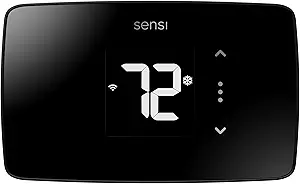 |
| Best Budget The cheapest option that still gets the job done reliably | Generic Wi‑Fi Thermostat |  |
| Top Rated A top-rated pick with lots of positive feedback | Sensi Smart Thermostat ST55 |  |
| Most Popular A crowd favorite that many people choose with confidence | Google Nest Thermostat |  |
| Best Seller A high-volume bestseller chosen again and again | Amazon Smart Thermostat |  |
Honeywell Home Smart Color Thermostat RTH9585WF

| Controller Type | Touch Screen, Voice |
|---|---|
| Connectivity Technology | Wi-Fi |
| Power Source | AC Power Supply |
| Display Type | LED |
| Specification Met | Energy Star |
The Honeywell Home Smart Color Thermostat is a wall‑mounted, 7‑day programmable Wi‑Fi thermostat that combines a bright customizable touchscreen with smart scheduling and remote control through a mobile app. It is typically installed in homes with low‑voltage HVAC systems and requires a C‑wire; setup is aimed at DIY installers with step‑by‑step instructions and included mounting hardware. Notable features include a full‑color display you can match to your décor, Smart Response Technology that learns temperature preferences, on‑screen local weather and humidity readouts, and compatibility with voice assistants for hands‑free control. The Energy Star certification and alerts for filter and humidifier pad changes help users manage efficiency and maintenance. Limitations are its incompatibility with line‑voltage/120–240V electric baseboard heat and the C‑wire requirement, which may necessitate a helper kit or pro installation in older homes. The interface and app make everyday use straightforward, while smart reminders and scheduling offer practical savings for an average household.
Best for: Homeowners who want a visually customizable, energy‑aware smart thermostat with app and voice control and who are comfortable with a DIY install or confirming C‑wire compatibility.
Less Ideal for: Homes that use line‑voltage electric baseboard heating or homeowners without an available C‑wire who do not want to add a power adapter or run new wiring.
- Customizable full‑color touchscreen that can be personalized to match room décor
- Wi‑Fi and app control plus voice assistant compatibility for remote and hands‑free operation
- Smart Response Technology that learns preferences for more consistent comfort
- Energy Star certified with energy reports and utility rebate program compatibility
- Maintenance alerts for air filter and humidifier pad changes
- Requires a C‑wire and does not support line‑voltage electric baseboard heating
- Advanced features depend on the app and Wi‑Fi, so functionality is reduced offline
Verdict: Choose this thermostat if you want an Energy Star certified, Wi‑Fi smart thermostat with a customizable color touchscreen and learned scheduling for balanced everyday comfort and efficiency.
ecobee Smart Thermostat Premium

| Controller Type | Amazon Alexa, Android, Apple HomeKit, Google Assistant, iOS |
|---|---|
| Connectivity Protocol | Wi-Fi |
| Power Source | Battery Powered |
| Voltage | 24 volts |
| Included Components | Thermostat, SmartSensor, Backplate, Wire labels, Screws, Power Extender Kit, Trim plate |
The ecobee Smart Thermostat Premium is a high-end Wi‑Fi thermostat designed to optimize comfort and reduce energy use while providing advanced home health features. It controls heating and cooling via app or local buttons and integrates with Siri, Alexa, Google Assistant, Apple HomeKit, and SmartThings; the unit also includes a SmartSensor to manage hot and cold spots and radar occupancy sensing to detect presence without relying solely on motion. Notable extras are a built-in air quality monitor with alerts and tips, live view integration with an ecobee doorbell camera, and a speaker for voice control and media playback. Installation covers most 24VAC HVAC systems and includes a Power Extender Kit for homes without a C wire. The premium metal finish and large LCD make the interface easy to read, but the unit relies on an ecosystem for some security features and an Apple home hub is required to enable Siri voice control. For buyers focused on performance, the Premium delivers precise, multi-room-aware temperature control and strong smart-home integration.
Best for: Homeowners who prioritize precise climate control, energy savings, and advanced smart‑home integration and want sensors and occupancy detection to improve performance.
Less Ideal for: Buyers seeking a very simple, no-frills thermostat or those who want to avoid tying features to a specific smart-home ecosystem.
- Built-in Alexa and option for Siri or Google Assistant for hands-free control and media playback
- Includes SmartSensor to reduce hot and cold spots by adjusting room-level temperatures
- Built-in air quality monitor provides alerts and filter change reminders
- Radar occupancy sensor improves presence detection for smarter scheduling and security
- Power Extender Kit included for easier installation in homes without a C wire
- Some voice and security features require linking to the ecobee ecosystem or additional devices like an Apple home hub
- Premium metal design and advanced features add complexity compared with basic programmable thermostats
Verdict: Choose the ecobee Smart Thermostat Premium if you want top-tier performance with sensor-driven, multi-room comfort and deep smart-home voice integration.
Sensi Lite Smart Thermostat ST25
| Connectivity Technology | Wi‑Fi |
|---|---|
| Control Method | App, Touch, Voice |
| Power Source | Battery or C‑wire |
| Number of Batteries | 2 AAA (included) |
| Specific Uses For Product | Air Conditioner, Boiler, Furnace, Heat Pump |
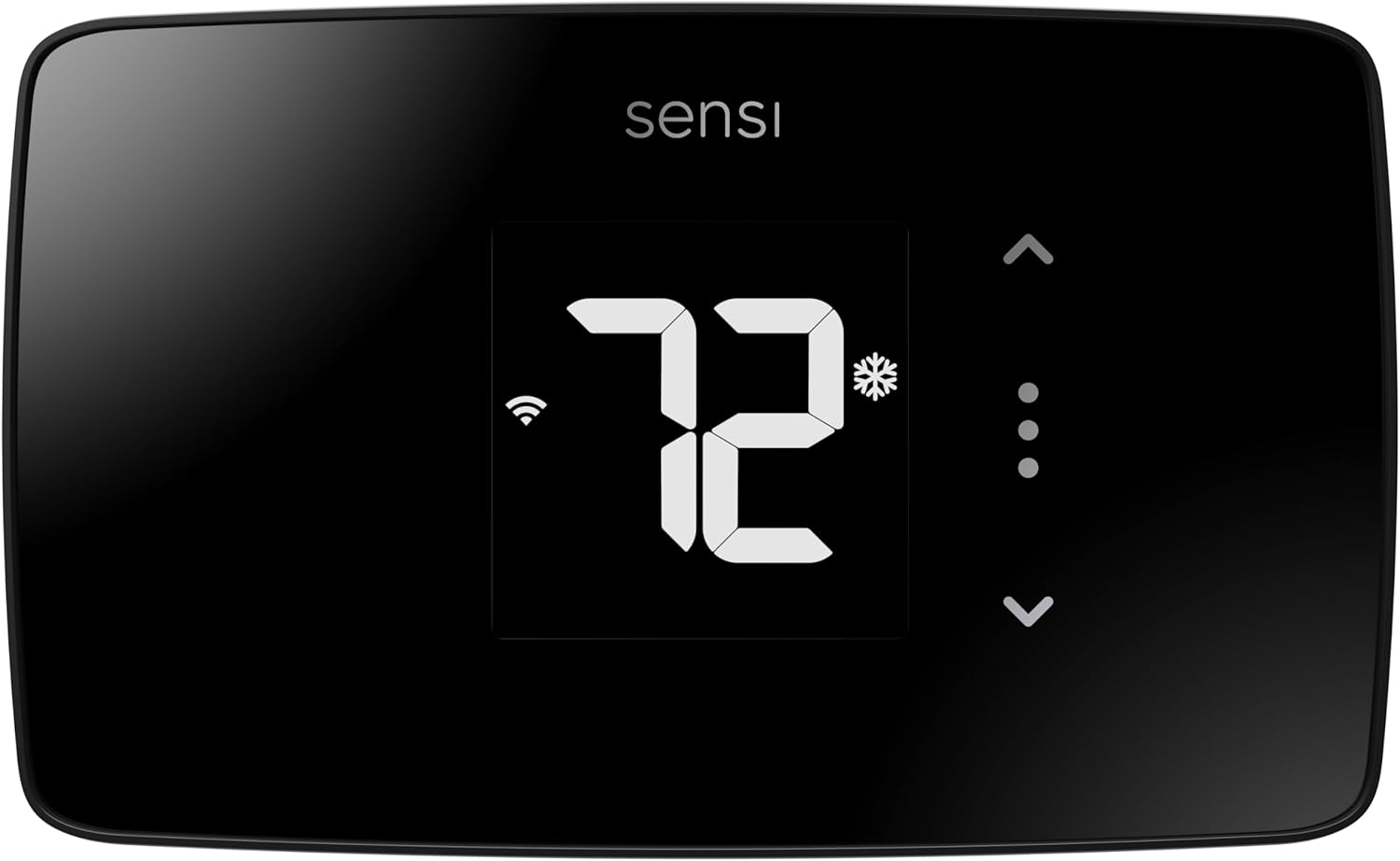
The Sensi Lite is a straightforward Wi‑Fi thermostat aimed at making smart climate control easy for typical homes. It installs with a built‑in level and clear step‑by‑step instructions so many users can DIY the setup, and it runs on two AAA batteries with optional C‑wire support for systems that need it. The unit pairs with a top‑rated mobile app to set schedules, use geofencing, and adjust temperature remotely, and it integrates with voice assistants like Alexa and Google Assistant for hands‑free control. As an Energy Star certified model it includes features designed to reduce HVAC energy use, and the manufacturer emphasizes privacy protections for user data. Limitations include a basic LCD display and a focus on core thermostat functions rather than advanced learning algorithms or multi‑zone support, so buyers wanting adaptive learning or extensive smart‑home automation may want a different model.
Best for: Homeowners who want a no‑frills, energy‑focused smart thermostat they can install themselves and control from a reliable mobile app.
Less Ideal for: Users seeking adaptive learning, multi‑zone management, or a full touchscreen smart‑home hub should consider more feature-rich models.
- Easy DIY installation with built‑in level and step‑by‑step guide
- Wi‑Fi and mobile app control for remote scheduling and geofencing
- Works with Alexa and Google Assistant for voice commands
- ENERGY STAR certified features to help reduce HVAC energy use
- Includes batteries and mounting hardware in the box
- Basic LCD interface without advanced learning or touchscreen features
- May require a C‑wire for some HVAC configurations
Verdict: Choose the Sensi Lite if you want an affordable, Energy Star certified Wi‑Fi thermostat that is easy to install and control from your phone.
Generic Wi‑Fi Thermostat

| Power supply | AAA battery or USB cable |
|---|---|
| Current load | 3A |
| Temperature range | 5-60 C |
| Wi‑Fi | 2.4GHz |
This Generic Wi‑Fi thermostat is a budget-friendly controller for simple home HVAC setups. It connects to 2.4 GHz Wi‑Fi and pairs with a companion app and voice assistants so you can change temperature remotely or with voice commands, and the touchscreen makes local adjustments straightforward. It supports both heating and cooling modes, daily programming, child lock, night mode (backlight off), and frost protection, and it stores settings through power loss. The unit runs on AAA batteries or USB power and handles up to a 3A load, making it suitable for low-current systems or as a room controller. Temperature range and basic calibration let you tune comfort while the listed accuracy is about 1 C. Expect limited suitability for complex HVAC or high-current wiring because of the 3A current limit and simplified feature set, but for renters, smaller homes, RVs, or secondary zones this model covers core needs at a low price.
Best for: Buyers looking for an inexpensive smart thermostat to add basic remote and voice control to a small HVAC zone, RV, or secondary room without needing advanced HVAC integration.
Less Ideal for: People who need a factory‑quality replacement for a primary high‑current HVAC system or advanced multi‑stage, heat‑pump, or commercial controls should consider more capable models.
- Wi‑Fi and voice control for remote temperature adjustments
- Touchscreen interface with daily programming and night mode
- Runs on AAA batteries or USB power for flexible installation
- Includes frost protection and power‑off memory for reliability
- 3A current load limit restricts use to low‑current systems
- Temperature accuracy listed at ±1 C may be coarse for precision control
Verdict: An affordable touchscreen Wi‑Fi thermostat that delivers basic remote and voice control for small zones and secondary spaces.
Sensi Smart Thermostat ST55

| Connectivity Technology | Wi-Fi |
|---|---|
| Controller Type | Amazon Alexa, Apple HomeKit, Google Assistant, SmartThings, Vera |
| Temperature Control Type | Programmable, Smart/Remote |
| Power Source | Corded Electric |
| Number of Batteries | 2 AA batteries required. (included) |
The Sensi ST55 is a wall‑mounted Wi‑Fi smart thermostat built for straightforward home HVAC control and energy savings. It pairs with a mobile app and supports voice control through Alexa, Google Assistant, Apple HomeKit, SmartThings, and Vera, letting you adjust temperature remotely or with schedules. The unit mirrors a traditional thermostat with buttons and a 5‑inch LED display, and the app provides usage reports, smart alerts, and filter reminders to help maintain system health. Installation is aimed at DIYers and usually does not require a common wire in many homes, and the package includes batteries, mounting hardware, and wire stickers to simplify setup. Because it is Energy Star certified and offers usage reports, it can reduce HVAC runtime and energy use. The thermostat emphasizes data privacy and is manufactured by an established HVAC parts maker, which supports reliability and service backing. Limitations include a modest interface compared with full-color touchscreens and reliance on 2.4 GHz Wi‑Fi only, which may be restrictive on congested networks.
Best for: Homeowners who prioritize a reliable, privacy-minded smart thermostat with easy DIY installation and broad voice/app integration to reduce HVAC energy use.
Less Ideal for: Buyers who want a premium touchscreen interface or need multi-band Wi‑Fi support should consider other models with those features.
- Works with major smart platforms including Alexa, Google Assistant, and Apple HomeKit
- Energy Star certified with app-based usage reports and smart alerts for efficiency and maintenance
- Designed for easy DIY installation and often does not require a common wire
- Includes batteries, mounting hardware, and clear app guidance to simplify setup
- Basic LED display and button controls rather than a full-color touchscreen
- Supports only 2.4 GHz Wi‑Fi which may limit network flexibility
Verdict: Choose the Sensi ST55 if you want a dependable, Energy Star smart thermostat that is simple to install and integrates with major smart home platforms.
Google Nest Thermostat

| Connectivity Technology | Bluetooth, Wi-Fi |
|---|---|
| Control Type | Remote Control, Voice Control |
| Power Source | Battery Powered |
| Screen Size | 2 inches |
The Google Nest Thermostat is an entry-level smart thermostat that brings Wi‑Fi, voice control, and scheduling to a typical home setup. It mounts to the wall and is controlled via the Google Home app, voice assistants, or the touch bar on the device, making temperature changes possible from anywhere. Key features include Savings Finder suggestions, Eco Temperatures when the house is empty, and HVAC monitoring that can send maintenance alerts. Installation is intended to be DIY-friendly and often completes in about 30 minutes without a C wire, though some systems will require a C wire or power accessory. The thermostat runs on two included A batteries and supports 2.4 and 5 GHz Wi‑Fi plus Bluetooth Low Energy for setup. Practical benefits are simpler remote control, basic energy-saving automation, and integration with other Google smart home gear, but it lacks the advanced learning routines and finer controls of higher-end Nest models and may need additional wiring on nonstandard HVAC systems.
Best for: Buyers who want a straightforward, app-controlled smart thermostat that delivers energy-saving features and easy integration with Google smart home devices while relying on broad user feedback for confidence.
Less Ideal for: Homes with complex HVAC setups that require advanced diagnostics or owners who want the full learning behavior and fine-grained controls of premium smart thermostats.
- Wi‑Fi and voice control through Google Home and compatible assistants
- Savings Finder and Eco Temperatures that help reduce energy use
- DIY installation designed to complete in about 30 minutes for most homes
- Includes two A batteries and necessary mounting hardware in the box
- Not as feature-rich as Nest Learning or higher-end models
- May require a C wire or power accessory for some HVAC systems
Verdict: A budget-friendly smart thermostat that gives reliable Wi‑Fi control, simple energy-saving automation, and easy Google Home integration for most typical homes.
Amazon Smart Thermostat

| Works with | Alexa and Ring |
|---|---|
| C‑wire | Required |
| Technology partner | Honeywell Home |
The Amazon Smart Thermostat is a straightforward Wi‑Fi thermostat designed to replace a conventional wall thermostat and let you control heating and cooling from the Alexa app or voice with Alexa devices. Installation is guided through the Alexa app and requires a C‑wire, and the unit uses Honeywell Home thermostat technology for core temperature control. Once set up you can create home, away and sleep schedules, control temperature remotely, and tie the thermostat into Alexa routines or presence-based adjustments with compatible Alexa devices. The product emphasizes energy savings through programmable schedules and Alexa automation and Amazon provides information about potential utility rebates. It does not advertise advanced sensors or multiple zone control on the unit itself, so it works best as a single‑zone, whole‑home replacement rather than a multi‑sensor hub. For buyers who want simple Alexa integration, easy app control, and factory‑grade thermostat basics, this is a practical option; buyers needing multi-zone HVAC features or a battery‑only install should look elsewhere.
Best for: Buyers who want a reliable, easy-to-install smart thermostat with tight Alexa integration and simple scheduling to reduce energy use without a steep learning curve.
Less Ideal for: Homes that need multi‑zone climate control, advanced sensing, or installations that cannot provide a C‑wire should consider other solutions.
- Simple Alexa and app control for remote temperature management
- Guided DIY installation with app instructions
- Programmable schedules and Alexa routines for automated energy savings
- Built on Honeywell Home thermostat technology for reliable basic performance
- Requires a C‑wire which may need wiring changes in older homes
- Lacks built-in multi‑sensor or multi‑zone control features
Verdict: Choose this thermostat if you want a no‑frills, Alexa‑first smart thermostat that replaces a standard unit and simplifies remote control and scheduling.
Choosing the Right Wi-Fi Thermostat for Home: Key Factors to Consider
Compatibility With Your HVAC Wiring
Thermostats vary in wiring requirements, and compatibility affects whether you can swap a unit without adding parts or running a common wire. Check whether your system uses a separate common power wire, conventional heat/cool stages, or is a millivolt, line‑voltage, or proprietary terminal layout.
If your home lacks a common wire, some Wi‑Fi thermostats will still work but may require a power adapter or special installation method. Understanding wiring upfront prevents installation delays and extra costs. It also clarifies whether you need professional HVAC help or can complete the change yourself.
Network and App Reliability
A Wi‑Fi thermostat depends on a stable home network to deliver remote control and reporting. Look for devices with robust reconnection behavior, straightforward Wi‑Fi setup, and clear on‑device network indicators.
App quality matters for daily control and long‑term convenience. The app should provide straightforward scheduling, firmware updates, and meaningful alerts. Devices with poor app design or flaky cloud services create repeated frustration even if the hardware is sound.
Scheduling Flexibility and Automation
Scheduling is where most homeowners realize energy savings, so evaluate how flexible the scheduling and automation rules are. Some thermostats offer weekday/weekend blocks, others allow per‑day customization, geofencing, or integration with smart home routines.
Consider how the thermostat handles temporary overrides, vacation modes, and hold behavior. A system that makes it easy to set exceptions without breaking the regular schedule reduces accidental energy waste and keeps comfort predictable.
Temperature Sensing and Placement Options
Where the thermostat measures temperature affects perceived comfort. Units that support remote sensors or multiple inputs can balance temperatures across rooms and avoid misleading readings from a hot hallway or sun‑facing wall.
If you have a multi‑level home or rooms with different heating or cooling loads, plan for remote sensor placement. Also check how the thermostat reports humidity and whether it supports external occupancy or door sensors for smarter control.
Energy Monitoring and Reporting
Good energy reporting shows how runtime and setpoints translate to energy use. Look for thermostats that provide clear runtime summaries, historical comparisons, and suggestions for savings instead of opaque graphs.
Accurate reporting helps you confirm whether scheduling changes or temperature setbacks actually reduce usage. It also aids in communicating performance to household members and in spotting abnormal system behavior early.
Security, Updates, and Long‑Term Support
Wi‑Fi thermostats are long‑term home electronics; vendor support and security updates affect safety and functionality years after purchase. Prefer devices with documented update policies, secure authentication, and a record of receiving firmware patches.
Also consider whether the device allows local control without mandatory cloud access and how it handles account recovery. A thermostat that becomes unusable because of discontinued cloud services creates lasting inconvenience.
Installation Checklist and Wiring Tips
Before you start, power off the HVAC system at the breaker and label existing thermostat wires. Photograph the terminal block so you have a reference during setup. Confirm the presence or absence of a common C wire and review the new thermostat's wiring diagram for heat, cool, fan, and power terminals.
- Turn off system power at the breaker before touching wiring.
- Label each conductor with the terminal letter from the old thermostat.
- If no C wire is available, verify whether the new unit supports power‑stealing operation or needs an add‑on kit.
- Mount the backplate level and confirm the new unit clears wall trim and doorways.
How Remote Sensors Improve Comfort
Remote or wireless sensors let the thermostat average readings across critical spaces or prioritize frequently used rooms. For homes with uneven heating or cooling, sensors reduce the chance that one hot or cold location forces inappropriate whole‑house cycles.
- Place sensors in representative living areas, not in direct sun or next to vents.
- Use multiple sensors in multi‑level homes to balance upstairs and downstairs loads.
- Check battery life and signal range for wireless sensors to avoid gaps in data.
Using Geofencing and Presence Features
Geofencing can reduce energy use by shifting setpoints automatically when the last person leaves and restoring comfort before someone returns. It relies on mobile devices and accurate location permissions, so test it for your typical commute and household routines.
Geofencing should always have fallback rules in case phones remain at home or lose connectivity. Treat geofencing as a convenience feature, not the only occupant detection method.
- Allow a margin in trigger distances to avoid rapid on/off transitions during short trips.
- Combine geofencing with schedules to maintain predictable behavior when phones are offline.
- Verify privacy settings to ensure location data is handled according to your preferences.
Maintaining Your Thermostat Over Time
Keep firmware up to date and periodically check wiring screws for tightness. Replace remote sensor batteries on the schedule recommended by the manufacturer and watch for app notifications about connectivity or system faults.
If your HVAC system shows unusual cycling after installation, double‑check wiring configuration and sensor placement before assuming hardware failure. Routine maintenance preserves accuracy and prolongs thermostat usefulness.
- Enable automatic firmware updates if available.
- Review weekly runtime reports for unexpected changes.
- Test system mode changes seasonally to ensure heating and cooling behavior remains correct.
How We Chose the Best Wi-Fi Thermostat for Home
Our selection process emphasized real-world fit and usability for typical homes. We prioritized thermostats that reliably connect to home Wi‑Fi networks and offer clear, repeatable setup steps so owners with basic DIY skills can install or troubleshoot without professional help. Connectivity robustness and app reliability mattered because intermittent connections degrade user experience and remote control benefits. We also focused on control flexibility, including scheduling, remote access, and local controls. Good scheduling features let homeowners reduce runtime during away periods, which is the primary path to measurable energy savings. Compatibility with common HVAC wiring types and clear wiring guidance were required; units that leave unclear wiring requirements or force add-on power adapters were excluded. We examined sensor support and temperature accuracy because zoning and multi-sensor inputs affect comfort distribution in real homes. Security, firmware update cadence, and clear privacy practices were considered to limit long‑term maintenance risks. Finally, we screened out devices that lacked essential diagnostics or transparent error reporting because troubleshooting ability affects ownership satisfaction. The result is a list of thermostats that balance easy install, consistent connectivity, flexible scheduling, and energy reporting.
Our full evaluation process is outlined in our review methodology.
FAQ
Will a Wi‑Fi thermostat work with all home HVAC systems?
It depends. Most modern forced‑air and heat pump systems are compatible, but specialized setups like line‑voltage heaters, millivolt systems, or proprietary control interfaces may not be supported. Check wiring terminals and power requirements before purchase.
Do Wi‑Fi thermostats need a common wire?
Some models require a C wire for reliable power, while others use power‑stealing or provide an add‑on power module. Lack of a C wire does not automatically rule out a Wi‑Fi thermostat, but it may require extra parts or installer help.
Can I control a Wi‑Fi thermostat without the vendor's cloud service?
Many thermostats still offer basic local controls on the device itself, but cloud features such as remote access and app notifications typically require vendor services. A few models support local network control or third‑party integrations, so verify connectivity options if local control is important.
How accurate are Wi‑Fi thermostats compared with older mechanical thermostats?
Modern digital Wi‑Fi thermostats are generally more accurate than older mechanical units and provide finer control over setpoints and schedules. Accuracy depends on sensor quality and placement, so consider remote sensors to mitigate situational errors.
Will a smart thermostat save energy in my house?
It often does, especially if you use setback schedules, occupancy features, or precise control instead of leaving fixed setpoints. Actual savings depend on your HVAC efficiency, home insulation, and how you configure schedules.
Final Verdict
Choose a Wi‑Fi thermostat that matches your HVAC wiring, offers a clear and reliable setup path, and provides the scheduling and sensing features you will actually use. Prioritize network stability and energy reporting so you can confirm savings after installation. If you need broader coverage across multiple rooms, pick a system that supports remote sensors and easy mounting options. Balancing installation ease against advanced automation features is the main tradeoff. For most homeowners, a model that simplifies wiring and delivers dependable Wi‑Fi connectivity, flexible scheduling, and clear runtime reporting will offer the best long‑term experience and predictable comfort.