
Note: This article contains affiliate links. If you click on these links and make a purchase, we may earn a small commission at no extra cost to you. This helps support our research and content. Read our full affiliate disclosure here.
If you want the convenience of a video doorbell but do not want ongoing monthly fees, choosing a Wi-Fi video doorbell without a subscription keeps video storage and alerts under your control. You still get real-time motion alerts, two-way audio, and remote live view, but recordings save locally or to your own cloud arrangement instead of a paid service. This guide covers seven shortlisted Wi‑Fi video doorbells that prioritize subscription-free storage and clear performance. We evaluated factors such as video resolution, storage options, installation flexibility, motion detection accuracy, and privacy controls to help you pick the right model for your front door. Read on for the features that matter and practical setup and troubleshooting tips before the product list.
Top Picks at a Glance
| Best Overall The best all-around choice for most situations | Wyze Battery Video Doorbell |  |
| Best Quality Built to a higher standard if you want something more solid | Arlo Video Doorbell (2nd Gen) |  |
| Best Value The sweet spot between price and what you get | BOIFUN 2K Video Doorbell J1 | 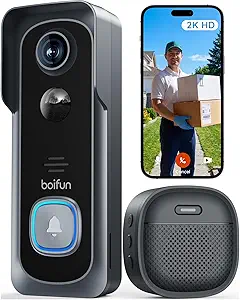 |
| Best Budget The cheapest option that still gets the job done reliably | Orbitell M52 Video Doorbell |  |
| Top Rated A top-rated pick with lots of positive feedback | eufy Security Video Doorbell E8201 |  |
| Most Popular A crowd favorite that many people choose with confidence | Ring Battery Doorbell Retinal 2K |  |
| Best Seller A high-volume bestseller chosen again and again | Blink Video Doorbell |  |
Wyze Battery Video Doorbell

| Video Capture Resolution | 1536p |
|---|---|
| Night Vision | Night Color |
| Power Source | Battery Powered |
| Flash Memory Type | Micro SD |
| Flash Memory Supported Size Maximum | 256 GB |
The Wyze Battery Video Doorbell is a flexible, budget-friendly Wi‑Fi doorbell that captures a very wide head-to-toe 150°×150° view at 1536×1536 resolution and records locally to a microSD card for subscription-free storage. It can run wire-free on its rechargeable USB-C battery for up to six months under typical use or be hardwired for continuous power and 24/7 recording. The Wyze app provides two-way audio, auto-responses, smart notifications for people, vehicles, and packages, and voice deterrence prompts to warn visitors. Color night vision and a starlight sensor improve low-light detail compared with basic infrared-only models. Installation is straightforward with Bluetooth setup and included mounting hardware, and the doorbell supports up to 256 GB microSD cards for local clips. Limitations include reliance on your home Wi‑Fi for live alerts and remote access, and battery life will vary with activity and settings, so frequent motion zones or continuous recording will reduce time between charges unless hardwired.
Best for: Buyers who want a capable, subscription-free Wi‑Fi doorbell that prioritizes wide coverage and local recording and who value easy setup and flexible power options.
Less Ideal for: Users who need guaranteed 24/7 cloud backup without managing local storage or who have very weak or unreliable Wi‑Fi at their entryway.
- 1536×1536 HD resolution with 150°×150° head-to-toe field of view for wider porch coverage
- Color night vision and starlight sensor for clearer low-light images
- Flexible power: battery operation with USB‑C recharge or hardwire for continuous power
- Supports local microSD storage up to 256 GB so you can avoid required subscriptions
- App features include two-way audio, smart person/vehicle/package alerts, and auto-responses
- Battery life depends heavily on activity and settings, so you may need to recharge more often if events are frequent
- Full remote features require a reliable home Wi‑Fi connection
Verdict: Choose this Wyze doorbell if you want wide 1:1 head-to-toe HD coverage and reliable local recording without a required subscription.
Arlo Video Doorbell (2nd Gen)

| Video Capture Resolution | 1440p |
|---|---|
| Effective Video Resolution | 1944 pixels |
| Field Of View | 180 degrees |
| Night Vision Range | 25 feet |
| Power Source | Battery Powered |
The Arlo Video Doorbell (2nd Gen) is a performance-focused smart doorbell that delivers clear 2K (1440p/1944-pixel effective) footage with a 180 degree field of view so you can see visitors head-to-toe and catch packages on the ground. It supports both battery-powered wire-free installation and wired trickle charging, so you can choose easy placement or continuous power. The unit streams at 30 fps, includes night vision to about 25 feet, app-based motion alerts with person, package and vehicle detection, and two-way audio with a built-in siren for deterrence. It connects over 2.4 GHz Wi‑Fi and works with common smart platforms for automation and voice alerts. Practical limits: advanced cloud features like 60-day recordings and AI-backed history require Arlo Secure after the one-month trial, while truly continuous local recording is not built into the basic experience. The camera is IP65 weather-resistant and ships with mounting hardware and a wire extension kit for flexible installation. For buyers focused on video clarity and reliable detection without constant tinkering, this doorbell is a strong choice.
Best for: Buyers who prioritize clear, high-resolution video and intelligent motion detection for reliable front-door monitoring and want flexible installation options.
Less Ideal for: People who need long-term cloud storage or continuous recorded history without any subscription should consider systems that include local continuous recording or free long-term storage options.
- Sharp 2K video with 180 degree head-to-toe field of view for clear identification
- Flexible power options: rechargeable battery or wired trickle charging
- Built-in person, package, and vehicle detection to reduce false alerts
- Night vision to about 25 feet and an integrated siren for deterrence
- IP65 weather resistance and included mounting hardware for outdoor use
- Full-featured cloud storage and advanced AI detections require a paid Arlo Secure plan after the trial
Verdict: Choose the Arlo Video Doorbell (2nd Gen) if you want top-tier 2K head-to-toe video and smart detection with flexible wired or wire-free installation.
BOIFUN 2K Video Doorbell J1
| Video Capture Resolution | 2k |
|---|---|
| Viewing Angle | 166 degrees |
| Wireless | 2.4 GHz Wi‑Fi Only |
| Battery Capacity | 5200 milliamp_hours |
| Storage Supported | Micro SD up to 128 GB |
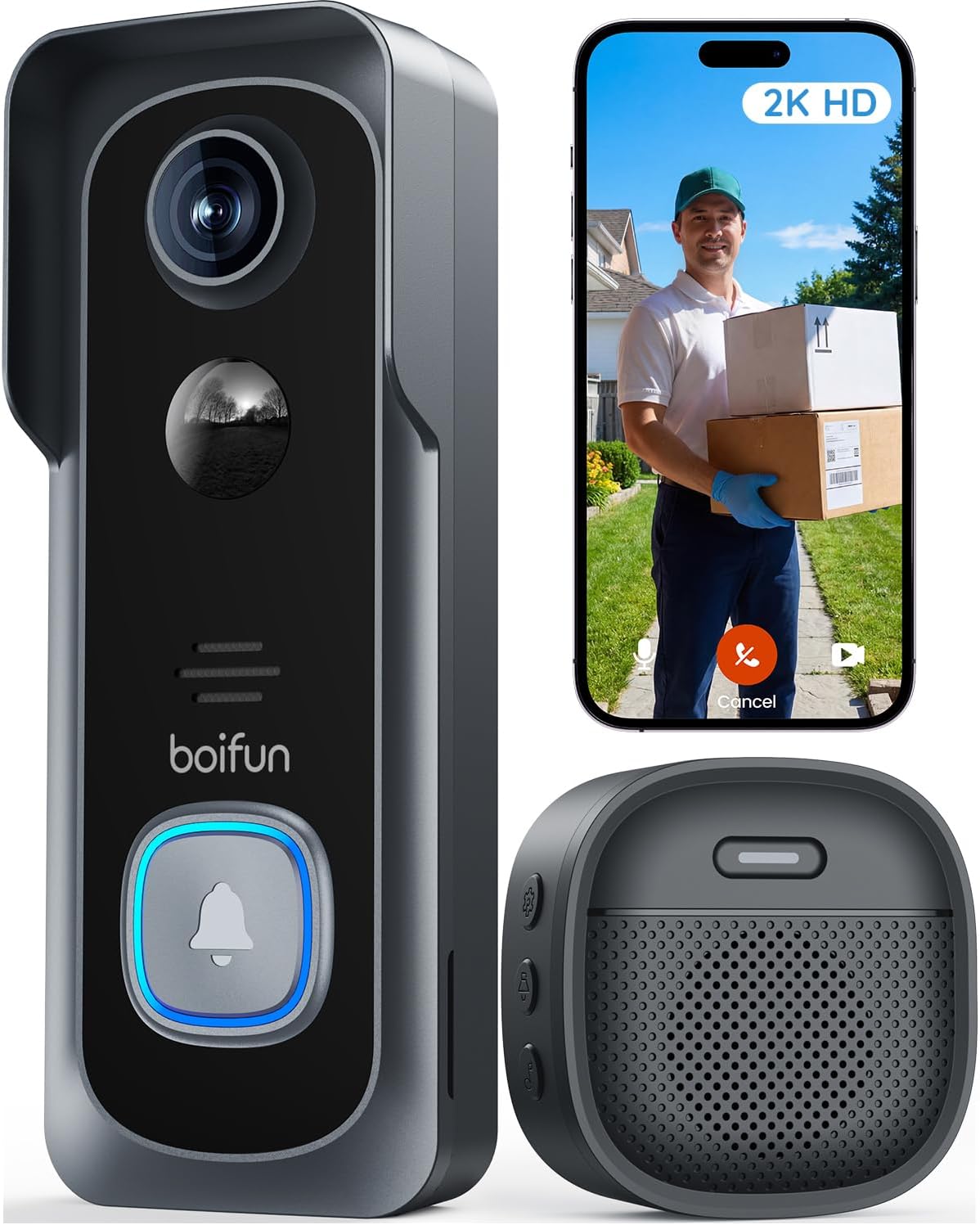
The BOIFUN 2K Video Doorbell J1 is a battery-powered wireless doorbell intended for front-door security and package monitoring without mandatory subscription fees. It records 2K video with a wide 166° field of view and HDR night vision, and supports two-way audio through the BoifunCam app for live conversations and monitoring. The unit is designed for outdoor use with an IP65 rating and includes human-detection alerts, motion-triggered recording, and a built-in tamper alarm. Storage is flexible: you can use a microSD card up to 128 GB for local footage or opt into cloud storage if you want remote backups. Practical touches include app-based multi-user sharing and settings to tune motion sensitivity to extend battery life; BOIFUN quotes long battery life under light use but frequent Live View sessions will shorten runtime. Setup requires a 2.4 GHz Wi‑Fi network only, so homes with 5 GHz–only routers need an adjustment. For buyers who want a functional, no-subscription surveillance doorbell, this model balances image quality and useful features in a compact, weatherproof package.
Best for: Buyers who want a practical, subscription-free Wi‑Fi doorbell that prioritizes solid daytime and night image quality, simple app control, and flexible local storage for everyday home security.
Less Ideal for: People who need battery-swappable hardware, rely exclusively on 5 GHz Wi‑Fi, or want advanced cloud-only AI features without using local storage or paid plans.
- 2K resolution with 166° field of view for broad, detailed coverage of a porch area.
- HDR night vision with invisible IR for color-capable low-light images and discreet nighttime monitoring.
- No subscription required for core features like live view, human detection, motion alerts and two-way audio.
- Dual storage options including local microSD up to 128 GB plus optional cloud backup.
- IP65 weatherproof design and built-in tamper detection for outdoor reliability.
- Only supports 2.4 GHz Wi‑Fi, so it will not connect to 5 GHz–only networks.
- Battery is non-removable and heavy Live View or frequent motion events will reduce runtime.
- MicroSD card not included, so local storage requires a separate purchase.
Verdict: A capable subscription-free 2K wireless doorbell that delivers wide-angle, HDR night video and local storage options for buyers seeking practical, no-frills home monitoring.
Orbitell M52 Video Doorbell
| Effective Video Resolution | 1080p |
|---|---|
| Connectivity Technology | Wi‑Fi (2.4GHz only) |
| Night Vision | Color (infrared LEDs) |
| Special Features | 2‑Way Audio, Motion Sensor |
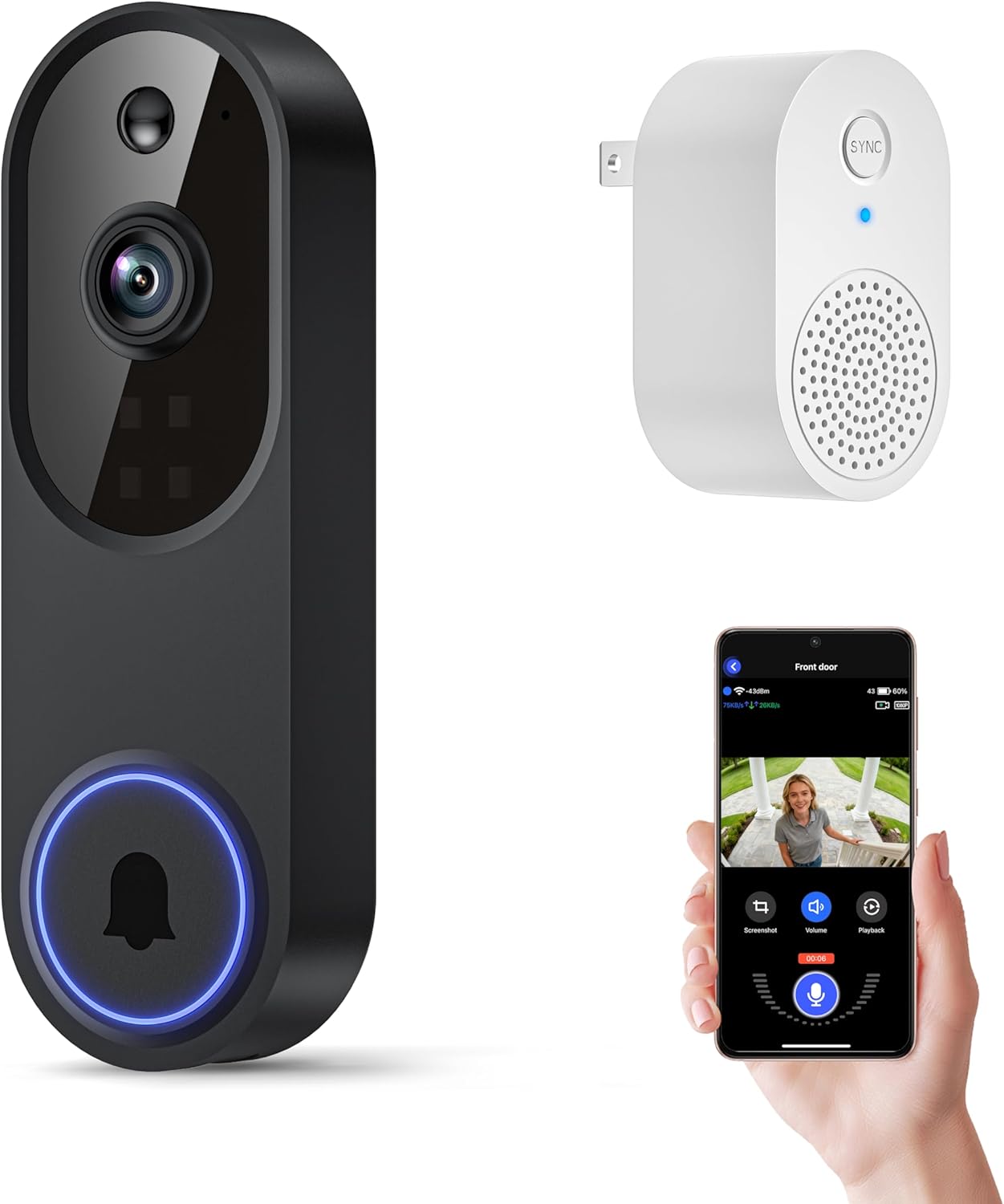
The Orbitell M52 is a battery-powered Wi‑Fi doorbell designed for basic door monitoring and two‑way communication. It streams 1080p video to a smartphone app over 2.4GHz networks, sends motion alerts filtered by AI to reduce false positives, and supports color night vision using infrared LEDs. Setup is wireless and intended for outdoor use with an IP65 weather rating, and the unit includes a built‑in speaker and microphone for live intercom use. Recordings are stored in AES‑128 encrypted cloud storage when you subscribe, and pre-capture is available for cloud users so events are less likely to be missed. Important limitations: the camera only works on 2.4GHz Wi‑Fi and does not support local microSD recording, so continuous or local-only storage is not possible without a cloud plan; rechargeable battery requires charging before first use and periodic recharging in typical deployments. For buyers who want simple app alerts and two‑way audio without complex wiring, this is a straightforward, weatherproof option.
Best for: Buyers looking for an affordable, easy‑to‑install wireless doorbell that delivers app alerts and live two‑way audio without complex wiring or enterprise features.
Less Ideal for: Users who need local-only recording, 5GHz Wi‑Fi support, or continuous professional-grade surveillance should look at other models with those capabilities.
- 1080p video streaming with AI motion detection to reduce false alerts
- Two‑way audio for real‑time communication through the app
- IP65 weather resistance for reliable outdoor use
- Color night vision and multiple infrared LEDs for clearer low‑light footage
- Requires 2.4GHz Wi‑Fi only and will not connect to 5GHz networks
- No local SD card recording option; video storage requires cloud subscription
Verdict: A budget-friendly wireless doorbell that gives reliable 1080p video, AI motion alerts, and two‑way audio for straightforward doorstep monitoring when you are willing to use cloud storage.
eufy Security Video Doorbell E8201

| Power Source | Battery Powered |
|---|---|
| Video Capture Resolution | 1080p |
| Night Vision | Night Color |
| Connectivity Protocol | Wi-Fi |
| Waterproof Rating | IP54 |
The eufy Security Video Doorbell E8201 is a wired-capable, Wi‑Fi doorbell camera intended to give clear 1080p video and local storage without ongoing fees. It captures HDR footage with a taller 4:3 view, offers night color imaging, two-way audio, and AI-driven human detection so you see relevant activity and can speak to visitors in real time. The unit includes an electronic chime and supports activity zones, facial snapshot notifications, and up to three canned voice responses for quick interactions. Setup requires existing doorbell wiring at 16–24 VAC and some installation experience, and the device does not support continuous cloud recording or HomeKit. Practical strengths are straightforward local storage and on-device detection that reduce false alerts and eliminate monthly subscriptions, while limitations are the requirement for compatible doorbell power and the lack of built-in continuous cloud backup if you want offsite footage.
Best for: Buyers who prioritize a reliable, subscription-free doorbell camera with clear local video and robust on-device detection and want to avoid ongoing fees while keeping footage private.
Less Ideal for: People who need a plug-and-play battery-only solution without wiring or those who require continuous offsite cloud recording or HomeKit integration for remote archive access.
- Local storage with AES 256‑bit encryption avoids monthly subscription fees
- HDR and 4:3 aspect ratio provide a taller, clearer view for head-to-toe coverage
- AI human detection and customizable activity zones reduce false motion alerts
- Includes electronic chime and two-way audio for immediate interaction
- Compatible with Alexa and Google Assistant for voice viewing
- Requires existing 16–24 VAC doorbell wiring and some installation experience
- Does not support continuous cloud recording or Apple HomeKit compatibility
Verdict: Choose this doorbell if you want clear local 1080p video and strong on-device human detection without paying a subscription.
Ring Battery Doorbell Retinal 2K

| Video resolution | Retinal 2K |
|---|---|
| Zoom | Up to 6x Enhanced Zoom |
| Power | Built-in rechargeable battery |
| Connectivity | Wi-Fi |
| Audio | Two-way talk |
The Ring Battery Doorbell Retinal 2K is a battery-powered video doorbell designed for simple installation and day-to-day home monitoring. It records at a higher-resolution Retinal 2K so you get wider views and clearer details than standard 1080p units, and the up-to-6x enhanced zoom helps inspect faces or distant areas. Live View and two-way talk let you see and speak with visitors in real time, while motion-triggered alerts arrive on your phone when activity is detected. The doorbell uses a built-in rechargeable battery that you remove with the included tool and charge via USB-C, which makes it easy to top up without rewiring. It also integrates with Alexa for hands-free viewing on Echo Show devices. Important practical limits are that advanced features like event history and AI-powered person/package alerts require a Ring Protect subscription, and the unit depends on Wi-Fi for remote access and notifications. For buyers who want clear video and easy setup without hardwiring, it delivers solid everyday monitoring.
Best for: Buyers who prioritize easy installation, clearer-than-1080p live video, and straightforward rechargeable battery operation while valuing peer-tested reliability.
Less Ideal for: People who need free cloud event history and advanced AI alerts without any subscription or those without reliable home Wi-Fi should consider other solutions.
- Retinal 2K video for clearer, wider footage than 1080p
- Up to 6x enhanced zoom to inspect distant details
- Removable rechargeable battery with USB-C charging for convenient recharging
- Two-way talk and Live View for real-time interaction
- Push notifications for motion events to your phone
- Full event history and AI-powered alerts require a paid Ring Protect subscription
- Relies on home Wi-Fi for remote viewing and alerts
Verdict: Choose this Ring 2K battery doorbell if you want higher-resolution live video, easy rechargeable battery operation, and simple Alexa integration for everyday home monitoring.
Blink Video Doorbell

| Included batteries | 3 AA Energizer lithium |
|---|---|
| Video | Head-to-toe HD |
| Night vision | Infrared |
| Required accessory | Sync Module (sold separately) |
The Blink Video Doorbell is a battery-powered doorbell camera designed for straightforward home security without complicated installation. It records head-to-toe HD video with infrared night vision, provides two-way audio through the Blink app, and can be installed wire-free or wired to an existing doorbell so it will chime in the house. The doorbell ships with three AA Energizer lithium batteries and Blink claims up to two years of battery life under typical use, which reduces maintenance for average households. Motion alerts and doorbell presses show in the app, and optional Blink subscription features can stitch clips into longer Moments and enable cloud storage, though local alerting and basic recording are usable without subscribing. A Sync Module is required for local network integration and is sold separately, so budget for that if you want local device coordination. Setup and mounting are simple, and Alexa integration allows basic voice control. Expect dependable, no-frills video and long battery life at the cost of needing an extra Sync Module for some advanced local features.
Best for: Buyers who prioritize a simple, low-maintenance doorbell camera with long battery life and easy setup for everyday home monitoring.
Less Ideal for: People who need fully feature-rich local recording out of the box or who want every advanced cloud feature without buying add-ons or a subscription.
- Head-to-toe HD video with infrared night vision for clear day and night coverage
- Long battery life—ships with three AA Energizer lithium batteries and up to two years of operation claimed
- Easy installation wire-free or wired to integrate with existing doorbell chime
- Two-way audio and mobile alerts via the Blink app
- Works with Alexa for voice actions and answering the door
- Sync Module required for certain local features is sold separately
- Advanced cloud features like stitched 'Moments' require a subscription
Verdict: A straightforward, low-maintenance video doorbell choice when you want reliable HD coverage and very long battery life with minimal fuss.
Choosing the Right Wi-Fi Video Doorbell Without a Subscription: Key Factors to Consider
Storage Options and Control
Where and how the doorbell stores video largely determines whether you truly avoid subscription fees. Some models record directly to an internal microSD card or to a local network storage device, while others allow uploads to a third-party cloud you control. Evaluate whether the device supports automatic overwriting, clip lengths, and retention settings because these affect how much footage you can keep without manual downloads.
Storage format and accessibility matter too. Check if recordings are encrypted at rest and whether you can access footage from your phone, a browser, or a local network. If you plan to archive clips for long-term retention, confirm export options and compatibility with local NAS or USB drives.
Video Quality and Low-Light Performance
Higher video resolution increases the chance of identifying faces, license plates, and other details, especially when playback is compressed. Also consider the camera's field of view and lens distortion; a wider field captures more area but can make distant details smaller. Night-time sensitivity, infrared illumination, and HDR handling influence clarity in shadows and backlit scenes.
Video bitrate and compression method affect storage needs and network load. For a subscription-free setup that uses local storage, balance between resolution and file size so you do not fill the card or drive too quickly while still getting usable evidence-quality footage.
Motion Detection and Notification Settings
Motion detection determines how often you get alerts and whether those alerts are meaningful. Fine-grained sensitivity controls, adjustable detection zones, and person detection reduce false alarms from passing cars, tree movement, or insects. Some doorbells use on-device rules to filter events before sending notifications; this is especially useful when you want to avoid cloud processing.
Also check notification latency and whether missed alerts can be reviewed later from local clips. The ability to set quiet hours or temporary disable notifications is important for balancing awareness with interruption.
Power, Wiring, and Installation Flexibility
How the doorbell is powered affects both installation complexity and ongoing reliability. Hardwired models typically draw steady power and can support continuous operation and chime integration but require compatibility with your existing doorbell transformer and wiring. Battery-powered units offer simpler installation and placement flexibility, but battery life may vary dramatically with motion frequency and video settings.
Consider mounting requirements, weather sealing, and whether the unit requires a separate chime adapter or mounting plate. If you are retrofitting to an older home, verify whether a professional install is necessary or whether the unit supports a battery option to avoid rewiring.
Privacy, Local Security, and Firmware Practices
When you avoid subscription storage, privacy and local security become even more important because footage may reside on a device in your home. Look for devices that support local encryption, strong account authentication, and optional on-premise-only operation to minimize external access. Auditability of access logs and the ability to manage user accounts matter for households with multiple users.
Regular firmware updates and clear update policies are vital to patch vulnerabilities. Evaluate how the vendor delivers updates and whether updates are automatic or user-initiated. Devices with transparent security documentation and frequent updates reduce the long-term risk of unauthorized access to local footage.
Local Storage Methods Explained
Local storage can take several forms: onboard microSD cards, a local network-attached storage (NAS) server, or a home network video recorder (NVR). Each method has practical tradeoffs between ease of use, capacity, and resilience to tampering.
Onboard microSD is simple and affordable but can be vulnerable if the device is stolen or damaged. NAS and NVR solutions keep footage on more robust hardware in the home and often support longer retention and easier backup, but they require more initial setup and networking knowledge.
- MicroSD: easy setup, limited capacity, risk if unit is taken
- NAS: larger capacity, central management, requires network configuration
- Local NVR: professional-grade retention and reliability, higher cost and complexity
Battery Vs Hardwired: Tradeoffs for Subscription-Free Use
Battery-powered doorbells are convenient for homes without existing doorbell wiring and reduce installation time, but frequent motion events and high-resolution recording shorten battery life. If you plan to rely heavily on continuous recordings or frequent motion-triggered clips, a hardwired unit usually provides more consistent performance.
Hardwiring also often enables direct chime integration and reduces latency for live view. If you choose a battery model, look for replaceable batteries and power-saving modes that still allow motion snapshots while conserving charge.
- Battery: flexible placement, periodic recharging or swapping
- Hardwired: continuous power, potential chime integration, higher reliability
Optimizing Network and Wi-Fi for Reliable Recording
A steady Wi‑Fi connection is essential for remote live view and for uploading clips to a local NAS or personal cloud. Place the router or a Wi‑Fi extender close enough to the doorbell to maintain a strong signal and consider using 2.4 GHz for better range if supported. Avoid congested channels and ensure the doorbell's firmware supports stable reconnection after outages.
If you plan to keep footage on a local NVR, ensure the network backbone between the camera and recorder is gigabit-capable for smoother transfers. Also consider quality-of-service settings to prioritize camera traffic during heavy household internet use.
- Use 2.4 GHz for range, 5 GHz for higher throughput when supported
- Place router or extender within strong signal range of the doorbell
- Consider wired backhaul to a nearby access point or NVR for reliability
Privacy Practices for On-Device and Local Storage
When recordings are stored locally, you control who has access. Implement strong account passwords, two-factor authentication where available, and local encryption if the device supports it. Limit remote access to the minimum necessary and review user accounts periodically to remove unused access.
Think through where backups are stored. A secure, encrypted backup to a personally managed NAS or encrypted external drive reduces the risk of losing footage if the doorbell is damaged or stolen.
- Enable two-factor authentication and strong passwords
- Use encrypted storage and secure backup routines
- Restrict remote access and audit user accounts periodically
Maintenance, Firmware, and Long-Term Reliability
Subscription-free ownership places more responsibility on you for maintenance. Check for regular firmware updates and verify update procedures before committing. Routine checks of storage health, battery condition, and camera cleanliness help maintain reliable footage capture.
Plan for long-term support. Prefer devices with a track record of firmware updates and clear documentation for manual backups and recovery procedures.
- Check update frequency and ease of applying firmware
- Schedule periodic storage cleanup and health checks
- Keep spare batteries or a maintenance plan for long-term uptime
How We Chose the Best Wi-Fi Video Doorbell Without a Subscription
We focused on devices that explicitly support recording without a required subscription, and we filtered out any doorbells that lock core features such as motion clips or doorbell video behind mandatory cloud plans. Our evaluation emphasized technical capabilities and real-world usability for subscription-free operation. Key criteria included video quality and low-light performance, because clear footage is essential when relying on local recordings for evidence. Storage flexibility was another major filter. We prioritized doorbells offering local microSD storage, local network video recorder support, or the ability to upload to a user-controlled cloud without vendor lock-in. Motion detection accuracy and customization were measured because false alerts degrade usefulness when you cannot rely on cloud-based processing. Installation options and power requirements mattered for fitment and reliability at typical entryways. We also considered privacy and security features such as local encryption, user account controls, and firmware update practices. Devices that required proprietary subscription tiers to access basic features were excluded. The resulting list reflects products that balance good image capture, dependable local or self-managed storage, and manageable setup for homeowners wanting to avoid recurring fees.
Our full evaluation process is outlined in our review methodology.
FAQ
Can a Wi‑Fi video doorbell record without any cloud account?
Often yes. Many models support local recording to a microSD card, NAS, or local NVR without requiring a vendor cloud account. However, some features like remote access or advanced person detection may still ask for an account.
Will local storage be safe if the doorbell is stolen?
If the footage is only on an onboard microSD card, it could be lost if the device is stolen. Using a NAS or NVR that stores footage on separate hardware reduces this risk and allows off-device backups for safer retention.
Do battery-powered models support continuous recording to local storage?
Continuous recording on battery models is usually limited because it drains power quickly. Many battery units support motion-triggered clips or scheduled short recordings to balance battery life and coverage.
How much storage do I need for daily motion clips?
Storage needs depend on video resolution, clip length, and motion frequency. Higher resolution and longer clips increase storage use. Plan capacity with expected activity in mind and enable automatic overwrite policies to maintain continuous recording.
Can I use my own cloud instead of the vendor's paid plan?
Some doorbells allow uploading to third-party cloud services or to your own cloud server. Check whether the device supports standard protocols or offers direct NAS integration to avoid vendor lock-in.
Final Verdict
Choosing a Wi‑Fi video doorbell without a subscription comes down to prioritizing how you want to store and access footage. If you value simplicity and minimal maintenance, a model with reliable onboard microSD recording and straightforward export options may suffice. If you need longer retention and better tamper resistance, plan for NAS or NVR integration and ensure your network can support it. Focus on clear video at typical approach distances, robust motion controls to reduce false alerts, and solid privacy features like local encryption and account protections. With those tradeoffs in mind, you can confidently select a subscription-free doorbell that fits your installation and security needs.