
Note: This article contains affiliate links. If you click on these links and make a purchase, we may earn a small commission at no extra cost to you. This helps support our research and content. Read our full affiliate disclosure here.
A Video Doorbell is one of the fastest ways to upgrade home security and convenience at the front door. The right unit gives you clear live video, dependable motion alerts, and straightforward two-way audio so you can see and speak with visitors from anywhere. Installing the right Video Doorbell also reduces false alerts and makes daily monitoring less of a chore. This guide presents seven shortlisted Video Doorbells that represent the best balance of video clarity, motion detection, connectivity, and ease of use. Below we explain the evaluation criteria, what matters when choosing a doorbell camera, and practical tips for installation and daily operation before the product list.
Top Picks at a Glance
| Best Overall The best all-around choice for most situations | eufy Security Video Doorbell E340 |  |
| Best Quality Built to a higher standard if you want something more solid | Google Nest Doorbell (Wired, 3rd Gen) |  |
| Best Value The sweet spot between price and what you get | Tapo D205 Video Doorbell | 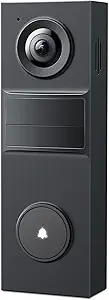 |
| Best Budget The cheapest option that still gets the job done reliably | Orbitell M52 Doorbell Camera |  |
| Top Rated A top-rated pick with lots of positive feedback | Ring Battery Doorbell |  |
| Most Popular A crowd favorite that many people choose with confidence | Blink Video Doorbell |  |
| Best Seller A high-volume bestseller chosen again and again | Ring Battery Doorbell 2K |  |
eufy Security Video Doorbell E340

| Video Capture Resolution | 2k |
|---|---|
| Viewing Angle | 160 degrees |
| Power Source | Battery Powered and Wired |
| Memory Storage Capacity | 128 GB |
| Waterproof Rating | IP65 |
The eufy Security Video Doorbell E340 is a versatile doorbell camera built around two synchronized cameras: a main 2K front-facing sensor for head-to-toe views and a downward camera focused on packages. It records locally to built-in 8GB eMMC (expandable with HomeBase options) so you avoid monthly fees, and it supports both battery-powered quick-release operation or continuous wired power for permanent installs. In practice the 160-degree field of view and 2K capture deliver clearer detail than many 1080p models, and the dual-light color night vision extends useful nighttime identification to about 16 feet. The unit works with Alexa and Google Assistant and offers two-way talk, AI-based human and package alerts, and pairing with chimes or eufy HomeBase devices. Limitations to note are 2.4 GHz Wi-Fi only and the requirement to keep the device physically installed even when wired power is present, which may matter if you expected full removal of the battery when hardwired. Overall it is a strong choice for buyers who want subscription-free local recording and better-than-HD image quality with package detection.
Best for: Buyers who want subscription-free, higher-resolution doorbell footage and package detection while keeping flexible power options and simple voice assistant integration.
Less Ideal for: Users who need HomeKit support or who require 5 GHz Wi-Fi compatibility and truly removable battery operation while hardwired.
- Dual cameras provide head-to-toe coverage plus a package-focused view
- 2K video capture for sharper detail than 1080p models
- Built-in 8GB local storage with no monthly subscription required
- Supports both removable battery operation and wired power
- Color night vision with up to 16 ft effective range
- Only supports 2.4 GHz Wi-Fi, no 5 GHz connectivity
- Device must remain installed even when using wired power so battery removal is not supported
Verdict: Choose the E340 if you want subscription-free 2K footage with dual cameras and flexible battery or wired installation for reliable doorstep and package monitoring.
Google Nest Doorbell (Wired, 3rd Gen)

| Connectivity Technology | Wired |
|---|---|
| Connectivity Protocol | Wi-Fi |
| Power Source | Corded Electric |
| Video Capture Resolution | 2000 HDR |
| Indoor Outdoor Usage | Outdoor |
The Google Nest Doorbell (Wired, 3rd Gen) is a performance-focused video doorbell that delivers higher-resolution 2K HDR footage and a taller, wider field of view for clearer identification of visitors, packages, and vehicles. Installed on existing doorbell wiring, it streams live video to the Google Home app over Wi‑Fi and offers intelligent alerts that distinguish people, packages, vehicles, and animals. With Activity Zones you can limit alerts to relevant areas, and the device includes color night vision for usable low-light footage. Integration with Google's Gemini features and Home app adds searchable event history and more descriptive notifications when paired with a Google Home Premium subscription, and the unit emphasizes security with encrypted video and two-step verification. Trade-offs are that some advanced convenience features require a paid subscription and wired power means no battery-free placement options, but for buyers prioritizing image quality and smart detection the Nest doorbell is a capable, polished choice.
Best for: Buyers who want best-in-class image quality and accurate smart alerts for front-door security and are comfortable with wired installation and cloud-based features.
Less Ideal for: People who need a battery-powered or completely wireless doorbell for flexible placement or those who want all features without any subscription.
- 2K HDR video resolution for clearer, more detailed footage
- Intelligent alerts that identify people, packages, vehicles, and animals
- Activity Zones to reduce irrelevant notifications
- Color night vision for usable low-light imaging
- Tight integration with Google Home and Gemini for searchable event history
- Advanced Gemini and searchable features require a Google Home Premium subscription
- Wired installation limits placement compared with battery models
Verdict: If you want top-tier video clarity and intelligent, Google-driven alerts for your front door, this wired Nest Doorbell delivers performance and smart features.
Tapo D205 Video Doorbell
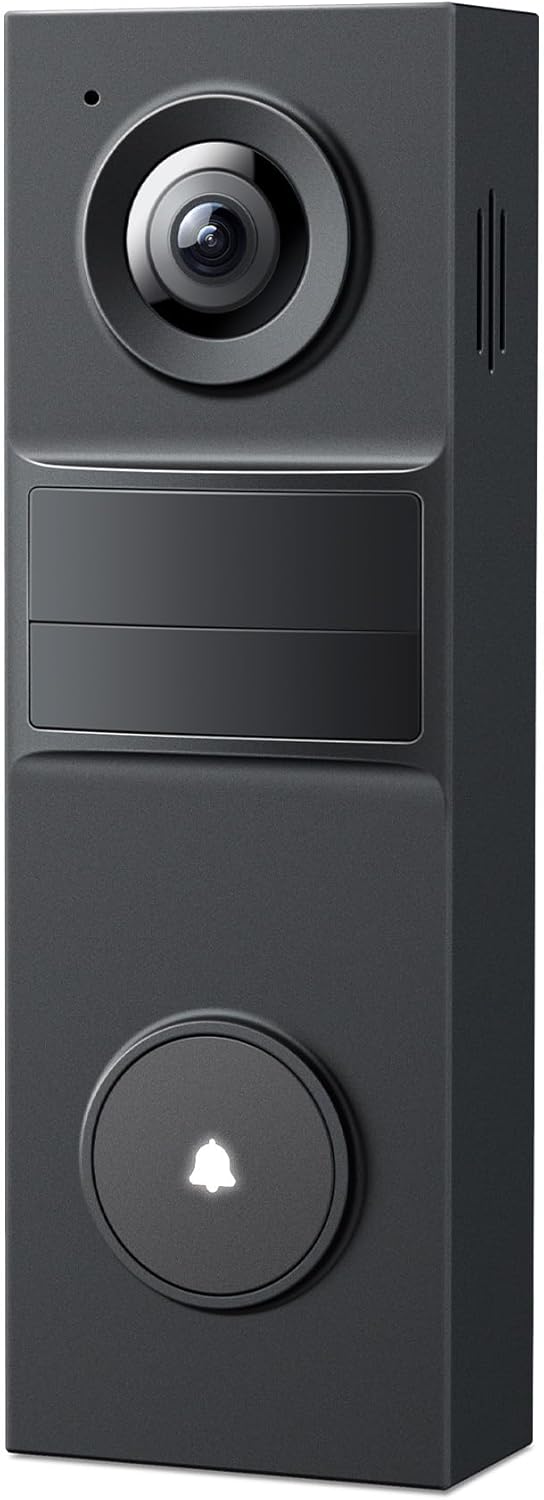
| Video Capture Resolution | 2K 3MP |
|---|---|
| Field of View | 160° |
| Power Source | Battery Powered |
| Wireless Technology | Wi‑Fi 2.4Ghz only |
| Local Storage | microSD up to 512GB |
The Tapo D205 is a wire-free smart doorbell built around a 2K 3MP camera and a very wide 160° field of view, designed to capture head-to-toe activity at the front door. It runs on a rechargeable battery with USB-C top-up and supports motion-triggered AI person detection to cut down on false alerts. Typical use is straightforward: mount the bracket, connect to 2.4 GHz Wi-Fi, and manage alerts, live view, and recorded clips in the Tapo app; incoming rings show up as a phone call so you can answer like a call. Notable features include two-way talk with quick-response messages, adjustable activity zones, and built-in spotlights plus IR night vision for low-light clarity. You can store footage locally on a microSD (up to 512 GB) or opt into Tapo Care cloud storage. Limitations to consider are 2.4 GHz Wi-Fi only and the reliance on battery life that varies with recording and live-view use, so frequent heavy use will shorten time between charges compared with wired models.
Best for: Buyers who want a practical, easy-to-install wireless doorbell that prioritizes clear video, smart person alerts, and flexible storage without mandatory subscriptions.
Less Ideal for: Users who need 5 GHz Wi-Fi support, continuous wired power for never-changing battery state, or advanced third-party integrations beyond Alexa and Google Assistant.
- Sharp 2K video with 160° field of view for broad coverage
- AI person detection reduces irrelevant motion alerts
- Rechargeable battery with USB-C charging and optional outdoor power
- Local microSD storage up to 512GB plus optional cloud backup
- Two-way audio with ring-as-call and preset quick responses
- Works only on 2.4 GHz Wi-Fi, no 5 GHz support
- Battery operation means periodic recharging under heavy use
Verdict: A sensible, install-and-forget wireless doorbell that delivers wide 2K coverage and smart person alerts for buyers who value clear footage and low-cost local storage.
Orbitell M52 Doorbell Camera
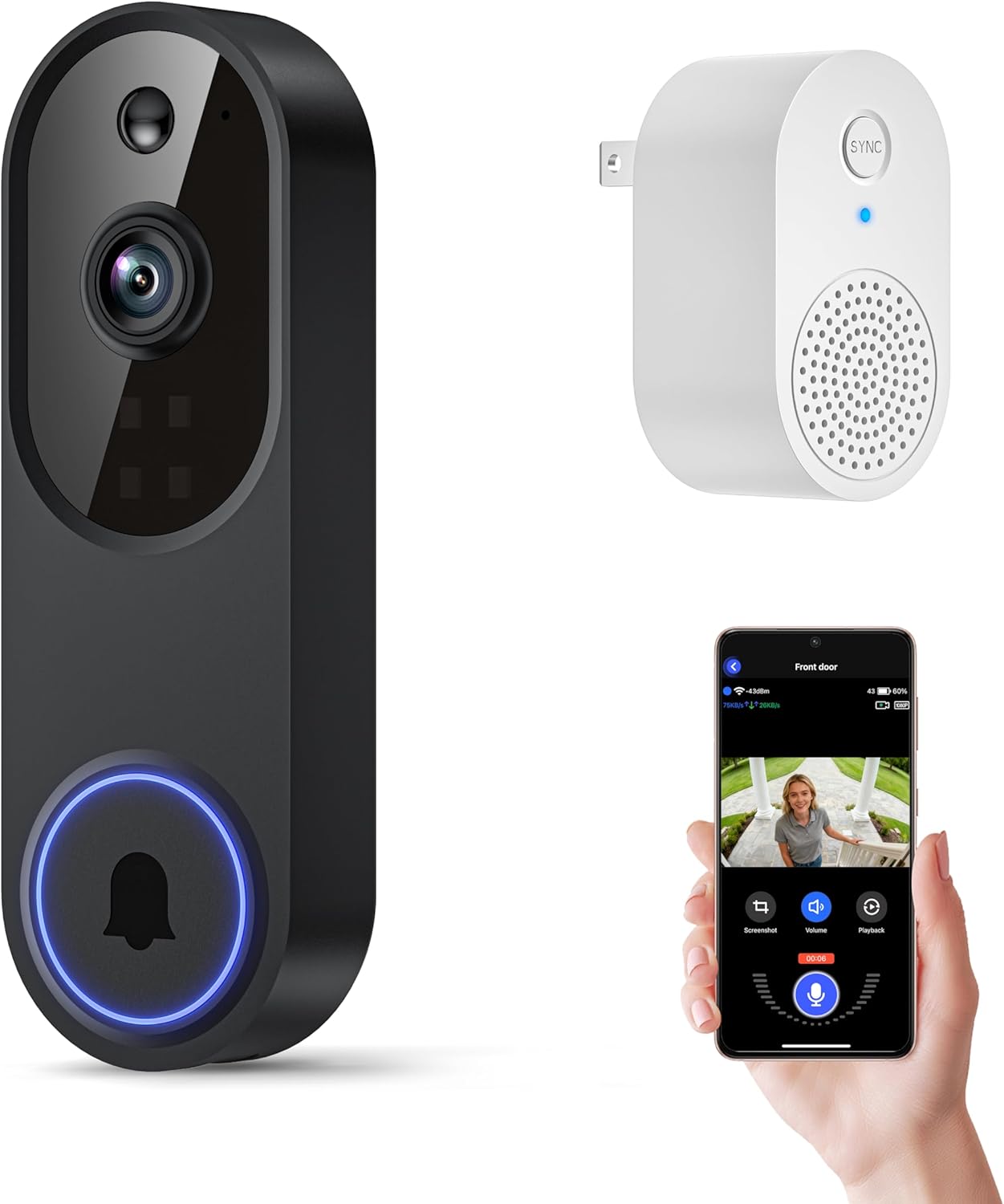
| Connectivity Technology | Wi-Fi (2.4GHz) |
|---|---|
| Effective Video Resolution | 1080p |
| Other Special Features of the Product | 2-Way Audio, Motion Sensor, Night Vision |
| Indoor Outdoor Usage | Indoor, Outdoor |
| Light Source | Infrared LED |
The Orbitell M52 is a battery-powered wireless video doorbell designed for straightforward home entry monitoring. It streams 1080p video to a smartphone app over 2.4GHz Wi‑Fi, sends instant motion alerts, and lets you speak with visitors using two-way audio. AI-powered detection helps reduce false alarms by distinguishing people from vehicles and animals, and night color vision plus four infrared LEDs improve low-light detail. The unit is weather-resistant (IP65) and intended for outdoor mounting; setup requires recharging the internal battery before first use and keeping the device within roughly 33 feet of a router. Recordings are stored in encrypted cloud storage and pre-capture is available for subscribers, but the camera does not support local SD recording and will not join 5GHz networks. For buyers on a budget this model delivers the essential doorbell camera features and solid night performance, though reliance on cloud subscription for history and the 2.4GHz-only requirement are important limitations to note.
Best for: Buyers seeking a budget-friendly, no-frills smart doorbell that prioritizes reliable motion alerts, two-way audio, and usable night video for everyday doorstep monitoring.
Less Ideal for: Users who need local storage or must connect to a 5GHz-only network should look for alternatives with SD recording or dual-band Wi‑Fi support.
- AI motion detection that filters people from animals and vehicles to reduce false alerts
- Two-way audio for real-time communication with visitors
- Night color vision with infrared LEDs for improved low-light footage
- Weather-resistant IP65 build suitable for outdoor installation
- Only connects to 2.4GHz Wi‑Fi and does not support 5GHz networks
- No local SD recording; video history requires a paid cloud subscription
Verdict: A cost-conscious outdoor doorbell camera that gives clear 1080p day/night video, AI motion alerts, and two-way audio for basic, reliable doorstep security.
Ring Battery Doorbell

| Built-In Battery | Yes |
|---|---|
| Charging Port | USB-C |
| Live View | Yes |
| Two-Way Talk | Yes |
| Motion Detection | Yes |
The Ring Battery Doorbell is a wireless doorbell camera designed for straightforward home or small-business monitoring. It records taller head-to-toe video so packages and visitors are more likely to be fully in frame, and you can view live footage or speak through two-way talk from the Ring app. The unit runs on a built-in rechargeable battery and recharges via a USB-C port after you detach it from the mounting bracket, which keeps installation cable-free but requires periodic removal for charging. Motion detection sends real-time alerts to your phone and can be enhanced with subscription-based smart notifications that identify people or packages. Integration with Alexa lets you launch video on Echo Show devices and get spoken alerts. Important limitations are the reliance on a paid Ring Protect subscription for extended video history and more advanced alerts, and the need to manage battery power instead of continuous wired power.
Best for: Buyers who prioritize dependable, easy-to-install video monitoring and want clear vertical coverage of entrances without running wires; ideal for homeowners or small-business operators who value consistent alerts and live access.
Less Ideal for: People who need continuous, maintenance-free wired power or want full cloud video history and advanced smart alerts without a subscription should consider other wired or subscription-included options.
- Head-to-toe vertical video gives better coverage of door and porch areas.
- Built-in rechargeable battery with USB-C charging simplifies cable-free installation.
- Live View and two-way talk let you check and communicate in real time from the app.
- Motion detection with push alerts keeps you informed of activity at the door.
- Works with Alexa for hands-free viewing and notifications.
- Advanced person and package alerts and video history require a Ring Protect subscription.
- Battery operation means periodic recharging rather than continuous wired power.
Verdict: A simple, reliable wireless doorbell camera that delivers better vertical coverage and live two-way access for buyers who want easy installation and dependable monitoring.
Blink Video Doorbell

| Battery life | Up to two years with 3 AA lithium batteries |
|---|---|
| Video | Head-to-toe HD with infrared night vision |
| Included items | Sync Module Core, 3 AA Energizer lithium batteries, mounting kit |
| Connectivity | Works with Alexa; app alerts and two-way talk |
The Blink Video Doorbell is a battery-powered smart doorbell designed for simple installation and long-term, low-maintenance use. It records head-to-toe HD video with infrared night vision, supports two-way talk through the Blink app, and can be mounted wire-free or connected to existing doorbell wiring so chimes inside the home will sound. The package includes three AA Energizer lithium batteries and a Sync Module Core to manage local connectivity and extend battery life to as much as two years under typical conditions. The system integrates with Alexa and can send push alerts for doorbell presses; a Blink subscription adds person detection and stitched clip features for easier review. Practical limitations include reliance on cloud subscription for advanced detection and clip storage and the need to keep app and network connections working for remote viewing. For buyers prioritizing easy setup, long battery life, and basic smart features, this is a straightforward option; power users wanting extensive local storage or advanced detection without a subscription may want different systems.
Best for: Buyers who want a no-fuss, easy-to-install doorbell that prioritizes long battery life and reliable basic smart features backed by a well-known ecosystem.
Less Ideal for: Users who need comprehensive local storage, advanced out-of-the-box analytics, or full offline operation should consider alternatives with built-in NVR support or richer on-device processing.
- Very long battery life with three included AA Energizer lithium batteries and Sync Module Core
- Head-to-toe HD video with infrared night vision for day and night clarity
- Flexible installation: wire-free or wired with in-home chime support
- Two-way talk and Alexa integration for hands-free responses
- Includes Sync Module Core and mounting hardware out of the box
- Advanced person-detection and extended clip features require a Blink subscription
- Limited local storage options without additional Blink products
Verdict: Choose the Blink Video Doorbell if you want an easy-to-install, low-maintenance doorbell with exceptionally long battery life and reliable basic smart features.
Ring Battery Doorbell 2K

| Video resolution | Retinal 2K |
|---|---|
| Zoom | Up to 6x Enhanced Zoom |
| Power | Built-in rechargeable battery |
| Connectivity | Works with Alexa |
The Ring Battery Doorbell 2K is a wireless doorbell camera built for everyday home monitoring. It captures higher-resolution Retinal 2K video for clearer wide-angle views and lets you zoom up to 6x to inspect details, which helps when checking faces or packages at a distance. You can view Live View, speak through two-way talk, and receive real-time motion notifications on your phone. The unit runs on a built-in rechargeable battery that detaches for USB-C charging, simplifying outdoor maintenance without rewiring. It integrates with Alexa for hands-free viewing and benefits from optional Ring Protect cloud recording for reviewing events. Limitations to consider are that continuous video history requires a subscription and the included USB-C cable is not provided, so you will need one to recharge; also, as a battery model it will need periodic charging depending on activity and settings. For buyers who want straightforward setup and clear daytime video with smart alerts, this doorbell covers the essentials well.
Best for: Buyers who prioritize simple installation, clear live video, and straightforward smart alerts for everyday home security will find this a reliable, low-fuss option.
Less Ideal for: Users who need continuous local video recording without subscriptions or who prefer a wired, maintenance-free power setup should consider alternative models.
- Retinal 2K video for clearer wide-angle footage
- Up to 6x enhanced zoom to inspect distant details
- Built-in rechargeable battery with USB-C recharging
- Real-time motion alerts and two-way talk for live interaction
- Alexa integration for hands-free viewing
- Cloud video history requires a paid Ring Protect subscription
- Battery models need periodic recharging based on activity
Verdict: A convenient, battery-powered doorbell camera that delivers sharper 2K video and useful zoom for everyday home monitoring.
Choosing the Right Video Doorbell: Key Factors to Consider
Video Resolution And Night Performance
High video resolution makes it easier to identify faces, license plates, and package details. Daytime clarity is important, but night performance and infrared or color night modes often determine whether footage is useful after dark. Consider the resolution you need relative to your recorder or cloud plan, and check sample night footage where available.
Higher megapixel counts improve detail but also increase bandwidth and storage needs. If you frequently review clips or save evidence, factor in how long you want to retain video and whether your chosen setup supports local or cloud storage that matches those retention goals.
Motion Detection Accuracy And Customization
Good motion detection reduces false alarms from passing cars, tree movement, or pedestrians on a nearby sidewalk. Look for units that allow you to create detection zones and adjust sensitivity so alerts focus on the porch, driveway, or walkway only.
Advanced systems offer person-only detection or package detection which can cut down on unnecessary notifications. If you live on a busy street, tighter zones and lower sensitivity settings will save time and phone battery life by reducing alert frequency.
Power And Installation Options
Video Doorbells are typically available in battery-powered and hardwired variants. Battery models offer easy placement and no wiring, but require periodic recharging and may have limited continuous recording. Hardwired units can draw power from existing doorbell wiring for uninterrupted operation, often enabling features like constant video recording.
Consider your entryway layout and whether you have existing chime compatibility or need an adapter. Some installations require mounting brackets or angled plates to capture the desired field of view; factor in any additional parts or professional wiring if you prefer not to DIY.
Connectivity And Network Requirements
A reliable Wi-Fi connection is essential for live streaming and timely notifications. Check the unit's supported bands (2.4 GHz versus 5 GHz), required upload speeds, and recommended signal strength at the mounting location. Some devices support dual-band connections or Ethernet through a separate base station for more stable performance.
If your home network is spotty near the entryway, think about using a Wi-Fi extender, mesh node, or a wired backhaul to reduce latency. Lower latency matters for two-way talk and fast live view when you need to answer the door immediately.
Storage, Privacy, And Access Controls
Decide whether you prefer cloud subscriptions, local microSD storage, or a combination. Cloud plans often simplify remote access and video history but may add ongoing costs. Local storage can avoid recurring fees but requires secure on-device encryption and backup strategies.
Also review privacy and account controls: two-factor authentication, guest access with limited permissions, and clear data retention policies help protect your footage and reduce the risk of unauthorized access.
Software Features And User Experience
The supporting app determines how easily you receive alerts, review clips, and adjust settings. Look for clear layouts, meaningful notification filters, and fast clip loading. Useful extras include scheduled mode, integration with smart-home assistants, and simple sharing of clips with other household members or law enforcement.
Also consider firmware update practices and how updates are delivered; regular security and stability updates keep the system reliable over time.
Installation Tips For Best Field Of View
To get the most useful footage, mount the doorbell at the recommended height and angle so it captures faces clearly while covering the approach path to the door. Many doorways benefit from a slight downward tilt or an angled bracket when the entry is raised or recessed.
- Position the camera 42 to 48 inches above the ground for a balanced view of faces and packages.
- Avoid mounting directly opposite a reflective surface like a glass storm door to reduce glare.
- If the entry is off a walkway, angle the camera to cover the approach path rather than only the doorstep.
Managing Notifications And Reducing False Alerts
Start with default sensitivity settings and test by walking the approach path several times. Use detection zones to exclude the sidewalk or street if those areas generate most false alarms. Enable person-only detection where available to focus alerts on human activity instead of cars or animals.
- Set quiet hours to limit alerts during expected high-traffic windows.
- Use notification grouping in your phone to consolidate multiple rapid alerts into a single batch.
- If your app supports activity-based clips, enable those to make review faster and reduce bandwidth used by unnecessary recordings.
Power Considerations: Battery Versus Hardwired
Battery doorbells are simple to install and flexible about placement but require charging every few months depending on activity. Hardwired options deliver continuous power suitable for features like constant video recording, but may need more complex installation and chime compatibility checks.
- If choosing battery power, monitor battery level trends after a few weeks to estimate recharge frequency.
- For hardwired installs, confirm the line voltage and chime compatibility before installation.
- Consider a hybrid approach if available: battery-backed units that use wiring when present for continuous operation.
Integrations And Smart-Home Compatibility
Check whether the doorbell plays nicely with your existing smart-home ecosystem. Integration can enable hands-free viewing on smart displays, automations that turn on lights when motion is detected, and shared access for household members.
- Prioritize open standards or widely supported platforms to avoid being locked into a single ecosystem.
- Test any voice assistant or smart display features during the trial period to confirm expected behavior.
- Use role-based access if the system allows different permissions for family members and guests.
Maintaining And Updating Your System
Regularly check for firmware and app updates to maintain security and feature reliability. Clean the camera lens occasionally to prevent degraded image quality from dust, pollen, or cobwebs.
- Schedule brief monthly checks of connection strength and recent clips to ensure recordings are being captured.
- Keep account recovery information up to date and enable two-factor authentication where offered.
- Replace batteries before they reach critically low levels to avoid missed events.
How We Chose the Best Video Doorbell
We selected candidates by focusing on the features that actually matter for day-to-day front-door monitoring. First, we prioritized video quality and night performance because clear footage is essential for identifying people and packages. Second, motion detection accuracy and customizable zones were required to reduce nuisance alerts from nearby sidewalks and trees. Third, we considered connectivity options and latency so live view and two-way talk feel responsive on typical home networks. Fourth, installation flexibility mattered: we included hardwired and battery options that suit a range of doorframes and wiring situations. Finally, we evaluated software usability, including app navigation, notification controls, and local storage options. We excluded units that lacked basic encryption or had consistently poor user reviews for reliability. Budget models were considered only if they met minimum thresholds for video resolution and motion control. Our filters emphasized practical specifications and user-facing features rather than marketing claims, with a focus on long-term dependability for everyday use.
Our full evaluation process is outlined in our review methodology.
FAQ
Will a Video Doorbell work on my existing doorbell wiring?
Often, yes. Many Video Doorbells support common low-voltage doorbell wiring, but compatibility varies. Check the unit's wiring requirements and the voltage supplied by your transformer; some situations require a compatible adapter or a different power solution.
How long does battery life typically last on battery-powered units?
Battery life depends on usage patterns and motion frequency. With moderate traffic, many models last several months on a charge. Heavy activity, frequent live-viewing, or enabled features like cloud continuous recording will shorten battery cycles.
Can Video Doorbells record continuously, or do they only save motion clips?
It depends on the model and power source. Hardwired setups are more likely to support continuous recording or higher frame-rate captures, while battery models often limit recording to motion-triggered events to conserve power. Some systems allow local continuous recording with a wired connection or base station.
How can I reduce false alerts from moving cars or trees?
Use detection zones and adjust sensitivity to exclude roadways and areas with frequent foliage movement. Enabling person-only detection and setting appropriate notification schedules also reduces unnecessary alerts.
Is cloud storage necessary, or can I use local storage?
Both options are viable. Cloud storage offers convenient remote access and managed retention but may require a subscription. Local storage avoids recurring fees and can be suitable if the device offers encrypted on-device storage and you have a backup plan for critical clips.
Final Verdict
When choosing a Video Doorbell, prioritize clear video and dependable motion detection first, then match power and installation options to your entryway and wiring. Consider network reliability and app usability because even the best camera is only useful if you can access footage quickly and receive meaningful alerts. Balance continuous recording and storage needs against battery life and subscription preferences. Focus on the features that reduce false alerts and make daily monitoring painless. With those tradeoffs clear, you can pick a Video Doorbell that fits your mounting situation and gives you the consistent, useful coverage you need for front-door security.