
Note: This article contains affiliate links. If you click on these links and make a purchase, we may earn a small commission at no extra cost to you. This helps support our research and content. Read our full affiliate disclosure here.
A Wi-Fi video doorbell is one of the easiest ways to add remote monitoring and smarter entry control to your home. The right unit gives you clear live video, two-way audio, and timely alerts when visitors arrive, while matching your preferred installation style and network setup. This guide covers seven shortlisted options that excel for common home needs, from simple battery installs to wired setups with continuous power. We evaluated each pick for image clarity, motion detection reliability, installation and compatibility, and the quality of companion apps. Read on to find a model that fits your door, wiring, and security priorities.
Top Picks at a Glance
| Best Overall The best all-around choice for most situations | eufy Security Video Doorbell E340 |  |
| Best Quality Built to a higher standard if you want something more solid | eufy Security Video Doorbell E340 |  |
| Best Value The sweet spot between price and what you get | BOIFUN 2K Video Doorbell J1 | 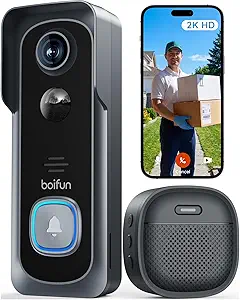 |
| Best Budget The cheapest option that still gets the job done reliably | Orbitell M52 Doorbell Camera |  |
| Top Rated A top-rated pick with lots of positive feedback | Tapo Tapo Video Doorbell D225 |  |
| Most Popular A crowd favorite that many people choose with confidence | Ring Battery Doorbell |  |
| Best Seller A high-volume bestseller chosen again and again | Ring Battery Doorbell Retinal 2K |  |
eufy Security Video Doorbell E340

| Video Capture Resolution | 2k |
|---|---|
| Viewing Angle | 160 degrees |
| Battery Power | 6500 milliamp_hours |
| Night Vision Range | 16 feet |
| Connectivity Protocol | Wi-Fi (2.4 GHz) |
The eufy E340 is a rechargeable video doorbell designed to be a subscription-free, all‑around Wi‑Fi option for front‑door monitoring. It uses a dual‑camera layout with a forward-facing lens for people and a downward-facing lens to capture packages and the doorstep, recording up to 2K resolution and saving video to built-in 8GB eMMC storage. The battery-focused bundle includes an extra quick‑release 6500 mAh battery so you can swap batteries without long downtime, and the device supports wired power if you prefer constant power. Color night vision and a dual-light system improve nighttime detail within about 16 feet, and two-way talk, motion alerts, Delivery Guard and app controls let you respond and review events remotely. It only supports 2.4 GHz Wi‑Fi and does not integrate with Apple HomeKit, so smart‑home compatibility is centered on Alexa and Google Assistant. For buyers seeking clear daytime and improved night imaging with local storage and no monthly fee, the E340 delivers a capable, practical doorbell; users who need 5 GHz Wi‑Fi or HomeKit support will need a different option.
Best for: Buyers who want a subscription-free Wi‑Fi doorbell with strong daytime and night imaging, comprehensive doorstep coverage, and the convenience of hot‑swap batteries for continuous operation.
Less Ideal for: Homes that require 5 GHz Wi‑Fi connectivity or Apple HomeKit integration should consider other doorbells with those specific networking or ecosystem features.
- Dual‑camera design covers both faces and the doorstep for fewer blind spots
- 2K resolution with color night vision for clearer daytime and nighttime detail
- Local 8GB eMMC storage so recordings can be kept without a subscription
- Rechargeable 6500 mAh battery plus included extra battery for minimal downtime
- Works with Alexa and Google Assistant and sends instant motion notifications via app
- Supports only 2.4 GHz Wi‑Fi and lacks 5 GHz connectivity
- No Apple HomeKit support
Verdict: A practical, subscription‑free Wi‑Fi doorbell that prioritizes clear 2K video, dual‑camera coverage and removable batteries for continuous doorstep protection.
eufy Security Video Doorbell E340

| Video Capture Resolution | 2k |
|---|---|
| Viewing Angle | 160 degrees |
| Power Source | Battery Powered and Wired |
| Night Vision Range | 16 feet |
| Memory Storage Capacity | 128 GB |
The eufy Security Video Doorbell E340 pairs a head-to-toe front camera with a downward package camera to capture both visitors and deliveries, and records in 2K resolution to onboard storage so you can avoid subscription fees. It can run on its removable rechargeable battery for quick, wireless installs or be wired to keep the battery topped up for continuous operation, and the 160 degree field of view gives broad coverage of most doorways. Color night vision and a dual-light system improve low-light detail out to roughly 16 feet, and two-way audio with AI motion/package detection helps reduce false alerts while letting you speak to visitors from the app. The built-in 8GB eMMC plus support for HomeBase storage provides local recording and encryption for privacy-conscious users. Expect straightforward wall-mount installation with supplied hardware, good daytime detail from 2K capture, and the convenience of Alexa and Google Assistant integration. Limitations include 2.4 GHz Wi-Fi-only support and modest onboard storage capacity that may require more frequent footage management or adding a HomeBase for expanded retention.
Best for: Buyers who prioritize image quality and comprehensive doorstep coverage without recurring fees and want flexible installation options for wired or battery power.
Less Ideal for: Users who require 5 GHz Wi-Fi support, long-term cloud retention out of the box, or very large on-device video archives without adding external storage.
- Dual cameras capture head-to-toe views plus packages for more complete doorstep coverage
- 2K video capture for clearer daytime detail than 1080p models
- Removable rechargeable battery with optional wired power for flexible installs
- Local 8GB eMMC storage and no subscription requirement
- Color night vision and dual-light system for improved low-light visibility
- Only supports 2.4 GHz Wi-Fi, not 5 GHz
- Built-in 8GB storage is limited compared with cloud plans or larger local hubs
Verdict: Choose the E340 if you want high-resolution, subscription-free doorstep coverage with dual cameras and flexible battery or wired installation.
BOIFUN 2K Video Doorbell J1
| Video Capture Resolution | 2k |
|---|---|
| Connectivity Protocol | 2.4 GHz Wi‑Fi Only |
| Battery Power | 5200 milliamp_hours |
| Night Vision Range | 33 feet |
| Flash Memory Supported Size Maximum | 128 GB |
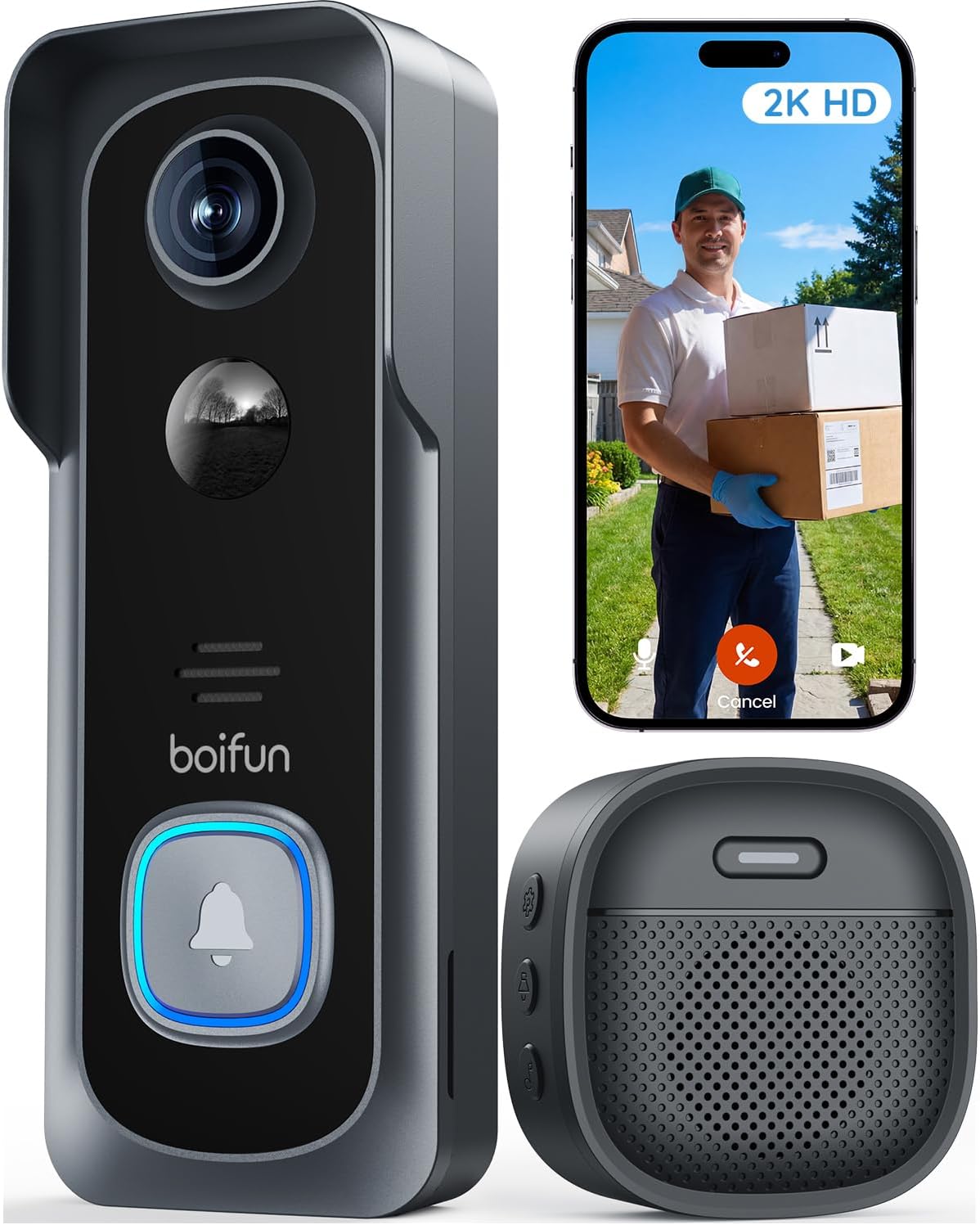
The BOIFUN 2K Video Doorbell J1 is a battery-powered Wi‑Fi doorbell aimed at straightforward front‑door monitoring. It captures 2K video with a wide 166° field of view and HDR night vision, and it uses a 1.2T AI chip for human-detection alerts and fast processing. Setup is wireless and app-driven over 2.4 GHz Wi‑Fi, and the unit supports local microSD storage up to 128 GB or optional cloud subscriptions. In daily use you get live view, two-way talk, motion notifications, and tamper alerts without a mandatory monthly fee. The built-in 5200 mAh rechargeable battery can last many weeks under light to moderate activity but heavy live-viewing or frequent activations will reduce runtime, and the doorbell requires a reliable 2.4 GHz network for consistent responsiveness. Physical build is weatherproof to IP65 and includes an indoor chime in the box for a complete out‑of‑the‑box setup. For buyers who want subscription-free core features, wide coverage, and local storage options, this is a practical, easy-to-install choice; those needing 5 GHz support or wired integration options should look elsewhere.
Best for: Buyers who prioritize an easy wireless install, subscription-free core features, and wide-angle daytime and nighttime coverage for front‑door security.
Less Ideal for: People who need 5 GHz Wi‑Fi support, hardwired integration, or a removable battery for quick swaps should consider other models.
- 2K resolution with 166° field of view for broad, detailed coverage
- HDR night vision with invisible 940 nm IR for clear low-light images without red glow
- No subscription required for core features like live view, two-way audio, and human detection
- Supports local microSD storage up to 128 GB and also offers optional cloud storage
- IP65 weatherproof design and included indoor chime enable outdoor use and simple setup
- Only supports 2.4 GHz Wi‑Fi, so it will not connect to 5 GHz networks
- Battery is built-in and non-removable, so charging requires removing or recharging the unit and heavy live use reduces battery life
Verdict: A practical, no‑subscription doorbell camera that delivers wide 2K coverage and local storage for buyers who want reliable, easy wireless front‑door monitoring.
Orbitell M52 Doorbell Camera
| Connectivity Technology | Wi-Fi (2.4GHz) |
|---|---|
| Effective Video Resolution | 1080p |
| Other Special Features | 2-Way Audio, Motion Sensor, Night Vision |
| Indoor Outdoor Usage | Indoor, Outdoor |
| Light Source | Infrared LED |
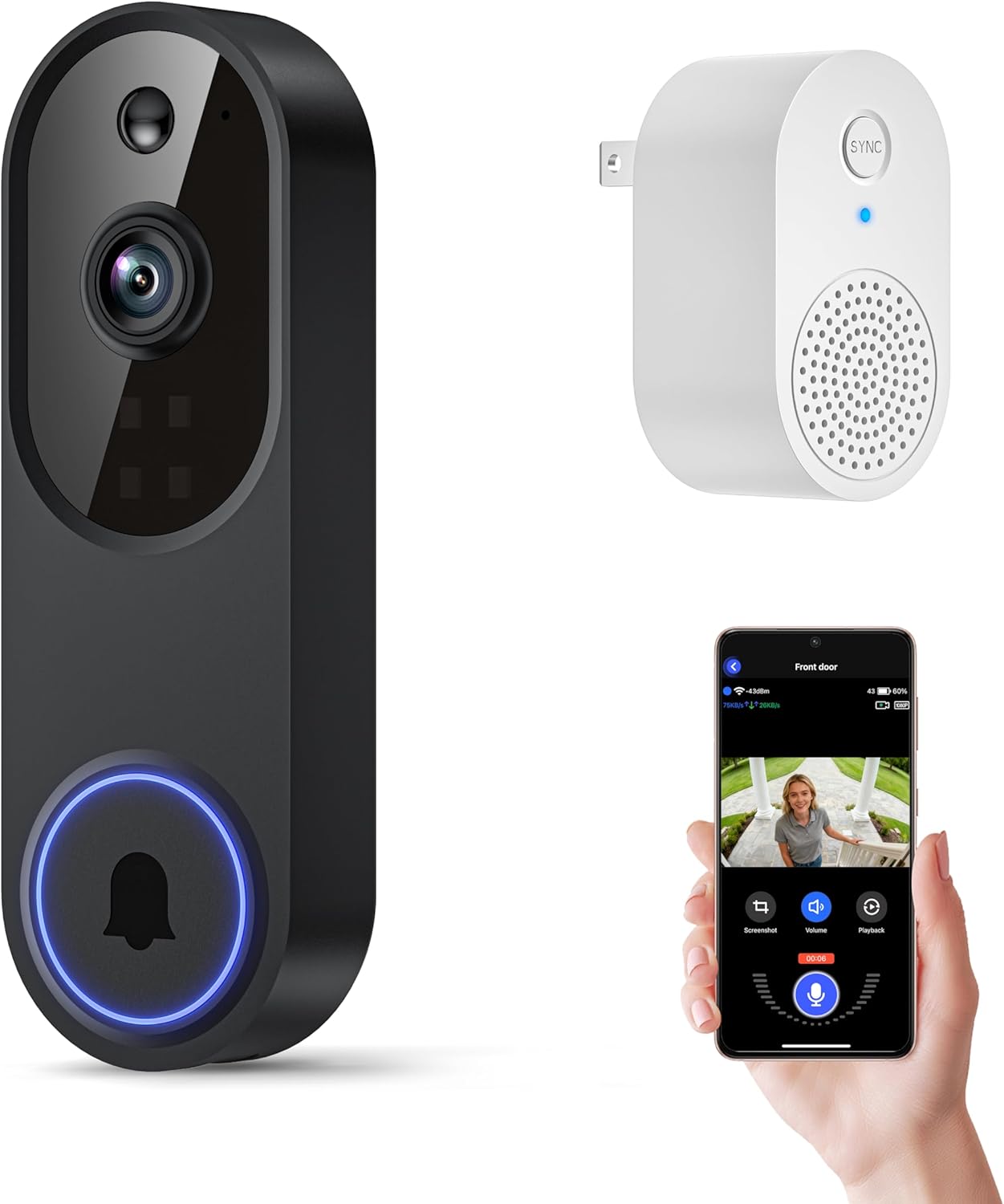
The Orbitell M52 is a battery-powered wireless doorbell camera aimed at basic home monitoring and doorstep interactions. It connects to 2.4GHz Wi‑Fi and delivers 1080p video with AI motion detection that prioritizes people over vehicles and animals, sending instant motion alerts to a smartphone. Night vision uses infrared LEDs to produce usable footage in low light, and two‑way audio lets you speak with visitors through the app. The unit supports encrypted cloud storage and offers pre-capture recording for subscribers, but it does not record to an SD card and requires a cloud plan to keep clips. Setup is typical for wireless doorbells — charge the device via micro‑USB before first use and place it within the recommended Wi‑Fi range — and the IP65 weather resistance makes it suitable for outdoor mounting. If you need simple, app‑based monitoring with person detection and audio at a budget level, the M52 covers those basics, though reliance on 2.4GHz Wi‑Fi and subscription storage are important limitations to consider.
Best for: Buyers who want an inexpensive, app‑based doorbell camera that focuses on person alerts, night visibility, and simple two‑way communication for basic home monitoring.
Less Ideal for: Users who need 5GHz Wi‑Fi compatibility, local storage without subscriptions, or advanced enterprise features and integrations.
- AI motion detection that filters people from vehicles and animals to reduce false alerts
- 1080p video with infrared night vision for clear day and low‑light footage
- Two‑way audio for real‑time conversation with visitors
- Weather‑resistant IP65 build suitable for outdoor mounting
- Encrypted cloud storage with pre‑capture recording for cloud subscribers
- Only supports 2.4GHz Wi‑Fi, so it will not connect to 5GHz networks
- No local SD recording option; video retention requires a paid cloud subscription
Verdict: A budget-friendly wireless doorbell camera that delivers person-focused motion alerts, night vision, and two‑way audio for straightforward doorstep monitoring.
Tapo Tapo Video Doorbell D225

| Video Capture Resolution | 2k |
|---|---|
| Viewing Angle | 180 degrees |
| Power Source | Battery Powered & Hardwired |
| Night Vision Range | 25 feet |
| Memory Storage Capacity | 512 GB |
The Tapo D225 is a flexible Wi‑Fi doorbell camera designed for continuous monitoring or battery-powered installations. It records in 2K QHD and uses a 180° head‑to‑toe field of view to capture an entire doorway without multiple cameras, while built‑in spotlights provide full‑color night vision. You can hardwire it for always‑on recording or rely on the internal 10,000 mAh battery for up to months of operation between charges depending on settings and use. The unit offers free on‑device AI detection for people, packages, and vehicles plus adjustable activity zones to cut down false alerts, and two‑way audio with quick response presets for remote interactions. Local storage via microSD (up to 512 GB) is supported and a modular indoor chime is included for in‑home alerts. Where it shows limits, the frame rates top out at 15–20 fps which can make fast motion slightly less smooth, and it requires 2.4 GHz Wi‑Fi only, so it will not join 5 GHz networks. For buyers who prize continuous, dependable monitoring, the D225 balances clear imagery, reliable power options, and useful AI alerts.
Best for: A buyer who wants dependable, always‑on doorstep monitoring with flexible installation options and practical AI alerts, valuing reliability and clear evidence over top-tier frame rates.
Less Ideal for: Users who need the highest frame rates for very fast action or those whose home networks are 5 GHz‑only without a 2.4 GHz band available.
- Supports both hardwired and battery operation for flexible, reliable power.
- 2K QHD resolution with 180° head‑to‑toe view reduces blind spots at the doorstep.
- Full‑color night vision with spotlight improves low‑light identification.
- Free on‑device AI person/package/vehicle detection and adjustable activity zones cut down on irrelevant alerts.
- Includes modular indoor chime and mounting wedges for easier installation and placement.
- Frame rate is limited to 15–20 fps which can make fast movement appear less smooth.
- Requires 2.4 GHz Wi‑Fi and does not support 5 GHz networks.
Verdict: Choose the Tapo D225 if you want a reliable, flexible doorbell camera that pairs clear 2K imagery and head‑to‑toe coverage with dependable battery or hardwired operation and built‑in AI alerts.
Ring Battery Doorbell

| Built-In Battery | Yes |
|---|---|
| Charging Port | USB-C |
| Live View | Yes |
| Two-Way Talk | Yes |
| Head-to-Toe Video | Yes |
The Ring Battery Doorbell is a wireless video doorbell designed for quick installation and everyday home monitoring. It records a taller Head-to-Toe field of view so you can see packages and visitors from head to toe, and provides Live View plus two-way talk for real-time interactions from your phone. The unit runs on a built-in rechargeable battery and uses a USB-C port for easy recharging when you remove it from the mounting plate. Motion detection sends push alerts to your device and the doorbell supports Smart Alerts to distinguish people or packages when paired with a Ring Protect subscription. Integration with Alexa allows voice announcements and streaming to Echo Show devices. Important trade-offs are that advanced video history and person/package identification require a paid subscription and battery operation means occasional manual recharging instead of continuous hardwired power.
Best for: Buyers who prioritize easy installation, clear vertical video coverage, and a well-supported ecosystem with strong social proof from many users.
Less Ideal for: People who want continuous always-on power or who need full-featured video history and analytics without a subscription.
- Tall Head-to-Toe video gives expanded vertical coverage for packages and visitors
- Built-in rechargeable battery with USB-C makes recharging straightforward
- Live View and two-way talk let you see and speak to visitors in real time
- Motion alerts and Smart Alerts provide timely notifications and basic object distinctions
- Works with Alexa for voice announcements and streaming to Echo Show
- Advanced video history and intelligent alerts require a paid Ring Protect subscription
- Battery power requires periodic removal and recharging rather than continuous wired power
Verdict: A convenient, easy-to-install battery doorbell that gives extra vertical coverage and solid live interaction for buyers who want a widely used, proven Wi-Fi video doorbell.
Ring Battery Doorbell Retinal 2K

| Video resolution | Retinal 2K |
|---|---|
| Zoom | Up to 6x enhanced zoom |
| Audio | Two-way talk |
| Power | Built-in rechargeable battery |
The Ring Battery Doorbell Retinal 2K is a wireless video doorbell aimed at straightforward home monitoring. It captures wide-angle Retinal 2K video and offers up to 6x enhanced zoom so you can inspect faces or distant details, and Live View plus two-way talk lets you see and speak with visitors in real time. Motion alerts push notifications to your phone, and the built-in rechargeable battery detaches for USB-C charging with the included removal tool. The unit integrates with Alexa for hands-free alerts and video on compatible Echo devices, and it works with optional Ring Protect cloud storage for event review. Practical limitations include the need for a separate Ring Protect subscription to unlock advanced cloud history features and that a USB-C cable is not provided for charging. For buyers who prefer a familiar, easy-to-use system with clear video and battery convenience, this model is a solid, low-friction choice.
Best for: Homeowners who want a familiar, easy-to-manage wireless doorbell with clear 2K video and simple Alexa integration and who prefer a low-friction install and battery charging workflow.
Less Ideal for: Users who need free cloud video history or who prefer a wired-only, subscription-free system for continuous recording.
- Retinal 2K resolution with up to 6x enhanced zoom for clearer detail at distance
- Rechargeable built-in battery that detaches for USB-C charging
- Real-time Live View and two-way talk for on-demand interaction
- Motion detection with push alerts to your phone
- Works with Alexa for hands-free viewing and notifications
- Advanced event history and AI alerts require a separate Ring Protect subscription
- USB-C charging cable is not included
Verdict: A user-friendly battery doorbell that delivers sharp 2K video and convenient rechargeable operation for risk-averse buyers seeking reliable, easy monitoring.
Choosing the Right Wi-Fi Video Doorbell: Key Factors to Consider
Video Resolution and Night Performance
Higher resolution provides more visible detail at the door, which helps with identifying faces and packages. Daytime clarity matters, but low-light performance and infrared or color night modes are equally important for early morning or after-dark activity.
Look for cameras that manage exposure well, handle backlit scenes, and reduce motion blur during brief events. Better sensors and HDR capability often yield more useful footage in mixed lighting conditions.
Motion Detection and Alert Customization
Motion detection determines how often you receive alerts and how many recordings are stored. A system with adjustable motion zones, sensitivity settings, and people-only detection reduces false alarms from passing cars or trees.
Check whether the device processes detection on the unit or in the cloud, since on-device processing can reduce unnecessary uploads. Also consider the speed of notifications and whether you can set quiet hours or schedule detection for certain times.
Installation Type and Power Options
Wi-Fi video doorbells commonly come in battery-powered or hardwired configurations. Battery models simplify installation and are good for rental properties or locations without doorbell wiring. Hardwired units provide continuous power and may support chime integration and uninterrupted recording.
Consider mounting surface, doorbell box depth, and whether you need an adapter or transformer for existing wiring. Some installations require a separate chime connector or optional mounting plates for angled doorways.
Network Compatibility and Bandwidth Needs
These devices rely on home Wi-Fi, so support for 2.4 GHz and 5 GHz bands affects placement and performance. 2.4 GHz provides broader range, while 5 GHz avoids interference and supports higher video bitrates at close range.
Also plan for bandwidth use during frequent motion events or continuous uploads. If multiple cameras share a network, ensure your router and internet plan can handle concurrent streams without significant lag.
Storage, Privacy, and Subscription Policies
Storage options range from local microSD or hub storage to cloud-only recording. Local storage can avoid recurring fees and keeps clips on-site, but cloud plans often include longer retention windows and easier remote access.
Review data encryption practices and account protections. Think about whether the vendor's subscription terms, data retention, and privacy disclosures align with your comfort level for offsite storage and sharing.
App Usability and Smart Home Integration
A responsive companion app is critical for timely alerts, live view, and reviewing recordings. Intuitive interfaces, quick playback, and reliable push notifications make daily use smoother.
Also check for integration with smart home ecosystems or voice assistants you already use. Native integrations can simplify automations, routines, and multi-device control so your doorbell works as part of a larger home setup.
Battery Vs Hardwired: Choosing the Right Power Fit
Battery-powered Wi-Fi video doorbells are ideal when you lack existing doorbell wiring or want a lower-effort install. They let you mount the unit where it gets the best view without running new wires, but you will need to manage charging intervals and battery life can vary based on motion frequency and video resolution.
Hardwired units draw continuous power from your doorbell circuit and often support mechanical or digital chimes. They remove the need to recharge, and some models enable professional-grade features like continuous recording or extended live view. However, hardwired installs may require a compatible transformer and more hands-on setup if your old wiring does not match the new doorbell requirements.
- Battery models: easier install, flexible placement, periodic recharging required
- Hardwired models: continuous power, chime compatibility, may need transformer
- Consider hybrid options that support both to keep flexibility
Placement, Field of View, and Mounting Angles
Proper placement determines how useful the footage will be. Wider fields of view capture more of the porch but can make faces appear smaller. A narrower, optimized angle that centers on the doorstep will increase identification details.
Mounting height and angle matter for detecting packages and faces. Many doorbells offer wedge or corner mounts to correct sightlines on recessed doorways or angled entryways. Check the unit's vertical and horizontal field-of-view specifications before installing.
- Aim for a height of about 48 to 60 inches for balanced face and package coverage
- Use angled mounts for side-porches or recessed entries
- Test live view before final mounting to confirm the intended coverage
Managing Notifications and Reducing False Alarms
Excessive false alerts reduce the usefulness of a Wi-Fi video doorbell. Use motion zones and sensitivity controls to focus detection on walkways and avoid busy streets or trees. Some systems offer 'person-only' detection that emphasizes human shapes over general motion.
Consider notification timing and batching. If your doorbell supports scheduled detection or quiet hours, you can silence alerts overnight while keeping continuous recording active. Also evaluate how quickly the app pushes notifications and whether it includes a snapshot preview to decide if you need to open the live feed.
- Define motion zones to ignore high-traffic or irrelevant areas
- Enable people detection when available to cut down on non-human triggers
- Set quiet hours to avoid overnight disturbances
Local Storage Options Versus Cloud Services
Local storage keeps recordings on a microSD card or a home hub and avoids monthly fees. It can be preferable for privacy-conscious users who want physical control of their footage, but local storage can be lost if the unit is stolen or damaged.
Cloud services offer offsite backups, longer retention, and easy sharing of clips, but they typically require subscriptions. Balance the convenience of cloud access with the security and long-term costs when deciding which storage approach fits your needs.
- Local storage: no recurring fees, vulnerable if device is stolen
- Cloud storage: remote access and backup, usually subscription-based
- Hybrid setups can provide local buffering with selective cloud uploads
Network Setup and Improving Wi-Fi Reliability
Good Wi-Fi coverage at the doorbell location is essential for smooth live view and fast uploads. If the signal is weak, consider moving the router, adding a mesh node, or using a wired backhaul for a nearby access point to stabilize the connection.
Check whether the doorbell supports 2.4 GHz, 5 GHz, or both. Devices on 5 GHz will have faster throughput at close range but less range through walls. If you experience frequent dropouts, reduce competing wireless congestion or allocate a dedicated SSID for smart devices.
- Test Wi-Fi signal strength where you plan to mount the doorbell
- Use mesh nodes or extenders to improve coverage if needed
- Prefer 5 GHz for higher bitrate footage if signal strength permits
Privacy, Sharing, and Account Protections
Think through who has access to your doorbell feed and how clips are shared. Many systems allow multiple users and temporary guest access, useful for family members or caregivers. Confirm the authentication options and whether two-factor authentication is available for account protection.
Review how the vendor handles encryption and whether footage is encrypted in transit and at rest. Also check privacy controls for automatic sharing or third-party integrations to prevent unintended access.
- Enable two-factor authentication when available
- Limit account sharing and manage user permissions
- Confirm encryption policies for both live streams and stored clips
How We Chose the Best Wi-Fi Video Doorbell
We focused on real-world reliability and practical compatibility when narrowing options for this roundup. Our selection criteria emphasized video quality (resolution, low-light performance, and HDR handling), motion detection accuracy and configurability, installation options including battery versus hardwired setups, and the robustness of mobile apps and notification systems. Network demands were considered, including Wi-Fi band support and typical bandwidth needs for stable live view and cloud uploads. We also looked at audio clarity for two-way communication and whether units support local storage or require cloud subscriptions. We excluded products that lack basic security features such as encrypted video streams or that have consistently poor user feedback about connectivity. Also omitted were devices with unclear firmware update policies or limited app support. The resulting shortlist reflects devices that balance dependable video performance, flexible installation workflows, and sensible data handling, so readers can choose based on the features that matter most for their home.
Our full evaluation process is outlined in our review methodology.
FAQ
Do Wi-Fi video doorbells work on both 2.4 GHz and 5 GHz networks?
It depends on the model. Some units support both bands, while others only work on 2.4 GHz. Check the product specifications because 2.4 GHz gives better range through walls and 5 GHz offers higher throughput for clearer video.
How long does battery-powered operation typically last?
Battery life varies widely based on motion frequency, video resolution, and how often you use live view. In typical suburban use with moderate activity, batteries can last from a few weeks to several months. Lowering recording resolution or enabling event-based recording extends runtime.
Can a Wi-Fi video doorbell replace my wired chime?
Many hardwired models integrate with existing chimes using a chime connector or transformer, but not all do. If you want the indoor chime to still ring, verify that the unit supports chime integration and that your transformer meets the required voltage.
Is cloud storage required to save video clips?
Not always. Some doorbells offer local storage via microSD cards or a networked hub, while others rely primarily on cloud services. Local storage avoids subscription fees but may be lost if the device is stolen.
Will a doorbell record continuously or only when triggered?
Recording behavior depends on the model and settings. Many units record clips on motion or doorbell press events, while some hardwired setups or systems with local hubs can support continuous recording. Continuous modes require more bandwidth and storage.
Final Verdict
Choose a Wi-Fi video doorbell that matches how you want to power and place the device, and prioritize the features that solve your biggest concerns. If easy installation and flexible placement matter most, a battery-powered model with good motion filtering may be best. If you want uninterrupted power and chime integration, favor hardwired units that support continuous operation. Weigh tradeoffs among video clarity, notification reliability, and storage approach when deciding. Focus on installation fit, network strength at the mounting point, and the app experience to pick a doorbell that will be dependable day to day.