
Note: This article contains affiliate links. If you click on these links and make a purchase, we may earn a small commission at no extra cost to you. This helps support our research and content. Read our full affiliate disclosure here.
If you need reliable, fast color output without the cable clutter, choosing the right wireless color laser printer makes a measurable difference in daily workflow. You want consistent color, low running interruptions, and a network-friendly device that fits your work habits. This guide covers seven shortlisted wireless color laser printers that meet varied needs from home offices to small business tasks. We evaluate each unit on print speed, color accuracy, connectivity, paper handling, and operating costs to help you find the model that best matches your priorities. Read on to see which features matter most and which tradeoffs to expect.
Top Picks at a Glance
| Best Overall The best all-around choice for most situations | Xerox C240 Color Laser Printer |  |
| Best Quality Built to a higher standard if you want something more solid | Canon imageCLASS MF753Cdw II |  |
| Best Value The sweet spot between price and what you get | Brother MFC-L3720CDW |  |
| Best Budget The cheapest option that still gets the job done reliably | Canon imageCLASS LBP646Cdw |  |
| Top Rated A top-rated pick with lots of positive feedback | Xerox C245 Color Multifunction Printer |  |
| Most Popular A crowd favorite that many people choose with confidence | Brother HL-L3220CDW Color Laser Printer |  |
| Best Seller A high-volume bestseller chosen again and again | HP Color LaserJet Pro MFP 3301sdw |  |
Xerox C240 Color Laser Printer

| Print speed | 26 pages_per_minute |
|---|---|
| Max print resolution | 2400×600 dots_per_inch |
| Connectivity | Ethernet, USB, Wi-Fi |
| Duplex | Automatic |
| Print media | Card stock, Envelopes, Glossy photo paper, Labels, Paper (plain) |
The Xerox C240 is a single-function color laser designed for small offices, freelancers, and hybrid workers who need reliable, professional-looking prints without a lot of fuss. It prints at up to 26 pages per minute in both color and black and white, and produces high-resolution output up to 2400×600 dpi for sharp text and vivid graphics. The printer supports Ethernet, USB, and dual-band Wi-Fi with Apple AirPrint and Mopria for straightforward mobile printing, and setup is simplified by the Xerox Easy Assist App. Practical features include automatic two-sided printing, envelope and cardstock handling, and support for high-yield toner to lower running costs. The unit is compact and energy-star rated, but it is a print-only device so scanning and copying require a separate machine, and the power draw under heavy use is relatively high. For buyers who prioritize straightforward wireless color output and low maintenance, the C240 delivers consistent, business-ready pages in a small footprint.
Best for: Buyers who need dependable, business-quality color prints from a compact wireless printer and value easy mobile setup and low-maintenance operation.
Less Ideal for: People who need an all-in-one device with scanning or copying, or users who require ultra-low power draw or extremely high monthly volumes.
- Fast 26 ppm color and black-and-white printing for small office workflows
- High maximum print resolution (2400×600 dpi) for crisp text and graphics
- Dual-band Wi-Fi plus Ethernet and USB for flexible wired or mobile printing
- Automatic duplex printing and support for envelopes and cardstock
- Supports high-yield toner to reduce ongoing operating costs
- Single-function print-only unit with no built-in scan or copy capability
- Relatively high power consumption under load
Verdict: A compact, easy-to-set-up wireless color laser that delivers crisp, professional prints and lower running costs for small offices that only need printing.
Canon imageCLASS MF753Cdw II

| Print speed | 35 pages per minute |
|---|---|
| Print resolution | 1200 x 1200 dpi |
| Duplex | Automatic |
| Connectivity | Ethernet, USB, Wi-Fi |
| ADF capacity | 50-sheet duplex ADF |
The Canon imageCLASS MF753Cdw II is a work-focused color laser all-in-one that prioritizes speed and straightforward networked use. It prints both color and black-and-white at up to 35 pages per minute and wakes to first-page output in roughly seven seconds, which keeps short runs and busy print queues moving. The 5" color touchscreen and Wi-Fi or Ethernet connectivity make setup and mobile printing simple, while the one-pass 50-sheet duplex ADF speeds two-sided scanning and copying. Paper handling is practical for a small office with a 250-sheet cassette plus a multipurpose tray and optional expansion to a higher capacity. Print quality at 1200 x 1200 dpi delivers sharp text and crisp color for typical business documents and marketing collateral, and Canon Genuine Toner 069 is specified for consistent results. Expect a substantial footprint and weight compared with compact inkjets, and ongoing toner costs are higher than tonerless alternatives, but maintenance is minimal and uptime is good for performance-driven environments.
Best for: Buyers who prioritize fast, reliable printing and networked workflows for a small office or hybrid work setup and need a multifunction device that keeps jobs moving.
Less Ideal for: If you need a compact, lightweight printer for occasional home use or very low monthly volumes, a small inkjet or single-function printer is a better match.
- Fast 35 ppm color and mono printing for quick throughput
- Automatic duplex printing and one-pass 50-sheet ADF for efficient two-sided scanning/copying
- 1200 x 1200 dpi output for sharp text and good color documents
- Multiple connectivity options including Wi-Fi and Ethernet plus mobile printing
- 250-sheet standard cassette with optional paper capacity expansion
- Larger and heavier than consumer inkjets, requiring dedicated space
- Toner replacement and operating costs are higher than ink-based printers
Verdict: Choose the MF753Cdw II when you need a fast, networked color laser multifunction that delivers professional-quality output and reliable throughput for a busy small office.
Brother MFC-L3720CDW

| Printer Type | Laser |
|---|---|
| Functions | Print, Copy, Scan, Fax |
| Print Speed | 19 ppm (color & B&W) |
| Standard Tray Capacity | 250 sheets |
| Connectivity | Wi-Fi, USB |
The Brother MFC-L3720CDW is a small-office focused color laser multifunction that combines printing, scanning, copying and fax in one unit. It delivers up to 19 pages per minute in color and black, a 3.5-inch color touchscreen with customizable shortcuts, and a 50-sheet auto document feeder for multi-page jobs. Connectivity includes Wi‑Fi and USB with mobile printing support via Brother Mobile Connect, and automatic duplexing and a 250-sheet input tray help reduce manual intervention. Print quality is strong for business documents with a rated maximum color resolution of 2400 x 600 dpi, and Brother's genuine TN229 toners and optional higher-yield cartridges keep replacement straightforward. Expect a moderately large footprint and typical laser power draw, and the included starter toner yields are conservative compared with high-yield options, so monthly running cost depends on whether you choose standard or XL cartridges or enroll in Brother's Refresh subscription. The unit is designed for steady, reliable small-office use rather than photo studio output or ultra-high-speed production environments.
Best for: Buyers who want a reliable, networked color laser all-in-one that minimizes manual tasks and fits a small office workflow where consistent document quality and easy mobile management matter.
Less Ideal for: Shoppers who need the fastest production speeds, the lowest per-page running cost without subscription options, or studio-quality photo printing should consider other specialized solutions.
- All-in-one functionality: print, scan, copy and fax in one machine.
- Automatic duplexing and 250-sheet tray reduce paper handling for medium workloads.
- 50-sheet ADF and 3.5" touchscreen with customizable shortcuts speed multi-page tasks.
- High rated maximum print resolution (2400 x 600 dpi) for sharp business graphics and text.
- Wi‑Fi and mobile app support make printing and monitoring from phones and tablets convenient.
- Starter toner yields are limited so ongoing toner cost varies with usage and cartridge choice.
- Print speed (19 ppm) is modest compared with higher-end office lasers.
- Relatively high power consumption compared with inkjet alternatives.
Verdict: A practical, dependable wireless color laser all-in-one built for small offices that need easy mobile access, duplexing, and steady everyday performance.
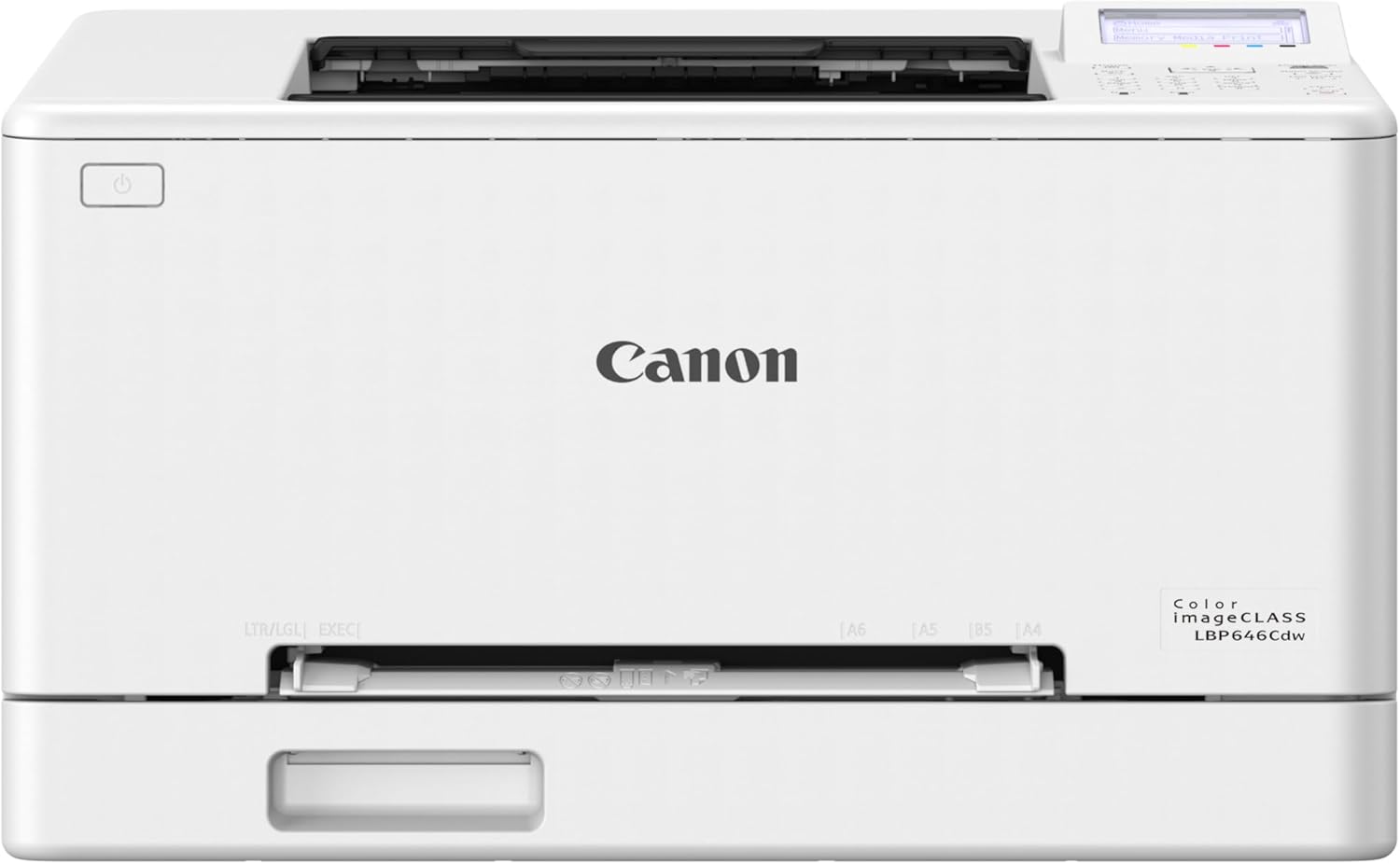
Canon imageCLASS LBP646Cdw
| Printer Type | Laser |
|---|---|
| Print Speed (Color/BW) | 26 pages_per_minute |
| Duplex | Automatic |
| Connectivity | USB, Wi-Fi, Ethernet |
| Paper Capacity | 250-sheet cassette + 1-sheet MP tray |
The Canon imageCLASS LBP646Cdw is a print-only color laser designed for small and home offices that need reliable, fast color output without scanning or copying. It connects over Wi‑Fi or Ethernet and supports mobile printing via the Canon PRINT app, AirPrint, and Mopria, making it convenient for laptop and smartphone workflows. The printer produces crisp documents at up to 26 pages per minute with a quick first-page time and supports automatic two-sided printing to save paper. Paper handling is practical for busy users, with a 250-sheet cassette plus a single-sheet multipurpose feed and legal-size support. Canon recommends Genuine Toner 075 cartridges, including high-yield options, which simplify supply replacement and help keep print quality consistent. Important limitations are that it is single-function only with no scan or copy features and it is a larger, heavier desktop unit that may be overkill for very light personal use. Power draw is relatively high, reflecting its laser engine and ready state.
Best for: Buyers who prioritize affordable, reliable color laser printing for a home or small office and want a straightforward wireless printer focused solely on fast, high-quality document output.
Less Ideal for: People who need an all-in-one device with scanning or copying, or users who only print infrequently and prefer a smaller, lower-power inkjet for occasional color photos.
- Fast color and mono print speed up to 26 ppm for quick document output
- Automatic duplex printing to reduce paper use
- 250-sheet cassette plus multipurpose tray for good paper capacity and media flexibility
- Wireless, Ethernet, and mobile printing support for versatile connectivity
- Uses Canon Genuine Toner 075 with high-yield options for consistent print quality
- Print-only design with no scanning or copying functionality
- Relatively high power consumption compared with small inkjet printers
Verdict: If you want a budget-friendly wireless color laser that delivers fast, duplexed document printing for a small office, the imageCLASS LBP646Cdw is a practical choice.
Xerox C245 Color Multifunction Printer

| Printer Type | Laser |
|---|---|
| Print Speed | 26 pages_per_minute |
| Connectivity | Ethernet, USB, Wi-Fi |
| Duplex | Automatic |
| Maximum print Resolution Color | 2400×600 dots_per_inch |
The Xerox C245 is a compact color laser multifunction designed for home offices and small teams that need reliable, professional output without a large footprint. It prints, scans, and copies, and delivers up to 26 pages per minute in color or black and white while handling automatic two-sided printing and 50-sheet document feeding for short batch jobs. Connectivity options include Wi‑Fi, Ethernet, and USB plus mobile support via AirPrint and Mopria, and setup is simplified through the Xerox Easy Assist app and a 2.8-inch color touchscreen. Image quality is strong for business documents with a high maximum resolution and the unit supports a variety of media including envelopes and labels. Practical limitations include a modest 50-sheet input that makes it less suitable for high-volume departments and a relatively compact paper capacity that requires more frequent reloads, and the unit is relatively heavy which affects placement flexibility. Energy-saving modes and compatibility with high-yield toner help lower operating cost over time.
Best for: Buyers who prioritize dependable, business‑quality color printing in a small office or home-professional setting and want a straightforward, secure wireless setup.
Less Ideal for: Users who need high-volume daily printing or large paper capacity for centralized office fleets should consider higher-capacity models instead.
- Fast 26 ppm color and B&W printing for small office workflows
- Automatic duplex printing saves paper and time
- Wireless, Ethernet, and USB connectivity with AirPrint and Mopria for easy mobile printing
- 50-sheet ADF and flatbed scanner for mixed scanning and copying tasks
- High maximum print resolution for sharp text and graphics
- 50-sheet maximum sheet capacity limits continuous large print runs
- Relatively heavy for a compact device, making relocation less convenient
Verdict: Choose the Xerox C245 when you need a compact, reliable color laser multifunction that delivers professional-looking prints and straightforward wireless setup for small offices.
Brother HL-L3220CDW Color Laser Printer

| Printer Type | Laser |
|---|---|
| Print Speed | 19 ppm |
| Resolution | 2400 x 600 dpi |
| Paper Capacity | 250 sheets |
| Connectivity | USB, Wi-Fi |
The Brother HL-L3220CDW is a straightforward color laser printer built for small workgroups and home offices that need reliable, professional-looking output. It prints up to 19 pages per minute in color or black and white, produces sharp text and reasonably vivid graphics at a 2400 x 600 resolution, and handles heavier media via a manual feed slot for envelopes and labels. Wireless and USB connectivity plus mobile printing support make it easy to print from laptops and phones, and the 250-sheet paper tray reduces interruptions during higher-volume jobs. Automatic duplexing saves paper for double-sided documents, while the Brother Mobile Connect app helps monitor toner and manage prints remotely. Expect typical laser trade-offs: this is a print-only device (no scan or copy), the unit is relatively compact but not ultralight, and color photo quality will not match dedicated photo printers. Toner costs and replacement yields depend on whether you choose standard or high-yield TN229 series cartridges. For buyers who value dependable networked color prints with simple setup, this model delivers consistent, business-ready pages.
Best for: Buyers who want a reliable networked color laser that produces professional-looking documents quickly and can be shared across a small home office or team, with straightforward mobile printing and low fuss setup.
Less Ideal for: People who need an all-in-one device with scanning or copying, or those prioritizing photo-quality prints or the lowest possible cost per page above print speed and color accuracy.
- Fast and consistent 19 ppm color and B&W printing for typical office documents
- Automatic duplexing conserves paper and speeds double-sided jobs
- 250-sheet input tray minimizes refills for higher-volume printing
- Wireless and mobile printing support with USB connectivity for flexible placement
- High 2400 x 600 dpi resolution for crisp text and detailed graphics
- Print-only design lacks scanning or copying functions
- Toner supplies can be a significant ongoing cost depending on chosen cartridge yield
Verdict: Choose the HL-L3220CDW if you need a compact, networked color laser that delivers fast, professional prints for a home office or small business.
HP Color LaserJet Pro MFP 3301sdw

| Print speed (Color) | 30 ppm |
|---|---|
| Print speed (B&W) | 30 ppm |
| Duplex | Automatic |
| Maximum sheet capacity | 250 |
| Connectivity | USB, Wi-Fi, Ethernet |
The HP Color LaserJet Pro MFP 3301sdw is designed for small offices that need fast, networked color printing plus scanning and copying. It delivers up to 30 pages per minute in color and black and white, supports automatic two-sided printing, and includes a flatbed scanner with an automatic document feeder for multi-page jobs. Connectivity options include Wi‑Fi, Ethernet, and USB, and the HP app lets you print and scan from a smartphone. The printer accepts standard HP 218A/218X toner cartridges and offers a 250-sheet input capacity across two trays, which helps keep jobs running without constant refills. Practical trade-offs are typical for compact color lasers: it is relatively heavy and takes more space than small inkjets, and replacement toner is costlier than ink cartridges, so running costs are higher for low-volume home users. Security features such as HP Wolf Pro and app control are useful for office deployments where data protection matters.
Best for: Buyers who prioritize reliable, office-grade color output, networked printing, and built-in scanning for a small team or home office that needs secure, consistent performance.
Less Ideal for: Buyers who only print occasionally, need a very compact or lightweight device, or who want the lowest ongoing ink or toner costs for sporadic home use.
- Fast color and black-and-white printing up to 30 ppm for higher throughput
- Automatic duplex printing and a 250-sheet input reduce manual handling for multi-page jobs
- Built-in Wi‑Fi and Ethernet plus USB give flexible network and direct connections
- Flatbed scanner with an automatic document feeder simplifies multi-page scanning and copying
- App control and HP Wolf Pro security features support remote use and basic device protection
- Higher upfront and consumable costs compared with consumer inkjet printers
- Physically larger and heavier than compact home printers, so less suited to tight spaces
Verdict: A solid, secure wireless color laser MFP that delivers fast, office-ready color and reliable networked workflow for risk-averse small teams.
Choosing the Right Wireless Color Laser Printer: Key Factors to Consider
Print Speed and Duty Cycle
Print speed determines how quickly single pages and larger jobs finish, which directly affects productivity during busy days. Look at both first-page-out time and sustained pages-per-minute for mixed color and black-and-white jobs.
Duty cycle indicates the maximum monthly volume the device is designed to handle. Choosing a printer with a duty cycle comfortably above your expected monthly usage reduces wear and the likelihood of service issues.
Color Accuracy and Consistency
Color laser printers have different color engines and calibration approaches that affect how closely printed output matches on-screen colors. For marketing materials, presentations, and client-facing documents, stable color rendition across multiple print runs matters more than marginal speed gains.
Check whether the printer supports color management options and whether it produces consistent results on common office media like plain paper and heavier coated stocks.
Wireless Connectivity and Network Features
A robust wireless implementation ensures fewer print failures and easier setup across multiple devices. Important features include dual-band Wi-Fi, reliable reconnection after network sleep, and support for common mobile print standards.
Network security settings and administrative controls also matter in shared environments. Look for printers that offer password protection, encryption during transmission, and straightforward firmware update paths to address vulnerabilities.
Toner Yield and Ongoing Operating Cost
Toner yield and cartridge cost drive the long-term cost-per-page more than the initial purchase price. Higher-yield cartridges and efficient toner usage lower operating expenses, especially for color prints where multiple cartridges are used.
Consider whether the printer accepts third-party or high-yield consumables and how easy it is to replace cartridges. Also check for individual color cartridges so you only replace depleted colors instead of a multi-color assembly.
Paper Handling and Media Flexibility
Paper tray capacity, duplexing, and support for different media sizes determine how hands-off printing can be. A larger input tray reduces refill interruptions, while reliable auto-duplex saves paper for two-sided jobs.
If you print brochures or signage, verify the printer can handle heavier stock and alternative sizes. Also consider accessible output stacking and whether the machine jams frequently with your preferred media types.
Maintenance and Reliability
Routine maintenance tasks like drum or roller replacements affect total ownership and downtime. Evaluate how often consumables need service and whether the design allows quick user maintenance.
A reliable printer will show consistent performance over months of typical use. Look for straightforward diagnostic indicators and reachable customer support channels to minimize disruptions.
Understanding Laser Versus Inkjet for Color Work
Laser and inkjet technologies approach color differently. Laser printers fuse toner to the page using heat and generally produce crisp text with fast output, while inkjets lay down liquid inks that can offer wider color gamuts on certain papers. For mixed office usage where text clarity and speed matter, a wireless color laser printer often provides the best overall balance.
Consider the types of documents you print most. For glossy photo-style prints, some inkjets still hold an advantage. For consistent charts, graphics, and professional-looking documents at higher speeds, color laser models are more practical.
- Laser printers excel at sharp text and fast page throughput
- Inkjet may offer better color depth on specific photo papers
- Laser is typically more durable under heavier monthly volumes
Setting Up and Securing Wireless Printing
A straightforward setup reduces friction for all users on the network. Expect guided Wi-Fi setup, support for common mobile printing protocols, and an admin web interface for network configuration. For shared environments, prioritize models that allow guest network printing without exposing internal resources.
Security steps include enabling encryption, setting administrator credentials, and applying firmware updates promptly. Many printers include sleep and wake behaviors; confirm how those interact with wireless reconnection to avoid missed jobs.
- Use WPA2 or WPA3 where available
- Change default admin passwords during setup
- Keep firmware updated to patch security issues
Managing Color Profiles and Consistency
If accurate color is important, use available color-profile settings and, when possible, test prints on the actual media you use. Some printers allow manual calibration or import of ICC profiles for closer matches to screen colors. For brand-facing materials, run a few test pages to verify tolerances.
Remember that different paper stocks and finishes will shift perceived color. Maintain a small set of trusted settings for repeatable results rather than changing profiles for every job.
- Print test swatches for color-critical documents
- Keep consistent media to reduce color shifts
- Use printer color management tools when available
Reducing Running Costs Without Sacrificing Quality
To minimize cost-per-page, prefer models with individual color cartridges and optional high-yield toner. Use duplexing, draft modes, and black-only printing where appropriate to reduce toner use. Track monthly usage to select a machine whose consumable lifecycle matches your needs.
Also inspect whether the printer provides usage reporting or consumable-level alerts so you can plan replacements before a job stalls. Conservative power settings and scheduled sleep can lower energy costs over time.
- Enable duplexing for two-sided documents
- Choose high-yield cartridges if print volume is predictable
- Use power-saving modes during idle periods
Troubleshooting Common Print Problems
Frequent issues include paper jams, streaks or banding in prints, and intermittent network drops. Start troubleshooting by checking media type and tray alignment, then inspect rollers and paths for debris. Cleaning cycles and simple firmware updates often resolve minor print defects.
For wireless issues, restart the printer and router, confirm SSID and password settings, and ensure no network-level restrictions block the device. Maintain a small toolkit of spare paper and replacement toner to avoid unplanned downtime.
- Verify media weight and tray settings before large jobs
- Run cleaning/diagnostic routines per manufacturer guidance
- Restart network equipment when connectivity is intermittent
How We Chose the Best Wireless Color Laser Printer
We focused on attributes that directly affect everyday use of wireless color laser printers in home and small-office settings. Our primary evaluation criteria were sustained print speed under typical office loads, measured color accuracy and consistency on both text and graphics, reliability of wireless and network connectivity including mobile printing protocols, total-cost-of-ownership drivers such as toner yield and consumable replacement, and paper handling flexibility including tray capacity and duplexing. We also considered maintainability factors like ease of replacing consumables and frequency of routine service interventions. We excluded multifunction units with excessive focus on scanning features when they compromised core print performance and any models lacking standard wireless security features. We filtered out devices whose documented toner yields or connectivity options fell below typical office minimums. The selected shortlist emphasizes printers that strike a balance between operating cost, dependable wireless operation, and color output quality for realistic office and creative tasks.
Our full evaluation process is outlined in our review methodology.
FAQ
How much should I expect to print monthly with a wireless color laser printer?
Typical home or small-office users print anywhere from a few hundred to a few thousand pages per month. Choose a printer with a duty cycle comfortably above your estimated monthly volume to avoid overworking the device.
Are color laser printers good for photo printing?
Color laser printers can produce decent photos for casual use, but they are usually not optimized for high-fidelity photographic reproduction. For glossy, gallery-quality photos, dedicated photo printers tend to perform better.
Will using high-yield toner cartridges always lower operating costs?
High-yield cartridges typically reduce cost per page when you have steady, predictable volume. However, if your printing is infrequent, toner can expire or waste, so evaluate yield against actual usage patterns.
What wireless features improve reliability in shared environments?
Dual-band Wi-Fi, stable reconnection behavior after sleep, support for standard mobile print protocols, and clear admin controls for network access all improve reliability. Secure configuration reduces interruptions caused by network filtering or blocked services.
How often should I perform maintenance on a laser printer?
Routine user maintenance such as clearing paper paths and replacing toner or imaging drums should follow manufacturer-recommended intervals, which usually align with usage. For moderate use, a quick inspection once a month helps catch wear early.
Final Verdict
Selecting the right wireless color laser printer requires balancing speed, color fidelity, and ongoing operating costs against your actual usage. Prioritize print speed and duty cycle if throughput matters, or emphasize color management and media handling for client-facing materials. Consider connectivity and security features if multiple users will access the device. Focus on models that match your monthly volume, offer individual color cartridges, and provide stable wireless behavior. By weighing these tradeoffs, you can pick a printer that delivers dependable color printing without surprise downtime or runaway operating costs.