
Note: This article contains affiliate links. If you click on these links and make a purchase, we may earn a small commission at no extra cost to you. This helps support our research and content. Read our full affiliate disclosure here.
Picking the right Z-Wave smart switch can make daily lighting control smoother, safer, and more energy efficient. A well-chosen switch integrates with your Z-Wave hub, supports the circuits in your home, and fits the way you use lighting now and in future automations. This guide shortlists the top Z-Wave smart switches across typical wiring and use cases, and evaluates them on compatibility, installation complexity, and automation capability. Use the product summaries below to match a switch to your hub and wiring, then consult the factors and scoring notes to decide which tradeoffs matter most for your setup.
Top Picks at a Glance
| Best Overall The best all-around choice for most situations | Aeotec Heavy Duty Smart Switch ZW078 |  |
| Best Quality Built to a higher standard if you want something more solid | Leviton Decora Smart ZW15S |  |
| Best Value The sweet spot between price and what you get | Zooz ZEN71 800LR Z-Wave Switch |  |
| Best Budget The cheapest option that still gets the job done reliably | UltraPro Z-Wave Paddle Switch |  |
| Top Rated A top-rated pick with lots of positive feedback | Inovelli Red Series VZW31 |  |
| Most Popular A crowd favorite that many people choose with confidence | Zooz ZEN76 800LR On/Off Switch |  |
| Best Seller A high-volume bestseller chosen again and again | Enbrighten Z-Wave In‑Wall Paddle Switch 76591 |  |
Aeotec Heavy Duty Smart Switch ZW078

| Current Rating | 40 A |
|---|---|
| Operating Voltage | 220 volts |
| Connectivity Protocol | Z-Wave |
| Control Method | App |
| International Protection Rating | IP54 |
The Aeotec Heavy Duty Smart Switch ZW078 is a Z-Wave on/off controller designed to automate and monitor high-power appliances wired into a 220V circuit. It installs as a wall-mounted toggle-style switch and requires a Z-Wave hub for wireless control, scheduling, and energy reporting. The switch supports 40 A circuits and provides real-time watt and kilowatt-hour monitoring so you can see consumption and create schedules to reduce running costs. It also includes normally open and normally closed contacts and IP54 protection for added durability in demanding locations. Compatibility with common hubs and platforms like SmartThings, Vera, Home Assistant, Wink, and Open Z-Wave makes integration straightforward for existing Z-Wave systems. Limitations include its basic ON/OFF operation only, no dimming or advanced local controls beyond a push-button actuator, and the need for a compatible Z-Wave controller to unlock smart features. For buyers who need a factory-quality heavy-duty relay with energy metering, this is a practical choice; those wanting multi-level control or built-in hubless Wi‑Fi will need a different solution.
Best for: Buyers who want a robust, factory-quality Z-Wave relay to automate and monitor heavy appliances and prioritize reliable energy reporting within an existing Z-Wave system.
Less Ideal for: People seeking local hubless Wi‑Fi devices, variable power control like dimming, or a plug-and-play solution for lightweight consumer devices.
- Supports high-current loads up to 40 A for heavy appliances
- Built-in real-time energy monitoring in watts and kWh
- Z-Wave Plus compatibility with major hubs and home automation platforms
- IP54 rating for protection in harsher installation environments
- Only provides ON/OFF control with no dimming or multi-level outputs
- Requires a Z-Wave hub to access scheduling and remote control features
Verdict: Choose this switch when you need a durable, Z-Wave-compatible relay that reliably controls and meters high-current appliances.
Leviton Decora Smart ZW15S

| Current Rating | 15 A |
|---|---|
| Operating Voltage | 120 volts |
| Connectivity Protocol | Z-Wave |
| Wattage | 1800 watts |
| Circuit Type | 3-way |
The Leviton Decora Smart Z-Wave 800 Series (ZW15S) is an in-wall dimmer switch designed to integrate with Z-Wave hubs for remote, voice, and scheduled control of lighting and other household loads. It installs like a standard Decora device with wire leads and a slim profile, and supports single-pole or 3-way wiring when paired with the DD0SR companion. The switch is rated for 15A and 3/4 HP so it can handle lights, ceiling fans, exhaust fans, and small motors up to 1800 watts, and it also acts as a Z-Wave repeater to strengthen mesh networks. Notable platform features include SmartStart QR enrollment, S2 security, and OTA firmware updates for improved reliability and security. In practice this is a solid choice for users who want robust, responsive Z-Wave performance and the ability to schedule or voice-control fixtures through a certified hub. It does require a compatible Z-Wave controller for smart features and a neutral in many installations, so integration depends on your existing smart-home setup.
Best for: Buyers who prioritize performance and network reliability and already use or plan to use a Z-Wave hub to get responsive, secure smart control of lighting and motor loads.
Less Ideal for: Users without a Z-Wave controller or those who need a Wi‑Fi native switch, or homeowners unwilling to manage hub-based smart-home infrastructure.
- Z-Wave 800 Series with SmartStart, S2 security, and OTA updates for reliable connectivity and security
- Rated 15A and 3/4 HP (1800 watts) to control lights, fans, motors, pumps, and similar loads
- Functions as a Z-Wave repeater to strengthen mesh network coverage
- Supports single-pole or 3-way setups with a wired companion and includes a screwless wallplate for cleaner install
- Requires a compatible Z-Wave hub to access remote control, schedules, and voice integration
Verdict: Choose the ZW15S if you want a high-performance, Z-Wave 800 Series in-wall dimmer that strengthens your mesh and reliably controls heavy household loads.
Zooz ZEN71 800LR Z-Wave Switch

| Operation Mode | ON-OFF |
|---|---|
| Current Rating | 15 A |
| Operating Voltage | 120 volts |
| Connectivity Protocol | Z-Wave |
| Z-Wave Range | Up to 300 feet line of sight (affected by obstacles and walls) |
The Zooz ZEN71 800LR is a Z-Wave on/off wall switch designed to replace a standard switch and add smart control to lighting circuits. It pairs with Z-Wave hubs and supports voice control via compatible controllers, reports status instantly, and restores last state after power loss. Installation targets homes with a neutral wire and can be used in single-pole or direct 3-way setups without a separate add-on switch, and the switch's reduced 1.16" depth makes fitting into shallow or multi-gang boxes easier. The 800 Series radio improves range and responsiveness, and advanced hub settings enable scene triggers, smart-bulb mode, and adjustable LED indicators. Limitations include the requirement of a compatible Z-Wave hub for functionality and the need to follow wiring diagrams closely for 3-way boxes, which may be fiddly for inexperienced installers. It is intended for indoor use only and its maximum loads limit high-wattage incandescent circuits and some LED/CFL combinations, so verify load compatibility before replacing switches.
Best for: Buyers who want a practical, reliable upgrade to add Z-Wave control and faster wireless range to existing lighting circuits while keeping installation compact and straightforward.
Less Ideal for: People without any Z-Wave hub or those unwilling to rewire 3-way boxes should consider other options, and those needing outdoor or heavy-duty high-wattage switching should look elsewhere.
- Z-Wave 800 Series chip for improved range and faster communication
- Direct 3-way operation without an add-on switch when neutral is present
- Reduced 1.16" depth fits shallow or crowded electrical boxes
- Reports status and restores last on/off state after power loss
- Supports scene triggers and advanced hub-controlled features
- Requires a compatible Z-Wave hub for smart functionality
- Maximum load limits for LEDs/CFLs and incandescent fixtures restricts very high-wattage circuits
Verdict: A compact, hub-ready Z-Wave switch that delivers extended range and direct 3-way capability for buyers who want a tidy, practical smart lighting upgrade.
UltraPro Z-Wave Paddle Switch

| Operation Mode | ON-OFF |
|---|---|
| Current Rating | 15 A |
| Operating Voltage | 120 volts |
| Connectivity Protocol | Z-Wave |
| Circuit Type | 3-way |
The UltraPro Z-Wave Paddle Switch is a single-pole or 3-way in-wall smart switch that replaces a standard paddle switch to provide remote, voice and hub-based control over lighting circuits. It uses Z-Wave Plus Long Range for extended wireless reach and works with hubs like SmartThings, Ring Alarm and other Z-Wave certified controllers to enable routines and voice control via Alexa or Google Assistant. Installation is aimed at DIYers: the lightweight plastic yoke, flying leads and reduced housing depth make it easier to fit into crowded electrical boxes and connect with wire nuts. The switch is rated 15 A and 120 volts for typical residential lighting loads and includes a customizable LED indicator for status. Limitations to consider are the need for a separate Z-Wave hub to unlock smart features and the lack of direct compatibility with UltraPro add-on switches for multi-location dimming hardware; it also does not function as a dimmer since it is strictly on/off. For buyers who want inexpensive Z-Wave integration and long-range mesh support this is a practical entry option, but budget buyers should plan for hub cost and confirm three-way wiring compatibility before purchase.
Best for: Buyers looking for an affordable way to add Z-Wave hub and voice control to existing lights who prioritize easy DIY installation and long-range wireless coverage.
Less Ideal for: People who need integrated dimming, multi-location add-on switch ecosystems, or who want a hub-free Wi‑Fi or Bluetooth solution.
- Z-Wave Plus Long Range extends wireless reach for reliable connectivity up to 1,300 ft with a compatible hub
- DIY-friendly flying leads and reduced housing depth simplify retrofit installs in crowded boxes
- Works with major Z-Wave hubs and voice assistants for automation and voice control
- 15 A rating and standard 120 V operation fit typical household lighting circuits
- Customizable LED indicator provides visible status and personalization
- Requires a separate Z-Wave hub to access smart features
- On/off only with no dimming capability
Verdict: A budget-friendly in-wall Z-Wave paddle switch that delivers long-range mesh connectivity and simple DIY installation for adding smart control to standard lights.
Inovelli Red Series VZW31
| Connectivity Protocol | Z‑Wave |
|---|---|
| Controller Type | Home Assistant, SmartThings, ZWave |
| Current Rating | 5 A |
| Wattage | 600 watts |
| Operation Mode | ON-OFF |
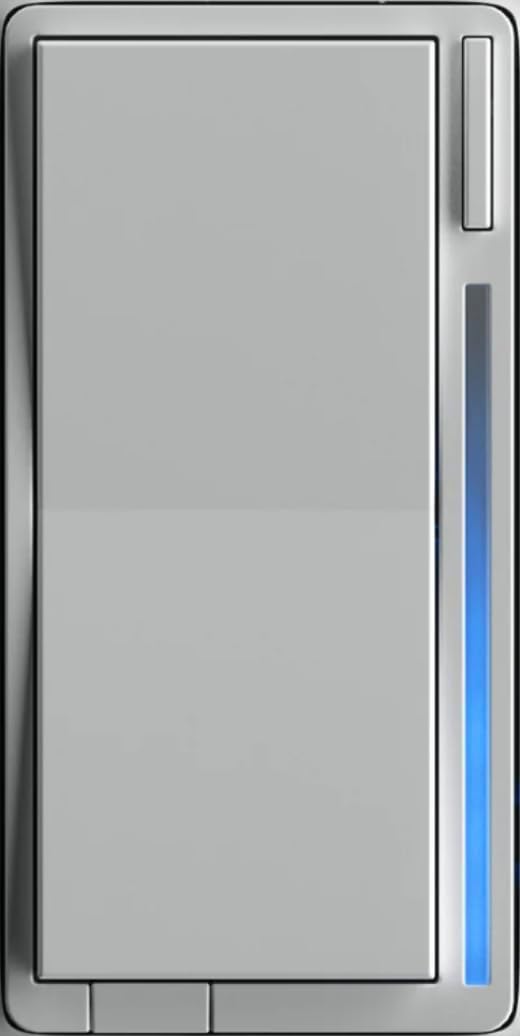
The Inovelli Red Series VZW31 is a Z‑Wave 800 smart wall switch that can operate as a dimmer or a simple on/off control, making it useful across different lighting setups. Installers can fit it as a single‑pole, 3‑way, or multi‑way switch and it supports both clamp and plug‑in connectors with screw terminals for a secure connection. It communicates over Z‑Wave and integrates with Home Assistant and SmartThings for automation and remote control. Notable features include customizable LED indication and the ability to trigger up to 21 scenes via multi‑tap programming, which turns the switch into a scene controller as well as a light control. It runs MOSFET switching for smooth dimming and is rated for 5 A and 600 watts, so it suits many residential lighting loads but not high‑current circuits. The switch does not strictly require a neutral, expanding compatibility in older homes, though neutral installations unlock fuller functionality. Expect typical smart switch installation work and some setup in your Z‑Wave controller to access scene programming and LED customization.
Best for: Buyers who prioritize a dependable, feature‑rich Z‑Wave switch that can be used in older homes without a neutral and integrated into a smart home hub for reliable automation.
Less Ideal for: People needing switches for high‑current lighting circuits or outdoor/damp‑location installations should choose a device rated for higher amperage and proper environmental protection.
- Two‑in‑one design works as dimmer or on/off for flexible use
- Z‑Wave 800 connectivity with Home Assistant and SmartThings compatibility
- Supports single‑pole, 3‑way, and multi‑way installations including use with aux switches
- Customizable LED and multi‑tap scene control up to 21 scenes for advanced automation
- MOSFET switching and screw terminals provide reliable, smooth control and solid wiring connections
- Rated for 5 A/600 W which excludes high‑current loads or large banked fixtures
- IP00 enclosure rating means no environmental protection for damp or outdoor locations
Verdict: Choose the Inovelli VZW31 when you want a reliable, Z‑Wave smart switch that combines dimming and scene control in one unit and works without a neutral for broad home compatibility.
Zooz ZEN76 800LR On/Off Switch

| Current Rating | 8 A |
|---|---|
| Operating Voltage | 120 volts |
| Connectivity Protocol | Z‑Wave |
| Wattage | 600 watts |
| Controller Type | SmartThings, Wink |
The Zooz ZEN76 800LR is a Z‑Wave on/off wall switch that replaces a standard rocker to give remote and automated control of lights through a compatible Z‑Wave hub. It installs in the box that contains power and neutral and is intended for use with existing non-dimming 3‑way, 4‑way, or 5‑way setups without adding auxiliary switches or rewiring other boxes. Notable features include Z‑Wave 800 series long range readiness for stronger hub-to-switch links, S2 authenticated security and SmartStart pairing for a safer, simpler setup, a built‑in range test tool, and an adjustable multicolor LED indicator. The switch is fairly shallow at 1.16 inches which helps fit crowded electrical boxes, and the manufacturer provides wiring diagrams and lifetime tech support. Important limitations: it is an on/off device only (no dimming), it requires a Z‑Wave hub for remote and voice control, and installation still expects you to confirm line/load/neutral presence and follow wiring instructions carefully. For buyers wanting secure, reliable Z‑Wave control in multi‑switch circuits, this is a focused, practical option.
Best for: Buyers who want a secure, reliable Z‑Wave upgrade for multi‑switch lighting circuits and prioritize proven connectivity and safety features over advanced load control.
Less Ideal for: People who need a dimming solution or who want a hubless Wi‑Fi or direct smart speaker integration should look elsewhere.
- Supports Z‑Wave 800 long range for stronger direct communication with compatible hubs
- S2 authenticated security and SmartStart simplify pairing and improve safety
- Designed for 3‑way to 5‑way setups without needing auxiliary switches or rewiring other boxes
- Shallow 1.16" profile fits crowded or shallow electrical boxes
- Not a dimmer so cannot adjust light levels
- Requires a Z‑Wave hub for remote control and voice features
- Installation still requires confirming power/neutral in the box and some wiring know‑how
Verdict: Choose the ZEN76 800LR when you need a secure, long‑range Z‑Wave on/off switch that integrates cleanly into 3‑ to 5‑way circuits without adding auxiliary switches.
Enbrighten Z-Wave In‑Wall Paddle Switch 76591
| Operation Mode | ON-OFF |
|---|---|
| Current Rating | 15 A |
| Operating Voltage | 120 volts |
| Connectivity Protocol | Z-Wave |
| Wattage | 1800 watts |
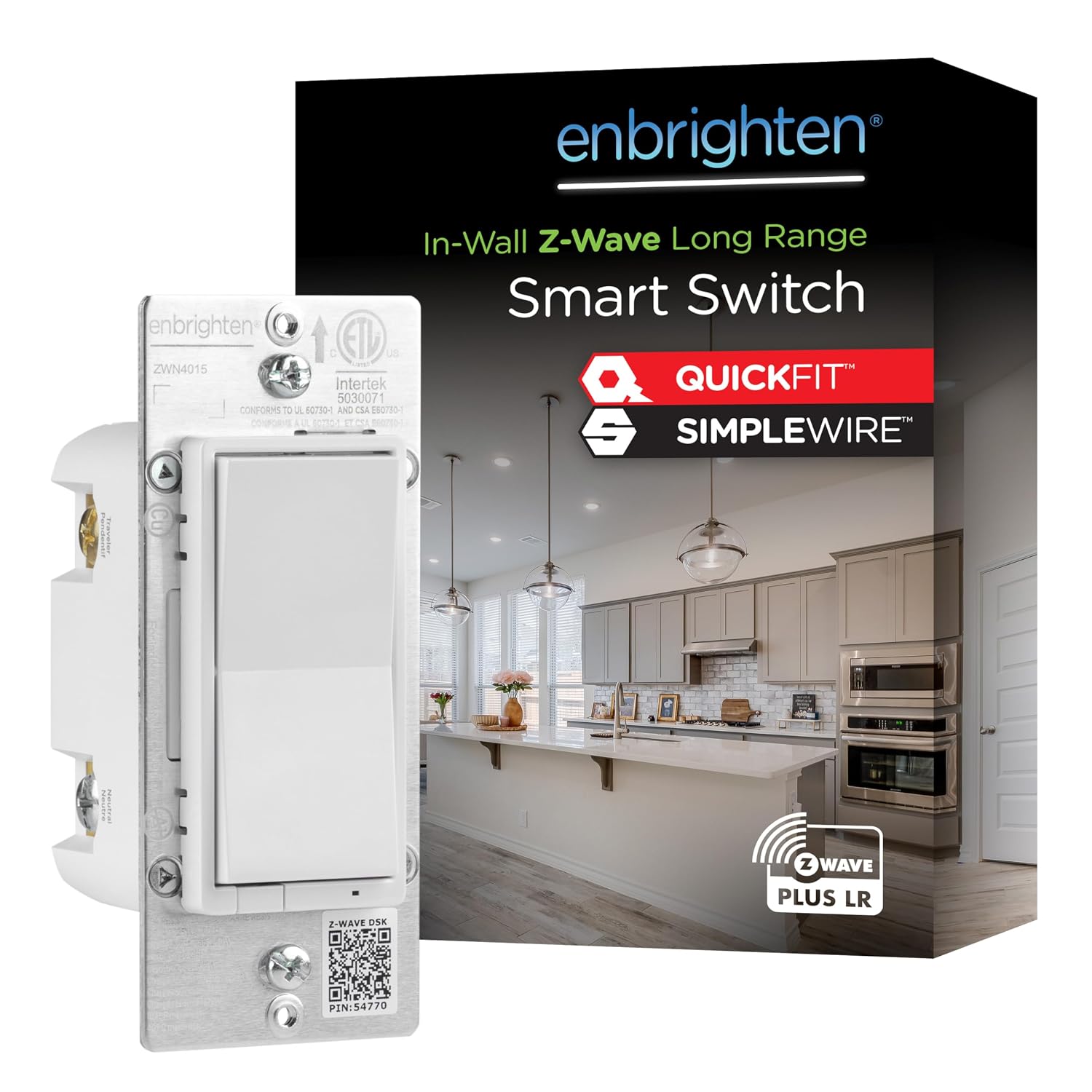
This Enbrighten Z-Wave in-wall paddle switch is a hardwired smart on/off switch designed to replace a standard wall switch and integrate with a Z-Wave certified hub for voice and remote control. Installation is aimed at DIYers: QuickFit and SimpleWire features with auto-detecting line/load terminals reduce wiring guesswork and the reduced housing depth helps it fit in crowded electrical boxes. Once paired to a compatible hub it supports Z-Wave Plus Long Range for extended connectivity up to 1,300 feet (or 150 feet in classic mode), and can be used in single-pole or multi-switch setups with up to four Enbrighten add-on switches or a traditional three-way. The switch is ETL listed and rated for typical household circuits (15 A, 120 V, 1800 W). Practical benefits include reliable hub-based automation, broad hub compatibility, and the ability to keep full multi-location control without rewiring add-on positions. Limitations to note are the requirement of a Z-Wave hub to unlock smart features and that this is an on/off paddle switch only, so it lacks dimming capability.
Best for: Buyers who want a reliable, factory-quality replacement switch that integrates with a Z-Wave hub and prefer straightforward DIY installation with reduced wiring risk.
Less Ideal for: People who need an out-of-the-box Wi-Fi switch without a hub or those seeking a dimmer or multi-function control in a single device.
- Z-Wave Plus Long Range support for extended hub connectivity up to 1,300 ft
- QuickFit and SimpleWire with auto-detecting line/load terminals simplify DIY installation
- Supports multi-switch configurations with up to four add-on switches for full location control
- Broad hub compatibility including Alexa, Google Assistant, SmartThings and other major platforms
- ETL listed and rated for standard household circuits (15 A, 120 V, 1800 W)
- Requires a separate Z-Wave certified hub to enable smart and voice features
- No built-in dimming capability for adjustable light levels
Verdict: Choose this switch when you want a factory-quality Z-Wave in-wall paddle switch that makes DIY installation simple and reliably extends your smart hub's coverage.
Choosing the Right Z-Wave Smart Switch: Key Factors to Consider
Hub Compatibility and Z-Wave Certification
Make sure the switch supports the Z-Wave region and device classes your hub uses. Z-Wave has regional frequency variants and device class differences that affect pairing and feature availability. Matching certification and supported command classes reduces pairing failures and ensures advanced functions like associations, scene activation, and central scene notifications work as expected.
If you plan to use device-to-device associations for direct control without hub processing, confirm the switch exposes association groups and supports the correct command classes. Compatibility influences not just initial setup but long-term reliability of automations.
Wiring Requirements and Installation Complexity
Check whether the switch requires a neutral, supports multi-way wiring, or needs a dedicated load conductor. Older homes frequently lack a neutral in switch boxes, which rules out many smart switches that depend on neutral for powering electronics. Multi-way support matters if you have three-way or four-way circuits; some smart switches need companion devices or specific wiring to maintain traditional multi-location control.
Factor in the electrical skill required. If a switch needs line-load separation, re-purposed wires, or in-box neutrals, you may want electrician help. Clear wiring diagrams and color-coded terminals greatly reduce installation time and mistakes.
Automation and Scene Capabilities
Evaluate what the switch can do beyond on and off. Look for scene control, central scene notifications, and association groups that allow the switch to trigger other devices directly. Power metering and energy reports can support energy-saving schedules and identify high-usage circuits. Scheduler flexibility and conditional rules handled by the hub determine how well the switch integrates into your routines.
Consider whether you need instant local automations during hub outages. Switches that support local associations or direct device control keep critical automations working even when cloud or hub connectivity is interrupted.
Physical Form Factor and User Experience
Decide between standard paddle/toggle models and compact modules that fit behind existing switches or in junction boxes. Physical ergonomics matter for frequently used switches; a tactile paddle and clear LED indicators reduce accidental activations. For retrofit projects, modular inserts or switches sized to common wall plates make installation neater and preserve existing aesthetics.
Also consider how the switch behaves manually. Options for dimming fade curves, LED brightness, and configurable long-press or double-tap actions change daily usability and should match how people interact with the lighting.
Security, Firmware Updates, and Long-Term Support
Look for switches that support secure inclusion (S2) and have a clear path for firmware updates. Security in Z-Wave protects device control and prevents unauthorized access. Firmware update capability ensures bug fixes and compatibility with hub updates over time.
Also consider vendor documentation, community support, and how frequently firmware or documentation is updated. Devices with accessible manuals and active support communities reduce troubleshooting time and extend the useful life of the installation.
Single-Pole Vs Multi-Way Installations
Single-pole circuits are the simplest to convert to Z-Wave control because they involve one switch controlling a single load. Most smart switches support single-pole wiring and require only line, load, neutral (if needed), and ground connections. Multi-way installations need extra attention because some smart switches require companion devices or special wiring to maintain correct behavior across two or more locations. Verify whether the smart switch supports standard three-way wiring or whether it replaces both ends of the multi-location circuit with compatible modules.
Bullets are not allowed in this section per the schema.
- Single-pole: straightforward wiring and wide compatibility.
- Three-way: may need companion switch or add-on module.
- Confirm neutral and line labeling before installation.
Energy Monitoring and Why It Helps
Integrated power metering can report real-time usage and cumulative energy consumption for the connected circuit. This data helps you spot always-on loads, track savings from automation schedules, and confirm that devices are behaving as expected. If reducing energy bills or monitoring specific fixtures is a goal, choose switches that expose power reporting to your hub as standard metrics.
Many hubs can graph energy over time or trigger alerts when usage exceeds a set threshold. When available natively on the switch, metering removes the need for separate energy monitors and keeps historical data accessible for automations.
- Instant power readings for the load.
- Historical energy reporting for trends.
- Trigger automations based on consumption thresholds.
Physical Retrofit Tips for Older Homes
Older homes often lack space in wall boxes or do not have a neutral wire at the switch location. Before buying, open the box and identify wires, confirm available depth, and look for a neutral bundle. If box depth is insufficient, consider a compact in-wall module installed in the fixture box, a no-neutral switch supported by specific models, or consult an electrician for a code-compliant upgrade.
Label wires during disassembly and photograph connections to simplify reassembly. Use slim-profile switches and shallow-depth modules when space is limited, and verify that any chosen device has clear installation diagrams for retrofit scenarios.
- Check box depth and neutral presence before purchase.
- Use slim or in-fixture modules for tight spaces.
- Photograph wiring before changing switches.
Managing Automations and Hub Load
Large numbers of Z-Wave devices can increase network traffic and affect responsiveness if not planned. Use routing-friendly device placement and avoid clustering too many battery-powered devices as repeaters. Spread mains-powered switches across the home to create stable mesh routing and reduce latency for time-sensitive automations like motion-triggered lighting.
Periodically review and prune automations to avoid excessive hub processing. Prefer direct associations for simple device-to-device actions to reduce hub load, and place frequently used automation rules on local-processing capable hubs when possible.
- Distribute mains-powered switches to strengthen the mesh.
- Use associations for immediate device-to-device control.
- Limit hub-side rules for high-frequency automations.
How We Chose the Best Z-Wave Smart Switch
Our selection process focused on the real technical and practical differences that matter when adding Z-Wave smart switches to a home automation system. We prioritized compatibility with common Z-Wave hub platforms and strict adherence to Z-Wave device classes because pairing reliability is essential for stable automations. Installation complexity was evaluated by typical wiring scenarios, including single-pole, multi-way, and required neutral presence, since ease of installation affects whether a homeowner can DIY or should hire an electrician. Functional feature sets were considered next, such as scene control, local manual behavior, power reporting, and association support, because these determine what automations are possible without cloud dependence. Firmware update support and documentation quality were included to reflect long-term maintainability. We excluded devices that do not implement the Z-Wave protocol natively, units that require proprietary bridges, and switches without clear wiring diagrams. The final shortlist balances pairing reliability, installation practicality, automation features, and long-term support.
Our full evaluation process is outlined in our review methodology.
FAQ
Do Z-Wave smart switches require a hub to work?
Usually yes. Most Z-Wave smart switches rely on a compatible Z-Wave hub for advanced automations, remote control, and scene management. Some basic on/off functions may still operate locally depending on the switch, but full functionality typically requires a hub.
Can I install a Z-Wave switch without a neutral wire?
It depends. Some Z-Wave switches are designed to work without a neutral by using a small current through the load, but they may not be compatible with all light types, especially low-wattage LED drivers. If your box lacks a neutral, look for switches explicitly marketed for no-neutral installations or consider an in-fixture module alternative.
Will a Z-Wave switch work during a hub or internet outage?
Many Z-Wave switches continue to provide local manual control when the hub or internet is down. Automations that rely on the hub will pause, but device-to-device associations configured on the switches themselves can keep selected automations running without the hub.
How do I know if a Z-Wave switch supports dimming or only on/off?
Check the product documentation for supported load types and whether the device exposes dimming command classes. Dimmable switches list compatible bulb types and minimum load requirements. If the documentation does not mention dimming or load specs, assume the device is on/off only.
Are firmware updates necessary for Z-Wave switches?
Firmware updates are recommended when they address security issues, stability fixes, or compatibility with hub firmware. Not all switches receive frequent updates, so prefer devices with a clear update path and documented release notes to maintain security and integration over time.
Final Verdict
Choose a Z-Wave smart switch by matching its compatibility and wiring requirements to your existing switches and hub, then prioritize the automation features you need most. If you want reliable local control and low maintenance, favor devices with strong Z-Wave certification, secure inclusion, and firmware update support. For retrofit projects, wiring constraints and box depth should drive whether you pick an in-wall switch, a companion module, or an in-fixture solution. With those tradeoffs in mind, you can confidently select a switch that balances ease of installation, dependable automations, and long-term support.