
Note: This article contains affiliate links. If you click on these links and make a purchase, we may earn a small commission at no extra cost to you. This helps support our research and content. Read our full affiliate disclosure here.
If you want dependable local automation and lower-latency control for lamps, fans, and countertop devices, a Zigbee smart plug is one of the simplest upgrades you can make. These compact adapters turn ordinary outlets into nodes on your Zigbee network so you can schedule, monitor energy draw, and trigger scenes from a hub or voice assistant. This guide covers seven shortlisted Zigbee smart plugs chosen for real-world home use. We focus on practical factors like compatibility with common Zigbee hubs, continuous power ratings, size and fit in duplex outlets, and ease of setup. Read on to see which features matter most for your layout and how each plug type fits different use cases.
Top Picks at a Glance
| Best Overall The best all-around choice for most situations | Shelly Plug US Gen4 |  |
| Best Quality Built to a higher standard if you want something more solid | Philips Hue Smart Plug |  |
| Best Value The sweet spot between price and what you get | EIGHTREE Zigbee Smart Plug ET12 |  |
| Best Budget The cheapest option that still gets the job done reliably | SONOFF S40 Lite Zigbee Smart Plug |  |
| Top Rated A top-rated pick with lots of positive feedback | THIRDREALITY Smart Plug Gen3 |  |
| Most Popular A crowd favorite that many people choose with confidence | Aqara Zigbee Smart Plug ZNCZ12LM |  |
| Best Seller A high-volume bestseller chosen again and again | THIRDREALITY ZigBee Smart Plug |  |
Shelly Plug US Gen4

| Amperage | 15 A |
|---|---|
| Wattage | 1800 watts |
| Power Plug Type | Type B – 3 pin (North American) |
The Shelly Plug US Gen4 is a compact smart outlet designed to add multi‑protocol connectivity and energy monitoring to ordinary appliances. It pairs over Wi‑Fi, Bluetooth or Zigbee and also supports Matter, so you can control devices locally or via popular assistants and HomeKit. The plug exposes power metering and a multicolor LED that gives quick status and consumption feedback, and an ambient light sensor enables light‑based schedules. It is UL listed and includes a protective socket cover for added safety. Typical use cases are automating lamps, small heaters, fans and other single‑outlet devices while tracking energy draw and setting local schedules that run even if the cloud is unavailable. Limitations include its single outlet design and the 15 A/1800 W ceiling, which means high‑current appliances like full‑size ovens or HVAC units are off‑limits; advanced users may also want to verify firmware and integration details for specific smart home hubs. Setup is straightforward through the Shelly app but power integrations can require occasional firmware updates to maintain cross‑platform compatibility.
Best for: Buyers who want a versatile, future‑proof smart plug that works with Zigbee ecosystems but also offers Wi‑Fi and Matter compatibility and practical energy monitoring for everyday appliances.
Less Ideal for: People needing to switch or meter multiple outlets from a single device or those who must power heavy appliances above 15 A/1800 W should look elsewhere.
- Multi‑protocol support: Wi‑Fi, Bluetooth, Zigbee and Matter for flexible pairing.
- Built‑in power metering for real‑time energy tracking and usage history.
- UL certified and includes a protective socket cover for enhanced safety.
- Local automations and onboard memory that allow schedules and automations to run without cloud access.
- Single outlet only, so you cannot control multiple devices from one unit.
- Maximum load 15 A/1800 W limits use with high‑current appliances.
Verdict: Choose this Shelly plug if you want a Zigbee‑capable, Matter‑ready smart outlet with local automations and built‑in energy metering for everyday devices.
Philips Hue Smart Plug

| Voltage | 120 volts |
|---|---|
| Plug Type | Type B |
| Number Of Wires | 3 |
| Connector Type | Blade |
The Philips Hue Smart Plug converts any plugged-in lamp or small appliance into a controllable Hue device, letting you switch lights on and off from the Hue app, with voice assistants, or via the Hue Bridge for advanced automation. Setup is straightforward: plug it in, connect over Bluetooth for immediate local control, or pair to a Hue Bridge to unlock schedules, remote control, and Matter compatibility. Its compact white housing is designed to sit unobtrusively in a wall outlet without blocking the second socket. Practical benefits include reliable Hue ecosystem integration, stable Bridge-based connectivity that does not tax your Wi-Fi, and easy voice control with Alexa, Google Assistant, or HomeKit when bridged. The plug is limited to standard indoor Type B outlets and is intended for lamps and low-power devices rather than high-draw appliances, and it requires a Hue Bridge to access the full suite of advanced features and remote control capabilities.
Best for: Buyers who want a reliable Zigbee smart plug that integrates tightly with the Hue platform and prioritizes stable, ecosystem-wide automations and voice control.
Less Ideal for: People who need smart outlets for heavy-duty appliances or who want full cloud control without adding a Hue Bridge should consider different products.
- Works with Hue ecosystem and Hue app for consistent controls and automations
- Quick Bluetooth setup for instant local control
- Bridge support for remote access, schedules, and Matter compatibility
- Compact design that avoids blocking adjacent outlet
- Not intended for high-power appliances; best for lamps and small electronics
- Full feature set requires a Hue Bridge for remote access and multi-room automations
Verdict: Choose this plug if you want a compact Zigbee smart plug that delivers dependable Hue ecosystem integration and Bridge-enabled automations.
EIGHTREE Zigbee Smart Plug ET12
| Current Rating | 15 A |
|---|---|
| Operating Voltage | 120 volts |
| Connectivity Protocol | ZigBee |
| Wattage | 1800 watts |
| Specification Met | ETL |
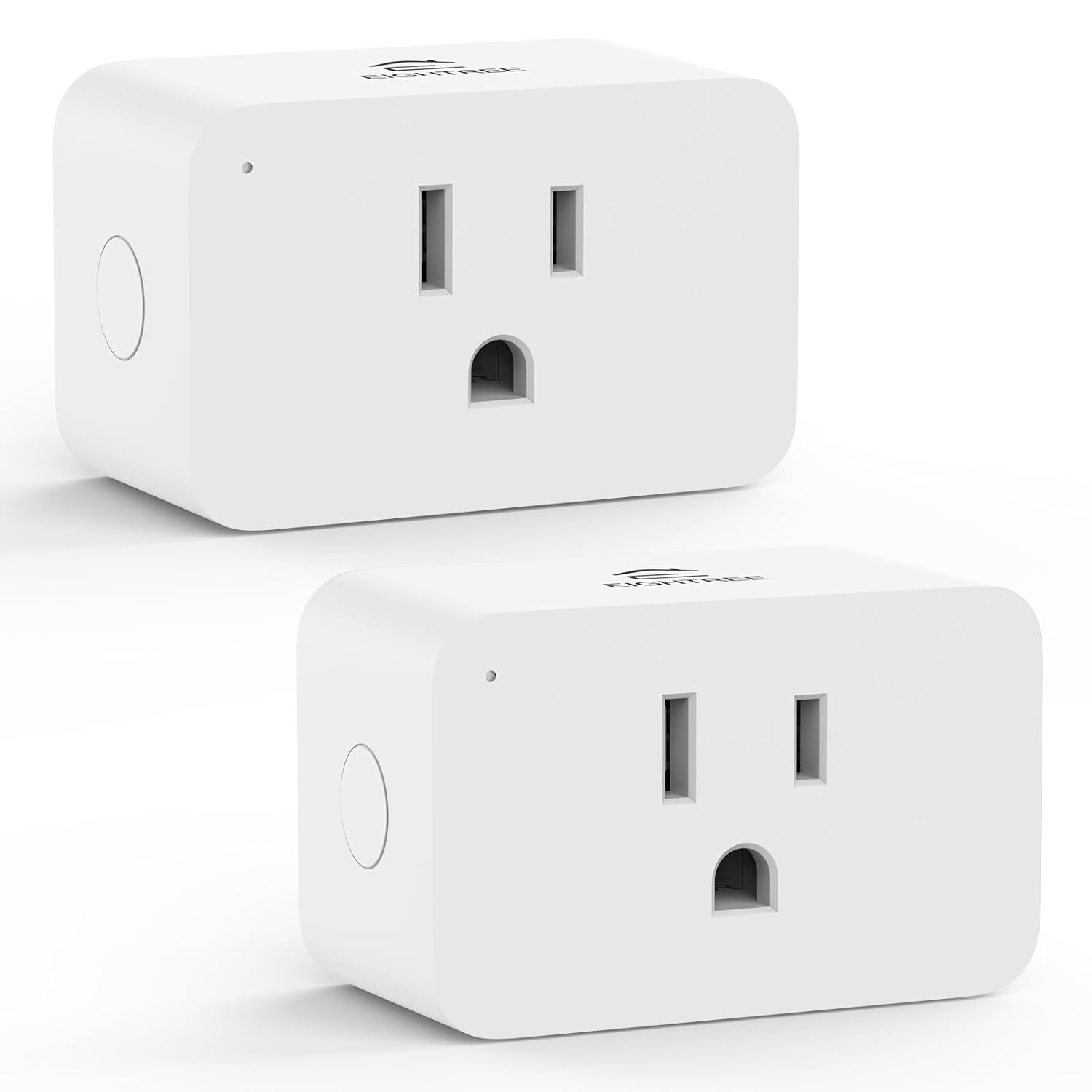
The EIGHTREE ET12 is a compact Zigbee smart plug designed to add local, low-latency automation and energy monitoring to a Zigbee gateway setup. You pair it to a Zigbee hub such as SmartThings, Home Assistant, Hubitat, or a Zigbee-capable Echo device, then use the hub or supported integrations to switch loads, schedule events, or collect power-use data. It supports up to 15 A at 120 V, so it can handle higher-draw appliances that smaller Wi‑Fi plugs often cannot, and the mini form lets you fit two plugs in one wall outlet. Energy monitoring is exposed through SmartThings and Home Assistant for usage graphs and automation triggers, and the plug also acts as a Zigbee repeater to extend mesh coverage. Limitations to note are the hub requirement and lack of Apple HomeKit support, and energy reports depend on hub integration rather than a vendor app. The product is ETL certified and aimed at users who want reliable local control rather than cloud-only smart outlets.
Best for: Buyers who prioritize reliable local automation and want energy tracking through a Zigbee hub, especially if they need a plug that can handle higher-power appliances while saving outlet space.
Less Ideal for: Users who want a plug that works standalone on Wi‑Fi or with Apple HomeKit, or those unwilling to set up and manage a Zigbee hub and integrations.
- Supports Zigbee 3.0 for local, low-latency control and mesh networking
- Energy monitoring available through Home Assistant and SmartThings
- 15 A / 120 V rating suitable for higher-power appliances
- Compact mini design lets two plugs fit in one duplex outlet
- Acts as a Zigbee repeater to extend mesh coverage
- Requires a Zigbee hub; will not connect directly to Wi‑Fi
- No Apple HomeKit support and some features depend on hub drivers/integrations
Verdict: Choose the ET12 if you want a compact, hub-based Zigbee plug that provides local control, mesh repeating, and energy monitoring for higher-power appliances.
SONOFF S40 Lite Zigbee Smart Plug

| Current Rating | 15 A |
|---|---|
| Operating Voltage | 120 volts |
| Connectivity Protocol | ZigBee |
| Wattage | 1800 watts |
The SONOFF S40 Lite is a small Zigbee smart plug designed to let you control lamps and appliances from a compatible Zigbee hub like SmartThings or Echo Plus. It pairs to a Zigbee hub to provide remote on/off control, voice commands via Alexa, scheduling, sunrise/sunset routines, and an Away mode for automated behavior when you are not home. The plug supports a 15 A current rating (up to 1800 W) so it can run heavier household devices than lower-rated smart plugs, and its compact body is engineered not to block adjacent outlets. Because it also functions as a Zigbee router, adding a few of these around the house can extend network range. Limitations to note are that a Zigbee hub is required for operation and there is no built-in energy monitoring or direct Wi‑Fi control without a compatible gateway. For buyers on a budget who want reliable Zigbee compatibility and higher current capacity, it is a practical choice.
Best for: Buyers who want an inexpensive Zigbee-capable smart plug with higher current capacity and the ability to extend their Zigbee mesh while keeping adjacent outlets usable.
Less Ideal for: People who need standalone Wi‑Fi plugs, built-in power monitoring, or those unwilling to use a separate Zigbee hub should look elsewhere.
- Zigbee repeater function extends Zigbee network range
- 15A current rating supports heavier appliances up to 1800W
- Compact form factor that avoids blocking adjacent outlets
- Works with SmartThings and Echo Plus for voice and hub control
- ETL and FCC certifications for basic safety compliance
- Requires a compatible Zigbee hub to operate
- No built-in energy usage monitoring
Verdict: A budget-friendly Zigbee smart plug that supports heavier loads and doubles as a mesh extender, ideal for hub-based smart home setups.
THIRDREALITY Smart Plug Gen3

| Current Rating | 15 A |
|---|---|
| Operating Voltage | 110 volts |
| Connectivity Protocol | ZigBee |
| Operation Mode | ON-OFF |
The THIRDREALITY Smart Plug Gen3 is a Zigbee-powered plug that pairs with compatible hubs and Echo devices to give remote, scheduled, and voice control of appliances while also acting as a network repeater. You install it by pairing to a Zigbee hub such as Echo with a built-in hub, SmartThings, or Home Assistant, then use schedules, groups, or voice commands to automate devices like lamps, coffee makers, and fans. Notable features include an upgraded Zigbee repeater to strengthen mesh coverage, ±1% calibrated real-time power monitoring for tracking consumption, and status restore options so devices return to a chosen state after power loss. Practical benefits are stronger Zigbee reliability in larger setups, a compact form factor that avoids blocking adjacent outlets, and energy dashboards in supported platforms for routine-based automation. Limitations include the requirement of a Zigbee hub to function and OTA update support limited to specific platforms, so some ecosystems may not get seamless firmware updates.
Best for: Buyers who prioritize a stable Zigbee mesh and want accurate energy monitoring to manage and automate home appliances reliably.
Less Ideal for: Users who do not have or do not want to use a Zigbee hub or who need native Wi‑Fi plugs that work without a separate hub.
- Upgraded Zigbee repeater chip strengthens mesh range and signal stability
- ±1% precise real-time power monitoring for accurate energy tracking
- Supports scheduling, grouping, and voice control via compatible hubs
- Compact plug design minimizes blocking of adjacent outlets
- Works with major Zigbee platforms including SmartThings and Home Assistant
- Requires a Zigbee hub to operate; not standalone Wi‑Fi
- OTA updates are only supported on select platforms
Verdict: Choose this plug if you need a reliable Zigbee repeater plus precise real-time power monitoring to strengthen your smart-home mesh and track energy use.
Aqara Zigbee Smart Plug ZNCZ12LM

| Voltage | 120 volts AC |
|---|---|
| Amperage | 15 A |
| Plug Type | Type A |
| Included Components | Aqara Smart Plug, Quick Start Guide, Customer Letter |
The Aqara Zigbee Smart Plug connects to an Aqara Hub and lets you remotely control and schedule appliances through the Aqara Home or Apple Home apps while also acting as a Zigbee range extender. It records daily and monthly power consumption so you can track energy use, and it supports high-power devices up to 15 amps (1875W) such as window air conditioners and heaters. Built-in safety features include overheat and overload protection and a V0 flame-resistant shell with a protective barrier to reduce electrocution risk. The plug requires a Zigbee hub to function and will continue to operate locally via Zigbee even if Wi-Fi is weak. Physically it is a compact Type A plug and installs like a standard wall outlet adapter, but it does not have direct Wi-Fi control without the Aqara Hub and is limited to single-outlet control rather than multi-socket management. For buyers wanting Zigbee reliability and energy data, this plug is a practical choice; for users who need standalone Wi-Fi plugs or multi-outlet power strips, other options may suit better.
Best for: Buyers who prioritize reliable Zigbee-based automation, energy tracking, and safety for higher-power appliances and who plan to use an Aqara Hub as the smart home controller.
Less Ideal for: People who need a plug that works without a separate hub or who want multiple outlets on a single device should look at Wi-Fi plugs or multi-socket power strips instead.
- Zigbee connection with Aqara Hub enables local control and continued operation during weak Wi-Fi
- Built-in energy monitoring with daily and monthly reports for tracking consumption
- Supports up to 15A/1875W for higher-power appliances
- Overheat and overload protection plus flame-resistant housing improve safety
- Also functions as a Zigbee repeater to strengthen mesh coverage
- Requires an Aqara Hub (Zigbee hub) to access smart features and remote control
- No direct standalone Wi-Fi control without the hub
Verdict: Choose the Aqara Zigbee Smart Plug if you want hub-driven Zigbee reliability, energy monitoring, and safety for controlling higher-power appliances.
THIRDREALITY ZigBee Smart Plug

| Current Rating | 15 A |
|---|---|
| Operating Voltage | 120 volts |
| Connectivity Protocol | ZigBee |
| Wattage | 1800 watts |
| Specification Met | ETL |
The THIRDREALITY ZigBee Smart Plug is a plug-in outlet module that turns ordinary devices into Zigbee-controlled smart appliances and also acts as a mesh repeater to extend network range. You set schedules, timers, and groups through a compatible Zigbee hub or the ThirdReality app, then control devices remotely or with voice when paired to supported Echo devices. The plug reports real-time power consumption to SmartThings, Home Assistant (ZHA/Z2M), Hubitat and the ThirdReality hub so you can track usage and create automation based on energy. Practical benefits include a space-saving shape that leaves the adjacent outlet usable, ETL safety certification, and a 15 A/1800 W rating suitable for most household electronics. Limitations to consider are the requirement for a Zigbee hub rather than direct Wi‑Fi control and limited IP20 protection, so it is not suited to damp or outdoor spots; advanced features like energy dashboards depend on third-party platform support rather than a single unified app.
Best for: Buyers who want a reliable, hub-based Zigbee smart plug that provides energy monitoring and strengthens a home Zigbee mesh while prioritizing straightforward setup and safety.
Less Ideal for: People who need plug-and-play Wi‑Fi devices without a hub or who need weatherproof plugs for outdoor or wet locations.
- Real-time energy monitoring compatible with SmartThings, Home Assistant, and Hubitat
- Acts as a Zigbee repeater to extend mesh network range
- 15 A / 1800 W rating covers most household appliances
- ETL certified and includes restore-status safety option after power loss
- Requires a Zigbee hub or compatible Echo device with built-in Zigbee rather than direct Wi‑Fi control
- IP20 rating prevents safe use in wet or outdoor environments
Verdict: Choose this Zigbee smart plug if you want hub-based energy monitoring and a device that also strengthens your Zigbee mesh for dependable whole-home automations.
Choosing the Right Zigbee Smart Plug: Key Factors to Consider
Zigbee Compatibility and Hub Support
Check whether the smart plug supports standard Zigbee profiles and can join the hub or gateway you plan to use. Compatibility affects whether the plug appears as a native device, which controls available features such as on/off, power reporting, and scene triggers.
Some plugs expose only basic on/off while others support energy reporting and firmware updates over the Zigbee network. Confirming compatibility up front reduces the chance you will need a firmware bridge or lose advanced features when integrating into an existing automation system.
Continuous Power Rating and Safety
The continuous power rating tells you how much current and wattage the plug can handle safely for extended periods. This is crucial if you plan to use the plug with space heaters, high-wattage appliances, or devices that have high inrush current like motors.
Buying a plug with an appropriate margin above the appliance's draw improves long-term reliability and reduces heat buildup. Also check whether the plug has overload protection, thermal cutoff features, or safety certifications that match your region's electrical standards.
Form Factor and Outlet Fit
Smart plugs vary in size and whether they block adjacent outlets. A compact, low-profile design is important when using duplex outlets or when a plug will sit behind furniture. Bulky plugs can render the second outlet unusable or create crowding in power strips.
Consider whether the plug includes a pass-through outlet, an angled body, or a slim profile. These mechanical details determine whether you can stack plugs or maintain access to both receptacles without extensions.
Energy Monitoring and Reporting
If you want to track energy consumption or estimate run costs, choose a plug with accurate energy reporting. Some units report instant watts while others aggregate kilowatt-hours over time. The reporting interval and precision affect how useful the data is for scheduling or detecting phantom loads.
Reliable energy reporting also helps with automation decisions, such as turning off devices when consumption exceeds a threshold. Verify how frequently the device updates readings and whether those readings appear in your hub's interface in meaningful units.
Local Control, Latency, and Reliability
One of Zigbee's advantages is local mesh control, which reduces latency and dependency on cloud services. Evaluate whether the plug supports local on/off and scene activation through your hub so routines continue even if internet connectivity drops.
Mesh reliability depends on wireless range and how well the plug routes traffic. Devices with stronger radios or repeat capabilities help stabilize networks in larger homes. Also check practical details like how the plug behaves after power loss and whether it restores to the previous state or a default off state.
Setup, Reset, and Firmware Management
A straightforward pairing and reset procedure saves time when adding multiple plugs. Look for devices with clear LED indicators, documented inclusion steps, and simple factory reset sequences. Ease of firmware updates is also important because security and interoperability improve with firmware maintenance.
If a plug supports Over-the-Air updates via Zigbee, it reduces manual maintenance. Conversely, devices that require proprietary tools or complex procedures for updates increase long-term upkeep burdens.
Where to Place Zigbee Smart Plugs in Your Home
Place smart plugs in locations that balance signal reach, convenience, and electrical load. High-traffic areas with good mesh coverage are ideal for devices you want to control often, such as living room lamps and bedside lights. For appliances that draw steady current like refrigerators or entertainment equipment, prefer plugs rated for continuous duty and positioned where heat can dissipate.
- Use interior outlets closer to the hub or other routers to improve join success and reduce latency.
- Avoid placing plugs in enclosed metal boxes or behind large appliances that block radio signals.
- Keep some plugs distributed across floors to strengthen the Zigbee mesh and extend reliable coverage.
Managing Multiple Plugs and Scenes
When automating several plugs, organize them into logical groups or scenes within your hub. Grouping by room or function makes it quicker to switch states during routines and reduces the number of automations you must edit. Name each plug clearly and assign consistent icons or labels in your controller so you can identify devices at a glance.
- Use schedules for daily routines and scenes for multi-device actions like evening lighting.
- Leverage energy reports, where available, to trigger automations that reduce standby consumption.
- Test automations after adding new plugs to confirm triggers and fallback behavior.
Maintaining Zigbee Network Health
Monitor mesh topology and device routing occasionally, especially after you add or move plugs. Devices that act as routers contribute to network resilience, so prioritize keeping those plugs powered and properly placed. If you notice missed commands or latency, check for radio interference sources like nearby Wi-Fi channels or dense metal structures.
- Restart the hub and relevant plugs if connectivity issues appear after configuration changes.
- Keep a few powered plugs spread across the home to provide stable routing for battery devices.
- Document which plugs are routers versus end devices if your hub exposes that information.
Using Smart Plugs with High-Inrush Devices
Motors and compressors create brief high inrush currents at startup that can stress switch contacts. If you plan to control fans, vacuum cleaners, or pumps, choose plugs with a higher rated switching capacity and robust internal relays designed for inductive loads. Consider adding a soft-start device or selecting targets that remain powered while using a separate motor controller when precise speed control is needed.
- Check the plug's datasheet for motor or inductive load ratings when applicable.
- Prefer plugs that list peak current ratings or mention suitability for motor loads.
Security and Privacy Considerations
Zigbee is primarily a local protocol but many plugs also support cloud features via companion apps. Evaluate the balance between convenience and privacy by checking whether core control functions work locally and what data the vendor collects. Device firmware updates help address security vulnerabilities, so prioritize devices with known update mechanisms.
- Disable unnecessary cloud integrations if local control suffices for your automations.
- Use a segregated network or VLAN for IoT devices where possible to limit exposure.
How We Chose the Best Zigbee Smart Plug
We started by filtering for devices that natively use the Zigbee protocol and reliably join third-party hubs. Our editorial process prioritized compatibility, electrical capacity, and physical form factor because these directly affect safety and usability in everyday homes. We evaluated documentation quality and firmware update support since long-term reliability on a Zigbee network depends on maintained device firmware. Energy monitoring and local control behavior were counted as valuable features for buyers who want feedback and offline automation. Excluded from consideration were devices that rely on a proprietary bridge for basic Zigbee operation, units rated only for specialty voltages, and novelty plugs intended for occasional use rather than continuous duty. Final picks were chosen across a range of sizes and feature sets to suit different outlet arrangements and automation needs. We also balanced ease of pairing and reset procedures so ordinary users can add devices without troubleshooting complex network setups.
Our full evaluation process is outlined in our review methodology.
FAQ
Will a Zigbee smart plug work without an internet connection?
Often yes. Zigbee is a local mesh protocol, so basic on/off and scene triggers typically continue if the hub and devices remain powered. Cloud-dependent features like voice assistant relay or remote access may not function until internet connectivity is restored.
Can I control multiple plugs at once?
Usually. Most Zigbee hubs let you group devices or create scenes so a single command controls several plugs. Grouping simplifies routines and reduces the number of automations needed for common tasks.
Are Zigbee smart plugs safe for space heaters or heavy appliances?
It depends on the plug's continuous power rating and whether it is listed for resistive heating loads. Many smart plugs are intended for lamps and small appliances; always check the electrical rating and safety certifications before using with heating devices.
How accurate is the energy monitoring on smart plugs?
Accuracy varies by device. Some report instantaneous watts and cumulative kilowatt-hours with good precision, while others provide only rough estimates. If precise measurement matters, look for plugs that document reporting resolution and update intervals.
Do smart plugs slow down my Zigbee network?
Not typically. Plug-in devices often act as routers, which can strengthen the mesh if they remain powered. However, a poorly placed plug or one with weak radio performance can create routing inefficiencies, so proper placement matters.
Final Verdict
Prioritize compatibility, electrical capacity, and physical fit when choosing a Zigbee smart plug. Decide first where you will use the plugs and whether you need energy monitoring, motor-friendly switching, or compact form factors for duplex outlets. Balance the convenience of local Zigbee control against any cloud features you might want and make sure the plug's safety ratings match the devices you plan to connect. With those tradeoffs in mind, you can pick smart plugs that bring dependable automation and useful power monitoring to your home.