
Note: This article contains affiliate links. If you click on these links and make a purchase, we may earn a small commission at no extra cost to you. This helps support our research and content. Read our full affiliate disclosure here.
If you want smart home convenience without Wi-Fi frustration, choosing a 5GHz smart plug can make a big difference. These plugs use the less-crowded 5GHz band to reduce interference from other devices, which matters when you depend on stable remote control, timely automations, and responsive voice commands. In this guide we shortlist the top 5GHz smart plugs that balance reliable connectivity, easy installation, and practical safety features. You will find picks suited for everyday lamps, small appliances, and smart assistants. Below we explain the evaluation priorities and what to expect from each shortlisted option before the detailed product entries.
Top Picks at a Glance
| Best Overall The best all-around choice for most situations | NOUS A9 Smart Plug |  |
| Best Quality Built to a higher standard if you want something more solid | NOUS A9 Smart Plug |  |
| Best Value The sweet spot between price and what you get | EIGHTREE ET15 Smart Plug |  |
| Top Rated A top-rated pick with lots of positive feedback | EIGHTREE ET05 5GHz Smart Plug |  |
| Most Popular A crowd favorite that many people choose with confidence | GHome Smart WiFi Smart Plug 15A |  |
NOUS A9 Smart Plug
| Plug Type | Type A |
|---|---|
| Amperage | 15 A |
| Number of Wires | 3 |
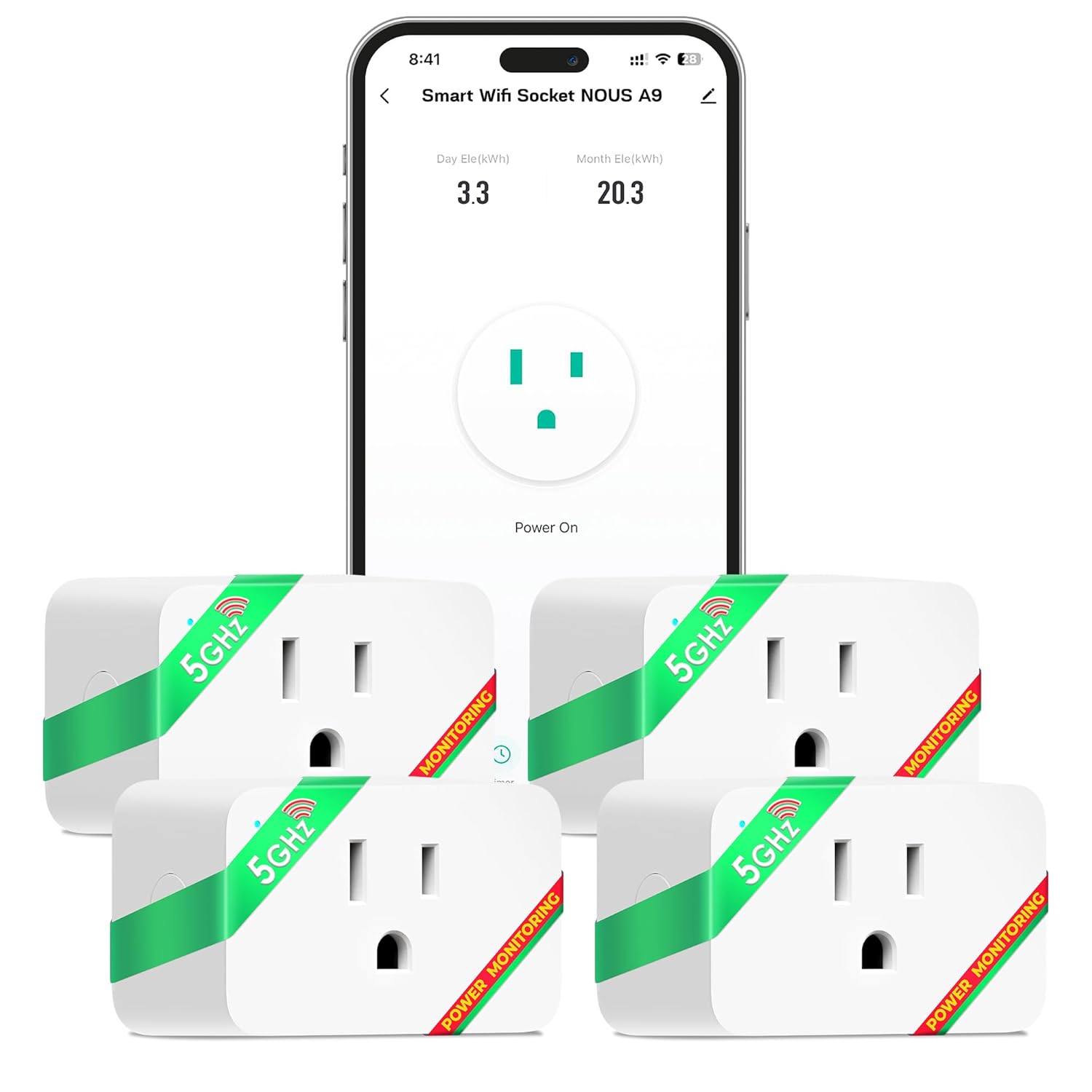
The NOUS A9 is a compact smart plug designed to give you faster, more reliable wireless control by supporting both 2.4GHz and 5GHz Wi‑Fi networks. You plug it into a standard Type A outlet and use the Tuya/NOUS app to add devices, set timers, view real‑time energy usage, and run schedules without a hub. Voice assistants are supported so you can turn appliances on or off with Alexa or Google Assistant. The space‑saving housing is shaped to avoid blocking the second socket, and the real‑time energy monitoring makes it useful for spotting power‑hungry devices and tracking consumption trends. Expect straightforward setup for most home networks, but note that some advanced router setups or strict guest-network configurations may require temporary Wi‑Fi changes. The unit is rated 15 A and is intended for indoor appliance control; it is practical for lamps, fans, and small appliances rather than heavy-duty motors or hardwired loads.
Best for: Buyers who want a reliable, easy‑to‑use smart plug with faster Wi‑Fi and energy tracking for everyday devices and rooms where connectivity matters.
Less Ideal for: People needing industrial strength or hardwired controls, whole‑home automation at high current loads, or outdoor/weatherproof outlets should look elsewhere.
- Supports 5GHz and 2.4GHz Wi‑Fi for faster, less congested connections
- Built‑in energy monitoring provides real‑time consumption data
- Compatible with Alexa and Google Assistant for voice control
- Compact design fits a single outlet without blocking the adjacent socket
- Not intended for heavy‑duty or hardwired loads despite 15 A rating
- May require temporary router adjustments for some network configurations
Verdict: Choose the NOUS A9 when you want a compact, voice‑enabled smart plug that runs on 5GHz Wi‑Fi and gives usable real‑time energy monitoring for everyday appliances.
NOUS A9 Smart Plug

| Current Rating | 15 A |
|---|---|
| Operating Voltage | 120 volts |
| Connectivity Protocol | Wi-Fi |
| Wattage | 1800 watts |
| Compatible Devices | Alexa, Google Home, Smartphones with Tuya app |
The NOUS A9 is a compact smart plug meant to add remote and voice control to standard appliances while giving live energy feedback. It connects over Wi‑Fi and, unusually for consumer smart plugs, supports both 2.4GHz and 5GHz bands for faster, more reliable connections and lower interference in busy networks. Setup is handled through the Tuya-compatible app with no hub required, and once configured you can use Alexa or Google Assistant for hands-free control, schedule timers, or check consumption reports to spot energy hogs. The unit is rated for 15 A and 1800 W so it can handle many household devices, and the space-saving shape is designed to leave the second wall outlet free. Practical limitations include a basic IP20 rating that keeps it for indoor use only and a plastic shell rather than metal construction, and advanced users may find the app ecosystem less customizable than some platform-native solutions. For buyers who prioritize fast, stable Wi‑Fi performance and live energy data in a small footprint, the A9 delivers a strong, practical feature set.
Best for: Buyers who want a performance-focused smart plug with strong Wi‑Fi connectivity and live energy monitoring for reliable control of household devices.
Less Ideal for: People needing outdoor-rated or ruggedized outlets, or those who require deep platform-level automation beyond standard Tuya/Alexa/Google integrations.
- Supports both 2.4GHz and 5GHz Wi‑Fi for faster, less congested connections
- Real-time energy monitoring to track and report device consumption
- Voice control compatible with Alexa and Google Assistant
- 15 A / 1800 W rating covers most household appliances
- Compact design intended to avoid blocking adjacent outlet
- IP20 rating limits use to indoor, dry locations
- Plastic construction rather than higher-durability materials
Verdict: Choose the NOUS A9 when you need a compact, high-performance smart plug with 5GHz support and live energy monitoring for reliable, low-latency control.
EIGHTREE ET15 Smart Plug

| Current Rating | 15 A |
|---|---|
| Wattage | 1500 watts |
| Connectivity Protocol | Bluetooth, Wi-Fi |
| Controller Type | Amazon Alexa, Google Assistant, IFTTT |
| Specification Met | ETL |
The EIGHTREE ET15 is a compact smart plug designed to let you control high-draw appliances from your phone or with voice assistants. It connects over both 2.4GHz and 5GHz Wi‑Fi and also supports Bluetooth for setup, then appears in the Smart Life app where you can schedule on/off events, group plugs, and read basic energy usage. The plug is rated for 15 amps and 1500 watts, so it handles heavier loads like space heaters or large fans better than many mini plugs, and ETL certification adds a level of safety assurance. Practical features include voice control with Alexa and Google Assistant, timers for routine automation, and energy monitoring to spot power-hungry devices. On the downside, the small body may block adjacent outlets depending on your receptacle layout and the IP00 rating means it is not weatherproof for outdoor use. Setup uses Bluetooth during pairing which simplifies initial connection but requires the Smart Life app for full functionality.
Best for: Buyers who want a reliable, higher‑capacity smart outlet to automate and monitor energy for everyday home appliances and prioritize practical savings and safety.
Less Ideal for: People who need outdoor or weatherproof plugs or who require an outlet form factor guaranteed not to obstruct adjacent sockets.
- Dual-band Wi‑Fi plus Bluetooth for easier setup and stable connections
- 15A/1500W rating supports higher-power appliances
- Built-in energy monitoring to track usage and costs
- Works with Alexa, Google Home and SmartThings for voice and smart-home integration
- Not rated for outdoor use (IP00)
- Compact shape may block neighboring outlet space on some receptacles
Verdict: If you need a compact smart plug that can handle heavier loads and gives energy monitoring plus voice control, the EIGHTREE ET15 is a practical choice.
EIGHTREE ET05 5GHz Smart Plug

| Connectivity Protocol | Wi-Fi |
|---|---|
| Operating Voltage | 120 volts |
| Current Rating | 10 A |
| Wattage | 1100 watts |
| Compatible Devices | Amazon Alexa, Google Home |
The EIGHTREE ET05 is a four-pack of compact Wi‑Fi smart plugs that use the 5GHz band for faster local control and pair with the Smart Life app for remote access, schedules, and group control. You plug them into standard 120V outlets and use the app or voice assistants (Alexa, Google Home) to turn lamps, fans, and other appliances on and off or to build timed routines. The plugs are rated for up to 10 A (1100W) in spec sheets and the product copy highlights a 15A/1800W capability, so they handle most household devices short of heavy-duty equipment. Practical benefits include responsive command execution on 5GHz networks, compact rounded housings that do not block adjacent outlets, and basic safety coverage with ETL listing. Setup requires the Smart Life app for full voice assistant integration, and features are limited to on/off scheduling rather than advanced energy metering or per-outlet monitoring. For people who prioritize simple, reliable remote switching and voice control, these plugs deliver straightforward automation with a stable connection on the 5GHz band.
Best for: Buyers who want dependable, responsive smart outlet control and stable local performance on 5GHz networks for everyday devices and scheduled automation.
Less Ideal for: Users who need per-outlet energy monitoring, advanced power reporting, or industrial/heavy-duty appliance control should look elsewhere.
- Uses 5GHz Wi‑Fi for lower latency and fewer interference issues on busy networks
- Compact rounded design that preserves adjacent outlet access
- Works with Alexa and Google Home for hands-free control
- Supports app-based scheduling, timers, remote and group control
- No built-in energy usage monitoring or power metering
- Setup requires the Smart Life app before voice assistant linking
Verdict: Choose the ET05 if you want simple, reliable smart plug control with faster, lower-interference 5GHz Wi‑Fi performance.
GHome Smart WiFi Smart Plug 15A

| Current Rating | 15 A |
|---|---|
| Operating Voltage | 120 volts |
| Wattage | 1800 watts |
| Connectivity Protocol | Bluetooth, Wi-Fi |
| Specification Met | ETL, FCC |
The GHome Smart 15A mini smart plug provides a simple way to add remote and voice control to everyday appliances. It connects via Bluetooth for setup and supports both 2.4GHz and 5GHz Wi‑Fi so you can choose faster performance near the router or better range through walls, and it is controlled through the GHome/Smart Life/Tuya compatible apps. With a 15A/1800W rating and ETL/FCC certifications it can handle heavier loads such as coffee makers, and features scheduling, random timers, group control, and an optional indicator light. The compact form is designed not to block the second outlet and the package includes four plugs for multi-room setups. Limitations to note: voice assistants must be linked through the app (you cannot pair directly), and network reliability depends on your router capacity and local Wi‑Fi congestion. The unit uses basic DIP switch and screw terminal descriptions in its spec list but overall behaves like a standard app-driven smart outlet for home automation and energy control.
Best for: Buyers who prioritize a dual‑band, higher-current smart outlet for reliable in-home automation and want social-proof comfort from certifications and user feedback.
Less Ideal for: People who need direct native pairing with voice assistants without using a companion app or those with very crowded, low-capacity routers that cannot support extra Wi‑Fi devices.
- Supports both 2.4GHz and 5GHz Wi‑Fi for flexible placement and performance.
- 15A/1800W rating with ETL and FCC listings suitable for higher-draw appliances.
- Compact mini plug design preserves the neighboring outlet.
- App remote control, schedules, random timer, and group control enable automation and energy saving.
- Requires initial setup in the vendor app before linking to Alexa or Google Assistant.
- Performance depends on router capacity and local network congestion rather than the plug itself.
Verdict: A compact, dual‑band 15A smart plug that handles heavier appliances and adds dependable app and voice automation when set up through the vendor app.
Choosing the Right 5GHz Smart Plug: Key Factors to Consider
Wi-Fi Band and Signal Strength
Choosing a plug that supports the 5GHz band matters because this frequency often faces less congestion than 2.4GHz, which can improve responsiveness for remote commands and automations. Assess how well the plug maintains a connection at typical distances from your router and through common household obstacles like drywall or cabinetry.
Signal strength affects more than just latency. Poor reception can cause missed schedules or failed voice commands. If your router places the 5GHz signal in different rooms than the 2.4GHz, map out where you intend to place plugs and confirm coverage before buying.
Setup Process and App Experience
An intuitive setup flow reduces frustration. Look for plugs with straightforward on-device pairing steps and a mobile app that makes onboarding, naming, and grouping devices fast. Clear status indicators on the hardware and helpful in-app prompts are useful when configuring multiple plugs.
Check whether the app supports persistent session logins and local control options for faster response. If you rely on creating schedules or scenes, preview the scheduling interface to ensure it can express the routines you need without complicated workarounds.
Safety Ratings and Load Capacity
Smart plugs must handle the electrical load of whatever you attach to them. Verify the maximum amperage and wattage ratings and match them to your devices. For example, high-draw appliances such as space heaters or large fans typically exceed the safe limits of standard smart plugs.
Also consider safety features like thermal protection, fuse elements, and certification marks. These features reduce fire and overheating risk during prolonged use. Prioritizing well-documented safety specs protects both the connected device and your home wiring.
Physical Size and Outlet Compatibility
The plug's physical dimensions affect whether it will block neighboring outlets or fit on multi-outlet power strips. A compact design with right-angle prongs or a low-profile faceplate is helpful in tight spaces. If you plan to use multiple plugs in a single outlet, look for slim housings or daisy-chain-friendly layouts.
Also inspect the plug's prong type and how it sits in standard wall sockets. A secure, snug fit prevents wobble and accidental disconnection, and a stable connection reduces intermittent connectivity issues caused by poor physical contact.
Automation and Ecosystem Support
Consider which smart-home ecosystems and voice assistants the plug works with. Native compatibility with common platforms lets you create scenes and routines without extra bridges or cloud hacks. If you use voice control, confirm that the plug supports the assistant you prefer and can be named or grouped as needed.
Also evaluate local automation abilities versus cloud-only controls. Local execution can mean faster response and continued operation when internet service is intermittent. If privacy or latency is a concern, prioritize plugs that offer local automation features.
Firmware Updates and Security
Security updates protect your network and the integrity of connected devices. Check whether the manufacturer provides over-the-air firmware updates and how frequently updates are issued. A straightforward update mechanism in the app helps keep devices current without manual intervention.
Plugs that implement secure pairing and encrypted communications reduce the chance of unauthorized access. For households with many connected devices, prioritize vendors that document their security practices and provide timely patches.
Placement Tips to Maximize 5GHz Performance
5GHz signals are less prone to interference but have shorter range than 2.4GHz and worse penetration through walls. Place plugs where the router has a clear line of sight when possible, or test signal strength using a phone on the same band before permanent installation.
Avoid putting plugs behind large metal objects or inside dense cabinets. If coverage is marginal, consider moving the router or adding a dedicated access point rather than relying on marginal 5GHz reception for critical devices.
- Test network speed and stability at the intended plug location
- Prefer open walls and avoid metal shelving or appliances
- Use a mesh node or access point for consistent 5GHz coverage in larger homes
Using Smart Plugs with Voice Assistants and Routines
When integrating plugs into voice assistants, choose simple names and avoid duplicates to reduce misfires. Group devices logically in the assistant app to enable room-level commands and routines.
Build routines that minimize reliance on cloud-only features when possible. For example, schedule local timers for frequently used automations and reserve cloud-based scenes for cross-location triggers.
- Name devices with clear, distinct labels
- Group plugs by room to control multiple outlets at once
- Test voice commands after setup to confirm recognition and response time
Power Management and Load Best Practices
Match the plug's load rating to the device you intend to control. For continuous high-draw items, use plugs rated for higher amperage or opt for a direct-wired solution. For lamps, chargers, and small appliances, standard smart plugs are usually sufficient.
Avoid using power-hungry appliances on smart plugs that lack explicit high-load support. Monitor devices for excessive heat during initial use and unplug immediately if you notice unusual warmth.
- Check wattage/amperage specs before connecting
- Avoid long-term continuous loads on low-rated plugs
- Inspect plugs periodically for heat or discoloration
Managing Multiple Smart Plugs
If you plan to deploy several 5GHz smart plugs, plan your network and naming strategy first. Too many devices can increase management overhead in the app unless they are grouped and labeled consistently.
Consider the router's device capacity on the 5GHz band. In dense deployments, distribute load across multiple access points or use a mesh system designed for many concurrent clients.
- Create a consistent naming convention
- Group plugs by function or room in the app
- Monitor network load and expand coverage if necessary
Troubleshooting Common Connectivity Issues
If a plug loses connection, first check router settings to ensure the 5GHz SSID is visible and accepts new devices. Rebooting the plug and router often resolves transient issues.
If problems persist, move the plug closer to the router to confirm whether distance is a factor. Verify app firmware versions and apply updates to improve stability.
- Reboot plug and router to clear transient errors
- Confirm firmware and app are up to date
- Temporarily relocate the plug to test signal strength
How We Chose the Best 5GHz Smart Plug
We focused on practical, measurable attributes that affect real-world reliability and usability for 5GHz smart plugs. Primary evaluation criteria included connection stability on the 5GHz band, measured by reported uptime and resistance to local Wi-Fi interference. Setup and app usability were weighed heavily, since many users prefer a straightforward pairing process and clear scheduling/automation controls. Safety and load capacity were assessed to ensure plugs can handle typical household loads and include features such as overload protection or thermal cutoffs. Physical design and outlet fit determined how well a plug works in crowded power strips and wall outlets without blocking adjacent sockets. Finally, integration options with common smart-home ecosystems and voice assistants were considered for users who want broader automation. We excluded any plugs that require proprietary hubs or only support 2.4GHz networks, and we filtered out devices without basic safety certifications. The shortlist emphasizes units that deliver reliable 5GHz connectivity, a quick and intuitive setup experience, clear safety specs, and practical form factors for everyday home use.
Our full evaluation process is outlined in our review methodology.
FAQ
Can all smart plugs use 5GHz Wi-Fi?
No. Many smart plugs historically supported only 2.4GHz. Only plugs explicitly specified for 5GHz will connect to that band, so check the device documentation before assuming compatibility.
Is 5GHz always better than 2.4GHz for smart plugs?
Not always. 5GHz can offer less interference and lower latency, but it has shorter range and poorer wall penetration. Choose 5GHz where coverage is adequate; otherwise 2.4GHz may be more reliable at greater distances.
Will using 5GHz reduce delays for voice commands?
It often helps because reduced congestion can yield faster responses. However, voice command speed also depends on cloud processing and the assistant integration, so improvements may vary.
Are 5GHz smart plugs safe for heaters and large appliances?
Safety depends on the plug's rated load. Most smart plugs are designed for lamps and small appliances. Check the amperage and wattage ratings and avoid high-draw appliances unless the plug explicitly supports them.
Do 5GHz smart plugs need a special app or hub?
Typically they use a dedicated mobile app for setup and control. Some models may require a hub, but many modern 5GHz plugs connect directly to your router without additional hardware.
Final Verdict
When choosing a 5GHz smart plug, prioritize reliable wireless performance, clear setup flows, and adequate safety ratings for the devices you intend to control. Balance a compact physical design with secure electrical specifications to avoid blocked outlets and overheating risks. If you need responsive voice control and timely automations, confirm your home has sufficient 5GHz coverage or plan to extend it. Focus on plugs that match your load requirements and offer straightforward integration with your existing smart-home ecosystem. Prioritizing these factors will help you select a dependable smart plug that reduces frustration and keeps connected devices operating smoothly.