
Note: This article contains affiliate links. If you click on these links and make a purchase, we may earn a small commission at no extra cost to you. This helps support our research and content. Read our full affiliate disclosure here.
If you need durable parts that can handle heat, chemical exposure, or mechanical stress, printing in ABS is a smart choice. ABS requires higher nozzle and bed temperatures, steady thermal management, and often an enclosed build area to avoid warping and layer separation. This guide walks through the top shortlisted 3D printers for ABS printing. We evaluated units that make high-temperature extrusion more reliable and easier to manage, so you can produce stronger functional parts with fewer failed prints. Read on for the criteria we used and the practical buying factors that matter when printing ABS at home or in a small workshop.
Top Picks at a Glance
| Best Overall The best all-around choice for most situations | ELEGOO Centauri Carbon |  |
| Best Quality Built to a higher standard if you want something more solid | Creality K2 Pro Combo 3D Printer |  |
| Best Value The sweet spot between price and what you get | Creality Ender 3 V3 SE |  |
| Best Budget The cheapest option that still gets the job done reliably | Sovol T300 3D Printer |  |
| Top Rated A top-rated pick with lots of positive feedback | Snapmaker U1 3D Printer |  |
| Most Popular A crowd favorite that many people choose with confidence | FLASHFORGE Adventurer 5M |  |
| Best Seller A high-volume bestseller chosen again and again | Bambu Lab P1S |  |
ELEGOO Centauri Carbon

| Build Volume | 256 × 256 × 256 mm |
|---|---|
| Max Hot End Temp. | 320 °C |
| Max Printing Speed | 500 mm/s |
| Supported Filament | PLA/PETG/ABS/ASA/TPU/PC/PA/Carbon & Glass Fiber Reinforced |
The ELEGOO Centauri Carbon is an enclosed CoreXY FDM printer that ships ready to print and focuses on speed and material versatility. It uses a rigid die-cast aluminum frame, hardened-steel dual-gear direct extruder, and an all-metal hotend rated to 320°C to handle demanding filaments such as carbon- and glass-fiber reinforced materials, ABS and PETG. The machine supports up to 500 mm/s printing and high acceleration for faster part production, while features like auto bed leveling, automatic vibration compensation, a dual-sided textured PEI plate and a chamber camera simplify setup and monitoring. Practical benefits include reduced warping for ABS-family plastics from the heated bed and enclosed metal-and-glass chamber, plus better first-layer reliability from auto calibration. Limitations to note are the focus on speed may require tuning for the best surface finish, and very large or flexible prints may still need adjusted settings despite the robust hardware. Connectivity is by USB or Wi‑Fi and the printer accepts multiple nozzle sizes for different detail and flow needs.
Best for: Buyers who want a fast, factory-ready desktop printer capable of reliably printing ABS and reinforced filaments while minimizing setup time and monitoring prints remotely.
Less Ideal for: If you need an ultra-compact, travel-friendly machine or prioritize pristine mirror-like surface finishes out of the box without any tuning, consider other options.
- Ready-to-print out of the box with auto bed leveling and intuitive touchscreen controls
- All-metal hotend to 320°C and hardened-steel extruder for high-temperature and abrasive filaments
- Enclosed metal-and-glass chamber and heated bed that help reduce warping with ABS and similar materials
- CoreXY structure, high max speed and high acceleration for much faster print throughput
- Built-in chamber camera and dual lighting for remote monitoring and time-lapse capture
- High-speed settings require tuning to balance surface quality versus print time
- Relatively large and heavy desktop footprint may demand a sturdy workspace
Verdict: Pick the Centauri Carbon if you want a fast, enclosed desktop printer built to handle ABS and high-temperature reinforced filaments with minimal assembly.
Creality K2 Pro Combo 3D Printer

| Build volume | 300×300×300 mm |
|---|---|
| Max chamber temp | 60°C |
| Print speed | Up to 600 mm/s |
| Included accessories | Creality CFS, 500g Hyper RFID filament, hardened steel nozzle |
| Connectivity | WiFi/LAN, OTA updates |
The Creality K2 Pro Combo is a fully enclosed desktop 3D printer focused on speed and material versatility for demanding prints. It pairs a smart filament system (CFS) that supports up to 16-color/multi-material workflows with a high-performance direct-drive extruder built from hardened steel gears to handle abrasive filaments. The printer uses FOC step-servo motors and linear rails to reach advertised peak speeds up to 600 mm/s with high acceleration while maintaining print stability through active chamber heating up to 60°C. Dual AI cameras monitor the chamber and nozzle in real time for failure detection and flow tuning, and intelligent auto-leveling reduces setup time. Connectivity includes Wi‑Fi/LAN, remote monitoring, and OTA updates, and it supports common slicers like Cura. Expect much faster cycle times and better success with temperature-sensitive materials such as ABS, ASA, and carbon-fiber blends, but achieving top speeds will still require tuning and occasional maintenance on a complex machine with many automated subsystems.
Best for: Aimed at performance-minded makers and small shops that need faster throughput and reliable ABS or composite printing and value automated filament handling and monitoring.
Less Ideal for: Casual hobbyists or first-time users who prefer simpler, lower-maintenance machines or those who only print occasional PLA models.
- Enclosed chamber with active heating up to 60°C for improved ABS and engineering-material printing stability
- Smart Filament System enabling multicolor and auto filament identification for smoother multi-material workflows
- High-performance direct-drive extruder with hardened steel gears for abrasive filaments and fast extrusion rates
- Very fast motion system (FOC step-servo motors and linear rails) for significantly reduced print times
- Dual AI cameras for live monitoring, failure detection, and nozzle flow optimization
- Complexity and automation increase maintenance and tuning needs compared with simpler printers
- Max advertised speeds require careful calibration and may not be suitable for high-detail prints without slowing down
Verdict: Choose the K2 Pro Combo if you need an enclosed, high-speed printer engineered for reliable ABS and abrasive-material workflows with advanced filament and camera automation.
Creality Ender 3 V3 SE
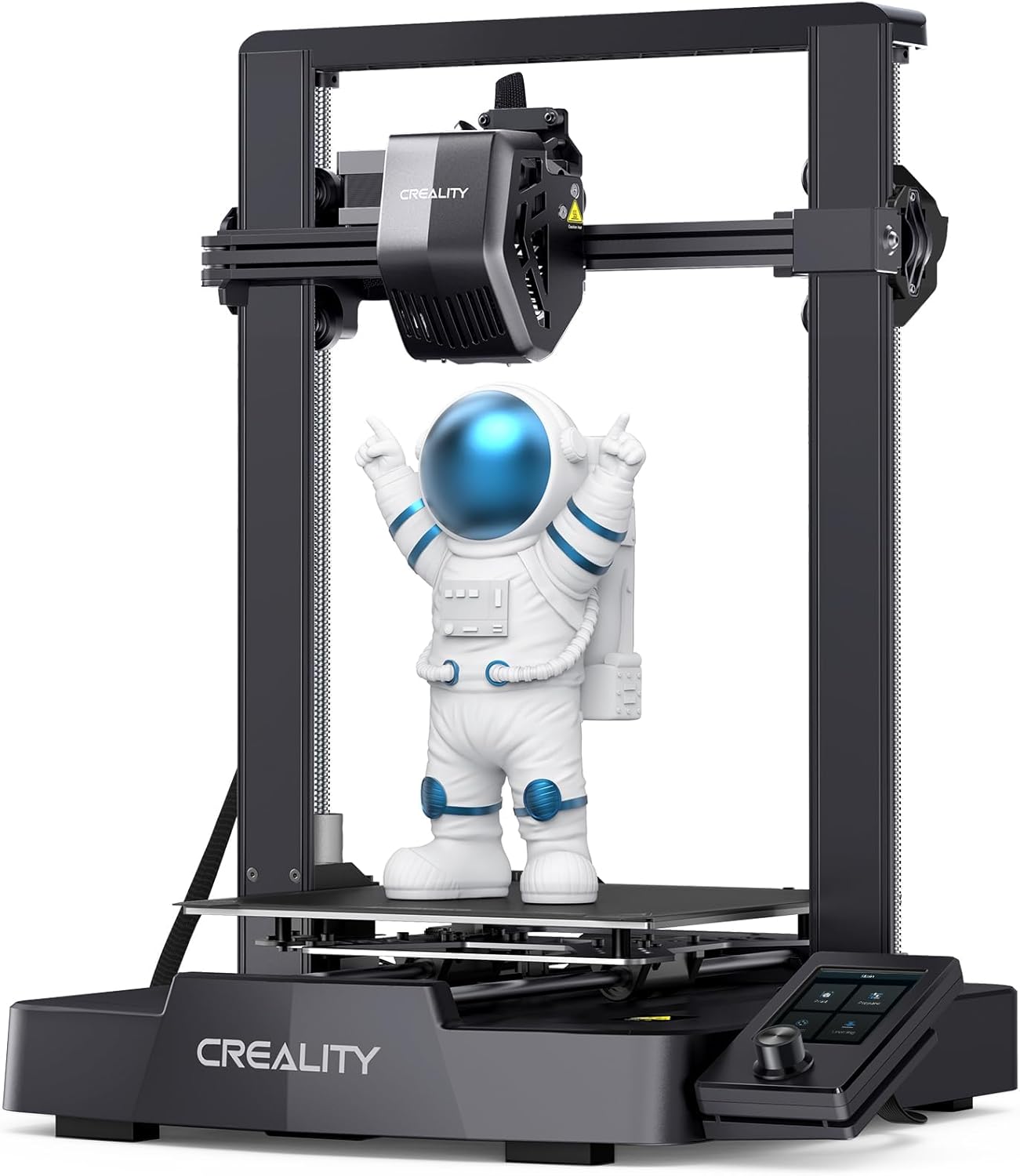
| Max printing speed | 250 mm/s |
|---|---|
| Build volume | 220×220×250 mm |
| Extruder type | Full-metal Sprite dual-gear direct extruder |
| Auto leveling | CR Touch with strain sensor |
| Supported filaments | PLA, PETG, ABS, TPU 95A |
The Ender 3 V3 SE is a budget-friendly FDM printer aimed at quick setup and higher-speed desktop printing. It ships largely preassembled so you can go from box to first print in roughly 20 minutes and the UI includes one-touch filament load/unload and resume-printing after power interruptions. Creality fitted a full-metal Sprite dual-gear direct extruder, CR Touch auto leveling with a strain sensor for auto Z-offset, and dual Z-axis lead screws plus Y-axis linear shafts to reduce wobble and improve dimensional stability. The spec sheet touts top speeds up to 250 mm/s and the platform supports common filaments including PLA, PETG and ABS; the direct-drive extruder helps with flexible filaments and more consistent extrusion for higher-temperature materials. Trade-offs include the small build volume compared with larger hobby machines and the faster top speed may require tuning to avoid ringing on precise ABS parts. For users planning frequent ABS work you will want an enclosure or enclosure accessory and fine-tuning of print cooling and temperatures to achieve the best layer adhesion and low warping.
Best for: Buyers who want a practical, easy-to-start desktop printer that balances faster printing and automation for regular hobby or workshop use, especially those who value quick setup and dependable extrusion.
Less Ideal for: Users who need a large build volume out of the box or who plan heavy industrial ABS production without adding an enclosure or more advanced temperature control.
- Preassembled design allows quick setup and first print in about 20 minutes.
- Full-metal Sprite dual-gear direct extruder for reliable filament feeding and better control with TPU and ABS.
- CR Touch auto leveling plus strain sensor simplifies bed leveling and Z-offset adjustments.
- Dual Z-axis lead screws and sturdy Y-axis linear shafts improve stability and reduce Z-wobble.
- One-touch auto filament loading/unloading and resume-printing make everyday use more convenient.
- Small build volume compared with larger desktop printers limits part size for large ABS prints.
- High advertised top speed may require extra tuning to maintain dimensional accuracy on detailed ABS parts.
Verdict: A fast, easy-to-use Ender-class printer with a reliable direct-drive extruder and auto-leveling that works well for hobby ABS projects when paired with an enclosure and basic tuning.
Sovol T300 3D Printer

| Max hotend temperature | 300°C |
|---|---|
| Controller | Klipper on 64‑bit microcomputer |
| Bed heater | 1000W AC heating bed |
| Touchscreen | 4.3‑inch 480×272 |
| Print speed capability | Up to 600mm/s (with 12000mm/s² accel) |
The Sovol T300 is a CoreXY desktop 3D printer aimed at faster prints and higher‑temperature materials. It runs Klipper on a 64‑bit controller for motion features like input shaping and pressure advance, and its rigid all‑metal frame plus internal linear rails help reduce vibration for cleaner layers when printing at speed. The integrated all‑in‑one hotend and optimized ceramic heater reach up to 300°C and heat the nozzle to 200°C in about 30 seconds, while a 1000W AC bed reaches 60°C quickly, which together make printing ABS and other higher‑temp filaments much more practical. Dual‑gear extrusion improves filament grip for flexible materials, and a high‑speed part cooling fan and 4.3‑inch touchscreen simplify everyday use. Expect very fast print times at high acceleration, but realizing those speeds may require tuning and occasional firmware/filament tweaks typical for aggressive performance setups. The printer is nearly ready out of the box but not a hands‑off appliance for beginners wanting plug‑and‑play ABS prints without calibration.
Best for: Buyers who want a budget‑minded printer capable of serious ABS work and fast prints and who are comfortable tuning firmware and print settings to get the most from aggressive speed features.
Less Ideal for: Users who want a maintenance‑free, beginner plug‑and‑play ABS printer or those unwilling to manage enclosure, adhesion, and tuning for high‑temperature materials.
- Klipper 64‑bit controller enables input shaping and pressure advance for better high‑speed prints
- 300°C all‑in‑one hotend and rapid 30s nozzle preheat support ABS and other high‑temp filaments
- Sturdy all‑metal frame with internal linear rails reduces vibration for improved layer alignment
- 1000W AC heated bed and strong part‑cooling fan speed up warmup and solidify layers quickly
- Dual‑gear extruder improves filament control for flexible materials
- High advertised speeds require tuning and careful setup to print reliably
- Not a fully plug‑and‑play ABS solution—ABS still needs enclosure and print‑environment control
Verdict: If you want an affordable, metal‑framed CoreXY that can handle ABS and very fast prints with firmware tuning, the Sovol T300 delivers the capability you need.
Snapmaker U1 3D Printer

| Build volume | 270 × 270 × 270 mm |
|---|---|
| Max speed | 500 mm/s |
| Toolheads | 4 (SnapSwap toolchanger) |
| Supported materials | PLA, ABS, PETG, TPU, PVA, PA, PC, ASA, PCTG |
The Snapmaker U1 targets users who need reliable, true multi-material prints without the filament purge waste common to tool-changing systems. Its SnapSwap four-toolhead design keeps each head preloaded and preheated so the printer swaps heads in about five seconds, which dramatically reduces downtime and material waste when switching colors or materials. A rigid CoreXY motion system with carbon fiber X-axis rails supports high-speed printing up to 500 mm/s across a 270 × 270 × 270 mm build volume while smart calibration routines handle toolhead offsets, vibration compensation, and first-layer tuning to keep prints dimensionally accurate. The U1 also supports a wide range of materials including ABS and engineering filaments, and integrates automatic filament management plus Orca slicer, touchscreen controls, and remote monitoring for a smoother user experience. Trade-offs to consider are the machine weight and footprint that reflect its industrial build and the added complexity of maintaining multiple hot ends compared with single-nozzle machines, but the robust kinematic locking system and validated swap durability make it a strong pick when consistent multi-material ABS work is required.
Best for: Buyers who prioritize dependable, repeatable multi-material and multi-color ABS production and want a machine built to minimize waste and downtime in a workshop or small production setting.
Less Ideal for: Casual hobbyists who need a lightweight, compact printer for occasional single-color prints or users who prefer the simplicity of a single-extruder machine.
- True multi-material/multi-color printing via four preheated toolheads for near-instant tool changes
- Significant reduction in filament waste by avoiding long purges during color/material swaps
- High-speed CoreXY motion with carbon fiber rails for stable, fast printing
- Smart automatic calibration and AI monitoring to improve first-layer reliability and dimensional accuracy
- Heavier, bulkier industrial build that requires a dedicated workspace
- Greater mechanical complexity from multiple toolheads compared with single-extruder printers
Verdict: Choose the U1 when you need a robust, production-capable printer that reliably produces multi-material ABS parts with minimal waste and near-instant tool changes.
FLASHFORGE Adventurer 5M
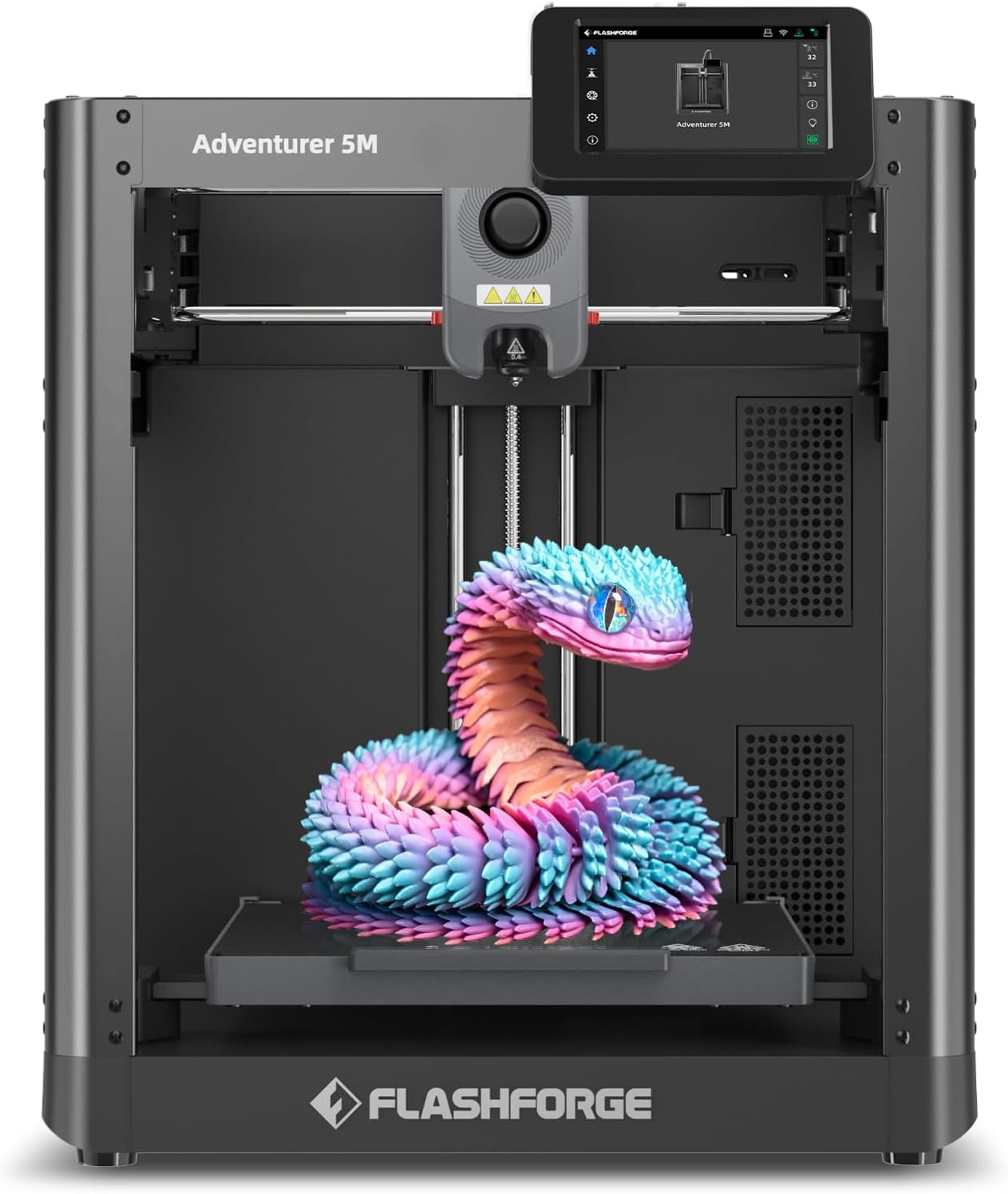
| Build Volume | 220 x 220 x 220 mm |
|---|---|
| Extruder Max Temp | 280°C |
| Travel Speed | 600 mm/s |
| Platform Type | Double-Sided PEI Platform |
| Structure | All-metal Core XY Structure |
The FLASHFORGE Adventurer 5M is a CoreXY desktop machine aimed at speeding up prototyping and small-scale production. It uses a 280°C direct-drive extruder, a high-flow nozzle option and a double-sided PEI platform to handle common engineering filaments like PLA, PETG, ABS and carbon-fiber blends. Where it stands out is its focus on speed: the CoreXY motion system, 600 mm/s travel and high acceleration reduce print times for smaller parts, and a quick warm-up and tool-free 3-second nozzle swap make changing setups fast. One-button auto leveling and the FlashMaker mobile app simplify remote monitoring and reduce setup fuss for repeatable first layers. Practical limits include a modest 220 mm cubic build volume that restricts large ABS parts and a high-speed focus that may require tuning to balance surface finish versus speed. Users printing ABS should still plan for enclosed printing or an enclosure accessory and regular nozzle/platform maintenance to manage warping and adhesion. For buyers who value faster iteration with engineering filaments, the Adventurer 5M blends convenience and performance in a compact package.
Best for: Buyers who need a compact, faster prototyping printer that reliably prints engineering plastics and want straightforward setup and remote monitoring without extensive manual calibration.
Less Ideal for: Those who primarily need to print very large ABS parts, require a fully enclosed industrial chamber out of the box, or prioritize the absolute finest surface finish over print speed.
- CoreXY all-metal structure for higher travel speeds and faster prototyping
- 280°C direct-drive extruder and multiple nozzle sizes for engineering filaments
- One-button automatic bed leveling for easier first-layer reliability
- Double-sided PEI platform for easier part removal and consistent adhesion
- Quick nozzle change and fast warm-up to reduce downtime between jobs
- 220×220×220 mm build volume limits large ABS parts
- High-speed motion may need tuning to avoid visible layer artifacts
Verdict: Choose the Adventurer 5M when you want a compact CoreXY printer that speeds up iteration while still supporting ABS and other engineering filaments.
Bambu Lab P1S
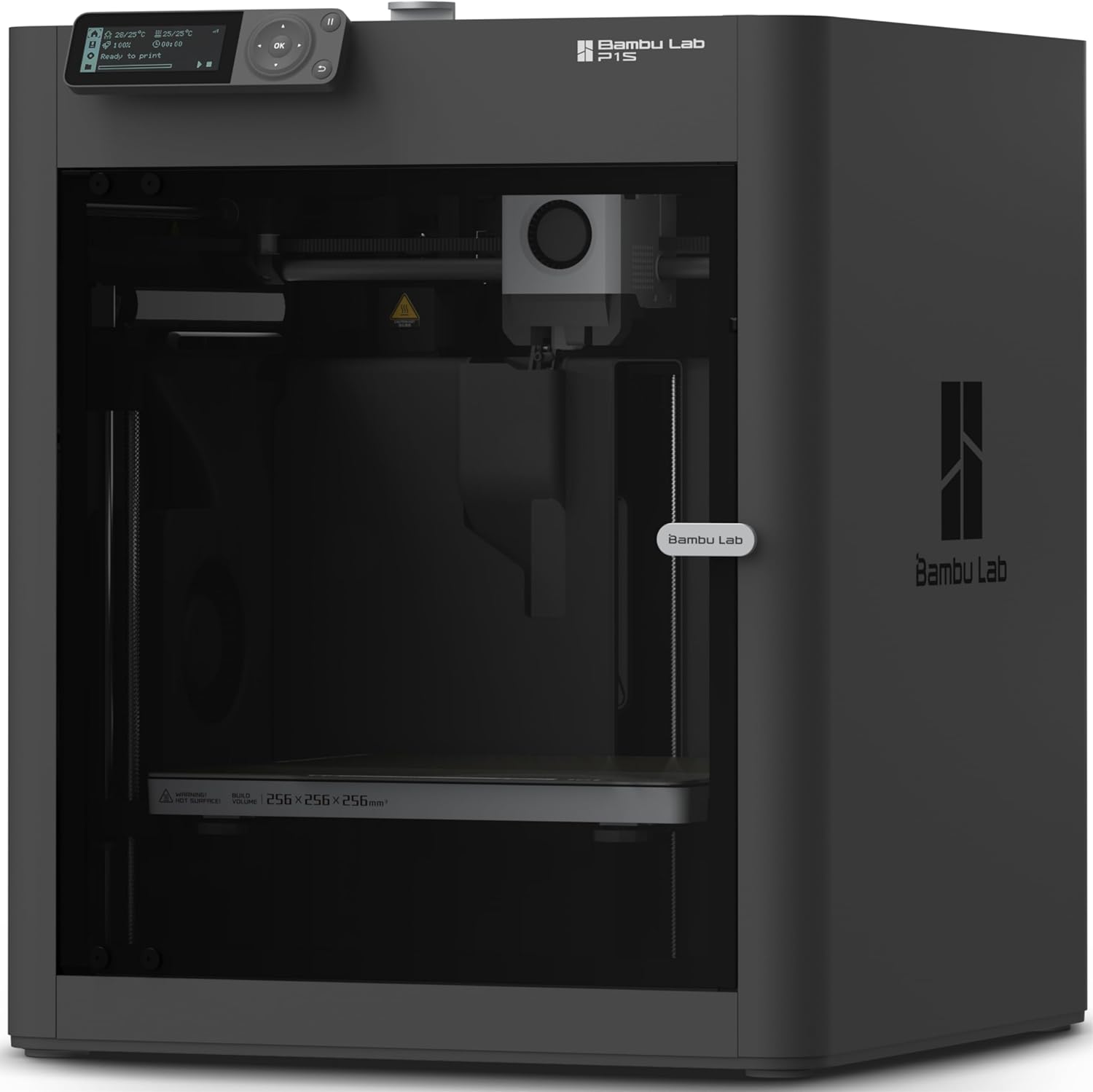
| Build Volume | 256*256*256 mm³ |
|---|---|
| Max Speed | 500 mm/s |
| Max Acceleration | 20 m/s² |
| Supported Filaments | PLA, PETG, TPU, PVA, PET, ABS, ASA |
The Bambu Lab P1S is a ready-to-use enclosed CoreXY FDM printer aimed at makers who want high-speed, reliable prints with minimal setup. It ships largely assembled and the manufacturer claims a 15-minute setup, which suits users who prefer a low-friction start. The P1S uses a direct-drive extruder and an enclosed build area, which improves compatibility with engineering filaments like ABS and ASA and helps with consistent layer adhesion and reduced warping. Notable features include automatic bed leveling, a built-in camera for time-lapse, and very high reported motion specs for speed and acceleration, so prints finish much faster than typical hobby machines. The printer supports common materials such as PLA, PETG, TPU and lists ABS as supported, though it flags carbon/glass-filled composites as not recommended. Practical limits are that multi-color printing requires adding Bambu Lab AMS, and truly industrial filaments like PA and PC are listed as only capable rather than ideal. For buyers prioritizing straightforward, reliable ABS printing in a mostly plug-and-play package, the P1S balances speed and enclosure benefits against a few advanced-material caveats.
Best for: Buyers who want a mostly turn-key printer that handles ABS well and values fast, reliable prints with minimal fiddling.
Less Ideal for: Users who need out-of-the-box multi-color/multi-material printing or who plan to rely heavily on highly abrasive, fiber-filled filaments without additional accessories.
- Enclosed CoreXY design reduces warping and stabilizes temperatures for better ABS prints
- Direct-drive extruder expands material compatibility, including flexible filaments
- Automatic bed leveling simplifies setup and improves first-layer reliability
- High top speed and acceleration shorten print times compared with typical hobby printers
- Built-in camera enables time-lapse monitoring and remote visual checks
- Multi-color or multi-material printing requires the optional AMS accessory
- Manufacturer notes some engineering plastics (carbon/glass-filled) are not recommended
Verdict: Choose the P1S if you want a fast, enclosed, mostly plug-and-play printer that makes reliable ABS parts without a lengthy setup process.
Choosing the Right 3D Printer for ABS: Key Factors to Consider
Max Nozzle Temperature
ABS routinely needs higher extrusion temperatures than PLA. A hotend rated for higher maximum temperatures ensures you can reach the range ABS formulations require and leaves headroom for composite or short-run engineering filaments.
If a printer's hotend tops out near PLA temperatures, you will struggle to get the necessary melt flow for ABS, which shows up as poor layer bonding and weak parts. Consider whether the hotend uses all-metal components or a PTFE-lined throat that is rated for elevated temps, and whether upgrading to a higher-temp hotend is feasible.
Heated Bed Performance and Adhesion Options
A reliable heated bed that reaches and holds the recommended ABS bed temperature is essential to reduce corner lift and layer separation. Beyond raw temperature, how evenly the bed heats and the surface material matter for adhesion and first-layer quality.
Look for beds with thick, even heating and common adhesion surfaces or coatings compatible with ABS. Removable build plates that tolerate elevated bed temps make part removal easier. Also consider how the printer handles first-layer calibration; a solid first layer reduces failures on long ABS prints.
Enclosure and Chamber Temperature Control
ABS warps when cooling too quickly, so an enclosed or semi-enclosed build area that maintains a stable chamber temperature greatly improves print success. Passive enclosures help to some degree, but active control or better insulation reduces thermal gradients across a part.
Consider how the enclosure integrates with the printer: does it limit access for maintenance, interfere with cable routing, or restrict aftermarket upgrades? Some printers offer optional enclosures designed for thermal stability. If not, assess whether a third-party enclosure can be added without blocking fans or electronics cooling.
Extrusion System and Filament Handling
Consistent filament feeding at higher melt temperatures is critical. Extruder design, drive gear quality, and filament path rigidity all affect whether the printer can push ABS filament steadily through the hotend without slipping or grinding.
Direct-drive extruders can help with flexible or abrasive filaments, while well-tuned Bowden setups work fine for standard ABS if the tube and fittings are high quality. Also consider filament spools, spool holders, and whether the machine supports filament monitoring or easy retraction tuning to minimize stringing and oozing in ABS prints.
Mechanical Rigidity and Motion Accuracy
ABS prints accentuate issues caused by frame flex, loose belts, or wobble in linear rails. A stiff frame and accurate motion system reduce ringing and improve dimensional accuracy, which is particularly important for functional ABS parts that need to fit or bear loads.
Check for quality linear rails or well-supported rods, robust gantry designs, and secure fasteners. Vibration damping and quality stepper mounts also help during long high-temperature prints common when working with ABS.
Preparing Your Workspace for ABS Printing
ABS printing benefits from a dedicated, well-ventilated workspace. ABS emits fumes that many users prefer to manage with ventilation or filtration. Place the printer on a stable surface away from drafts and temperature swings; inconsistent ambient temperatures can cause adhesion and warping issues with ABS.
- Ensure some form of ventilation or an air-extraction path to reduce fumes.
- Avoid locations with rapid temperature changes like near HVAC vents or open windows.
- Keep a fire-safe workspace and never leave extended unattended prints without appropriate safety measures.
Slicing Settings That Help with ABS
Tuning slicer profiles for ABS is crucial. Typical changes include higher nozzle and bed temperatures, reduced part cooling, and slower print speeds for the first few layers. Increasing extrusion multiplier slightly and tuning retraction can help with better layer bonding and reduce stringing.
- Start with manufacturer or filament-recommended temperatures then adjust in small increments.
- Disable or minimize part cooling fans for most ABS prints to maintain layer adhesion.
- Use gradual cooling or layer-specific fan profiles if your slicer supports it to balance surface finish and interlayer bonding.
Adhesion Tricks and First-Layer Strategies
Good first-layer adhesion minimizes warping on ABS parts. Methods include using sticky surfaces designed for high temps, applying compatible adhesion aids, or using brim and raft strategies for larger parts. Proper bed leveling and nozzle-to-bed distance are foundational; even small errors here will amplify on long ABS prints.
- Clean the build surface before printing to remove oils or dust.
- Use brims for parts with small footprints to increase base adhesion area.
- Test different adhesion surfaces and release methods to find a reliable combination for your setup.
Post-Processing ABS Parts
ABS is well suited to mechanical finishing and solvent smoothing. Acetone vapor smoothing can produce glossy, sealed surfaces and improve moisture resistance, but it requires safe handling and a controlled setup. Sanding and painting are straightforward once parts have been adequately annealed or stress-relieved.
- Annealing ABS parts in a controlled oven can improve heat resistance and relieve internal stresses.
- Use proper personal protective equipment when working with solvents.
- Sand progressively through grits for a smooth finish before painting or sealing.
How We Chose the Best 3D Printer for ABS
We started by filtering printers that support the elevated temperatures ABS needs and then prioritized machines that reduce common ABS problems like warping, cracking, and layer delamination. Key inclusion criteria required a hotend capable of sustained high nozzle temperatures, a heated bed that reaches and holds ABS bed temps, and either a stock or easily installable enclosure to control part-cooling and chamber temperature. Beyond raw temperature specs, we evaluated extrusion reliability, filament feed systems, and the mechanical stability of the motion system because consistent extrusion and minimal frame flex reduce visible defects in ABS parts. We also considered bed adhesion options and surface materials that help parts stay flat during long ABS prints. Practical usability was another filter: printers with straightforward hardware access, reasonable firmware options, and compatible slicing profiles scored higher. We excluded machines that cannot reach required ABS temperatures, lack any means of stabilizing chamber temperature, or have known issues with filament feeding at higher viscosities. The final list emphasizes machines that balance thermal capability with reliable extrusion and user-adjustable settings for real-world ABS printing.
Our full evaluation process is outlined in our review methodology.
FAQ
Do I need a fully enclosed printer to print ABS successfully?
You do not always need a factory-built enclosure, but some form of thermal isolation is highly recommended. Passive enclosures or DIY covers reduce drafts and help maintain chamber temperature, which significantly reduces warping and layer separation for ABS.
What nozzle and bed temperatures should I use for ABS?
Recommended temperatures vary by filament, but ABS typically prints at higher nozzle temperatures and elevated bed temps compared with PLA. Start with the filament maker's range and fine-tune based on layer adhesion and surface finish. Incremental adjustments of 5 to 10 degrees help dial in the best results.
How important is bed leveling for ABS prints?
Bed leveling is critical. An even first layer improves adhesion and reduces the chance of edges lifting during long prints. Manual or automatic leveling routines should be checked periodically, especially before large or tall ABS parts.
Can I solvent-smooth ABS parts at home?
Solvent smoothing with acetone is a common technique to improve finish and seal layers, but it requires careful handling and ventilation. Small, controlled setups can be used at home if you follow safety precautions and local regulations.
How do I reduce stringing and oozing with ABS?
Tune retraction distance and speed along with print temperature. Lowering print temperature slightly and optimizing retraction usually reduces stringing. Also check extrusion multiplier and ensure the filament path is free from excessive friction.
Final Verdict
When choosing a 3D printer for ABS, prioritize a hotend and heated bed that can sustain the temperatures ABS requires, plus an enclosure or effective thermal management to prevent warping. Reliable extrusion and a mechanically rigid frame further reduce defects and yield stronger functional parts. Tradeoffs often involve ease of use versus thermal capability; higher-temp systems may need more tuning and maintenance but give better results for engineering parts. Focus on the factors that match your workflow: if you print large, functional ABS parts, thermal stability and build-volume considerations should lead your decision. For occasional ABS work, prioritize a printer with straightforward upgrade paths for enclosures and hotends.