
Note: This article contains affiliate links. If you click on these links and make a purchase, we may earn a small commission at no extra cost to you. This helps support our research and content. Read our full affiliate disclosure here.
Picking the right 3D printer for PLA matters because PLA is the most common filament for hobbyists, prototypers, and educators. The right machine reduces failed prints, minimizes post-processing, and gives you consistent dimensional accuracy so parts fit and finish as intended. This guide shortlists the top options for PLA printing across different budgets and user skill levels, focusing on the features that actually affect PLA results. We evaluate each pick for print quality, reliability, ease of setup, and day-to-day handling of PLA filament. Read on to find the best fit for your workflow, whether you are starting with your first spool or building a small prototyping bench.
Top Picks at a Glance
| Best Overall The best all-around choice for most situations | Bambu Lab A1 3D Printer |  |
| Best Quality Built to a higher standard if you want something more solid | FLASHFORGE AD5X 3D Printer |  |
| Best Value The sweet spot between price and what you get | Creality Ender 3 V3 SE |  |
| Best Budget The cheapest option that still gets the job done reliably | TEQStone M1 Mini 3D Printer |  |
| Top Rated A top-rated pick with lots of positive feedback | Bambu Lab P1S |  |
| Most Popular A crowd favorite that many people choose with confidence | Creality Ender 3 V3 SE |  |
| Best Seller A high-volume bestseller chosen again and again | FLASHFORGE Adventurer 5M |  |
Bambu Lab A1 3D Printer

| Build volume | 256×256×256 mm |
|---|---|
| Calibration | Full-auto calibration |
| Noise | ≤48 dB |
| Supported filaments | PLA, PETG, TPU, PVA |
The Bambu Lab A1 is an entry-focused FDM machine that aims to make PLA printing simple and reliable. It automates bed leveling, Z-offset, resonance and nozzle pressure calibration so new users spend less time tuning and more time printing, and its active flow-rate compensation helps deliver consistent extrusion across long prints. The 256 mm cubed build volume is roomy for hobby projects and the optional AMS lite accessory enables trustworthy multi-color printing when needed. The A1 also emphasizes speed and stability through low-drag linear rails, motion control and sensors while keeping noise low with motor noise canceling, which makes it usable in a home or classroom. Connectivity options include cloud and LAN-only modes for privacy-conscious users. Limitations to note are that multi-color requires the AMS lite add-on and the open-frame design means it is less suited to printing temperature-sensitive materials than an enclosed printer, but for straightforward PLA projects the A1 balances ease of use, reliability and print quality.
Best for: Enthusiasts and beginners who want a low-maintenance, reliable PLA printer that minimizes manual setup and produces consistent parts with minimal fiddling.
Less Ideal for: Users who need an enclosed, high-temperature printer for materials like ABS or who want built-in multi-color printing without buying add-ons.
- Full-auto calibration handles Z-offset, bed leveling and nozzle pressure without manual tuning
- Active flow-rate compensation smooths extrusion for more consistent PLA prints
- Large 256×256×256 mm build volume gives room for bigger hobby parts
- Quiet operation with active motor noise canceling suitable for home use
- Reliable high-speed motion control and sensors for consistent print output
- Multi-color printing requires purchasing the AMS lite accessory separately
- Open-frame design is not ideal for printing heat-sensitive materials like ABS
Verdict: The A1 is a great choice for buyers seeking an easy, quiet, and dependable PLA-focused printer that minimizes setup with full-auto calibration.
FLASHFORGE AD5X 3D Printer

| Build volume | 220×220×220 mm |
|---|---|
| Extruder max temp | 300°C |
| Structure | Open, Core XY |
| Max travel speed | 600 mm/s |
| Filament compatibility | PLA/ABS/PETG/TPU/CF |
The FLASHFORGE AD5X is a performance-focused Core XY FDM printer aimed at fast, high-quality PLA work. It supports up to four-color printing and a 300°C direct drive extruder, and ships with a 0.4 mm nozzle while offering 0.25–0.8 mm options for detail or speed. The machine uses one-click auto leveling, automatic filament feed/retract and a resume-printing feature that help reduce failed prints during long runs. Its Core XY motion system and stated travel speeds (600 mm/s with high acceleration) enable rapid prototyping and shorter cycle times for batch prints, while dual-channel cooling and vibration compensation improve surface finish at speed. Practical limitations include the open structure that reduces thermal control for advanced materials and the size-limited 220 mm cubic build area, which constrains large single-part prints. For PLA-focused users who prioritize throughput and multi-color capability, the AD5X delivers a balance of speed, convenience, and interchangeable nozzle flexibility.
Best for: Buyers who prioritize print speed and throughput for PLA prototyping and small-batch production and who want multi-color capability and easy setup features.
Less Ideal for: Users needing large-format printing, strict chamber temperature control for advanced high-temp materials, or a fully enclosed, workshop-grade industrial machine.
- Core XY frame with high travel speed and acceleration for fast print times
- Supports up to 4-color printing for multi-material or multicolor PLA parts
- 300°C direct drive extruder and multiple nozzle size options for material and detail flexibility
- One-click auto leveling, auto filament feed/retract, and resume printing reduce failed jobs
- Open-frame design limits thermal stability for temperature-sensitive materials
- Build volume (220×220×220 mm) restricts large single-part prints
Verdict: If you need fast, multi-color PLA prints with flexible nozzle choices and user-friendly automation, the AD5X is built for performance-oriented desktop workflows.
Creality Ender 3 V3 SE

| Max printing speed | 250 mm/s |
|---|---|
| Extruder type | Sprite full‑metal dual‑gear direct extruder |
| Auto leveling | CR Touch with strain sensor |
| Build volume | 220×220×250 mm |
| Display | 3.2" color knob screen |
The Ender 3 V3 SE is a user‑focused FDM printer that targets quicker, more reliable PLA printing by combining a Sprite full‑metal dual‑gear direct extruder, CR Touch auto leveling, and a dual Z‑axis for stability. It ships mostly preassembled and the maker claims a three‑step setup that gets you to first print in about 20 minutes, which lowers the barrier for hobbyists and makers who prefer minimal tinkering. The Sprite extruder improves filament feeding for flexible and standard PLA, while the CR Touch and strain sensor automate Z offset and bed leveling to reduce failed first layers. A 3.2" color knob display and auto filament loading simplify daily use, and the sturdier Y‑axis linear shafts help with consistent layer accuracy during longer prints. The product emphasizes speed with a stated max of 250 mm/s, which shortens print time for small parts but you will likely run slower for fine detail to avoid artifacts. This bundle includes multiple PLA spools so you can start printing right away, but advanced users may still want to dial settings for high‑quality prints and experiment with slicer profiles.
Best for: Someone who wants a practical, ready‑to‑use machine for printing PLA with fewer setup headaches and reliable daily results, especially hobbyists who value time saved over manual tuning.
Less Ideal for: Specialists who need a full workshop setup for abrasive or large industrial prints, or users who require out‑of‑the‑box ultra‑fine resolution without further tuning should consider other options.
- Preassembled three‑step setup for quick first prints
- Sprite full‑metal dual‑gear direct extruder improves feeding for PLA and TPU
- CR Touch auto leveling and strain sensor simplify bed leveling and Z offset
- Dual Z‑axis and robust Y‑axis linear shafts increase stability and print accuracy
- Includes multiple PLA filament spools to start printing immediately
- Stated top speed of 250 mm/s may require tuning and slower settings for fine detail
- Bundle does not include advanced accessories like enclosure or hardened nozzle for abrasive filaments
Verdict: A practical, mostly preassembled PLA‑friendly printer that accelerates getting from box to usable prints with automated leveling and a reliable direct extruder.
TEQStone M1 Mini 3D Printer
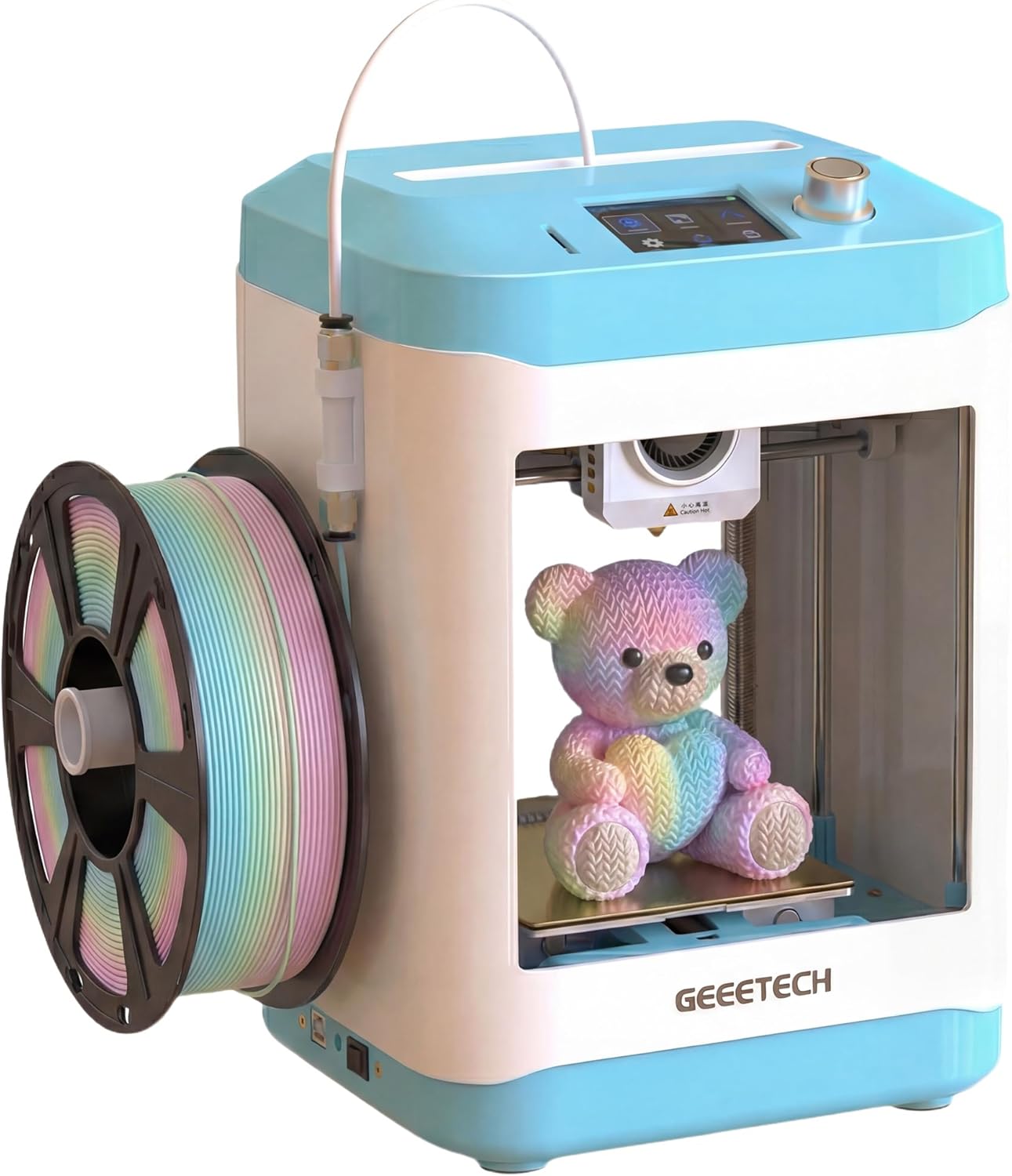
| Filament compatibility | PLA, TPU |
|---|---|
| Extruder type | Direct Drive |
| Auto-leveling | 16-point smart auto-leveling |
| Print surface | PEI spring steel plate |
| Special features | Auto nozzle cleaning; Filament break detection |
The TEQStone M1 Mini is a small, user-friendly desktop 3D printer designed for kids and beginners who want quick results with PLA. It arrives nearly ready to run with preloaded models on an SD card and a straightforward interface that gets you to a first print in minutes. The 16-point smart auto-leveling and auto nozzle cleaning reduce setup and first-layer failures, while filament break detection pauses prints to avoid wasted material. A direct drive extruder lets the M1 handle flexible TPU in addition to PLA, and a PEI spring steel build plate makes parts easy to remove. The printer emphasizes speed, claiming high printing rates for small models, and uses quiet stepper drivers suitable for home use. Practical limits include a small build volume and a spool holder sized for 0.5 kg spools by default, so larger 1 kg spools require an external or printed adapter. Overall it is a capable, low-friction entry printer for hobbyists focused on PLA parts and fast learning rather than large-format production.
Best for: Buyers looking for an inexpensive, low-friction way to learn 3D printing with PLA and get quick results for small projects and classroom or home STEM use.
Less Ideal for: Users who need large-format printing, heavy production throughput, or prefer not to add spool adapters for full-size filament rolls.
- Beginner-friendly setup with pre-sliced models and an intuitive UI for fast first prints
- 16-point smart auto-leveling and auto nozzle cleaning that reduce failed first layers
- Direct drive extruder allows PLA and flexible TPU printing
- Filament break detection that pauses prints to protect work and material
- PEI spring steel build plate for easy part removal and low-maintenance handling
- Small spool holder sized for 0.5 kg spools requires an adapter for common 1 kg spools
- Compact build volume limits the size of printable projects
Verdict: If you want an affordable, kid-friendly PLA printer that minimizes setup and failed prints, the TEQStone M1 Mini delivers fast, reliable small-part printing.
Bambu Lab P1S

| Build Volume | 256×256×256 mm³ |
|---|---|
| Supported Filaments | PLA, PETG, TPU, PVA, PET, ABS, ASA |
| Max Speed | 500 mm/s |
| Max Acceleration | 20 m/s² |
The Bambu Lab P1S is an enclosed CoreXY FDM printer aimed at giving quick, reliable results with minimal setup. It supports common filaments such as PLA, PETG and TPU and includes automatic bed leveling and a direct-drive extruder that broadens material compatibility and reduces stringing on flexible filaments. The printer is built for speed, with a quoted top travel speed and high acceleration that shortens print times for small to medium parts while the enclosed body helps with temperature-sensitive materials. Setup is straightforward and the unit is positioned as plug-and-play for users who want to start printing quickly; a built-in camera enables time-lapse capture. Important limitations are that highly abrasive or fiber-filled composites are not recommended and some advanced engineering plastics may be only marginally supported. For PLA specifically, the P1S combines fast print speeds, good part quality, and an easy setup that helps reduce failed prints for users who prioritize consistent, repeatable results.
Best for: Buyers who want a dependable, easy-to-start printer that reliably produces good PLA parts with minimal tinkering and faster turnarounds.
Less Ideal for: Users who need to print abrasive fiber-filled composites or who must minimize machine size for very tight workspaces.
- Enclosed CoreXY design improves thermal stability for consistent prints
- Direct-drive extruder expands material compatibility and handles flexible filaments well
- Automatic bed leveling simplifies setup and reduces first-layer failures
- High travel speed and acceleration shorten print times for typical PLA parts
- Built-in camera for time-lapse documentation and monitoring
- Not recommended for carbon or glass fiber reinforced filaments
- Heavier desktop footprint compared with smaller hobby printers
Verdict: The P1S is a fast, enclosed CoreXY printer that delivers consistently reliable PLA prints with easy setup and broad everyday filament support.
Creality Ender 3 V3 SE
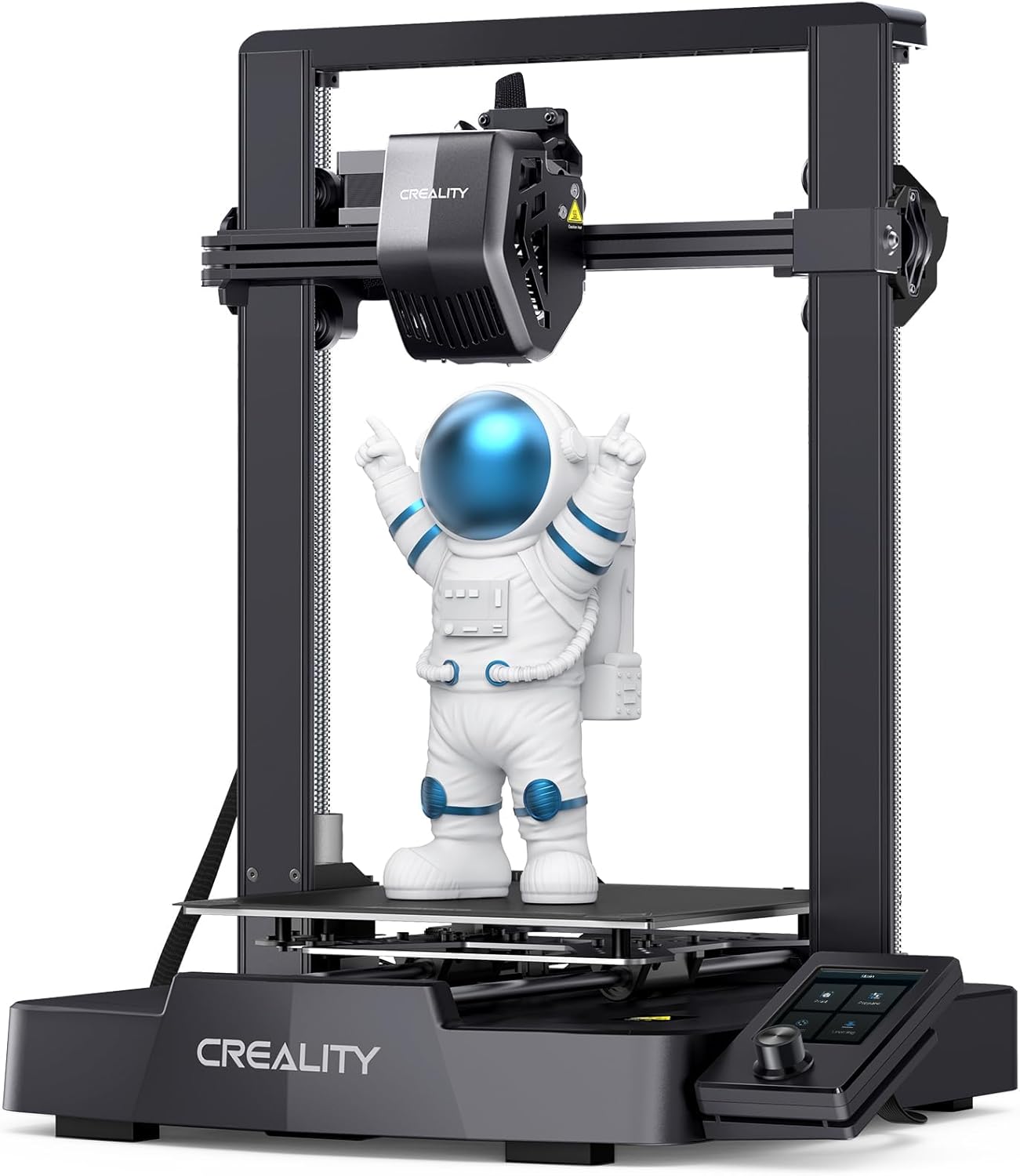
| Max printing speed | 250 mm/s |
|---|---|
| Supported materials | PLA, PETG, TPU, ABS (typical) |
| Extruder type | Sprite full-metal dual-gear direct extruder |
| Auto leveling | CR Touch auto leveling with strain sensor |
The Ender 3 V3 SE is a budget-friendly desktop FDM printer aimed at hobbyists and makers who want quicker PLA prints without a lot of setup fuss. It uses Creality's full-metal Sprite dual-gear direct extruder for firmer filament control across PLA, TPU and PETG, and a CR Touch auto-leveling system plus strain sensor to reduce manual bed-trimming. The printer ships partly preassembled and claims a three-step setup that can get you to a first print in about 20 minutes, and a dual Z-axis with Y-axis linear shafts improves stability for taller or finer prints. It also includes auto filament loading and a revised UI for easier operation. The V3 SE supports high top speeds (advertised up to 250 mm/s) which can shorten print times when tuned, though pushing speed will usually require dialing in profiles to keep quality high. Overall the package delivers a practical, easy-to-start machine for PLA work, but advanced users should expect to spend time tuning slicer settings to balance speed and surface finish.
Best for: Buyers who prioritize quick, straightforward PLA printing and value a mostly preassembled printer with reliable factory features and clear social feedback from a popular brand.
Less Ideal for: Users who need out-of-the-box perfection at maximum speeds or those who require built-in network/cloud printing and advanced enterprise features.
- Sprite full-metal dual-gear direct extruder for more consistent filament feeding
- CR Touch auto-leveling with strain sensor reduces manual bed adjustments
- Mostly preassembled design enables quick setup and first prints
- Dual Z-axis and steel Y-axis linear shafts boost axis stability and accuracy
- Auto filament loading and unloading simplify filament changes
- Advertised top speed requires tuning to maintain print quality
- No on-specs mention of filament runout sensor or networking options
Verdict: A fast, easy-to-start Ender-series printer that makes PLA printing accessible by combining a reliable direct extruder and auto-leveling for hobbyists who want quick results.
FLASHFORGE Adventurer 5M

| Build Volume | 220 x 220 x 220 mm |
|---|---|
| Max Extruder Temp | 280°C |
| Travel Speed | 600 mm/s |
| Platform | Double-Sided PEI Platform |
| Structure | All-metal Core XY Structure |
The FLASHFORGE Adventurer 5M is a CoreXY desktop printer built to speed up PLA prototyping while keeping printing straightforward. It automates bed leveling with a one-button system and uses a 280°C direct-drive extruder with quick 3-second nozzle swaps, letting you move from setup to print with minimal fiddling. The all-metal CoreXY frame and a double-sided PEI platform support reliable adhesion and easier part removal, and the printer's claimed 600 mm/s travel speed and high acceleration are aimed at cutting print times for small runs. Practical conveniences include a fast warm-up, multiple nozzle sizes, app-based remote monitoring, and settings tuned for engineering-friendly filaments. On the downside, the unit is a focused desktop machine with a 220 × 220 × 220 mm build volume, so larger models require splitting or scaling, and achieving the highest speeds without tuning can take effort and maintenance like nozzle and platform cleaning. For buyers who prioritize simplicity and faster PLA throughput, it balances automation and performance well, but it is not a large-format or plug-and-play industrial press.
Best for: Buyers who want a reliable, lower-friction PLA workhorse for prototyping and small production runs and who value automated leveling and remote monitoring over large build volume.
Less Ideal for: People who need large-format printing, fully hands-off industrial throughput, or a machine that runs at top speed without periodic tuning and maintenance.
- One-button automatic bed leveling reduces setup and first-layer failures
- CoreXY all-metal structure and high travel specs designed to speed up print times
- 280°C direct-drive extruder with quick 3-second nozzle changes for versatile filaments
- Double-sided PEI platform simplifies part removal and improves adhesion
- Mobile app support for remote monitoring and job management
- 220 × 220 × 220 mm build volume is modest for larger prints
- High-speed settings may require tuning and regular maintenance to realize consistently
Verdict: Choose the Adventurer 5M if you want an automated, CoreXY PLA printer that prioritizes faster small-part throughput and easier setup.
Choosing the Right 3D Printer for PLA: Key Factors to Consider
Hotend and Nozzle Design
A stable hotend with good thermal isolation matters because PLA needs a consistent melt zone for clean extrusion. All-metal hotends tolerate higher nozzle temperatures and reduce the risk of thermal degradation from heat creep, while PTFE-lined hotends can help with low-friction feeding. Nozzle size affects detail and speed: smaller nozzles produce finer features but take longer to print, while larger nozzles extrude more material for faster rough prints.
Check whether the hotend is user-serviceable. Interchangeable nozzles and an accessible heater cartridge make maintenance and troubleshooting easier, which is important for frequent PLA use.
Bed Surface and Adhesion Options
PLA generally sticks well to a variety of bed surfaces, but first-layer adhesion still depends on bed flatness and surface texture. Look for a heated bed that reaches typical PLA temperatures and a flat build plate to ensure consistent first layers. Removable or flexible build plates speed up part removal and reduce the risk of damaging prints during extraction.
Different surfaces — textured, glass, or PEI — change how you prepare the bed. Some require a light adhesive or tape, while others work well with a clean surface alone. Consider how often you want to swap build surfaces and whether the printer supports easy removal.
Motion System and Frame Stability
Frame rigidity and a stable motion system directly affect layer alignment and surface finish. Printers with solid frames and well-supported axes reduce vibrations that cause ringing and ghosting on printed parts. Lead screws, linear rails, or high-quality rods and bearings deliver smoother movement and better detail retention.
If you plan long prints, stability becomes even more important because small oscillations accumulate. A sturdier frame also allows for faster acceleration and higher speeds while maintaining acceptable print quality.
Filament Path and Extrusion Mechanics
How PLA travels from the spool to the hotend matters for jamming and retraction performance. A direct-drive extruder shortens the filament path and improves retraction control for flexible blends, while a Bowden setup reduces moving mass and can enable faster travel but may need more retraction tuning. Consider filament spool mounting, tensioning, and the accessibility of the extruder gearbox for cleaning.
Filament sensors and easy access to the drive gear help with troubleshooting. Reliable filament feeding reduces failed prints and saves time when printing many parts from PLA.
Ease Of Use and Calibration
For many buyers, a printer that gets good PLA results with minimal tuning is preferable. Automatic bed leveling systems, guided calibration wizards, and intuitive interfaces cut down setup time and reduce early frustration. Clear documentation and a helpful community or manufacturer support also matter when diagnosing print issues or sourcing replacement parts.
Consider how much manual adjustment you are willing to do. Printers that require frequent manual leveling or extensive firmware configuration are better suited to experienced users.
PLA Printing Settings That Actually Matter
Basic slicer settings like layer height, print temperature, and print speed determine most visible outcomes when printing PLA. Layer height controls surface smoothness: 0.1 to 0.2 mm is a common range for balancing detail and speed. Printing too fast can cause under-extrusion and poor layer bonding, while too slow can cause overheating on small features. Temperature tuning is crucial because PLA grades vary; start with manufacturer-recommended temps and calibrate using temperature towers.
Retraction settings and cooling are also critical. PLA benefits from active part cooling during bridging and small features. Adjust retraction distance and speed to minimize stringing without causing filament grinding or clogs.
- Start with conservative speeds and adjust upward after calibration
- Tune retraction on single-wall prints to reduce stringing
- Use part cooling for small features and bridges
Preparing Your Workspace for PLA
PLA prints are less odorous and easier to manage than some engineered filaments, but a clean, stable workspace still improves results. Keep filament spools dry and away from direct sunlight to avoid moisture uptake that can cause bubbles and poor surface finish. A stable table that does not vibrate with printer motion helps small-detail prints retain accuracy.
Lighting and a simple inspection routine make it easier to spot early print failures. A spare set of common tools, replacement nozzles, and basic maintenance supplies minimize downtime between prints.
- Store filament in airtight containers with desiccant
- Mount the spool to minimize twisting and tangles
- Keep basic maintenance tools handy: hex keys, nozzle needle, and scraper
When to Choose Direct Drive Vs Bowden
Direct-drive extruders place the drive gear close to the hotend, improving responsiveness and retraction control. This setup benefits flexible PLA blends and small-diameter filaments because the filament path is short and predictable. Direct drive is often preferred for fine retraction tuning and for users who print a wide range of materials.
Bowden systems reduce the moving mass on the carriage, which can enable faster travel speeds and lower ringing. However, Bowden setups require more retraction distance and often more slicer tuning to avoid artifacts. Choose based on the types of PLA prints you prioritize: flexible, detailed parts favor direct drive; large, fast prints may work well on a tuned Bowden system.
- Direct drive for flexible filaments and tight retraction control
- Bowden for lower carriage mass and higher travel speeds
- Expect different retraction tuning between the two systems
Maintenance Routine to Keep PLA Prints Consistent
Regular maintenance prevents many common PLA print problems. Clean the build surface before each print to ensure adhesion, inspect the nozzle for partial clogs, and verify belt tension and axis lubrication on a schedule. Replacing nozzles periodically avoids degraded texture and plugging that can ruin prints.
Check the extruder gear and filament path for debris or filament dust, and verify that the filament spool rotates smoothly. Keep firmware and slicer profiles consistent to make troubleshooting easier when issues arise.
- Wipe build plates with isopropyl alcohol for glass or PEI surfaces
- Run a cold-pull occasionally to clean the hotend
- Inspect belts and pulleys monthly for tightness and wear
Upgrades That Improve PLA Results
Small upgrades can produce noticeable improvements without full machine replacement. A better cooling duct or blower often sharpens overhangs and small details. Upgrading to a hardened nozzle lets you print composite PLA blends longer without wear, while a flexible removable build plate simplifies part removal.
Adding a filament dry box or inline dryer reduces moisture-related print defects. For users comfortable with firmware changes, enabling linear advance or pressure advance can tighten extrusion control and improve surface finish.
- Cooling duct upgrades for better overhangs
- Hardened nozzles for abrasive blends
- Removable flexible build plate for easier part removal
How We Chose the Best 3D Printer for PLA
We selected candidates by focusing on attributes that directly affect PLA printing success and day-to-day usability. Key evaluation criteria included nozzle and hotend design, since PLA prints best with stable extrusion and consistent melt temperatures. We prioritized bed adhesion systems and bed flatness because reliable first-layer adhesion reduces warping and failed prints. Motion hardware and frame rigidity were considered to control layer alignment and fine detail. We also examined ease of setup and out-of-the-box calibration steps to reflect real user experience, especially for less experienced builders. Filament handling and feeding reliability were included to assess clogging risk and retraction performance. When assessing electronics and firmware, we looked for reliable thermal control and practical safety features. We excluded machines without proven PLA-capable hotends or those that lack basic bed leveling or a solid parts ecosystem. The final list balances print quality, user experience, and reliability for PLA-focused workflows.
Our full evaluation process is outlined in our review methodology.
FAQ
What nozzle size is best for PLA?
A 0.4 mm nozzle is the standard balance of detail and speed for PLA. Smaller nozzles like 0.2 mm yield finer surface finish at the cost of longer print times, while larger nozzles like 0.6 mm or 0.8 mm are useful when speed and strength matter more than fine detail.
Do I need a heated bed for PLA?
A heated bed is helpful but not always required for PLA. Running a bed at modest temperatures improves first-layer adhesion and reduces warping on larger parts. For small prints, a clean glass or textured surface can be sufficient without heat.
How do I reduce stringing when printing PLA?
Reduce stringing by tuning retraction distance and speed, lowering print temperature slightly, and ensuring good part cooling. Printing a retraction test and a temperature tower helps identify the optimal settings for your filament and machine.
How should I store PLA filament?
Store PLA in airtight containers with desiccant packs and away from direct sunlight. PLA can slowly absorb moisture, which leads to bubbles and brittle prints. For long-term storage, keep spools in a cool, dry place to preserve printability.
Can I print functional parts with PLA?
PLA can produce dimensionally accurate and stiff parts suitable for prototypes and many functional uses that do not require high temperature resistance. For applications that need heat resistance, flexibility, or impact toughness, consider alternate materials.
Final Verdict
Prioritize machines that offer consistent extrusion, a flat and well-controlled build surface, and easy setup when choosing a 3D printer for PLA. Balance nozzle choice, motion stability, and filament feeding based on whether you value fine detail, speed, or flexible filament compatibility. With those tradeoffs in mind, pick the option that minimizes routine maintenance for your workflow and provides the bed and cooling features your PLA projects need.