
Note: This article contains affiliate links. If you click on these links and make a purchase, we may earn a small commission at no extra cost to you. This helps support our research and content. Read our full affiliate disclosure here.
If you are moving from prototyping to volume manufacturing, choosing a 3D printer for production changes the priorities. You need machines that can sustain long runs, deliver consistent dimensional accuracy, and integrate into simple post-print workflows. This guide shortlists top candidates built to perform in a production environment and explains the evaluation points that matter for throughput, uptime, and part repeatability. Below are the top picks followed by clear guidance on what to check when matching a printer to your production goals.
Top Picks at a Glance
| Best Overall The best all-around choice for most situations | Creality K2 Combo 3D Printer |  |
| Best Quality Built to a higher standard if you want something more solid | Bambu Lab P2S Combo |  |
| Best Value The sweet spot between price and what you get | ANYCUBIC Kobra X |  |
| Best Budget The cheapest option that still gets the job done reliably | Creality Ender 3 V3 SE |  |
| Top Rated A top-rated pick with lots of positive feedback | Bambu Lab P1S Combo |  |
| Most Popular A crowd favorite that many people choose with confidence | FLASHFORGE Adventurer 5M |  |
| Best Seller A high-volume bestseller chosen again and again | FLASHFORGE AD5X 3D Printer |  |
Creality K2 Combo 3D Printer

| Build Volume | 260×260×260mm |
|---|---|
| Max Printing Speed | 600mm/s |
| Storage | 8GB EMMC |
| Max Nozzle Temperature | ≤300℃ |
| Smart Auto Leveling | Yes |
The Creality K2 Combo is a high‑speed, desktop FDM machine designed to deliver larger prints quickly while reducing setup time. It ships roughly 95% preassembled so you can install the screen, load filament and start printing faster than a kit machine. The K2 supports multicolor printing using a CFS unit (the combo includes one CFS) and offers a 260×260×260mm build volume suitable for most prototype and small production parts. Creality equips the K2 with step‑servo motors, a next‑gen direct‑drive extruder, smart auto leveling that probes only the relevant bed area, and an AI camera for remote monitoring. Those features translate to smoother high‑speed printing, better extrusion control, and easier print supervision. It also uses quieter fans and a low noise mode for less workshop disruption. Limitations to consider are that advanced multicolor setups require additional CFS modules, and getting the highest speed without tuning may still need profile adjustments and robust filament choices for consistent results.
Best for: Buyers who want a mostly plug‑and‑play machine that can handle larger parts and step into faster, production‑oriented printing while keeping monitoring and setup simple.
Less Ideal for: Users who need true full‑color printing immediately without investing in extra CFS units or those who prefer completely silent, low‑speed hobby printers for occasional use.
- Large 260×260×260mm build volume suitable for prototypes and small production runs
- Supports multicolor printing via CFS and the combo includes one CFS unit for two‑tone work out of the box
- 95% preassembled for faster setup and quicker first prints
- Step‑servo motors and next‑gen direct‑drive extruder improve extrusion consistency at higher speeds
- Smart auto leveling and AI camera simplify bed leveling and remote print monitoring
- Full multicolor capability requires adding up to three more CFS units for the advertised 16 colors
- Achieving stable prints at maximum advertised speeds typically requires tuning and careful filament selection
Verdict: The K2 Combo is a production‑focused desktop printer that balances fast, higher‑quality output with a plug‑and‑play experience for buyers stepping up to volume printing.
Bambu Lab P2S Combo

| Print speed | Up to 600 mm/s |
|---|---|
| Filament drying | Up to 65 °C (AMS 2 Pro) |
| Chamber temperature | Up to 50 °C |
| Extruder | PMSM servo extruder |
The Bambu Lab P2S Combo combines a high-speed CoreXY printer with an automated material system to tackle fast, repeatable prints for production settings. The P2S itself is built for velocity and precision, claiming up to 600 mm/s with a PMSM servo extruder and active flowrate compensation to keep layer lines and corners clean at high feed rates. Setup is quick thanks to automatic calibration, quick-swap nozzles, and AI error detection, so you can move from unboxing to printing in minutes. The AMS 2 Pro adds seamless multi-color and multi-material capability plus built-in filament drying up to 65 °C, which reduces failed prints from moisture and simplifies run-to-run consistency. Adaptive Airflow and a 50 °C chamber option help print engineering filaments while a carbon filter helps manage fumes. The practical trade-offs are that achieving the fastest speeds still requires careful tuning and the combo adds complexity compared with a single extruder machine, but for shops that prioritize throughput and multi-color capability, this package streamlines production prints and material management.
Best for: Buyers who need production-capable throughput and consistent multi-color or multi-material prints, and who prioritize faster cycle times and workflow automation in a small shop or short-run manufacturing environment.
Less Ideal for: Hobbyists who want a minimal, low-complexity printer or buyers who only need occasional single-color prints and prefer a simpler, lower-cost machine.
- Very high top speed (up to 600 mm/s) for faster part turnaround
- PMSM servo extruder with active flowrate compensation for consistent layer quality at speed
- AMS 2 Pro supports multi-color/multi-material printing and integrated filament drying to reduce moisture-related failures
- Quick setup and AI failure detection reduce downtime and make repeatable prints easier
- Adaptive Airflow and a controllable warm chamber expand material compatibility for engineering filaments
- High speeds require careful tuning to maintain top-quality results
- Combo adds mechanical and software complexity compared with simpler single-extruder printers
Verdict: If you need fast, repeatable production prints with integrated multi-color material handling and drying, the P2S Combo is built to deliver throughput and workflow reliability.
ANYCUBIC Kobra X

| Print volume | 260×260×260 mm³ |
|---|---|
| Native multicolor | 4-color (expandable) |
| Auto-leveling | LeviQ 3.0, 49-point |
| Camera | 720p AI monitoring |
| Noise level | 45 dB |
The Anycubic Kobra X is a user-friendly FDM printer aimed at quick setup and multicolor printing for small production runs. It arrives largely pre-assembled and claims a 15-minute setup, so you can move from unboxing to first print with minimal tinkering. Native 4-color printing (expandable to many more with additional hubs) and the ACE GEN2 feeding system reduce filament changes and waste, making multicolor parts faster and more efficient. The LeviQ 3.0 automatic leveling and 49-point probe help deliver consistent first layers while an XYZ gantry adds frame stability for repeatable prints. Built-in AI monitoring with a 720p camera watches for spaghetti and foreign-object errors, pauses jobs, and can notify you, and the printer supports power and filament recovery to protect longer prints. It is tuned for home use with a claimed 45 dB noise level. Limitations to consider are that large-scale industrial throughput will be limited by the single-build chamber size and desktop-class mechanics, and achieving reliable 19-color jobs requires extra filament hubs and setup complexity.
Best for: Buyers who want a practical, low-friction desktop printer for small-batch multicolor production or prototyping and value fast setup, material savings, and automated monitoring.
Less Ideal for: Organizations that need large-format, industrial throughput or fully hands-off high-volume manufacturing should consider larger enclosed production systems instead.
- Pre-assembled modular design enables fast 15-minute setup
- Native multicolor printing with ACE GEN2 reduces filament change time and waste
- LeviQ 3.0 49-point auto-leveling for consistent first-layer adhesion
- AI monitoring and 720p camera detect print errors and support notifications
- Quiet operation around 45 dB suitable for home environments
- Build volume limited to 260×260×260 mm for larger production parts
- Full 19-color capability requires additional hubs and more complex setup
Verdict: A fast-to-start, quiet desktop 3D printer built for efficient multicolor small-batch production and easy, automated monitoring.
Creality Ender 3 V3 SE
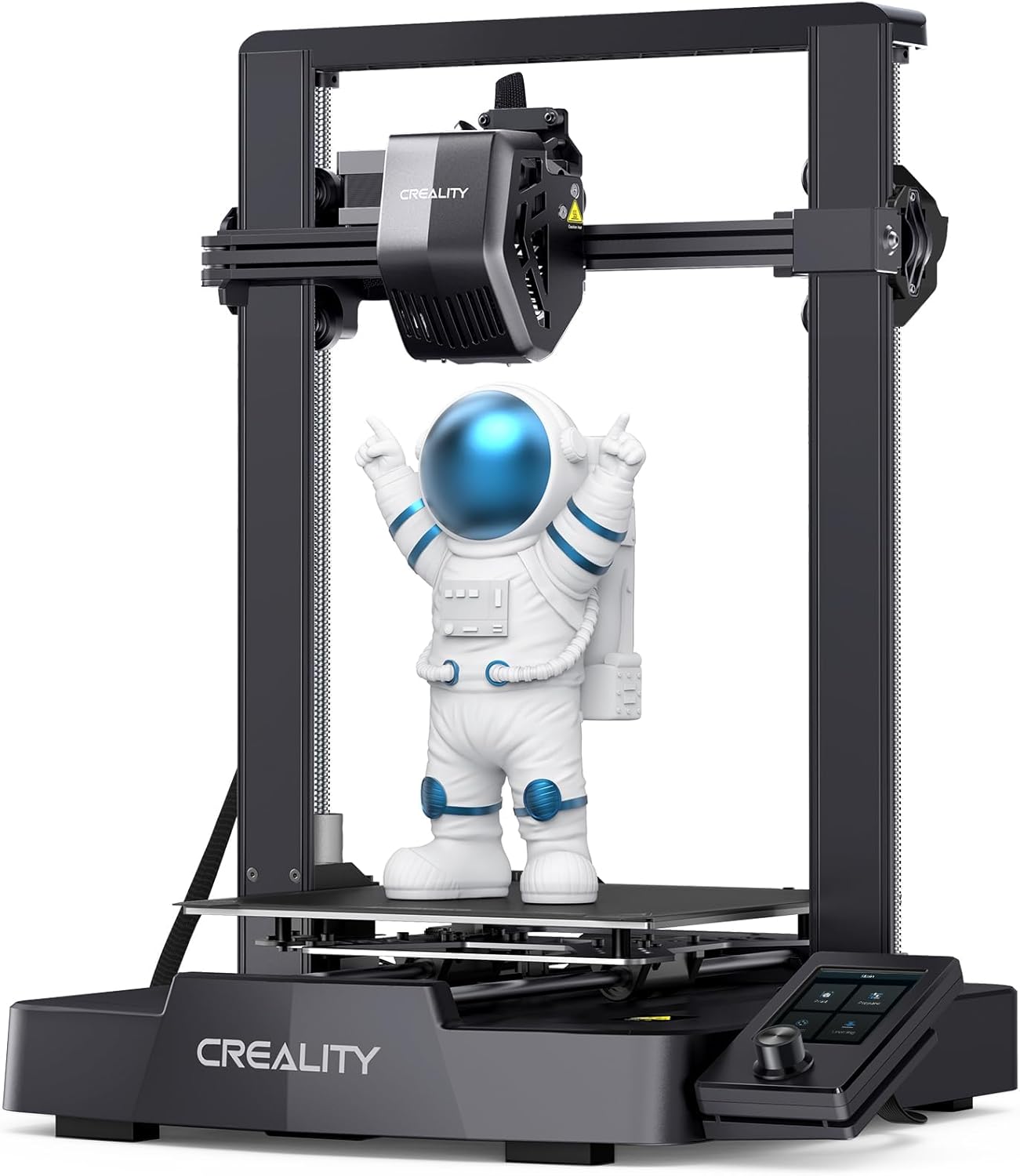
| Max printing speed | 250 mm/s |
|---|---|
| Compatible filaments | PLA, PETG, ABS, TPU 95A |
| Build volume | 220×220×250 mm |
| Auto-leveling | CR Touch with strain sensor |
| Extruder | Sprite full-metal dual-gear direct extruder |
The Ender 3 V3 SE is a budget-oriented desktop FDM printer that pushes higher speeds while keeping assembly and day-to-day use simple. It ships partially preassembled so you can go from box to first print in about 20 minutes after a three-step setup. The Sprite full-metal dual-gear direct extruder improves filament feeding for materials like PLA, PETG and flexible TPU, and the CR Touch auto-leveling plus strain-sensor Z-offset reduce manual tinkering. A dual Z-axis and hardened Y-axis linear shafts help stabilize taller prints and reduce Z wobble, and auto filament loading/unloading and a refreshed UI make swapping jobs straightforward. The headline is speed: Creality advertises up to 250 mm/s and aggressive acceleration, which can cut print time for simple parts but may require tuning to maintain fine detail on small features. For production-like batches you will still need to dial slicer settings, and higher-speed printing can increase stringing or surface artifacts compared with slower profiles. In short, it is a capable, affordable option when throughput and ease of use matter more than absolute top-tier surface finish out of the box.
Best for: Buyers who want a low-cost, production-minded desktop printer that prioritizes faster cycle times and minimal setup effort for batch printing of common thermoplastics.
Less Ideal for: Those needing factory‑level surface finish, fully enclosed high-temperature printing, or certified industrial throughput guarantees should consider more robust, higher-end machines.
- Preassembled three-step setup gets the printer ready quickly for first prints
- Sprite full-metal dual-gear direct extruder for reliable feeding of PLA, PETG and TPU
- CR Touch auto-leveling with strain sensor reduces manual bed leveling and Z-offset tweaks
- Dual Z-axis and robust Y-axis linear shafts improve stability and reduce Z wobble for taller parts
- Auto filament loading/unloading and an upgraded UI make filament changes and job control easier
- High advertised top speed may require careful tuning to avoid surface artifacts on detailed prints
- No enclosure mentioned so temperature-sensitive materials may be harder to print reliably
Verdict: A cost-conscious desktop 3D printer that delivers faster print throughput and user-friendly automation for small production runs.
Bambu Lab P1S Combo

| Build Volume | 256*256*256 mm³ |
|---|---|
| Max Speed | 500 mm/s |
| Max Acceleration | 20 m/s² |
| Supported Filaments | PLA, PETG, TPU, PVA, PET, ABS, ASA (capable: PA, PC) |
The P1S Combo pairs Bambu Lab's P1S CoreXY printer with an AMS unit to deliver multi-color and multi-material prints at high speed. It is designed for fast production runs, with quoted top speeds of 500 mm/s and high acceleration for quicker layer printing, plus an enclosed body that helps with temperature stability when using advanced filaments. Practical touches include an automatic bed leveling system to reduce failed prints and a direct-drive extruder that broadens compatible filament choices to flexible materials like TPU. The included MakerWorld library and built-in camera for timelapse make monitoring and iteration easier. Limitations to consider are that some very demanding engineering materials like carbon or glass fiber reinforced filaments are not recommended, and achieving top speeds while maintaining fine detail requires tuning and appropriate slicing settings. For teams focused on consistent throughput, the P1S Combo trades initial setup and tuning complexity for faster, more reliable multi-color production once dialed in.
Best for: Small production shops or power users who prioritize consistent throughput and multi-color capability and are willing to invest time in tuning for reliable results.
Less Ideal for: Casual hobbyists who want a low-maintenance printer with minimal setup, or labs that require certified high-performance composite printing with fiber reinforcements.
- High advertised top speed (500 mm/s) and strong acceleration for faster print cycles
- Enclosed frame improves thermal stability for advanced filaments
- Automatic bed leveling reduces failed first layers and setup time
- Direct-drive extruder supports a wider range of materials including TPU
- AMS enables multi-color/multi-material printing for more complex parts
- Not recommended for carbon or glass fiber reinforced filaments
- High-speed settings require careful tuning to preserve fine detail
Verdict: The P1S Combo is a production-oriented printer that delivers much faster multi-color output and material flexibility for teams focused on reliable throughput.
FLASHFORGE Adventurer 5M

| Build Volume | 220 x 220 x 220 mm |
|---|---|
| Extruder Max Temp | 280°C |
| Travel Speed | 600 mm/s |
| Acceleration | 20,000 mm/s² |
| Platform | Double-Sided PEI |
The FLASHFORGE Adventurer 5M is a CoreXY desktop machine built for high-speed prototyping and small-batch production. It uses a 280°C direct-drive extruder, quick-change nozzle system, and a double-sided PEI platform to handle PLA, ABS, PETG, TPU and other common filaments while simplifying part removal. The CoreXY all-metal structure and high travel acceleration enable advertised travel speeds up to 600 mm/s, which shortens cycle times for many small parts and prototypes. One-button automatic bed leveling, fast warm-up, and a mobile app for remote monitoring reduce setup and oversight time on repetitive jobs. Practical limits include a modest 220 mm cube build volume that restricts larger parts and a focus on speed that may require tuned slicer settings to balance surface finish versus throughput. For production users who plan batches of small to medium parts, the Adventurer 5M offers a credible mix of speed, materials support, and automation features, but larger production runs or oversized parts will need larger-format machines or multiple units.
Best for: Small-scale production teams and prototyping shops that need faster cycle times and reliable, repeatable prints for batches of small to medium parts and value remote monitoring for workflow oversight.
Less Ideal for: Manufacturers who need large-format printing, extremely high throughput across many simultaneous prints, or the absolute finest surface finish without post-processing.
- CoreXY all-metal structure for stable, high-acceleration printing
- 280°C direct-drive extruder and quick 3-second nozzle changes for varied materials
- One-button automatic bed leveling reduces setup time and improves first-layer reliability
- Double-sided PEI platform makes part removal straightforward and repeatable
- Mobile app and remote monitoring simplify oversight of production jobs
- Build volume limited to 220×220×220 mm, unsuitable for large parts
- High-speed settings may need careful tuning to maintain fine surface quality
Verdict: Choose the Adventurer 5M when you need a compact CoreXY printer that prioritizes fast, repeatable prototyping and small-batch production with easy setup and remote monitoring.
FLASHFORGE AD5X 3D Printer

| Build volume | 220 x 220 x 220 mm |
|---|---|
| Extruder max temp | 300°C |
| Structure | Open, Core XY |
| Print speed | 600 mm/s travel |
| Nozzle sizes | 0.25 / 0.4 / 0.6 / 0.8 mm |
The FLASHFORGE AD5X is a CoreXY desktop 3D printer built for speed and versatile material use in small-scale production or rapid prototyping. It supports up to four-color printing and uses a 300°C direct-drive extruder with quick-detach nozzles (0.25–0.8mm) so you can swap for fine detail or faster, coarser prints. The machine includes one-click auto bed leveling, automatic filament feed/retract, resume-after-power-loss, and an intelligent filament system to reduce failed jobs. Its claimed travel speed and acceleration (600mm/s and 20,000mm/s²) plus vibration compensation target higher throughput while keeping reasonable surface quality, and the preinstalled 0.4mm nozzle balances detail and speed for everyday parts. Practical limits include an open-frame structure that can make temperature-sensitive materials harder to control and the need to tune multi-color setups for consistent results. For production, its rapid-print focus and smart features help keep prints moving, but enclosure, material choice, and post-processing still matter for repeatable industrial-grade parts.
Best for: Buyers who want a fast, feature-rich desktop printer for small-batch production or rapid prototyping and value automated bed leveling and resume/filament safeguards to reduce failed prints.
Less Ideal for: Users who need a fully enclosed, temperature-stable chamber for consistent high-temp materials or those who prefer a plug-and-play consumer unit with minimal tuning.
- High maximum nozzle temperature (300°C) for a wide range of filaments and composites
- CoreXY design with high travel speed and acceleration for faster print times
- Supports up to four-color printing for more complex, pre-colored parts
- 1-click auto bed leveling, resume printing, and automatic filament handling reduce failed prints
- Open CoreXY structure lacks a factory enclosure for tightly controlled high-temperature prints
- Very high speed settings may require tuning to avoid quality loss on detailed parts
Verdict: Choose the AD5X when you need a fast CoreXY printer with multi-color capability and smart fail-safes to keep small-batch production moving.
Choosing the Right 3D Printer for Production: Key Factors to Consider
Throughput and Cycle Time
Production-focused 3D printing measures success by how many acceptable parts a machine can output in a given shift. Faster per-part print times reduce unit labor and machine-hour costs, but raw speed must not compromise part quality. Consider layer height settings that still meet tolerances, multi-part nesting or batching capabilities, and whether the hardware supports higher-speed modes that preserve dimensional control.
Also account for non-print time in cycle calculations. Bed preparation, material changes, and part removal all add to the effective cycle time. Printers that allow predictable, quick handoffs between batches or integrate with automated part removal systems will increase effective throughput.
Dimensional Accuracy and Repeatability
For production use, a printer must reproduce the same geometry reliably across dozens or hundreds of consecutive parts. Tolerances matter for fit, assembly, and downstream processing. Look for machines with robust mechanical drivers, well-characterized thermal management, and calibration routines that stabilize over long runs.
Repeatability also depends on process control. Features such as enclosed heated chambers, consistent filament feed systems, and validated print profiles for production materials reduce drift and variance between parts.
Material and Process Flexibility
Production demands often require engineering-grade materials such as high-temperature thermoplastics, reinforced filaments, or production-compatible resins. A production-ready printer should support the materials you need and offer validated settings or profiles to achieve consistent results.
Process flexibility also means the printer can handle different part types without major rework. For example, support strategies, soluble supports, and multi-material capabilities can reduce manual post-processing and improve part throughput.
Uptime, Maintenance, and Supportability
Maximizing productive hours requires a machine that stays operational and is simple to maintain. Consider ease of routine tasks like nozzle changes, bed leveling, and filter replacement. Modular components and clear service procedures reduce downtime.
Also evaluate how quickly a machine can be returned to service after a failure. Straightforward diagnostics, accessible spare parts, and clear maintenance intervals help shops plan preventive care and avoid unexpected production stops.
Integration with Production Workflow
A production 3D printer must fit into a larger workflow that includes CAD, print preparation, monitoring, and post-processing. Networked management, remote monitoring, and queue handling can enable smoother operations across multiple machines.
Consider whether the printer supports standard file formats, common slicer toolchains, and can export process logs for traceability. Compatibility with automated or semi-automated post-print systems will simplify scaling and quality control.
Total Cost of Ownership
Beyond the initial machine cost, production operation incurs recurring expenses: materials, consumables, spare parts, and operator time. A machine with slightly higher upfront cost can be cheaper per part if it reduces scrap, shortens cycle time, or requires less frequent service.
Model the expected parts per month and include material yield, expected part failure rates, and maintenance intervals to understand the real cost of production using a particular printer.
Planning Your First Production Runs
Start by defining acceptable tolerances, target daily output, and the post-processing steps each part requires. Create a small pilot run to validate print settings and to collect real cycle-time data. Use that information to verify whether a single machine or a fleet will meet the required throughput.
During pilots, track scrap rates and consistent failure modes. Addressing common sources of defects early, such as warping or adhesion problems, prevents multiplied losses when scaling to full production.
- Map the entire part workflow from CAD to finished component
- Run a short pilot batch to measure real-world cycle times
- Log defects and adjust profiles before scaling
Setting Up for Reliable Dimensional Control
Stable mechanical alignment and thermal control are fundamental. Install printers on stable surfaces, manage ambient temperature, and use enclosures if needed to reduce warping. Establish a calibration routine that includes bed leveling, extrusion flow checks, and axis calibration.
Implement statistical process control for critical dimensions. Periodically print a small set of gauge parts and measure them to detect drift before it impacts a large batch.
- Create a routine calibration checklist
- Use gauge parts for regular dimensional checks
- Control ambient conditions when possible
Streamlining Post-Processing and Finishing
Post-processing can dominate per-part labor in production. Plan for support removal, surface finishing, and any secondary curing or annealing steps. Where possible, design parts for minimal supports or for features that are tolerant of finishing work.
Automate repetitive finishing tasks or batch them to reduce handling time. If using soluble supports or media blasting, ensure facilities and material handling protocols are in place to manage waste and consistency.
- Design for manufacturability to minimize finishing
- Batch post-processing to reduce labor
- Invest in simple automation where it reduces cycle time
Scaling From One Machine to a Small Fleet
When demand outgrows a single printer, replicate processes rather than reinventing them on each machine. Standardize print profiles, maintenance schedules, and operator training so parts produced on different machines are interchangeable.
Consider the logistical impact of multiple machines: material storage, spares inventory, and queuing systems. Centralized monitoring and job scheduling will help maximize utilization across a fleet.
- Standardize profiles and maintenance across machines
- Plan spare parts and consumable inventories
- Use centralized job scheduling to balance workload
Quality Control and Traceability
Implement inspection points that match your part criticalities. Visual checks, dimensional measurements, and functional tests should be applied at set intervals or batch sizes. Keep records of machine settings and batch numbers for traceability.
For regulated or safety-critical parts, maintain tighter documentation and consider process validation runs that establish capability indices. Traceability helps diagnose issues and supports continuous improvement.
- Define inspection checkpoints based on part function
- Record machine settings and batch identifiers
- Use capability studies for critical production runs
How We Chose the Best 3D Printer for Production
We focused on attributes that matter when a 3D printer is expected to produce parts reliably over many cycles. Key evaluation criteria included sustained print speed under real production loads, long-run dimensional accuracy and repeatability, material and process flexibility for common engineering polymers, and serviceability for rapid recovery from common failures. We also weighed build-volume efficiency and how well a machine integrates with simple post-processing workflows and existing shop infrastructure. Exclusions included units designed strictly for desktop hobby use, single-extruder proof-of-concept kits, and printers lacking documented support for industrial-grade filaments or resin processes. The final shortlist favors machines that combine high uptime, predictable per-part consistency, manageable maintenance, and clear paths for scaling output without excessive operator intervention.
Our full evaluation process is outlined in our review methodology.
FAQ
What print volumes are realistic for production with a single printer?
Realistic output depends on part size and cycle time. Small parts with short layer heights can yield dozens to hundreds of parts per week, while large parts may limit throughput to a handful. Measure cycle times during a pilot run to forecast realistic production volumes.
How important is an enclosed build chamber for production printing?
Enclosures help stabilize thermal conditions and reduce warping for temperature-sensitive materials. They are particularly valuable when printing engineering plastics that require controlled ambient temperatures, but may be less critical for simple, low-temperature materials.
Can I use production-grade materials on most desktop 3D printers?
Often, desktop-class printers lack the thermal control and extruder robustness needed for some engineering-grade filaments. Production-grade materials usually require validated temperature control, hardened feed paths, and sometimes specific build platform materials to achieve consistent results.
What maintenance tasks should be scheduled for production uptime?
Schedule routine checks such as nozzle inspections, bed surface condition, filament feed system cleaning, and firmware updates. Keep a small inventory of wear parts and document quick-restart procedures to minimize downtime when issues arise.
How do I reduce post-processing time in production?
Design parts to minimize supports and complex finish work, use soluble supports where practical, and batch finishing tasks. Investing in basic finishing jigs or semi-automated equipment can also cut manual hours per part.
Final Verdict
Choosing a 3D printer for production means prioritizing repeatability, consistent throughput, and maintainability over prototypes-only features. Focus on machines that deliver controlled process conditions, validated material support, and straightforward serviceability to keep downtime low. Balance expected output against total cost of ownership and plan workflows that reduce post-processing labor. With clear pilot runs and standardized procedures you can scale predictably and meet production targets with confidence.