
Note: This article contains affiliate links. If you click on these links and make a purchase, we may earn a small commission at no extra cost to you. This helps support our research and content. Read our full affiliate disclosure here.
If you want an affordable 3D printer that can handle hobby projects, functional prototypes, or classroom use, choosing the right machine matters. Under $750, models vary widely in build volume, print reliability, and how much setup and tuning they require. This guide shortlists the top machines in that price bracket and walks through the traits that actually affect daily printing success. We evaluated options for print quality, ease of use, and long-term maintainability so you can pick a machine that fits your workflow. Read on for a practical breakdown before the product list.
Top Picks at a Glance
| Best Overall The best all-around choice for most situations | QIDI Q2 Combo 3D Printer |  |
| Best Quality Built to a higher standard if you want something more solid | QIDI PLUS4 3D Printer |  |
| Best Value The sweet spot between price and what you get | Bambu Lab A1 mini |  |
| Best Budget The cheapest option that still gets the job done reliably | Creality Ender 3 V3 SE |  |
| Top Rated A top-rated pick with lots of positive feedback | Bambu Lab P1S 3D Printer |  |
| Most Popular A crowd favorite that many people choose with confidence | Creality K1C 3D Printer |  |
| Best Seller A high-volume bestseller chosen again and again | FLASHFORGE Adventurer 5M |  |
QIDI Q2 Combo 3D Printer

| Build volume | 270 × 270 × 256 mm |
|---|---|
| Max nozzle temp | ≤370°C |
| Chamber temp | ≤65℃ |
| Max toolhead speed | ≤600 mm/s |
The QIDI Q2 Combo is a well-rounded enclosed CoreXY 3D printer package aimed at hobbyists and small shops that want reliable multi-material capability without heavy tuning. It pairs a 270 × 270 × 256 mm build volume CoreXY metal frame and linear rails with a 370°C nozzle and a 65°C active heated chamber so you can print PLA, ABS, PETG, TPU and high-temp composites with reduced warping. The QIDI Box accessory adds a hardened dual-gear extruder, filament drying while printing, automatic reload and NFC recognition for smoother multi-color or composite prints. Practical conveniences include full auto-leveling (the nozzle acts as a sensor), filament runout and tangle detection, power-loss recovery, and an AI camera for remote monitoring. Safety and indoor use are addressed by a triple filtration system and temperature sensors. Trade-offs are typical for a value-focused combo: the electronics and firmware ecosystem favor QIDI Studio and specific workflows, and users expecting full industrial tuning freedom may find some advanced settings less open than on fully open-source machines. For its price range the Q2 Combo balances speed, materials flexibility and ease of use effectively.
Best for: Buyers wanting a versatile, ready-to-run printer that balances speed, multi-material capability and reliable first-layer results with minimal tuning.
Less Ideal for: Power users who need a fully open-source, highly hackable platform or those who prefer a minimalist single-extruder machine with the simplest possible setup.
- Enclosed CoreXY metal frame with linear rails for stable, high-speed movement up to 600 mm/s
- 370°C nozzle and 65°C heated chamber enable printing of high-temperature and composite filaments
- QIDI Box provides active filament drying, dual-gear extruder and automatic reloading for multi-material prints
- Auto-leveling nozzle, filament runout detection, power-loss recovery and AI camera simplify reliable print runs
- Triple filtration (pre-filter, HEPA H12, activated carbon) and closed-loop sensors improve indoor safety and odor control
- Firmware and ecosystem are oriented toward QIDI Studio which may limit customization for users who prefer open-source toolchains
- Combo accessory and advanced features add complexity that can increase setup learning time for beginners
Verdict: A fast, enclosed CoreXY bundle that delivers multi-material and high-temp printing with user-friendly features, making it a strong all-round choice under $750.
QIDI PLUS4 3D Printer

| Build volume | 305×305×280 mm |
|---|---|
| Max nozzle temp | ≤370°C (80W) |
| Active chamber heater | ≤65℃ (Second Generation) |
| Hot bed temp | ≤120℃ (6mm Aluminum Bed) |
The QIDI PLUS4 targets demanding makers and small workshops that need speed and high-temperature material capability. It is a Core XY machine with a 305×305×280 mm build area and an 80W hotend that reaches 370°C, letting you run engineering filaments such as PPS-CF, PA, PC, ABS and carbon-fiber blends. The second-generation active chamber heater with dual-layer insulation and air circulation helps reduce warping when printing high-temp plastics, while a hardened-steel direct extruder and multi-metal integrated nozzle improve wear resistance for abrasive filaments. Mechanical upgrades include a 6 mm aluminum bed, dual-motor Z-axis and beefier linear shafts and lead screws for improved flatness and stability at higher speeds. It also includes practical features such as fully automatic bed leveling, filament runout detection, power-loss recovery, a 5-inch HD screen, WiFi/app control and an onboard camera for remote monitoring. Expect faster prints and broad material support, but setup and tuning for the highest speeds or exotic filaments still require experience, and the machine is relatively heavy and large for small desktop spaces.
Best for: Buyers who prioritize printing speed and the ability to run high-temperature, engineering-grade filaments for functional parts and prototypes and who are comfortable tuning a capable desktop machine.
Less Ideal for: Casual hobbyists who want a compact, lightweight printer for only PLA prints or users who prefer a plug-and-play, ultra-quiet consumer model.
- High maximum nozzle temperature (370°C) for engineering and carbon-filled filaments
- Active heated chamber with dual-layer insulation to reduce warping on high-temp prints
- Sturdy motion hardware including dual Z motors, thicker linear shafts, and 6 mm aluminum bed for better flatness and precision
- Hardened steel direct extruder and multi-metal nozzle that resist wear from abrasive filaments
- Convenience features like auto-leveling, filament detection, power-loss recovery, WiFi/app control and onboard camera
- Large, heavy unit that needs a dedicated workspace
- High-speed tuning and printing with exotic filaments may require advanced setup and calibration
Verdict: If you need a fast, beefy desktop printer that reliably handles high-temperature engineering filaments, the QIDI PLUS4 delivers the performance-focused features to get those functional parts printed.
Bambu Lab A1 mini
| Item model number | PF002-M-EU |
|---|---|
| Item Weight | 12.1 pounds |
| Date First Available | February 28, 2026 |
| Manufacturer | Shenzhen Tuozhu Technology Co., Ltd |
| ASIN | B0GQMJ8QQT |
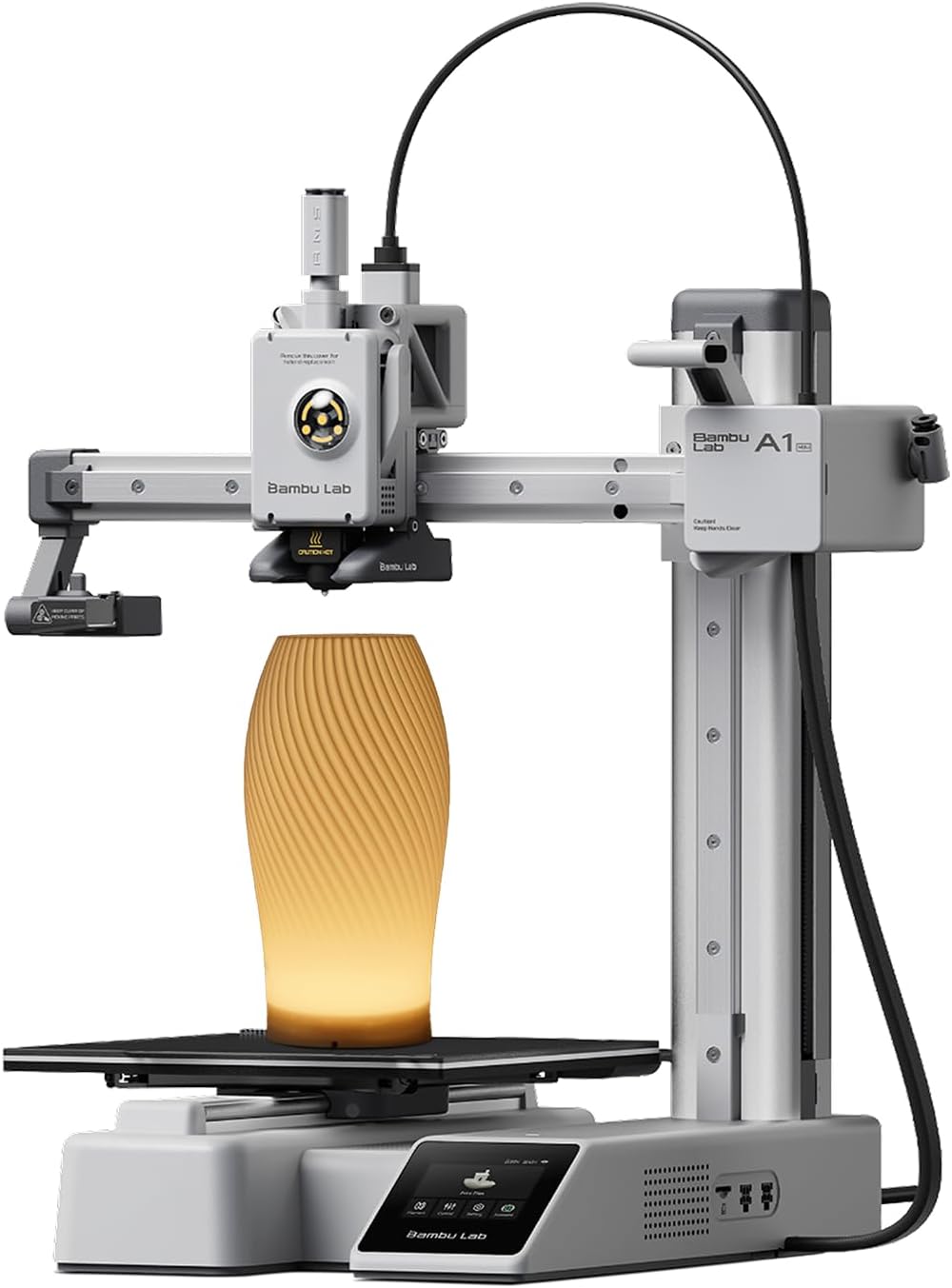
The Bambu Lab A1 mini is a compact, user-friendly 3D printer kit aimed at beginners and hobbyists who want a fast setup and reliable prints. It arrives ready to use with full-auto calibration and an included LED lamp kit so you can quickly print decorative lamp models or small functional parts. The printer integrates with Bambu Lab's MakerWorld library and the Bambu Handy app to simplify model selection and print management, and it advertises flow rate compensation to reduce common extrusion issues. In practice the open-frame A1 mini is quiet in operation and designed for tabletop use, producing good-quality PLA and PETG parts without lengthy tuning. The trade-offs are its small build volume and open-frame design, which limit large parts and reduce enclosure benefits for temperature-sensitive materials. For buyers focused on getting up and running fast and printing everyday hobby parts, the A1 mini offers a strong balance of convenience, speed, and ecosystem polish.
Best for: Buyers who want a fast, low-friction entry into 3D printing and prioritize easy setup, app-driven workflow, and reliable results for everyday hobby projects.
Less Ideal for: Users needing large build volume, frequent printing of ABS or other temperature-sensitive materials, or those who require a fully enclosed printer for strict environmental control.
- Plug-and-play setup with full-auto calibration for quick first prints
- Includes LED lamp kit to make decorative, functional light projects
- App and MakerWorld library simplify model selection and print management
- Active flow rate compensation helps reduce extrusion issues during prints
- Quiet operation suitable for home or small studio use
- Small build volume limits printing larger objects
- Open-frame design is not ideal for heat-sensitive filaments
Verdict: A1 mini is the easy, app-driven choice for hobbyists who want quick, reliable prints and built-in creative accessories without a steep learning curve.
Creality Ender 3 V3 SE

| Print speed | Up to 250 mm/s |
|---|---|
| Acceleration | 2500 mm/s² |
| Mainboard | 32-bit silent mainboard |
| Build plate | PC spring steel flexible plate |
The Creality Ender 3 V3 SE is an entry-friendly FDM printer that focuses on speed and ease of use for hobbyists and makers on a budget. It uses a Sprite direct extruder to handle PLA, PETG and flexible filaments more reliably than typical Bowden setups, and CR Touch plus a strain sensor delivers automated bed leveling and Z-offset so you get a better first layer with minimal fiddling. The machine is built around a dual Z-axis timing-belt system and twin Y-axis linear shafts for more stable, less wobbly motion, and a 32-bit silent mainboard keeps noise and vibrations down during prints. Practical conveniences include one-touch auto filament load/unload and a flexible spring-steel build plate that makes part removal easier. Print speed is comparatively high for the class, which shortens job times without sacrificing reasonable surface quality. Limitations include a relatively small build volume and the typical need for occasional tuning and firmware familiarity if you want the best prints, but for the price it delivers a solid, fast platform for learning and producing functional parts.
Best for: Buyers wanting an affordable, fast, and easy-to-start 3D printer that handles common filaments well and reduces setup friction for frequent hobby prints.
Less Ideal for: Professionals needing large-format printing or users who require plug-and-play perfection without any mechanical or firmware tweaking.
- Sprite direct extruder handles PLA, PETG and TPU reliably
- CR Touch with strain sensor simplifies bed leveling and first-layer setup
- Dual Z-axis and twin Y linear shafts improve print stability and reduce Z wobble
- 32-bit silent mainboard reduces noise and offers smoother stepper control
- One-touch filament load/unload and flexible spring-steel build plate for easier workflow
- Smaller build volume compared with larger hobbyist printers
- May require occasional tuning and firmware adjustments to reach optimal results
Verdict: A budget-friendly, fast desktop 3D printer that minimizes leveling and filament hassles while delivering strong everyday performance.
Bambu Lab P1S 3D Printer

| Build Volume | 256 × 256 × 256 mm³ |
|---|---|
| Max Speed | 500 mm/s |
| Max Acceleration | 20 m/s² |
| Supported Filaments | PLA, PETG, TPU, PVA, PET, ABS, ASA |
The Bambu Lab P1S is a beginner-friendly, enclosed CoreXY FDM printer that aims to make reliable, fast printing accessible out of the box. It ships ready to use with a guided setup that the brand says can be completed in about 15 minutes, and automatic bed leveling helps reduce failed first layers. The enclosed frame and high acceleration and top speeds support printing a wide range of common filaments — PLA, PETG, TPU and more — while a direct-drive extruder increases material compatibility. Notable extras include a built-in camera for time-lapse captures and support for multi-color printing when paired with the AMS system. For users focused on dependable results, the enclosed design and automated leveling improve part consistency, and the larger 256 × 256 × 256 mm build volume handles medium-size projects. Trade-offs are typical for fast machines: ultra-fast settings require careful tuning and some advanced filaments such as carbon- or glass-filled composites are not recommended, and multi-color capability needs an extra accessory. In practice the P1S is a strong pick if you want a fast, well-supported printer that minimizes fiddly setup and delivers consistent prints for everyday prototyping and hobby work.
Best for: Buyers who prioritize dependable, repeatable prints with minimal setup time and want a fast, well-supported desktop printer for regular prototyping and hobby projects.
Less Ideal for: Those needing out-of-the-box multi-color printing without extra accessories or users who must print heavily with fiber-reinforced composite filaments.
- Enclosed CoreXY design improves thermal stability and print consistency
- Automatic bed leveling reduces manual calibration and first-layer failures
- High top speed and acceleration for faster print turnaround
- Direct-drive extruder increases compatibility with flexible and varied filaments
- Built-in camera and ecosystem support for multi-color printing with AMS
- True multi-color printing requires buying the AMS accessory
- Not recommended for carbon- or glass-filled composite filaments
Verdict: The P1S is a fast, enclosed CoreXY printer that delivers reliable, easy-to-achieve results for users who prioritize consistency and low-effort setup.
Creality K1C 3D Printer

| Build volume | 8.66 x 8.66 x 9.84 inch |
|---|---|
| Max nozzle temperature | 300 ℃ |
| Supported materials | PLA, ASA, ABS, TPU, PLA-CF, PET-CF |
| Print speed | Up to 600 mm/s |
The Creality K1C is a ready-to-run desktop FDM printer designed for quick setup and high-speed prints. It arrives mostly assembled and boots like a smartphone so you can be printing within minutes; auto Z offset, auto leveling, and input-shaping reduce the fiddly calibration work for regular use. The machine targets speed, with up to 600 mm/s and high acceleration, and an upgraded cooling layout plus a clog-free direct extruder that supports higher-temperature filaments including carbon-fiber blends. An onboard AI camera provides real-time monitoring and simple failure recognition and time-lapse capture, useful if you want remote oversight of long prints. Practical benefits include reliable first-layer setup, broad filament compatibility, and faster turnaround on prototypes or hobby parts. Expect the trade-offs common to high-speed desktop printers: speed can amplify ringing or surface artifacts unless tuned, and the footprint and chamber fans mean it is not whisper-quiet. For buyers who prioritize quick prints and easy startup, the K1C delivers strong out-of-box productivity; power users may still want to spend time dialing slicer settings for best surface finish.
Best for: Buyers who want a fast, out-of-the-box 3D printer that minimizes setup time and lets them produce prototypes or hobby parts quickly while still supporting stronger filaments.
Less Ideal for: Users seeking the absolute finest surface finish or the quietest machine without further tuning should consider slower printers or models tailored for silent operation.
- Fast maximum printing speed and high acceleration for quicker prototypes
- Plug-and-play setup with auto Z offset and auto leveling reduces initial calibration time
- Clog-free direct extruder and high-temp capability (up to 300°C) for abrasive and engineering filaments
- Built-in AI camera for real-time monitoring and failure detection
- High top speeds may require tuning to avoid ringing and degraded surface finish
- Chamber fans and cooling system make the unit noticeably audible during operation
Verdict: Pick the Creality K1C if you want a fast, ready-to-print desktop machine that trims setup time and handles high-temp and carbon-fiber filaments for rapid prototyping.
FLASHFORGE Adventurer 5M

| Build Volume | 220 x 220 x 220 mm |
|---|---|
| Extruder Max Temp | 280°C |
| Travel Speed | 600 mm/s |
| Acceleration | 20,000 mm/s² |
| Platform | Double-Sided PEI |
The FLASHFORGE Adventurer 5M is a compact CoreXY desktop printer aimed at faster prototyping and small-run production. It combines one-button automatic bed leveling, a 280°C direct-drive extruder, and a detachable 3-second nozzle for quick maintenance and material swaps. With a double-sided PEI build surface and a 220×220×220 mm build volume, it is typically used for PLA, PETG, ABS and other engineering filaments and supports reasonably fine nozzle choices from 0.25 to 0.8 mm. The AD5M emphasizes speed with claimed travel rates up to 600 mm/s and strong acceleration, plus vibration compensation and dual-fan nozzle cooling to keep quality acceptable at higher throughput. Practical benefits include fast warm-up, easy part removal from the PEI platform, and remote monitoring via the Flash Maker app. Limitations to note are that very high-temperature or highly abrasive filaments may require additional upgrades, and achieving the best dimensional accuracy still needs tuned slicer settings and maintenance like nozzle cleaning. For buyers wanting a fast, feature-rich printer out of the box, the Adventurer 5M is a sensible choice within its capabilities.
Best for: Buyers who prioritize a ready-to-use, higher-speed desktop printer that simplifies setup and monitoring and want a reliable machine for prototyping and hobby engineering prints.
Less Ideal for: Users who need industrial-level thermal capabilities, heavy use with abrasive filaments, or absolute out-of-the-box dimensional precision without any tuning.
- One-button auto bed leveling for easier first-layer setup
- 280°C direct-drive extruder with quick 3-second detachable nozzle for fast maintenance
- CoreXY all-metal structure designed for higher travel speed and consistent motion
- Double-sided PEI platform that simplifies part removal and adhesion
- Mobile app support for remote monitoring and job management
- May need hardware or firmware adjustments for very high-temperature or abrasive filaments
- High-speed settings require careful slicer tuning to match print quality expectations
Verdict: Choose the Adventurer 5M if you want a fast, app-friendly CoreXY desktop printer that makes leveling and nozzle swaps simple while delivering strong throughput for prototyping and hobby engineering work.
Choosing the Right 3D Printer: Key Factors to Consider
Print Quality and Layer Resolution
Print quality determines how much post-processing you will need and how well parts fit together. Higher layer resolution reduces visible layer lines and improves small-feature fidelity, but also increases print times. Look for machines with stable extrusion systems and well-aligned motion assemblies because mechanical wobble or inconsistent filament feed are common causes of artifacts. Consider the typical filament types you plan to use since some machines handle flexible or abrasive filaments better than others.
Consistency matters almost as much as peak resolution. A printer that reliably produces good parts across several jobs is usually more useful than one that achieves ultra-fine detail only under perfect conditions. Check for features like a direct-drive or well-tensioned Bowden system and a dependable hot end that maintains temperature stability.
Build Volume Versus Workspace
Build volume sets the maximum size of single-piece prints and affects how you plan multi-part assemblies. Larger beds give you more flexibility for bigger objects or batch printing, but they also need more space and longer warm-up and print times. Evaluate the printer footprint relative to where you will actually place it; an oversized machine can be inconvenient in a small workshop.
Think about whether you will print tall, wide, or many small items. A balanced build volume that matches your common use cases reduces the need for splitting models or frequent bed leveling. Also consider whether the machine supports removable or flexible build plates that simplify part removal for larger prints.
Ease of Setup and User Experience
How a printer behaves during initial assembly and first prints heavily influences how quickly you become productive. Machines with clear instructions, guided calibration routines, and intuitive controls shorten the learning curve. Features such as assisted bed leveling, touchscreen controls, and preconfigured slicer profiles reduce guesswork.
Also consider software workflow. A printer that integrates smoothly with popular slicers and accepts standard file formats cuts friction. Accessibility of firmware updates and the presence of an active user community can simplify troubleshooting and upgrades as you learn.
Reliability and Build Robustness
Reliable hardware reduces downtime and frustration. Look for a stiff frame, quality linear rails or lead screws, and dependable bearings and belts. Components that are prone to loosening or flexing cause layer shifts and dimensional errors. Evaluate the design for common failure modes such as heat creep, clogged nozzles, or weak bed mounts.
Long-term durability also depends on electrical and thermal design. A stable power delivery system and well-managed wiring improve safety and reduce intermittent faults. Prioritize machines whose mechanical layout makes routine checks and minor repairs straightforward.
Maintenance, Parts Availability, and Community Support
Even the best printers need occasional replacement parts and routine maintenance. Choose machines that use common, off-the-shelf components for hot ends, nozzles, belts, and bearings to simplify repairs. Easy access to wear items and modular components shortens downtime for part swaps.
A strong user community or clear manufacturer documentation is invaluable for troubleshooting and performance tuning. Availability of spare parts or widely used upgrade kits also protects the long-term utility of the investment.
Filament Types and Compatibility
Most printers under $750 handle standard PLA and PETG without special hardware. If you plan to use specialty materials such as TPU or composite filaments with carbon fiber or metal particles, check the filament path, extruder type, and nozzle compatibility. Direct-drive extruders generally offer better control with flexible filaments, while Bowden setups can struggle without tuning.
Consider the hot end temperature range as well. Higher-temperature hot ends expand material options but may require all-metal components to avoid heat-related failures.
- PLA and PETG are suitable for most hobby and prototype work.
- Use direct-drive for flexible filaments when possible.
- Choose hardened nozzles for abrasive composites.
Calibrating for Consistent Results
Routine calibration keeps prints reliable. Learn to level the bed, set the correct nozzle height, and calibrate extrusion multiplier and steps per millimeter. Some printers include assisted or automatic bed leveling which reduces manual effort, but users should still verify calibration after moving or transporting the machine.
Filament drying and storage also affect print consistency. Moist filament can lead to stringing, bubbles, and weak interlayer adhesion, especially with hygroscopic materials like nylon.
- Perform a test extrusion and calibration cube before important prints.
- Dry filament if prints show poor layer bonding or bubbling.
Workspace Setup and Ventilation
Set the printer on a stable, level surface away from drafts and direct sunlight. Stable placement reduces vibrations and helps maintain thermal balance during long prints. When printing materials that emit fumes, such as ABS or some composites, use local ventilation or an enclosure with filtration to reduce airborne particles and odors.
Consider noise and heat when selecting a location. Some printers are louder than others, and prolonged printing can raise ambient temperature around the device.
- Place the printer on a firm table away from foot traffic.
- Use an enclosure or extract fan for higher-temperature filaments.
Upgrades and When to Invest
Budget printers often offer upgrade paths that extend capability without replacing the entire machine. Common upgrades include all-metal hot ends, improved bed surfaces, more rigid frames, and quieter stepper drivers. Prioritize upgrades that directly solve limitations you encounter, such as inconsistent extrusion or bed adhesion issues.
Weigh the time and cost of upgrades against buying a higher-tier machine. Some upgrades are straightforward and inexpensive, while others can approach the cost of a better out-of-the-box model.
- Start with calibration and minor hardware tweaks before major upgrades.
- Choose upgrades that are reversible and use standard parts.
Print Slicing and Workflow Tips
Slicer settings largely determine final print quality. Learn to tune layer height, print speed, retraction, and cooling for your filament and geometry. Many printers under $750 perform best with conservative speeds and moderate layer heights to avoid mechanical limitations.
Keep a record of successful slicer profiles for different filament types. That makes it faster to resume a project and reduces trial-and-error when changing materials or models.
- Use conservative print speeds for precision parts.
- Document working slicer profiles for repeatable results.
How We Chose the Best 3D Printer
We narrowed candidates by focusing on the attributes that most directly affect real-world printing outcomes for users working within a sub-$750 budget. Primary evaluation criteria included print quality and consistency, which captures layered surface finish, dimensional accuracy, and repeatability across multiple jobs. Ease of setup and learning covers out-of-box readiness, calibration steps, and the quality of onboarding documentation. Build volume and physical footprint were measured to ensure the printer suits intended projects while fitting typical hobby or home workshop spaces. Reliability and hardware robustness assessed frame rigidity, motion components, and common failure points. Lastly, maintenance and support covered parts accessibility, replacement part commonality, and user-serviceability. We excluded machines that require substantial aftermarket modification before becoming usable, and units without basic safety features or that lack documented community or manufacturer support. The shortlist favors printers that perform well with widely used filament types and that deliver consistent results with minimal tuning. These selection filters ensure the picks are practical for makers, educators, and small-scale prototypers working under a $750 constraint.
Our full evaluation process is outlined in our review methodology.
FAQ
Can a sub-$750 printer produce functional parts for prototypes?
Often. Many machines in this price range can produce dimensionally accurate parts suitable for functional prototypes, provided you tune calibration, use appropriate filament, and design models with printing constraints in mind.
How important is an enclosed build chamber at this price point?
It depends on materials and environment. Enclosures help with temperature-sensitive filaments and reduce warping for higher-temperature materials, but for standard PLA prints they are less critical.
Should I buy a printer that arrives as a kit?
Kits can save money and teach fundamentals, but they usually require more setup and tweaking. If you want faster time to usable prints, a mostly assembled or pre-calibrated unit reduces initial troubleshooting.
How often will I need to replace wear parts?
Replacement frequency varies with usage and filament type. Consumables like nozzles and build surfaces may need periodic replacement after months of regular use, while belts and bearings often last longer if properly tensioned and maintained.
Is automatic bed leveling worth having?
Automatic leveling helps reduce setup friction and is valuable for beginners or machines that are moved frequently. It does not eliminate the need for occasional manual checks and fine-tuning.
Final Verdict
When shopping for a 3D printer under $750, focus on the features that deliver consistent, usable parts rather than headline specs. Prioritize machines with stable motion systems, sensible build volumes for your projects, and accessible maintenance. Expect to spend time on calibration and occasional upgrades, and weigh the benefits of ease-of-use features like assisted leveling against your willingness to tinker. With the right balance of reliability and capability, a sub-$750 printer can be a productive tool for hobbyists, educators, and small-scale prototyping.