
Note: This article contains affiliate links. If you click on these links and make a purchase, we may earn a small commission at no extra cost to you. This helps support our research and content. Read our full affiliate disclosure here.
Choosing the right 4×6 thermal printer matters when you need consistent, legible shipping and inventory labels day after day. You want a device that handles your daily label volume, connects cleanly to your setup, and keeps maintenance time to a minimum. This guide shortlists the top options across common use cases so you can match a printer to your workflow. Below you will find our top picks for compact 4×6 thermal printers plus the evaluation criteria we used, practical buying factors, and answers to common user questions. Use the overview to zero in on a printer that fits your throughput and connectivity needs.
Top Picks at a Glance
| Best Overall The best all-around choice for most situations | Arkscan 2054A Shipping Label Printer |  |
| Best Quality Built to a higher standard if you want something more solid | Rollo Wireless 4×6 Label Printer |  |
| Best Value The sweet spot between price and what you get | Nelko PL70E Bluetooth Label Printer |  |
| Best Budget The cheapest option that still gets the job done reliably | Rongta RP425 4×6 Label Printer |  |
| Top Rated A top-rated pick with lots of positive feedback | Rollo USB Shipping Label Printer X1038 |  |
| Most Popular A crowd favorite that many people choose with confidence | JADENS 4×6 Thermal Label Printer JD268BT |  |
| Best Seller A high-volume bestseller chosen again and again | KNAON Y813BT Thermal Label Printer |  |
Arkscan 2054A Shipping Label Printer

| Power Source | USB Powered |
|---|---|
| Connectivity | USB Cable |
| Compatible Devices | Laptop, PC |
| Print Speed | 5 inches per second |
| Media | Direct thermal roll or fanfold, 0.75–4.25 in width |
The Arkscan 2054A is a direct thermal 4×6 label printer built for small shipping stations and home offices that need reliable, no-ink label output. It connects over USB and prints on roll or fanfold direct-thermal media, handling common shipping widths from about 0.75 to 4.25 inches and lengths up to 90 inches, with a stated print speed around 5 inches per second. It ships with a power cable, USB cable, a label rod, and a quick-start guide, and includes BarTender UltraLite label design software for Windows. Practical benefits include low running cost because no ink or toner is required, compatibility with standard 4×6 shipping labels (including Zebra-compatible rolls), and support across Windows, Mac, Chromebook, and Android via USB. Limitations are that this model relies on a wired USB connection rather than built-in Wi-Fi or Bluetooth, and setup may require driver installation or software configuration on non-Windows systems. For straightforward, high-volume 4×6 shipping label printing at a modest price, the 2054A covers the essentials well.
Best for: Buyers who need a dependable, budget-friendly 4×6 thermal printer for regular shipping and barcode labels and prioritize low running costs and simple wired connectivity.
Less Ideal for: Users who require native wireless printing from phones or tablets or those who want a plug-and-play networked printer for multiple users without a PC.
- Direct thermal printing eliminates ink and toner costs
- Supports both roll and fanfold media, including standard 4×6 shipping labels
- Includes BarTender UltraLite label design software for Windows
- Zebra-compatible label support for easy media sourcing
- Print speed of about 5 inches per second for steady throughput
- No built-in wireless connectivity; USB only
- May require driver or setup work for non-Windows platforms
Verdict: A straightforward, cost-effective wired 4×6 thermal printer that reliably handles shipping and barcode labels for small shipping stations and home offices.
Rollo Wireless 4×6 Label Printer

| Printer Type | Thermal |
|---|---|
| Print Resolution | 203 x 203 DPI |
| Printer Connectivity | USB, Wi-Fi |
| Maximum Media Size | 4.1 inch wide |
| Compatible Devices | Android, Chromebook, Linux, Mac, Windows, iPhone and iPad |
The Rollo Wireless is a direct thermal 4×6 label printer designed for fast, high-volume shipping workflows and small business use. It connects via Wi‑Fi with AirPrint for iPhone, iPad and Mac or by USB for Windows, Chromebook and Linux, letting you print labels from most platforms without drivers. The printer outputs 4×6 shipping labels at up to 150 mm/s (about one label per second) using a 203 DPI thermal head for clear, scannable text and barcodes. Rollo also offers a Ship Manager app for streamlined postage purchasing and custom label creation, and the print head is rated for a long service life to handle thousands of labels. Practical limits include simplex-only printing and 203 DPI resolution, which is fine for shipping labels but not suited to high-detail graphics or photo-quality prints. The unit is compact and built for continuous runs, but it relies on thermal label stock so label longevity can vary with heat and sunlight exposure. For businesses that need fast, reliable 4×6 shipping labels and simple multi-device printing, it is a strong fit.
Best for: Buyers who prioritize speed and reliable label output for shipping or high-volume fulfillment and want straightforward wireless printing from multiple devices.
Less Ideal for: Shoppers who need high-resolution photo-quality labels, long-term archival labels resistant to heat, or built-in duplex/color printing should consider different printer types.
- Fast direct thermal printing up to ~150 mm/s for high throughput
- AirPrint and Wi‑Fi support for printing from iPhone, iPad and Mac without drivers
- Wide OS compatibility including Windows, Chromebook, Linux and Android via USB or network
- 203 DPI print head produces clear, scannable text and barcodes suitable for shipping labels
- Long-rated thermal print head life designed for high-volume label runs
- Uses direct thermal labels so prints can fade with heat or prolonged sunlight exposure
- 203 DPI limits fine graphic or photo detail compared with higher-resolution printers
Verdict: If you need fast, reliable 4×6 shipping labels and simple wireless printing across devices, the Rollo Wireless is a top-performing choice.
Nelko PL70E Bluetooth Label Printer

| Printer Type | Thermal |
|---|---|
| Maximum Media Size | 4 x 6 inch |
| Print Resolution | 203 x 203 DPI |
| Printer Connectivity Type | Bluetooth, USB |
| Print Speed | 72 pages_per_minute |
The Nelko PL70E is a compact direct thermal 4×6 label printer made for small businesses and home shippers who need fast, no-ink printing. It prints monochrome labels at up to 150 mm/s (about 72 4×6 labels per minute) at 203 x 203 DPI, and accepts fanfold or roll media in widths from 1.54 to 4.1 inches including common 4×6 shipping labels. Connect via Bluetooth to the Nelko mobile app for iOS and Android or use USB for desktop systems, and the package includes basic cables and a starter set of 50 4×6 labels. In use the printer is space efficient and quick to warm up, making batch label printing and order fulfillment faster without ink or toner costs. Setup relies on the vendor app for mobile printing and requires saving carrier labels as PDFs to import into the app, which can add a step compared with native driver printing. Print quality is typical for 203 DPI thermal printers: clear for shipping barcodes and text but not suited for high-resolution graphics.
Best for: Buyers who want a space-saving, fast 4×6 thermal printer to lower per-label costs and speed up shipping or small-scale barcode labeling workflows.
Less Ideal for: Users who need photo-quality prints, very fine graphic detail, or seamless native driver integration with specialized desktop shipping software should consider higher-resolution or driver-focused models.
- Fast thermal printing up to roughly 72 4×6 labels per minute for efficient batch throughput
- Bluetooth and USB connectivity for mobile and desktop printing workflows
- Works with both fanfold and roll media and accepts common label widths including 4×6
- No-ink thermal operation cuts consumable cost and reduces maintenance
- Compact footprint and included cables plus starter labels make initial setup simple
- Relies on the Nelko app and a PDF import step for many shipping platforms which can be less seamless than native driver printing for some systems
- 203 x 203 DPI limits fine-detail or high-resolution graphic printing compared with higher DPI models
Verdict: If you need a compact, fast 4×6 thermal printer to cut consumable costs and speed up shipping label throughput, the Nelko PL70E is a practical choice.
Rongta RP425 4×6 Label Printer

| Printer Type | Thermal |
|---|---|
| Maximum Media Size | 4 x 6 inch |
| Print Resolution | 203 dots_per_inch |
| Printer Connectivity Type | Bluetooth, USB |
| Print Speed | 80 pages_per_minute |
The Rongta RP425 is a compact direct-thermal 4×6 label printer built for printing shipping and warehouse labels without ink. It connects over Bluetooth or USB and works with phones, tablets, Windows, Mac, and Chrome devices, with a companion RONGTA app for quick mobile printing. The printer automatically detects and feeds labels across a wide width range, and the manufacturer rates print speed up to about 60 labels per minute at a 203 dpi resolution, which is adequate for standard shipping barcodes and address labels. Setup is straightforward using the app or by installing the RP425 driver on a PC, and the small footprint makes it easy to tuck on a desk or move between workstations. Limitations include modest print resolution compared with higher-end thermal models and a note that Bluetooth pairing to Apple laptops with Intel chips is not supported, so some Mac users will need USB. Given its affordable positioning, it delivers the core features you need for low-to-moderate shipping volume but lacks advanced enterprise tools and higher-density print quality.
Best for: Buyers seeking an inexpensive, no-frills 4×6 label printer for shipping, small business fulfillment, or home office use who prioritize simplicity and low operating cost.
Less Ideal for: High-volume warehouses, logistics centers, or users who need very high-resolution printing or advanced enterprise integration should consider more robust industrial models.
- Direct thermal printing so no ink or toner required
- Bluetooth and USB connectivity for phone, tablet, and PC printing
- Automatic label detection and support for 4×6 shipping labels
- Compact, lightweight design that saves desk space
- Rated print speed suitable for small business shipping (up to ~60 labels/min)
- Print resolution is 203 dpi, which is lower than higher-resolution industrial models
- Bluetooth pairing not supported for Apple laptops with Intel chips
Verdict: A budget-friendly, compact 4×6 thermal printer that covers core shipping label needs with Bluetooth and USB convenience.
Rollo USB Shipping Label Printer X1038

| Print Resolution | 203 x 203 DPI |
|---|---|
| Maximum Media Size | 4.1 Inch Width |
| Paper Size | 4 inch x 6 inches |
| Printer Connectivity Type | wired |
| Controller Type | Mac, Windows |
The Rollo USB Shipping Label Printer (X1038) is a commercial-grade direct thermal printer built for high-volume 4×6 shipping label and barcode printing without ink or toner. It connects over USB to Windows and Mac systems, installs with vendor drivers, and prints at a 203 dpi resolution using thermal labels between 1.57 and 4.1 inches wide. In typical use it sits beside a workstation or shipping station and produces one 4×6 label per second, so it keeps pace with small business packaging workflows. Notable features include auto label detection, fan-fold or roll compatibility, and support for major shipping platforms and the vendor shipping app for streamlined postage. The practical benefits are low running cost because no ink is required, consistently scannable labels from the 203 dpi head, and straightforward wired reliability. Important limitations are the lack of built-in Wi-Fi on this USB model and reliance on vendor drivers for setup, which can add steps for non-technical users.
Best for: Small businesses and high-volume shippers who prioritize dependable, low-cost label output and need a durable, fast printer for daily packing and shipping tasks.
Less Ideal for: Shops that require wireless printing from mobile devices or users who need very high-resolution label graphics should consider other models with Wi-Fi or higher DPI.
- Direct thermal printing eliminates ink and cartridge costs
- Fast print speed capable of roughly one 4×6 label per second
- Auto label detection supports roll and fan-fold media for hands-off feeding
- Compatible with Windows and Mac and integrates with major shipping platforms
- Wired USB-only connectivity on this model limits placement flexibility
- 203 dpi resolution is good for shipping labels but not ideal for very fine graphic prints
Verdict: Choose the Rollo USB X1038 when you need a fast, reliable, inkless 4×6 label printer that keeps shipping workflows moving with minimal running costs.
JADENS 4×6 Thermal Label Printer JD268BT

| Printer Type | Thermal |
|---|---|
| Maximum Media Size | 4 x 6 inches |
| Resolution | 203 x 203 DPI |
| Printer Connectivity Type | Bluetooth |
| Maximum Sheet Capacity | 50 |
This JADENS 4×6 thermal label printer is a compact shipping printer that connects over Bluetooth or USB and prints standard 4 x 6 shipping labels and smaller sticker sizes without ink. It is typically used by small businesses and home sellers to produce USPS, eBay, and marketplace shipping labels directly from a computer or the vendor app on mobile. The printer uses a 203 x 203 DPI thermal head so text and barcodes come out clear enough for scanners, and it accepts fanfold or roll labels with a maximum sheet capacity around 50. Setup is straightforward with the provided drivers and a bundled USB cable, and the unit is quiet and maintenance-free since it is inkless. Limits to consider are basic connectivity and driver behavior: Bluetooth printing from phones requires the vendor app and mobile Bluetooth support is restricted, and the resolution and speed are typical for entry-level thermal units rather than high-volume industrial printers. For buyers who need a simple, inexpensive 4×6 shipping printer that works with common shipping platforms, this is a practical choice.
Best for: Small online sellers and home office users who want an affordable, easy-to-set-up 4×6 thermal printer for shipping labels and occasional batch printing.
Less Ideal for: High-volume shipping operations or users who need native mobile Bluetooth printing from a wide range of phone apps without using a vendor-specific app.
- Inkless thermal printing at 203 x 203 DPI produces clean text and scannable barcodes
- Supports common 4×6 and smaller label sizes and both fanfold and roll media
- Bluetooth and USB connectivity let you print from Windows, Mac, and mobile using the vendor app
- Compact, quiet design suited to small shipping stations and home offices
- Mobile Bluetooth printing requires the vendor app and has limited phone-side Bluetooth support
- Entry-level speed and resolution are not optimized for very high-volume or industrial workflows
Verdict: A budget-minded 4×6 thermal shipping printer that delivers clean, scannable labels with simple Bluetooth or USB setup for small sellers and home offices.
KNAON Y813BT Thermal Label Printer
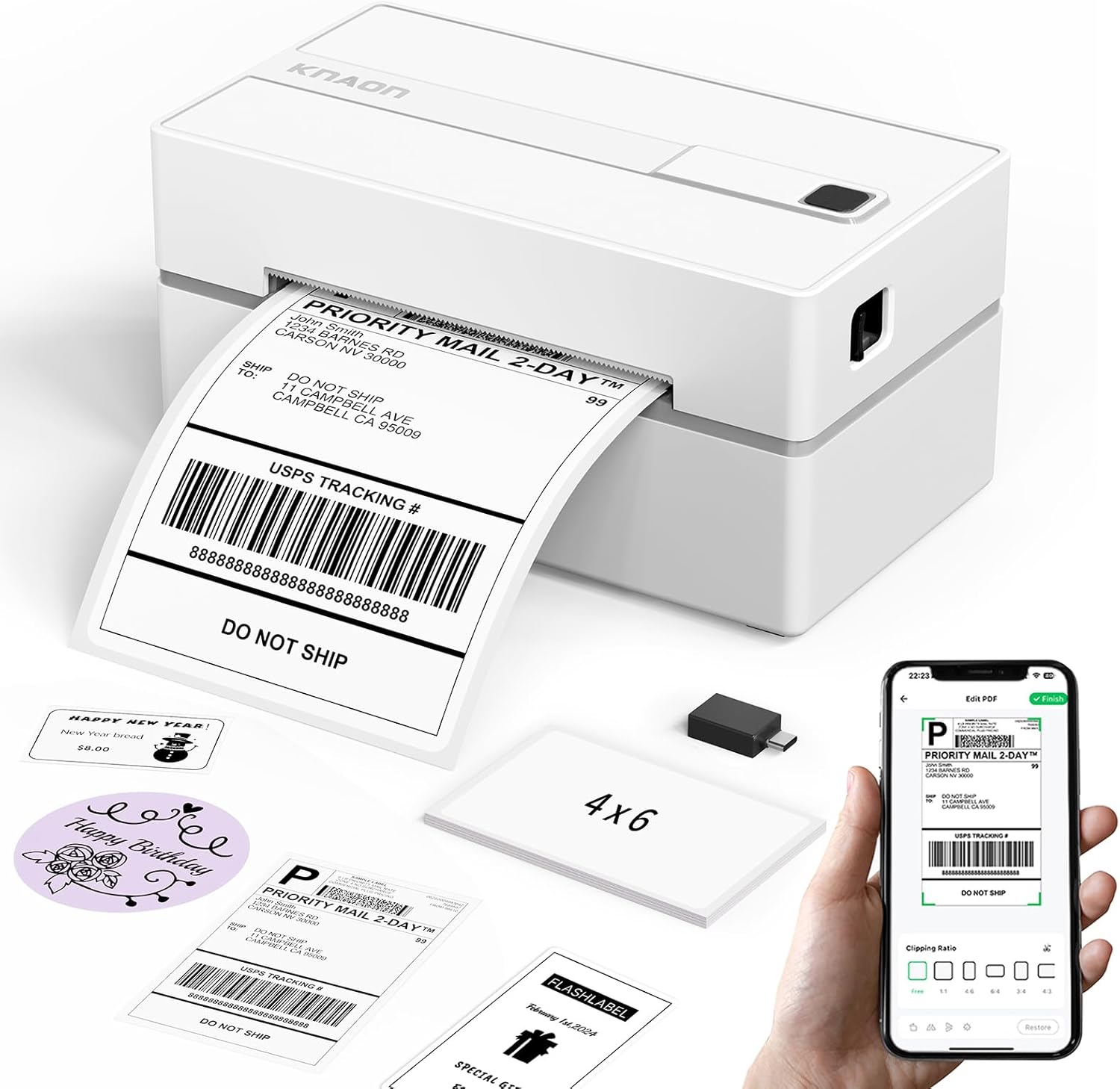
| Printer Type | Thermal |
|---|---|
| Maximum Print Resolution Black and White | 203 dpi |
| Printer Connectivity Type | Bluetooth |
| Paper Size | 4.2 inches |
| B&W Pages per Minute | 60 pages_per_minute |
The KNAON Y813BT is a small, inkless thermal label printer designed for printing 4×6 shipping labels and a variety of other thermal label sizes. It connects via Bluetooth to phones and tablets using the FlashLabel Pro app and also supports USB connections to Windows, macOS, ChromeOS, and Linux with drivers included on a built-in media drive. The printer is quick for its class, handling label widths from 1.5 to 4.2 inches and offering a reported print speed up to 180 mm/s and 203 dpi resolution for clear address and barcode output. Setup is simplified by bundled drivers, tutorial videos, and several starter label papers in the box, and the app provides many templates, icons, and fonts for DIY labels. Practical limitations include reliance on the vendor app for direct Bluetooth printing and modest resolution compared with higher-end units, so very small text or dense graphics may lack fine detail. For everyday 4×6 shipping labels, barcodes, and inventory tags the Y813BT is a capable, space-saving option.
Best for: Buyers who want a compact, easy-to-set-up 4×6 thermal printer for regular shipping, small-batch ecommerce, or home office labeling and who prioritize simple connectivity and ready-to-use templates.
Less Ideal for: Users who need the highest print resolution for tiny text or graphics or who require native Bluetooth printing without relying on a vendor app should consider other models.
- Bluetooth and USB connectivity for mobile and desktop printing
- Supports 4×6 shipping labels and label widths from 1.5 to 4.2 inches
- Fast printing speed (up to 180 mm/s) suitable for batch label jobs
- Bundled drivers, tutorial media, and starter label paper simplify setup
- App offers thousands of templates, icons, and fonts for customization
- Requires the vendor app for Bluetooth printing rather than native OS pairing
- 203 dpi resolution may not capture very fine text or dense graphics
Verdict: A compact, fast 4×6 thermal printer that delivers easy Bluetooth and USB label printing with strong template support for small businesses and home shippers.
Choosing the Right 4X6 Thermal Printer: Key Factors to Consider
Print Speed
Print speed directly affects throughput when you are fulfilling orders or running batch label jobs. Faster printers reduce wait time at packing stations and let a single operator handle more shipments per hour. Consider the printer's rated inches-per-second and whether that speed is sustainable under continuous use.
High advertised speed is most meaningful when paired with a robust duty cycle and good cooling. If your workflow includes bursts of dozens or hundreds of labels, prioritize models rated for continuous printing without frequent pauses or thermal throttling.
Print Quality and Resolution
Label legibility and barcode readability depend on print resolution and consistent thermal transfer across the label surface. Higher dpi yields sharper text and denser barcodes that scan reliably with handheld scanners and postal systems.
If you print small text, dense barcodes, or label elements like logos, choose a printer with sufficient resolution to avoid misreads. Also factor in how the printer handles different label stock and preprinted media to maintain consistent contrast.
Connectivity and Integration
Connectivity determines how easily the printer fits into your existing systems. USB is fine for a single workstation, while Ethernet or Wi-Fi enables shared access from multiple devices. Bluetooth can be useful for mobile label printing at packing stations or handheld terminals.
Evaluate driver and SDK availability for your operating systems and shipping platforms. Printers with native support for common label formats and simple network setup save time during deployment and reduce IT overhead.
Duty Cycle and Reliability
Duty cycle is a manufacturer guideline for how many labels or how much print time a unit can handle without accelerated wear. A unit sized for light home use will fail sooner under heavy e-commerce or warehouse workloads.
Look for printers with a duty cycle that matches your monthly label volume, and check for robust build quality and user-serviceable parts. Reliable feeding mechanisms and sensors reduce jams and misfeeds, which cut downtime and avoid wasted labels.
Media Handling and Maintenance
How a printer loads label rolls and replaces platen rollers or printheads affects uptime and operating cost. Simple roll-chamber designs and tool-free replacement for wear items minimize interruptions on busy days.
Also consider media width support, label gap sensing, and whether the printer supports adhesive die-cut labels or continuous receipt stock. Easy-to-clean media paths and clear status indicators help operators troubleshoot jams quickly.
Footprint and Placement
Physical size matters if space at the packing station is limited. Compact printers can be tucked under a shelf or on a narrow counter, while larger industrial units may require dedicated space and airflow.
Think about power and cabling access when placing the unit. Some printers offer vertical or horizontal label exits to accommodate different workstation layouts and to keep printed labels within easy reach of packers.
Choosing the Right Connectivity
Match connectivity to how many users will access the printer and where it sits in your workflow. Single-user workstations often work well with USB, while shared packing areas benefit from Ethernet or Wi-Fi to let multiple terminals send jobs without a computer tether.
When selecting networked models, consider static IP support, simple web-based administration, and reliable wireless security. Bluetooth is convenient for pairing with tablets or mobile label apps but is less suitable if many devices need concurrent print access.
- USB: Best for dedicated single-station setups
- Ethernet: Reliable for shared network printing
- Wi-Fi: Flexible placement, requires solid signal
- Bluetooth: Handy for mobile or tablet-based printing
Common Paper and Label Types
4×6 thermal printers typically handle direct thermal die-cut labels, continuous thermal rolls, and some synthetic tag stocks. Verify the printer supports 4 by 6 inch labels and can detect label gaps or black marks for consistent alignment.
If you use preprinted or specialty adhesive labels, check maximum roll diameter and core size compatibility. Some printers accept only specific core widths or require adapters for larger rolls.
- Die-cut 4×6 shipping labels
- Continuous receipt rolls with tear-off
- Synthetic or weather-resistant tags for outdoor shipments
- Preprinted stock and black-mark detection
Workflow Tips to Reduce Downtime
Keep spare commonly used parts and media on hand, such as an extra roll of 4×6 labels, a replacement platen roller, and cleaning swabs. Routine cleaning of the printhead and feed sensors prevents print defects and jams.
Standardize label sizes and media across packing stations when possible to simplify roll management. Train staff on quick roll changes and basic troubleshooting so interruptions are short and predictable.
- Store spare rolls and wear parts nearby
- Schedule brief end-of-shift cleaning
- Use consistent media suppliers to reduce variability
- Train multiple team members on roll loading and error recovery
Mounting, Placement, and Environmental Considerations
Thermal printers are sensitive to dust, moisture, and excessive heat. Place units in a relatively clean, dry area away from direct sunlight and HVAC vents. If the packing area is dusty, consider enclosures or higher-grade filters to protect printheads.
Think through label exit direction and cable routing. Some printers offer vertical label output for space-saving placements. Ensure power outlets and network drops are accessible and that cable runs do not create tripping hazards.
- Avoid dusty, humid, or direct-sunlight locations
- Prefer stable, level surfaces to prevent roll skew
- Plan cable routing to keep work areas clear
- Consider enclosures for high-dust environments
Software, Drivers, and Platform Compatibility
Confirm driver and SDK support for the operating systems and shipping platforms you use. Many printers include a range of drivers and label design tools, but compatibility varies between models. Look for devices with straightforward driver installation and clear documentation.
Cloud-based shipping solutions often support networked printers natively. If you rely on mobile devices, verify mobile printing support or the availability of a companion app that can handle label printing from tablets.
- Check OS compatibility and available drivers
- Look for SDKs if you need custom integration
- Verify cloud or mobile app support when applicable
- Test label templates before full deployment
How We Chose the Best 4X6 Thermal Printer
We focused on selection criteria that matter to people who print 4×6 shipping and inventory labels regularly. Primary filters included sustained print reliability, interface and connectivity options, and duty cycle so the printers can handle typical daily volumes without frequent failures. We also evaluated print speed and label clarity because slow or low-resolution output creates bottlenecks and scanning issues in shipping workflows. Other practical considerations were ease of setup and driver support for common operating systems and shipping platforms, plus maintenance factors such as media loading and replacement. We excluded devices that do not support true direct thermal 4×6 media or that are intended only for occasional home use. We also filtered out models lacking documented connectivity options or that rely on proprietary label sizes. The result is a list of compact, purpose-built 4×6 thermal printers that balance throughput, uptime, and usability. Our criteria emphasize real-world workflow reliability, simple integration, and low maintenance impact.
Our full evaluation process is outlined in our review methodology.
FAQ
How long do thermal printheads typically last?
Printhead lifespan varies with usage, but under normal shipping-label volumes a thermal printhead often lasts many months to a few years. Lifespan depends on duty cycle, media abrasiveness, and maintenance frequency. Regular cleaning and using recommended media extend service life.
Can I use battery power for a 4×6 thermal printer?
Some compact 4×6 thermal printers offer optional battery packs or mobile variants, but most desktop models require AC power. Battery options are best for mobile or remote printing and are less common for higher-throughput stationary units.
Will a 4×6 thermal printer work without special drivers?
Basic printing may work with generic drivers or via network protocols, but full functionality and reliable label formatting usually require the manufacturer driver or a compatible label software driver. Installing the correct driver ensures correct label sizing and sensor use.
What causes frequent label jams and how do I fix them?
Jams are often due to incorrect media loading, worn rollers, or dirty sensors. Ensure labels are aligned and the roll is seated properly, clean the media path and sensors regularly, and replace worn feed components. Using correct core sizes and label types also reduces jams.
Do 4×6 thermal printers require special labels?
They require direct thermal label stock designed for thermal printheads. Using non-thermal labels will not produce a visible image. For durability, select thermal labels with coatings or synthetic materials if exposure to heat or moisture is expected.
Final Verdict
The best 4×6 thermal printer for you balances throughput, connectivity, and maintenance needs. Prioritize a duty cycle and print speed that match your daily label volume, choose connectivity that fits your workflow, and pick a model with easy media handling to minimize downtime. Focus on print quality and reliable feeding mechanisms when barcode readability matters. With those tradeoffs in mind, you can select a compact printer that keeps packing lines moving and reduces operational friction.