
Note: This article contains affiliate links. If you click on these links and make a purchase, we may earn a small commission at no extra cost to you. This helps support our research and content. Read our full affiliate disclosure here.
If you need larger-format prints without moving to a dedicated production press, an A3 inkjet printer gives you the flexibility to run posters, spreadsheets, and photos in-house. The right A3 inkjet printer reduces turnaround time, produces accurate color, and keeps running costs predictable for occasional or light business use. This guide covers the top shortlisted A3 inkjet printers across common home and small office needs. We evaluated each pick for color accuracy, media handling, and long-term operating cost. Read on to find the A3 inkjet printer that fits your workload and quality expectations.
Top Picks at a Glance
| Best Overall The best all-around choice for most situations | Lancelot M1630 Pro DTF Printer |  |
| Best Quality Built to a higher standard if you want something more solid | Canon PIXMA PRO-200S |  |
| Best Budget The cheapest option that still gets the job done reliably | Canon PIXMA iX6820 |  |
| Top Rated A top-rated pick with lots of positive feedback | Epson EcoTank ET-16600 |  |
| Most Popular A crowd favorite that many people choose with confidence | Epson EcoTank Photo ET-8550 |  |
Lancelot M1630 Pro DTF Printer

| Printer Type | Inkjet |
|---|---|
| Resolution | 720 x 1440 dpi |
| Ink Color | Cyan, Magenta, Yellow, Black, White |
| Paper Size | 13*19 inches |
| Printer Connectivity Type | USB |
The Lancelot M1630 Pro is a desktop DTF inkjet printer bundle built for heat-transfer work on fabrics and other materials using A3/A4 sheets or roll film. It prints in five colors including white and advertises a 720×1440 dpi resolution with up to 12 color ppm (15 ppm black), plus an auto film cutter and upgraded feeding to reduce jams when switching between rolls and sheets. Notable practical features include an automated Holiday Mode that runs maintenance to prevent white-ink clogs, white ink circulation to extend head life, and real-time ink/waste monitoring to avoid surprises. The bundle adds a preloaded laptop and basic consumables so you can start printing sooner. Expect straightforward use for small production runs, custom tees, and on-demand jobs, though the system is USB-connected and geared to Windows PCs only, and its maintenance routines and recommended consumables work best when you follow the maker's guidelines. The printer is portable for a production desktop but requires some setup, regular care, and familiarity with DTF workflows for reliable long-term operation.
Best for: Buyers who want an A3-capable DTF setup for small-batch garment printing and value a turnkey bundle with maintenance features to keep a desktop production line running.
Less Ideal for: Users who need networked or Mac-compatible printing, fully hands-off operation, or heavy industrial throughput should look at larger commercial DTF systems or network-enabled printers.
- Supports A3/A4 sheets and roll film for flexible transfer workflows
- Auto film cutter and upgraded feeding minimize manual trimming and paper jams
- Holiday Mode auto-maintenance and white ink circulation reduce nozzle clogs
- Includes preloaded laptop and consumables for faster setup and testing
- Connectivity limited to USB which can slow integration into networked shops
- Requires adherence to recommended inks and regular maintenance to avoid clogging
Verdict: A practical A3-capable DTF printer bundle for small businesses and hobbyists who want a near turnkey transfer solution with built-in maintenance to keep white-ink workflows reliable.
Canon PIXMA PRO-200S

| Maximum print Resolution Color | 4800 x 2400dpi |
|---|---|
| Printer Connectivity Type | Wi-Fi |
| Hardware Interface | Ethernet, USB |
| Maximum Media Size | A4 |
| Maximum Sheet Capacity | 100 |
The Canon PIXMA PRO-200S is a 13-inch wireless photo inkjet aimed at photographers and creatives who need vibrant, large-format color prints. It uses an 8-color dye-based ink set and supports borderless printing up to 13" x 19", so it produces rich color and smooth gradients on a wide range of media. The printer includes a 3.0" color LCD for status and settings, both Wi‑Fi and Ethernet connectivity, and a single USB port for direct connection. Print speeds are geared toward quality rather than office throughput: a bordered A3+ print can take around 90 seconds and typical page speeds are listed at about 2 ppm for color and black and white. Paper handling is flexible with two trays and support for many sizes including panorama and square formats, and a 100-sheet maximum capacity helps batch jobs. Expect strong photo output and reliable color reproduction, but be prepared for modest general office speed and the ongoing cost profile common to dye-based photographic inks.
Best for: Photographers and visual artists who prioritize color fidelity and large-format photo output and who want a desktop printer that handles varied paper sizes for gallery-quality prints.
Less Ideal for: Users who need high office document throughput or the lowest long-term archival pigment ink performance should consider alternatives tailored to those priorities.
- 8-color dye-based ink system for vibrant, detailed photo prints
- Supports borderless printing up to 13" x 19" (A3+) for large-format images
- Wi‑Fi and Ethernet connectivity plus a 3.0" color LCD for easy control
- Flexible media handling with multiple tray support and wide paper size range
- Listed page speeds are relatively slow at about 2 pages per minute
- Uses dye-based inks which may have different longevity compared with pigment photo inks
Verdict: Choose the PIXMA PRO-200S if your priority is vibrant, large A3+ photo prints and flexible media handling for professional-looking images.
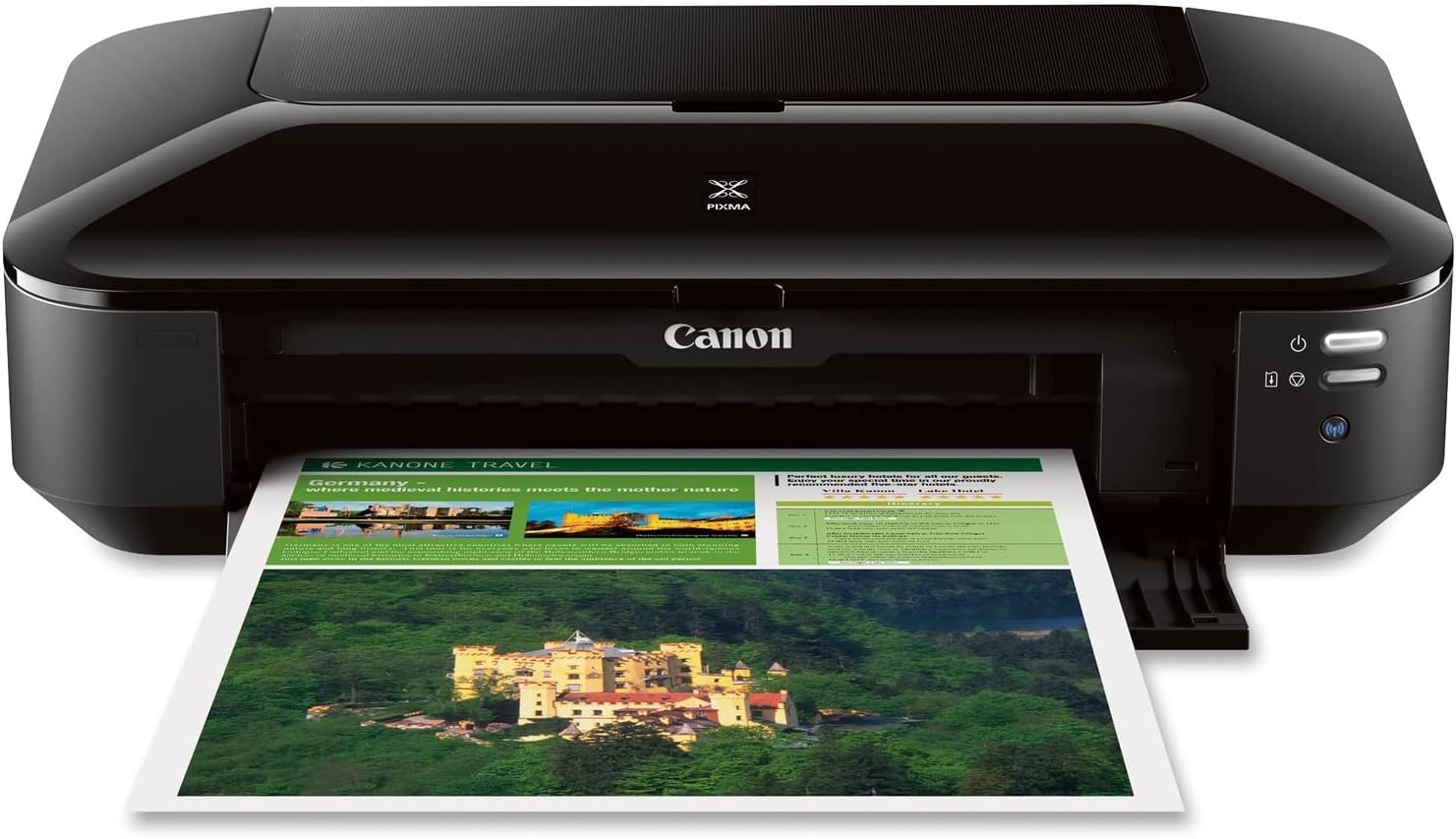
Canon PIXMA iX6820
| Printer Type | Inkjet |
|---|---|
| Maximum Media Size | 13 x 19 inch |
| Maximum Resolution Color | 9600 x 2400 dpi |
| Printer Connectivity Type | Wireless; Ethernet; USB |
| Ink Color | Cyan, Magenta, Yellow, Black |
The Canon PIXMA iX6820 is a single-function inkjet built to handle wide-format office and photo jobs up to 13 x 19 inches. It uses a five‑ink system with a pigment black plus four dye colors to produce high-detail prints at a maximum 9600 x 2400 dpi, which shows in sharp text and rich photo output; borderless 4×6 photos print quickly. Connectivity includes Wi‑Fi, Ethernet and USB so you can print from computers and mobile devices via AirPrint, Google Cloud Print or Canon's mobile app. Practical touches include auto power on/off, quiet mode and solution templates via bundled software. The printer lacks duplexing and is a print-only model without a built-in scanner, and its single sheet feeder and modest input capacity mean it is better for periodic business or creative work than heavy daily throughput. If you need wide-format, high-resolution color prints on a budget, the iX6820 delivers strong image quality and flexible connectivity, but expect basic media handling and no automatic two‑sided printing.
Best for: Buyers who want a budget-friendly wide-format inkjet that prioritizes photo and color print quality for occasional business, design or photo projects and who value flexible wireless and cloud printing.
Less Ideal for: Users needing heavy daily document throughput, automatic two-sided printing, or an all-in-one scanner/copier should consider more feature-rich office printers instead.
- High maximum resolution (9600 x 2400 dpi) for detailed color and photo output
- Supports wide-format media up to 13 x 19 inches for A3+/tabloid printing
- Five individual ink tanks let you replace only the depleted color
- Multiple connectivity options including wireless, Ethernet and USB with AirPrint and cloud printing support
- No automatic duplex printing
- Print-only design with no built-in scanner or copier
- Single tray and limited sheet handling for high-volume office use
Verdict: Choose the PIXMA iX6820 when you need affordable A3-capable, high-resolution color and photo prints with flexible wireless connectivity.
Epson EcoTank ET-16600

| Printer Type | Inkjet |
|---|---|
| Maximum Media Size | 13 x 19 inch |
| Maximum Sheet Capacity | 500 |
| Maximum Print Resolution Color | 4800 x 2400 dpi |
| Printer Connectivity Type | Wi-Fi |
The EcoTank ET-16600 is a workhorse wide-format all-in-one aimed at busy offices that need low running costs and large-sheet capability. It prints up to 13 x 19 inches, offers automatic two-sided printing, and handles scanning, copying and faxing with an ADF for multi-page workflows. Epson ships supersized refillable ink tanks and replacement bottles that yield thousands of pages, which cuts per-page cost and reduces cartridge waste compared with traditional cartridges. Connectivity includes Wi-Fi and Ethernet plus a 4.3-inch color touchscreen and voice-activated printing for hands-free jobs. Print quality is driven by DURABrite pigment ink and a 4800 x 2400 dpi maximum resolution, so text and color output look sharp for business documents and marketing materials. The unit is large and relatively heavy, so it needs dedicated space, and initial setup uses some ink from the starter bottles so first-run yields are lower than replacement bottle yields. For teams prioritizing low ongoing ink cost and reliable high-volume output, the ET-16600 delivers a practical, factory-quality replacement to cartridge printers.
Best for: Small businesses and in-house print teams that need dependable, low-cost ink usage and steady high-volume output for wide-format documents.
Less Ideal for: Home users with limited space or very light printing needs who would prefer a more compact, lower-capacity printer.
- Supertank refillable ink system with high-yield replacement bottles for very low cost per page
- Wide-format printing up to 13 x 19 inches for larger documents and proofs
- 500-sheet front tray capacity and automatic duplexing reduce paper handling and refill frequency
- Fast black print speeds (up to 25 ppm) and a 4.3-inch touchscreen for efficient office workflows
- Wi-Fi and Ethernet connectivity plus voice-activated printing for flexible networked use
- Large and heavy footprint requires dedicated space and may be difficult to move
- Starter ink uses part of included bottles so initial yield is lower than replacement bottles
Verdict: Choose the ET-16600 when you want wide-format, factory-quality printing with exceptionally low ongoing ink costs for reliable high-volume office use.
Epson EcoTank Photo ET-8550

| Printer Type | Inkjet |
|---|---|
| Printer Output Type | Color |
| Maximum Media Size | 13 x 19 inch |
| Color Pages per Minute | 12 pages_per_minute |
| Duplex | auto |
The Epson EcoTank Photo ET-8550 is a cartridge-free, wide-format inkjet all-in-one that focuses on high-quality photo output and low running costs. It uses a 6-color Claria ET Premium ink set and a high-accuracy printhead to deliver sharp, color-accurate prints up to 13 x 19 inches and supports specialty media such as cardstock and printable CDs. The refillable EcoTank bottles include two blacks plus cyan, magenta, yellow and gray, which stretch ink supply and reduce frequent cartridge changes, making it economical for frequent photo printing. The unit offers wireless and USB connectivity, a photo scanner, automatic duplexing, and an easy-to-use touch and app control workflow for mobile printing. Practical limits are its size and power draw compared with smaller photo printers, and while print speed is reasonable for quality work it is not optimized for high-volume office document throughput. This is best suited for creators and home studios prioritizing print quality and low ink cost over compactness or fastest page-per-minute business printing.
Best for: Buyers who want lab-quality, wide-format photo prints at a lower long-term ink cost and who value color accuracy and media flexibility for creative projects.
Less Ideal for: Users who need a compact, lightweight printer for occasional document printing or those who prioritize fastest text-only page-per-minute throughput for heavy office use.
- Cartridge-free EcoTank system provides very low running cost and large ink supply
- Six-color Claria ET Premium inks including gray for improved photo gradations
- Wide-format support up to 13 x 19 inches and compatibility with thick media and printable CDs
- Built-in scanner and automatic duplexing add useful all-in-one functionality
- Mobile app and touch controls simplify printing from smartphones and tablets
- Large footprint and heavier than typical home printers
- Higher upfront cost and slower than business printers for plain text document throughput
Verdict: Choose the ET-8550 if you need wide-format, photo-grade prints with dramatically lower ink costs thanks to its refillable EcoTank system.
Choosing the Right A3 Inkjet Printer: Key Factors to Consider
Print Quality and Color Management
How accurately the printer reproduces colors and fine detail matters if you are making proofs, photo enlargements, or client-facing charts.
Look for printers with multiple color channels, fine droplet sizes, and good driver-level color controls. Features such as ICC profile support, custom color calibration, and options for high-resolution photo modes can make a noticeable difference in final output. If consistent color is essential for your uses, plan to test profiles and expect a brief calibration period during setup.
Media Sizes, Paper Path, and Weight Support
A3 capability alone is not enough; check how the printer handles different media types and thicknesses.
A straight-through or rear feed is helpful for heavy cardstock and poster paper because it reduces bending and jams. Verify maximum supported paper weight and whether the printer supports borderless printing at A3. If you routinely print on coated photo paper or cardstock, pick a machine with a robust paper path and clear guidance on media handling to reduce misfeeds and surface scuffing.
Operating Cost and Ink Yield
Long-term cost is dominated by ink consumption, not the initial purchase price.
Compare page yields and the availability of high-capacity cartridges or refill systems. Printers that offer separate color tanks let you replace only the depleted color, which reduces waste and cost. Also consider whether the ink type is pigment or dye, since that affects longevity, water resistance, and cost per page. For users printing frequently, prioritize models with clear per-page cost estimates and documented high-yield options.
Connectivity, Driver Features, and Workflow Integration
How the printer connects to your devices and integrates with your workflow affects day-to-day productivity.
Look for wired network support for shared environments, reliable Wi-Fi for mobile printing, and modern driver features like duplex preview, borderless printing toggles, and efficient layout tools for tiled or poster printing. Mobile printing protocols and good companion apps simplify sending jobs from phones and tablets. Also check whether drivers support the operating systems you run and whether there is active firmware support.
Maintenance Needs and Printhead Durability
Some A3 inkjets require periodic maintenance such as head cleans, nozzle checks, and occasional part replacement.
Printers with user-replaceable printheads or clear maintenance kits are easier to keep running. Consider maintenance frequency and how disruptive it is to your workflow. Also evaluate manufacturer guidance on printhead lifespan, minimum-use recommendations to avoid clogging, and whether the printer supports scheduled maintenance cycles to keep image quality consistent.
Which A3 Inkjet Is Right for Photos Versus Proofing
If your primary goal is photographic output, prioritize models with extended color gamuts and fine droplet sizes that render smooth gradients and skin tones. Look for multiple black or gray channels if you print a lot of black-and-white work. For proofing or document work where color accuracy relative to a press is important, focus on devices with ICC profile support and driver options for soft proofing.
For mixed use, choose a balanced machine that offers robust color controls plus durable media handling so you can switch between photo paper and heavier announcement stock without frequent jams.
- Photos: extended color gamut, fine droplet size, optional matte black
- Proofing: ICC profiles, accurate color rendering, predictable calibration
- Mixed use: strong media handling, flexible driver controls
Preparing Files for A3 Output
Design and print files at the correct native resolution and document size to avoid scaling artifacts. For photographic prints, 300 dpi at the final output size is a practical target. Leave appropriate bleed for edge-to-edge printing and check whether your chosen printer supports borderless A3 printing to avoid extra trimming.
Use embedded color profiles and convert images to the working color space recommended by the printer driver when possible. Flatten complex layouts and convert fonts to outlines to prevent driver substitutions during printing.
- Set document to final A3 dimensions at 300 dpi
- Include bleed and crop marks for borderless or edge-to-edge jobs
- Embed or convert color profiles to the printer-recommended space
Managing Ink and Consumables Efficiently
Track ink usage for typical jobs to estimate monthly operating cost. If you print sporadically, consider pigment inks for better longevity even if dye inks give a slightly wider color gamut. For frequent printing, high-capacity tanks or multi-cartridge systems lower per-page expenses.
Store spare consumables properly and maintain regular nozzle checks to avoid mid-job failures. Also plan for environmental factors such as temperature and humidity that can affect drying time and ink behavior on certain media.
- Use high-capacity cartridges for steady print volumes
- Run periodic nozzle checks and head cleans to maintain quality
- Store ink and paper in stable conditions to avoid moisture problems
Setting Up Network and Mobile Printing
For small-office environments, a wired Ethernet connection provides the most stable shared access. If you need flexibility for laptops and phones, confirm robust Wi-Fi support and easy setup via WPS or companion apps. Check for support of common mobile print standards to streamline printing from tablets and phones.
Also verify how the printer handles simultaneous jobs and whether the driver or app offers job queuing and priority settings to avoid long delays during peak usage.
- Prefer wired networking for shared, high-volume use
- Confirm companion app features for mobile workflows
- Look for job queuing and priority features in drivers
Space, Noise, and Environmental Considerations
A3 printers are physically larger than standard desktop models and need room for paper trays and output stacks. Measure your workspace and allow clearance for the paper path and maintenance access. Consider whether the printer has a compact footprint, vertical paper slots, or a roll-feed accessory if you have limited desk space.
Noise levels and ventilation matter in quiet offices. Some A3 inkjets are louder during head clean cycles and high-speed printing. Check manufacturer specs for operational decibel ranges and plan placement accordingly to reduce disruption.
- Measure space for trays and maintenance access
- Check noise levels for office compatibility
- Consider ventilation needs for warm printing environments
How We Chose the Best A3 Inkjet Printer
We focused on real-world factors that matter to people who need A3 prints at home or in a small office. Our selection started with models that support true A3 output and a range of common media sizes and weights. From there we applied performance and usability filters: print quality on both color and monochrome jobs, color management and driver features, paper handling for heavier stock and borderless layouts, and the reliability of ink delivery systems. Operational cost and ink yield were a major filter since ongoing expense often outweighs up-front price for A3-capable inkjets. We prioritized machines with clear yield information and refill or high-capacity cartridge options. Usability and connectivity were considered next: intuitive control panels, robust driver and app support, and network or wireless printing options for shared small-office setups. Lastly, we checked maintenance needs such as printhead durability and serviceability. We excluded strictly photo-lab-only printers and high-volume production inkjets aimed at commercial print shops because they introduce different workflows and cost structures. We also excluded models that lack reliable documentation on ink yields or do not support common A3 media sizes. The result is a shortlist that balances print quality, media versatility, and predictable running costs for typical A3 users.
Our full evaluation process is outlined in our review methodology.
FAQ
Can A3 inkjet printers handle heavy cardstock for posters?
Many A3 inkjets support heavy cardstock through a straight-through or rear feed, but maximum supported weight varies. Check the printer's maximum gsm rating and whether it specifies a manual feed path for thick media.
How often should I run maintenance to avoid clogged nozzles?
Frequency depends on use and ink type. Regular light use usually needs only occasional automated nozzle checks, while intermittent use may require periodic manual head cleans. Running a quick nozzle check weekly for infrequent printers helps prevent clogs.
Are pigment inks necessary for long-lasting prints?
Pigment inks generally offer better light and water resistance than dye inks and are a good choice for archival prints or display materials. Dye inks can produce a wider gamut and more vibrant color for certain photo work but may be less durable over time.
Will an A3 inkjet work well in a shared small office?
Yes, provided the model supports reliable network connectivity and has adequate input capacity for your expected job volume. Look for devices with Ethernet support, robust duty-cycle ratings, and consumable options that match your printing frequency.
Is borderless A3 printing standard?
Some A3 inkjets support borderless printing, but not all. If you plan to print edge-to-edge photos or posters, verify borderless support at A3 size and check for recommended media types to achieve consistent results.
Final Verdict
Choosing the right A3 inkjet printer comes down to balancing output quality, media versatility, and ongoing operating costs. Prioritize print quality and color management when you need accurate photos or proofs, and focus on media handling and maintenance if you regularly run heavier stock. For shared workspaces, give weight to connectivity and consumable yield so the machine integrates cleanly into your workflow. Weigh the tradeoffs between dye and pigment inks, check documented ink yields, and confirm the paper paths and weight limits before you buy. With those priorities in mind, you can pick an A3 inkjet that delivers the right combination of image fidelity and predictable running costs for your projects.