
Note: This article contains affiliate links. If you click on these links and make a purchase, we may earn a small commission at no extra cost to you. This helps support our research and content. Read our full affiliate disclosure here.
Picking the right app thermostat changes how you manage home comfort and energy use. A good app thermostat gives you reliable remote control, simple scheduling, and meaningful energy reports so you can reduce wasted heating and cooling without constant manual adjustments. This guide shortlists the top options in the category and explains the features that truly affect daily performance and convenience. We evaluated connectivity, installation simplicity, thermostat controls, and energy features so you can quickly find an option that fits your home and technical comfort level. Read on for the top picks and the decision factors to consider before you install.
Top Picks at a Glance
| Best Overall The best all-around choice for most situations | ecobee Smart Thermostat Essential |  |
| Best Quality Built to a higher standard if you want something more solid | Google Nest Learning Thermostat (4th Gen) |  |
| Best Value The sweet spot between price and what you get | meross Matter Smart Thermostat MTS300 |  |
| Best Budget The cheapest option that still gets the job done reliably | Sensi Lite ST25 | 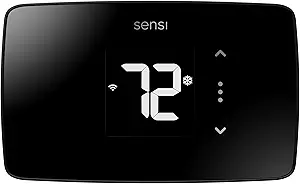 |
| Top Rated A top-rated pick with lots of positive feedback | Sensi Touch ST75 |  |
| Most Popular A crowd favorite that many people choose with confidence | Amazon Smart Thermostat |  |
| Best Seller A high-volume bestseller chosen again and again | Google Nest Thermostat |  |
ecobee Smart Thermostat Essential

| Connectivity Technology | Wi‑Fi |
|---|---|
| Power Source | Battery Powered |
| Display Type | LCD |
| Control Type | Touchpad Control |
| Specification Met | Energy Star |
The ecobee Smart Thermostat Essential is an entry-level smart thermostat that gives remote control and basic automation for most 24 VAC HVAC systems. It installs on a wall plate and uses a color touchscreen for local control while pairing with the ecobee mobile app for scheduling, remote temperature adjustments, and energy reports. Key features include auto‑scheduling, Auto‑Away detection, fan control, and integrations with Siri, Alexa, Google Assistant, and Apple HomeKit for voice control. eco+ features add time‑of‑use preheating and humidity detection to help reduce bills, and the unit works with optional SmartSensors to better balance comfort across rooms. Limitations include no built‑in air quality monitoring and potential need for the Power Extender Kit in systems without a C‑wire, and it lacks some advanced HVAC diagnostics found on higher‑end ecobee models. For buyers wanting app-driven scheduling and basic energy savings in a compact, easy‑to‑use package, this model covers core smart thermostat needs without advanced extras.
Best for: Buyers who want a straightforward, app‑controlled smart thermostat that prioritizes easy setup, voice integration, and practical energy savings without extra premium features.
Less Ideal for: People who need advanced HVAC diagnostics, built‑in air quality monitoring, or the most feature-rich ecobee model for large or complex HVAC setups.
- App remote control and color touchscreen for easy temperature changes
- Works with major voice assistants and Apple HomeKit for voice control
- Auto‑scheduling and Auto‑Away help reduce heating and cooling costs
- eco+ features like time‑of‑use preheat and basic humidity detection for practical energy savings
- Compatible with optional SmartSensor room sensors to balance comfort across rooms
- May require the Power Extender Kit for installations without a C‑wire
- Fewer advanced HVAC diagnostics and sensors compared with higher-end ecobee models
Verdict: Choose the ecobee Smart Thermostat Essential if you want a simple, app-driven thermostat with voice support and proven energy-saving features at a lower entry point.
Google Nest Learning Thermostat (4th Gen)

| Controller Type | Amazon Alexa, Android, Apple HomeKit, Google Assistant, iOS |
|---|---|
| Power Source | Battery Powered |
| Voltage | 24 volts |
| Display Type | graphical lcd, ips |
| Included Components | Nest Temperature Sensor (2nd gen) |
The Nest Learning Thermostat (4th gen) is a performance-focused smart thermostat that learns your preferences, suggests schedule tweaks in the Google Home app, and manages heating and cooling to reduce energy use. Installation is designed to be straightforward for 24V HVAC systems and many homes do not require a C wire; the device is battery powered and wall mounted. It includes a Nest Temperature Sensor for better control of hot and cold spots and uses Adaptive Eco and natural heating and cooling to pause systems when outdoor conditions will help maintain indoor comfort. The large graphical IPS display with Dynamic Farsight makes status and temperature easy to read from across a room, and system health alerts help catch HVAC issues early. Integration with Alexa, Siri/HomeKit, and Google Assistant plus Matter compatibility gives flexible app and voice control. Expect strong automated energy savings and convenient remote control, while buyers who need highly specialized commercial controls or very old, nonstandard HVAC wiring should verify compatibility first.
Best for: Buyers who prioritize automated temperature control and energy savings and want a smart thermostat that adapts over time and integrates tightly with app and voice ecosystems.
Less Ideal for: People needing enterprise or highly customized commercial HVAC controls or owners of unusual legacy HVAC systems without standard 24V wiring.
- Learns occupant patterns and suggests schedule changes to save energy
- Includes a Nest Temperature Sensor to manage hot and cold spots
- Large graphical IPS display with Dynamic Farsight for easy at-a-glance info
- Works with Google Home app and voice assistants and supports Matter for interoperability
- System Health Monitor sends alerts for potential HVAC issues
- Some advanced features require use of the Google Home app and account
- Compatibility should be checked for nonstandard or older HVAC systems
Verdict: Choose the Nest Learning Thermostat if you want a smart, app-driven thermostat that learns your habits to improve comfort and cut heating and cooling energy use.
meross Matter Smart Thermostat MTS300

| Connectivity Protocol | Matter, Wi-Fi |
|---|---|
| Controller Type | Apple HomeKit, Alexa, Google Assistant, SmartThings |
| Power Source | Corded Electric (24 volts) |
| Display Type | LED |
The meross MTS300 is a wall‑mount smart thermostat that brings Matter compatibility and standard Wi‑Fi control to most 24V heating and cooling systems. It installs like a typical smart thermostat and uses the meross app for 24/7 scheduling, on‑the‑go temperature control, and system alerts for filter life and malfunctions. Because it supports Matter, HomeKit, Alexa, Google Assistant, and SmartThings, it reduces the need for multiple vendor apps and lets you use voice or local smart home scenes. The LED display and adjustable brightness make it readable in hallways or living rooms, and the package includes a trim plate and wiring sticker for cleaner installs. Important limitations: some older or simple two‑wire and millivolt systems, plus electric baseboard heaters, are not supported and many installations will require a C‑wire or a separate C‑wire adapter. Power is corded 24V, and the thermostat does not include a C‑wire adapter in the box. For buyers who want Matter integration and app scheduling without advanced HVAC diagnostics, this hits the mark; for uncommon wiring setups, expect extra parts or pro help.
Best for: Homeowners who want a straightforward app‑controllable thermostat that integrates with modern smart home platforms and prioritizes simple scheduling and energy tracking.
Less Ideal for: Homes with nonstandard HVAC wiring such as millivolt systems, two‑wire setups, or electric baseboard heat where a different thermostat type is required.
- Matter support for local integration with Apple Home, Alexa, Google Home, and SmartThings
- 24/7 programmable schedules and remote app control for energy management
- Includes trim plate, backplate, screws and wiring sticker for neater installation
- LED display with adjustable brightness for easy viewing in different rooms
- Does not include a C‑wire adapter and many installations may require a C wire
- Not compatible with 110/120/240V electric baseboard, millivolt, or two‑wire systems
Verdict: Choose this thermostat if you want an app‑driven, Matter‑compatible smart thermostat that simplifies control across major smart home ecosystems.
Sensi Lite ST25
| Connectivity Technology | Wi-Fi |
|---|---|
| Controller Type | Amazon Alexa, Google Assistant, Hand Control, SmartThings |
| Power Source | Battery or C-wire |
| Number of Batteries | 2 AAA (included) |
| Specification Met | Energy Star |
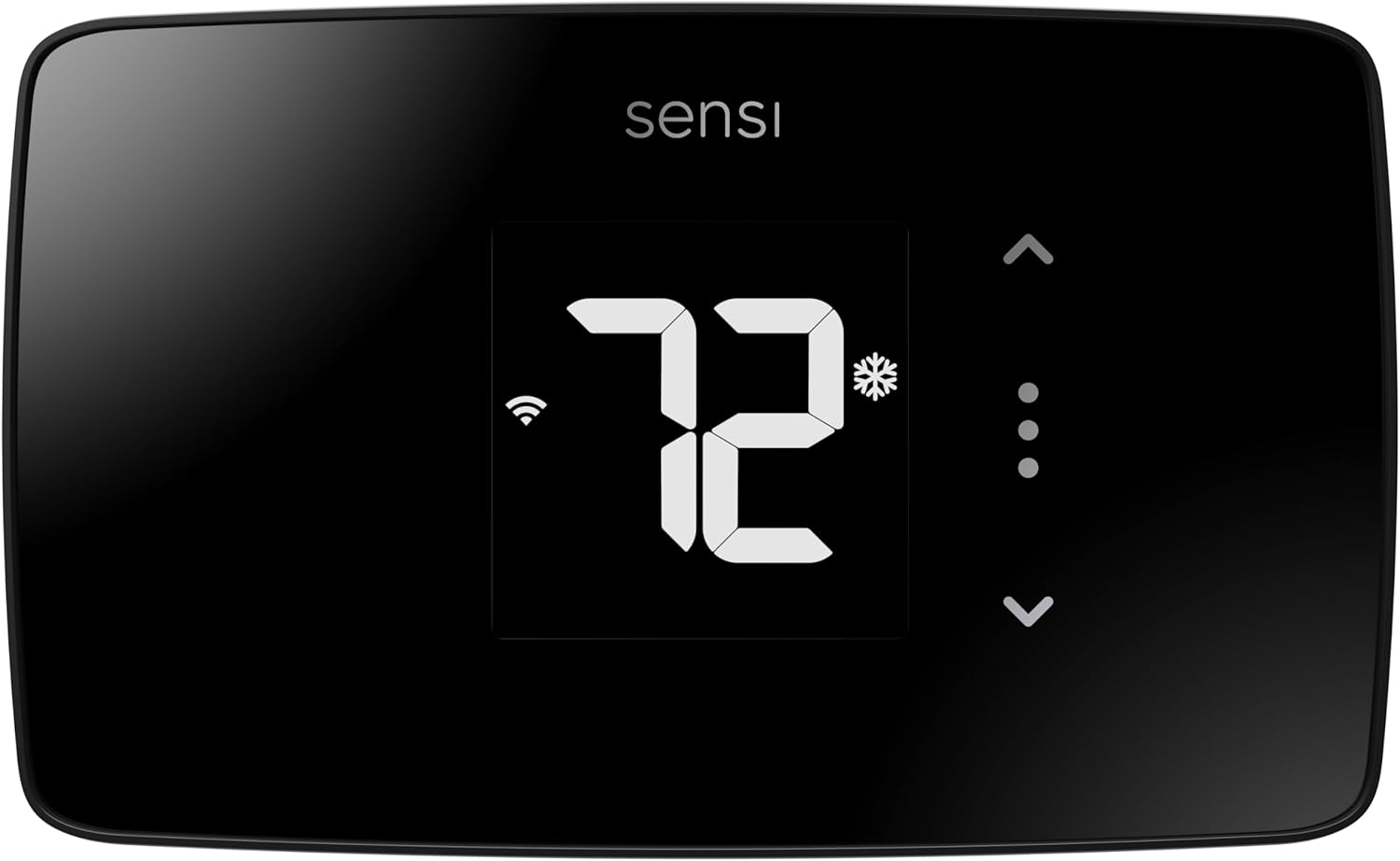
The Sensi Lite ST25 is a straightforward smart thermostat that brings remote app control and basic scheduling to budget-focused buyers. It connects over 2.4 GHz Wi‑Fi and works with Alexa, Google Assistant, and SmartThings for voice and smart-home control, while the LCD and touch controls let you adjust temperature on the wall. Installation is designed for DIY with a built-in level and step-by-step guide, and it can run on included AAA batteries or a C‑wire when required by specific systems. The companion app provides geofencing, flexible schedules, and usage reports to help lower energy use, and the unit is ENERGY STAR certified. Practical limitations include a simple display and feature set compared with premium models, and some heat-only or cool-only systems will require a C‑wire. For buyers who want reliable remote control, energy reporting, and privacy protections without premium frills, the Sensi Lite delivers solid value.
Best for: Buyers looking for an affordable, app-controlled thermostat that is easy to install themselves and focused on simple energy savings and remote control.
Less Ideal for: Users who want advanced displays, learning algorithms, or the most feature-rich smart thermostat experience should consider higher-end models.
- Easy DIY installation with built-in level and step-by-step instructions
- Works with Alexa, Google Assistant, and SmartThings for voice and app control
- Runs on included AAA batteries or optional C‑wire for compatible systems
- ENERGY STAR certified with app features like scheduling, geofencing, and usage reports
- Basic LCD and limited on-device features compared with higher-end smart thermostats
- Some system types (heat-only or cool-only) may require a C‑wire
Verdict: A budget-friendly smart thermostat that gives reliable app and voice control plus simple energy-saving features for DIY buyers.
Sensi Touch ST75

| Connectivity Technology | Wi-Fi (2.4 GHz) |
|---|---|
| Control Method | App, Touch, Voice |
| Screen Size | 4.3 inches |
| Power Source | AC/DC |
| Specific Uses For Product | Air Conditioner, Boiler, Furnace, Heat Pump |
The Sensi Touch ST75 is a wall‑mounted smart thermostat that provides remote control of HVAC via the Sensi mobile app and supports major voice and platform integrations like Alexa, Google Assistant, and Apple HomeKit. It is typically used to replace a traditional thermostat to enable scheduling, geofencing, usage reports, and remote temperature adjustments from a phone. The bright 4.3‑inch color touchscreen and touchscreen controls make daily operation straightforward, while the app offers scheduling, energy‑use reports, smart alerts, and filter reminders that help with ongoing maintenance. Installation is DIY‑friendly with illuminated easy‑click terminals and a built‑in level, though a common wire is required. The unit is Energy Star certified and designed to work with furnaces, heat pumps, boilers, and air conditioners. Limitations include the C‑wire requirement for stable power and reliance on 2.4 GHz Wi‑Fi only, which may constrain some home networks, but its robust manufacturer background and clear app feature set make it a dependable choice for managing home comfort.
Best for: Buyers who prioritize a reliable, app‑driven thermostat with solid manufacturer pedigree and clear maintenance features for everyday home HVAC control.
Less Ideal for: People who lack a C‑wire or need a thermostat that connects to 5 GHz Wi‑Fi networks should consider other options or wiring solutions before buying.
- Full remote control and scheduling via Sensi mobile app with usage reports and smart alerts
- Wide smart home compatibility including Alexa, Google Assistant, Apple HomeKit, SmartThings, and Vera
- Energy Star certification and features designed to reduce HVAC energy use
- Easy DIY installation with illuminated easy‑click terminals and built‑in level
- Requires a common (C) wire for installation
- Supports only 2.4 GHz Wi‑Fi which may not work with some network setups
Verdict: Choose the Sensi Touch ST75 if you want a dependable, app‑controlled smart thermostat with broad smart home support and Energy Star efficiency.
Amazon Smart Thermostat

| Works with | Alexa and Ring |
|---|---|
| C‑wire | Required |
| Manufacturer tech | Honeywell Home thermostat technology |
| Control | Alexa app and voice |
| Energy feature | Programmable schedules and rebate info |
The Amazon Smart Thermostat is a Wi‑Fi thermostat designed to replace a conventional wall thermostat and let you control heating and cooling from the Alexa app or with voice. Installation is guided in the Alexa app and the unit supports schedules, home/away modes and Alexa-driven automatic adjustments using presence and linked devices. It uses Honeywell Home thermostat technology for core temperature sensing and basic HVAC controls, and pairs with Alexa features such as routines and remote control so you can change settings on the go. The unit is positioned for energy savings with support for programmable schedules and compatibility with energy rebate programs. Important practical limits are that it requires a common wire for installation and relies on Alexa for advanced automation and presence detection, so households that avoid voice assistants or lack C‑wire wiring will face extra setup steps or need an adapter. The interface and app control make it a straightforward choice for routine temperature management, while deeper HVAC diagnostics and multi‑zone professional features are not part of this product.
Best for: Buyers who want an easy-to-use smart thermostat tightly integrated with Alexa and value app/voice control and energy-saving schedules.
Less Ideal for: People who avoid voice assistants, need extensive HVAC diagnostics or who cannot provide a C‑wire without using an adapter.
- Direct Alexa integration for voice control and routines
- App-based remote control and scheduling via the Alexa app
- Built on Honeywell Home thermostat technology for reliable basic HVAC control
- Supports presence-based adjustments and home/away automation when paired with Alexa devices
- Eligible for energy rebate information and designed to reduce energy use with programmable schedules
- Requires a C‑wire for typical installation
- Relies on Alexa ecosystem for advanced automation and presence features
Verdict: Choose this thermostat if you want a straightforward, Alexa-first smart thermostat that makes scheduling and remote voice control simple and energy savings accessible.
Google Nest Thermostat

| Connectivity Technology | Bluetooth, Wi-Fi |
|---|---|
| Power Source | Battery Powered |
| Display Type | LCD |
| Control Type | Remote Control, Voice Control |
| Number of Batteries | 2 A batteries required (included) |
The Google Nest Thermostat is a compact smart thermostat that lets you control home temperature from the unit, the Google Home app, or with voice assistants. It supports Wi‑Fi and Bluetooth connectivity and works with common smart home platforms so you can adjust schedules, set Eco Temperatures when the house is empty, and receive basic HVAC alerts. Installation is designed for DIY in about 30 minutes for most compatible systems and the unit runs on two AA batteries, avoiding a constant power connection in many homes. In practice, Savings Finder and Quick Schedule make it easy to create energy-saving routines without manual programming, and remote control is useful for adjustments while away. Limitations include compatibility gaps with some 110V/120V or unusual HVAC wiring where a C wire or power accessory may be required, and advanced HVAC diagnostics are not a substitute for professional service. The small LCD and touch bar are straightforward, but the interface is simpler than higher-end learning thermostats.
Best for: Buyers who want a straightforward, app-controlled smart thermostat that automates simple energy savings and integrates with Google Home without needing advanced HVAC features.
Less Ideal for: Homes with uncommon HVAC wiring or buyers who want an advanced learning thermostat with deeper on-device programming and diagnostics.
- Easy app and voice control via Google Home and compatible voice assistants
- Designed for simple DIY installation in most homes
- Battery powered operation so many homes do not need a C wire
- Energy-saving features like Savings Finder and Eco Temperature automate downtime savings
- Sends alerts for potential HVAC issues to prompt maintenance checks
- Not compatible with some 110V/120V or uncommon HVAC systems without additional wiring or accessories
- Interface and feature set are more basic than Nest Learning models
Verdict: A simple, app-first smart thermostat that makes remote temperature control and basic automated energy savings easy for mainstream homeowners.
Choosing the Right App Thermostat: Key Factors to Consider
Compatibility With Your HVAC Wiring
Most homes use a familiar set of thermostat wires, but not every app thermostat supports every configuration. Confirm whether the thermostat needs a common wire and whether your furnace or air handler provides one. If your system is heat-only, heat pump, or multi-stage, check that the thermostat supports those control types before assuming installation will be straightforward.
Wiring compatibility affects both installation complexity and long-term reliability. Choosing a unit that matches your system avoids power issues, prevents short cycling, and ensures full feature availability such as fan control, humidifier interfaces, or multi-stage heating. When in doubt, consult your HVAC wiring diagram or an electrician to verify fit before purchase.
App Reliability And Remote Connectivity
The app is the principal interface for an app thermostat, so stability and responsiveness matter. Look for thermostats whose apps maintain consistent cloud connections, provide near‑instant updates, and handle intermittent home network outages gracefully. Consider whether the app supports both Android and iOS, how frequently it receives updates, and whether it offers clear status indicators when the thermostat loses connectivity.
Reliable connectivity enables quick temperature adjustments from anywhere and ensures schedules and automations run as expected. Features like push notifications for outages, offline behavior, and local control fallback can prevent loss of functionality when remote services are unavailable.
Ease Of Installation And Setup
Installation ranges from simple battery-swap replacements to setups that require a common wire or minor HVAC modifications. Assess whether the thermostat includes clear wiring labels, a guided app setup, and robust support documentation. Some units offer in-app wiring detection or step-by-step tutorials that significantly reduce installation time.
Installation ease affects total cost and hassle. If you are comfortable with basic wiring, a DIY install can save time. If not, factor in professional installation. Look for thermostats that provide helpful diagnostics and clear error messages to speed troubleshooting.
Scheduling Flexibility And Automation
Good scheduling goes beyond simple weekday/weekend presets. Evaluate whether the thermostat supports multiple daily periods, separate schedules by day, and vacation or hold modes. Automation features such as geofencing, adaptive learning, or integration with other smart-home triggers can increase comfort and savings but require reliable location or sensor data.
The depth of scheduling affects how precisely you can align HVAC operation with occupancy patterns. Greater flexibility can yield energy savings without sacrificing comfort, but more advanced automations may need more initial configuration and testing.
Energy Reporting And Cost Insights
Energy-reporting features turn HVAC runtime into actionable information. Look for thermostats that provide clear usage summaries, trends over time, and estimates of savings from schedule changes. Reports that highlight long cycles, temperature drift, or excessive runtime can help diagnose system issues or opportunities for efficiency improvements.
Useful energy insights empower smarter adjustments and can justify upfront costs through measurable savings. Evaluate the granularity of reports and whether data can be exported or viewed on a desktop for deeper analysis.
Installation Checklist And Common Wiring Tips
Before removing your old thermostat, turn off power at the breaker to avoid shorts. Take a clear photo of the existing wiring and label each wire with its terminal designation. Compare the labels to the new thermostat's wiring diagram so you can map colors to functions instead of relying on wire color alone.
If your system lacks a common wire, consider options such as a power adapter, using a thermostat that does not require a C-wire, or installing a C-wire kit. Verify thermostat compatibility for furnaces with integrated control boards and for heat pump systems that use O/B reversing valves.
- Turn off HVAC power before touching wiring
- Photograph and label existing wires
- Confirm C-wire needs and alternatives
- Check support docs for heat pump or multi-stage setups
Making Sense Of App Features And Notifications
Apps differ in how they surface key information such as current temperature, HVAC mode, and connectivity status. Prioritize apps that provide clear alerts for filter reminders, offline status, or temperature setbacks. Look for straightforward access to scheduling and a visible history of recent changes.
Push notifications and email alerts can be useful, but too many notifications become noise. Look for granular notification controls so you receive only the most important messages, like system faults or unusually high run times.
- Essential alerts: offline, system fault, filter change
- Granular notification settings reduce alert fatigue
- Easy access to scheduling and recent activity
Automation And Integration With Existing Smart Home Systems
If you already use a voice assistant or home automation platform, check whether your chosen thermostat supports integration. Integrations can enable voice control, presence-based automation, and combined routines with other devices. Decide whether direct cloud-to-cloud integrations or local network integrations are preferable for your privacy and latency needs.
Automation can save energy but requires reliable triggers. Test automations over a few weeks to confirm they behave as expected, and keep a manual override available to prevent discomfort during unexpected conditions.
- Confirm compatibility with voice assistants and hubs
- Decide between cloud and local integration approaches
- Test automations before relying on them
Security And Privacy Considerations
Remote access raises security concerns because your thermostat connects to home systems. Choose products that use secure authentication and encrypted connections. Review the vendor's privacy policy to understand what usage data is collected and how it is shared.
Where possible, enable two-factor authentication and use strong, unique passwords for associated accounts. Keep the thermostat firmware and the controlling app updated to benefit from security patches.
- Use strong passwords and enable two-factor authentication
- Prefer encrypted connections and transparent privacy policies
- Regularly update firmware and app software
When To Call A Professional
Consider professional installation if your wiring is nonstandard, if you lack a C-wire and are uncomfortable adding one, or if your system includes complex components like multiple heat stages, zone controls, or integrated humidifiers. A technician can verify system functionality after installation and ensure safe integration with your furnace or air handler.
A professional can also troubleshoot persistent connectivity or control issues that are not resolved by standard troubleshooting steps, and they can calibrate sensors or thermostats for optimal performance.
- Hire a pro for nonstandard wiring or complex HVAC systems
- Get professional testing and calibration for best performance
How We Chose the Best App Thermostat
We focused on real-world usability, connectivity stability, and energy-control features that matter to everyday homeowners. Our selection criteria prioritized thermostats with solid app performance over time, straightforward installation paths for common HVAC setups, and clear thermostat controls that make scheduling and remote adjustments intuitive. We evaluated compatibility with typical residential heating and cooling systems, the depth of scheduling and automation options, and the availability of energy reporting or usage insights within the app. Security and privacy practices related to remote access were considered, as well as the reliability of cloud services and local control fallback where available. Excluded from consideration were devices that require specialized commercial HVAC interfaces, thermostats lacking smartphone integration, or units with minimal documentation and support. We also filtered out products with consistently reported connectivity failures or unclear compatibility with standard home wiring. The final shortlist balances ease of installation, app reliability, energy-management tools, and secure remote access, reflecting the priorities most homeowners have when choosing an app thermostat.
Our full evaluation process is outlined in our review methodology.
FAQ
Will an app thermostat work with my existing furnace or heat pump?
Often it will, but compatibility depends on your system's wiring and control type. Check whether the thermostat supports your system's heat stages and whether a common wire is required. If you are unsure, compare wiring diagrams or consult a technician.
Do app thermostats keep working if the internet goes out?
Many thermostats continue local control via the device itself when the internet is down, but remote app access will be unavailable until connectivity returns. Look for models that explicitly state local control fallback to avoid loss of basic functions.
How much energy can I realistically save with an app thermostat?
Savings vary based on your baseline habits, insulation, and HVAC efficiency. App thermostats enable better scheduling and setback strategies which often reduce runtime. Expect measurable savings when schedules and automations replace constant setpoint changes, though actual percentages depend on your home and usage.
Are app thermostat installations DIY-friendly?
Many installs are DIY-friendly for standard single-stage systems with clear wiring. If your setup includes multi-stage heating, heat pumps, or additional accessories, or if you lack a common wire, professional installation is advisable to ensure correct wiring and operation.
What should I do if the thermostat loses Wi-Fi frequently?
First, reboot your router and thermostat and verify signal strength at the thermostat location. If signal is weak, consider a Wi-Fi extender or moving the router. Check for firmware updates and consult support if disconnects persist.
Final Verdict
Choosing the right app thermostat means balancing installation ease, reliable app connectivity, and the level of automation you want. Prioritize compatibility with your HVAC wiring, clear scheduling controls, and robust app behavior so daily comfort is consistent and energy use is minimized. Consider professional installation for complex systems or when wiring is unclear. Focus on the features you will actually use: simple, dependable remote control and meaningful energy insights often provide the best long-term payoff. With those priorities in mind, you can select an app thermostat that improves comfort and reduces waste without added complexity.