
Note: This article contains affiliate links. If you click on these links and make a purchase, we may earn a small commission at no extra cost to you. This helps support our research and content. Read our full affiliate disclosure here.
Picking the right barcode label maker matters when you need consistent, scannable labels for inventory, shipping, or retail shelving. The right unit reduces scanning errors, speeds restocking, and keeps barcode data legible through wear. This guide covers seven shortlisted barcode label makers chosen for dependable print quality, connectivity choices, and ease of use. We evaluate factors such as resolution, media compatibility, and software support so you can match a machine to your workflow. Read on for practical guidance that narrows the options based on how and where you plan to print labels.
Top Picks at a Glance
| Best Overall The best all-around choice for most situations | Rollo USB Thermal Label Printer |  |
| Best Quality Built to a higher standard if you want something more solid | Brother P‑Touch PTD610BT |  |
| Best Value The sweet spot between price and what you get | Ponek M100 Label Maker |  |
| Best Budget The cheapest option that still gets the job done reliably | NDYIN N12 Label Maker |  |
| Top Rated A top-rated pick with lots of positive feedback | NIIMBOT M2 Label Maker |  |
| Most Popular A crowd favorite that many people choose with confidence | Nelko P21 Label Maker |  |
| Best Seller A high-volume bestseller chosen again and again | SUPVAN T50M Pro Label Maker |  |
Rollo USB Thermal Label Printer

| Printer Type | Thermal |
|---|---|
| Resolution | 203 x 203 DPI |
| Paper Size | 4 inch x 6 inches |
| Printer Connectivity Type | wired |
| Hardware Interface | USB |
The Rollo USB Thermal Label Printer is a direct-thermal desktop printer built for shipping, barcode, and sticker labels without ink or toner. It connects to a PC or Mac over USB and uses automatic label detection to handle fan-fold or roll media up to 4.1 inches wide, so printing 4×6 shipping labels is straightforward. The printer uses a 203 DPI head for clear, scannable barcodes and text and claims a fast output rate equivalent to about one 4×6 label per second, which suits moderate daily volumes. Setup is driver-based for Windows and macOS and the unit includes a power adapter and USB cable. Practical benefits include low running costs because no ink is required, compatibility with major shipping platforms, and a small footprint that fits on a packing table. Limitations to note are the single USB wired connection on this model and simplex printing only, so it is not built for network sharing or duplex jobs without additional hardware or a different model. For balanced users who need reliable, economical barcode and shipping labels, Rollo delivers a capable, no-frills solution.
Best for: Small business sellers and shipping stations that need a reliable, low-cost label printer for shipping and barcode labels and value fast, inkless output and easy integration with shipping platforms.
Less Ideal for: Teams that need shared network printing, wireless mobile printing, or duplex/document printing should consider a networked or wireless model instead.
- Direct thermal printing requires no ink or toner, reducing running costs
- 203 DPI resolution produces clear, scannable barcodes and text
- Auto label detection supports fan-fold and roll labels up to 4.1 inch width
- Compact footprint and included power adapter and USB cable make setup simple
- Broad compatibility with major shipping platforms and both Windows and Mac
- Only wired USB connectivity on this model, so it is not network-ready out of the box
- Simplex printing only and no built-in wireless option
Verdict: A fast, inkless 4×6 thermal printer that balances speed, print clarity, and low operating cost for small businesses needing dependable barcode and shipping labels.
Brother P‑Touch PTD610BT

| Maximum tape width | 24mm |
|---|---|
| Print resolution | 180 x 360 dpi |
| Connectivity | USB, Bluetooth |
| Print speed | 30mm/sec |
| Built-in templates | 175 preset templates |
The Brother P-Touch PTD610BT is a business-focused label maker built for high-volume, professional labeling tasks. It prints durable laminated TZe tapes up to ~1" (24mm) with 180 x 360 dpi thermal resolution, producing crisp barcodes, logos and multi-line text that hold up in retail, warehouse, and field environments. Connectivity is flexible: use the built-in QWERTY keyboard and large color LCD for standalone jobs, or design labels from a smartphone or computer via Bluetooth or USB with Brother iPrint&Label and P-touch Editor software for more complex layouts and barcode generation. Productivity features include a fast 30mm/sec print speed, automatic cutter, 175 preset templates, and storage for frequently used labels. The PTD610BT is reliable for inventory tagging, asset tracking, cable and shelf labeling, and printing scannable barcodes, though it relies on Brother TZe tapes for durability and is focused on monochrome output rather than full-color printing. For teams that need robust, scannable labels and easy mobile or desktop design workflows, it delivers strong real-world performance.
Best for: Buyers who need a reliable, fast label maker for professional barcode, asset, and inventory labeling and who value mobile and PC design workflows for production use.
Less Ideal for: Casual home users who only need occasional labels or shoppers who want full-color graphic label printing.
- Prints high-resolution labels suitable for crisp barcodes and logos (180 x 360 dpi)
- Bluetooth and USB connectivity with mobile and desktop apps for convenient design and printing
- Large color LCD and QWERTY keyboard for easy previewing and standalone use
- Automatic cutter and stored templates speed up high-volume labeling tasks
- Uses proprietary TZe tapes which adds recurring supply cost
- Monochrome output only, so no full-color label printing
Verdict: Choose the PTD610BT if you need a fast, high-resolution, connected label maker that produces durable scannable labels for business use.
Ponek M100 Label Maker

| Printer Type | Thermal |
|---|---|
| Maximum Print Resolution Black and White | 203DPI |
| Printer Connectivity Type | Bluetooth |
| Print media | Labels |
| B&W Pages per Minute | 20 pages_per_minute |
The Ponek M100 is a portable thermal label maker that prints monochrome labels via Bluetooth or USB using the Print Master/Labelife apps. It handles label widths from 0.78 to 2 inches and produces 203 DPI output without ink or toner, which makes it useful for address labels, barcodes, QR codes, jar and storage organization, and basic safety tags. The app ecosystem supplies thousands of templates, fonts, and icons so you can build barcode and QR-code labels or simple branded stickers on a phone or PC. Battery life and efficiency are strong points: direct thermal printing and smart first-label rewinding reduce waste and the unit can print many labels per charge. Setup is straightforward for Android, iOS, or PC, though some premium app templates require a paid membership and Bluetooth pairing can occasionally need troubleshooting. The M100 is best when you need a lightweight, app-driven solution for regular label runs rather than heavy industrial volume or color printing.
Best for: Buyers who want a compact, app-driven label printer to streamline organization and small business barcode/address label workflows with minimal fuss.
Less Ideal for: Users who need full‑color labels, continuous heavy industrial throughput, or specialized rugged industrial printers should look elsewhere.
- Direct thermal printing at 203 DPI delivers clear, ink-free labels.
- Bluetooth and USB connectivity for mobile and PC printing.
- Supports wide app library with 6,000+ icons and 3,000+ templates for versatile label design.
- Compact, lightweight and portable for on-the-go or countertop use.
- Smart first-label rewinding and efficient power use extend battery life and reduce waste.
- Some app templates and advanced features are gated behind a premium membership.
- Not suited for color printing or high-volume industrial production.
Verdict: A portable, app-first thermal label printer that delivers crisp, ink-free barcode and address labels for small business and home organization needs.
NDYIN N12 Label Maker
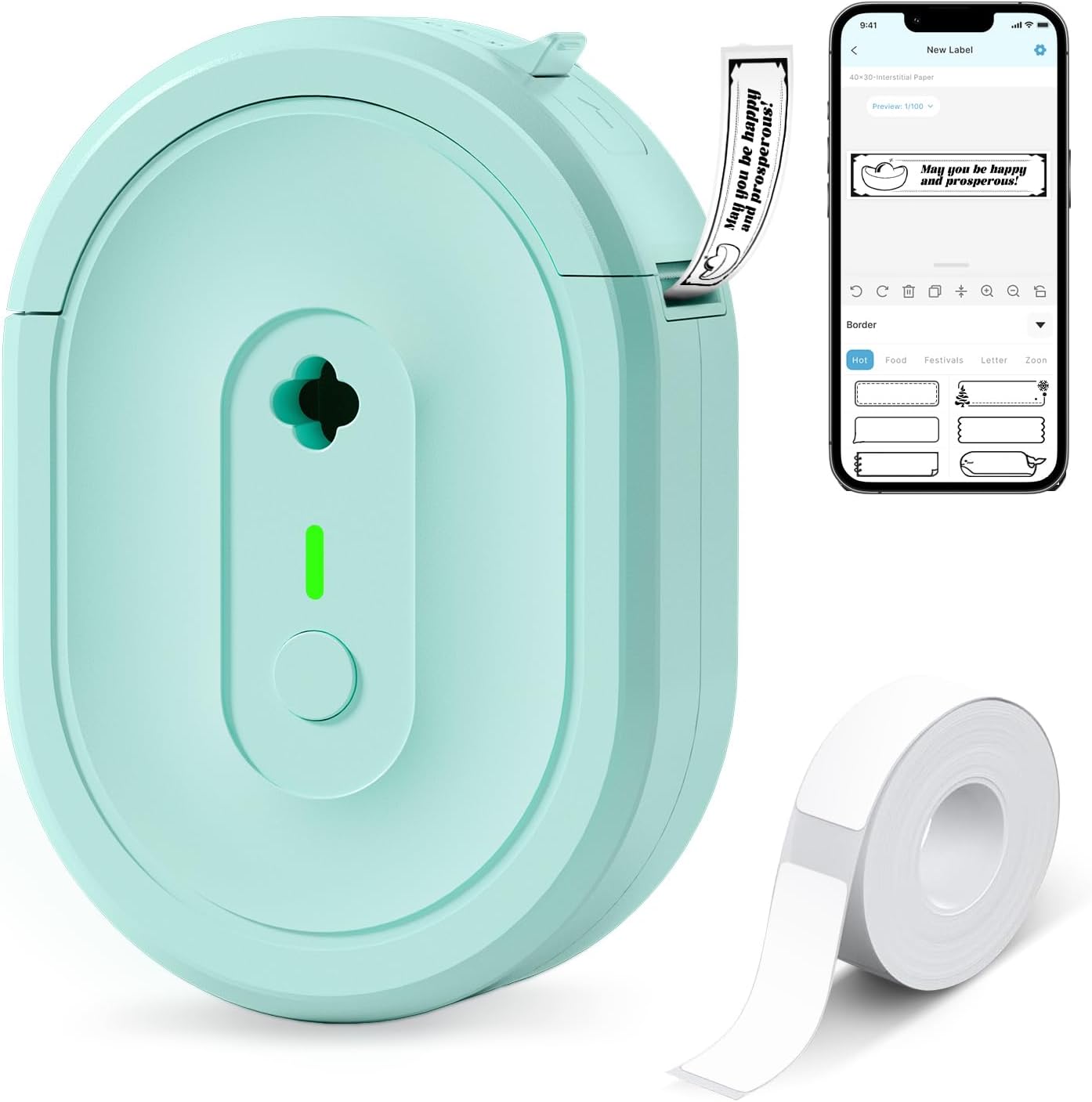
| Printer Type | Thermal |
|---|---|
| Connectivity | Bluetooth |
| Resolution | 203 x 203 dpi |
| Built-In Media | 1×180 pre-cut white labels (14×40 mm) |
The NDYIN N12 is a pocketable thermal label maker that connects to smartphones and tablets over Bluetooth and prints pre-cut adhesive labels for home, office, school, and small-business tasks. You design labels in the free Nada Print app, choose from hundreds of templates, symbols, and fonts, then send black-only thermal prints to the device; the included 12×40mm pre-cut roll gets you started and the unit runs on a built-in rechargeable battery so there are no disposable batteries or ink cartridges to buy. Its direct-thermal mechanism keeps operating costs low, and the tiny footprint and lightweight build make it easy to move between rooms or take on the go. Limits include monochrome-only output and fixed label widths that require matching paper sizes in the app before printing, so it is not suited to full-page or color label tasks. For straightforward barcode, price, pantry, and cable labeling where cost and portability matter, the N12 is a practical pick.
Best for: Buyers who need an inexpensive, portable label printer for barcode, price tags, pantry, cable, and general household or small-business labeling and who prioritize low running costs and mobile convenience.
Less Ideal for: People who need color labels, full-sheet printing, or adjustable-width industrial labels should look at more capable desktop or industrial label printers instead.
- Direct thermal printing eliminates ink, toner, and ribbons
- Bluetooth pairing with a mobile app for quick label design and printing
- Built-in rechargeable battery for cordless portable use
- Includes starter roll of pre-cut labels and charging cable
- Prints only black on thermal paper so no color or full-page printing
- Requires the Nada Print app and correct label size selection before printing
Verdict: A low-cost, battery-powered Bluetooth thermal label maker that delivers convenient monochrome barcode and asset labels with minimal ongoing expense.
NIIMBOT M2 Label Maker

| Maximum print Resolution Color | 300 x 300 dpi |
|---|---|
| Printer Type | Thermal |
| Printer Connectivity Type | Bluetooth |
| Hardware Interface | USB |
| Maximum Media Size | 2inch |
The NIIMBOT M2 is a thermal transfer label maker that produces high-resolution 300 DPI labels intended to resist fading, moisture, oils, and temperature extremes. It connects via Bluetooth to the NIIMBOT app for mobile editing and supports USB connection to a PC for driver-backed printing, and the app offers templates, barcode and QR code insertion, batch printing, and variable data like time and Excel import. The M2 uses a ribbon plus label media, which gives sharper, longer-lasting output than direct thermal media and makes it suitable for refrigerated, outdoor, or archival labeling. Practical conveniences include automatic paper rewind, intelligent consumable recognition, and rechargeable battery operation. Limitations to note are that it requires M2-series thermal transfer labels and separate color ribbons for color printing, and PC setup needs driver installation. For buyers who need robust, permanent barcode and asset labels rather than disposable direct-thermal receipts, the M2 delivers clear, durable prints but adds the ongoing ribbon-and-label consumable cost and a small setup step for computer use.
Best for: Buyers who prioritize durable, reliable barcode and asset labels for small business, lab, or refrigerated/outdoor use and want a mobile-first editing workflow with high print clarity.
Less Ideal for: Casual users who need occasional low-cost labels or direct-thermal receipts, or those who want a plug-and-play PC-only printer without driver setup.
- 300 x 300 dpi thermal transfer printing for sharp, long-lasting labels
- Prints waterproof, oil-proof, and temperature-resistant labels suitable for harsh environments
- Bluetooth mobile app with templates, barcodes, QR codes, batch printing, and PC connectivity
- Automatic paper rewind and consumable recognition to reduce wasted labels
- Requires M2-series label rolls and separate ribbons which add ongoing consumable cost
- PC use needs driver installation which adds a setup step
Verdict: Choose the M2 when you need crisp, durable barcode and asset labels that last in harsh conditions and can be edited from mobile or PC.
Nelko P21 Label Maker
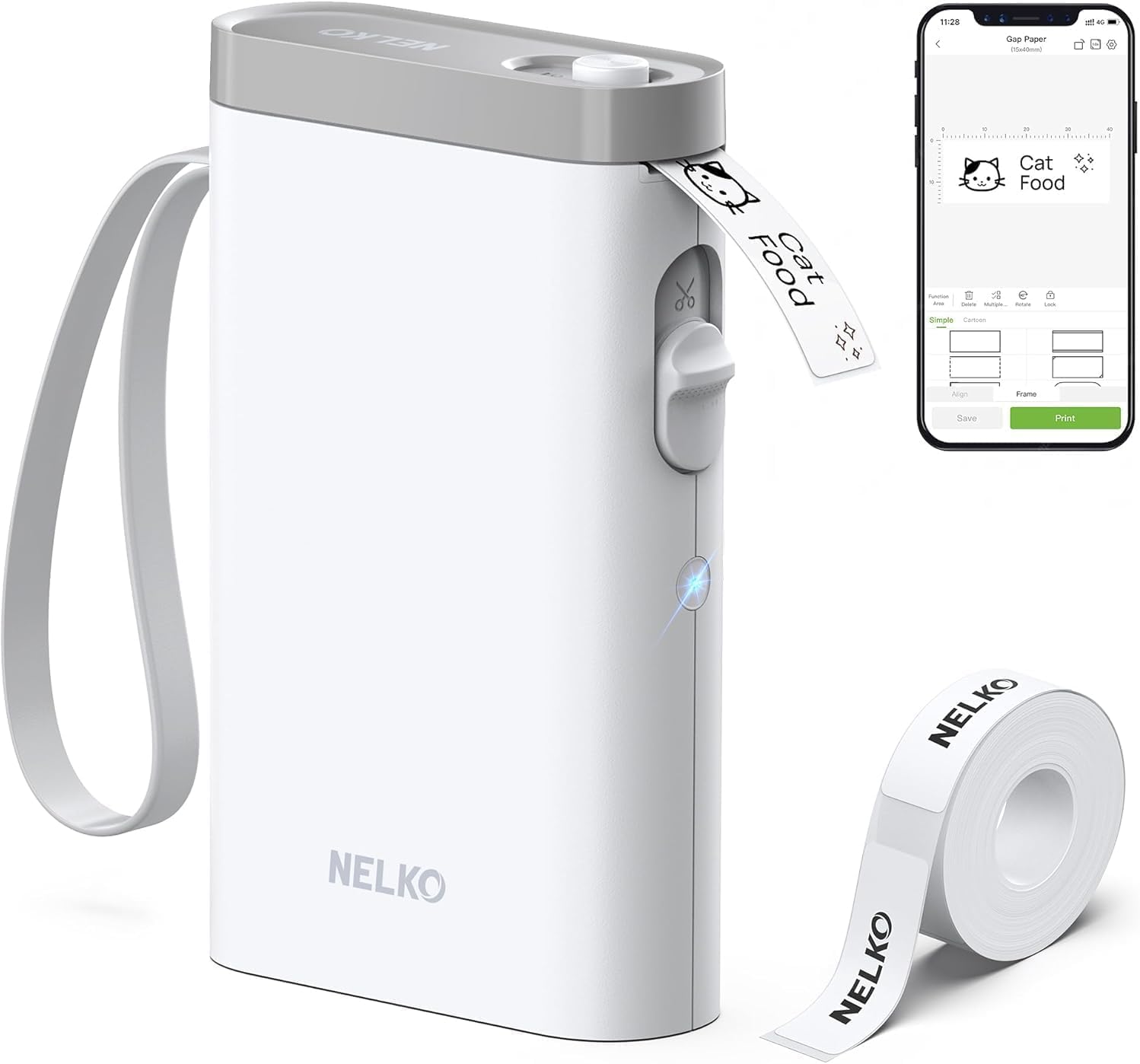
| Printer Type | Thermal |
|---|---|
| Print Resolution | 203 DPI |
| Connectivity | Bluetooth |
| Hardware Interface | USB Type C |
| Print media | Labels |
The Nelko P21 is a pocketable thermal label printer designed for quick label creation from a phone app. You connect over Bluetooth through the Nelko app, pick from templates or design custom labels with text, barcodes, and QR codes, then print on thermal label rolls without ink. Its 203 DPI print head and automatic cutter produce clear black-and-white labels for classroom, office, small business pricing, and home organization use. The unit includes a rechargeable battery and charges over USB-C, and the app supplies many icons, borders, and preset sizes so you can format labels easily. Limitations include app-only control (no computer support) and stated incompatibility with some Android 14 phones, so check device compatibility before buying, and the device prints only monochrome output so color requires patterned tape rather than true color printing. If you plan to use non-genuine label rolls, printing quality may vary and the vendor advises using Nelko media for best results.
Best for: Buyers who want a small, app-driven label printer for organizing classrooms, home storage, or small-business pricing and who value quick barcode/QR label creation from a smartphone.
Less Ideal for: Users who need a desktop or PC-controlled label printer, require full-color printing, or who must guarantee compatibility with all Android 14 devices.
- Portable, lightweight design for on-the-go label printing
- 203 DPI thermal printing yields sharp black-and-white text and barcodes
- Bluetooth pairing to Nelko app offers many templates, icons, and barcode/QR support
- Built-in rechargeable battery and USB-C charging for convenient power
- Automatic cutter produces clean, ready-to-use label strips
- Requires the Nelko mobile app for all features and cannot be controlled from a computer
- Not compatible with some Android 14 phones and may need app updates for iOS
Verdict: If you want a compact, smartphone-driven thermal label printer for crisp barcode and QR labels, the Nelko P21 is a practical, portable choice.
SUPVAN T50M Pro Label Maker

| Printer Type | Thermal |
|---|---|
| Print Resolution | 203 dots_per_inch |
| Printer Connectivity Type | Bluetooth |
| Hardware Interface | USB Type C |
| Maximum Media Size | 1-5/8'' x 1-3/16'' |
The SUPVAN T50M Pro is a handheld thermal label printer that connects over Bluetooth and is controlled via a free mobile app for Android and iOS or with onboard buttons. It prints waterproof, inkless black-and-white labels in a variety of shapes and sizes and includes three sample tapes and a USB-C charging cable. The app supplies templates, more than 30 fonts, 660+ icons, and options for barcodes, QR codes and batch printing from Excel, which makes it useful for labeling files, cables, shipping addresses and small product labels. Print resolution is 203 DPI so text and simple logos look crisp at small sizes, and automatic label-size recognition means less fiddling when switching tapes. Limitations to note are monochrome-only output and a maximum print width of about 2 inches, so it is not suitable for large format labels or color printing, and the device relies on the app for advanced layout features which can be a drawback if you prefer standalone keyboard-driven label makers.
Best for: Buyers who want a low-friction, app-driven label printer for organizing home, office or small business items and who prioritize dependable, easy setup and durable monochrome labels.
Less Ideal for: People who need full-color labels, very wide-format printing, or who prefer a standalone keyboard label maker without reliance on a mobile app.
- Bluetooth and USB-C connectivity for easy pairing and charging
- Free companion app with templates, fonts, icons, barcode and QR code support
- Inkless thermal printing produces waterproof, durable labels
- Automatically recognizes label size and supports many label shapes
- Includes multiple label tapes and charging cable out of the box
- Monochrome printing only, no color output
- Maximum print width limited to roughly 2 inches, not for large labels
Verdict: A reliable, app-controlled thermal label printer that delivers durable monochrome labels and easy barcode/QR printing for everyday home and small business labeling needs.
Choosing the Right Barcode Label Maker: Key Factors to Consider
Print Resolution and Contrast
Higher print resolution produces sharper bars and numbers, which improves scanner read rates and reduces misreads. Look at dots per inch and how the machine renders small, dense barcodes. Contrast between ink or thermal transfer ribbon and label stock matters as much as nominal resolution. Brightness, label material, and printer settings can change effective legibility, so choose a device that supports the resolution your barcode types require and offers adjustable darkness controls.
Connectivity and Workflow Integration
How the label maker connects determines where and how you can print. Wired USB is fine for single-station use, while Ethernet or Wi-Fi enables shared printing in an office or warehouse. Bluetooth and mobile app support are important if you print from tablets or phones on the go. Also verify driver and API support if you need to plug the printer into inventory, POS, or shipping software. A flexible connectivity stack saves time by fitting into existing workflows without manual file export.
Supported Media Types and Sizes
Barcode applications use a wide range of label sizes and adhesives. Confirm the device supports the label widths and die-cut formats you need, plus any tag or continuous-roll options. For outdoor or long-lived labels, thermal-transfer capability and compatible ribbon types are necessary for durability. Machines that accept common industry roll cores and bulk rolls reduce downtime and lower consumable costs. Media versatility means fewer workarounds and more consistent results across different labeling tasks.
Speed, Duty Cycle, and Reliability
Printing speed matters when you have high-volume batches. Check rated labels-per-minute and the device's duty cycle to match expected daily throughput. Equally important is the printer's mechanical reliability: how it handles feeds, jams, and frequent roll changes. A robust feed mechanism and accessible maintenance points keep operations moving and reduce unplanned service interruptions. Factor in expected daily volume to avoid underpowered units that will wear prematurely.
Software Features and Barcode Support
The label design and management software determines how easily you create and print complex barcode labels. Look for built-in support for common barcode symbologies, data variable fields, and templates. Batch printing, database import, and encoding for serialized barcodes save time in inventory systems. Also check for firmware updates and ongoing software support to maintain compatibility with changing systems and barcode standards.
Operational Costs and Consumables
Consumable availability and cost directly affect the total cost of ownership. Consider ribbon life, label roll yield, and how widely available compatible consumables are. Some devices use proprietary supplies that can be more expensive or harder to source. Evaluate how often you will change rolls and ribbons and whether bulk purchasing options are supported. Lower per-label cost becomes significant in high-volume settings.
Thermal Vs Thermal-Transfer Printing
Thermal direct printing uses heat-sensitive paper and is fast for short-term labels such as shipping or receipts. Thermal-transfer uses an inked ribbon to produce a more durable mark suitable for long-term use and outdoor exposure. Choose thermal direct for low-cost, short-lifecycle labels and thermal-transfer when you need abrasion- and solvent-resistant printing.
Consider the environment where labels will be used. Heat, sunlight, and chemicals can hasten fading on thermal direct labels. Thermal-transfer gives better resistance but requires ribbon handling and slightly higher consumable cost.
- Thermal direct: cheaper, simpler, best for short-term indoors
- Thermal-transfer: durable, resistant to smudging and solvents
- Decide based on label lifespan and exposure
Setting Up Labels for Reliable Scanning
Proper barcode design and printer calibration are essential for real-world scan rates. Leave adequate quiet zones around barcodes, use recommended sizes for the symbology, and test printed samples with the barcode scanners you will use. Adjust print darkness and speed if bars appear fuzzy or if edges are not sharply defined.
Run test prints on actual label stock and check with handheld and fixed scanners. Barcode verification tools can measure print quality against standards and help you avoid reprinting large batches that fail in the field.
- Verify quiet zones and symbol size before mass printing
- Test with intended scanners and perform sample scans
- Use verification when regulatory-level accuracy is required
Choosing the Right Label Size and Adhesive
Label size affects barcode density and readability. Smaller labels require higher resolution and careful barcode selection to remain scannable. Match adhesive type to surface material and expected lifespan. Permanent adhesives work well on cardboard and plastic, while removable adhesives are preferable for temporary tags or rental equipment.
When labels will be applied to curved or textured surfaces, select flexible materials and adhesives designed for conformability. Test adhesion under expected temperature and humidity ranges to avoid peeling or curling.
- Pick sizes that keep barcodes above minimum recommended dimensions
- Match adhesive to substrate and expected life
- Use flexible materials for irregular surfaces
Mobile Printing and On-Demand Use
If you need labels on the move, portable Bluetooth or Wi-Fi-enabled label makers let you print at the point of activity. Battery life and mounting options matter for handheld use. Mobile printers often trade some speed and roll capacity for portability, so weigh on-the-spot convenience against the need for continuous high-volume printing.
Check compatibility with mobile apps and whether the printer supports direct printing from your inventory or POS software. Simple pairing and intuitive mobile interfaces speed adoption for staff using devices in the field.
- Mobile units: best for on-the-spot labeling and field work
- Consider battery life and roll capacity for extended shifts
- Confirm app compatibility with your systems
Maintenance Tips to Maximize Uptime
Regular cleaning and proper handling of label rolls and ribbons extend printer life and reduce misfeeds. Clean print heads according to manufacturer-recommended intervals and keep the feed path free of adhesive debris. Store labels and ribbons in cool, dry conditions to prevent curling or adhesive transfer onto rollers.
Keep a small stock of common consumables and replacement parts like platen rollers to minimize downtime. Train staff on quick roll replacement and basic troubleshooting so common issues do not halt operations.
- Clean print heads and feed path regularly
- Store consumables in controlled conditions
- Train users on basic maintenance and roll changes
How We Chose the Best Barcode Label Maker
We focused on criteria that affect long-term reliability and daily efficiency for barcode label makers. Key filters included print resolution and consistency, because barcode legibility directly impacts scan success rates. We assessed connectivity and software ecosystem to ensure each unit can integrate with common inventory systems and mobile devices. Media versatility and label formats were considered to cover different label sizes, adhesive types, and thermal vs thermal-transfer options. Build and feed reliability were evaluated to reduce jams and maintenance interruption. We also considered operational cost drivers such as ribbon and label availability where applicable. Exclusions: we omitted single-purpose novelty labelers and products lacking essential barcode support or minimal resolution for reliable scanning. The final shortlist emphasizes devices that perform well across those concrete dimensions rather than models with only niche strengths.
Our full evaluation process is outlined in our review methodology.
FAQ
What barcode symbologies should a label maker support?
A useful label maker should support common symbologies like Code 39, Code 128, and UPC/EAN for retail and inventory. For 2D needs, check for Data Matrix or QR code support. Ensure the printer and software can generate the symbology you use and handle variable data if you serialize codes.
Can I print durable outdoor barcode labels?
Yes, by using thermal-transfer printing with the proper ribbon and weather-resistant label stock you can produce outdoor-ready labels. Choose materials rated for UV exposure and the expected temperature range, and test samples under real conditions before large runs.
How do I ensure barcodes stay scannable over time?
Maintain high print contrast, choose durable label materials, and protect labels from abrasives and chemicals. Regularly verify printed samples and store consumables properly. If labels are exposed to harsh conditions, thermal-transfer and laminated stocks extend lifetime.
Is mobile Bluetooth printing reliable for inventory tasks?
Mobile Bluetooth printing is reliable for on-the-spot labeling when paired with compatible apps and devices. Expect tradeoffs in speed and roll capacity compared with desktop units, and confirm battery life and pairing stability for your usage pattern.
How important is label verification?
Label verification is important for applications where scanning accuracy is critical. Verification tools measure barcode quality against standards and identify issues before deployment. For routine internal labeling, spot checks are often sufficient, while regulated or high-volume environments benefit from formal verification.
Final Verdict
Prioritize print clarity, media compatibility, and connectivity when choosing a barcode label maker. Your environment and printing volume determine whether thermal direct, thermal-transfer, desktop, or mobile formats are appropriate. Balance speed and duty cycle against long-term consumable costs and maintenance needs. By matching resolution, adhesive options, and software support to your workflow, you will minimize scanning errors and downtime and choose a device that fits your operational demands with confidence.