
Note: This article contains affiliate links. If you click on these links and make a purchase, we may earn a small commission at no extra cost to you. This helps support our research and content. Read our full affiliate disclosure here.
If you need tidy, durable labels without wrestling with cables, a Bluetooth label maker brings quick wireless setup and mobile control. The right unit saves time when organizing shelves, cables, storage bins, and paperwork, and it keeps your labeling consistent across the home or office. This guide covers the top shortlisted Bluetooth label makers, focusing on connectivity stability, print clarity, and tape compatibility so you can pick a model that fits how you work. Below are our top picks and the evaluation criteria used to narrow them down.
Top Picks at a Glance
| Best Overall The best all-around choice for most situations | NIIMBOT D110 Label Maker |  |
| Best Quality Built to a higher standard if you want something more solid | Brother P-touch PTD610BT |  |
| Best Value The sweet spot between price and what you get | SUPVAN E10 Label Maker |  |
| Best Budget The cheapest option that still gets the job done reliably | NDYIN N12 Label Maker |  |
| Top Rated A top-rated pick with lots of positive feedback | Nelko P21 Label Maker |  |
| Most Popular A crowd favorite that many people choose with confidence | Phomemo D30 Label Maker |  |
| Best Seller A high-volume bestseller chosen again and again | TYPONOS PM240 Label Maker |  |
NIIMBOT D110 Label Maker

| Printer Type | Thermal |
|---|---|
| Maximum Print Resolution Black and White | 203 DPI |
| Printer Connectivity Type | wireless |
| Wattage | 1500 milliamp_hours |
The NIIMBOT D110 is a pocketable thermal label maker that connects to iOS and Android phones via Bluetooth and prints monochrome labels on proprietary tape rolls. You design labels in the NIIMBOT app using fonts, symbols, frames, barcodes and QR codes, then send jobs to the printer for quick on-demand labels. Its thermal printing removes the need for ink or toner and the built-in RFID chip automatically recognizes tape size to simplify setup. The unit is lightweight and rechargeable, which makes it convenient for home, office, classroom or small business tasks like pantry tagging, file labels, cable marking and price tags. Print quality is modest at 203 DPI and output is limited to black-only text and simple graphics, so it is best for functional labels rather than photo-quality prints. The D110 works only through the mobile app (not with laptops or tablets) and requires compatible NIIMBOT D-series tapes, so ongoing tape purchases are part of ownership.
Best for: Buyers who want a lightweight, phone-driven label maker for everyday home, school or small-business labeling and who prioritize portability and easy template design.
Less Ideal for: Users who need color printing, high-resolution graphics, or direct laptop/tablet connectivity should look at other label printers.
- Thermal printing requires no ink or toner
- Bluetooth app control with many templates, symbols and barcode/QR support
- Automatic tape-size recognition via built-in RFID chip
- Rechargeable and very compact for portable use
- Monochrome output only, no color printing
- Requires proprietary D-series tape rolls
- Cannot connect to laptops or tablets
Verdict: Choose the D110 if you want a truly portable, phone-controlled thermal label maker that makes fast, inkless monochrome labels for everyday organization.
Brother P-touch PTD610BT

| Printer Type | Thermal |
|---|---|
| Maximum tape width | 24 millimeters |
| Resolution | 180 x 360 dpi |
| Connectivity | USB, wireless |
The PT-D610BT is a desktop-focused label maker aimed at business users who need fast, durable labels and flexible connectivity. It prints on Brother TZe laminated tapes up to 1" (24mm) with a 180 x 360 dpi engine that produces crisp barcodes, logos, and multiple-line text. You can type directly on the QWERTY keypad, preview designs on the two-line full-color LCD, or design more complex labels from a phone or computer via Bluetooth or USB using the iPrint&Label app or P-touch Editor. The unit stores frequently used labels for quick reprints, includes 175 preset templates, and has an automatic cutter to speed batch jobs. Practical benefits include robust tape options for indoor or outdoor use, barcode and QR code printing for inventory, and a large selection of fonts, frames, and symbols for professional-looking output. Limitations are its single-media path for labels only and modest onboard memory compared with full PC-driven label printers, so very large or specialized label databases are better handled from a connected computer.
Best for: Buyers who prioritize reliable, high-quality label output for retail, inventory, and asset tracking and want the flexibility to design from phones or PCs while keeping a fast desktop workflow.
Less Ideal for: Those needing heavy industrial throughput, large roll continuous printing, or advanced database integrations without a connected computer should consider a dedicated industrial label printer instead.
- Bluetooth and USB connectivity for mobile and PC design workflows
- Full-color backlit LCD with print preview for fewer mistakes
- High-resolution thermal printing suitable for barcodes and logos
- Automatic cutter and stored templates speed high-volume labeling
- Supports durable Brother TZe laminated tapes up to 24mm wide
- Not designed for continuous roll or large-format industrial label batches
- Onboard memory and database features are limited compared with dedicated industrial label systems
Verdict: A flexible Bluetooth-enabled business label maker that delivers sharp, durable labels and fast desktop workflows for performance-focused small-to-mid-size operations.
SUPVAN E10 Label Maker
| Printer Type | Thermal |
|---|---|
| Controller Type | Android / iOS |
| Printer Connectivity Type | Bluetooth |
| Hardware Interface | USB Type C |
| Print Resolution | 203 dpi |
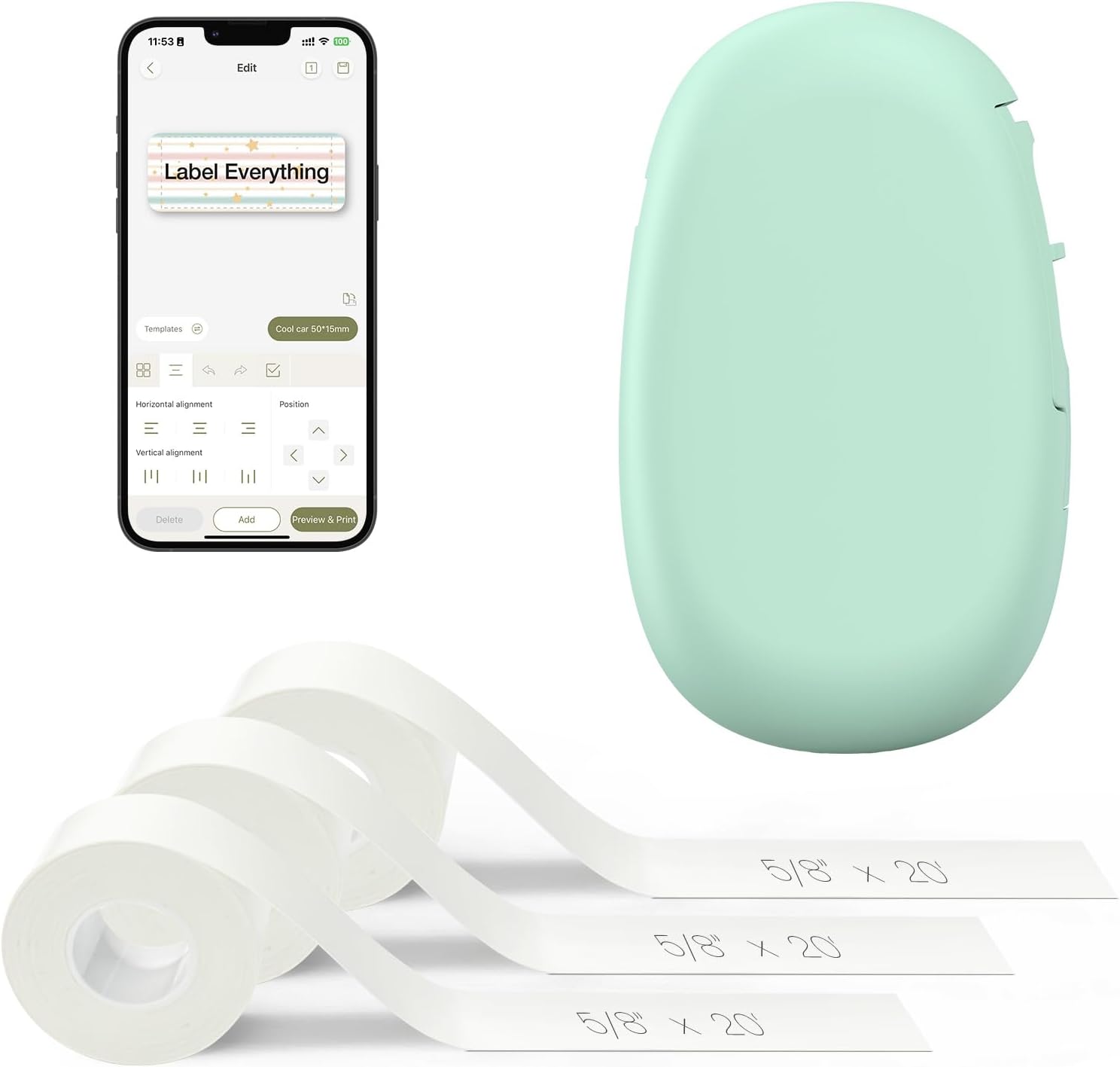
The SUPVAN E10 is a pocketable Bluetooth label printer that uses thermal, inkless printing and is controlled through a free iOS/Android app. It prints laminated, waterproof labels using either continuous or die-cut tape and includes a built-in cutter for tidy edges, making it useful for pantry, cable, school, and office organization. Setup is straightforward via Bluetooth and the app provides many design choices—40 fonts, 30 frames, and hundreds of icons—so you can craft custom labels on a phone then print quickly. The unit is rechargeable via USB-C and ships with three continuous label rolls, so you can start labeling right away. Print resolution is 203 dpi, which produces clear monochrome text and basic icons, though it is not suitable for high-resolution graphics or color printing. The E10 favors portability and convenience over advanced enterprise features, so heavy batch printing or industrial labeling workflows may be slower due to its compact media capacity and mobile-focused control.
Best for: Buyers who prioritize practical, tidy organization and want a small, rechargeable Bluetooth labeler they can control from a phone for household, school, or light office tasks.
Less Ideal for: People who need color labels, high-resolution graphics, or a desktop device for high-volume industrial printing should look for a different solution.
- Inkless thermal printing produces waterproof, oil-proof, and scratch-resistant laminated labels
- Bluetooth app control with many fonts, frames, and icons for easy custom label design
- Rechargeable battery and USB-C charging for portable, cable-free use
- Works with both continuous and die-cut tapes and includes a built-in cutter
- Ships with three rolls of continuous label tape to start labeling immediately
- Monochrome output only and 203 dpi limits fine graphic detail
- Small media capacity and mobile app workflow make it less efficient for very large batch jobs
Verdict: A compact, rechargeable Bluetooth label printer that delivers durable, customizable monochrome labels for everyday home and light office organization.
NDYIN N12 Label Maker
| Printer Type | Thermal |
|---|---|
| Printer Connectivity Type | Bluetooth |
| Resolution | 203 x 203 dpi |
| Built-In Media | 1*180 Pre-cut white labels (14x40mm) |
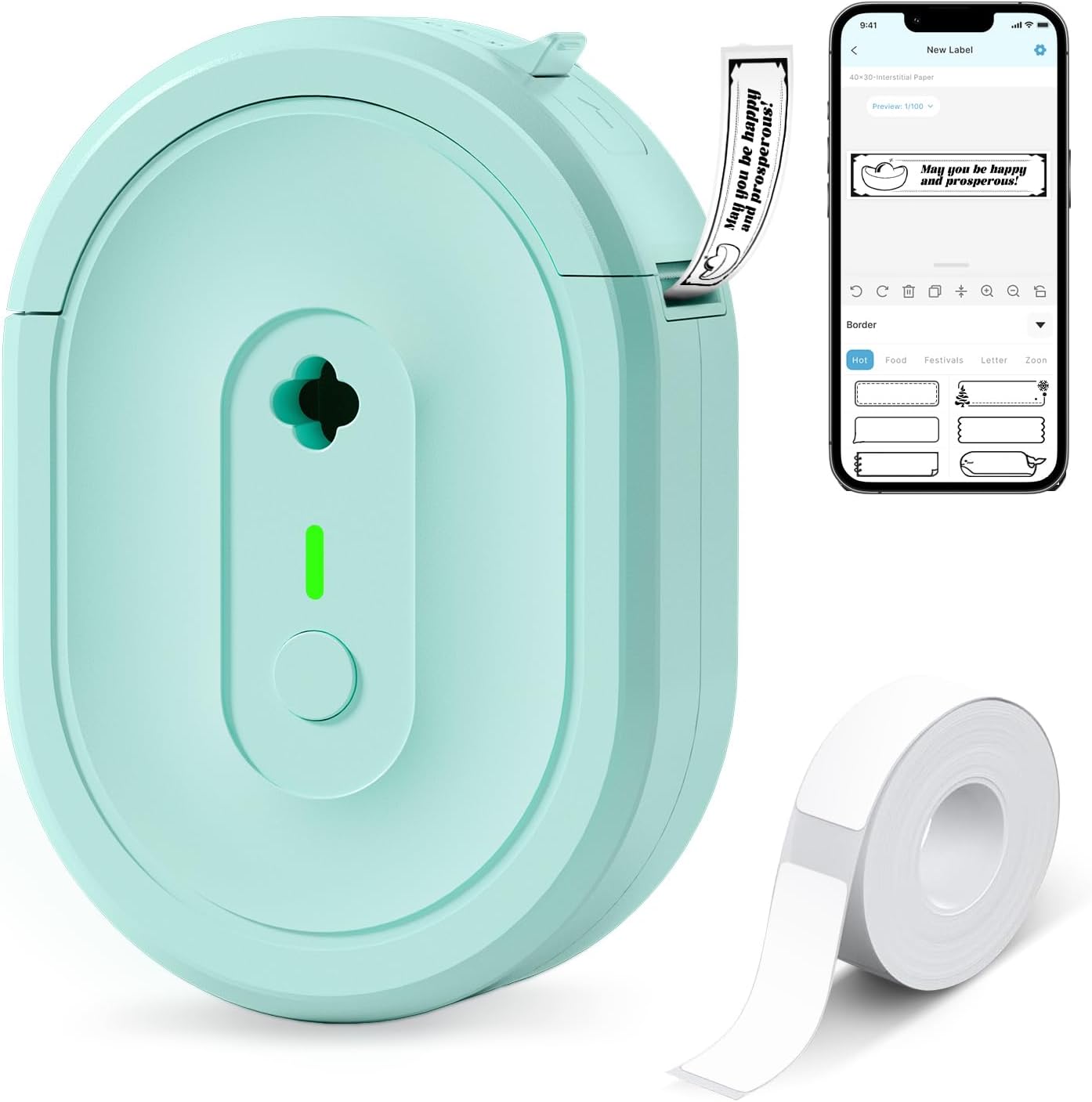
The NDYIN N12 is a small Bluetooth thermal label maker that connects to the free Nada Print app so you can design and print monochrome labels from iOS or Android devices. It uses direct thermal printing, so there is no ink or ribbon to replace, and it ships with a roll of pre-cut labels and a USB charging cable for the built-in rechargeable battery. The app supplies many templates, symbols, frames, and fonts which makes it easy to create pantry, file, cable, or price tags at home or for a small business. Print output is black-only at about 203 dpi and the unit is limited to fixed label widths the app recognizes, so it is not for high-detail graphics or color. Its compact portable body and Bluetooth pairing make it convenient for occasional on-the-go labeling, though heavy users will want faster commercial printers with larger media capacity.
Best for: Buyers looking for an inexpensive, portable Bluetooth label maker to handle household, school, or small-business tagging tasks with minimal setup and running cost.
Less Ideal for: Users who need high-resolution graphics, color labels, very large print runs, or flexible custom-width continuous media should consider higher-end thermal or commercial label printers.
- Direct thermal printing requires no ink, toner, or ribbons
- Bluetooth connection and companion app with many templates and fonts
- Rechargeable battery for truly portable use
- Includes pre-cut labels and charging cable out of the box
- Prints only black text at 203 dpi so fine graphics and color are not supported
- Fixed label widths limit custom sizing and require correct app settings
Verdict: A budget-friendly, battery-powered Bluetooth thermal label maker that keeps running costs low and is great for everyday home and small-business labeling.
Nelko P21 Label Maker
| Printer Type | Thermal |
|---|---|
| Printer Output Type | Monochrome |
| Resolution | 203 x 203 DPI |
| Printer Connectivity Type | Bluetooth |
| Hardware Interface | USB Type C |
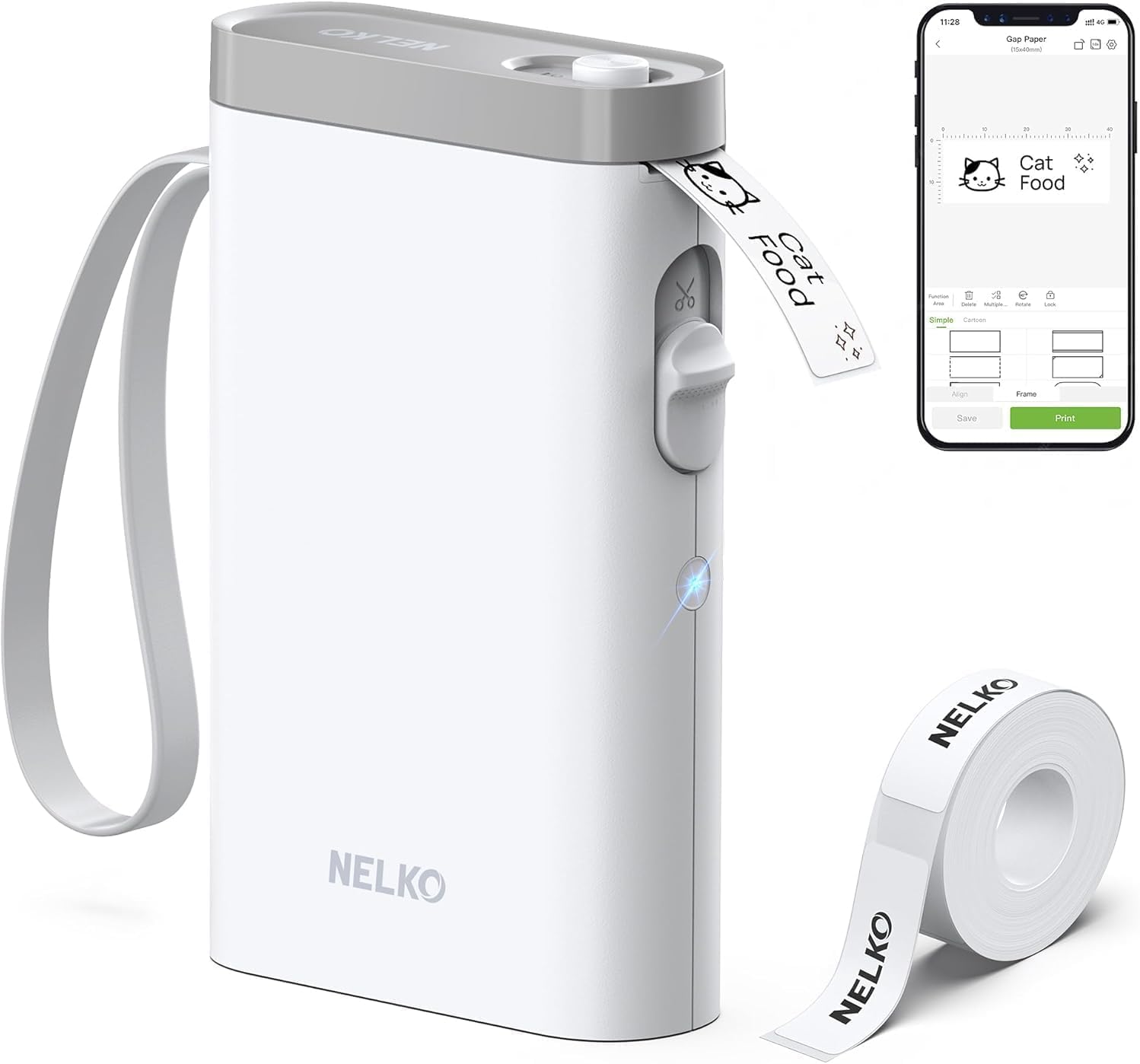
The Nelko P21 is a pocketable thermal label maker that pairs with the Nelko mobile app to design and print monochrome labels for home, classroom, and small-business use. You compose labels on an iPhone or Android phone, choose from many templates, icons, and borders in the app, then print over Bluetooth to 14–75mm pre-sized thermal tape. The device uses 203 DPI direct thermal printing so output is clear for text, barcodes, and simple graphics without ink or cartridges, and a built-in rechargeable battery keeps it portable. The unit includes a built-in cutter and USB-C charging, and Nelko bundles a roll of white label paper to get started. Limitations to note are required app-based setup and Bluetooth-only connectivity, lack of desktop/computer support, and reduced compatibility with some Android 14 phones, so it is best suited to users who expect reliable phone pairing and use only supported mobile systems.
Best for: Buyers who prioritize a compact, dependable label printer for everyday organization and classroom or small-business labeling and who expect straightforward mobile app control and portable use.
Less Ideal for: Users who need direct PC or Mac printing, full Android 14 phone support, or true multicolor printing should consider other models with native desktop drivers or color printing capability.
- Compact, lightweight form factor for portability and pocket carry
- Direct thermal 203 DPI printing delivers clear monochrome text and simple graphics without ink
- Bluetooth pairing with a mobile app offers many templates, icons, and layout options
- Built-in rechargeable battery and USB-C charging for convenient portable use
- Includes starter roll of label tape and built-in cutter for ready-to-print out of the box
- No native computer or USB printing option since control is app-only
- Not compatible with some Android 14 phones and requires the Nelko app for operation
- Prints monochrome only; color patterns require preprinted/color tape rather than color printing
Verdict: A highly portable, app-driven thermal label maker that reliably produces crisp monochrome labels from your smartphone for everyday organization.
Phomemo D30 Label Maker

| Printer Type | Thermal |
|---|---|
| Printer Connectivity Type | Bluetooth |
| Hardware Interface | Bluetooth 4.0, USB Type C |
| Print Resolution | 203 dots_per_inch |
| Maximum Media Size | 0.55 inch |
The Phomemo D30 is a compact, rechargeable thermal label printer that pairs with the Print Master app on Android or iOS to design and print labels from your phone. It prints black text onto continuous or pre-cut thermal label tapes, and the app offers thousands of templates, icons, fonts and borders plus features like barcode/QR generation, Excel batch import and picture printing. Because it uses thermal printing there is no ink, ribbon, or toner to replace, which keeps operating costs low and makes it easy to use for home, classroom, office, and small-business tagging. The D30 is very portable and charges via USB‑C, but it only outputs monochrome text so any color comes from patterned tapes rather than colored ink. Setup requires using the app's Bluetooth pairing flow and selecting the correct paper size to avoid offsets, and print clarity can depend on keeping the print head clean and the battery charged. For buyers who want a small, app-driven label maker with broad creative tools and low running cost, the D30 delivers a lot of capability in a tiny package.
Best for: Buyers who prioritize a compact, app-driven label maker with lots of templates and low running costs and who want a proven, popular device supported by many user reviews.
Less Ideal for: People who need true color printing or who prefer a standalone keyboard-driven labeler without a smartphone for design and pairing.
- Truly portable rechargeable design with USB‑C charging for easy on-the-go labeling.
- Inkless thermal printing eliminates ink, ribbons, or toner and lowers ongoing costs.
- Robust mobile app offering thousands of templates, icons, fonts and Excel batch import for fast, customized labels.
- Supports continuous and pre-cut tapes plus barcode and QR code generation for business use.
- Wide range of compatible patterned label tapes for decorative or colorized looks despite monochrome print.
- Prints only black monochrome output; color effects require patterned tapes.
- Requires the Print Master app for design and Bluetooth pairing rather than direct phone pairing methods.
Verdict: If you want a pocketable, app-powered thermal label maker with extensive templates and very low operating cost, the Phomemo D30 is a strong, practical choice.
TYPONOS PM240 Label Maker

| Printer Type | Thermal |
|---|---|
| Resolution | 203 x 203 dpi |
| Connectivity | Bluetooth, USB |
| Built-In Media | 3 label rolls (40×30mm, 50×80mm, 50×50mm) |
| Wattage | 5.55 watts |
The TYPONOS PM240 is a pocketable thermal label printer designed for simple, everyday labeling tasks at home, school, or a small business. It prints monochrome labels at 203 dpi using thermal rolls so no ink or toner is required, and it connects wirelessly over Bluetooth or by USB Type-C for PC use. The companion Labelnize app supplies a large library of templates, fonts, icons and supports Excel import, batch printing, OCR and AI text-to-image to speed up bulk or decorative label creation. Included RFID-tagged rolls let the device auto-detect label size to reduce setup steps, and the unit ships with three common tape sizes for immediate use. Practical benefits are fast startup and a small footprint that makes on-the-spot labeling easy, plus a rechargeable battery with long standby time for portability. Limitations to note are monochrome-only output and a single-roll capacity so high-volume sites will need frequent roll changes, and Bluetooth and USB cannot be used at the same time which can complicate some workflows.
Best for: Buyers who want a low-friction, reliable Bluetooth label printer for home, classroom, or small-business labeling and prefer a device that minimizes setup and ongoing fiddling.
Less Ideal for: Users needing color labels, continuous high-volume industrial printing, or simultaneous wired and wireless connections should consider heavier-duty alternatives.
- Thermal printing at 203 dpi produces clear, ink-free monochrome labels.
- Bluetooth and USB Type-C connectivity for phone and PC printing.
- Labelnize app with many templates, icons, fonts, Excel import and batch printing.
- Includes three tape rolls and RFID auto-size detection for easy setup.
- Compact, rechargeable design with long standby time for portability.
- Monochrome output only, no color printing.
- Single roll capacity requires frequent paper changes in heavy use.
- Bluetooth and USB cannot be used simultaneously which limits connection flexibility.
Verdict: A compact, app-driven Bluetooth thermal printer that delivers reliable monochrome labels with simple setup and strong template support, ideal for risk-averse buyers who want fuss-free labeling.
Choosing the Right Bluetooth Label Maker: Key Factors to Consider
Bluetooth Connectivity
A stable Bluetooth connection is essential because most Bluetooth label makers depend on a smartphone or tablet for layout and printing. Intermittent pairing or dropouts slow the workflow and force repeated attempts to resend labels.
Range matters too. If you plan to move around a larger room or carry the device when labeling shelves or storage, look for a unit with enough effective range to maintain connection without frequent re-pairing.
Print Quality and Font Options
Label legibility is the core function of a label maker. Higher-resolution print engines produce sharper text and better symbol rendering, which matters for small labels and barcode-like markings.
Also consider available fonts, sizes, and basic formatting controls. Flexible text sizing and simple alignment options let you match label style to purpose, whether you need a tiny cable tag or a bold pantry label.
Tape Widths and Material Compatibility
Different tasks require different tape types. Narrow tapes are good for cable markers and small tags, while wider tapes suit file folders, bins, and shelf labels. Durable materials such as laminated or weatherproof tapes are important for long-lasting labels in kitchens, garages, or outdoor-exposed spots.
Verify the range of tape widths and materials a label maker accepts so you do not get stuck when a specialized job comes up.
Battery Life and Power Options
Battery performance affects how often you recharge or swap batteries during labeling sessions. Rechargeable built-in batteries offer convenience for frequent use, while replaceable batteries can be useful where recharging is impractical.
Also check power options like USB charging or DC adapters. The faster you can restore power, the less downtime you will have during larger labeling projects.
Mobile App Usability
Because Bluetooth label makers rely on companion apps, the app experience directly impacts speed and creativity. A good app provides ready-made templates, an intuitive layout editor, and reliable print previewing.
Look for apps that offer offline access to templates and let you save favorites. Ease of text entry, symbol libraries, and the ability to import simple graphics can boost productivity for more complex labeling tasks.
Build Quality and Portability
Durable construction and a comfortable grip matter because label makers are handheld tools used in many environments. A compact, lightweight design makes it easier to label awkward spaces and carry the device between rooms.
Consider how the unit handles drops, dust exposure, and everyday wear. A well-built label maker will last longer and feel more reliable during frequent use.
Common Use Cases for Bluetooth Label Makers
Bluetooth label makers shine in scenarios where you want fast, wireless control from a phone or tablet. They are ideal for home organization projects such as pantry labeling, toy bins, and cable management, where mobility saves time.
Small offices benefit from quick re-labeling of file folders, desk organizers, and shared equipment tags without having to connect a cable. Installers and technicians can create on-site tags while keeping both hands free to measure and mark locations.
- Pantry and kitchen containers
- Cable and cord identification
- File folders and shelving
- Temporary event signage and tags
Setting Up and Pairing with Your Phone
Most Bluetooth label makers follow the same basic setup flow: charge or insert batteries, power on the printer, enable Bluetooth on your phone, and pair through the device settings or the companion app. The app usually guides the process and confirms a successful connection.
If pairing fails, make sure the label maker is in pairing mode and move closer to reduce interference. Restarting Bluetooth on your phone or the label maker often clears transient issues. Keep the app updated for the most reliable pairing experience.
- Charge and power on the label maker first
- Enable Bluetooth on your mobile device
- Use the official companion app for pairing
- Update firmware and app if problems persist
Tips for Better Label Design
Choose font sizes appropriate to the tape width so text remains clear. Use bold or high-contrast backgrounds for labels that will be read at a distance. When labeling cables, keep content minimal and use icons where possible.
Save frequently used templates in the app to speed up repetitive tasks. Test-print a short sample before committing to a long tape roll to confirm alignment and contrast.
- Match font size to tape width
- Use contrast for readability
- Keep cable tags short and consistent
- Save templates for recurring tasks
Maintaining and Troubleshooting
Regularly clean the print head and tape path to avoid smudges and misfeeds. Replace worn cutting blades and keep spare tape cartridges on hand for uninterrupted projects.
If labels are faint or misaligned, check the tape type and ensure the cartridge is seated correctly. For persistent Bluetooth issues, clear paired devices in your phone's Bluetooth settings and re-pair through the app.
- Clean print head and tape path periodically
- Keep spare cartridges and a replacement cutter
- Reseat cartridges to fix misfeeds
- Clear Bluetooth pairings to resolve connection issues
When to Choose Rechargeable Vs. Replaceable Batteries
Rechargeable batteries are convenient for frequent use and reduce long-term battery costs when you can access USB power easily. Expect shorter downtime if the device supports quick charging.
Replaceable batteries are useful where recharging is inconvenient, such as remote job sites or long labeling sessions without power access. Consider the availability and cost of battery types when deciding.
- Rechargeable for daily home and office use
- Replaceable for remote or intermittent power situations
- Check charge time and battery life estimates before deciding
How We Chose the Best Bluetooth Label Maker
We prioritized real-world usability for everyday labeling tasks. Key evaluation criteria included Bluetooth connectivity stability and range, which determines whether a unit pairs reliably with phones and tablets across a typical room. Print quality and font flexibility were used to judge legibility at common label sizes and to ensure clear, scannable text. Tape compatibility and available tape widths mattered for durability and the range of applications from small cable tags to wider file labels. Battery life and power options were assessed to estimate how often you will need to recharge or replace batteries during regular use. Finally, mobile app features, including template selection and editing ease, influenced the list because the app is integral to the wireless experience. We excluded units that lack standard tape sizes, have unreliable Bluetooth stacks, or offer only minimal mobile app support. We also filtered out devices designed solely for industrial printers that do not match typical home and small-office use. The final selection focuses on convenience, dependable wireless performance, and print quality.
Our full evaluation process is outlined in our review methodology.
FAQ
Will any Bluetooth label maker pair with my phone?
Most label makers use standard Bluetooth profiles and will pair with modern phones, but compatibility depends on the companion app and the device's Bluetooth version. Confirm that the app supports your phone's operating system before buying.
What tape types should I buy for indoor versus outdoor labels?
For indoor use, standard paper or laminated tapes work well for cabinets and files. For outdoor or high-moisture areas, choose weatherproof laminated or vinyl tapes that resist fading and moisture.
How long do label maker batteries usually last?
Battery life varies widely based on battery type and usage patterns. Rechargeable units often provide several hours of active printing, while replaceable batteries can last longer between swaps depending on usage intensity.
Can I use custom fonts or graphics from my phone?
Companion apps usually support a range of built-in fonts and some allow simple graphics or emoji. Support for fully custom fonts or imported graphics depends on the app and may be limited.
Why do my labels sometimes print faint or misaligned?
Faint prints often indicate low tape supply, a dirty print head, or an incompatible tape material. Misalignment can result from an improperly seated cartridge or a worn cutter. Cleaning the print path and reseating the cartridge often resolves these issues.
Final Verdict
Prioritize Bluetooth stability, print clarity, and tape compatibility when choosing a Bluetooth label maker. Decide whether portability and battery type matter more than advanced app features based on how and where you will label most often. Balancing reliable wireless performance with the right tape options will ensure the label maker you pick handles everyday tasks efficiently and lasts through repeated use.