
Note: This article contains affiliate links. If you click on these links and make a purchase, we may earn a small commission at no extra cost to you. This helps support our research and content. Read our full affiliate disclosure here.
If you pack and ship items regularly, the right Bluetooth shipping label maker can speed workflows, reduce errors, and produce scannable, durable labels. You want a unit that pairs easily with phones or tablets, prints clearly on common label sizes, and holds up to frequent use. This guide covers seven shortlisted Bluetooth shipping label makers chosen for dependable connectivity, label quality, and day-to-day usability. Below we explain the criteria we used, highlight what matters when choosing, and answer the most common questions to help you pick the right label maker for your packing station.
Top Picks at a Glance
| Best Overall The best all-around choice for most situations | Nelko PL70E Bluetooth Label Printer |  |
| Best Quality Built to a higher standard if you want something more solid | MUNBYN RealWriter 130B |  |
| Best Value The sweet spot between price and what you get | KNAON Y813BT Thermal Label Printer |  |
| Best Budget The cheapest option that still gets the job done reliably | Rongta RP425 Thermal Label Printer |  |
| Top Rated A top-rated pick with lots of positive feedback | HKHKPI N40 Label Printer |  |
| Most Popular A crowd favorite that many people choose with confidence | JADENS JD268BT 4×6 Label Printer |  |
| Best Seller A high-volume bestseller chosen again and again | NULLTONEX Y813 Thermal Label Printer |  |
Nelko PL70E Bluetooth Label Printer

| Printer Type | Thermal |
|---|---|
| Maximum Media Size | 4 x 6 inch |
| Resolution | 203 x 203 DPI |
| Printer Connectivity Type | Bluetooth, USB |
| B&W Pages per Minute | 72 |
The Nelko PL70E is a compact direct-thermal 4×6 label printer that prints shipping and barcode labels from phones, tablets, and computers via Bluetooth or USB. It is typically used at a shipping station or small business desk to produce 4×6 shipping labels, smaller barcode tags, and mailing stickers without ink or toner. Setup is app-driven for iOS and Android and drivers support Windows and macOS (USB required for some Macs), and the printer accepts both fan-fold and roll media in widths from about 1.54" to 4.1". At 203 x 203 DPI it delivers clear, readable text and barcodes, and the rated speed (about 150 mm/s or up to 72 4×6 labels per minute) keeps throughput high for moderate daily volumes. The unit ships with cables and starter labels and offers automatic detection and simple paper return for easier handling. Limitations include modest print resolution compared with higher-end thermal models and occasional platform quirks that require using the vendor app to send PDFs from some services, so integration with certain shipping workflows may need a small setup step.
Best for: Sellers and small business users who want a compact, cost-efficient shipping label printer that works from phones and PCs and speeds up packing and fulfillment tasks.
Less Ideal for: High-volume warehouses or users who need very high-resolution thermal printing or plug-and-play integration with complex shipping software without using the vendor app.
- Bluetooth and USB connectivity for phone and computer printing
- Direct thermal printing requires no ink or toner
- Accepts common label sizes including 4×6 and smaller widths
- Fast print speed suitable for moderate shipping volumes
- Includes cables and 50 starter 4×6 labels for quick setup
- 203 x 203 DPI is basic resolution compared with higher-end thermal printers
- Some Mac Bluetooth printing requires using USB or the vendor app to handle PDFs
Verdict: A compact, app-friendly Bluetooth thermal printer that saves supplies costs and reliably churns out 4×6 shipping labels for small businesses.
MUNBYN RealWriter 130B
| Printer Type | Thermal |
|---|---|
| Resolution | 203 x 300 dpi |
| Maximum Media Size | 4 x 6 inch |
| Printer Connectivity Type | Bluetooth |
| Hardware Interface | USB |
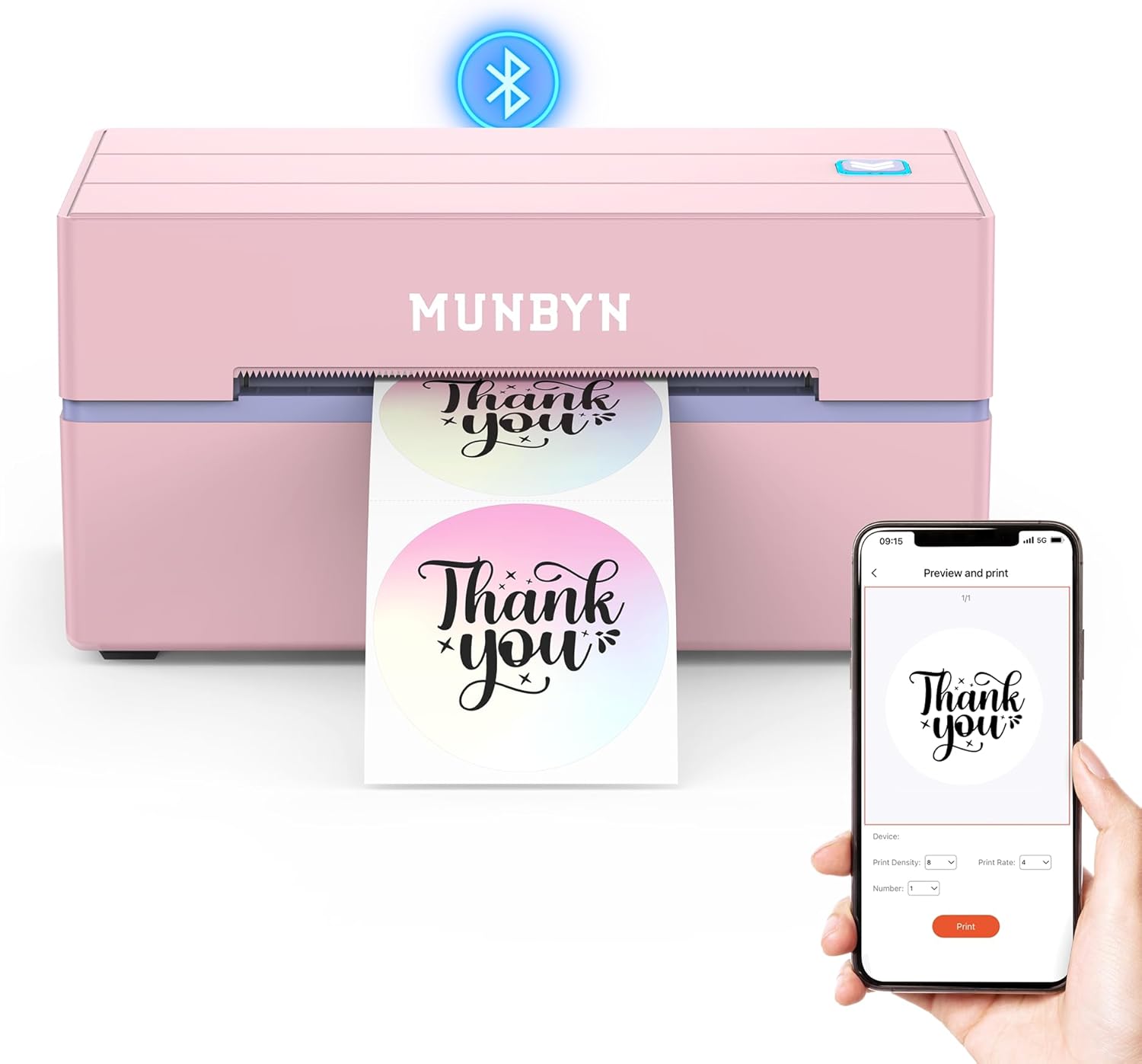
The MUNBYN RealWriter 130B is a small, Bluetooth-capable thermal label printer built for shipping, branding, and general label tasks. Setup is straightforward: pair with the MUNBYN Print app on iOS or Android or use the Munbyn Editor in Chrome on a laptop, and you can design labels from templates or import PDFs. It prints monochrome thermal labels at 203 dpi and handles media up to 4 x 6 inches, so it covers standard shipping labels as well as many specialty formats the company offers. The unit supports USB when Bluetooth is not available and offers a library of templates, fonts, and design elements useful for small-business workflows. At its size it is portable and aimed at frequent label printing rather than heavy-duty industrial volume; print resolution and speed are tuned for crisp barcodes and addresses but thermal output can look faint on nonrecommended media. MUNBYN recommends using its labels for best results and notes some compatibility issues with certain UPS thermal papers, so expect the best reliability with factory-quality supplies.
Best for: Buyers who prioritize fast, reliable Bluetooth label printing for shipping and small-business branding and want an easy-to-use app-based workflow.
Less Ideal for: Those needing an industrial desktop printer for continuous high-volume commercial shipping or users who must rely on third-party thermal paper without vendor recommendations.
- Bluetooth plus USB connectivity for mobile and desktop workflows
- Supports standard 4×6 shipping labels and several specialty label sizes
- 203 dpi resolution suitable for clear barcodes and addresses
- Dedicated app and web editor with many templates, fonts, and design elements
- Performance depends on using recommended MUNBYN thermal labels as some third-party papers may print faintly
- Not intended as an industrial high-volume printer
Verdict: A compact Bluetooth thermal printer built for small businesses that need reliable, app-driven 4×6 shipping label printing.
KNAON Y813BT Thermal Label Printer
| Printer Type | Thermal |
|---|---|
| Printer Connectivity Type | Bluetooth |
| Maximum Print Resolution Black and White | 203 dpi |
| Maximum Media Size | 4.2 inches |
| B&W Pages per Minute | 60 pages_per_minute |
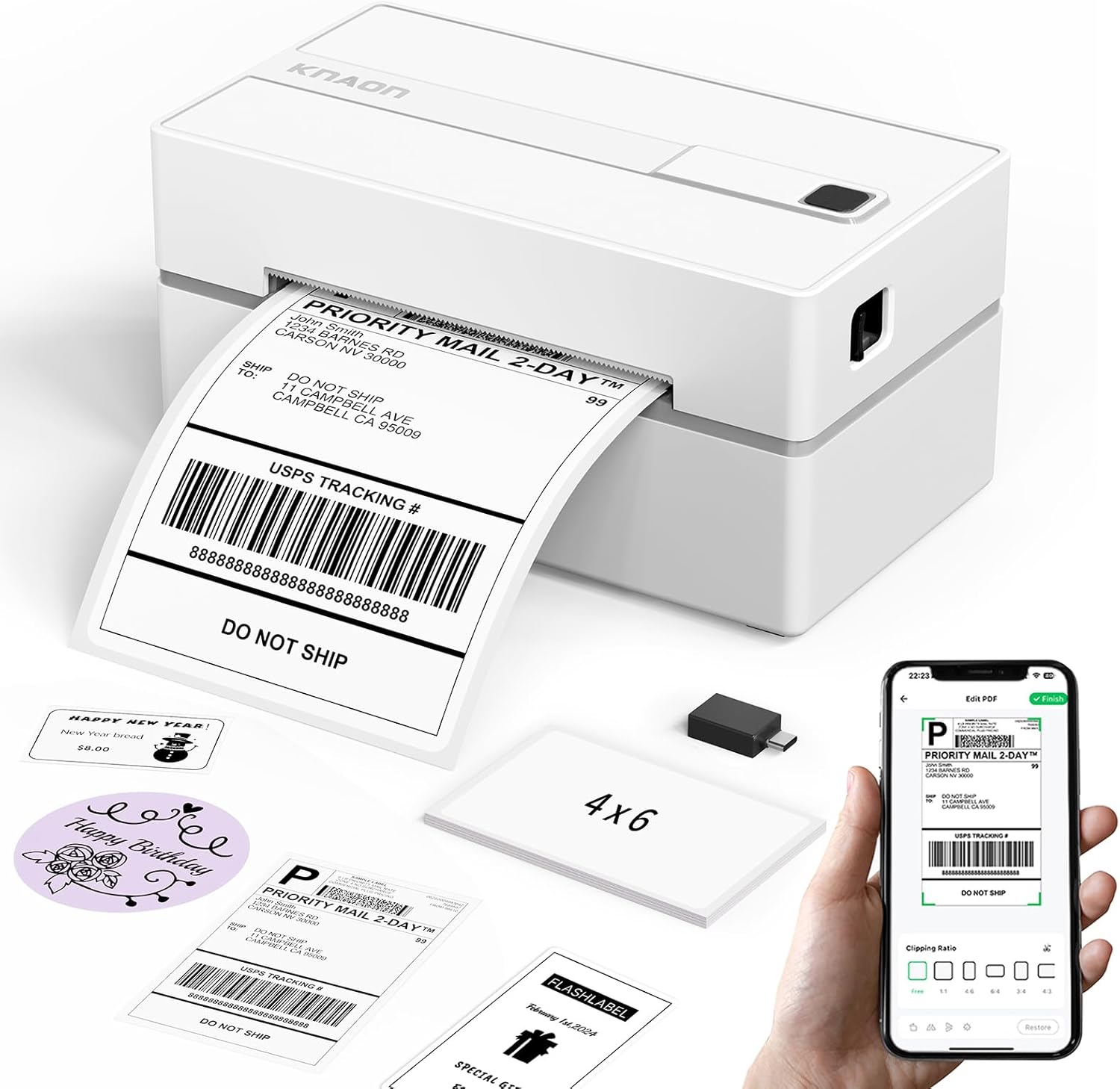
The KNAON Y813BT is a portable thermal label printer aimed at small businesses and home offices that need quick shipping and product labels. It prints monochrome labels without ink using thermal media, supports Bluetooth and USB connections, and works with a companion app called FlashLabel Pro for iPhone, Android, Windows, macOS, ChromeOS, and Linux. The printer handles label widths from 1.5 to 4.2 inches, offers a fast print rate (advertised up to 180 mm/s) and includes a selection of starter label papers and templates in the app for address, barcode, price, and thank-you labels. Setup is simplified by built-in drivers on a USB drive and short OS driver guides, but Bluetooth printing requires using the app rather than direct OS pairing. Resolution is modest at around 203 dpi, so small fine-detail graphics may not be as crisp as higher-resolution printers. The unit is lightweight and compact for desktop or mobile use, making it practical for frequent label tasks while trading off photo-quality prints for speed and convenience.
Best for: Buyers who want a compact, fast label printer to streamline shipping and small-batch label tasks and value easy mobile printing and template options.
Less Ideal for: Users who need high-resolution graphics or photo-quality labels, or who require native OS Bluetooth printing without a vendor app.
- Wireless Bluetooth printing from mobile devices via FlashLabel Pro app
- Supports multiple platforms including Windows, macOS, ChromeOS, and Linux via USB or app
- Handles a wide range of thermal label widths up to 4.2 inches
- Fast printing speed suitable for high-volume shipping label batches
- Includes starter media and built-in drivers/tutorials for quicker setup
- Print resolution is standard thermal 203 dpi which limits fine detail reproduction
- Bluetooth printing requires use of the vendor app rather than native OS pairing
Verdict: A compact, app-driven thermal printer that speeds up shipping and inventory labeling with broad platform support and fast output.
Rongta RP425 Thermal Label Printer

| Printer Type | Thermal |
|---|---|
| Resolution | 203 x 203 dpi |
| Maximum Media Size | 4 x 6 inches |
| Printer Connectivity Type | Bluetooth, USB |
The Rongta RP425 is a budget-minded direct thermal label printer designed for printing 4×6 shipping labels and smaller sticker formats. It connects via Bluetooth for phone/tablet printing and via USB for PC or Mac after installing the driver, and it prints only in black and white using inkless thermal media. Typical use is straightforward: load a roll or fan-fold 4×6 label, pair the device, and send shipping or barcode labels from your shipping app or the RONGTA mobile app. At 203 x 203 dpi it delivers legible barcodes and address text suitable for carrier scanning, and the small footprint makes it easy to tuck on a desk. Limits to expect are modest resolution compared with higher-end thermal printers and the need to install drivers for full desktop use on macOS or Windows; color printing is not supported. For sellers who need a simple, affordable label workhorse the RP425 covers the basics without extras like advanced label sensors or high-speed industrial output.
Best for: Small businesses or home sellers who want an inexpensive, space-saving label printer that can print standard 4×6 shipping labels from phones or computers without ink.
Less Ideal for: High-volume shippers, warehouses, or users who need high-resolution label graphics, color printing, or advanced industrial features.
- Bluetooth and USB connectivity for phone, tablet, and computer printing
- Direct thermal inkless printing removes the need for ink or toner
- Supports standard 4×6 shipping labels used by major carriers
- Compact footprint fits small workspaces and home offices
- 203 x 203 dpi limits fine-detail and small-font clarity compared with higher-resolution models
- Requires driver install for desktop/macro use which adds setup steps
Verdict: A no-frills, affordable 4×6 thermal label printer that gives small sellers reliable Bluetooth and USB shipping-label printing without ink.
HKHKPI N40 Label Printer

| Maximum Media Size | 4 x 6 inches |
|---|---|
| Resolution | 203 x 203 dpi |
| Printer Connectivity Type | Bluetooth |
| Hardware Interface | USB |
| Maximum Sheet Capacity | 100 |
The HKHKPI N40 is a dedicated thermal label printer for printing 4×6 shipping labels and other roll or fanfold labels without ink or ribbons. It pairs over Bluetooth to iOS and Android using the Nada Print app and also supports USB connection for Windows, macOS and Linux via downloadable drivers. The unit automatically calibrates and uses direct thermal technology at 203 dpi for crisp barcode and address prints, and the manufacturer rates print speed up to about 150 mm/s (roughly 4×6 labels per minute in practical use). Its compact, portable footprint and smart paper ejection help prevent jams and make it easy to tuck on a desk or move between workspaces. Setup requires the app for mobile use or driver installation for desktop, and you need to calibrate label size when switching stock types. The N40 ships with a small starter pack of 4×6 labels and a Type-C cable and power adapter, making it ready for immediate use in small shipping workflows.
Best for: Buyers who prioritize a dependable, no-fuss label printer for regular shipping use and want a compact unit that works with phones and computers.
Less Ideal for: People who need color labels, higher than 203 dpi fidelity, or heavy industrial throughput should consider higher-end thermal models instead.
- Direct thermal printing eliminates ink, toner, and ribbons
- Bluetooth and USB connectivity for mobile and desktop workflows
- Automatic calibration and smart ejection reduce label jams and waste
- Compact, portable design fits small workspaces and small business stations
- Requires driver installation and manual calibration on some desktop OS setups
- Limited to monochrome 203 dpi output so no color printing
Verdict: A compact, reliable Bluetooth-enabled thermal printer that delivers straightforward 4×6 shipping labels without ink, ideal for small businesses that need dependable daily printing.
JADENS JD268BT 4×6 Label Printer

| Printer Type | Thermal |
|---|---|
| Resolution | 203 x 203 DPI |
| Maximum Media Size | 4 x 6 inches |
| Printer Connectivity Type | Bluetooth |
| Maximum Sheet Capacity | 50 |
The JADENS JD268BT is a compact thermal label printer built for printing 4×6 shipping labels and a variety of smaller label sizes without ink or toner. It pairs over Bluetooth for Windows and Mac and offers an app-based workflow for Android and iOS, while a USB connection is available for desktop use. The unit uses a 203 dpi thermal head for clear, scannable barcodes and supports fanfold and roll media with a stated 50-sheet capacity, making it practical for light to moderate daily shipping. Setup is straightforward with included cables, test labels and driver files, and the printer integrates with common shipping platforms so you can push carrier labels directly. Expect fast, simple monochrome output and low running costs thanks to thermal printing, but note the printer relies on the vendor app for phone printing and offers basic controls rather than advanced formatting or high-resolution graphics. If you need a no-frills, reliable label printer for routine shipping tasks, this is a sensible pick; power users who need advanced label design tools or very high monthly volumes may want a more feature-rich desktop model.
Best for: Buyers who want a dependable, low-maintenance thermal label printer for routine shipping and order fulfillment and who value simple setup and platform integrations backed by many user reviews.
Less Ideal for: Shops that need high-volume industrial throughput, elaborate label design features, or photo-quality printing should consider higher-end models with advanced software and faster engines.
- Thermal printing with 203 x 203 DPI produces crisp, barcode-friendly labels without ink or toner
- Bluetooth and USB connectivity let you print from desktops and mobile devices
- Supports common label sizes including 4×6 and multiple small formats for shipping and product tags
- Includes cables, test labels and drivers for quick out-of-box setup
- Works with major shipping platforms for straightforward label workflows
- Mobile printing on Android/iOS requires the vendor app which may limit advanced layout options
- Basic control set and 203 dpi resolution are not suited for high-detail graphics or premium label finishes
Verdict: A compact, reliable Bluetooth thermal printer that delivers clean 4×6 shipping labels with simple setup and cross-platform connectivity.
NULLTONEX Y813 Thermal Label Printer

| Printer Type | Thermal |
|---|---|
| Resolution | 203 x 203 dpi |
| Maximum Media Size | 4 X 6 Inches |
| Connectivity | Bluetooth, USB, wireless |
| Power Consumption | 24 watts |
The NULLTONEX Y813 is a small direct-thermal label printer built for shipping and high-volume label tasks without ink or toner. It prints 4×6 shipping labels and other narrow labels at a 203 dpi resolution and can crank through jobs quickly via Bluetooth or a wired USB connection. The included FlashLabel Pro app provides templates, fonts, and offline template storage so you can design and print from phones, tablets, Macs, or PCs, while built-in overheat protection helps sustain long runs. Setup is straightforward: install the driver or pair over Bluetooth, load thermal labels, and begin printing — the unit ships with starter labels and cables. Practical strengths are its compact footprint, wide platform compatibility with major carriers and marketplaces, and the cost savings of direct-thermal printing. Limitations are typical of thermal-only units: prints are monochrome and require thermal-compatible labels, and advanced office features like duplex or full-page color printing are not supported.
Best for: Buyers who want a reliable, easy-to-use shipping label printer for small business or home shipping and prefer a simple wireless or USB workflow with low ongoing consumable costs.
Less Ideal for: People who need color printing, duplex pages, or a full-feature office printer for mixed document types should consider different devices.
- Direct thermal printing eliminates ink or toner and lowers ongoing supplies cost
- Bluetooth and USB connectivity works with phones, tablets, Mac and PC
- Compact, reinforced matte design with built-in overheat protection for long runs
- Comes with FlashLabel Pro app offering templates, fonts, and offline template storage
- Prints only in black and white using thermal labels
- Requires direct-thermal label stock and occasional printhead cleaning for best results
Verdict: A compact, cost-efficient Bluetooth-enabled thermal label printer ideal for small businesses that need fast, reliable 4×6 shipping labels without ink or toner.
Choosing the Right Bluetooth Shipping Label Maker: Key Factors to Consider
Print Quality & Resolution
Print clarity determines whether carrier scanners and barcode readers can read labels reliably. Higher thermal printer resolution produces sharper barcodes, finer text, and clearer logos, which reduces scan failures at shipping hubs.
Consider how often you ship items that require small-font customs information or dense barcode data. If you run labels off a phone app, check that the device supports the label widths and provides settings to control contrast and print darkness for thermal media.
Bluetooth Connectivity and Setup
A stable Bluetooth link to your phone, tablet, or computer is essential for uninterrupted label printing. Look for simple pairing flows, broad OS support, and a consistently maintained companion app. Devices that fall back to USB or offer multi-device pairing are easier to integrate into varied workflows.
Also evaluate the effective Bluetooth range and interference resistance in your workspace. Warehouses and busy packing rooms can present wireless noise that affects pairing and data transfer, so robust connectivity helps avoid mid-shift disruptions.
Supported Label Sizes and Formats
Shipping requires particular label dimensions, most commonly 4×6 inches for carrier labels. Confirm the device supports those standard sizes and any smaller or specialty labels you use for returns, packing slips, or fragile stickers.
Also check whether the printer handles continuous rolls or pre-cut die-cut labels, as roll handling affects reloading speed and waste. Compatibility with popular thermal label materials ensures you can source replacements easily.
Battery Life and Power Options
Portability matters when you move between packing stations or use a handheld printer for mobile shipping desks. Battery capacity affects how many labels you can print per charge and whether the unit needs frequent recharging.
Examine whether the device supports USB power while printing, hot-swappable batteries, or power-saving modes. For high-volume days, the ability to plug in and continue printing prevents downtime.
Feed Reliability and Build Quality
Label jams and misfeeds slow operations and increase waste. A well-designed feed path, solid platen rollers, and straightforward reloading reduce the chance of jams and make maintenance quick.
Look for durable housings and user-serviceable components if you expect heavy use. Devices with easy-to-follow loading guides and clear media windows help minimize operator errors during busy shifts.
App Features and Integration
The companion app determines how easily you design, edit, and print labels from your device. Useful features include templates for carrier labels, barcode generation, address book sync, and print preview.
Integration options with shipping platforms or order-management tools can save time by pulling address data directly into labels. Confirm whether the app receives regular updates and supports the file formats you need.
Common Shipping Label Sizes and When to Use Them
Most carriers and fulfillment providers expect a 4×6-inch label for shipping. That size holds a full carrier barcode, address block, and shipment metadata while remaining easy to affix to boxes and pallets.
Smaller label sizes, such as 2×4 inches or custom-width options, are useful for return labels, small parcel stickers, or internal routing. Choosing a printer that supports multiple widths reduces the need for different machines.
- 4×6 inch: standard carrier shipping label
- 2×4 inch: return labels or small-item stickers
- Continuous rolls: useful for non-standard widths or batching
Setting Up a Bluetooth Label Printer with Mobile Devices
Begin by charging the printer and installing the maker's app on your phone or tablet. Follow the app's pairing instructions and grant any permissions it requests for Bluetooth and file access. Create or import an address book to speed label creation.
Test the connection by printing a single address label and scanning the barcode with a smartphone app. If the printer supports firmware updates, apply them during setup to ensure the most stable Bluetooth behavior.
- Charge fully before first use
- Grant app permissions for Bluetooth and storage
- Run a test print and perform a barcode scan
Maintaining Your Bluetooth Shipping Label Maker
Regular maintenance keeps prints consistent and prevents jams. Clean the thermal print head periodically with recommended wipes, inspect rollers for debris, and replace worn platen rollers when print artifacts appear.
Store labels in a dry place away from direct sunlight to prevent adhesive degradation. Keep spare rolls on hand to avoid interruptions during peak shipping periods.
- Clean the print head every few rolls or when print quality drops
- Inspect feed path for dust and label remnants
- Rotate spare label rolls to match humidity conditions
Troubleshooting Common Bluetooth and Print Issues
If pairing fails, toggle Bluetooth on both devices and try forgetting the device entry in your phone's Bluetooth settings before re-pairing. Restarting the printer and the mobile device often clears transient errors.
If print density is too light or dark, adjust the darkness or contrast setting in the app. Persistent streaks often point to a dirty print head, while misaligned prints may mean labels were loaded incorrectly.
- Pairing issues: restart devices and re-pair
- Light prints: increase darkness in settings
- Streaks: clean the print head
Workflow Tips for Faster Packing and Labeling
Organize your packing station so label rolls, tape, and packing slips are within easy reach. Batch printing addresses when orders are picked reduces repeated Bluetooth handshakes and speeds the packing line.
Use label templates to pre-fill common fields and map carriers to templates for consistent outputs. Consider a dedicated tablet mounted at the station to avoid pairing with multiple individual devices.
- Batch print during order picking
- Use templates for repeated label types
- Mount a dedicated device to avoid frequent pairing
How We Chose the Best Bluetooth Shipping Label Maker
We limited our selection to compact, battery or USB-powered Bluetooth shipping label makers designed to print common shipping label sizes and connect to phones, tablets, or computers. Our editorial filters emphasized real-world usability over novelty features. We considered print resolution and supported label sizes because legible barcodes and carrier labels are essential for automated scanning. Connectivity reliability and setup simplicity were prioritized since intermittent Bluetooth connections are a top cause of delays. Battery life and power options were assessed to ensure a unit can handle typical daily volume without frequent recharges. Build quality and feed/label handling were examined for jam resistance and long-term durability. We excluded units intended only for desktop USB printing, specialist industrial thermal printers without Bluetooth, and non-shipping-focused handheld labelers that do not support standard carrier label dimensions. Our picks reflect devices that balance portable convenience with the label size, print clarity, and connection stability shipping tasks demand.
Our full evaluation process is outlined in our review methodology.
FAQ
Will a Bluetooth shipping label maker work with any smartphone?
Many models support both iOS and Android, but compatibility can vary by app. Check the product's stated OS support and app requirements before buying, and verify the app is available in your device's app store.
Can I print standard 4×6 carrier labels with a handheld Bluetooth label maker?
Yes, several portable Bluetooth label makers handle 4×6-inch labels. Confirm that the unit explicitly lists that size and supports the media type—thermal direct rolls or die-cut labels—you plan to use.
How long does battery power usually last on these printers?
Battery life depends on capacity, print density, and usage pattern. Typical portable units print dozens to several hundred labels per charge. Look for specs measured in label counts or continuous print time for a realistic expectation.
Do these devices require special label stock?
Shipping label printers typically use thermal direct label rolls or die-cut thermal labels. They do not use ink, but you must match label width and core size. Verify the recommended media specifications before buying replacements.
What should I do if labels keep jamming?
First, confirm you are using the correct label width and that labels are loaded per the manufacturer's instructions. Clean the feed path and print head, check for adhesive buildup, and replace worn rollers if jams persist.
Final Verdict
When choosing a Bluetooth shipping label maker, prioritize print quality, reliable Bluetooth connectivity, and support for the label sizes you use most. Factor in battery and power options if you need portability, and examine feed mechanism design to reduce jams and maintenance time. Balance these tradeoffs based on your daily volume: pick higher-resolution units for frequent barcode scanning needs, or prioritize robust connectivity and power features for mobile or multi-station workflows. With the right priorities, you can select a unit that speeds packing and reduces shipping errors.