
Note: This article contains affiliate links. If you click on these links and make a purchase, we may earn a small commission at no extra cost to you. This helps support our research and content. Read our full affiliate disclosure here.
A reliable label maker for offices changes how teams find supplies, track storage, and keep shared spaces organized. Whether you run a small administrative office or manage a busy department, the right labeler reduces errors, saves time, and makes filing and storage consistent. This guide covers our top picks for office-friendly label makers, shortlisted for clarity, speed, and day-to-day usability. We evaluated each option across practical criteria so you can pick a labeler that fits your workplace workflow and printing needs. Read on to see which models earned our selection and why they stand out.
Top Picks at a Glance
| Best Overall The best all-around choice for most situations | DYMO LetraTag 100H | 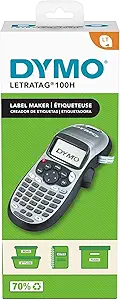 |
| Best Quality Built to a higher standard if you want something more solid | Brother P‑Touch PT‑D460BT |  |
| Best Value The sweet spot between price and what you get | Nelko P21 Label Maker |  |
| Best Budget The cheapest option that still gets the job done reliably | NDYIN N12 Label Maker |  |
| Top Rated A top-rated pick with lots of positive feedback | Brother P-touch PTD210 | 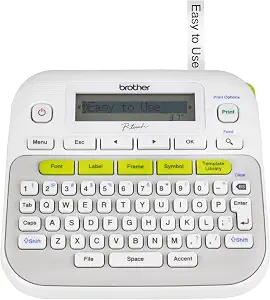 |
| Most Popular A crowd favorite that many people choose with confidence | DYMO LetraTag 100H |  |
DYMO LetraTag 100H
| Printer Type | Thermal |
|---|---|
| Compatible Cartridge | LetraTag |
| Display Type | LCD |
| Printer Connectivity Type | USB |
| Maximum Print Resolution Black and White | 300 dpi |
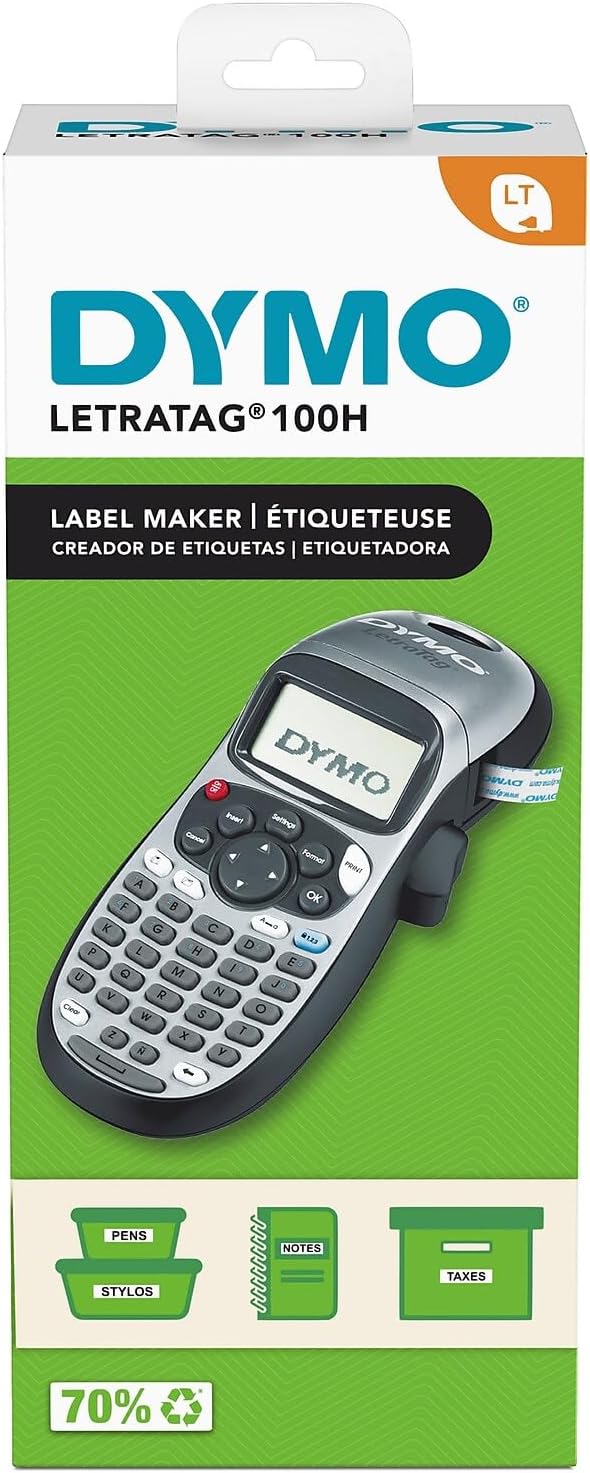
The DYMO LetraTag 100H is a small, battery-powered thermal label maker built for everyday organization tasks. It prints on LetraTag label tapes and offers multiple font sizes, styles, and box options that you can preview on the graphical LCD before printing, which helps avoid wasted labels. The unit is lightweight and portable, so it is easy to carry between desks, storage rooms, and home areas; a single USB port provides basic connectivity for simple workflows. Practical advantages include a straightforward control method and auto-off to conserve power, plus it ships with a bonus 1/2-inch black-on-white tape to get started. The device is strictly a print-only labeler with simplex output and a single-copy run, so it is best suited to straightforward labeling rather than high-volume production or advanced custom graphics. Expect durable, legible thermal labels but limited advanced connectivity or multi-sheet handling compared with larger desktop models.
Best for: Buyers who want a simple, reliable handheld labeler for everyday office and home organization tasks and who value portability and easy on-device editing.
Less Ideal for: Users who need high-throughput labeling, networked or wireless integration, or advanced graphic/customization capabilities should consider a larger desktop model instead.
- Compact, lightweight and highly portable for on-the-go labeling
- Graphical LCD that previews font effects so you see output before printing
- Multiple font sizes, styles and box options for basic customization
- Includes one LT label tape so you can start labeling immediately
- Limited to single-copy simplex printing and not designed for high-volume use
- Basic USB connectivity only, no network or wireless features
Verdict: A lightweight, easy-to-use handheld label maker ideal for everyday office labeling and quick portable jobs.
Brother P‑Touch PT‑D460BT
| Maximum tape width | 18 mm |
|---|---|
| Print resolution | 180 dpi |
| Connectivity | USB, Bluetooth |
| Display type | Backlit LCD |
| Memory | Stores up to 70 label layouts |
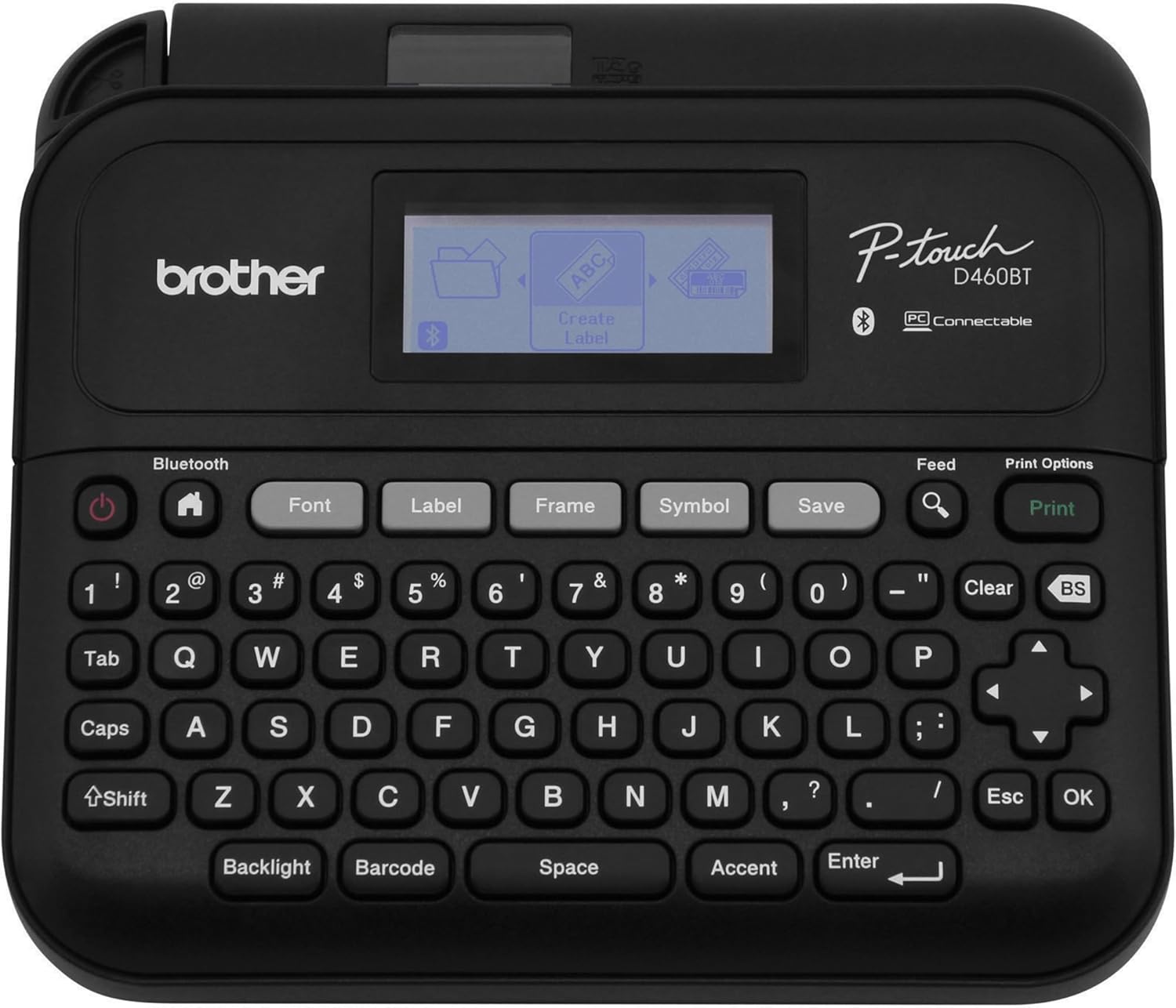
The PT‑D460BT is a small, office-focused label printer built for everyday business use. It prints on Brother TZe laminated tapes up to 3/4 inch (18 mm) and can be controlled from a computer using P-touch Editor or from iOS/Android devices via Bluetooth and the iPrint&Label app, which makes creating barcode, QR code, and logo labels straightforward. The unit has a backlit LCD with print preview, one-touch formatting keys, a QWERTY-style keyboard, and stores up to 70 label layouts for quick reprints. In practice it is useful for inventory tags, asset IDs, retail pricing, and filing or pantry organization where durable, laminated labels are needed. Print quality is serviceable for office labels at 180 dpi and the device handles up to five lines of text and many fonts and symbols. Downsides are modest resolution compared with higher-end desktop label printers and a manual tape cutter rather than automatic trimming, so high-volume shops may find it slower to operate. Power and USB connectivity are conventional, and it relies on Brother TZe tapes for durable results.
Best for: Businesses and office managers who need a portable, connected label maker to produce durable, professional labels for inventory, asset tags, pricing, and administrative organization.
Less Ideal for: Users who require very high-resolution graphics or an automated, high-throughput desktop labeling solution for heavy production runs should consider higher-end models.
- Bluetooth and USB connectivity for printing from computers and mobile devices
- Prints on durable Brother TZe laminated tapes up to 18 mm wide
- Large backlit display with print preview and one‑touch formatting speeds up design
- Stores up to 70 label layouts for fast reprinting of frequent labels
- Supports barcodes, QR codes, logos and multiple fonts for professional labels
- 180 dpi print resolution is modest compared with higher‑end label printers
- Manual tape cutter rather than automatic trimming slows high-volume workflows
Verdict: A compact, connected label maker that delivers durable, business-ready labels and convenient mobile or desktop editing for office labeling tasks.
Nelko P21 Label Maker
| Printer Type | Thermal |
|---|---|
| Printer Connectivity Type | Bluetooth |
| Resolution | 203 x 203 DPI |
| Hardware Interface | USB Type C |
| Paper Size | 15X30mm,12X40mm,14x40mm,14X50mm,14x75mm |
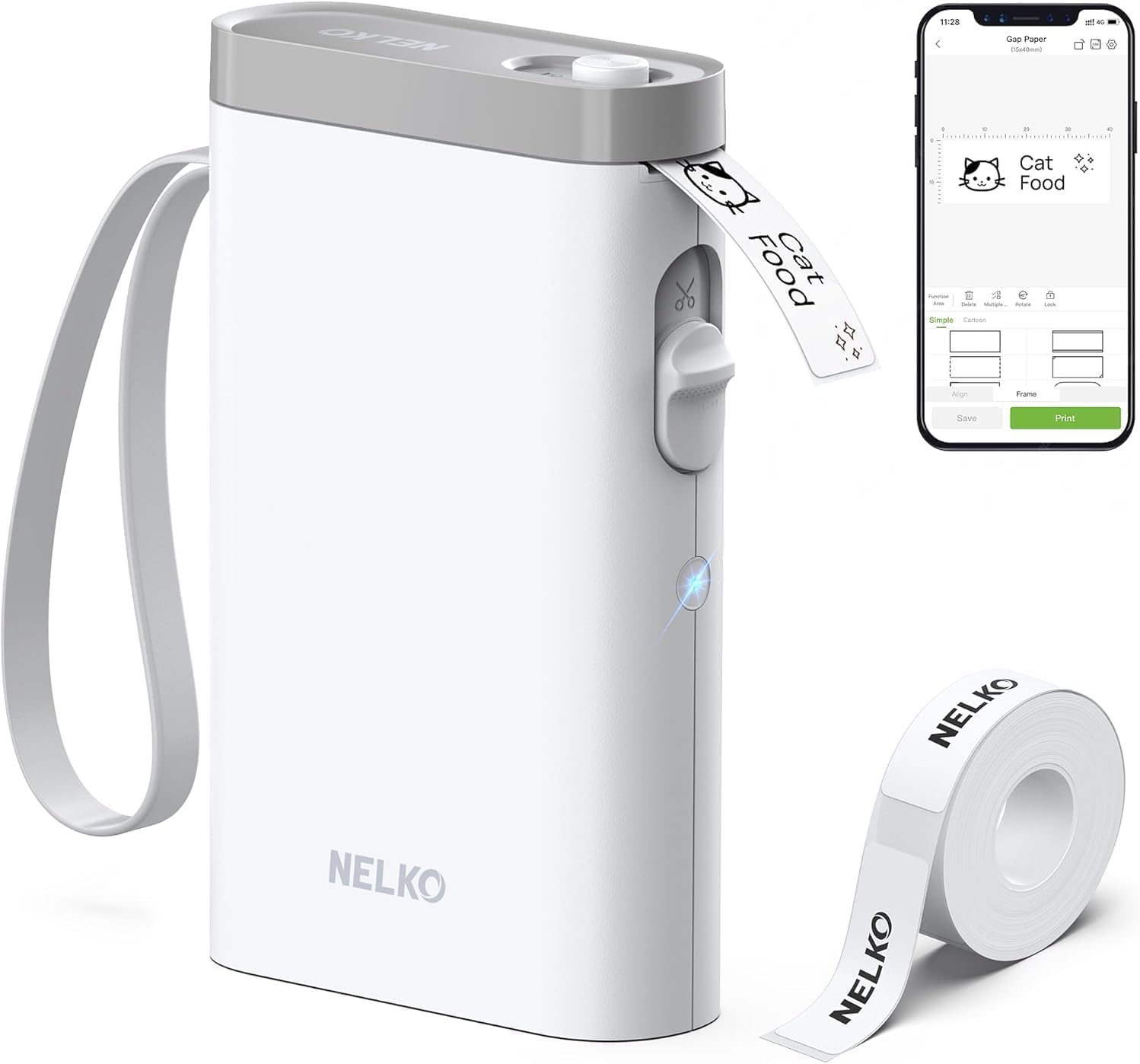
The Nelko P21 is a pocketable thermal label maker designed for quick, app-driven label creation. You connect it to the Nelko mobile app via Bluetooth, pick from templates, icons or borders, then print monochrome labels on pre-sized thermal tape without ink. It includes a built-in cutter and a rechargeable USB-C battery, so it is convenient for on-the-go labeling in classrooms, small offices, and home workspaces. The 203 DPI thermal mechanism produces clear text and simple barcodes or QR codes, and the app supports many templates and materials for decorative or functional labels. Limitations to note are that printing is black-only, label lengths are fixed to supported tape sizes, and the device relies entirely on the mobile app (not compatible with computers and has reported Android 14 restrictions). For buyers who want a lightweight, easy-to-use labeler for routine office organization, the P21 delivers fast, portable printing; power users who need full-color, variable-length, or PC-based printing will need a different solution.
Best for: Buyers who prioritize fast, low-effort labeling and want a compact, app-driven device for organizing office files, bins, and small business items.
Less Ideal for: Users who need full-color labels, custom continuous-length tape, or PC-based printing workflows should consider a different model.
- Compact, lightweight design for portable use
- Bluetooth app control with many templates, icons, and borders
- Inkless thermal printing at 203 DPI for clear monochrome labels
- Built-in cutter and rechargeable USB-C battery for convenient operation
- Prints only in monochrome so no native color printing
- Requires the mobile Nelko app and is not computer-compatible
Verdict: An inexpensive, highly portable Bluetooth thermal labeler that streamlines everyday office labeling with quick app templates and inkless printing.
NDYIN N12 Label Maker
| Printer Type | Thermal |
|---|---|
| Connectivity | Bluetooth |
| Resolution | 203 x 203 dpi |
| Built-In Media | 1×180 pre-cut white labels (14×40mm) |
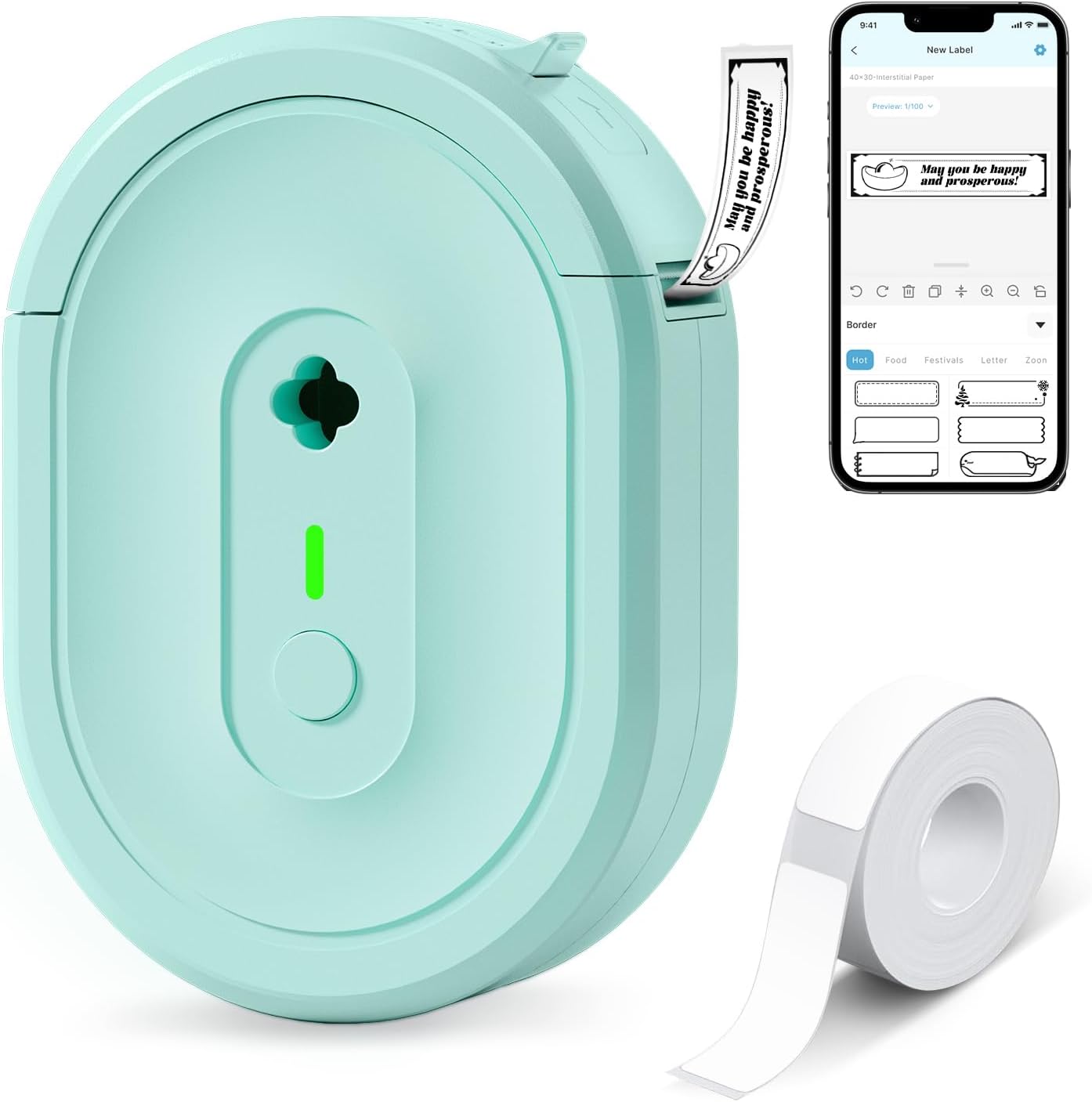
The NDYIN N12 is a pocketable thermal label maker that links to your phone or tablet over Bluetooth and prints pre-cut adhesive labels for home or office organization. Setup relies on the free Nada Print app, which provides many templates, fonts, symbols, and frame options so you can design address, file, spice, or price tags from your device. It uses direct thermal printing, so there is no ink, toner, or ribbon to replace, and a built-in rechargeable battery makes it portable for quick label runs around an office or classroom. Print resolution and speed are modest—203 dpi and a rapid single-color output—so results are ideal for text, barcodes, and simple graphics but not photo-quality prints. The unit ships with a roll of pre-cut labels and a charging cable, and its small footprint makes it easy to store when not in use. If you want full desktop features like wide-format or multi-color printing, this compact Bluetooth-only unit will feel limited, but for budget-minded buyers who need straightforward monochrome labels it covers the essentials well.
Best for: Office buyers on a tight budget who need a simple, portable way to print clear text labels, barcode tags, and shelf or file identifiers from their phone.
Less Ideal for: Teams that need wide-format, multi-color, or high-resolution label printing for product packaging or graphic-rich materials should choose a more capable desktop label printer.
- Direct thermal printing requires no ink, toner, or ribbons
- Bluetooth pairing to smartphones and tablets for wireless design and printing
- Includes pre-cut labels and charging cable for immediate use
- Compact, lightweight design that is easy to carry and store
- Prints only black-on-white and limited to thermal label sizes
- Resolution (203 dpi) is not suitable for detailed or photo-quality prints
Verdict: A no-frills, budget-friendly Bluetooth thermal label maker that delivers portable, ink-free monochrome labels for everyday office organization.
Brother P-touch PTD210

| Print media | Labels |
|---|---|
| Print Resolution | 180 x 180 dpi |
| Paper Size | 12 millimeters |
| Printer Connectivity Type | USB |
| Power | 62 watts |
The Brother P-touch PTD210 is a lightweight thermal label maker aimed at straightforward office and home labeling tasks. It prints one- or two-line monochrome labels on 12 mm TZe tapes and gives quick access to 14 fonts, 10 styles, 97 frames, and over 600 symbols via one-touch keys and an LCD preview so you can reduce mistyped labels. There are 27 built-in templates that simplify repetitive jobs like file folders, storage, and gift tags, and the starter laminated tape is included so the unit is ready to use out of the box. It runs on six AAA batteries or optional AC power and has USB connectivity for PC use, which makes it versatile for occasional desktop printing. The PTD210 is not suited for high-volume industrial labeling or wide-format needs, and its monochrome 180 x 180 dpi output limits fine graphic detail, but for everyday office organization it is fast, portable, and easy to operate.
Best for: Organizers and office staff who prioritize dependable, easy-to-use labeling for files, storage, and small office tasks and want a portable solution that produces consistent laminated labels.
Less Ideal for: Users who need wide-format, color, or high-volume industrial labeling should choose a more heavy-duty or specialized printer.
- One-touch keys and LCD preview speed up label creation and reduce errors
- Large built-in library: 14 fonts, 10 styles, 97 frames, and 600+ symbols
- Includes a starter laminated TZe tape so it is ready to use immediately
- Portable and battery-powered for on-the-go labeling with optional USB/AC use
- Monochrome printing at 180 x 180 dpi limits fine-detail or graphic labels
- Not designed for high-volume or wide-format labeling needs
Verdict: A straightforward, portable label maker that delivers reliable laminated labels quickly for everyday office organization.
DYMO LetraTag 100H

| Print technology | Direct Thermal |
|---|---|
| Power source | 4x AA Batteries (not included) |
| Font styles | 5 font sizes, 7 print styles, 8 box styles |
| # of tapes included | 3 |
The DYMO LetraTag 100H is a small handheld thermal label maker designed for quick home or office organization tasks. You type on its built-in keyboard, preview the text on the graphical LCD, choose from several font sizes and box styles, then print two-line labels on compatible LetraTag paper or plastic cassettes. It ships with three tapes (paper, white plastic, and clear plastic) so you can label files, bins, shelves, or small items right away. The unit is battery powered with auto-off to preserve AA cells and stores a handful of label memories for repeated tasks. The printing is simple and mess-free because it uses direct thermal technology, but labels are limited to DYMO LetraTag cassette widths and fewer formatting options than desktop thermal printers. If you need heavy-duty industrial labeling, wide tapes, or PC integration, this handheld is less capable, but for everyday office labeling it is portable, easy to use, and reliable for basic identification work.
Best for: Buyers who want a simple, reliable handheld for routine office labeling and value proven performance and clear user feedback when printing.
Less Ideal for: Users who need wide-format, heavy-duty industrial labels, frequent bulk printing, or PC/software integration should choose a more capable desktop or industrial printer instead.
- Compact and lightweight for easy portability around the office
- Graphical LCD lets you preview labels before printing to reduce wasted tape
- Includes three starter tapes (paper, white plastic, clear plastic) so it is ready to use out of the box
- Direct thermal printing requires no ink or toner, reducing ongoing mess and maintenance
- Limited to DYMO LetraTag cassette sizes and tape types so label width and materials are constrained
- Basic formatting compared with larger desktop label printers and no PC connectivity on this model
Verdict: A compact, easy-to-use handheld label maker that delivers dependable, no-ink labeling for everyday office organization.
Choosing the Right Label Maker for Offices: Key Factors to Consider
Print Quality and Readability
Clear, high-contrast text and sharp edges matter for scanning, filing, and quick recognition. Higher print resolution reduces fuzziness on small text and barcode elements, which is important if you plan to print asset tags or compact file labels.
Consider the device's supported font sizes and whether it can produce bold or outlined text for headings. In offices where labels are often viewed at a distance or under fluorescent lighting, contrast and font legibility are critical to prevent misreading.
Connectivity and Workflow Integration
How a label maker connects to your systems affects workflow speed. Built-in USB or Bluetooth support lets you print from a computer or mobile device, while network-capable units can serve multiple users without hardware sharing.
Integration with common office software, template libraries, or label-design apps reduces setup time and helps maintain consistent branding and formatting across departments. If you run batch labeling tasks, check for desktop app support and batch-import features.
Tape Types, Sizes, and Durability
Offices use labels on shelves, folders, cables, and equipment, so tape variety matters. Look for devices that accept multiple tape widths, adhesive strengths, and materials such as laminated or polyester tapes for long-lasting identification.
Durable tapes resist smudging, water, and abrasion—important for high-traffic storage areas. Consider whether tapes are easy to replace and whether the available consumables are commonly stocked by office suppliers.
Speed and Batch Printing Capacity
Labeling tasks in offices often involve many consecutive prints. Faster print speeds and clear status indicators reduce bottlenecks in busy periods. Devices with memory or template storage can speed repeat tasks and reduce manual re-entry.
Evaluate whether the device supports consecutive label printing without frequent tape changes and whether it can import lists for automatic batch jobs. For shared office use, throughput under typical workloads is a key operational metric.
Usability and User Interface
A straightforward interface minimizes training for staff who only occasionally print labels. Physical keyboards, touchscreen displays, and clear navigation menus all affect speed and error rates. Look for preview features that show how a label will look before printing.
If multiple people will use the device, consider user roles, whether templates can be locked, and how easy it is to switch label types. Battery-powered portability versus desktop power also affects where and how the device will be used.
Maintenance, Support, and Consumable Availability
Regular tasks like replacing tapes and cleaning print heads should be simple to avoid downtime. Devices with accessible maintenance instructions and common spare parts keep the unit productive.
Consider vendor support for firmware updates and whether replacement tapes and batteries are readily available from general office suppliers. Long-term availability of consumables is important for continuity in settings where consistent labeling standards matter.
Best Place to Use a Label Maker in an Office
Label makers are most effective when placed where labeling tasks naturally occur. Desktop locations near filing cabinets, supply closets, or the reception desk work well because they minimize walking time and let staff print labels as they file or stock items.
For larger offices, consider a shared labeling station in a central administrative area or mailroom. Mobility options, such as battery-powered units, are helpful for labeling on shelves or equipment that cannot be moved to a desk.
- Desktop station near filing and supplies
- Shared admin or mailroom labeling point
- Portable unit for on-the-spot asset tagging
Label Types and Where to Use Them
Different tape materials serve different office functions. Paper tapes work for temporary file labels and mailroom tags, while laminated or polyester tapes are better for long-term asset tags, storage bin labels, and areas exposed to moisture.
Color-coded tapes help visually separate departments or priority levels. Removable adhesive tape is useful for temporary signage or seasonal labeling where residue-free removal is preferred.
- Paper tape: temporary labels and mailroom use
- Laminated/polyester: durable asset and storage labels
- Removable adhesive: temporary or seasonal labeling
- Color tapes: visual organization and priority marking
Setting Up Templates and Naming Conventions
Consistent naming conventions make labels predictable and searchable. Establish a few templates for common tasks such as shelf labels, file spines, and equipment tags to keep formatting uniform across the office.
Template fields reduce repetitive typing and ensure key elements like department codes, dates, or asset IDs appear in the same place on every label. Save templates in the device or its companion app to speed repeat jobs and reduce errors.
- Create templates for shelves, files, and assets
- Standardize abbreviations and department codes
- Use fixed fields for dates and asset IDs
Mobile Printing and Remote Label Design
Many modern label makers offer mobile apps for on-the-spot design and printing. This is useful when a manager needs to label multiple locations without returning to a central station.
Mobile support can include cloud-synced templates and CSV import for batch jobs. Confirm app compatibility with your office devices and whether the workflow requires local pairing or network access.
- Check app compatibility with office phones and tablets
- Look for cloud template sync and CSV import
- Verify pairing and network printing options
Maintenance Tips to Keep Prints Consistent
Routine simple maintenance preserves print quality. Wipe the print head gently as recommended, store tapes in a dry place, and replace worn cutting blades when labels start to tear or have uneven edges.
Keep an organized supply of common tape sizes and adhesives to avoid interruptions. Log maintenance events and consumable changes if multiple staff share the device to maintain accountability and consistent results.
- Clean print heads periodically
- Store tapes in a dry, stable environment
- Replace cutting blades when prints fray
- Maintain a shared consumables inventory
How We Chose the Best Label Maker for Offices
We focused on features that matter most in an office environment and applied clear editorial filters to narrow the list. Primary evaluation criteria included print quality and resolution for readable text and small barcodes, labeling speed and throughput for multi-label jobs, and connectivity and integration options for desktop or mobile workflows. We also measured user ergonomics such as keyboard layout and screen clarity, and durability factors like tape type support and label longevity in common office conditions. We excluded consumer novelty devices and single-purpose craft labelers that do not support common office tape widths or lack network/mobile connectivity. We prioritized devices that offer a mix of standalone operation and easy integration with computers or mobile apps, and those that support a range of label materials suitable for shelving, filing, and asset tagging. Where applicable, features like batch printing, template libraries, and rechargeable or replaceable batteries were weighted. The final selection balances speed, print quality, and usability to match typical office labeling workflows.
Our full evaluation process is outlined in our review methodology.
FAQ
What tape type is best for long-term asset tags?
Laminated or polyester tapes typically offer the best longevity. They resist moisture, abrasion, and fading, which helps asset tags remain legible for years in typical office environments.
Can I print labels from a computer or only from the device?
Many office label makers support USB or Bluetooth connections and have desktop apps for design and batch printing. The exact capabilities depend on the model, but computer integration is common for office workflows.
How do I make labels consistent across multiple users?
Set up shared templates, standardized naming conventions, and locked fields where possible. Storing templates in the device or a cloud-connected app reduces formatting variations and errors.
Are rechargeable label makers worth it for office use?
Rechargeable units are convenient if you need portability and frequent remote labeling. For fixed desktop stations, a mains-powered unit may be steadier, but rechargeable devices reduce dependency on power outlets.
How often should I replace label tapes and blades?
Replace tape when you run out or if adhesive performance declines. Blades and print heads only need replacement or cleaning when you notice tearing, miscuts, or print degradation. Regular inspection prevents disruptions.
Final Verdict
Prioritize print clarity, connectivity, and tape durability when choosing a label maker for offices. Your decision should reflect the primary use case: frequent batch printing and networked workflows favor faster, integrable models, while occasional on-the-spot labeling benefits from portability and ease of use. Balance tape compatibility and maintenance needs against throughput to find a device that reduces errors and keeps labeling consistent across your office. Choose the label maker that best matches how often and where you will print, and standardize templates to maximize efficiency and consistency.