
Note: This article contains affiliate links. If you click on these links and make a purchase, we may earn a small commission at no extra cost to you. This helps support our research and content. Read our full affiliate disclosure here.
If you need quick, long-lasting labels without being tethered to a desk, a Bluetooth thermal label maker can simplify organization across the home or office. These compact printers pair with your phone or tablet so you can design labels, print wirelessly, and move freely while labeling shelves, cables, or packages. Choosing the right unit matters because differences in print speed, battery runtime, and tape compatibility affect daily workflow and ongoing costs. This guide shortlists the best Bluetooth thermal label makers available today and explains the evaluation criteria we used. Read on to see which features matter most for fast, reliable, wireless labeling and to find a model that fits how you work.
Top Picks at a Glance
| Best Overall The best all-around choice for most situations | NULLTONEX Y813 Thermal Label Printer |  |
| Best Quality Built to a higher standard if you want something more solid | NIIMBOT M2 Label Maker |  |
| Best Value The sweet spot between price and what you get | SUPVAN T50M Pro Label Maker |  |
| Best Budget The cheapest option that still gets the job done reliably | NDYIN N12 Label Maker |  |
| Top Rated A top-rated pick with lots of positive feedback | HKHKPI N40 Label Printer |  |
| Most Popular A crowd favorite that many people choose with confidence | Phomemo D30 Label Maker |  |
| Best Seller A high-volume bestseller chosen again and again | Nelko P21 Label Maker |  |
NULLTONEX Y813 Thermal Label Printer

| Printer Type | Thermal |
|---|---|
| Resolution | 203 x 203 dpi |
| Maximum Media Size | 4 x 6 Inches |
| Connectivity | Bluetooth, USB |
| Power Consumption | 24 watts |
The NULLTONEX Y813 is a small direct-thermal label printer aimed at shipping and light enterprise use. It prints 4×6 and other narrow labels at 203 dpi using thermal technology so no ink or toner is required, and it connects via Bluetooth for phone/tablet printing or USB for wired desktop workflows. Setup is driven through the FlashLabel Pro app, which provides templates, fonts, and offline storage to speed common tasks, while built-in overheat protection and a compact footprint keep it practical on busy packing tables. Print speed is advertised around 72 labels per minute, which is fine for steady small‑business use but may not match heavy industrial systems. Expect monochrome output only and reliance on the app or drivers for advanced layout control, so users who need full desktop driver features or color printing should look elsewhere. Included labels and cabling let you start immediately, and the device offers a straightforward, cost‑efficient way to print scannable shipping labels without ink maintenance.
Best for: Buyers who want a reliable, no‑fuss Bluetooth-capable label printer for regular shipping and barcode tasks and value easy setup and low ongoing maintenance.
Less Ideal for: This is not a fit for users who need industrial throughput, color printing, or advanced native desktop print software for complex label workflows.
- Direct thermal printing requires no ink or toner and reduces upkeep
- Bluetooth plus USB connectivity supports phones, tablets, and computers
- 203 dpi resolution produces sharp barcodes and readable addresses
- Compact, reinforced design with overheat protection suits busy desks
- Includes starter 4×6 labels and required cables for immediate use
- Monochrome printing only so no color labels or graphics
- Feature control depends on the app and drivers rather than full desktop software
Verdict: A compact, app-driven Bluetooth thermal printer that delivers fast, maintenance-free 4×6 shipping labels for small businesses.
NIIMBOT M2 Label Maker

| Printer Type | Thermal |
|---|---|
| Print Resolution | 300 x 300 dpi |
| Maximum Media Size | 2inch |
| Printer Connectivity Type | Bluetooth |
| Hardware Interface | USB |
The NIIMBOT M2 is a compact thermal transfer label maker built for small businesses and demanding label jobs where longevity matters. It uses thermal transfer ribbons plus adhesive label rolls to produce 300 dpi output that resists water, oils, abrasion, and extreme temperatures, so labels stay readable in refrigeration or outdoor environments. You design and send jobs from the NIIMBOT app over Bluetooth or run it from a PC via USB (driver required), and the app supports templates, barcodes, QR codes, images, batch printing, and basic Excel import for volume work. The unit includes a black ribbon and a roll of 50×30 mm labels and automatically detects consumable size and adjusts print density and offset to reduce waste. Practical limits are that it requires ribbon consumables (sold separately in colors), needs occasional print-head cleaning for best quality, and PC setup requires installing drivers, which adds a step for mixed-platform shops. For users who prioritize crisp, long-lasting labels and flexible design tools, the M2 delivers reliable, professional results.
Best for: Buyers who need professional, long-lasting labels for small business, lab, or refrigerated/outdoor use and value high print quality and flexible design tools.
Less Ideal for: Casual home users who want zero-maintenance, inkless direct thermal labels or buyers who prefer a purely plug-and-play USB-only desktop printer.
- 300 dpi thermal transfer printing for sharp, durable labels
- Prints color with replaceable ribbons for branding or highlights
- Bluetooth app plus USB connectivity for phone and PC workflows
- Automatic consumable recognition and adaptive print density to reduce errors and waste
- Requires separate ribbon consumables which adds ongoing cost
- PC use needs driver installation rather than plug-and-play
Verdict: Choose the M2 when you need crisp, weatherproof labels and flexible mobile or PC design tools for professional small-business labeling.
SUPVAN T50M Pro Label Maker

| Printer Type | Thermal |
|---|---|
| Controller Type | Android / iOS |
| Resolution | 203 dpi |
| Printer Connectivity Type | USB, Bluetooth |
| Maximum Media Size | 1-5/8'' x 1-3/16'' |
The SUPVAN T50M Pro is a small Bluetooth thermal label maker that prints monochrome labels between about 3/4" and 2" wide using SUPVAN label tape. You design labels on the free companion app (Android/iOS) or via connected devices, choosing from many fonts, frames and icons, then send print jobs wirelessly; the app also supports images, barcodes and batch printing. The unit is inkless and lightweight, and ships with a charging cable and a sample 40 mm x 30 mm tape, so it is ready for basic organization, pantry jars, cable tagging, address labels or small product labels. Print quality is described as enhanced at 203 dpi which yields crisp text and simple graphics, and the supplied tapes are waterproof and durable. Limitations: it only prints black on white or other single-color tapes and is limited to the T50M tape sizes, so if you need color labels or wider widths this will not suffice, and the device relies on the smartphone/tablet app for most advanced layout work.
Best for: Buyers who want a compact, app-driven label solution to tidy a home, classroom or small business workflow and who prioritize easy, durable monochrome labels over color printing.
Less Ideal for: People who need full-color labels, wider-format printing, or a labeler with extensive onboard controls and keyboard input should consider different models.
- Bluetooth app control with Android and iOS support makes custom designs and batch printing easy
- Thermal, inkless printing and included sample tape and charging cable mean low ongoing mess and simple setup
- Supports images, barcodes, QR codes and many fonts/icons for versatile label types
- Waterproof, durable label tapes suitable for indoor and some outdoor uses
- 203 dpi resolution provides clear text and simple graphics for professional-looking labels
- Prints only monochrome labels and only on SUPVAN T50M tape sizes
- Relies on the app for layout and advanced features, so limited standalone control
Verdict: A compact, app-first thermal label maker that delivers durable, high-clarity monochrome labels for home and small business organization.
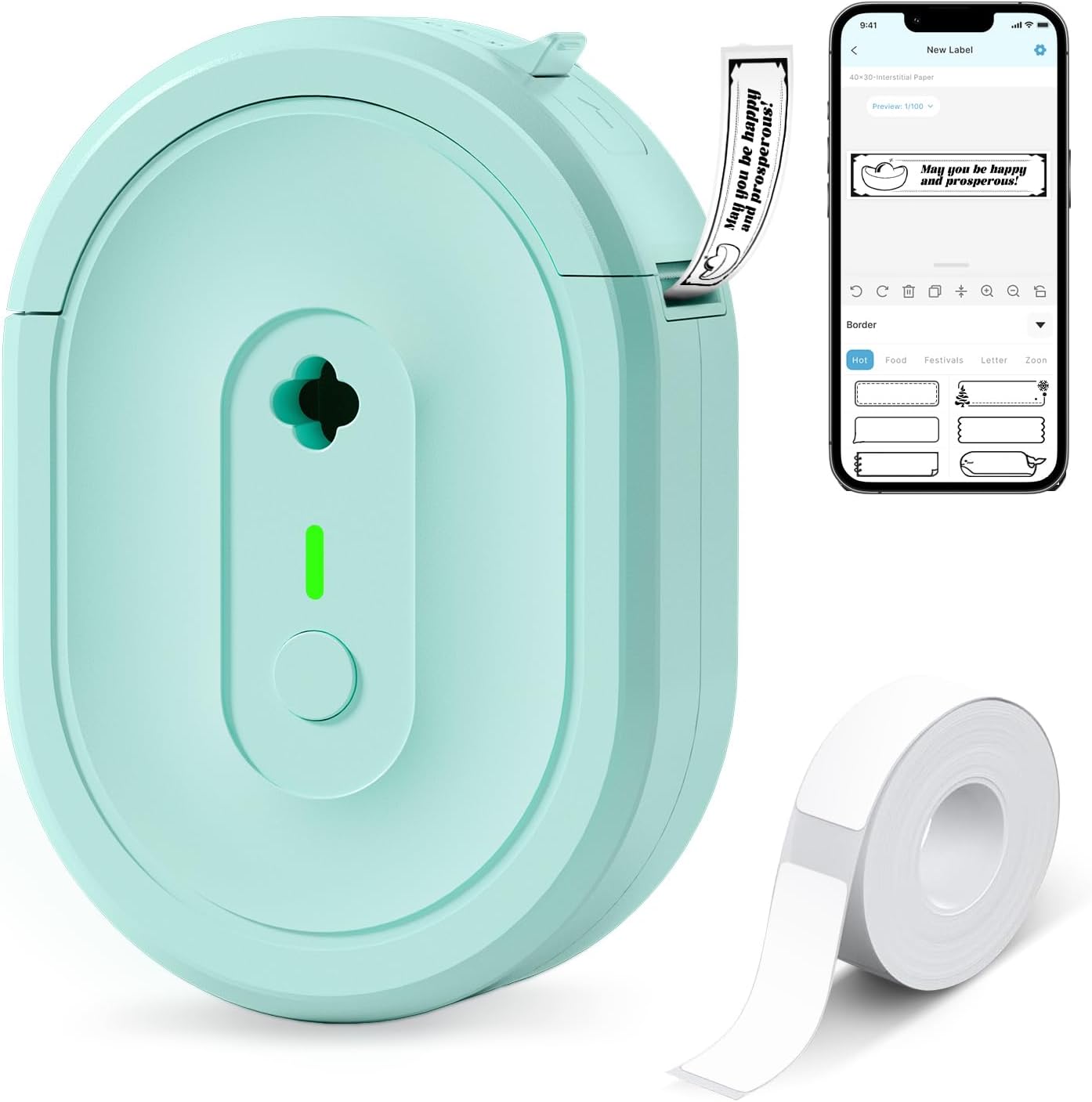
NDYIN N12 Label Maker
| Printer Type | Thermal |
|---|---|
| Connectivity | Bluetooth |
| Resolution | 203 x 203 dpi |
| Built-In Media | 1×180 pre-cut white labels (14×40 mm) |
The NDYIN N12 is a small, battery-powered thermal label maker that connects over Bluetooth to the free "Nada Print" app so you can design and print monochrome adhesive labels from a phone or tablet. It ships with a roll of pre-cut labels and a charging cable, and uses direct thermal printing so no ink, toner, or ribbons are required. In practice the app provides many templates, symbols, frames, and fonts which makes quick organization tasks—kitchen jars, cable IDs, file tags, price labels—fast and repeatable. Print quality is typical for a compact thermal unit at 203 dpi, so text and simple barcodes are clear but fine detail or grayscale images will not be sharp. The printer is lightweight and portable for moving around the house or office, but label lengths are fixed by the supported sizes so you cannot print arbitrary widths. If you want an inexpensive, app-driven labeler for everyday labeling and small business tags, the N12 covers the basics with low operating cost thanks to thermal media and a rechargeable battery.
Best for: Buyers who need an inexpensive, portable label printer for home, school, or small-business organization and prefer designing labels on a smartphone app.
Less Ideal for: Users who need high-resolution graphics, arbitrary label widths, or heavy-duty industrial label printing should consider a higher-end or commercial unit instead.
- Direct thermal printing requires no ink, toner, or ribbons
- Bluetooth connection and companion app with many templates and fonts
- Includes pre-cut labels and charging cable for immediate use
- Rechargeable battery makes the unit portable and low-maintenance
- Print resolution limited to 203 dpi so fine detail and photos are not sharp
- Label widths and lengths use fixed sizes rather than customizable continuous paper
Verdict: A budget-friendly, app-driven Bluetooth thermal labeler that delivers simple, low-cost monochrome labels for everyday home and small-business organization.
HKHKPI N40 Label Printer

| Print Resolution | 203 x 203 dpi |
|---|---|
| Maximum Media Size | 4 x 6 inches |
| Print Speed | 150 mm/s |
| Connectivity | Bluetooth, USB |
| Maximum Sheet Capacity | 100 |
The HKHKPI N40 is a small Bluetooth thermal label printer built for shipping labels and light small-business use. It prints 4×6 labels at up to 203 dpi using direct thermal technology so no ink or ribbons are required, and it supports both Bluetooth mobile printing via the NADA app and USB connections to Windows, macOS, and Linux. The printer includes automatic calibration and a smart paper ejection feature to reduce jams and waste, and it ships with a starter set of 4×6 labels, a Type-C cable, and a power adapter. In practice the N40 is straightforward to set up for common shipping workflows and produces crisp barcode and address labels quickly; the 150 mm/s (about 72 labels per minute) speed keeps small batch runs moving. Expect to manually calibrate label size when switching media and to rely on the companion app or drivers for platform integration. It is a solid, compact choice when you need dependable thermal label printing without consumable ink costs, though it is optimized for basic monochrome label tasks rather than advanced label-design features.
Best for: Buyers who prioritize a reliable, no-fuss label printer for routine shipping and small business label runs and want easy Bluetooth or USB connectivity for phones and computers.
Less Ideal for: Users who need color labels, very high-resolution graphics, or advanced on-device label design tools should look for a different model.
- Direct thermal printing requires no ink, toner, or ribbons
- Bluetooth and USB connectivity for mobile and desktop workflows
- Automatic calibration and smart paper ejection reduce jams and waste
- Compact footprint with included power adapter and Type-C cable
- Limited to monochrome 203 dpi output, not suited for high-resolution graphics
Verdict: A compact, dependable Bluetooth thermal printer that delivers fast monochrome 4×6 shipping labels without ink, ideal for reliable small-business shipping workflows.
Phomemo D30 Label Maker

| Printer Type | Thermal |
|---|---|
| Printer Connectivity Type | Bluetooth |
| Hardware Interface | Bluetooth 4.0, USB Type C |
| Resolution | 203 dots_per_inch |
| Print media | Labels |
The Phomemo D30 is a pocketable thermal label maker that connects to your phone via Bluetooth and prints black text onto a variety of pre-cut and continuous label tapes. You design labels in the companion Print Master app using templates, icons, fonts, barcodes, QR codes and Excel batch import, then send jobs wirelessly to the D30 for inkless thermal printing. Its small rechargeable body and USB-C charging make it easy to carry for home, classroom or small-business tasks, and the German thermal head and 203 dpi resolution aim for clear, crisp text. Because it prints only in monochrome, color effects rely on patterned tapes rather than colored ink, and print size must match the selected paper size in the app to avoid offsets. Setup requires pairing through the app rather than system Bluetooth settings, and high-volume label users will need to keep spare tapes on hand since media is limited to narrow widths. For buyers wanting a lightweight, app-driven labeler with strong template tools and low operating cost, the D30 delivers practical, portable labeling with a few user-care steps for best results.
Best for: Buyers who want a lightweight, app-driven label maker for home, classroom or small-business organization and value rich design tools and low ongoing media cost.
Less Ideal for: Users who need full-color printing, heavy industrial labeling, or very wide labels should consider alternative solutions.
- True thermal printing so no ink, toner, or ribbons are required
- Companion Print Master app with many templates, icons, fonts and batch import tools
- Bluetooth wireless printing and USB-C recharge make it portable and convenient
- 203 dpi resolution and a German thermal head improve text clarity compared with basic models
- Prints only black text so color requires patterned tapes
- Requires selecting the correct paper size in the app to avoid misaligned prints
Verdict: If you want a highly portable, app-controlled thermal labeler with extensive templates and no ink to buy, the Phomemo D30 is a practical choice.
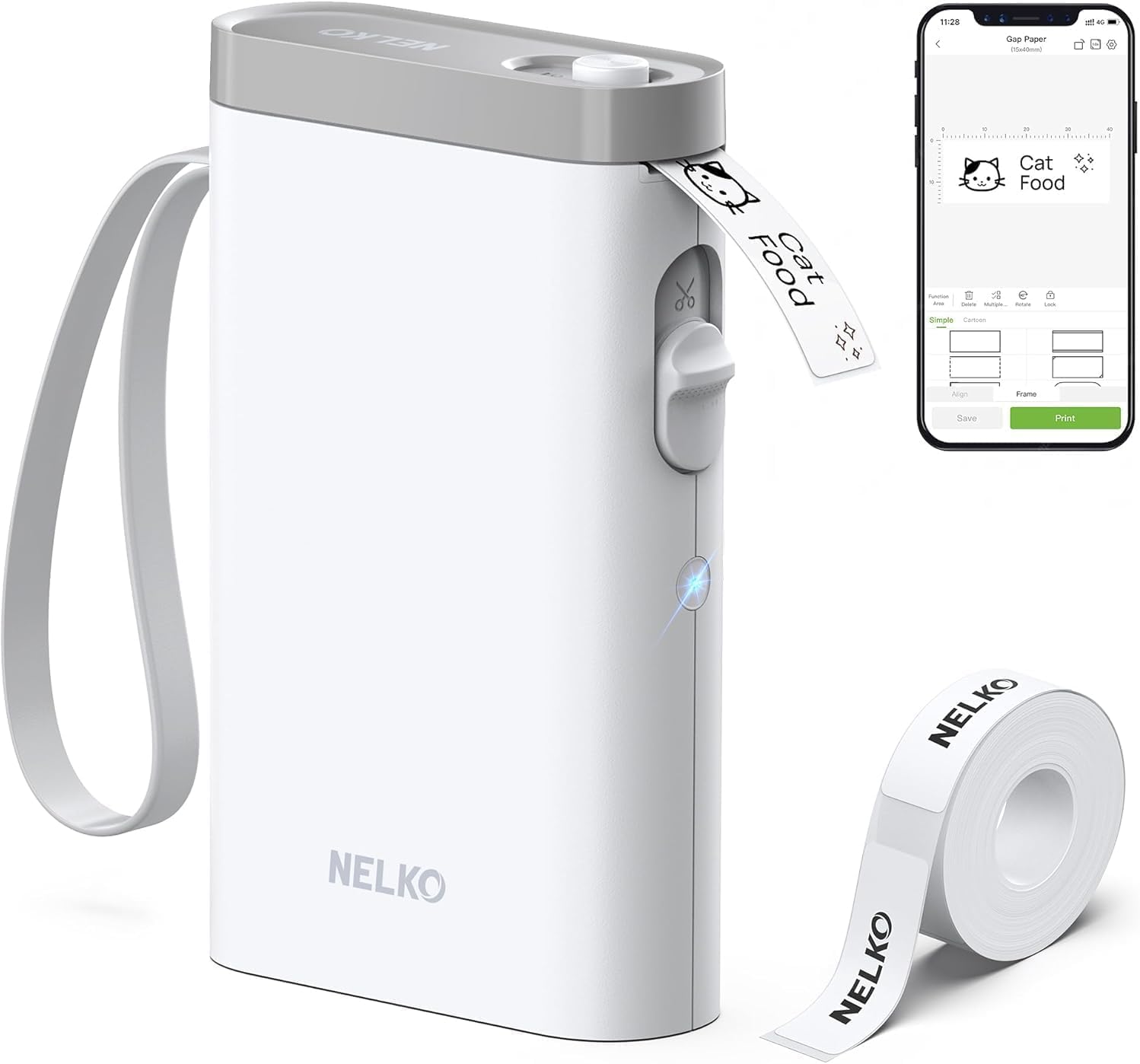
Nelko P21 Label Maker
| Printer Type | Thermal |
|---|---|
| Print Resolution | 203 DPI |
| Printer Connectivity Type | Bluetooth |
| Hardware Interface | USB Type C |
| Paper Size | 15X30mm,12X40mm,14x40mm,14X50mm,14x75mm |
The Nelko P21 is a pocketable Bluetooth thermal label printer designed to create small adhesive labels from an iOS or Android phone via the Nelko app. It uses direct thermal technology at 203 DPI so you get inkless black-on-white printing for things like pantry jars, bins, price tags, name labels, and classroom organization. The app supplies templates, icons, borders, QR/barcode support and a built-in cutter makes clean label edges. Setup is straightforward: install the roll, pair in the app, choose label size, and print; the rechargeable battery lets you print on the go and the unit accepts several fixed tape widths (14x40mm, 14x50mm, 14x75mm, etc.). Be aware it prints only monochrome and requires the vendor app to connect, and iOS needs the app updated to the recommended version; continuous roll formats are not supported and certain Android 14 phones may be incompatible. For everyday home, school, and light business labeling it is a capable, portable option if you stick to supported phones and thermal tapes.
Best for: Buyers who want a simple, low-maintenance label maker for home, classroom, or small-business organization and prefer a compact Bluetooth device that works through a phone app.
Less Ideal for: Users who need full-color printing, computer connectivity, high-volume continuous roll printing, or broad OS compatibility across all Android versions should look elsewhere.
- Very compact and lightweight for portable use
- Inkless direct thermal printing at 203 DPI gives clear monochrome labels
- Bluetooth + app control with many templates, icons, and design tools
- Built-in cutter and rechargeable battery for convenient, on-the-go printing
- Accepts multiple standard tape widths shipped with a starter roll
- Monochrome-only printing; color requires patterned tape rather than true color output
- Requires the Nelko mobile app to operate and may need app updates for iOS compatibility
- Not compatible with some Android 14 phones and does not support continuous label rolls
Verdict: A pocketable, app-driven thermal label maker that delivers clear monochrome labels for home, school, and light business tasks when used with supported phones and genuine tape.
Choosing the Right Bluetooth Thermal Label Maker: Key Factors to Consider
Print Speed
How quickly a label maker prints matters when you have many labels to produce. Faster print speeds reduce waiting time during batch jobs and make ad-hoc labeling less disruptive to your workflow.
High print speed is especially valuable in office or inventory tasks where dozens or hundreds of labels are required. If you mostly print single labels occasionally, speed matters less than reliability and setup time. Consider the typical label volumes you expect and prioritize speed accordingly.
Print Resolution and Font Flexibility
Resolution affects how crisp text and barcodes appear on thermal labels. Higher dpi produces clearer small text, finer lines, and better barcode readability, which can be important for asset tags and product labels.
Also examine the app or built-in software for font sizes, styles, and alignment options. Flexible formatting saves time and prevents reprints for labels that must include small details or scannable barcodes.
Battery Life and Charging
Battery runtime determines how long you can use the label maker between charges. For mobile labeling tasks, longer battery life reduces interruptions and the need to carry a charger.
Pay attention to charging method and time. Models with USB-C charging are more convenient for modern workflows. Some units offer removable batteries or fast-charge capability, which can be a deciding factor if you label for extended periods away from power.
Connectivity and Mobile App
Bluetooth pairing reliability and the quality of the companion app are central to the wireless experience. A stable connection prevents failed prints and reduces setup headaches, while a well-designed app provides templates, barcode generation, and layout controls.
Check for cross-platform support because compatibility with your smartphone or tablet matters. App update frequency and offline label creation options can extend the device's usefulness in varied environments.
Tape Compatibility and Consumables
The kinds of tapes a label maker accepts determine label durability, width options, and ongoing cost. Some machines use popular thermal tapes available in multiple widths and colors, while others depend on proprietary cartridges.
Consider what tape widths you need for different applications, whether you require laminated or water-resistant options, and how easy it is to source replacements. Affordable, widely available consumables improve long-term satisfaction.
Size, Weight, and Build Quality
Portability depends on weight and how comfortable the unit is to hold during repeated use. A compact design is easier to store and carry, but it should still feel sturdy enough for regular handling.
Build quality also influences longevity. Durable casings, tactile buttons, and a reliable tape-loading mechanism reduce the chance of failures in busy environments.
Why Choose a Bluetooth Thermal Label Maker
Bluetooth thermal label makers combine cordless convenience with durable thermal printing, letting you design labels on a phone and print wherever you are. They remove the need to connect via cable or sit at a desk, which is helpful for labeling shelves, cables, boxes, and equipment across rooms or job sites.
These devices are typically quieter and require less maintenance than ink-based printers because they use heat to form characters on thermal tape. That makes them well suited for frequent short runs and for users who want minimal setup and fewer consumables to manage.
- Wireless pairing with mobile devices for flexible placement
- Thermal printing that avoids ink and frequent carriage maintenance
- Compact footprint for handheld use or mobile labeling carts
Label Materials and Durability
Thermal tapes come in multiple finishes and adhesive strengths. If labels are used outdoors, on rough surfaces, or in areas exposed to moisture, choose water-resistant or laminated tape variants for longevity.
Adhesive strength matters for textured or curved surfaces. Removable adhesive works for temporary labeling, while permanent adhesive is better for long-term asset tracking. Understanding material options helps you avoid reprints and ensures labels stay legible.
- Laminated and long-life tapes for exposure to oils, moisture, or abrasion
- Strong permanent adhesive for asset tags
- Removable options when labels need to be relocated
Setting Up and Using the Mobile App
Most Bluetooth thermal label makers rely on a companion app for designing and sending labels. Look for apps with a template library, barcode generation, and basic layout controls like margins, fonts, and alignment.
Pay attention to how the app handles updates and whether templates can be saved for recurring tasks. Quick-start workflows and easy template reuse will save time for repetitive labeling jobs.
- Check for barcode types supported if you need scannable labels
- Saved templates speed up recurring label creation
- Preview and layout controls reduce wasted tape
Maintaining Your Label Maker
Maintenance needs are typically low for thermal devices, but periodic cleaning of the print head and tape path prevents streaks and misfeeds. Follow manufacturer cleaning instructions for safe maintenance.
Store tapes in a cool, dry place to prevent adhesive degradation. If you rely on long-term labeling, test sample tapes to confirm adhesion and print clarity before buying bulk consumables.
- Clean print head with recommended swabs to avoid damage
- Replace worn cutters or springs before they cause jams
- Rotate and test tape batches if storing supplies long-term
Use Cases: Home, Office, and Field Work
For home organization, a compact Bluetooth thermal label maker is ideal for pantry labels, cable management, and small craft projects. Lightweight models with removable tapes fit well in a drawer or craft bag.
In offices or light commercial settings, prioritize models that support wider tape widths and faster print speeds to keep up with higher label volumes. For field work, durability and battery life become more important than top speed.
- Home: narrow tapes, decorative options, and easy template reuse
- Office: wider widths, barcode support, and reliable app templates
- Field: long battery life, rugged build, and quick pairing
How We Chose the Best Bluetooth Thermal Label Maker
We focused on criteria that reflect everyday use for cordless thermal label makers paired via Bluetooth. First, we prioritized printing fundamentals that determine user experience: print speed, print resolution, and supported tape widths because these affect legibility and how quickly you can finish a job. Second, we evaluated battery life and charging convenience since portability is a core advantage of Bluetooth models. Third, we looked at connectivity and app features, including pairing reliability, label-design flexibility, and cross-platform support for iOS and Android. Fourth, build quality and portability were considered, with attention to size, weight, and how robust the case and buttons feel in regular handling. Finally, we considered consumable availability and tape compatibility to estimate ongoing usability. We excluded units that rely solely on proprietary, hard-to-find consumables or that lack basic wireless pairing. We also filtered out devices with minimal app support or poor printing resolution that would limit label usefulness. The shortlist reflects products that meet a balance of speed, battery endurance, wireless reliability, and practical tape support.
Our full evaluation process is outlined in our review methodology.
FAQ
Will a Bluetooth thermal label maker work without internet?
Yes. Most models pair directly with your phone or tablet via Bluetooth so you can design and print labels offline. Some apps may offer cloud features, but core label creation and printing usually work without internet access.
How long do thermal labels last before fading?
Label longevity depends on the tape type and exposure conditions. Laminated or heat-resistant thermal tapes can remain readable for years, while basic thermal paper labels may fade faster if exposed to heat or sunlight.
Can I print barcodes from the companion app?
Often you can. Many label maker apps include common barcode formats and QR code generation. Check that the app supports the specific barcode type and resolution you need for reliable scanning.
Are replacement tapes easy to find?
Availability varies by tape format. Units that use common tape widths and formats have widely available consumables, while proprietary cartridges can be harder to source. Consider consumable availability when choosing a model.
What should I do if Bluetooth pairing repeatedly fails?
First, restart both devices and ensure the label maker has sufficient battery. Move other Bluetooth devices away to reduce interference and confirm the companion app is updated. If problems persist, consult troubleshooting steps in the manual or reset the device's network settings.
Final Verdict
When choosing a Bluetooth thermal label maker, prioritize the features that match how and where you will print. If you produce many labels, emphasize print speed, wider tape support, and robust battery life. For occasional home use, focus on app ease, compact size, and tape availability. Balance the tradeoffs between portability and print capability to pick a unit that handles your typical tasks without frequent recharging or costly consumables. With the right priorities in mind, you can select a Bluetooth thermal label maker that makes labeling faster and more reliable.