
Note: This article contains affiliate links. If you click on these links and make a purchase, we may earn a small commission at no extra cost to you. This helps support our research and content. Read our full affiliate disclosure here.
Picking the right Color Inkjet Printer matters when you need accurate color, sharp text, and reasonable operating costs for home or small-office tasks. You want dependable prints for photos, marketing materials, school projects, and everyday documents without frequent ink headaches. This guide shortlists six top-rated Color Inkjet Printers that balance color fidelity, print speed, and total cost of ownership. We evaluated them across practical use factors like color accuracy, duty cycle, connectivity options, and ongoing ink expenses. Read on to find a printer that fits the way you work and prints the results you need.
Top Picks at a Glance
| Best Overall The best all-around choice for most situations | Epson Expression Premium XP-7100 |  |
| Best Quality Built to a higher standard if you want something more solid | Epson EcoTank ET-2800 |  |
| Best Value The sweet spot between price and what you get | HP Smart Tank 5101 |  |
| Best Budget The cheapest option that still gets the job done reliably | Canon PIXMA TS3720 | 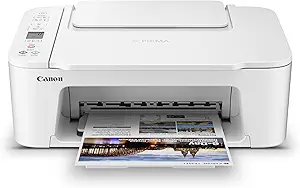 |
| Top Rated A top-rated pick with lots of positive feedback | Canon PIXMA TS6520 |  |
| Most Popular A crowd favorite that many people choose with confidence | HP DeskJet 2855e |  |
Epson Expression Premium XP-7100

| Printer Type | Inkjet |
|---|---|
| Maximum print Resolution Color | 4800 dpi |
| B&W Pages per Minute | 15.8 pages_per_minute |
| Maximum Sheet Capacity | 30 |
| Printer Connectivity Type | Wireless |
The Epson Expression Premium XP-7100 is an all-in-one inkjet aimed at home users who want both document productivity and decent photo output. It prints sharp black-and-white pages at up to 15.8 ppm while offering high-resolution color and photo printing up to 4800 dpi and borderless 8 x 10-inch output. The 30-page auto document feeder and automatic duplexing make everyday office tasks and multi-page scanning or copying quicker, and the 4.3-inch touchscreen plus SD and USB card slots let you preview and print photos without a computer. Wireless connectivity and an Ethernet port support printing from phones and tablets, including Wi-Fi Direct. Practical limits include relatively slow color page throughput when compared with plain-document speeds and a single paper tray with modest capacity, so heavy-volume offices will need something larger. The XP-7100 performs well for mixed home use where photo quality and convenience matter more than raw speed or high-capacity paper handling.
Best for: Buyers who want a single home printer that balances photo-quality color output with everyday document features like an ADF and duplexing for family projects and light office work.
Less Ideal for: Users who need a high-volume or business-grade printer with large paper capacity and faster color throughput should look at higher-capacity office models.
- High maximum print resolution (4800 dpi) for sharp photos and graphics
- 30-page auto document feeder and automatic duplexing speed routine scanning and copying
- 4.3-inch touchscreen plus SD and USB card slots for direct photo preview and printing
- Wireless printing with Ethernet and Wi-Fi Direct for flexible mobile and network printing
- Color page throughput is slow compared with black-and-white print speed
- Single tray and modest sheet capacity limit heavy-volume printing
Verdict: Choose the XP-7100 if you want a versatile home all-in-one that combines high-resolution photo printing with convenient features like an ADF, touchscreen, and wireless printing.
Epson EcoTank ET-2800

| Printer Type | Inkjet |
|---|---|
| Printer Connectivity Type | USB, Wi-Fi |
| Maximum print Resolution Color | 5760 x 1440 dpi |
| B&W Pages per Minute | 10 |
| Color Pages per Minute | 5 |
The Epson EcoTank ET-2800 is a cartridge-free all-in-one that combines printing, scanning and copying with high-capacity refillable ink tanks designed to cut running costs. It connects over Wi-Fi or USB and supports mobile and voice-activated printing, making it convenient for printing from phones and tablets; a 2.7-inch color display and app control simplify basic setup and daily use. Print quality is sharp thanks to PrecisionCore Micro Piezo technology and a high maximum resolution suitable for detailed documents and good color photos, while speeds top out around 10 ISO pages per minute for black and about 5 for color which handles typical home workloads. The included ink bottles are equivalent to many cartridges so you replace ink far less often and produce less plastic waste, but the unit is simplex only so you must flip pages for two-sided printing and photo enthusiasts should note the feeder and photo handling are geared to casual prints rather than professional photo production. Setup and refill processes are user-friendly, and the ET-2800 is aimed at users who prioritize low ongoing ink cost and reliable everyday color output.
Best for: Buyers who want low ongoing ink cost and dependable everyday color printing for home documents, schoolwork, and casual photos and who value easy mobile connectivity and simple maintenance.
Less Ideal for: Users needing fast, professional photo production, heavy office duplex workflows, or built-in automatic two-sided printing should consider other models.
- Cartridge-free EcoTank system cuts replacement frequency and plastic waste
- High-capacity ink bottles provide thousands of pages per refill
- Wireless, mobile and voice printing for flexible home use
- High maximum print resolution for sharp text and detailed color prints
- App control and color display simplify setup and basic operations
- No automatic duplex printing so two-sided jobs require manual handling
- Color print speed is modest compared with higher-end color inkjets
Verdict: Choose the ET-2800 if you want a reliable, cartridge-free color all-in-one that dramatically reduces ink replacements and running costs for everyday home printing.
HP Smart Tank 5101

| Printer Type | HP Thermal Inkjet |
|---|---|
| Printer Connectivity Type | Wireless |
| Color Pages per Minute | 5 pages_per_minute |
| Maximum print Resolution Color | 4800 x 1200 dots_per_inch |
| Additional Printer Functions | Copy, Scan |
The HP Smart Tank 5101 is a cartridge-free all-in-one inkjet aimed at everyday home printing tasks like schoolwork, family documents, and occasional color photos. It uses high-capacity refillable ink tanks with up to two years of included ink, which dramatically lowers ongoing ink cost and reduces cartridge changes. Setup and wireless printing are handled through the HP Smart app with support for AirPrint and Mopria, and the unit also provides a flatbed scanner and simple copy functions. Print quality is strong for text and basic color graphics, with up to 4800 x 1200 dpi color resolution, though color speed is modest at about 5 ppm and duplex printing is manual only. The machine lacks an automatic document feeder, so multi-page scans or copies require placing pages on the glass one at a time, but the small footprint and LCD make it straightforward to use in tight home-office spaces. If you prioritize low-cost, high-volume color printing and easy refill maintenance, this model delivers practical value; if you need built-in duplex or faster color throughput, consider a different model.
Best for: Buyers who want low-cost, high-volume home color printing and value a simple refillable ink system over frequent cartridge swaps.
Less Ideal for: People who need fast color throughput, automatic two-sided printing, or heavy multi-page scanning workflows should look at printers with duplex and an ADF.
- Refillable ink tank with up to two years of included HP ink reduces long-term running costs
- Wireless printing with HP Smart app, AirPrint, and Mopria for convenient mobile and laptop printing
- High color resolution (up to 4800 x 1200 dpi) suitable for sharp text and good-looking color documents
- Compact all-in-one design with flatbed scanner for basic scan and copy needs
- No automatic duplex or automatic document feeder, so two-sided and multi-page scanning/copying require manual handling
- Color print speed is relatively slow at about 5 pages per minute
Verdict: Choose this printer if you want affordable, high-volume home color printing with a mess-free refill system and long-lasting included ink.
Canon PIXMA TS3720

| Printer Type | Inkjet |
|---|---|
| Maximum print Resolution Color | 4800 x 1200 dpi |
| B&W Pages per Minute | 7.7 pages_per_minute |
| Color Pages per Minute | 4 pages_per_minute |
| Printer Connectivity Type | USB, Wi-Fi |
The Canon PIXMA TS3720 is a small all-in-one inkjet that handles printing, copying, and flatbed scanning for home use. It uses a two-cartridge FINE hybrid ink system with pigment black for sharp text and dye-based color for photos, so you can print letters, schoolwork, and casual photos without a complicated ink set. Setup is straightforward using the Canon PRINT app, AirPrint, or direct USB, and dual-band Wi-Fi helps keep mobile printing stable. The rear tray holds up to 60 sheets and supports multiple media sizes including borderless photos up to 5 x 7 and legal documents up to 8.5 x 14. Print speeds are modest at about 7.7 ppm black and 4 ppm color, and it only prints single-sided, but the 4800 x 1200 dpi maximum resolution produces detailed color output for its class. If you want a compact, affordable color inkjet for everyday home tasks and occasional photos, the TS3720 delivers reliable basic performance, though heavier photo labs or duplex workflows will require a different model.
Best for: Buyers who need an affordable, compact color inkjet for everyday home printing, schoolwork, and occasional photos and prioritize easy setup and simple ink replacement.
Less Ideal for: Users who frequently print double-sided documents, high-volume photo projects, or need faster throughput for small office workloads should consider a higher-end or duplex-capable model.
- Compact footprint fits small home desks or counters
- Simple two-cartridge hybrid ink system for easy replacement
- Wireless mobile printing with Canon PRINT, AirPrint, and Mopria
- Supports borderless photos and a variety of media sizes
- Single-sided printing only, no automatic duplex
- Modest color print speed compared with faster home models
Verdict: A budget-friendly, compact color inkjet that delivers easy wireless printing and good photo-capable resolution for typical home use.
Canon PIXMA TS6520

| Printer Type | Inkjet |
|---|---|
| Duplex | Automatic |
| Printer Connectivity Type | USB, Wi-Fi |
| Display Type | OLED |
| Color Pages per Minute | 9 pages_per_minute |
The Canon PIXMA TS6520 is a compact color inkjet all-in-one aimed at everyday home and hybrid-work tasks. It uses a two-cartridge hybrid ink system with a pigment black and dye color tanks to deliver sharp text and reasonably vivid photos, and supports borderless printing up to letter size. Setup and mobile printing are straightforward via the Canon app, AirPrint, or Mopria, and reliable dual-band Wi-Fi keeps wireless jobs consistent. A 1.42-inch OLED and simple control panel make status and ink monitoring easy, while automatic two-sided printing helps reduce paper use. The flatbed scanner and copy functions handle occasional document scanning and copying, though there is no automatic document feeder, so multi-page scans require manual intervention. Print speeds are adequate for home use but not for heavy office throughput, and the starter inks mean you should budget for replacement cartridges if you print frequently. Overall it balances quality, convenience, and a small footprint for users who prioritize dependable day-to-day performance rather than high-volume features.
Best for: Buyers who want a reliable, easy-to-use color inkjet for everyday home, school, and light home-office printing where steady wireless performance and compact size matter most.
Less Ideal for: Users who need high-volume throughput, an automatic document feeder, or advanced finishing and large-format printing should look at more feature-rich models.
- Compact all-in-one design fits small workspaces
- Dual-band Wi-Fi and mobile printing support for reliable wireless use
- Automatic two-sided printing saves paper and simplifies duplex jobs
- Hybrid 2‑cartridge ink system yields sharp text and good color for photos
- Simple OLED display and control panel for quick status checks
- No automatic document feeder for multi-page scanning or copying
- Starter ink tanks require replacement sooner if printing frequently
Verdict: A small, dependable all-in-one that delivers solid color prints and fuss-free wireless use for everyday home and light office tasks.
HP DeskJet 2855e
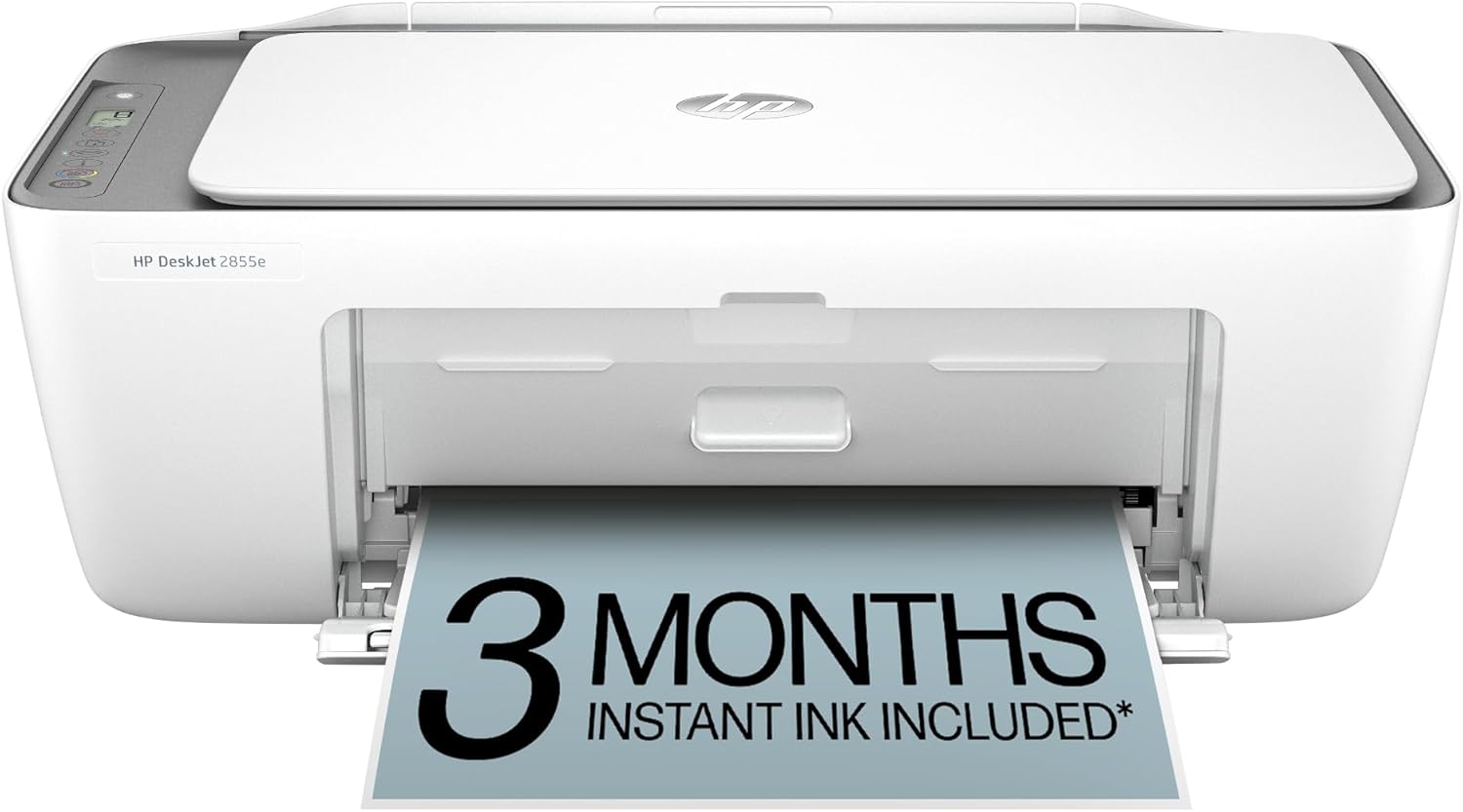
| Printer Type | Inkjet |
|---|---|
| Compatible Cartridge | HP 67 |
| Maximum print Resolution Color | 4800 x 1200 dpi |
| Printer Connectivity Type | single band wi-fi (2.4ghz only) |
| Maximum Sheet Capacity | 60 |
The HP DeskJet 2855e is a small all-in-one inkjet meant for home use, offering color prints, a flatbed scanner, and copying in a compact footprint. It connects via single-band 2.4 GHz Wi-Fi or USB 2.0 and is controlled through the HP app for printing from smartphones and PCs. Print quality benefits from a high color resolution specification, and the 60-sheet input tray plus manual duplexing keeps the design simple and affordable. The printer includes setup cartridges and a 3-month Instant Ink trial with HP+ activation for users who want ink delivery service. Expect modest speeds suitable for occasional document and photo printing rather than heavy office workloads, and manual two-sided printing adds a small inconvenience for duplex jobs. Overall, it suits buyers who need a space-saving, app-driven printer with basic scanning and copying functions and a straightforward setup process.
Best for: Buyers who prioritize a compact, app-controlled home printer that can handle occasional color documents, scans, and copies and who value simple setup and subscription ink options.
Less Ideal for: Users who need fast, high-volume color production, automatic duplexing, or advanced network features for small office environments.
- Compact all-in-one design with flatbed scanner for scanning and copying
- Wireless printing via 2.4 GHz Wi-Fi and smartphone control through the HP app
- Includes setup cartridges and a 3-month Instant Ink trial for automatic ink delivery
- 60-sheet input tray keeps paper handling simple for home use
- High color resolution spec for better-looking color prints
- Limited to single-band 2.4 GHz Wi-Fi which can restrict modern network setups
- Manual duplexing requires user intervention for two-sided prints
- Print speeds are modest and not intended for high-volume use
Verdict: Choose the DeskJet 2855e if you want a compact, app-driven home all-in-one that delivers good-looking color prints and easy ink subscription setup.
Choosing the Right Color Inkjet Printer: Key Factors to Consider
Color Accuracy and Gamut
Color accuracy determines how closely printed output matches source files and expectations. For photo and marketing work, look for printers that reproduce a wide color gamut and support fine droplet control. Accurate color reduces time spent on manual color correction and avoids wasted pages. Consider whether the printer supports advanced color management features, such as ICC profiles or user-adjustable color modes, which help when you need consistent branding colors or reliable skin tones.
Gamut and calibration matter more if you print photos or branded collateral. If your output is mostly text or casual graphics, extreme color fidelity is less important than reasonable saturation and balanced tones.
Operating Cost and Ink Options
Running cost is one of the largest lifetime expenses for any inkjet. Check typical page yield for standard and high-capacity cartridges, and whether the model accepts XL or super-high-yield inks. Cost per page calculations should include both color and black yields because mixed-color jobs consume multiple cartridges.
Also consider refillability and third-party cartridge compatibility if you plan heavy-volume printing. Models with separate ink tanks for each color reduce waste when only one color runs out. Factor in maintenance ink use and routine printhead-clean cycles, which can consume extra ink on machines that require frequent maintenance.
Print Speed and Duty Cycle
Print speed affects productivity. Manufacturers publish different speed metrics, so prioritize mixed-document or real-world ppm figures rather than best-case brochure numbers. For light home use, slower draft modes may be acceptable, but for shared office use, look for higher sustained throughput and a monthly duty cycle that meets your expected volume.
A printer pushed beyond its recommended duty cycle will likely need more maintenance and have reduced longevity. Match the recommended monthly page count to your peak months, not just average usage, to avoid overworking the device.
Connectivity and Mobile Printing
Modern workflows demand flexible connectivity. Built-in Wi-Fi, Ethernet, and USB matter in different environments. Wi-Fi is convenient for multiple-device households, while Ethernet provides stability for a small office. Mobile printing support, such as native printing from phones and tablets, can simplify everyday tasks and reduce the need for a PC.
Additionally, check driver and software support for your operating systems. Reliable drivers and an easy-to-use mobile app shorten setup time and reduce troubleshooting when users change devices or networks.
Paper Handling and Media Support
Look at the input and output capacities, supported paper sizes, and whether the printer handles heavier media or envelopes. A larger input tray reduces refills for busy users, while a manual feed or rear tray helps with specialty paper and photo stock. Duplex printing capability is important if you frequently produce two-sided documents and want to save paper.
If you plan to print photos, confirm the printer supports photo paper sizes and offers settings to optimize color and saturation for glossy or matte media.
Maintenance and Reliability
Ease of routine maintenance affects long-term satisfaction. Consider how accessible the ink cartridges and printhead are, whether the printer performs automatic alignment and cleaning, and how often users typically need to replace wearable parts. Devices that provide clear onscreen alerts or app notifications for low ink and maintenance tasks reduce downtime.
Also evaluate build quality and warranty terms relevant to your expected usage. Lower-maintenance designs with replaceable maintenance kits or easy serviceability tend to have lower total ownership headaches.
Matching a Printer to Your Workflow
Start by outlining the types of documents you print most often. If you primarily print photos and color marketing materials, prioritize color accuracy and media handling. If you mostly print reports and occasional color pages, lean toward models with lower running costs and good mixed-mode speed.
Also consider who will use the printer. A single-user home office can accept slower warm-up and lower tray capacity, while a shared small office needs robust networking, higher duty-cycle ratings, and easier maintenance.
- Photo-heavy users: prioritize color gamut and dedicated photo media settings.
- Mixed-use offices: balance speed, ink efficiency, and duplexing.
- Casual home users: consider simple setup, compact footprint, and wireless printing.
Setting Up for Best Color Results
For reliable color, start with the correct paper type and quality setting in the driver. Many printers include specific media profiles; selecting the right one prevents muddy or oversaturated prints.
If color-critical work is required, use ICC profiles and calibrate your workflow. Even without calibration tools, printing test swatches and adjusting driver settings for saturation and brightness can yield noticeable improvements.
- Choose paper and driver profiles that match the media.
- Use test prints to fine-tune color settings before large jobs.
Reducing Ink Waste and Improving Yield
Minimize unnecessary printhead clean cycles by printing regularly and avoiding long idle periods, which can cause nozzles to dry. When storing a printer for long stretches, follow the manufacturer guidance for power-down or cover procedures to reduce drying.
Use draft settings for internal documents to save color ink, and reserve higher-quality modes for final copies. Where possible, choose models with separate cartridges so you only replace the depleted color rather than a combined tri-color cartridge.
- Print regularly to prevent nozzle clogs.
- Prefer models with individual color cartridges for lower waste.
Network and Security Basics
Ensure the printer is on a secure network and keep firmware updated. Many modern printers include basic security features such as password-protected web interfaces and encrypted wireless connections. For office deployments, consider using Ethernet to isolate printing traffic on a guest or dedicated VLAN.
Disable unnecessary services and change default passwords during setup. If the device offers role-based access or usage logging, enable those features to monitor and control who can change settings or access certain functions.
- Use secure Wi-Fi settings or wired Ethernet in offices.
- Keep firmware current and change default credentials during setup.
When to Choose Photo-Focused Versus Office-Focused Models
Photo-focused printers often include additional color inks, finer droplet sizes, and dedicated photo paper handling. These features improve image detail and tonal rendering but may increase consumable complexity and cost. Choose a photo-focused device only if you regularly produce prints where color nuance and detail matter.
Office-focused models concentrate on throughput, reliable two-sided printing, and lower page costs. They are better for heavy document printing, occasional color, and environments where uptime and predictable running costs matter more than absolute photo fidelity.
- Photo-focused: extra inks, better color depth, optimized photo handling.
- Office-focused: higher duty cycles, lower cost per page, robust paper handling.
How We Chose the Best Color Inkjet Printer
We focused on attributes that matter for everyday color printing and small-office workflows. Our shortlist prioritized measurable capabilities: color output consistency, measured by color gamut and droplet control; sustained daily throughput indicated by recommended monthly duty cycle; and operating economics, assessed via typical ink yield and availability of high-capacity cartridges or refill options. Connectivity and workflow mattered too, so we favored devices with reliable wired and wireless networking, mobile printing support, and intuitive drivers or apps. Usability and upkeep were also considered, including ease of replacing inks, maintenance cycle requirements, and access to common consumables. Print speed under normal mixed-mode jobs was used to gauge real-world productivity. We excluded printers designed solely for photo-lab, wide-format, or industrial label production because those serve different use cases. The final picks balance color fidelity, usable throughput, and predictable running cost for home and small-office environments.
Our full evaluation process is outlined in our review methodology.
FAQ
How long do ink cartridges typically last?
Cartridge life depends on page coverage, print mode, and the type of documents you print. Light text documents use far less ink than photo prints, and draft modes extend life. Manufacturers provide estimated yields that are useful for comparison, but real-world yields often vary depending on your usage patterns.
Is a color inkjet or a laser better for home photo printing?
For photos, modern color inkjets typically offer superior color blending and tonal range compared with consumer laser printers. Laser devices can produce sharp text quickly, but they generally do not match the color nuance or smooth gradients that dedicated inkjets provide for photos.
Can I use third-party or refilled cartridges?
Third-party or refilled cartridges can reduce running costs but may vary in reliability and yield. Using them may increase the risk of clogs or inconsistent color, and support options can be limited. Evaluate the tradeoffs and choose reputable suppliers if you plan to use non-original consumables.
How can I prevent printhead clogs?
Print regularly to keep ink flowing and avoid long idle periods. Use the printer's maintenance tools for occasional automated nozzle checks and cleanings. If you do lengthy storage, follow recommended shutdown procedures and consider a power-off maintenance cycle if provided.
Do all color inkjets support mobile printing?
Most modern color inkjets include some form of mobile printing, such as native wireless printing protocols or a companion app. However, the quality of the mobile experience varies, and driver support may differ across operating systems. Verify the specific connectivity and app features before relying on them for critical workflows.
Final Verdict
Choose a Color Inkjet Printer by weighing color needs against ongoing costs and daily throughput. Prioritize color accuracy and media handling if photo and marketing output are priority. If you print mostly documents with occasional color, focus on ink efficiency, reliable networking, and higher duty-cycle ratings. Balance tradeoffs between print fidelity and cost per page to find a model that fits your workload. With the right priorities, you can select a printer that delivers the color and reliability you need without unexpected running costs.