
Note: This article contains affiliate links. If you click on these links and make a purchase, we may earn a small commission at no extra cost to you. This helps support our research and content. Read our full affiliate disclosure here.
If you keep a paper journal or planner, a compact printer can make entries neater and add photos, stickers, and custom layouts without bulky equipment. A mini printer for journaling saves space on your desk, slips into a bag for on-the-go spreads, and handles small-format labels and images that fit typical journal pages. This guide highlights seven shortlisted mini printers that suit journaling needs. We evaluated models for print clarity, paper handling, and everyday usability so you can pick a device that matches your workflow and creative habits.
Top Picks at a Glance
| Best Overall The best all-around choice for most situations | HP Sprocket 2×3 Portable Printer |  |
| Best Quality Built to a higher standard if you want something more solid | Liene PixCut S1 |  |
| Best Value The sweet spot between price and what you get | Phomemo M02X Pocket Printer |  |
| Best Budget The cheapest option that still gets the job done reliably | iDPRT S1 Mini Sticker Printer |  |
| Top Rated A top-rated pick with lots of positive feedback | Fujifilm INSTAX Mini Link 2 |  |
| Most Popular A crowd favorite that many people choose with confidence | KODAK Step Instant Photo Printer |  |
| Best Seller A high-volume bestseller chosen again and again | Nelko PP01 Photo Printer |  |
HP Sprocket 2×3 Portable Printer

| Print media | Glossy photo paper, Paper (plain) |
|---|---|
| Maximum Media Size | 2 x 3 |
| Maximum Sheet Capacity | 10 |
| Printer Connectivity Type | wireless |
| Resolution | 313 x 400 DPI |
The HP Sprocket 2×3 is a compact, rechargeable mobile printer designed to turn smartphone photos into 2"x3" sticky-backed prints on demand. You pair it with the HP Sprocket app over Bluetooth to edit photos, add filters, stickers, and then print; multiple users can connect for party-style sharing and the personalized LED indicates who is printing. ZINK paper removes the need for ink cartridges, producing smudge- and water-resistant glossy photos that are easy to stick into journals, scrapbooks, and planners. Its battery lets you print roughly 35 prints per charge and the 10-sheet input keeps the unit slim and pocketable. Limitations include the small 2×3 print size, which is great for journaling but not suitable when larger photos or high-resolution enlargements are needed, and the modest 313 x 400 DPI output that is fine for casual keepsakes but not professional photo work. The Sprocket is straightforward to set up and reliable for on-the-spot prints when you want physical photos for crafts and memory-keeping.
Best for: A journaling or scrapbooking user who wants instant, portable 2×3 keepsakes and values easy mobile editing and sticker-style prints for layouts and memory pages.
Less Ideal for: People who need larger prints, archivable high-resolution photos, or a desktop photo-lab workflow should look at larger-format printers instead.
- True pocket portability and rechargeable battery for printing on the go
- ZINK zero-ink paper produces sticky-backed, smudge- and water-resistant photos
- Bluetooth pairing and a mobile app with editing tools and filters for quick customization
- Allows multiple devices to connect so friends can print at events or gatherings
- Prints only 2"x3" size which limits uses to small keepsakes
- Resolution and print quality are adequate for casual journaling but not for professional-grade photos
Verdict: For journalers who want fast, portable sticky-backed photos and simple mobile editing, the HP Sprocket delivers instant, scrapbook-ready 2×3 prints.
Liene PixCut S1

| Printer Type | Thermal Dye Sublimation |
|---|---|
| Resolution | 300 x 300 dpi |
| Maximum Media Size | 4×7 inches |
| Maximum Sheet Capacity | 180 |
The PixCut S1 combines a 300 dpi dye-sublimation photo printer with an integrated cutter, letting you print and produce laminated stickers in a single workflow. It connects over Bluetooth and is controlled from the Liene app, which offers templates, AI image extraction, and basic editing; the Inspire Kit adds 36 photo sheets and 144 sticker sheets so you can start crafting immediately. Printing is photo-quality with 16.7 million colors and automatic lamination for waterproof, scratch-resistant outputs, and the cutter follows edges precisely for shaped stickers. Practical uses for journaling include custom photo stickers, labels, and decorative die-cut elements you can create from phone images without a PC. Limitations to note are the slow print speed (about one page per minute) and the manufacturer restriction to Liene-compatible 4×6 and 4×7 media, which reduces paper sourcing flexibility for heavy users.
Best for: Buyers who prioritize print quality and creative control for journaling projects and want a standalone device that can turn phone photos into durable, shaped stickers without complicated setup.
Less Ideal for: If you need fast, high-volume label or photo production or require flexible paper formats, this device will feel restrictive and slow.
- Integrated print-and-cut workflow produces laminated, shaped stickers without manual trimming
- 300 dpi dye-sublimation yields photo-quality, vibrant prints with long-lasting color
- Large starter media bundle (180 sheets) included so you can begin projects right away
- Bluetooth and mobile app control with AI extraction and templates simplifies design from a phone
- Slow throughput at roughly one page per minute, not suited to high-volume runs
- Only supports Liene 4×6 and 4×7 media, limiting third-party paper options
Verdict: Choose the PixCut S1 when you want photo-quality, laminated stickers and precise die cuts from a compact, phone-driven printer built for creative journaling.
Phomemo M02X Pocket Printer

| Printer Type | Thermal |
|---|---|
| Resolution | 203DPI |
| Printer Connectivity Type | Bluetooth |
| Maximum Media Size | 53 mm x 2.08 in |
The Phomemo M02X is a pocketable thermal sticker printer that pairs over Bluetooth to a companion app for printing notes, labels, small photos and decorative stickers. You use the app to compose text, import images or pick from built-in fonts and templates, then send jobs to the M02X for inkless monochrome output onto thermal sticker paper or single-color transparent rolls. Its 203 dpi resolution and fast thermal engine make short text and simple graphics clear, and the inkless design keeps supplies mess-free and lightweight for journaling or planner use. The app adds convenience with fonts, patterns and an AI design tool, though access to some premium templates requires a membership. Because the device prints narrow 53 mm media and only in one color, it is best for captions, labels, dated entries and small decorative prints rather than full-color photos or large page layouts. Battery life and paper consumption are the practical limits to keep in mind for heavy daily printing, but for portable, quick journaling tasks the M02X is a handy, no-fuss tool.
Best for: Buyers who prioritize portable, low-maintenance tools for journaling, planners, and quick sticker-style prints and want an app-driven workflow to compose labels and captions.
Less Ideal for: If you need full-color photo prints, wide-format pages, or high-volume daily printing for a business, choose a larger color printer instead.
- Truly pocketable for on-the-go journaling and labels
- Inkless thermal printing avoids smudges and running out of ink
- Bluetooth app workflow with many built-in fonts and templates
- 203 dpi gives legible text and simple graphics for planners and notes
- Fast print speed for short runs
- Prints only monochrome or single-color on supported thermal paper
- Limited to narrow 53 mm media so large layouts are not possible
- Some advanced app templates require a paid membership
Verdict: A compact, inkless Bluetooth pocket printer that makes fast, neat monochrome stickers and labels ideal for journaling and planners.
iDPRT S1 Mini Sticker Printer

| Printer Type | Thermal |
|---|---|
| Print Resolution | 203 x203 DPI |
| Maximum Media Size | 2 inch |
| Printer Connectivity Type | Bluetooth |
| Control Method | App |
The iDPRT S1 is a pocketable thermal sticker printer that connects over Bluetooth and prints black-on-white labels up to about 2 inches wide from an iOS or Android app. It is intended for quick journaling, labels, simple barcodes and small photos using thermal sticker rolls bundled with the unit. Setup is straightforward: load a roll, pair with the app, pick a template and print — the app includes templates, text recognition, and simple DIY layout tools. At 203 DPI the output is clear enough for notes, planner stickers and small icons, and the fast thermal engine can churn through pages at a modest speed for short sessions. Expect typical limitations of tiny thermal printers: no color, no high-resolution photos, and reliance on app controls can be less flexible than a desktop editor. The package omits a USB charger cable, so you will need one on hand for charging. For budget journaling and label tasks the S1 delivers a convenient, portable solution with decent print clarity for its size.
Best for: Buyers on a tight budget who want an inexpensive, easy-to-use portable printer for planner stickers, labels and quick journaling projects and value portability and simplicity over photo quality.
Less Ideal for: People who need full-color prints, high-resolution photos, or professional-grade labels for business use should consider larger desktop or color-capable printers instead.
- Truly portable and lightweight for carrying to craft sessions or planners meetups
- Bluetooth smartphone app with templates and in-app DIY tools for quick sticker design
- 203 DPI thermal printing gives legible text and simple graphics suitable for journaling
- Includes a roll of sticker paper so you can start printing right away
- Prints only monochrome thermal output so no color or photo-grade prints
- USB charger cable is not included in the box
Verdict: A very affordable, pocketable thermal sticker printer that gives clear monochrome labels and simple journaling stickers without breaking the bank.
Fujifilm INSTAX Mini Link 2

| Print media | Glossy film |
|---|---|
| Maximum Media Size | 2 x 3 inches |
| Maximum Sheet Capacity | 10 |
| Printer Connectivity Type | Bluetooth, USB |
| Maximum print Resolution Color | 800 x 600 dpi |
The Fujifilm INSTAX Mini Link 2 is a pocketable smartphone printer designed to turn phone photos and short video moments into 2 x 3 inch instant prints. It pairs over Bluetooth to the INSTAX MINI LINK app, where you can crop, add filters, place frames, and use playful features like INSTAXAiR doodling, Match Test, and printing QR codes from recorded motion. The printer is lightweight and accepts Fujifilm INSTAX MINI film cartridges that hold up to 10 sheets, and it offers simplex color prints at 800 x 600 dpi. For journaling, the Mini Link 2 is useful for quickly adding durable, tactile photos and decorative prints from videos or stills without needing a computer. Limitations to consider are the small fixed print size, ongoing cost of instant film cartridges, and modest resolution compared with larger photo printers, so it is best for creative inserts and memory-keeping rather than archival enlargements.
Best for: Journaling enthusiasts who want a reliable, portable way to add small, decorative instant photos and creative prints directly from their smartphone.
Less Ideal for: People who need larger, high-resolution archival prints or want to avoid recurring film costs should consider alternatives.
- Compact, lightweight design easy to carry and store
- Bluetooth app control with creative features like INSTAXAiR, filters, and video-to-print
- Produces instant 2 x 3 inch prints on Fujifilm INSTAX MINI film
- Accepts single film cartridges with up to 10-sheet output capacity
- Prints are limited to a fixed 2 x 3 inch size
- Requires proprietary INSTAX MINI film, adding ongoing consumable cost
Verdict: A dependable, pocketable instant printer that makes quick, creative 2 x 3 prints ideal for adding personality to journals.
KODAK Step Instant Photo Printer
| Print media | Glossy photo paper (ZINK 2×3) |
|---|---|
| Maximum Sheet Capacity | 10 |
| Maximum print Resolution Color | 313 x 400 dpi |
| Printer Connectivity Type | Bluetooth, NFC |
| Initial Page Print Time | 60 seconds |
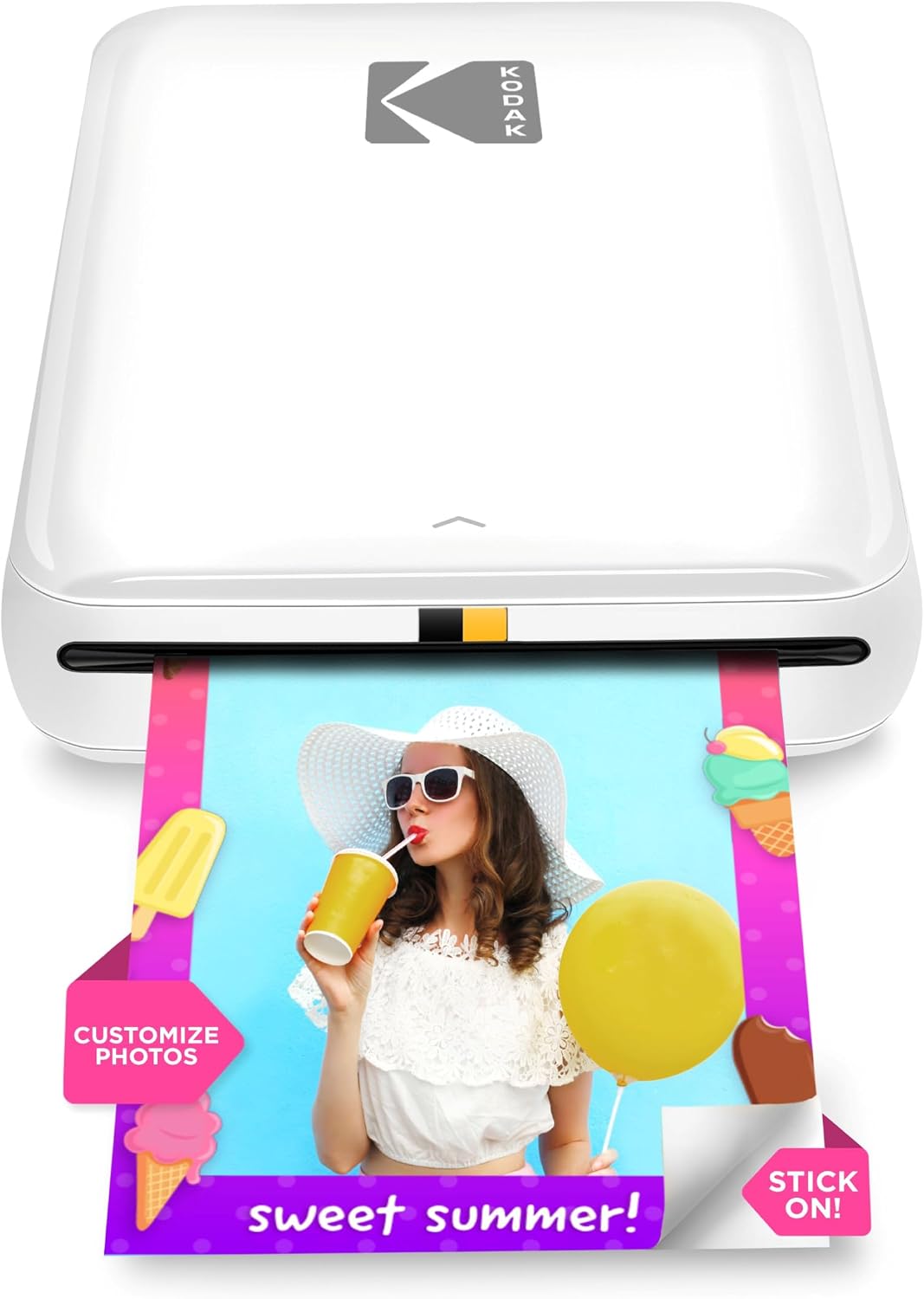
The KODAK Step is a compact, battery-powered mobile printer that turns phone photos into 2×3-inch sticky-backed prints using ZINK zero-ink paper. It connects over Bluetooth or NFC and requires the KODAK STEP PRINTS app to edit, arrange collages, add filters or stickers, then send photos to the printer. Practical for journaling and scrapbooking, the prints are smudge- and water-resistant and the built-in battery can produce roughly 25 prints per charge, while a 10-sheet output capacity keeps the unit tidy on a desk. Print speed is about a minute per photo and resolution is modest, so the Step is best for casual color snapshots rather than high-detail photos or large-format prints. Because it uses ZINK paper you avoid cartridges, but ongoing cost centers on replacement paper and the 2×3 size limits layout options compared with larger printers. Setup is simple and the app gives useful creative controls that fit craft and journaling workflows.
Best for: Journalers and scrapbookers who prioritize convenience, portability, and quick peel-and-stick photos for crafts and memory-keeping and who value easy app-based editing.
Less Ideal for: Anyone who needs large, high-resolution photographic prints or a faster, high-volume desktop photo solution should consider larger format printers instead.
- Truly portable with rechargeable battery for on-the-go printing
- Zero-ink ZINK paper eliminates cartridges and messy maintenance
- Sticky-backed 2×3 prints are durable and ready for journaling or scrapbooks
- App-based editing, collage and sticker tools let you personalize prints before printing
- Small 2×3 print size limits layout and cropping flexibility
- Prints are relatively low resolution and take about 60 seconds each
Verdict: For journaling and scrapbooking, the KODAK Step delivers instant, durable 2×3 sticky-backed prints with easy app editing and true pocket portability.
Nelko PP01 Photo Printer

| Printer Type | Inkjet |
|---|---|
| Print media | Glossy photo paper |
| Print Resolution | 600 x 600 |
| Printer Connectivity Type | Bluetooth |
| Paper Size | 52x90mm |
The Nelko PP01 is a pocket-sized 2×3 portable inkjet photo printer designed to print small adhesive photos straight from your phone. You pair it over Bluetooth with the Nelko app on iOS or Android, edit or add frames and stickers in-app, then send a 600 DPI color print to the device that produces a sticky-backed photo in roughly a minute. It accepts dedicated 2×3" glossy photo paper and uses a single color cartridge set that the brand rates for multiple dozen prints per cartridge. The unit is clearly aimed at journaling, scrapbooking, party favors, and on-the-go prints — the adhesive backing and app editing tools make it easy to personalize prints for planners and albums. Expect basic, print-only operation with simple paper loading and a USB charging cable included, but be prepared to follow the app troubleshooting steps for paper jams or cartridge recognition and to maintain the printhead if idle for long periods. The small printable area and single-sheet output rate mean this is a convenience tool, not a replacement for larger photo labs.
Best for: Someone who values instant, personalized sticky-backed photos for planners, scrapbooks, and small crafts and prefers a fuss-free Bluetooth workflow with app editing.
Less Ideal for: Buyers who need larger prints, fast batch production, or a multi-function printer that handles standard document sizes should look elsewhere.
- Very portable pocket-sized design for journaling and events
- Prints sticky-backed 2×3 photos that are water-resistant and tear-resistant
- 600 DPI color resolution for detailed small prints
- Bluetooth connection with an editing app for on-device customization
- Includes starter media and a USB charging cable in the box
- Print speed and small 2×3 format limit productivity for large batches
- Relies on proprietary paper and cartridges so ongoing consumable costs apply
Verdict: A pocketable Bluetooth inkjet that makes quick personalized 2×3 sticky-backed photos ideal for journaling and scrapbooking.
Choosing the Right Mini Printer for Journaling: Key Factors to Consider
Print Quality and Resolution
Sharp, consistent printing matters because journal pages are small and often contain fine lettering, small stickers, or tiny photo prints. Higher effective resolution reduces banding and keeps text readable at small point sizes.
Also consider color fidelity if you plan to print photos or artwork. Some compact printers use thermal or dye-sublimation processes that render colors and gradients differently than inkjets. The intended media type and whether you need waterproof or archival inks will influence longevity of your prints.
Supported Media and Paper Handling
Journaling uses a variety of media: photo squares, adhesive sticker sheets, washi-style rolls, and trimmed cardstock. Check supported dimensions and whether the printer can reliably feed thin sticker paper or thicker matte cards without jamming.
Look for adjustable feeds or specific small-sheet trays, and confirm whether the device accepts roll media if you prefer continuous sticker printing. Paper path design matters for handling delicate printable stickers without creasing.
Connectivity and Mobile Workflow
Most journaling layouts are designed on phones or tablets, so seamless wireless connectivity and a capable app make printing faster. Native Bluetooth or Wi-Fi printing, straightforward pairing, and an app that supports layout templates, photo cropping, and basic adjustments will streamline your process.
Also check whether the app lets you print multiple images per sheet, mirror or rotate content, and manage margins. Compatibility with both iOS and Android increases flexibility if you switch devices.
Portability and Power Options
If you plan to print away from a desk—to craft meetups or while traveling—battery power and a compact footprint are crucial. Assess battery capacity in terms of typical print jobs, and whether the battery is user-replaceable or rechargeable via standard USB-C.
Consider build weight and whether the printer comes with a protective case or is sturdy enough to survive being carried in a bag. For mostly home use, a mains-only model can be acceptable, but portability changes the device selection.
Ease of Use and Setup
You want a streamlined setup so creative momentum is not lost. Look for devices with clear indicator lights, simple paper-loading steps, and quick app-based tutorials. Intuitive controls and straightforward consumable replacement reduce friction during frequent, short printing sessions.
Also consider maintenance needs such as printhead cleaning cycles or calibration steps. Lower-maintenance designs keep journaling projects moving without repeated interruptions.
Consumables Availability and Running Cost
Running a journaling habit means recurring purchases of paper, adhesive sheets, or ink/thermal media. Check how common the replacement media formats are and whether they are sold in convenient sizes or bundles.
Some technologies bundle paper and ink in single cartridges or rolls which simplifies replacement but can be costlier. Consider overall availability and whether third-party supplies are widely offered to avoid long waits between refills.
Choosing the Right Paper and Stickers
Selecting the correct paper type ensures print adhesion and durability. Matte photo paper gives a more archival look for journaling, while glossy or semi-gloss finishes make colors pop but may show fingerprints more readily.
For sticker sheets, choose adhesive-backed media rated for your printer type. Some printers require coated sticker paper to accept dye-based inks, while thermal models use pretreated rolls. Always test a small run before committing a full pack to avoid waste.
- Test-media before bulk buying
- Match finish to intended look and handling
- Confirm adhesive strength for layering and embossing
Layout Tips for Small-Format Printing
Design layouts with margins and bleed in mind. Mini printers often have narrower printable areas, so keep critical text and elements away from edges. Use template grids that match your paper dimensions.
Consider printing multiple small elements on a single sheet and cutting them out. This reduces paper waste and speeds up production of repeated stickers or labels for multiple journal spreads.
- Use templates that match device printable area
- Leave at least 3–5 mm margin for safe trimming
- Print test sheets at lower quality to check alignment
Maintaining Your Mini Printer
Regular cleaning prevents jams and print artifacts. Wipe paper paths and rollers occasionally and follow any manufacturer guidance for printhead maintenance. Avoid using abrasive cloths or solvents that could damage sensors.
Store media in a cool, dry place to prevent curling or moisture-related feed problems. If you do long gaps between printing sessions, run a small test print to clear any dust buildup before starting a project.
- Clean rollers and paper path monthly if used frequently
- Run a test print after storage or long idle periods
- Keep spare media on hand to avoid interrupting sessions
Integrating Digital Tools and Templates
Many journaling workflows blend mobile design apps, sticker template packs, and cloud storage. Use apps that let you export images at the correct DPI and dimensions for your mini printer to avoid scaling issues.
Organize frequently used templates and preset margins so you can quickly assemble spreads. Batch-exporting multiple images into a single printable sheet can save time and reduce repetitive setup steps.
- Export at the printer-recommended DPI
- Save reusable templates for headers and labels
- Batch images into composite sheets for efficiency
When to Choose Battery Power Versus Mains
If you take journals on the road or to workshops, battery-powered mini printers offer clear advantages for mobility. Consider battery runtime in relation to your typical session lengths and whether you can recharge between uses.
For a dedicated home crafting desk, a mains-powered device can offer consistent performance and avoid interruptions during longer print runs. Evaluate how often you print and where you will use the device most when deciding.
- Estimate prints per charge from manufacturer specs
- Keep a powered backup for long sessions
- Prefer USB-C charging for convenience
How We Chose the Best Mini Printer for Journaling
We prioritized attributes that matter most when using a mini printer specifically for journaling. First, print quality and resolution were essential since small sheets and tiny text reveal flaws easily. Next, paper handling and supported media sizes were assessed to ensure the printer reliably feeds sticker paper, small photo sheets, and roll or cut formats common in journaling. Connectivity and mobile workflow were another key filter because journaling workflows often rely on phone-based templates and apps. We also considered speed for short runs, battery life for truly portable use, and the overall ease of setup and daily operation. Durability of mechanical parts and availability of replacement paper or consumables influenced selection to avoid options that require frequent maintenance. We excluded full-size photo printers, label-only devices, and anything that cannot accept the small-format media hobbyists use. The resulting candidates strike a balance between compact footprint, print fidelity, and practical journaling features.
Our full evaluation process is outlined in our review methodology.
FAQ
Can I print photos directly from my phone?
Often yes. Most mini printers support Bluetooth or Wi-Fi printing from smartphones through a companion app. Check that the app can handle cropping and color adjustments for small-format photos.
What media sizes should I stock for journaling?
Common sizes include small squares, wallet-size photos, and adhesive sticker sheets sized to journal columns. Keep a mix of printable sticker rolls or cut-sheet packs that match your journal dimensions.
Are mini printer prints durable for long-term journaling?
Durability depends on the printing technology and media. Dye-based prints may be vulnerable to moisture and fading, while thermal or dye-sublimation outputs and archival inks typically last longer. Consider protective sprays or laminating for frequently handled pages.
How often will I need to replace consumables?
Replacement frequency varies with use and the media format. If you print often, expect to replenish paper and sticker rolls regularly. Devices that combine paper and ink in one consumable may require less frequent but larger replacements.
Can I cut custom shapes after printing?
Yes. Many journalers print on sticker sheets or small photo paper and then trim or die-cut shapes. Use a guillotine or precision cutter for straight edges, and consider craft punches for consistent shapes.
Final Verdict
For journaling, prioritize print clarity, media compatibility, and an app-driven workflow. Decide whether portability or longer uninterrupted runs matters more to you, then select a device whose media sizes and consumable availability match your typical spreads. Balance tradeoffs between ease of use and print fidelity. Focus on the features you will use daily—reliable paper handling, straightforward mobile printing, and low maintenance—to pick a mini printer that keeps your creative momentum going.