
Note: This article contains affiliate links. If you click on these links and make a purchase, we may earn a small commission at no extra cost to you. This helps support our research and content. Read our full affiliate disclosure here.
Choosing the right color laser printer for home use matters because your machine needs to handle everything from school projects to occasional photo prints without wasting time or money. You want consistent color accuracy, everyday reliability, and reasonable running costs for moderate monthly volumes. This guide presents seven shortlisted color laser printers for home use that fit a range of needs, from compact models that save space to units built for higher monthly pages. Below we summarize how each contender performs across print quality, operating cost, and home-friendly features so you can pick the best fit quickly.
Top Picks at a Glance
| Best Overall The best all-around choice for most situations | HP Color LaserJet Pro M182nw |  |
| Best Quality Built to a higher standard if you want something more solid | Canon imageCLASS MF753Cdw II |  |
| Best Value The sweet spot between price and what you get | Xerox C230 Color Printer |  |
| Best Budget The cheapest option that still gets the job done reliably | Brother HL-L3280CDW Color Laser Printer |  |
| Top Rated A top-rated pick with lots of positive feedback | Brother HL-L3230CDW |  |
| Most Popular A crowd favorite that many people choose with confidence | HP Color LaserJet Pro 3301sdw |  |
| Best Seller A high-volume bestseller chosen again and again | Canon imageCLASS LBP646Cdw |  |
HP Color LaserJet Pro M182nw

| Printer Type | Laser |
|---|---|
| Printer Connectivity Type | Ethernet, USB, Wi-Fi |
| Print Speed (Color) | 17 pages_per_minute |
| Maximum Print Resolution Color | 600 x 600 dpi |
| Maximum Sheet Capacity | 250 |
The HP Color LaserJet Pro M182nw is a compact color laser multifunction designed for home and small-office use. It prints, scans and copies, connects over Ethernet, USB or dual-band Wi‑Fi, and supports mobile printing via the HP Smart app for remote job submission and basic device management. Print quality is typical for an entry-level color laser with 600 x 600 dpi resolution, producing crisp text and acceptable color graphics for documents, brochures and photos sized up to legal. The 250-sheet maximum paper capacity and single tray keep the footprint small but mean heavier print jobs require more frequent reloading. Manual duplex is supported but lacks automatic two-sided printing, which adds a step for double-sided documents. As a renewed unit it can deliver factory-quality toner performance while saving upfront cost, but buyers should expect limited warranty coverage compared with new models. For everyday home tasks, classroom handouts and light business printing it balances features, connectivity and color output in a compact package.
Best for: Buyers who want a compact, networked color laser that handles everyday home and small-business printing, scanning and copying with reliable mobile support and modest operating needs.
Less Ideal for: People who need fast automatic duplexing, high-resolution photo printing, or heavy daily volume should consider a higher-end or enterprise model instead.
- Color printing, scanning and copying in one compact unit
- Dual-band Wi‑Fi plus Ethernet and USB for flexible connectivity
- Mobile printing and device management with the HP Smart app
- 250-sheet maximum capacity handles moderate home workloads
- Refurbished unit can offer factory-quality toner performance at lower cost
- Duplex printing is manual rather than automatic
- 600 x 600 dpi limits photo-quality output compared with higher-resolution lasers
Verdict: A compact, networked color laser multifunction that delivers dependable everyday color printing, scanning and copying for home users who value connectivity and space savings.
Canon imageCLASS MF753Cdw II

| Printer Type | Laser |
|---|---|
| Print Speed | 35 pages_per_minute |
| Maximum Print Resolution Color | 1200 x 1200 dpi |
| Printer Connectivity Type | Ethernet, USB, Wi-Fi |
| Duplex | Automatic |
The Canon imageCLASS MF753Cdw II is a four-in-one color laser built for users who need fast, dependable document production at home or in a small office. It prints, scans, copies, and faxes, and uses Canon Genuine Toner 069 to produce sharp color and black-and-white output at rated speeds up to 35 pages per minute and a 7-second first page time. The unit includes a 50-sheet duplex automatic document feeder, a 5" color touchscreen for straightforward control, dual paper trays with a 250-sheet standard capacity and an expandable option, and multiple connectivity choices including Wi-Fi, Ethernet, and USB for mobile and desktop printing. Practical benefits include crisp 1200 x 1200 dpi resolution for professional-looking documents, automatic two-sided scanning and printing to save paper, and relatively low power draw in typical use. Trade-offs are the sizeable footprint and weight compared with consumer inkjets, and ongoing running costs tied to replacement toner cartridges for sustained high-volume color work.
Best for: Buyers who prioritize speed, crisp color output, and reliable multi-function performance for home or small-office workflows and who plan to print regularly enough to justify a laser device.
Less Ideal for: Casual photo printers or users who print only a few pages a week and want the lowest upfront cost and smallest footprint should consider compact inkjet alternatives instead.
- Fast rated print speed of up to 35 ppm for both color and B&W
- High 1200 x 1200 dpi resolution for detailed color documents
- Built-in duplex ADF and automatic two-sided printing to streamline multi-page jobs
- Multiple connectivity options including Wi‑Fi, Ethernet and USB for flexible placement
- 5" color touchscreen simplifies setup and frequent tasks
- Large and heavy compared with typical home inkjet printers
- Color toner replacement can be costly for sustained high-volume color printing
Verdict: Choose this model if you need fast, high-resolution color laser printing and full multifunction features for a busy home or small office.
Xerox C230 Color Printer
| Printer Type | Laser |
|---|---|
| Print Speed | 24 ppm |
| Duplex | Automatic |
| Maximum Sheet Capacity | 250 |
| Connectivity | WiFi, Ethernet, USB |
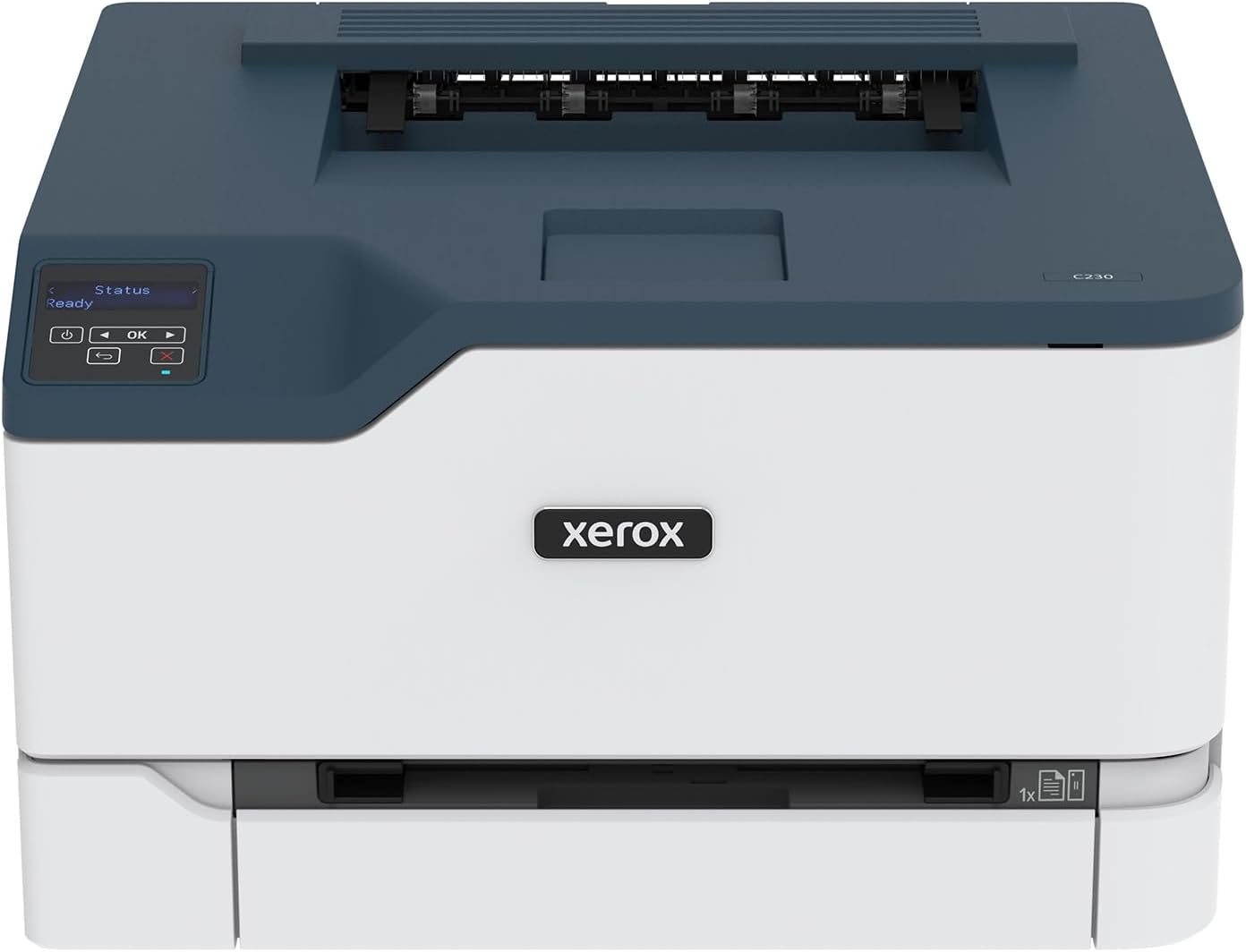
The Xerox C230 is a small, business-oriented color laser printer aimed at home offices and light small-business use. It prints both color and black-and-white documents at up to 24 pages per minute and includes automatic two-sided printing and a 250-sheet input tray so you can run multi-page jobs without frequent refills. Setup is simplified with built-in Wi‑Fi, Wi‑Fi Direct and mobile printing support including AirPrint and Mopria, and the Xerox Easy Assist app helps get the printer on your network quickly. Performance is solid for text and basic graphics at its stated 600 x 600 dpi resolution, and the 1 GHz dual-core processor with 256 MB memory keeps typical office prints moving. The unit ships with starter toner and supports higher-yield cartridges to lower running costs for monthly volumes up to about 1,500 pages. Important limitations are its modest print resolution compared with photo-focused printers and a single tray design that reduces paper flexibility, so it fits best for document-heavy tasks rather than high-fidelity photo work.
Best for: Buyers who prioritize reliable, cost-conscious color printing for home office documents and occasional marketing materials and want easy wireless setup without complex IT.
Less Ideal for: Users who need high-resolution photo printing, multi-function features like scanning or copying, or advanced multi-tray paper handling for heavy mixed-media jobs.
- Automatic two-sided printing reduces paper use for multi-page documents
- Built-in Wi‑Fi, Wi‑Fi Direct, AirPrint and Mopria make mobile printing straightforward
- 24 ppm speed and a 1 GHz dual-core processor handle typical home office workloads efficiently
- 250-sheet input tray and 100-sheet output capacity lower the need for frequent refills
- Supports high-yield toner cartridges to reduce ongoing printing costs
- 600 x 600 dpi limits fine photo and high-resolution graphic detail
- Single tray and print-only design lack advanced paper handling or scanning capabilities
Verdict: A compact, easy-to-set-up color laser printer that delivers reliable, cost-effective document printing for home offices.
Brother HL-L3280CDW Color Laser Printer
| Printer Type | Laser |
|---|---|
| Print Speed | 27 pages_per_minute |
| Resolution | 2400 x 600 dpi |
| Maximum Sheet Capacity | 250 |
| Connectivity | Ethernet, USB, Wi-Fi |
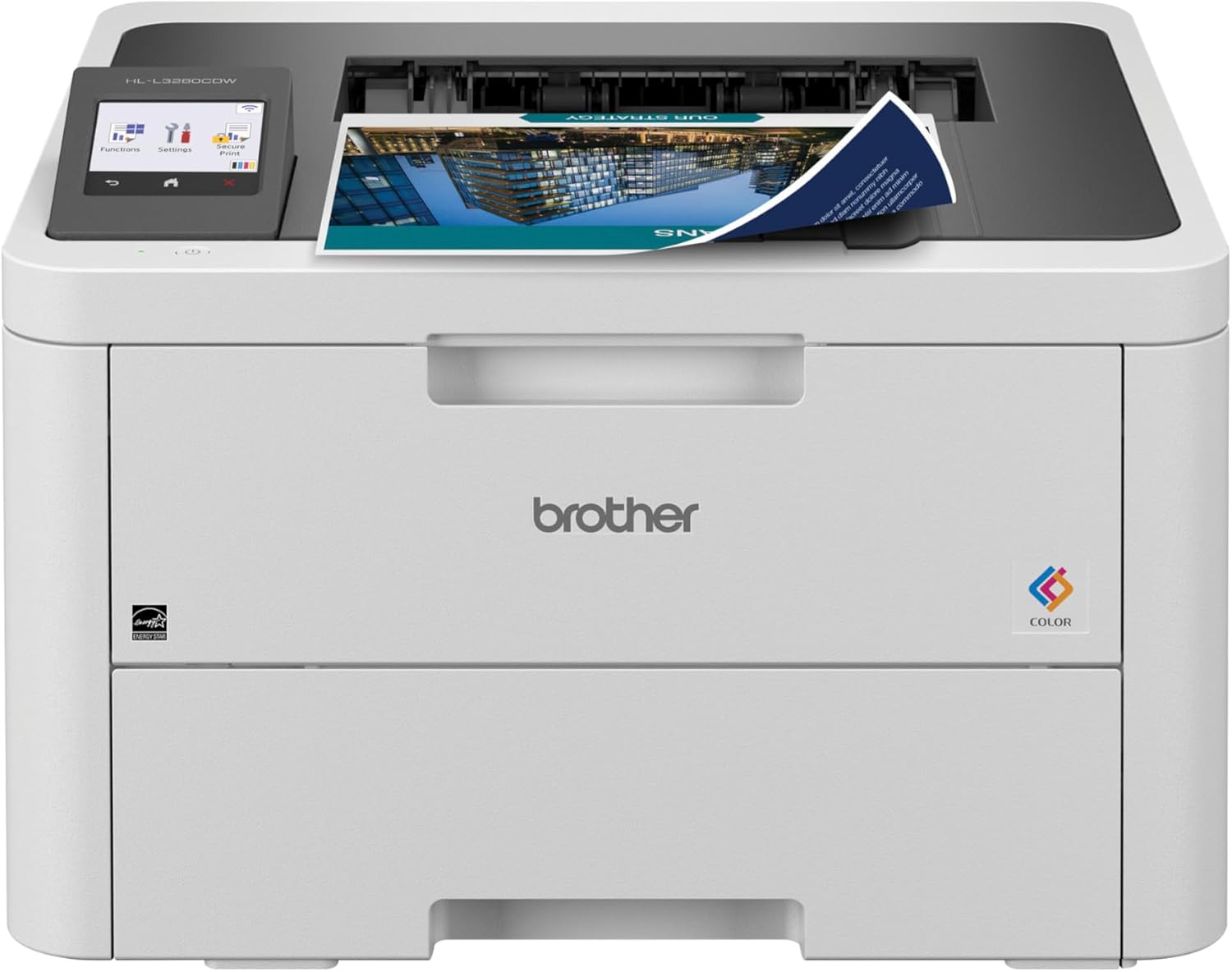
The Brother HL-L3280CDW is a compact color laser printer built to deliver consistent, business‑style prints for a home or small office. It prints up to 27 ppm in color and black and white, supports automatic duplexing to save paper, and holds 250 sheets in the main tray so you can run longer jobs without frequent refills. Setup and daily use are simplified by a 2.7" color touchscreen and multiple connection choices including dual‑band Wi‑Fi, Gigabit Ethernet, Wi‑Fi Direct, and USB. The printer works with the Brother Mobile Connect app for remote printing and toner monitoring, and Brother offers a Refresh subscription for automated supply delivery. Image quality is sharp at a listed 2400 x 600 dpi resolution, and Eco Mode/Toner Save features help reduce running costs. Important limitations are its single‑function print‑only design — no built‑in scanner or copier — and toner costs for color laser models can be higher than inkjets despite efficiency features, so ongoing supply costs should be considered for heavy color printing.
Best for: Buyers who need reliable, fast color laser output for home or small office documents and value straightforward setup and network printing.
Less Ideal for: Users who need an all‑in‑one with scanning or copying, or those who print heavy volumes of full‑color photos and want the lowest possible per‑page color cost.
- Fast print speed up to 27 ppm for color and B&W
- Automatic duplexing and 250‑sheet tray reduce paper handling and refills
- Multiple connectivity options including dual‑band Wi‑Fi, Ethernet, Wi‑Fi Direct and USB
- 2.7" color touchscreen and mobile app for easy control and remote printing
- Print‑only device with no scanning or copying capability
- Color toner supplies can be relatively expensive compared with inkjet cartridges
Verdict: A compact, fast color laser printer that delivers business‑quality pages and easy networked printing for budget-minded home office users who need dependable color output.
Brother HL-L3230CDW
| Printer Type | Laser |
|---|---|
| Color Pages per Minute | 25 pages_per_minute |
| Printer Connectivity Type | Ethernet, USB, Wi-Fi |
| Duplex | Automatic |
| Maximum print Resolution Color | 600 x 600 dpi |
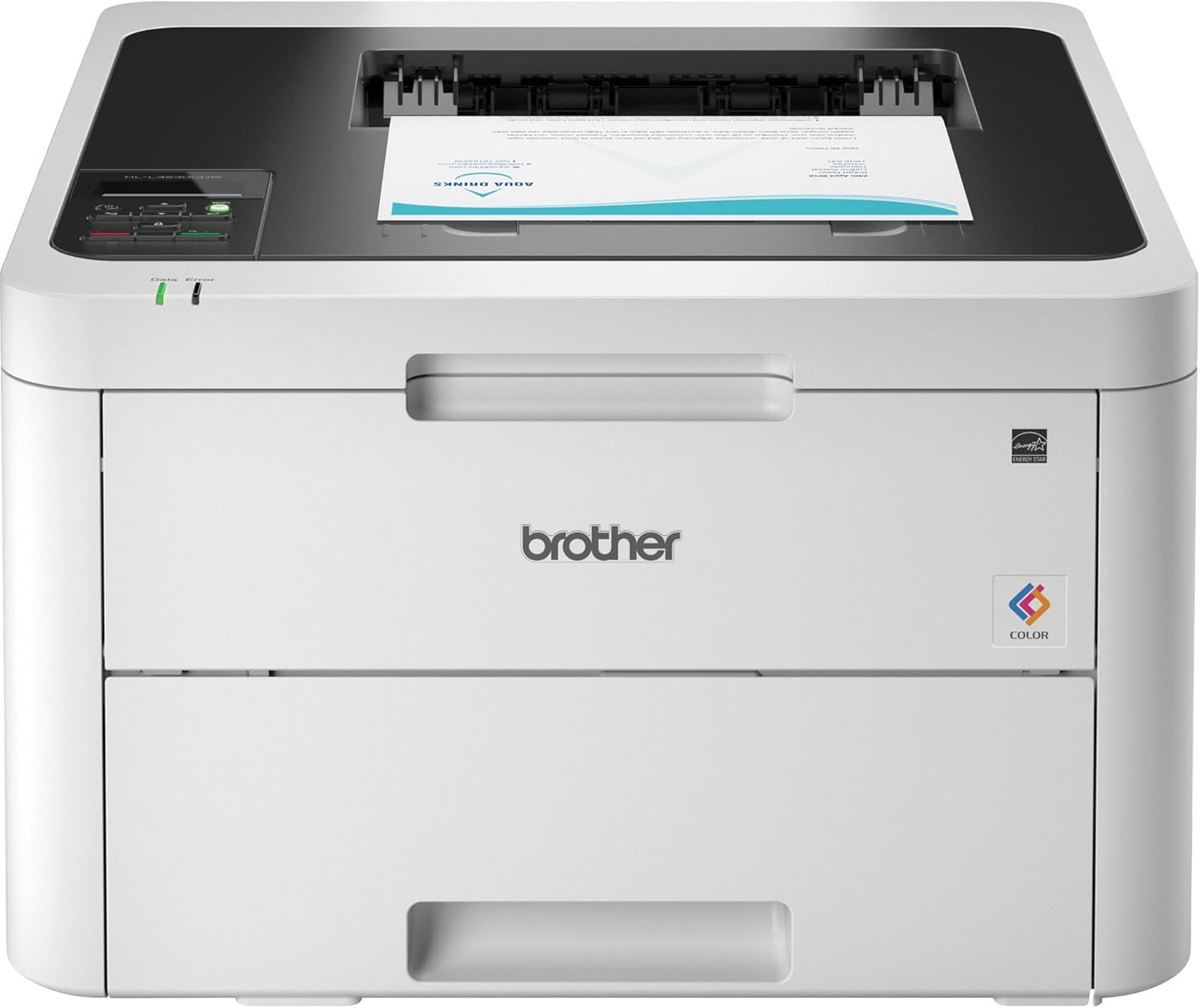
The Brother HL-L3230CDW is a compact color laser printer built for steady, everyday use in a home or small office. It prints up to 25 pages per minute in color or black and white and supports automatic duplexing to cut paper use. The printer offers flexible connectivity with built-in Wi Fi, Ethernet, Wi Fi Direct and a USB port, plus mobile printing compatibility with AirPrint, Mopria and Brother iPrint&Scan. Paper handling is practical: a 250-sheet adjustable tray for letter or legal and a manual feed slot for envelopes and card stock. Brother includes starter toner cartridges and supports higher-yield replacement toners and separate drum units for longer life and lower running costs. The 1-line backlit LCD keeps basic controls straightforward, but advanced features are limited compared with multifunction models. Expect modest color resolution at 600 x 600 dpi, so while business graphics and color documents look good, photo-quality prints are not the focus. Overall, it is a reliable, no-frills color laser that emphasizes consistent performance and economical color printing for daily home office tasks.
Best for: Buyers who prioritize dependable, consistent color printing for home or small-office documents and who value straightforward connectivity and low-maintenance operation.
Less Ideal for: Users who need high-resolution photo printing, advanced multifunction features like large touchscreen scanning, or very high monthly print volumes.
- Solid 25 ppm print speed for both color and black-and-white jobs
- Automatic duplexing reduces paper use without manual intervention
- Multiple connectivity options including Wi Fi, Ethernet, Wi Fi Direct and USB
- 250-sheet adjustable paper tray and manual feed slot for varied media
- Supports standard and high-yield toner options and separate drum units for longer service life
- Print resolution tops out at 600 x 600 dpi, limiting photo-quality output
- Single-line backlit display and limited advanced controls compared with higher-end models
Verdict: Choose the HL-L3230CDW if you want a compact, reliable color laser that delivers consistent, economical printing for home and small-office use.
HP Color LaserJet Pro 3301sdw

| Printer Type | Laser |
|---|---|
| Functions | Print, Scan, Copy |
| Duplex | Automatic |
| Connectivity | USB, Wi-Fi, Ethernet |
| Input Capacity | 250 |
The HP Color LaserJet Pro MFP 3301sdw is an all-in-one color laser designed to handle everyday home or small-office tasks with fast, consistent output. It prints, scans and copies from the flatbed or the auto document feeder, and supports automatic two-sided printing to save paper. Wired Ethernet, Wi-Fi and USB connectivity plus the HP app let you print from smartphones or networked computers, and HP's TerraJet toner delivers sharper color for business documents. A 250-sheet input capacity and two trays reduce reloading for medium-volume jobs, and built-in security features help protect networked data. Expect good print speed for standard office tasks but 600 x 600 dpi resolution and the advertised 30 ppm are aimed more at text and business graphics than high-resolution photo work. The printer is moderately large and uses HP 218A/218X cartridges, which simplifies supply sourcing but may be costlier than third-party toners. For buyers who prioritize reliable, secure color printing and app-based workflows at home, this model delivers practical, business-grade performance.
Best for: Buyers who want a reliable, business-style color laser for home or small-office use and value secure networked printing and fast, app-based workflows.
Less Ideal for: Photographers or users seeking high-fidelity photo prints or the lowest possible running costs should consider a dedicated photo printer or a more economical ink/toner solution.
- All-in-one functions with flatbed scanner and auto document feeder for multipage scanning and copying
- Automatic duplex printing to reduce paper use
- Multiple connectivity options including Wi-Fi, Ethernet and USB plus mobile app control
- 250-sheet input capacity and two trays reduce frequent paper refills
- Print resolution and output are optimized for documents and graphics rather than high-quality photo printing
- Uses proprietary HP 218A/218X toner which can be more expensive than generic replacements
Verdict: A dependable all-in-one color laser geared to home and small-office users who need secure, fast document printing and mobile-friendly workflows.
Canon imageCLASS LBP646Cdw
| Printer Type | Laser |
|---|---|
| Print Speed | 26 ppm (color and B&W) |
| Duplex | Automatic |
| Connectivity | USB, Wi‑Fi, Ethernet |
| Compatible Cartridge | Canon Genuine Toner 075 |
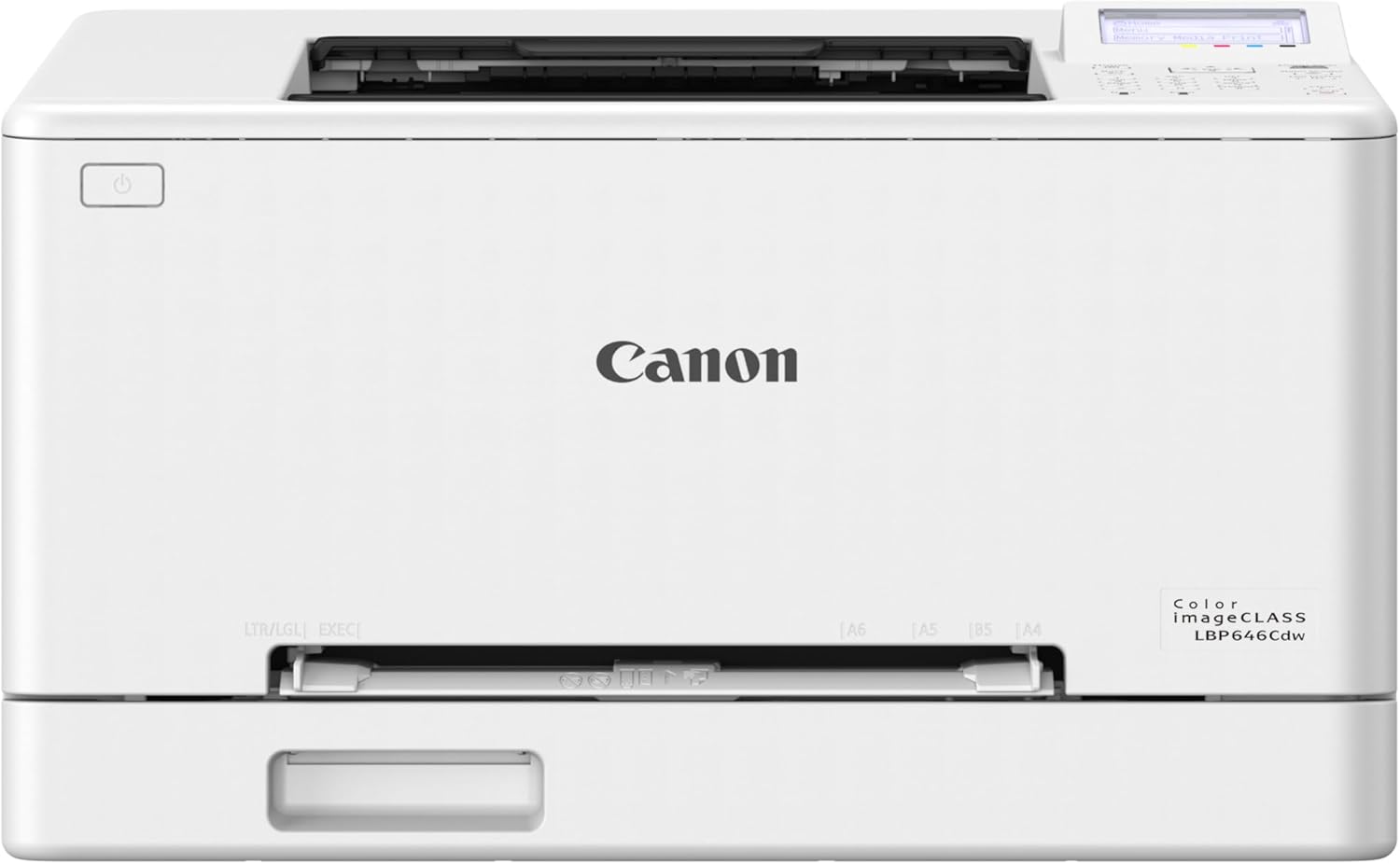
The Canon imageCLASS LBP646Cdw is a print-only color laser built for small or home-office workflows that need reliable, relatively fast output without scanning or copying. It produces color and monochrome pages at up to 26 ppm with a quick first-page time, and supports automatic two-sided printing to save paper. Setup and daily use are straightforward thanks to Wi‑Fi, Ethernet and a 5-line LCD for local control, and mobile printing via the Canon PRINT app, AirPrint and Mopria makes printing from phones and laptops easy. Paper handling is practical for a home environment with a 250-sheet cassette plus a manual feed slot for odd sizes and legal paper support. The printer uses Canon Genuine Toner 075 cartridges, which deliver higher yields but are a recurring cost to factor in. This model does not scan or copy, so it is strictly for users who only need single-function printing, and the print resolution and feature set are focused on document and office graphics rather than photo lab quality.
Best for: Buyers who want a dependable, easy-to-use color laser purely for printing documents and occasional banners from a home or small office and prefer a plug-and-play experience with mobile printing support.
Less Ideal for: Users needing an all-in-one device with scanning or copying, or those prioritizing photo-quality prints or the lowest possible running costs for very light usage.
- Consistent 26 ppm color and B&W speed for quick document output
- Automatic duplex printing reduces paper use and manual flipping
- Multiple connectivity options including Wi‑Fi, Ethernet, USB and mobile printing
- Large 250-sheet cassette plus manual feed for flexible paper handling
- Uses Canon Genuine Toner 075 high-capacity cartridges for longer runs
- Single-function design means no scanning, copying or faxing capabilities
- Relatively high power consumption listed compared with ink alternatives
- Toner replacement costs can be significant over long-term heavy use
Verdict: A reliable, print-only color laser that delivers fast, duplex-capable document printing with easy wireless and mobile setup for risk-averse home users.
Choosing the Right Color Laser Printer for Home: Key Factors to Consider
Print Quality and Color Accuracy
Color output determines whether photos, school projects, and documents look vibrant and legible. For home use, you want accurate color rendering for graphics and crisp, dark text for letters and forms.
Look for printers with multi-color toner formulations and good color management so hues stay consistent job to job. Higher resolution and better halftone handling improve small text and photo detail, which matters if you occasionally print images or color-rich flyers.
Cost Per Page and Toner Yield
Running cost is a major long-term factor for home printers because toner replacements can be expensive relative to usage. Calculate expected cost per color and black page using official toner yields to compare options across brands.
Higher-yield toner cartridges reduce frequency of replacements but may cost more up front. Balance cartridge price, yield, and how many pages you print monthly to find the most economical choice for your household.
Recommended Monthly Volume and Duty Cycle
A printer's recommended monthly volume shows how well it handles regular use without increased risk of failure. For home environments, pick a model whose recommended range covers your average monthly pages plus a buffer for occasional busy months.
Choosing a printer underspecified for your volume can lead to earlier maintenance needs. Conversely, selecting an overbuilt machine can increase upfront cost and physical footprint without substantial benefit for light users.
Connectivity and Mobile Printing
Home printing relies on flexible connectivity options since multiple household devices will send jobs. Wi-Fi support, solid mobile printing protocols, and straightforward setup reduce friction for family members and guests.
Also consider whether the printer supports direct printing from phones, tablets, cloud services, or network shares. Simple onboard menus and a usable control panel matter when you do not want to fuss with drivers for every device.
Footprint and Placement
Space constraints in home offices or shared common areas make printer size and design important. Measure available shelf or desk space and account for paper trays and door clearances for toner access.
A compact footprint with a simple paper path is easier to integrate into living spaces and reduces the risk of accidental bumps or restricted ventilation that can affect performance.
Maintenance and Consumable Availability
Ease of replacing toner, accessing the paper path, and running basic maintenance impacts day-to-day ownership. Home users benefit from intuitive cartridge access and clear indicators for low supplies or errors.
Check that common consumables like standard-size paper trays and widely available toner cartridges are easy to source. Simpler maintenance procedures reduce downtime and frustration.
When a Color Laser Is a Better Home Choice Than Inkjet
Color laser printers are often faster at text-heavy jobs, resist smudging, and produce sharp black text, making them a strong match for households that print documents frequently. Toner-based prints are less prone to water damage once fused, which helps for items that get handled often.
Choose a color laser at home when your routine includes multi-page reports, color flyers, or occasional photo-quality needs where durability and fast first pages are priorities. If you only print photos occasionally, evaluate print quality expectations because inkjets still hold an edge for high-fidelity photo printing.
- Faster first-page-out and higher sustained print speed on text jobs
- Smudge-resistant output for handled documents
- Lower frequency of maintenance for toner-based systems
Space-Saving Setup Tips for Home Offices
A compact placement strategy preserves work surface area and keeps the printer accessible. Place the unit where you can fully open the paper tray and access the toner bay without moving the printer. If you share a small desk, consider a vertical shelving option that leaves clearance above the printer.
Also plan for ventilation and cable routing. Avoid enclosing the printer in a tight cabinet while printing to prevent heat buildup. If you expect to print from multiple devices, ensure Wi-Fi range or a short Ethernet run reaches the chosen spot.
- Measure space for open trays and maintenance access
- Allow 2 to 3 inches of clearance for ventilation
- Place near the main wireless router for consistent connectivity
Managing Color and Black Consumables
Track how often you replace color toners versus black cartridges because homes tend to consume black faster for text. Some printers offer high-yield black cartridges or multi-pack toner options that lower the overall running cost. Switching to draft or economy modes for internal documents saves color toner.
Keep a small stock of the most-used cartridge so you do not face downtime during important projects. Also check whether the printer supports user-replaceable maintenance parts and how easy those replacements are to perform at home.
- Use draft mode for internal or test prints to save color toner
- Buy higher-yield cartridges if you print regularly
- Store cartridges in a cool, dry place to preserve toner life
Color Calibration and Photo Output Tips
For the best-looking color prints from a home color laser, adjust color settings in print drivers and select the right paper type. Matte and glossy papers interact differently with toner, so match the paper profile to the job. If accurate color is critical, print a small test and tweak driver settings rather than assuming defaults will be perfect.
Remember that lasers use halftone screening and may not reproduce subtle gradients as smoothly as photo-targeted inkjets. Use higher-resolution images and moderate saturation to reduce banding and oversaturated results.
- Choose the correct paper profile in driver settings
- Use higher-resolution images for color-sensitive prints
- Run small test prints before a large batch
Energy Use and Quiet Operation at Home
Consider energy consumption and noise levels if the printer lives in a shared family area. Look for models with low idle power draw and sleep modes that reduce electricity use between jobs. Noise during warm-up and printing varies by design, so quieter models can be preferable for late-night or early-morning printing.
Power-saving behavior also impacts readiness. Some units enter deep sleep to save power but take longer to wake, which adds latency for occasional prints. Balance immediate readiness with energy savings depending on how often you print.
- Check for configurable sleep and wake settings
- Evaluate noise during demo printing if possible
- Prefer quick-wake options if you print several short jobs daily
How We Chose the Best Color Laser Printer for Home
We shortlisted units that suit typical home printing patterns and applied concrete, practical filters to find reliable options. First, we prioritized print quality metrics such as color accuracy and text sharpness to ensure pages look professional at common home sizes. Second, we evaluated running costs by considering toner yield and estimated cost per page for typical color and black jobs. Third, we checked duty cycle and recommended monthly volume to match light to moderate household workloads without premature wear. Fourth, we assessed connectivity and convenience features that matter in homes, including Wi-Fi stability, mobile printing options, USB and Ethernet where relevant, and compact footprint for small spaces. Fifth, we considered speed for typical home tasks so users are not waiting on basic jobs. We excluded commercial and heavy-production models whose duty cycles and size exceed typical home needs. We also filtered out strictly mono devices since the goal is color capability. Our focus remained on machines that balance color quality, predictable running costs, and home-friendly features.
Our full evaluation process is outlined in our review methodology.
FAQ
How much should I expect to print each month on a home color laser?
Home users typically print from a few dozen to a few hundred pages monthly. Choose a model whose recommended monthly volume exceeds your average by 20 to 50 percent to avoid stress on the device during occasional busy months.
Are color lasers good for photo printing at home?
Color lasers can produce decent photos for casual use, but they usually do not match high-end inkjet photo output for subtle gradients and skin tones. For occasional snapshots and graphics, adjust driver settings and use appropriate paper to improve results.
Can I save money by buying high-yield toner cartridges?
High-yield cartridges typically lower cost per page and reduce replacement frequency, which is helpful if you print regularly. Weigh the higher upfront purchase against your expected monthly volume to decide if the long-term savings justify the initial cost.
Do color laser printers work well with smartphones and tablets?
Many modern color laser printers support mobile printing protocols and manufacturer apps for easy direct printing from phones and tablets. Check that the unit supports the mobile platforms you use and that setup is straightforward for household members.
How noisy are color laser printers during use?
Noise varies by model. Laser printers often make more noise during warm-up and while moving internal parts, but many home-focused models prioritize quieter operation. If noise matters, look for user feedback on idle and print noise levels and models with quiet modes.
Final Verdict
Selecting the best color laser printer for home use requires balancing color needs, running cost, and physical fit. Prioritize accurate color and crisp text if you print graphics and documents regularly, but make sure the recommended monthly volume matches your household output to avoid premature maintenance. Consider connectivity, footprint, and ease of replacing consumables to minimize hassle. Focus on the tradeoffs you care about most: choose higher-yield consumables for lower long-term cost, a compact design for small spaces, or stronger color handling for occasional photo work. That approach will help you pick a reliable home color laser that fits your routine.