
Note: This article contains affiliate links. If you click on these links and make a purchase, we may earn a small commission at no extra cost to you. This helps support our research and content. Read our full affiliate disclosure here.
Picking the right color printer for a small business affects daily workflow, client-facing materials, and ongoing operating costs. You need a machine that balances sharp color output with fast duty cycles and predictable consumable expenses. This guide shortlists the top options in the category and explains the practical tradeoffs to help you match a printer to your office volume, media needs, and budget for supplies. Below you will find our top picks evaluated on real buyer concerns like throughput, color quality, and cost to operate, followed by guidance to help you decide which model fits your specific small-business role.
Top Picks at a Glance
| Best Overall The best all-around choice for most situations | HP Color LaserJet Pro 3201dw |  |
| Best Quality Built to a higher standard if you want something more solid | Brother MFC-L8930CDW |  |
| Best Value The sweet spot between price and what you get | Brother INKvestment 5010 MFC-J5010DW |  |
| Best Budget The cheapest option that still gets the job done reliably | Canon PIXMA TS4320 |  |
| Top Rated A top-rated pick with lots of positive feedback | Xerox C245 Color Multifunction Printer |  |
| Most Popular A crowd favorite that many people choose with confidence | Canon PIXMA TS6520 |  |
| Best Seller A high-volume bestseller chosen again and again | Epson EcoTank ET-2800 |  |
HP Color LaserJet Pro 3201dw

| Printer Type | Laser |
|---|---|
| Duplex | Automatic |
| Print Speed | 26 ppm color/B&W |
| Connectivity | Ethernet, USB, Wi-Fi |
| Maximum print Resolution Color | 600 x 600 dpi |
The HP Color LaserJet Pro 3201dw is a small-office color laser printer built around speed and basic office convenience. It prints color and black at up to 26 pages per minute, supports automatic two-sided printing, and accepts a variety of media including envelopes and glossy paper. Connectivity includes Ethernet, USB and dual-band Wi-Fi with app control for smartphone printing and remote management. The 250-sheet input capacity and single tray make it suitable for daily document workflows without frequent reloads, and HPs TerraJet toner aims to produce vivid colors for reports and presentations. Practical limitations include a 600 x 600 dpi maximum resolution, which is adequate for text and graphics but not for high-detail photo work, and a single USB port and one tray which limit advanced paper handling. HP also restricts use to cartridges with original HP chips, which helps reliability but can increase ongoing supply costs. For small teams that need reliable, fast color output and basic duplexing, the 3201dw provides solid office-focused performance.
Best for: Small business buyers who want a dependable, office-ready color laser that prioritizes speed, duplexing, and straightforward network printing for everyday reports and client documents.
Less Ideal for: Users who need high-resolution photo printing, extensive multi-tray paper handling, or those seeking the lowest possible running costs from third-party consumables.
- Fast color and black print speed up to 26 ppm for quick document turnaround
- Automatic duplex printing saves paper and speeds two-sided jobs
- Dual-band Wi-Fi plus Ethernet and app control enable flexible mobile and network printing
- 250-sheet input capacity reduces how often you need to refill paper
- 600 x 600 dpi maximum resolution limits photo and fine-art print detail
- Single tray and single USB port restrict advanced paper handling and local connectivity options
Verdict: A fast, compact color laser for small teams that need reliable duplexed color output and easy network printing.
Brother MFC-L8930CDW

| Print speed (Color) | 33 pages_per_minute |
|---|---|
| Print speed (B&W) | 33 pages_per_minute |
| Resolution | 2400 x 600 dpi |
| Connectivity | Ethernet, USB, Wi-Fi |
| ADF capacity | 80 pages |
The Brother MFC-L8930CDW is a business-grade color laser all-in-one built for busy small offices and work teams that need dependable, high-volume output. It delivers up to 33 pages per minute in color and black, automatic duplex printing and a single-pass 80-sheet ADF for fast two-sided scanning and copying, and a 7-inch color touchscreen with customizable shortcuts to speed common workflows. Flexible connectivity includes dual-band Wi-Fi, Gigabit Ethernet and USB, plus NFC badge authentication and Triple Layer Security to protect documents and network traffic. Brother includes standard-yield toners and supports very high-yield replacement cartridges to lower running costs for heavy users, and optional paper trays expand capacity for batch print jobs. Trade-offs include a relatively large, heavier footprint compared with desktop printers and a higher power draw common to full-featured color lasers, so it is best suited to offices that need sustained throughput rather than occasional home use.
Best for: Small business teams or office managers who prioritize reliable, fast color output and secure networked scanning in a shared work environment.
Less Ideal for: Individuals or home users who only print occasionally or need a compact, low-power desktop printer should consider smaller inkjet or compact laser options instead.
- Fast color and black printing up to 33 ppm for quick turnaround on business documents
- Single-pass duplex ADF and legal-size glass for high-speed two-sided scanning and copying
- 7-inch color touchscreen with up to 64 custom shortcuts to streamline recurring tasks
- Dual-band Wi-Fi and Gigabit Ethernet plus mobile printing and NFC badge release for secure network integration
- Supports high-yield replacement toner cartridges to reduce cost per page for heavy print volumes
- Large and heavy compared with consumer printers, making it less suitable for tight workspaces
- Higher power consumption typical of color laser AIOs, increasing operating costs in low-use environments
Verdict: Choose the MFC-L8930CDW when you need fast, secure, and cost-efficient color laser performance for a small business environment.
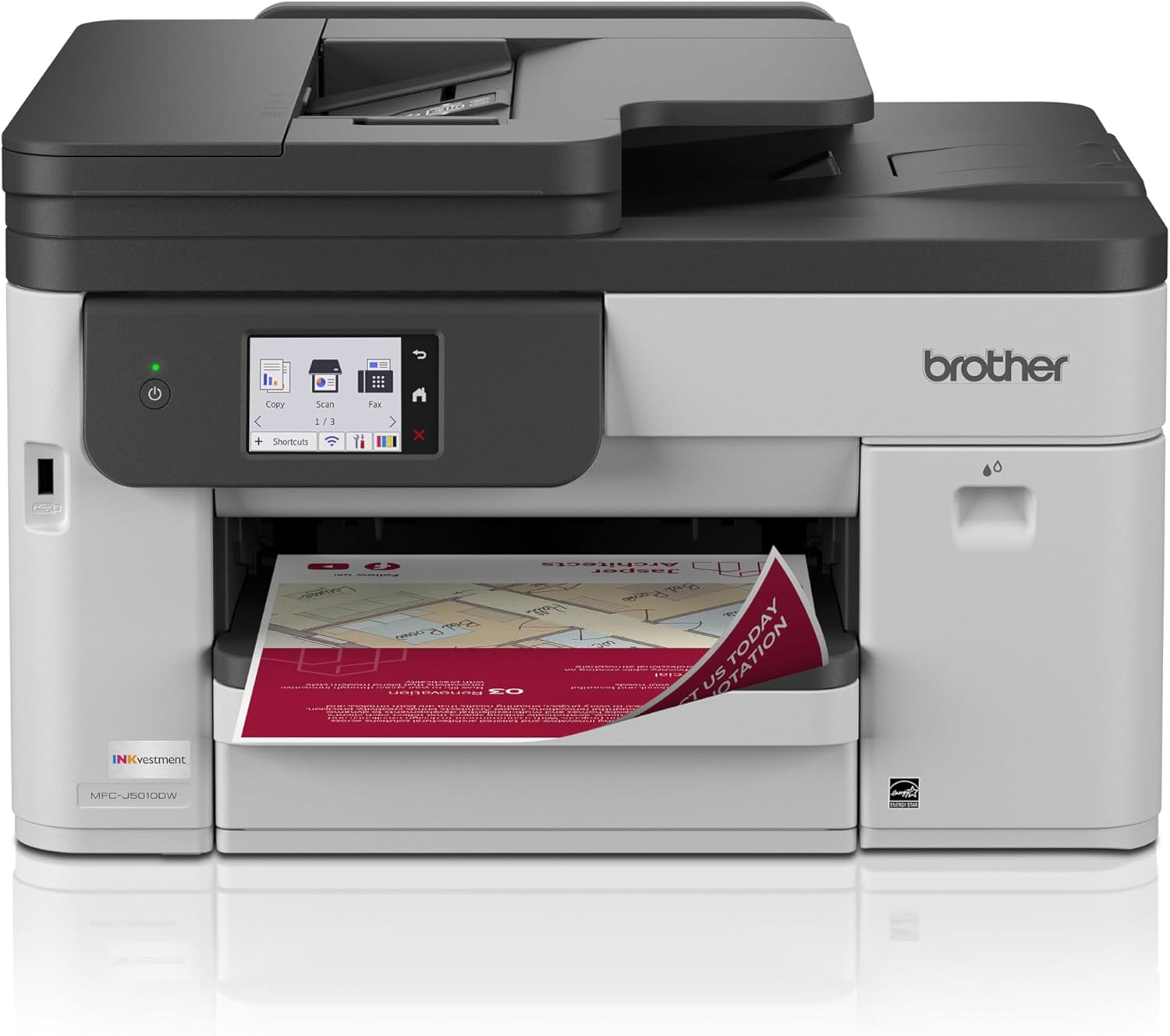
Brother INKvestment 5010 MFC-J5010DW
| Printer Type | Inkjet |
|---|---|
| Print Speed (B&W) | 28 pages_per_minute |
| Print Speed (Color) | 26 pages_per_minute |
| Maximum Print Resolution | 4800 x 1200 dpi |
| Connectivity | Ethernet, USB, Wi-Fi |
The Brother INKvestment 5010 (MFC-J5010DW) is a business-focused color inkjet all-in-one that combines reasonably fast print speeds with practical workflow features. It prints up to 28 ppm black and 26 ppm color, supports automatic two-sided printing, and includes a single-pass 50-sheet duplex ADF for multi-page scanning and copying. Connectivity covers Wi-Fi, Wi-Fi Direct, Ethernet, and USB so it fits into typical small office networks and mobile workflows, and the 2.7-inch color touchscreen and Brother Mobile Connect app simplify on-device and remote operations. Paper handling is business-ready with a 250-sheet tray and support up to legal size, and Brother's Page Gauge and Refresh ink options help manage running costs and supply. Print resolution is high at 4800 x 1200 dpi for sharp text and vibrant color on office documents, though users should plan for ongoing expense of genuine Brother LC506 cartridges for best results. The unit is moderately large and heavier than compact home printers, so it is best for offices with a dedicated footprint rather than tight desks.
Best for: Small business buyers who prioritize reliable, business-capable printing and efficient document workflows and want a versatile all‑in‑one that integrates with mobile and networked setups.
Less Ideal for: Home users with minimal printing needs or anyone needing a compact, lightweight desktop printer for very tight spaces should consider smaller consumer models.
- Fast print speeds for office work: up to 28 ppm black and 26 ppm color
- 50-sheet single-pass duplex ADF and automatic duplex printing streamline multi-page tasks
- Multiple connectivity options including dual-band Wi-Fi, Wi‑Fi Direct, Ethernet, and USB
- High maximum print resolution (4800 x 1200 dpi) for sharp text and vibrant color
- 250-sheet tray and legal-size support reduce paper refills for small business volumes
- Requires Brother genuine LC506 cartridges to achieve advertised yields and consistent quality
- Larger and heavier footprint than consumer desktops, which may be restrictive in cramped offices
Verdict: Choose the INKvestment 5010 when you need a fast, networkable color all‑in‑one built for small business workflows and reliable, high-quality office printing.
Canon PIXMA TS4320

| Printer Type | Inkjet |
|---|---|
| Duplex | Automatic |
| Connectivity | USB, Wi‑Fi |
| Compatible Cartridge | PG-295/CL-286 |
| Maximum print Resolution Color | 1200 x 1200 dots_per_inch |
The Canon PIXMA TS4320 is an entry-level color inkjet all-in-one that covers everyday document and photo needs without a lot of fuss. It prints, scans, and copies, supports wireless printing via Wi-Fi and mobile services, and offers automatic two-sided printing to save paper. The two-cartridge hybrid ink system produces sharp text and reasonably vibrant photos for casual marketing materials, invoices, and client handouts, and its compact footprint fits easily on a small desk. Setup and mobile printing through the Canon app, AirPrint, or Mopria are straightforward, and the 100-sheet tray and support for multiple media types make short print runs convenient. Expect modest print speeds and basic 600 x 600 scanning resolution, so this is best for low-volume color work rather than heavy production printing; the printer lacks an ADF and an advanced display, which slows batch scanning and some workflows. For budget-focused buyers who need reliable, occasional color output and a small footprint, the TS4320 is a practical pick.
Best for: Small business owners prioritizing low upfront cost and occasional color printing who need a compact, easy-to-set-up all-in-one for invoices, flyers, and light photo work.
Less Ideal for: Businesses that need high monthly page volumes, fast print throughput, or frequent multi-page scanning should choose a more robust office-class model.
- Compact footprint that fits small workspaces
- Automatic duplexing reduces paper use
- Wireless and mobile printing support including Canon app, AirPrint, and Mopria
- Supports a variety of media up to letter size with a 100-sheet tray
- Not designed for high-volume or fast production printing
- No automatic document feeder for multi-page scanning
Verdict: A budget-friendly, compact all-in-one that delivers reliable occasional color prints and duplexing for small businesses with light workloads.
Xerox C245 Color Multifunction Printer

| Printer Type | Laser |
|---|---|
| Color Pages per Minute | 26 pages_per_minute |
| Duplex | Automatic |
| Printer Connectivity Type | Ethernet, USB, Wi-Fi |
| Maximum print Resolution Color | 2400×600 dots_per_inch |
The Xerox C245 is a small-footprint color laser multifunction designed for busy home offices and small-business satellite teams that need dependable daily performance. It handles printing, scanning, and copying with a 50-sheet feeder, automatic two-sided printing, and a 2.8" color touchscreen for basic control. Output quality is sharp for text and vibrant enough for business graphics thanks to a 2400×600 dpi maximum resolution, and the unit supports Wi‑Fi, Ethernet, USB, Apple AirPrint, and Mopria for easy mobile printing. Setup is straightforward with the Xerox Easy Assist app, and energy-saving modes plus high-yield toner options help control operating costs. Practical limitations include a modest input capacity and a relatively heavy power draw compared with the smallest inkjets, so it is best for offices that need reliability and color output rather than ultra-low electricity use or very large monthly volumes. For teams that prioritize consistent, professional-looking prints in a compact machine, the C245 offers a sensible balance of features and robustness.
Best for: Small-business owners and remote-office managers who need a compact, dependable color laser that produces consistent professional prints and integrates easily with mobile devices.
Less Ideal for: Users who require very large monthly print volumes, the lowest possible energy draw, or the largest paper capacity should consider higher-volume or more energy-efficient models.
- Reliable color laser output with up to 2400×600 dpi for sharp text and graphics
- Automatic duplex printing and a 50-sheet feeder speed routine document jobs
- Multiple connectivity options including Wi‑Fi, Ethernet, USB, AirPrint, and Mopria
- Guided smartphone setup via Xerox Easy Assist and a simple 2.8" touchscreen
- Maximum sheet capacity and tray size are modest for higher-volume offices
- Power consumption is relatively high compared with small inkjet alternatives
Verdict: Buy the Xerox C245 if you want a compact, business-ready color laser that reliably delivers sharp, professional prints and straightforward mobile setup.
Canon PIXMA TS6520

| Printer Type | Inkjet |
|---|---|
| Duplex | Automatic |
| Printer Connectivity Type | USB, Wi-Fi |
| Maximum Media Size | Letter (8.5 x 11 inches) |
| Display Type | OLED |
The Canon PIXMA TS6520 is a small, budget-friendly all-in-one built for home and small-office tasks where space and simplicity matter. It uses a two-cartridge hybrid ink system to deliver sharp text and reasonably vibrant color photos, and the 1.42” OLED display and guided setup make connecting to Wi‑Fi and mobile printing services straightforward. Automatic two-sided printing cuts paper use for business documents, and the flatbed scanner covers occasional scanning and copying needs. You get USB and dual-band Wi‑Fi connectivity and support for AirPrint, Mopria, and Canon's app for printing from phones and tablets. The TS6520 is not aimed at high-volume or heavy photo-studio work—the single input tray and modest sheet capacity limit throughput, and the two-cartridge system can be less economical than separate pigment/color systems for long-term ink cost. For small teams needing reliable, easy color printing in a compact footprint, it balances capability and value; for heavy daily print loads or advanced photo production, look to higher-capacity models.
Best for: Buyers who want an easy-to-use, space-saving color printer for light to moderate business printing, reliable wireless mobile printing, and occasional scanning without needing high-volume throughput.
Less Ideal for: Businesses that print large weekly volumes, need fast multi-tray feeding, or require studio-grade photo output should consider higher-capacity or dedicated photo printers instead.
- Compact all-in-one design saves desk space while offering print, scan, and copy functions.
- Automatic duplexing reduces paper use and speeds routine double-sided jobs.
- Dual-band Wi‑Fi plus USB and mobile printing support makes wireless setup and printing from phones easy.
- Good print quality for documents and casual photos using the hybrid two-cartridge ink system.
- Single-tray, low sheet capacity limits throughput for busy small-business workflows.
- Two-cartridge ink system can be less cost-efficient for heavy color printing compared with multi-cartridge systems.
Verdict: A compact, user-friendly color all-in-one that delivers solid everyday prints and duplexing for small businesses that need reliable, low-to-moderate volume printing.
Epson EcoTank ET-2800

| Printer Type | Inkjet |
|---|---|
| Print Resolution | 5760 x 1440 dpi |
| B&W Pages per Minute | 10 |
| Color Pages per Minute | 5 |
| Printer Connectivity Type | USB, Wi-Fi |
The Epson EcoTank ET-2800 is a compact all-in-one inkjet that replaces cartridges with refillable high-capacity ink tanks to cut running costs and reduce interruptions for frequent printing. It prints, scans, and copies, offers wireless and USB connectivity, and supports mobile and voice-activated printing for simple remote jobs. Print quality benefits from Epson PrecisionCore and high-resolution output suitable for crisp documents and occasional color photos, while a flatbed scanner handles standard scanning tasks. The tank system ships with enough ink to cover many months of typical use and makes refilling straightforward with keyed EcoFit bottles. On the downside the Et-2800 is simplex only so two-sided printing requires manual handling, and its paper handling is basic with a moderate sheet capacity. For buyers focused on low cost per page and dependable, cartridge-free operation, the ET-2800 provides sensible performance, but those needing fast duplexing or heavy office throughput should consider higher-tier models.
Best for: Small-business users who prioritize low ongoing ink cost and reliable, easy-to-manage printing for everyday documents and occasional color prints.
Less Ideal for: Offices that need automatic two-sided printing, high-volume paper handling, or advanced workflow features for heavy daily throughput.
- Cartridge-free EcoTank system reduces ink replacements and lowers cost per page
- Wireless and mobile printing with voice-activated support for convenient remote jobs
- High-resolution printing driven by PrecisionCore yields sharp text and detailed color
- Includes a flatbed scanner and easy-to-use color LCD for basic all-in-one tasks
- No automatic duplexing so two-sided prints must be flipped manually
- Paper handling is modest with a single tray and limited sheet capacity
Verdict: Choose the ET-2800 if you want a low-cost-per-page, cartridge-free color all-in-one that simplifies ink management for small business printing needs.
Choosing the Right Color Printer for Small Businesses: Key Factors to Consider
Print Speed and Duty Cycle
How quickly a printer produces pages directly affects office productivity. Faster pages per minute reduce bottlenecks during busy periods such as client presentations, proposals, or multi-page invoicing. Duty cycle ratings indicate the maximum recommended monthly output and help match a device to realistic workload expectations.
If you expect frequent high-volume runs, choose a model with higher sustained print speeds and a duty cycle that exceeds your average monthly output. For occasional color jobs, prioritize responsiveness and low warm-up time over peak throughput.
Color Quality and Media Compatibility
Color consistency and gamut matter for client-facing materials like brochures, proposals, and labels. Look for printers that reproduce accurate tones on both plain office paper and heavier or coated stocks used for marketing pieces. Consider whether the printer supports CMYK registration, color calibration tools, or selectable color profiles for predictable results.
Also confirm support for the media sizes and weights you use most often. Some business printers handle cardstock, envelopes, and glossy media without manual adjustments, which reduces handling time and waste.
Operating Cost and Consumable Yield
Initial purchase price is only part of the cost of ownership. Consumables such as ink or toner and maintenance parts determine long-term expense. Compare estimated cost per page using manufacturer yield figures and consider optional high-yield cartridges or continuous ink systems if available.
Factor in frequency of cartridge replacement and whether cartridges are user-replaceable without service calls. For small businesses with steady monthly color volume, calculating a realistic monthly consumable budget will prevent surprises.
Connectivity and Workflow Integration
A small-business printer must fit into existing workflows. Essential networking options include wired Ethernet for shared office access and robust Wi-Fi with support for standard printing protocols. Mobile printing features, cloud printing adapters, and compatibility with common office operating systems streamline remote jobs and smartphone workflows.
Look for straightforward setup, security features like user authentication or secure print release, and integration with document-management or accounting systems if you regularly archive invoices or receipts.
Paper Handling and Finishing Options
Paper capacity and finishing features reduce manual intervention. Multiple trays, automatic duplexing, and a high-capacity input tray help when printing batches. Built-in finishers such as stapling, hole punching, or simple collating are valuable when producing client packets or reports.
Also consider how easy it is to clear paper jams and whether trays accept different sizes without frequent adjustments. Scalable paper handling can delay the need for immediate upgrades as your printing demands grow.
Maintenance, Reliability, and Support
Reliable operation minimizes downtime and lost productivity. Check expected maintenance intervals, the availability of user-replaceable parts, and the clarity of error reporting on the device. A printer that provides clear status indicators and remote management capabilities simplifies troubleshooting for small staff.
Warranty coverage and access to service resources affect long-term reliability. Prefer models with straightforward maintenance procedures and parts that are readily obtainable to reduce service disruptions.
Matching Printer Types to Small-Business Workflows
Small businesses typically fall into categories such as high-volume document shops, client-facing offices that need polished marketing collateral, or administrative setups with intermittent color needs. Choose a printer whose strengths align with your primary tasks rather than trying to force a single device to excel at every use case.
For example, prioritize fast monochrome throughput if most printing is text-based but keep reasonable color capability for occasional presentations. Conversely, if you regularly produce glossy handouts, favor models with better color rendering and media handling even if their monochrome speed is slightly lower.
- Administrative offices: balance speed with low running cost.
- Client-facing materials: emphasize color fidelity and media support.
- Mixed workloads: look for flexible paper handling and modular options.
Setting Realistic Expectations for Color Output
Even business-grade color printers have limits compared with professional production presses. Expect excellent results for charts, logos, and office marketing pieces, but understand that very high-end photo or print-shop quality requires specialized hardware and print workflows.
Use test prints on the actual media you plan to use to evaluate whether color saturation, tone, and skin tones are acceptable. Small adjustments in color profiles or choosing specific paper types often deliver better results than changing devices.
- Run sample prints on coated and uncoated stock to check color.
- Adjust printer color profiles for consistent brand colors.
- Keep realistic goals: vibrant office prints do not equal press-ready output.
Optimizing Network and Mobile Printing
Set up wired connections for shared office machines that see heavy use to ensure stable throughput. For flexible or hybrid teams, a reliable Wi-Fi configuration with secure authentication keeps mobile devices productive. Consider enabling network management features that allow administrators to limit certain print tasks or enforce duplexing to reduce waste.
Mobile and cloud printing streamline ad-hoc jobs but add security considerations. Ensure encryption and user controls are in place when enabling remote printing, and test printing from the platforms your team uses most often.
- Prefer Ethernet for central printers with steady high-volume use.
- Enable duplex defaults to lower paper usage.
- Confirm mobile OS compatibility before rollout.
Managing Consumables and Reducing Waste
Track actual monthly page counts to buy appropriate cartridge sizes or subscription services if available. Encourage staff to use draft modes for internal documents and reserve high-quality color modes for client-facing materials. Storing extra cartridges in appropriate conditions reduces the chance of dried or degraded supplies.
Implementing print policies such as user quotas, mandatory duplexing, or designated color-only printers for client work can reduce unnecessary color printing and lower operating costs over time.
- Use draft mode for internal documents to save ink.
- Keep a small stock of high-yield consumables for busy periods.
- Set print policies to control color usage.
Basic Troubleshooting and Maintenance Tips
Regularly update firmware and drivers to maintain compatibility and security. Clean paper paths and sensors per the maintenance schedule to avoid misfeeds and streaking. Learn how to run alignment and calibration routines to keep color consistent after cartridge changes.
Train at least one person on routine tasks such as clearing jams, replacing consumables, and checking network settings to minimize downtime during busy days.
- Keep firmware up to date for reliability.
- Perform routine calibrations after media or cartridge changes.
- Document basic maintenance procedures for staff.
How We Chose the Best Color Printer for Small Businesses
We evaluated printers using metrics that matter for small offices and light-production environments. Our selection prioritized consistent color accuracy across common business media, measured throughput capacity and sustained print speed under typical office workloads, and assessed total operating cost based on ink or toner yield and typical page output rates. We also screened for network and mobile connectivity options that simplify shared use and remote printing, plus duty-cycle ratings and paper handling flexibility to match real small-business tasks. Excluded from the list were machines designed exclusively for large print production, single-function home models with very low monthly duty ratings, and specialty wide-format or photo-only devices that do not suit general business document needs. The resulting shortlist favors printers that combine dependable daily performance, manageable consumable economics, and features that reduce administrative overhead for small IT teams.
Our full evaluation process is outlined in our review methodology.
FAQ
How much does a small business typically print each month?
It depends on the office type. Administrative offices often print a few hundred pages monthly, while client-facing or production-focused small businesses can print thousands. Track your actual usage for several months to determine your average before choosing a printer.
Are laser color printers cheaper to run than inkjets for small businesses?
Often laser printers offer lower cost per page at moderate to high volumes due to higher-yield toner cartridges, but inkjets can be economical for lower volumes or when models support high-capacity ink tanks. The best choice depends on your monthly color page count and required print quality.
Do I need special paper for good color prints?
Specialty coated or heavier-weight papers improve color vibrancy and sharpness for brochures and client materials. For everyday documents, standard office paper is acceptable. Always test prints on the media you plan to use to confirm results.
How important is duplexing for a small office printer?
Automatic duplexing reduces paper use and storage needs and is a valuable default feature in most small businesses. It can also speed up multi-page workflows by automating two-sided printing and reducing manual handling.
What connectivity features should I prioritize?
Prioritize wired Ethernet for shared central printers and robust Wi-Fi for flexible teams. Mobile printing support and common protocol compatibility with your operating systems are also important. Security features like user authentication are useful for controlling access.
Final Verdict
Choosing the right color printer for a small business means balancing output quality, operational cost, and the device features that match how your office works. Prioritize realistic monthly duty cycles, consumable yield, and the connectivity you need for shared use. Tradeoffs are inevitable: higher color fidelity often raises consumable expense, while the most economical devices may limit media flexibility. Decide which features are must-haves for your workflows, then select a model with capacity slightly above your current average to allow growth. That approach helps ensure reliable daily performance without overspending on unnecessary capabilities.