
Note: This article contains affiliate links. If you click on these links and make a purchase, we may earn a small commission at no extra cost to you. This helps support our research and content. Read our full affiliate disclosure here.
If you teach, a dependable color printer changes how you prepare lessons, handouts, and classroom displays. The right Color Printer for Teachers saves time, reduces interruptions, and produces consistent color output that helps materials look professional and legible for students. This guide highlights seven shortlisted printers that meet common classroom needs and constraints, scored across the features that matter most in schools. You will see evaluations of print speed, print quality, operating cost, connectivity, and classroom-friendly features to help you pick the best fit for your workflow. Read on for a concise summary of what each printer excels at and why it made the list.
Top Picks at a Glance
| Best Overall The best all-around choice for most situations | Canon PIXMA G3290 Megatank |  |
| Best Quality Built to a higher standard if you want something more solid | Epson EcoTank ET-15000 |  |
| Best Value The sweet spot between price and what you get | HP Smart Tank 5003 |  |
| Best Budget The cheapest option that still gets the job done reliably | HP DeskJet 2955 All-in-One Printer |  |
| Top Rated A top-rated pick with lots of positive feedback | Xerox C245 Color Multifunction Printer |  |
| Most Popular A crowd favorite that many people choose with confidence | Canon PIXMA MG3620 |  |
| Best Seller A high-volume bestseller chosen again and again | Epson EcoTank ET-2800 |  |
Canon PIXMA G3290 Megatank

| Printer Type | Inkjet SuperTank |
|---|---|
| Print Resolution | 4800 x 1200 dpi |
| Color Pages per Minute | 6 pages_per_minute |
| B&W Pages per Minute | 11 pages_per_minute |
| Duplex | Automatic |
The Canon PIXMA G3290 is a refillable ink tank all-in-one designed for home and small office use, and it fits well in a teacher's workspace where color documents and occasional photos are needed. It uses Canon GI-21 ink bottles with a very high claimed page yield, so running costs are low and you can print large handout runs or classroom materials without frequent cartridge changes. The 2.7-inch color touchscreen, Wi-Fi and USB connectivity make mobile and wireless printing straightforward, and automatic two-sided printing helps save paper on multi-page assignments. Print quality is strong for text and color documents with a maximum color resolution of 4800 x 1200 dpi, and it supports a wide range of paper sizes including borderless photos. Trade-offs include modest print speeds (about 6 color ppm, 11 black ppm) and a single paper tray with a 100-sheet capacity, so very high-volume day-to-day printing may require more frequent refills or monitoring. Setup and maintenance are user-friendly, and the hybrid pigment/dye system gives sharp black text and vivid color output for classroom materials.
Best for: Teachers who need low running costs and strong color print quality for lesson materials, posters, and photos, and who value wireless printing and easy maintenance.
Less Ideal for: Schools or classrooms that require continuous, very high daily page volumes without monitoring paper and ink levels should consider faster, higher-capacity office printers instead.
- Very high ink yield from refillable MegaTank bottles for low cost per page
- Automatic duplexing reduces paper use on handouts and assignments
- Wi-Fi and USB connectivity plus mobile printing for easy classroom workflow
- High color print resolution suitable for sharp documents and vibrant teaching materials
- Single 100-sheet tray limits uninterrupted high-volume printing
- Color print speed is modest compared with higher-speed office models
Verdict: A cost-efficient Megatank all-in-one that delivers high-quality color prints and low ink costs, making it a practical choice for teachers who print lesson materials and posters.
Epson EcoTank ET-15000

| Printer Type | Inkjet |
|---|---|
| Maximum Media Size | 13 x 19 inch |
| Maximum Sheet Capacity | 250 |
| Color Pages per Minute | 9 ppm |
| Printer Connectivity Type | Wi-Fi |
The ET-15000 is a wide-format EcoTank all‑in‑one built for high-volume color work and classroom projects. It uses refillable supersized ink tanks and ships with large bottles that can print thousands of pages, which cuts ongoing ink costs for frequent color printing. The printer handles letter and tabloid sizes from the front tray and accepts up to 13 x 19-inch media through the rear feed for posters and large handouts, and the 250-sheet tray plus automatic duplexing keeps long print runs moving. A 2.7-inch color touchscreen, Ethernet and Wi‑Fi support, and a sheetfed ADF make it easy to scan, copy, or fax multi-page documents for lesson prep. Photo-quality color resolution and a rear specialty feed are useful for vibrant classroom materials, though the unit is physically large and uses an initial setup routine that consumes some ink from the included bottles. For teachers who print frequently and need wide-format or high-capacity color output, the ET-15000 balances low running costs with robust paper handling.
Best for: Teachers who prioritize high-volume, low-cost color printing and need wide-format capability for classroom posters, handouts, and projects.
Less Ideal for: Those with very limited desk or storage space or teachers who only print occasionally and do not need wide-format output.
- Supersized refillable ink tanks greatly reduce ongoing ink cost for high-volume color printing
- Supports wide-format printing up to 13 x 19 inches for posters and large handouts
- 250-sheet front tray and automatic duplexing streamline long print jobs
- Built-in ADF, Ethernet and Wi‑Fi connectivity plus a color touchscreen for easy workflow
- Large physical footprint may not fit small classroom spaces
- Initial setup uses a portion of included ink bottles, reducing first-run yields
Verdict: This wide-format EcoTank is a smart choice for teachers who print lots of color pages and want dramatically lower ink costs with robust paper handling.
HP Smart Tank 5003
| Printer Type | HP Thermal Inkjet |
|---|---|
| Printer Connectivity Type | Apple AirPrint; HP ePrint; Mopria; USB; Wireless (Wi-Fi); Print Anywhere |
| Maximum Sheet Capacity | 100 |
| Color Pages per Minute | 5 pages_per_minute |
| Maximum print Resolution Color | Up to 4800 x 1200 optimized dpi color |
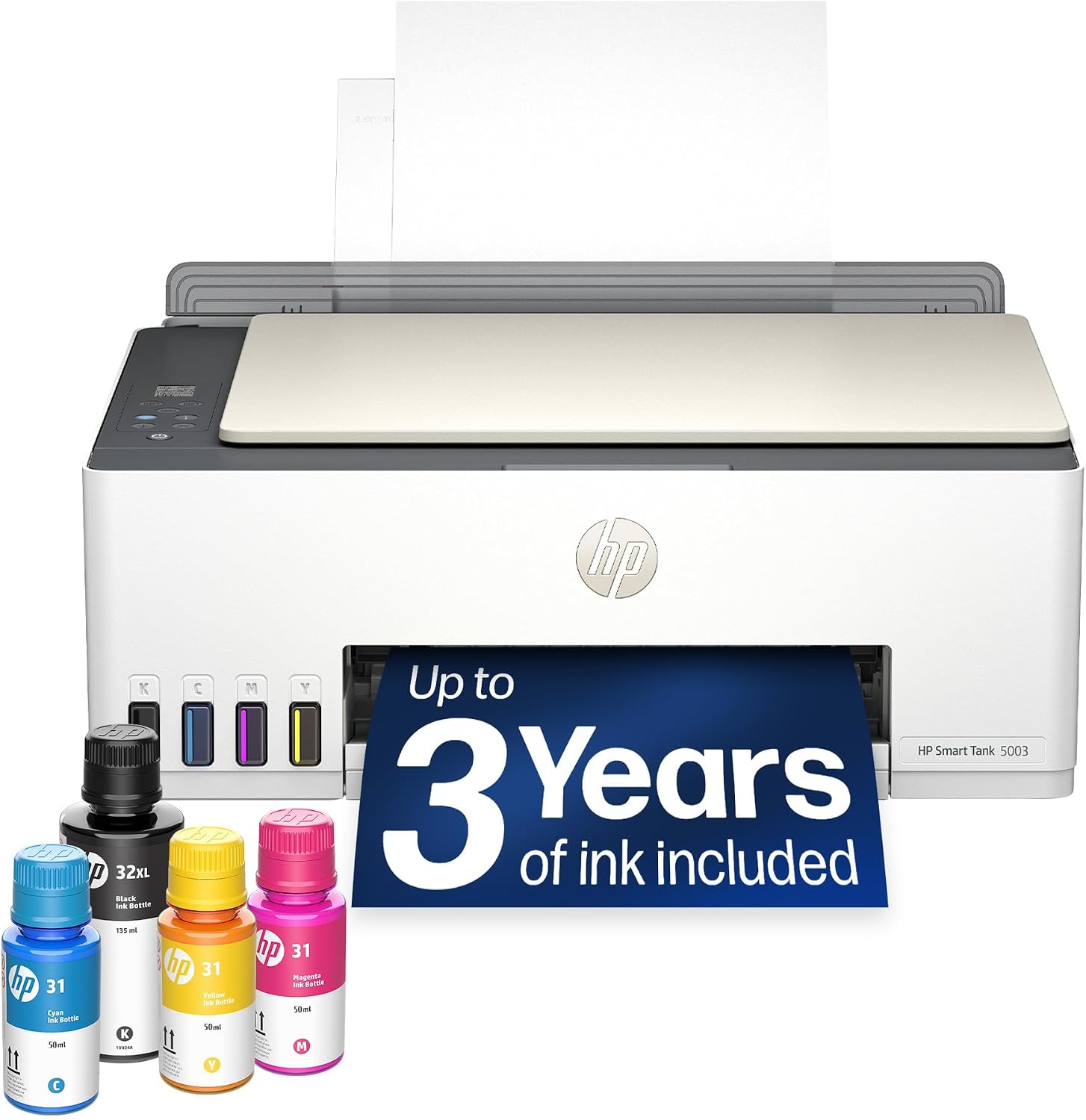
The HP Smart Tank 5003 is a refillable ink-tank all-in-one that aims to cut running costs for frequent color printing while keeping setup and use simple. It prints, copies and scans from its flatbed scanner and connects via Wi-Fi, AirPrint, Mopria or USB so teachers can print from laptops, tablets or phones. The included high-capacity ink bottles claim up to three years of ink in the box and the front-facing refill bottles make topping up straightforward and largely mess-free. Print quality is strong for classroom materials, with up to 4800 x 1200 optimized color dpi for photos and good text clarity at its black resolution, though color photo speed is modest at about 5 ppm and duplexing is manual. The 100-sheet tray and legal-size support handle lesson packets and handouts, but the printer is best for teachers who print regularly and want lower per-page costs rather than a compact occasional-use device.
Best for: Teachers who print moderate to large volumes of handouts, classroom visuals and color materials and want a low-cost-per-page solution with easy mobile printing.
Less Ideal for: Those who need very fast color output or fully automatic two-sided printing for heavy batch jobs should consider a different model.
- Cartridge-free ink tank with included high-capacity bottles reduces ongoing ink cost
- Wireless and mobile printing support including AirPrint, HP ePrint and Mopria
- High optimized color resolution for sharp text and vivid classroom color prints
- Mess-minimizing, front-access refill system that is straightforward to use
- Color print speed is relatively slow at about 5 pages per minute
- Duplex printing requires manual page flipping via driver support
Verdict: A cost-efficient, cartridge-free color all-in-one that helps teachers cut ink expenses while delivering good classroom-quality prints and easy mobile connectivity.
HP DeskJet 2955 All-in-One Printer

| Printer Type | HP Thermal Inkjet |
|---|---|
| Maximum Sheet Capacity | 60 |
| Scanner Type | Flatbed |
| Color Pages per Minute | 5.5 pages_per_minute |
| Printer Connectivity Type | Apple AirPrint; USB; Wireless (Wi-Fi); Wireless direct printing; Mopria |
The HP DeskJet 2955 is an entry-level all-in-one designed for straightforward home and classroom tasks like handouts, worksheets, and occasional color prints. It supports wireless printing from phones and computers via AirPrint and Mopria, and includes a flatbed scanner for copying and digitizing assignments. Practical features include a 60-sheet input tray, manual duplexing through driver support, and a simple icon LCD for quick operation. Print quality is adequate for classroom materials with up to 4800 x 1200 optimized color dpi on select papers, while typical speeds run around 7.5 ppm black and 5.5 ppm color, so larger print jobs may take time. The printer is Instant Ink eligible and comes with a three-month trial to help lower running costs for frequent small jobs. Limitations are its modest paper capacity, basic copy resolution, and manual duplexing, which means heavier classroom printing will require more frequent refills and hands-on page flipping.
Best for: Teachers who need an affordable, compact color multifunction for occasional lesson materials, handouts, and scanned student work and who prioritize easy mobile printing and low upfront cost.
Less Ideal for: Classrooms that require high-volume daily printing or fully automated duplexing should consider larger office-oriented machines with higher paper capacity and faster speeds.
- Compact footprint suitable for small desks or classroom counters
- Wireless printing from smartphones and tablets via AirPrint and Mopria
- Includes flatbed scanner for copying and scanning student work
- Instant Ink trial helps reduce short-term ink costs and simplifies replacement
- Made with a significant portion of recycled plastics and ENERGY STAR certified
- Manual duplexing only, requiring user intervention for double-sided prints
- 60-sheet tray is small for classrooms with heavier print volume
Verdict: A budget-friendly, compact all-in-one that gives teachers reliable wireless color printing and basic scanning for low-to-moderate classroom needs.
Xerox C245 Color Multifunction Printer

| Printer Type | Laser |
|---|---|
| Print Speed (Color) | 26 pages_per_minute |
| Duplex | Automatic |
| Printer Connectivity Type | Ethernet, USB, Wi-Fi |
| Maximum print Resolution Color | 2400×600 dots_per_inch |
The Xerox C245 is a compact color laser all-in-one built for small offices and home professionals who need dependable daily output. It prints, scans and copies with a 50-sheet feeder, automatic two-sided printing, and an intuitive 2.8-inch color touchscreen that makes routine tasks straightforward. At up to 26 pages per minute and 2400×600 dpi resolution, it produces sharp text and vivid color graphics suitable for handouts, classroom worksheets, and presentations. Connectivity includes Wi‑Fi, Ethernet and USB plus mobile options like AirPrint and Mopria, and setup is simplified with the Xerox Easy Assist app. Energy Star and EPEAT certifications and support for high-yield toner help lower operating cost and environmental impact. Limitations include a modest 50-sheet tray capacity and no fax function, so very large class print runs will require more frequent paper or toner changes. For teachers who need reliable, professional-looking color and straightforward mobile printing in a small footprint, the C245 covers the essentials without complex IT involvement.
Best for: Teachers who prioritize a reliable, easy-to-manage color printer for classroom handouts, lesson materials, and moderate daily print volumes without needing IT support.
Less Ideal for: Teachers or departments that routinely print very large class sets or high-volume color posters in a single sitting should consider higher-capacity or production models instead.
- Compact all-in-one design fits on small desks or classroom stations
- 26 ppm color and black printing for reasonably fast output
- Automatic duplexing and 50-sheet feeder speed multi-page jobs
- Multiple connectivity options including Wi‑Fi, Ethernet, USB and mobile printing
- Guided smartphone setup via Xerox Easy Assist reduces setup friction
- 50-sheet maximum paper capacity is limited for high-volume days
- No built-in fax capability for users who still rely on faxing
Verdict: A compact, reliable color laser all-in-one that delivers professional-looking classroom prints and easy mobile setup for teachers who need dependable everyday performance.
Canon PIXMA MG3620
| Printer Type | Inkjet |
|---|---|
| Functions | Print, Copy, Scan |
| Maximum Print Resolution Color | 4800 x 1200 dpi |
| Color Pages per Minute | 5.7 pages_per_minute |
| Printer Connectivity Type | wireless |
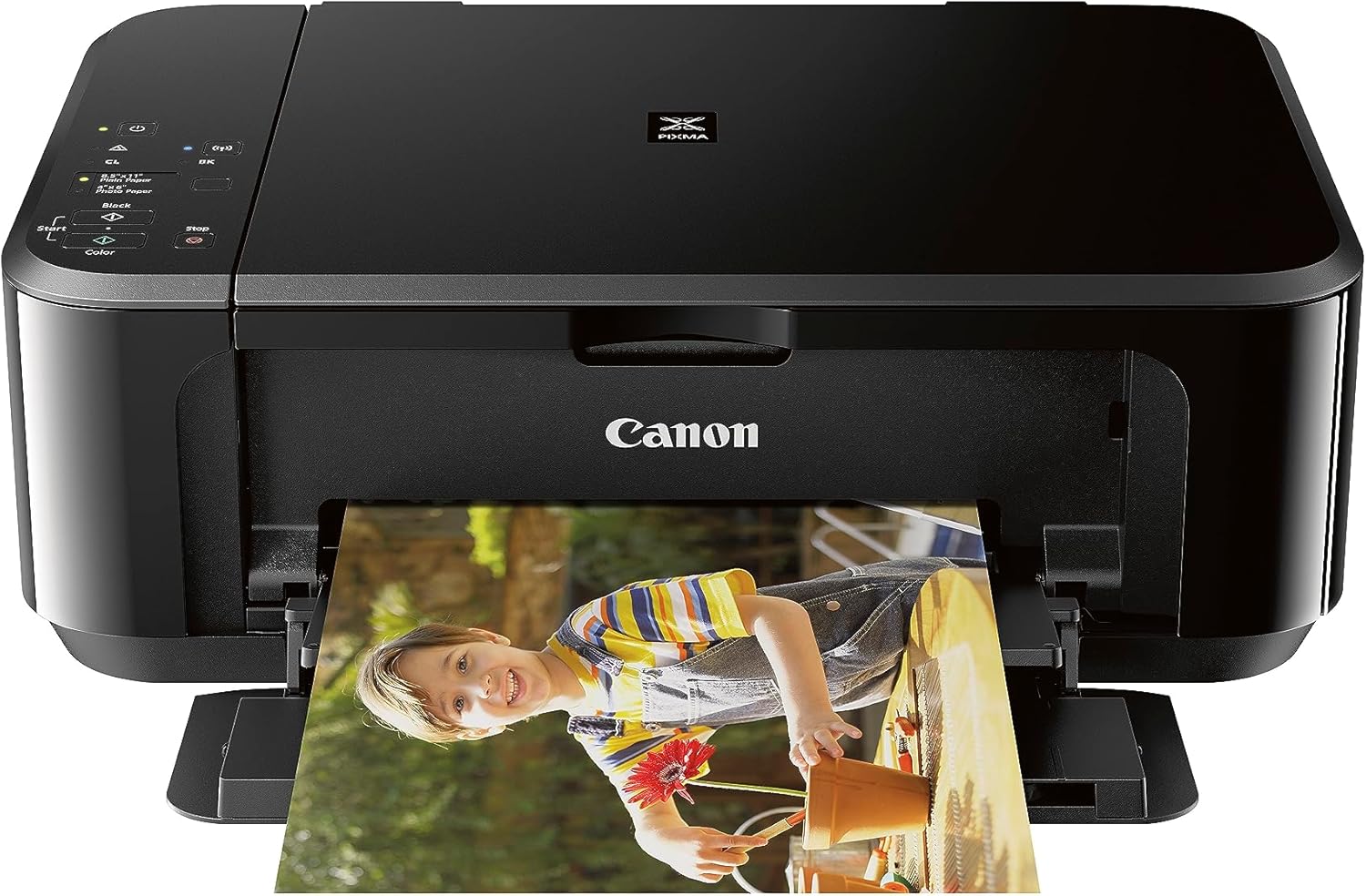
The Canon PIXMA MG3620 is a small wireless all-in-one inkjet designed for home and classroom light-duty use. It prints color documents and photos at up to 5.7 ipm (color) and 9.9 ipm (black and white), scans on a flatbed glass, and copies from the same unit, with automatic two-sided printing to save paper. Setup and everyday use are focused on mobile workflows: the printer supports AirPrint, Google Cloud Print, and app-based control for printing directly from smartphones and tablets, and connects via Wi-Fi or USB. Photo-capable resolution is high for an inkjet at 4800 x 1200 dpi, which helps with color worksheets and handouts, while a 100-sheet input keeps reloading to a minimum for moderate classroom printing. Trade-offs are typical for this class: print speeds are modest for large batches, and it uses PG-245/CL-246 cartridges so running costs can add up with heavy color use. For teachers who need a compact, app-friendly printer for worksheets, handouts, and occasional photos, the MG3620 is a practical, space-saving choice.
Best for: Teachers who want a compact, app-friendly all-in-one for printing worksheets, handouts, and occasional photos without a large desktop footprint.
Less Ideal for: Teachers or classrooms that need to print large volumes quickly every day or want the lowest possible per-page ink cost should consider a higher-speed or tank-style printer instead.
- Wireless and mobile printing support including AirPrint and app control for easy classroom printing from phones and tablets
- Automatic duplex printing reduces paper use for double-sided handouts
- High color print resolution (4800 x 1200 dpi) suitable for clear photos and color worksheets
- Compact footprint and 100-sheet capacity fit small teacher workspaces
- Modest print speeds make large print jobs slow compared with office-grade printers
- Uses standard ink cartridges that can be costly under heavy color printing
Verdict: A compact, mobile-friendly all-in-one that gives teachers high-resolution color prints and duplexing in a small classroom-ready package.
Epson EcoTank ET-2800

| Printer Type | Inkjet |
|---|---|
| Print Resolution | 5760 x 1440 dpi |
| Scanner Type | Flatbed |
| Printer Connectivity Type | USB, Wi-Fi |
| Color Pages per Minute | 5 pages_per_minute |
The Epson EcoTank ET-2800 is a compact all-in-one inkjet that replaces cartridges with refillable high-capacity ink tanks to cut running costs and reduce waste. It prints, copies, and scans with Micro Piezo heat-free print technology that produces sharp text and decent color photos, and it supports borderless photo printing. Setup and everyday use are straightforward with Wi-Fi connectivity and voice-activated printing, and the small LCD and app control make basic tasks easy for non-technical users. The ET-2800 is not a speed demon but delivers sensible throughput for home and classroom prep with up to 10 ISO pages per minute for black and about 5 ppm for color. The big practical upside is the included ink bottles that Epson rates for thousands of pages, which means fewer interruptions for ink changes and lower long-term cost. Limitations include simplex-only printing (no automatic two-sided printing) and modest paper capacity, so heavy-duty print shops or teachers who need frequent duplexing and large trays may need a different model.
Best for: Teachers who want a low-maintenance color all-in-one that minimizes ink replacements and running costs while producing sharp classroom handouts and occasional photos.
Less Ideal for: Educators who need frequent automatic two-sided printing, large-capacity paper handling, or high-volume commercial throughput should consider higher-end office models.
- Cartridge-free EcoTank system with high-capacity refillable ink bottles for far fewer replacements
- Wireless and voice-activated printing with app control for easy classroom or home use
- Good print resolution (up to 5760 x 1440 dpi) for sharp text and quality photos
- Included ink yields thousands of pages, lowering long-term running costs
- No automatic duplex printing (simplex only)
- Relatively small paper capacity compared with office-focused models
Verdict: A budget-friendly, low-maintenance color all-in-one that slashes ink-related downtime and costs, making it a sensible choice for teachers who prioritize reliability and value.
Choosing the Right Color Printer for Teachers: Key Factors to Consider
Print Speed and Duty Cycle
Classroom workflows demand steady throughput when you are preparing packets, quizzes, or activity sheets. Print speed affects how much prep you can finish between classes and whether students can wait to get materials printed. Duty cycle indicates how many pages the printer can handle reliably each month; choosing a printer with a duty cycle above your expected monthly volume reduces wear and maintenance.
A faster printer with a higher duty cycle can cost more up front but often reduces classroom disruption. For teachers who print intermittently or only occasional color pages, a moderate speed and duty cycle might be sufficient, but for heavy weekly handout production choose a model rated for higher monthly use.
Color Accuracy and Text Legibility
Color fidelity matters for materials where accurate hues affect meaning, such as maps, charts, or color-coded worksheets. Look for printers that render saturated colors without muddying fine detail and that maintain crisp edges on small text. A good color printer balances vibrant output with readable black text; models that mix color inks to produce blacks may yield inferior text legibility.
For classroom signage and displays, consider how the printer handles large areas of solid color and whether it shows banding. Teachers producing student portfolios should prioritize models that preserve subtle gradients and skin tones for photo projects.
Operating Cost and Consumables
Long-term cost is driven by ink or toner yield, cartridge sizes, and how the printer uses color supplies. Teachers on budgets should compare cost-per-page estimates and whether high-capacity cartridges or refillable tanks are available to lower per-page expense. Some printers offer separate color cartridges so you only replace the depleted color, which can be more economical than multi-color combined cartridges.
Also consider how easy and affordable replacement cartridges are to source. Classroom budgets are often fixed, so models with predictable running costs and optional high-yield consumables tend to be the most sustainable choices over time.
Connectivity and Classroom Integration
A teacher needs printers that connect reliably to classroom devices and networks. Common needs include Wi-Fi printing from phones and tablets, support for multiple users, and straightforward setup with school network policies. Mobile printing standards and direct device printing simplify ad-hoc requests from students and visiting staff.
Look for simple menu systems, clear status reporting, and features like automatic reconnection after network changes. If you rely on cloud drives or networked resources, ensure the printer supports the necessary protocols and that drivers are available for your classroom computers.
Paper Handling and Media Flexibility
Classroom projects use a variety of media: standard copy paper, heavier cardstock for signs, label sheets, and occasionally photo paper. A printer that accepts multiple paper sizes and weights reduces the need for a second device and shortens task time. Check input tray capacity to avoid constant refilling during busy prep periods and whether the printer supports manual feed for special media.
Also consider duplexing if you produce two-sided handouts to save paper and storage space. Reliable rollers and adjustable guides help prevent jams when switching between media types.
Maintenance and Ease of Use
Teachers benefit from printers that require minimal hands-on maintenance. Easy access to replaceable parts, simple instructions for clearing jams, and clear status indicators reduce downtime. Some printers include maintenance modes or routines that are straightforward for nontechnical staff to follow.
Also consider how software utilities assist with diagnosis and consumable ordering. A printer that gives clear alerts about low ink or maintenance needs helps teachers plan ahead and avoid last-minute disruptions.
Matching Printer Features to Typical Classroom Tasks
Different classroom tasks place different demands on a Color Printer for Teachers. For short, high-volume handouts you want a balance of speed and tray capacity. For visual displays and student projects, color accuracy and media flexibility become primary concerns.
Start by listing the daily and weekly printing tasks you perform, estimate average pages per week, and note how often you print color versus black-and-white. This simple inventory points to whether you need high-yield consumables, a larger input tray, or superior color rendering.
- Handouts and quizzes: prioritize speed, duplexing, and low operating cost
- Posters and displays: prioritize color saturation, large-format compatibility, and cardstock support
- Student photo projects: prioritize color accuracy and photo paper handling
Setting Up Wireless Printing in a School Network
Configuring a classroom printer on a school network often involves connecting to secure Wi-Fi or a managed SSID. Choose printers that support modern encryption and enterprise-grade authentication if required. Many models offer a guided setup that walks you through network selection and credential entry.
If your school uses mobile devices predominantly, enable mobile printing protocols and test printing from phones and tablets before relying on the setup for daily use. Keep admin credentials handy in a secure place in case you need to update network settings or firmware.
- Use WPA2/WPA3 support if your network requires it
- Install drivers or use universal printing standards for mixed-device environments
- Test from a variety of devices to confirm compatibility
Managing Consumables and Reducing Running Costs
To control costs, consider models with high-yield cartridges or refillable ink tanks that reduce per-page expense. Track your average monthly page count and compare it with cartridge yields to estimate actual cost per month. Also check whether the printer supports separate color cartridges or tri-color packs; separate cartridges let you replace only the depleted color.
Set up a simple supply schedule so you reorder before running out. For busy classrooms, keeping one spare set of consumables on hand prevents downtime and avoids rushed replacements during lesson time.
- Calculate cost per page based on typical classroom volumes
- Consider aftermarket-friendly designs only if school policy allows
- Store spare cartridges in a cool, dry place to maintain ink quality
Simple Maintenance Tasks Teachers Can Do
Routine maintenance keeps a classroom printer reliable. Basic tasks you can handle include clearing paper jams, replacing cartridges, and running built-in calibration or cleaning cycles. Familiarize yourself with the printer's status lights and what each indicator means so you can respond quickly.
If the printer supports scheduled cleaning or calibration, set those during off-hours to avoid interrupting class. For persistent issues, note error codes and consult the manual or school IT staff rather than attempting repairs beyond basic maintenance.
- Keep paper guides adjusted to prevent misfeeds
- Perform regular nozzle checks for inkjet models to avoid clogged heads
- Document recurring errors to help IT diagnose persistent faults
Organizing a Classroom Print Station
A designated print station reduces disruption and keeps consumables organized. Place the printer in a central, ventilated area with space for a paper supply and finished prints. Label trays for different paper types to avoid accidental printing on coated stock or cardstock.
If multiple teachers share the device, create a simple usage log or schedule to prevent conflicts during high-demand times. Clear signage on how to replace cartridges or refill paper helps less technical staff handle small tasks.
- Provide a small shelf for spare paper and consumables
- Display a quick-start card for common tasks like duplex printing
- Keep a basic toolkit for clearing jams and adjusting trays
How We Chose the Best Color Printer for Teachers
We focused on the factors that most affect classroom use and long-term ownership when narrowing down the best options. Our editorial process prioritized print speed under mixed color and black workloads to reflect lesson prep patterns, and evaluated color accuracy and text legibility for worksheets, posters, and student projects. We tested connectivity and ease of use by checking wireless reliability, mobile printing, and simple control layouts that minimize interruptions during class. Operating cost was estimated based on typical classroom monthly volumes and cartridge yield to show realistic running expenses. Durability and maintenance needs were considered by reviewing duty cycle ratings and how straightforward common tasks are, such as replacing cartridges and clearing paper jams. We excluded specialty office presses, large-format production equipment, and small disposable photo printers that are not suited to regular classroom workloads. Models with poor wireless integration, inadequate duty cycles for school use, or consistently low cartridge yield were not included. The selected printers scored well across speed, quality, running cost, connectivity, and classroom usability, the same dimensions reflected in our per-product scorecards.
Our full evaluation process is outlined in our review methodology.
FAQ
How often should a teacher replace printer cartridges?
Replacement frequency depends on monthly page volume and the mix of color versus black prints. For typical classroom loads, you may need to replace cartridges every few months if printing in color regularly. Using high-yield cartridges or refillable options can extend intervals between changes.
Is an inkjet or laser color printer better for classroom use?
It often depends on priorities. Laser printers typically excel at fast text printing and lower per-page cost for high-volume black output, while inkjets can offer better color gradients and photo quality. Consider your classroom mix of text handouts, color charts, and photo projects when deciding.
Can students print from mobile devices easily?
Many modern printers support mobile printing protocols and direct Wi-Fi connections that allow phones and tablets to send jobs. Compatibility varies by device and school network settings, so test mobile printing with representative devices before relying on it in class.
What do I do if the printer keeps jamming?
First check that you are using the correct paper size and weight and that trays are properly aligned. Remove any small debris and follow the manufacturer's guidance for clearing jams. Frequent jams may indicate worn feed rollers or an incompatible media type for that device.
How can I reduce color printing costs in a classroom?
Use draft mode for internal documents, print only the pages that need color, and switch to grayscale for text-heavy pages. Choosing models with high-yield cartridges or refillable tanks also reduces per-page cost, and grouping color jobs together can minimize ink waste from frequent nozzle purges.
Final Verdict
Prioritize the features that match how you use a Color Printer for Teachers: speed and duty cycle for heavy handout production, color accuracy and media handling for displays and projects, and predictable operating costs for budget management. Connectivity and straightforward maintenance keep devices functioning with minimal class disruption. Balance up-front convenience against long-term consumable costs to find the most practical option for your classroom. With a clear sense of your typical workloads and the tradeoffs outlined above, you can choose a printer that reliably supports teaching activities.