
Note: This article contains affiliate links. If you click on these links and make a purchase, we may earn a small commission at no extra cost to you. This helps support our research and content. Read our full affiliate disclosure here.
If you need color output without breaking the bank, choosing the right color printer on a budget matters. A poor match can mean high ink costs, slow prints, or disappointing photo color. This guide walks you through the top shortlisted budget color printers that deliver usable color for documents, school projects, and occasional photos while keeping ongoing costs reasonable. We evaluated practical factors such as print speed, color accuracy for everyday use, and the total cost to operate. Below are our top picks that balance those tradeoffs, followed by detailed buying guidance to help you pick the best fit for how you print at home or in a small office.
Top Picks at a Glance
| Best Overall The best all-around choice for most situations | Brother Work Smart 1360 |  |
| Best Quality Built to a higher standard if you want something more solid | Epson EcoTank ET-2800 |  |
| Best Value The sweet spot between price and what you get | Canon PIXMA G3270 MegaTank |  |
| Best Budget The cheapest option that still gets the job done reliably | HP DeskJet 2955 All-in-One |  |
| Most Popular A crowd favorite that many people choose with confidence | Canon PIXMA TR4720 |  |
| Best Seller A high-volume bestseller chosen again and again | HP DeskJet 2855e All-in-One |  |
Brother Work Smart 1360

| Printer Type | Inkjet |
|---|---|
| Functions | Print, Copy, Scan |
| Duplex | Automatic |
| Maximum Sheet Capacity | 150 |
| Connectivity | USB, Wi-Fi |
The Brother Work Smart 1360 is a compact all‑in‑one inkjet aimed at home and small home‑office use, offering print, copy and scan from a single machine. It supports wireless and USB connections, mobile printing via AirPrint and Mopria, and a simple 1.8-inch color display for direct control. A 20‑sheet automatic document feeder and automatic two‑sided printing speed up multi‑page jobs, while a 150‑sheet tray reduces trips to reload paper. Print speeds are competitive for the class, up to 16 ppm black and 9 ppm color, and the Page Gauge and Brother Mobile Connect app make ink monitoring and remote printing straightforward. The machine uses Brother LC501 series inks with standard and high‑yield options for lower running costs when needed. Limitations include modest color print speed and basic display controls compared with higher‑end models, and the starter inks are standard yield so frequent heavy color printing will raise operating costs. For buyers who need a space‑saving multifunction printer with reliable wireless features and duplexing on a budget, the Work Smart 1360 is a practical choice.
Best for: Buyers who want an affordable, compact multifunction printer that handles everyday home and small office tasks reliably while offering wireless and mobile printing convenience.
Less Ideal for: Users who need high-volume color photo printing, advanced touchscreen controls, or the lowest long‑term ink cost without opting for high‑yield cartridges.
- Automatic duplex (two‑sided) printing saves paper on documents
- 20‑sheet automatic document feeder and 150‑sheet tray ease multi‑page tasks
- Wireless, Wi‑Fi Direct, AirPrint and Mopria support for easy mobile printing
- Decent ISO speeds for its class: up to 16 ppm black and 9 ppm color
- Starter ink cartridges are standard yield which may require frequent replacement for heavy color use
- 1.8‑inch display and basic controls are less convenient than larger touchscreens
Verdict: A budget‑friendly, compact all‑in‑one that delivers reliable duplexed wireless printing and mobile convenience for everyday home and small office use.
Epson EcoTank ET-2800

| Printer Type | Inkjet |
|---|---|
| Printer Connectivity Type | USB, Wi-Fi |
| Maximum print Resolution Color | 5760 x 1440 dpi |
| B&W Pages per Minute | 10 |
| Color Pages per Minute | 5 |
The Epson EcoTank ET-2800 is a cartridge-free all‑in‑one inkjet that focuses on low running costs and straightforward home printing. It uses high‑capacity refillable ink tanks and ships with enough ink to handle thousands of pages, which cuts the need for frequent cartridge swaps and lowers long‑term ink spend. It prints color and black documents, copies and scans on a flatbed scanner, and offers basic wireless and USB connectivity plus app and voice printing for easy mobile workflows. Print quality is strong for text and everyday photos thanks to Epson PrecisionCore technology and high resolution, though color photo output will not match higher-end photo printers. Speed is modest at about 10 ppm black and 5 ppm color, and it does not include automatic duplexing, so double‑sided jobs require manual feeding. The ET-2800 is compact for a supertank and simple to set up, but Epson recommends genuine ink to maintain performance and warranty coverage.
Best for: Buyers who prioritize low ongoing ink costs and reliable everyday color and B&W printing for a home or small household, and value easy mobile printing and simple maintenance.
Less Ideal for: Users who need fast duplex printing, professional photo-quality color output, or high-volume office throughput should consider higher-end models geared to those needs.
- Very low running costs with high-capacity refillable EcoTank ink bottles included
- Cartridge-free design reduces plastic waste and simplifies refills
- Wireless, app and voice printing make mobile workflows easy
- High print resolution for sharp text and decent color graphics
- Compact all‑in‑one unit with a flatbed scanner for home document tasks
- No automatic duplexing so two‑sided printing is manual
- Modest color print speed compared with faster office models
Verdict: Choose the ET-2800 if you want a budget-friendly color all‑in‑one that slashes ink costs with refillable tanks while covering everyday home printing needs.
Canon PIXMA G3270 MegaTank

| Print speed B&W | 11 ppm |
|---|---|
| Print speed Color | 6 ppm |
| Maximum print resolution | 4800 x 1200 dpi |
| Printer connectivity type | USB, Wi‑Fi |
| Maximum sheet capacity | 100 |
The Canon PIXMA G3270 is a refillable MegaTank inkjet that aims to cut long‑term ink costs while covering basic home and small office needs. It prints, copies, and scans, connects via Wi‑Fi or USB, and includes a small 1.35" LCD for basic menu control. The refillable bottles are sized for very high page yields, so you can print thousands of pages before replacing ink, which noticeably lowers running cost for frequent color and black jobs. Output quality supports up to 4800 x 1200 dpi for photos and detailed documents, and the printer handles varied media including glossy photo paper and envelopes. Practical limits include simplex only single‑sided printing and a modest 100‑sheet tray capacity that means more frequent paper refills for larger jobs, while color print speed is modest at about 6 ppm. Setup and app control are straightforward for mobile printing, and the compact footprint fits a desktop or home office shelf. For buyers prioritizing low cost per page and reliable everyday color output, this model is a sensible budget pick.
Best for: Buyers who want the lowest possible cost per page for frequent color and black printing and need a compact all‑in‑one for a home or small office workflow.
Less Ideal for: Users who regularly print large, double‑sided documents or need high paper capacity and automatic duplexing for heavy office workloads.
- Very high ink yield from bundled refillable MegaTank bottles reduces long‑term ink cost
- Wi‑Fi and USB connectivity plus mobile device compatibility for easy wireless printing
- High maximum print resolution (4800 x 1200 dpi) for sharp photos and detailed documents
- Compact all‑in‑one design with scan and copy functions for home office versatility
- No automatic duplexing so two‑sided jobs must be manual
- 100‑sheet input capacity is small for heavier print volumes
Verdict: Choose the PIXMA G3270 if you want a compact MegaTank all‑in‑one that delivers very low running costs and good color quality for budget conscious home and small office printers.
HP DeskJet 2955 All-in-One

| Printer Type | HP Thermal Inkjet |
|---|---|
| Maximum Media Size | 8.5 x 11.69 in |
| Maximum Sheet Capacity | 60 |
| Color Pages per Minute | 5.5 pages_per_minute |
| B&W Pages per Minute | 7.5 pages_per_minute |
The HP DeskJet 2955 is a compact wireless all-in-one inkjet built for everyday home tasks like printing homework, recipes, and occasional photos along with flatbed scanning and copying. It connects via Wi‑Fi, AirPrint, Mopria, or USB and includes a simple icon LCD for basic control plus mobile printing through the HP app. The 60-sheet input tray and up to 7.5 ppm black / 5.5 ppm color speeds are suitable for low-volume, intermittent use, and the included three-month Instant Ink trial can simplify replacement cartridges. Notable practical benefits are its small footprint, recycled-plastic construction, and manual duplex support when you want two-sided pages. Trade-offs are modest print speed and limited paper capacity, so heavy printing will be slow and require more frequent paper and ink changes, and photo-quality output is limited compared with higher-end photo printers. For buyers who need a cheap, straightforward color printer for light home use, this model gives the essentials without extra complexity.
Best for: Buyers on a tight budget who need an affordable, easy-to-use color all-in-one for light home printing, scanning, and copying with straightforward mobile connectivity.
Less Ideal for: Do not choose this if you regularly print large volumes, need fast duplexing, or require high-end photo print quality.
- Simple wireless and mobile printing including AirPrint and HP app for phone printing
- Flatbed scanner and copy functions add useful all-in-one versatility
- Compact footprint and 60-sheet tray fit small home workspaces
- Includes a three-month Instant Ink trial to help manage ink replacement
- Made with recycled plastics and energy-efficient design
- Slow print speeds and small paper capacity limit productivity for heavy users
- Duplex printing is manual rather than automatic
Verdict: A compact, budget-friendly color all-in-one that delivers basic home printing, scanning, and mobile connectivity without frills.
Canon PIXMA TR4720

| Printer Type | Inkjet |
|---|---|
| Printer Output Type | Color |
| Connectivity | USB, Wi-Fi |
| Maximum print Resolution Color | 4800 x 1200 dots_per_inch |
| Maximum Sheet Capacity | 100 |
The PIXMA TR4720 is a small, budget-friendly all-in-one meant for home or small-office use. It handles everyday color and black-and-white documents, borderless photos up to letter size, and multi-page scanning via the auto document feeder. Setup is straightforward with Canon's app and Wi-Fi support so you can print from smartphones or a PC, and the front 100-sheet tray plus automatic duplexing make routine jobs easier. Print quality is good for text and casual photo prints thanks to the hybrid ink system, though color photo speeds and photo-grade output are modest compared with higher-end models. The printer is tuned for light to moderate use—black text prints are faster than color—and uses Canon CL-276/PG-275 cartridges. If you need a compact, easy-to-install machine for homework, invoices, occasional photos and routine scanning/fax needs, it delivers sensible performance at the price, but power users who need fast color printing or heavy monthly volumes will find it limiting.
Best for: Buyers who prioritize an affordable, compact all-in-one for everyday home or small-office tasks and want easy mobile setup backed by many user reviews.
Less Ideal for: Those who regularly print large color photo batches, high monthly volumes, or need faster professional-grade color output should consider higher-end models or business printers instead.
- All-in-one: print, copy, scan and fax in one compact unit
- Auto document feeder and automatic two-sided printing for multi-page jobs
- Simple wireless mobile printing via Canon Print app and Wi-Fi
- 100-sheet front paper tray fits routine home and small office workflows
- Hybrid ink system that produces sharp black text and decent color prints
- Color print speed and photo throughput are relatively slow compared with higher-tier printers
- Designed for light to moderate use rather than heavy monthly page volumes
Verdict: A compact, easy-to-use all-in-one that delivers reliable text and casual color prints for budget-conscious home and small-office buyers.
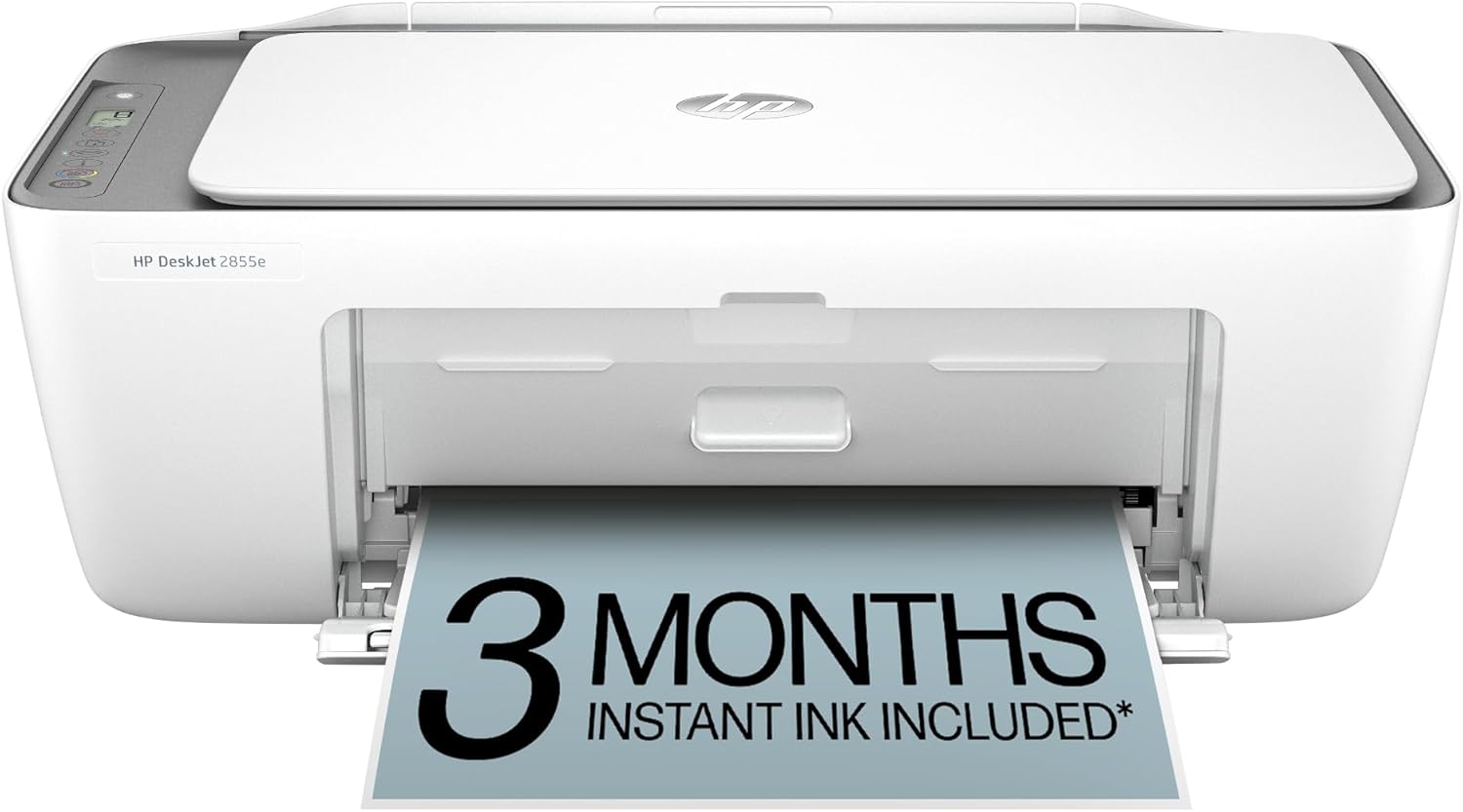
HP DeskJet 2855e All-in-One
| Printer Type | Inkjet |
|---|---|
| Functions | Print, scan, copy |
| Input Tray Capacity | 60 sheets |
| Connectivity | Single band Wi‑Fi (2.4 GHz) and USB 2.0 |
| Compatible Cartridge | HP 67 |
The HP DeskJet 2855e is a budget-friendly all-in-one inkjet designed for home use, handling occasional color documents, scans, and copies. Setup is aimed at casual users via the HP app and single‑band 2.4 GHz Wi‑Fi, and the printer includes a flatbed scanner and a 60‑sheet input tray for light daily tasks. Print quality is good for text and everyday color graphics thanks to a high nominal color resolution, while black text prints faster than color at roughly 7.5 ppm versus 5.5 ppm. Manual duplex is supported but you need to flip pages yourself. It ships with starter HP 67 cartridges and offers three months of Instant Ink with HP+ activation for those who want subscription ink delivery. Trade-offs for the low price include limited paper capacity, no automatic duplexing, and single‑band Wi‑Fi only, which can matter in busy networks. Given its modest speed and features, it suits households that print intermittently and prefer a simple, app-driven setup over advanced office features.
Best for: Buyers who prioritize a low‑cost, straightforward multifunction printer for occasional home printing and want easy app control and an ink subscription option to reduce maintenance hassle.
Less Ideal for: Users who need heavy printing volumes, automatic duplexing, fast page throughput, or dual‑band Wi‑Fi should look at more feature‑rich models.
- Compact all‑in‑one design that prints, scans, and copies
- Simple wireless setup and smartphone control via the HP app
- Includes starter ink and a 3‑month Instant Ink trial for lower initial ink worry
- Reasonable text and color print quality for home documents
- 60‑sheet input tray fits typical household printing needs
- Only single‑band 2.4 GHz Wi‑Fi, no 5 GHz support
- No automatic duplexing; duplex printing is manual
- Limited paper capacity and modest print speeds compared with higher‑end models
Verdict: A no‑frills, budget all‑in‑one that eases ink upkeep with an Instant Ink trial and straightforward app setup, making it a safe pick for low‑volume home printing.
Choosing the Right Color Printer on a Budget: Key Factors to Consider
Running Cost Per Page
Long-term ink or toner expenses dominate the true cost of ownership for budget color printers. A low upfront price can be offset quickly by expensive cartridges or low-yield consumables. Compare stated yields alongside real-world mixed-color document use and factor in multi-pack or high-yield options where available.
Look for printers that offer easy access to high-yield consumables or refillable systems if you print frequently. Also consider whether third-party cartridges are commonly available and how that affects cost and warranty considerations.
Color Output For Everyday Use
On-budget color printers vary widely in how they reproduce color and how crisp they render text. Most budget devices will do fine for charts, school projects, and casual photos, but they are not substitutes for photo-lab prints. Evaluate sample prints for skin tones, gradient banding, and how well the device handles small text in color.
If you occasionally print photos, prioritize a printer that supports photo or high-resolution modes and accepts common photo paper sizes. For document-centric users, look for sharp color text and consistent saturation rather than photographic fidelity.
Print Speed And Workflow
Print speed matters when you batch print assignments, forms, or multipage documents. Budget printers often trade speed for cost, so check both single-page first-page-out times and sustained speeds for several-page jobs. Faster duty cycles reduce waiting time but can correlate with higher energy use and sometimes higher consumable consumption.
Consider whether duplexing is automatic and if the printer handles mixed media without frequent jams. Reliable paper handling reduces frustration and improves productivity in a home office or classroom setting.
Connectivity And Ease Of Setup
A budget printer must still be straightforward to connect to your devices. Look for reliable Wi-Fi setup, mobile printing protocols, and a usable control panel or app. Bluetooth or direct Wi-Fi printing can be handy when guests or mobile devices need to print quickly.
Also assess driver and app support for your operating systems. Simple network sharing and clear app-driven workflows make daily use faster and reduce setup headaches for nontechnical users.
Cartridge Yield And Maintenance
High-yield cartridges or multi-cartridge systems typically lower per-page costs and reduce the frequency of replacements. Consider how easy it is to check ink levels, swap cartridges, and whether common maintenance tasks like printhead cleaning are automatic or manual.
Printers that require frequent maintenance cycles or proprietary parts can increase downtime and hidden costs. Check how accessible replacement supplies are in general retail channels.
Paper Handling And Media Flexibility
Even budget printers benefit from decent paper handling. A reliable input tray, support for multiple paper sizes, and optional media trays improve versatility. If you plan to print labels, envelopes, or photo paper, confirm supported weights and feeding methods.
Good media handling reduces misfeeds and keeps production smooth when switching between everyday paper and specialty media.
Which Type Of Budget Color Printer Suits You
Budget color printers generally fall into two practical groups for home users: compact inkjet models optimized for photos and mixed documents, and entry-level color laser-style devices that prioritize text speed and lower long-term cost for high-volume use. Choose based on how much color you print, whether you need occasional photo quality, and your tolerance for ongoing consumable cost.
If you print mostly documents with occasional color charts, a laser-style or pigment-based ink printer with higher-yield cartridges will usually be more economical. If photos and glossy prints matter more, an inkjet that supports photo paper and higher DPI modes will produce visibly better images at the expense of higher per-photo cost.
- Document-heavy workflows: prioritize per-page cost and fast monochrome/color speeds
- Photo-focused use: prioritize DPI, color handling, and supported photo media
- Mixed use: balance moderate speed with refill options or high-yield cartridges
How To Estimate True Cost Of Ownership
Sticker price rarely reflects lifetime expenses. To estimate total cost, calculate per-page cost by dividing the cartridge price by the manufacturer yield, then multiply by your expected monthly pages. Remember that yields are often measured in monochrome test patterns; real mixed-color yields will be lower.
Also factor in the frequency of maintenance cycles, potential replacement parts, and whether higher-yield cartridge options exist. For many budget shoppers, choosing a model with compatible high-yield consumables or refillable options reduces annual spend significantly.
- Use realistic monthly page counts, not manufacturer test numbers
- Add a buffer for photo-heavy months or large school projects
- Account for the cost and frequency of maintenance cycles
Setting Up A Budget Color Printer For Best Results
Out of the box, small adjustments improve output and reduce problems. Run any initial alignment and color-calibration tools, and install the latest drivers for optimal performance. If printing photos, choose the correct paper type in the driver to avoid dull or washed-out results.
Position the printer on a stable surface and ensure vents are unobstructed. For wireless setups, place the device within solid Wi-Fi coverage and avoid network isolation that prevents mobile printing. Regularly check and clean paper paths if you use mixed media often.
- Complete alignment and calibration on first setup
- Select correct paper type in driver for photo modes
- Place within strong Wi-Fi signal for reliable mobile printing
When To Choose High-Yield Or Refillable Options
If you print frequently, high-yield cartridges or refillable systems typically deliver the best long-term value. They reduce the number of cartridge swaps and lower per-page costs, especially for color documents that consume multiple color cartridges in small amounts.
Refillable tanks can be very economical but check how easy the refill process is and whether ink quality and warranty conditions are affected. For infrequent users, standard cartridges may be acceptable because ink can settle or clog if unused for long periods.
- High-yield for frequent printing and predictable monthly volume
- Refillable tanks for aggressive cost savings with regular maintenance
- Standard cartridges if printing is occasional and infrequent
Paper And Media Tips For Better Color
Paper selection strongly influences perceived color quality. Cheap office paper can make colors look flat; brighter white or dedicated photo papers enhance vibrancy and sharpness. Match the paper weight and finish in the driver for the best color balance.
Store specialty paper flat and dry to avoid curl or jams. For labels and envelopes, use the manufacturer-recommended feed method to prevent misfeeds and smudging.
- Use brighter or coated paper for more vibrant color
- Match driver settings to paper type for optimal results
- Store photo paper properly to avoid feeding issues
How We Chose the Best Color Printer on a Budget
We focused on budget-oriented color printers that offer the strongest combination of everyday color quality, low ongoing operating costs, and dependable hardware for frequent home or small-office use. Selection emphasized measurable specs and user-impacting features rather than marketing claims. Our evaluation criteria included print economics, meaning ink or toner yield and realistic page cost under mixed color/document workloads. We assessed print speed for both single-page and burst jobs to reflect typical home tasks. Color and text output quality were reviewed with attention to accuracy for documents and reasonable photo output without expecting professional-grade color management. Connectivity and ease of setup were judged for wired and common wireless setups, mobile printing, and included software. Lastly, we considered durability and maintenance needs such as replacement cartridge availability and ease of routine upkeep. We excluded high-end photo-lab or production devices and large-format specialty printers that are outside typical budget use. Models that rely on proprietary or exceptionally costly consumables were deprioritized. The remaining picks reflect a balance of low per-page cost, usable color reproduction, acceptable speed, and straightforward ownership for budget-focused buyers.
Our full evaluation process is outlined in our review methodology.
FAQ
How much should I expect to pay per color page?
Per-page cost depends on cartridge yield and the mix of color coverage. Expect a higher per-page cost for photo prints than for simple color documents. Calculating cost from cartridge yield and realistic usage gives the best estimate.
Are refillable ink tanks worth it for budget printers?
Refillable tanks can save money if you print often and are comfortable performing occasional maintenance. For infrequent users, ink can dry and cause clogs, reducing the advantage of refillable systems.
Do budget color printers handle photo paper well?
Many budget color printers support common photo papers and will produce acceptable casual photos. However, they will not match the color profiling and longevity of professional photo labs.
Is wireless printing reliable on lower-cost models?
Wireless reliability varies. Budget models with straightforward setup and a strong Wi-Fi signal usually work fine for mobile printing. Complex networks or weak signals can produce dropouts, so wired options remain more predictable.
How often should I replace consumables if I print moderately?
With moderate monthly printing you may replace color cartridges every few months and black cartridges less often. Frequency depends on coverage, so tracking monthly page counts helps plan replacements and avoid mid-project outages.
Final Verdict
Choosing a color printer on a budget means balancing upfront cost against ongoing ink or toner expenses and the specific kinds of color output you need. Prioritize running cost per page, cartridge yield, and the level of color fidelity required for your typical projects. If you print frequently, lean toward high-yield or refillable supply options; if you print photos occasionally, favor models with better color handling and photo paper support. Evaluate your monthly volume and the types of output you value most, then pick the model that minimizes long-term costs while delivering acceptable color quality and reliable connectivity. That approach will give you the best value and the smoothest printing experience over time.