
Note: This article contains affiliate links. If you click on these links and make a purchase, we may earn a small commission at no extra cost to you. This helps support our research and content. Read our full affiliate disclosure here.
If you need printing, scanning, and copying without a bulky footprint, a compact all-in-one printer can keep your workspace tidy while handling everyday document needs. Choosing the right compact all-in-one printer matters because small units vary widely in print quality, connection options, and running costs, all of which affect how useful the device will be in a busy home office or dorm. This guide covers the top shortlisted compact all-in-one printers and explains the practical tradeoffs between speed, image fidelity, and day-to-day upkeep. Read on to see which features and design choices matter most for small-space setups.
Top Picks at a Glance
| Best Overall The best all-around choice for most situations | HP OfficeJet Pro 8125e |  |
| Best Quality Built to a higher standard if you want something more solid | Canon PIXMA TR8620a |  |
| Best Value The sweet spot between price and what you get | Epson WorkForce Pro 3823 |  |
| Best Budget The cheapest option that still gets the job done reliably | Canon PIXMA TS3720 | 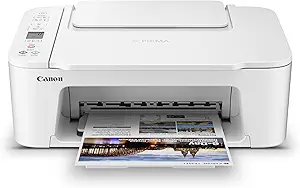 |
| Top Rated A top-rated pick with lots of positive feedback | Brother MFC-L2820DW XL |  |
| Most Popular A crowd favorite that many people choose with confidence | HP DeskJet 3755 |  |
| Best Seller A high-volume bestseller chosen again and again | Epson EcoTank ET-2800 |  |
HP OfficeJet Pro 8125e

| Printer Type | HP Thermal Inkjet |
|---|---|
| Print Speed (Color) | 10 pages_per_minute |
| Print Speed (Black) | 20 pages_per_minute |
| Maximum Sheet Capacity | 225 |
| Duplex | Automatic (standard) |
The HP OfficeJet Pro 8125e is a compact AIO inkjet that targets home office users who need reliable color and document workflows. It prints up to 10 ppm in color and 20 ppm in black, supports automatic two-sided printing and includes a single-sided ADF plus flatbed scanner for routine multi-page scanning and copying. The printer offers wired and wireless connectivity including Ethernet, USB, AirPrint, and wireless direct printing, and integrates with the HP app for mobile printing and scanning. Notable extras include AI-driven formatting to reduce wasted pages, a touchscreen, quiet mode, and a 225-sheet input capacity that reduces refills for moderate print volumes. The unit participates in HP+ features and a three-month Instant Ink trial to simplify consumables, but some users may find ongoing subscription costs and cartridge reliance a consideration. For a compact home-office AIO it balances speed, useful automation, and easy mobile workflows, though heavy commercial volumes would outgrow its design.
Best for: Buyers who want a compact, feature-rich printer for a home or small home-office that handles everyday document tasks, mobile printing, and occasional color jobs without needing a dedicated office-sized device.
Less Ideal for: Workers or small businesses that need very high monthly page volumes, fastest commercial print throughput, or photo-lab quality color prints should consider larger workgroup printers or dedicated photo printers.
- Compact all-in-one design with print, scan, copy and ADF for multi-page jobs
- Automatic duplex printing saves paper and manual flipping
- 225-sheet input capacity reduces how often you reload paper
- Multiple connectivity options including dual-band Wi-Fi, Ethernet, AirPrint and USB
- AI formatting and HP app integration streamline mobile and web printing
- Relies on manufacturer ink cartridges and Instant Ink ecosystem which can add recurring cost
- Color print speed and quality are good for documents but not aimed at high-volume photo production
Verdict: A compact, well-rounded all-in-one that fits home and small office needs by combining duplex printing, an ADF, and solid mobile connectivity in a space-saving package.
Canon PIXMA TR8620a

| Printer Type | Inkjet |
|---|---|
| Maximum print Resolution Color | 4800 x 1200 dpi |
| Color Pages per Minute | 10 pages_per_minute |
| B&W Pages per Minute | 15 pages_per_minute |
| Printer Connectivity Type | wireless |
The Canon PIXMA TR8620a is a compact 4-in-1 inkjet that handles printing, copying, scanning and faxing for a small home office. It uses a five individual-ink tank system and supports high-resolution output up to 4800 x 1200 dpi, which helps produce detailed photos and sharp documents. Practical features include a 20-sheet automatic document feeder for multi-page scans and copies, automatic two-sided printing to save paper, and both wireless and USB connectivity for printing from PCs and smartphones. The printer accepts a variety of media including glossy photo paper and supports borderless printing up to letter size. Paper handling is flexible with a 100-sheet maximum sheet capacity split across a main cassette and rear feed for specialty media. Expect modest power draw and typical inkjet speeds around 15 ppm black and 10 ppm color, so it is best for moderate daily workloads rather than heavy duty constant printing. Setup and touchscreen controls are straightforward, but running costs depend on ink usage and cartridge choices.
Best for: Buyers who need a compact all-in-one for a home office that balances photo-quality output and everyday document tasks with useful workflow features like an ADF and duplex printing.
Less Ideal for: Users who print large volumes daily or need the fastest monochrome throughput should consider a dedicated office laser printer instead.
- High maximum print resolution up to 4800 x 1200 dpi for detailed photos and crisp text
- 20-sheet automatic document feeder speeds up multi-page scanning and copying
- Automatic two-sided printing reduces paper use and supports duplex workflows
- Wireless printing plus USB connectivity for easy mobile and PC printing
- Print speeds are modest (approx 15 ppm B&W, 10 ppm color) compared with laser alternatives
Verdict: A compact home-office all-in-one that delivers high-resolution photo-capable prints and handy features like an ADF and automatic duplexing for balanced everyday use.
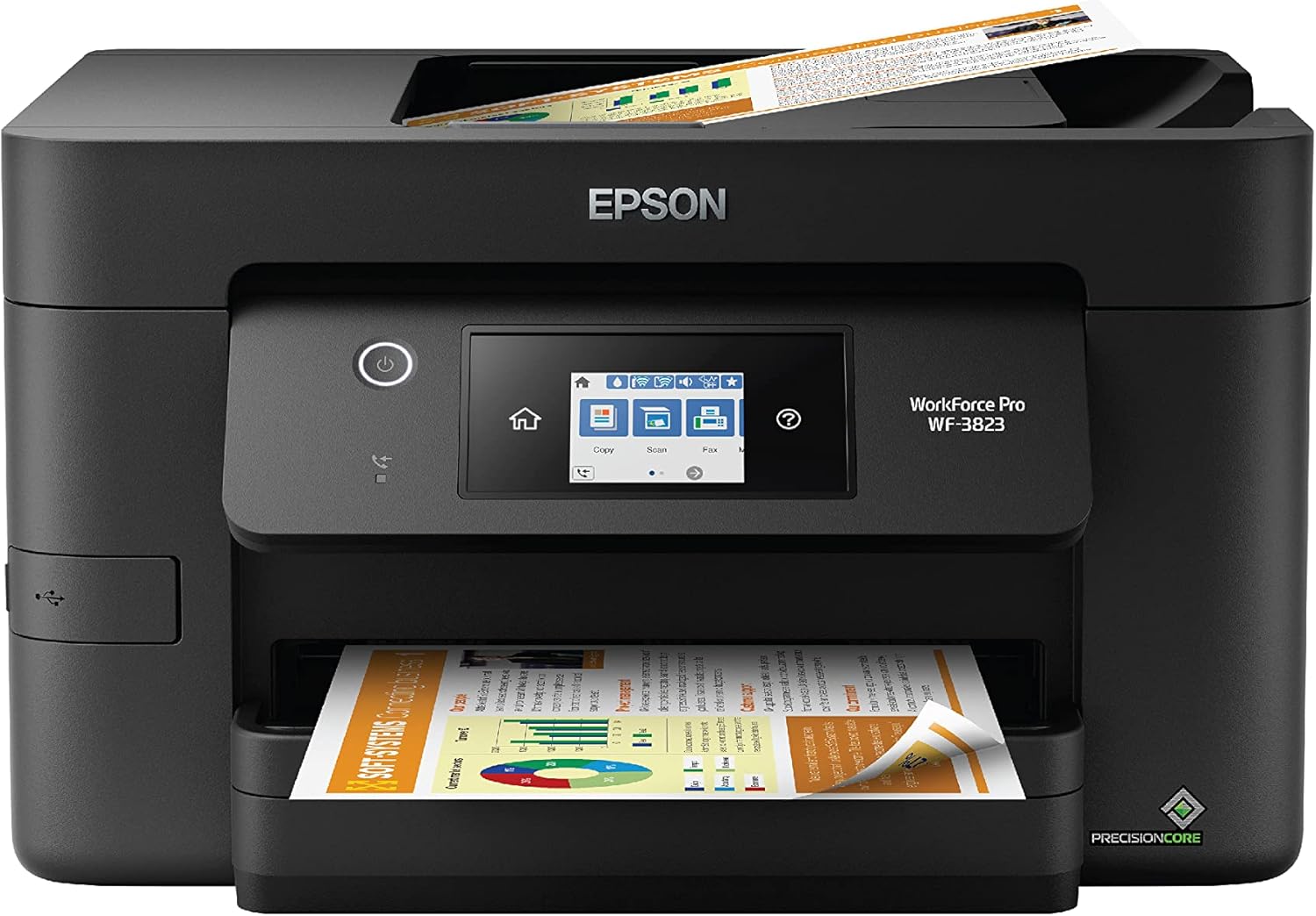
Epson WorkForce Pro 3823
| Printer Type | Inkjet |
|---|---|
| Print Speed (B&W) | 21 pages_per_minute |
| Print Speed (Color) | 11 pages_per_minute |
| Maximum Sheet Capacity | 250 |
| Duplex | Automatic |
The WorkForce Pro WF-3823 is a compact office-focused all-in-one that prioritizes speed and reliable daily use. It uses Epson PrecisionCore Heat-Free Technology and DURABrite Ultra pigment inks to deliver sharp text and respectable color prints at up to 21 ppm black and 11 ppm color, plus quick first-page times. The 250-sheet main tray and automatic two-sided printing handle higher-volume jobs without constant refills, while the 35-sheet ADF and built-in scanner make multipage copying and scanning straightforward. Setup and mobile control are handled through the Epson Smart Panel app and the 2.7-inch color touchscreen, and connectivity includes Wi-Fi, Wi-Fi Direct, Ethernet, and USB. Expect business-style security and power efficiency with modest 17-watt consumption. The printer requires genuine Epson T822 cartridges, which helps print quality but can increase ongoing costs, and photo color depth is limited compared with dedicated photo printers. For a compact unit aimed at home offices and small workgroups, it balances speed, paper capacity, and practical scanning features in a small footprint.
Best for: A buyer who wants a compact, productivity-focused AIO for a home office or small workgroup that needs fast text printing, reliable duplexing, and practical scanning without a large footprint.
Less Ideal for: If your priority is low-cost printing per page or studio-grade photo output, a laser MFP or a dedicated photo printer would be a better choice.
- Fast black and color ISO print speeds up to 21 ppm (black) and 11 ppm (color)
- 250-sheet paper capacity with automatic two-sided printing for less frequent refills
- 35-sheet automatic document feeder and flatbed scanner for multipage workflows
- Multiple connectivity options including Wi-Fi, Wi-Fi Direct, Ethernet, and USB plus Epson Smart Panel app control
- Requires genuine Epson T822 cartridges which can raise ongoing ink costs
- Color photo quality lags behind dedicated photo printers
Verdict: Choose the WF-3823 if you need a compact all-in-one that delivers fast, reliable everyday printing and practical scanning for a small office or busy home workspace.
Canon PIXMA TS3720

| Printer Type | Inkjet |
|---|---|
| Maximum print Resolution Color | 4800 x 1200 dots_per_inch |
| Color Pages per Minute | 4 pages_per_minute |
| B&W Pages per Minute | 7.7 pages_per_minute |
| Printer Connectivity Type | USB, Wi-Fi |
The Canon PIXMA TS3720 is a small, affordable all-in-one inkjet that handles printing, copying, and scanning for basic home needs. It uses a two-cartridge hybrid ink system with a pigment black for sharp text and dye-based color for photos, and supports borderless photo printing up to 5 x 7 and document sizes to 8.5 x 14. Setup is straightforward via the Canon PRINT app or direct USB, and dual-band Wi-Fi lets you print from smartphones, AirPrint, and Mopria-compatible devices. The rear tray holds up to 60 plain sheets and the 1.5-inch LCD gives simple status and menu access. Expect decent text quality and good color for occasional photos, but print speeds are modest and it only prints single-sided. For everyday home tasks and light photo printing the TS3720 balances capability and size, though frequent high-volume printing or automatic duplex needs will require a higher-end unit.
Best for: Buyers wanting an inexpensive, space-saving all-in-one for occasional home documents and photo prints who prioritize easy wireless mobile printing and simple operation.
Less Ideal for: Users who need high-volume throughput, automatic duplexing, or advanced office features should consider a larger, faster office-class printer instead.
- Compact footprint fits small home desks or apartments
- Dual-band Wi-Fi and mobile printing support (Canon PRINT, AirPrint, Mopria)
- Hybrid two-cartridge ink system for crisp black text and vivid color photos
- Supports borderless photo printing and multiple media types
- Easy setup and a simple 1.5-inch LCD for basic control
- Single-sided printing only, no automatic duplex
- Modest paper capacity and relatively slow color print speed
Verdict: A compact, budget-friendly all-in-one that delivers reliable home printing and easy mobile connectivity in a small footprint.
Brother MFC-L2820DW XL

| Printer Type | Laser |
|---|---|
| Printer Output Type | Monochrome |
| B&W Pages per Minute | 34 pages_per_minute |
| Maximum Print Resolution Black and White | 1200 x 1200 dots_per_inch |
| Printer Connectivity Type | Ethernet, USB, Wi-Fi |
The Brother MFC-L2820DW XL is a compact monochrome laser multifunction printer aimed at small offices and home workspaces that need dependable black-and-white output. It prints up to the mid-30s ppm and includes high-yield in-box toner for thousands of pages, which keeps running costs lower and reduces refill frequency. Practical features include a 250-sheet tray, 50-page auto document feeder for unattended multi-page scanning or copying, automatic duplex printing to save paper, and a 2.7-inch touchscreen for basic on-device controls. Connectivity covers dual-band Wi-Fi, Ethernet, and USB, plus mobile printing via Brother Mobile Connect. The unit is designed for steady daily use rather than photo or color work, and its monochrome focus and laser engine deliver crisp text and business documents. Expect a modest footprint and reliable paper handling, though color printing is not supported and advanced scan features are basic compared with higher-end models. For buyers prioritizing consistent, economical black-and-white output in a small space, this is a straightforward, workhorse choice.
Best for: Buyers who want a compact, no-nonsense black-and-white MFP that reliably handles moderate daily volumes with low running interruptions and easy network connectivity.
Less Ideal for: Those who need color printing, advanced scanning workflows, or enterprise-level feature sets and higher monthly capacities.
- High-yield in-box toner provides up to about 4,200 pages, reducing refill frequency
- Fast monochrome print speed around 34 ppm for steady document throughput
- 50-page auto document feeder simplifies multi-page scanning, copying, and faxing
- Multiple connectivity options including dual-band Wi-Fi, Ethernet, and USB
- Automatic duplex printing and 250-sheet tray lower paper handling interruptions
- Monochrome-only output so it cannot print color documents or photos
- Basic touchscreen and scan feature set compared with larger business models
Verdict: If you need a compact, reliable monochrome all-in-one that lowers interruptions with high-yield toner and solid network options, this Brother model is a sensible pick.
HP DeskJet 3755

| Printer Type | Inkjet |
|---|---|
| Functions | Print, Scan, Copy |
| Maximum print Resolution Color | 4800 x 1200 dpi |
| Maximum Sheet Capacity | 60 |
| Printer Connectivity Type | wired, wireless |
The HP DeskJet 3755 packs print, scan, and copy functions into a very small footprint aimed at home users who need occasional document and photo printing. Setup is straightforward from a smartphone or tablet and the printer supports wireless standards plus USB, AirPrint, and voice control for quick mobile jobs. Image and text resolution are good for casual photos and everyday documents thanks to a 4800 x 1200 dpi color maximum and up to 19 pages per minute in draft black, though ISO speeds are lower. Paper handling is basic with a single tray and a 60-sheet capacity, and duplex printing is manual so it is not optimized for heavy double-sided workloads. The unit is Instant Ink ready which can cut ongoing ink costs and the scroll scan feature makes small scanning tasks easier. Expect trade-offs in throughput and media flexibility compared with larger home office models, but for limited space and light home use the 3755 delivers competent results and convenient mobile connectivity.
Best for: Buyers who prioritise a tiny, space-saving all-in-one for occasional home printing and value easy mobile setup and low ongoing ink cost options backed by broad customer usage.
Less Ideal for: Users who need high monthly page volumes, advanced paper handling, or automatic duplexing should choose a larger home office printer instead.
- Very compact footprint that fits small desks and tight spaces
- Wireless and mobile printing support including AirPrint and voice control
- High maximum color resolution suitable for casual photo and document printing
- Instant Ink ready to lower ongoing ink costs
- Single-tray, 60-sheet paper handling and manual duplex limit productivity
- Designed for light home use so not ideal for high-volume printing
Verdict: Choose the DeskJet 3755 when you need a true compact all-in-one for light home printing with easy mobile setup and lower ink costs through Instant Ink.
Epson EcoTank ET-2800

| Printer Type | Inkjet |
|---|---|
| Printer Connectivity Type | USB, Wi‑Fi |
| Color Pages per Minute | 5 pages_per_minute |
| B&W Pages per Minute | 10 pages_per_minute |
| Maximum print Resolution Color | 5760 x 1440 dpi |
The ET-2800 brings Epson's EcoTank refillable ink system to a small home all‑in‑one that handles everyday documents and occasional photos. It prints, copies, and scans using high-capacity ink tanks that come with enough ink for many months of typical use, which reduces how often you need replacements and avoids cartridge handling. Setup and daily use are straightforward thanks to Wi‑Fi printing, app control, and a simple LCD for local operation, while PrecisionCore Micro Piezo technology helps produce sharp text and decent color photos at its stated resolution. Print speeds favor black-and-white jobs at about 10 ISO ppm with slower color output, and the unit does simplex printing only. The scanner is a flatbed design for single-page scans and copies. If you prioritize low ongoing ink costs, minimal maintenance, and a compact footprint for home or dorm use, the ET-2800 delivers those benefits, though it is not aimed at heavy duplexed office workloads or high-volume photo labs.
Best for: Buyers who want a compact, low‑maintenance home printer that minimizes ink replacements and ongoing costs while offering wireless convenience and decent print quality.
Less Ideal for: People who need heavy two-sided printing, high-volume office throughput, or an automatic document feeder for multi-page scanning should look elsewhere.
- Cartridge-free EcoTank system with high-capacity refillable ink tanks included
- Low running costs with replacement ink bottles equivalent to many cartridges
- Wireless printing and app control for easy mobile printing
- High resolution output capability for sharp text and detailed photos
- Compact all-in-one design suitable for home use
- No automatic duplex (two-sided) printing
- Single flatbed scanner without an automatic document feeder
- Color print speed is slower than black-and-white
Verdict: Choose the ET-2800 if you want a compact, cartridge-free home all‑in‑one that cuts ink hassle and long‑term costs while delivering reliable everyday printing.
Choosing the Right Compact All-in-One Printer: Key Factors to Consider
Print Quality
Print quality determines how professional your documents and occasional photos will look. For most home and small-office tasks, sharp text and accurate color or grayscale reproduction are essential for readable reports and clear labels.
Higher print resolution and better toner or ink formulations improve output, but they can increase consumable costs. Consider whether you need photo-grade color or primarily crisp black text when choosing a compact unit.
Connectivity Options
A compact all-in-one printer should offer multiple ways to connect so it integrates smoothly with laptops, phones, and tablets. Reliable Wi-Fi and support for mobile-printing standards let you print directly from smartphones and cloud services.
A wired USB port can be useful for single-computer setups, and an Ethernet jack helps in shared network situations. Evaluate the ease of Wi-Fi setup, the stability of the connection, and which mobile printing protocols are supported.
Running Cost and Consumables
Long-term cost is driven by ink or toner yield and the price and availability of replacement cartridges. Compact printers often use smaller cartridges to save space, which can raise per-page costs.
Look for high-yield options, refillable ink tanks, or efficient monochrome modes if you print mostly text. Also check how easy cartridges are to replace and whether the printer supports third-party supplies if that matters to you.
Speed and Duty Cycle
Page-per-minute ratings indicate how quickly a printer handles batches, but real-world speed depends on print complexity and connectivity. For light to moderate home use, a mid-range speed is usually sufficient.
Duty cycle reflects monthly recommended usage. Choose a unit whose duty cycle comfortably exceeds your typical monthly print volume to avoid premature wear or service issues.
Physical Footprint and Paper Handling
Compact units save desk space but vary in how they manage paper. Consider input and output tray capacity, whether trays fold away, and how the printer fits on a shelf or small desk.
Also check supported paper sizes and whether the device can handle envelopes or heavier media if you occasionally mail items or print labels.
Scan and Copy Features
The all-in-one functions are central in this category, so scanning and copying capability should match how you work. Look at scanner resolution, whether an automatic document feeder is included, and available scan-to options.
Ease of initiating scans, bundled software or drivers, and whether the scanner produces searchable PDFs may affect productivity for document workflows.
How Compact All-in-One Printers Fit Small Spaces
Compact all-in-one printers are designed to balance features with a small footprint. That usually means a reduced paper tray size and integrated functions that fold or tuck in when not in use. For a home desk, pick a model whose closed dimensions and front-accessible trays match the shelf or corner where it will live.
Placement considerations include ventilation, easy access to cartridge bays, and the length of power and network cables. Measure the intended spot and compare it to the printer's footprint and clearance requirements to avoid surprises.
- Check closed and open dimensions for tray clearance
- Ensure front access to cartridges for tight placements
- Avoid blocking ventilation to prevent overheating
Mobile Printing and Cloud Integration
Mobile printing capability reduces setup friction for phones and tablets. Look for support of common standards and apps that let you print directly from cloud storage or email without installing drivers.
Cloud integration also matters for scanning workflows. A scanner that can send documents to cloud accounts or email with minimal setup streamlines common home tasks like digitizing receipts or sending signed forms.
- Verify compatibility with your smartphone platform
- Look for simple cloud and email scan options
- Consider companion apps that simplify remote printing
Managing Consumables and Maintenance
A compact printer's convenience depends heavily on how easy and affordable it is to maintain. Regular tasks include replacing cartridges, cleaning print heads, and occasional firmware updates. Choose a model with clear status indicators and straightforward cartridge access.
If you print often, high-yield cartridges or refillable tanks can reduce interruptions and lower per-page costs. Also check whether the manufacturer provides clear guidance for routine maintenance and whether replacement parts are readily available.
- Prefer high-yield or refillable options for frequent printing
- Look for easy cartridge access and clear status lights
- Check for software alerts that simplify upkeep
Paper Types and Specialty Printing Needs
Although compact printers prioritize size, many still support a range of paper types. If you plan to print labels, envelopes, or cardstock, confirm the supported media weights and paper feeding options.
Specialty tasks like borderless photos or heavier media may be limited in the most compact models. Decide which paper types you need regularly and prioritize models that explicitly list support for them.
- Confirm supported paper sizes and weights
- Look for manual feed options for specialty media
- Verify envelope and label handling if needed
Software, Drivers, and Ongoing Support
Good software and driver support ensures the printer remains usable across OS updates and device changes. Check whether drivers are available for your operating system and whether the manufacturer provides regular firmware updates.
A well-designed companion app can make scanning, printing, and status monitoring much easier for nontechnical users. Consider the long-term availability of support and whether online resources are clear and accessible.
- Ensure driver compatibility with your OS versions
- Look for intuitive companion apps for scanning and mobile printing
- Prefer manufacturers with clear online support documentation
How We Chose the Best Compact All-in-One Printer
We evaluated compact all-in-one printers using criteria that matter for small-space, everyday use. First, print quality: we prioritized models with reliable text clarity and reasonable photo or graphic output for common home office tasks. Second, connectivity: Wi-Fi reliability, mobile printing support, and USB options were weighted heavily because compact printers often serve multiple devices. Third, running cost and consumables: we looked for efficient toner or ink use and easily replaceable cartridges or tanks that keep ongoing costs predictable. Fourth, speed and duty cycle: we considered realistic page-per-minute figures and recommended duty cycles appropriate for light to moderate home use. Fifth, physical footprint and design: compactness, input tray capacity, and usable control layouts were assessed so the unit fits small desks. We excluded oversized office machines and specialty photo-only devices that do not match compact all-in-one expectations. Models with poor connectivity, unclear replacement parts, or impractical daily upkeep were filtered out.
Our full evaluation process is outlined in our review methodology.
FAQ
How often should I replace ink or toner in a compact all-in-one printer?
Replacement frequency depends on your monthly print volume and the cartridge yield. For light home use, standard cartridges may last several months. If you print frequently, high-yield or refillable options reduce how often you change supplies.
Can compact all-in-one printers handle photo printing?
Some compact models offer acceptable photo output for casual use, but compact units often lack the paper handling and color management of dedicated photo printers. If high-quality photos are a priority, check print resolution and paper support before buying.
Is Wi-Fi more convenient than USB for a home setup?
Wi-Fi provides flexibility for printing from multiple devices without reconnecting cables, but USB can be more reliable for a single computer. Choose Wi-Fi if you need shared access and mobile printing; prefer USB if you want a simple, direct connection.
Are there ways to reduce running costs with a compact printer?
Yes. Use draft or economy print modes for internal documents, choose high-yield cartridges or refillable tanks, and print in grayscale when color is unnecessary. Also consider duplex printing to save paper.
Do compact all-in-one printers require much maintenance?
Routine maintenance is minimal for most users and includes occasional print-head cleaning and cartridge replacement. Heavy use may require more frequent attention, so match the duty cycle to your expected monthly volume.
Final Verdict
Choosing a compact all-in-one printer comes down to balancing size with the specific capabilities you need. Prioritize print quality and connectivity if you frequently produce documents from multiple devices, or focus on low running costs and high-yield consumables if you print a lot of text. Consider paper handling and scan features only if they match your typical workflows. By matching the device's duty cycle, footprint, and consumable economics to your daily habits, you can confidently pick a compact all-in-one that fits both your space and workload.