
Note: This article contains affiliate links. If you click on these links and make a purchase, we may earn a small commission at no extra cost to you. This helps support our research and content. Read our full affiliate disclosure here.
Picking the right color printer for photos determines whether your images look like framed prints or flat reproductions. You want accurate color, fine detail, and support for the paper sizes and finishes you prefer. This guide shortlists the top options across capability and use-case, focusing on machines that deliver consistent photo-grade output, straightforward color management, and easy handling of glossy, luster, and matte media. Below we cover the shortlisted printers and explain the criteria used to evaluate them so you can match a model to your workflow and desired print quality.
Top Picks at a Glance
| Best Overall The best all-around choice for most situations | Epson Expression Photo HD XP-15000 |  |
| Best Quality Built to a higher standard if you want something more solid | Canon PIXMA PRO-200S |  |
| Best Value The sweet spot between price and what you get | HP Smart Tank 5101 |  |
| Best Budget The cheapest option that still gets the job done reliably | HP DeskJet 2955 All-in-One |  |
| Top Rated A top-rated pick with lots of positive feedback | Epson PictureMate PM-400 |  |
| Most Popular A crowd favorite that many people choose with confidence | KODAK Step Instant Photo Printer |  |
| Best Seller A high-volume bestseller chosen again and again | Nelko PP01 Photo Printer |  |
Epson Expression Photo HD XP-15000

| Maximum Media Size | 13 x 19 inch |
|---|---|
| Resolution | 5760 x 1440 dpi |
| Printer Connectivity Type | wired, wireless |
| Duplex | Automatic |
| Number of Trays | 2 |
The Epson Expression Photo HD XP-15000 is a compact wide-format inkjet aimed at hobbyist and home-studio photographers who want pro-quality borderless prints up to 13 x 19 inches. It uses individual six-color Claria Photo HD inks, including red and gray, to widen the color gamut and improve black-and-white tones, and it reaches high optical resolution for detailed photos. The printer supports specialty media via a 50-sheet rear tray and handles stacks of documents with a 200-sheet front tray, while automatic duplexing and Ethernet or wireless connectivity make it practical for mixed photo and document workflows. Print speed is reasonable for its class with quick small-photo turnarounds. Important limitations are its reliance on genuine Epson cartridges and the higher running cost associated with individual photo inks, and its size and weight are significant compared with consumer desk printers. For buyers balancing image quality and everyday usability, it delivers strong photo output and flexible media handling but expects ongoing cartridge costs.
Best for: Photographers and home-studio users who want true wide-format, high-resolution photo prints and are willing to accept higher ink costs for better color and grayscale fidelity.
Less Ideal for: Casual users who prioritize the lowest running cost or the smallest footprint should consider simpler, lower-cost photo or all-in-one printers instead.
- Six-color Claria Photo HD inks (including red and gray) produce a wide color gamut and improved monochrome prints
- Supports borderless wide-format printing up to 13 x 19 inches for pro-style photos
- 50-sheet rear specialty tray and 200-sheet front tray handle cardstock and large projects
- Automatic duplexing plus wired and wireless connectivity including Ethernet for flexible setup
- Requires genuine Epson cartridges which can raise ongoing operating costs
- Relatively large and heavy compared with typical home desktop printers
Verdict: Choose this printer if you want wide-format, pro-quality photo prints with expanded color and grayscale control in a compact wide-format package.
Canon PIXMA PRO-200S

| Printer Type | Inkjet |
|---|---|
| Maximum print Resolution Color | 4800 x 2400dpi |
| Printer Connectivity Type | Wi-Fi |
| Hardware Interface | Ethernet, USB |
| Maximum Media Size | A4 |
The Canon PIXMA PRO-200S is a photo-oriented 13" inkjet designed to deliver vivid, gallery-ready color prints using an 8-color dye-based ink set. It handles a wide range of media up to 13" x 19" and offers borderless printing for common photo sizes, making it useful for photographers wanting large, vibrant prints at home or in a small studio. The 3.0" color LCD and Wi-Fi connectivity simplify setup and job selection, while Ethernet and USB ports give reliable wired options for heavier workflows. Print speeds are respectable for a photo printer, with an A3+ bordered print in about 90 seconds, though text and general document throughput is modest. Paper handling supports multiple sizes and a 100-sheet maximum sheet capacity, but duplexing is simplex only so two-sided photo printing requires manual feed. Consumables are dye-based, which gives punchy color and smooth gradations but may not offer the same longevity as pigment-based archival inks without specialized papers. For photographers who prioritize color vibrancy and versatile media handling, the PRO-200S is a strong choice, though archival permanence and two-sided photo workflows need consideration.
Best for: Photographers and creative pros who want a compact studio printer that produces vibrant, large-format color and borderless photo prints with straightforward connectivity.
Less Ideal for: Users who need automatic two-sided photo printing or the highest archival longevity without using specialized pigment inks and papers.
- 8-color dye-based ink system for vibrant, smooth color and rich photo prints
- Borderless printing up to 13" x 19" for large-format photo output
- 3.0" color LCD and multiple connectivity options (Wi-Fi, Ethernet, USB) for easy job control
- Reasonable photo print speeds for A3+ and common photo sizes
- Uses dye-based inks which are less archival than pigment options without specialty media
- Simplex-only printing requires manual duplexing for two-sided output
Verdict: Choose the PIXMA PRO-200S if your priority is punchy, borderless color photo prints up to 13" x 19" with easy connectivity and studio-ready output.
HP Smart Tank 5101

| Printer Type | HP Thermal Inkjet |
|---|---|
| Printer Connectivity Type | Wireless |
| Maximum print Resolution Color | 4800 x 1200 dots_per_inch |
| B&W Pages per Minute | 12 pages_per_minute |
| Color Pages per Minute | 5 pages_per_minute |
The HP Smart Tank 5101 is a cartridge-free inkjet all-in-one aimed at everyday home use, combining a refillable ink tank, wireless connectivity, and a flatbed scanner. You set it up on Wi-Fi and print from the HP Smart app, AirPrint, or Mopria, with touch and app controls for basic jobs like schoolwork, family documents, and occasional photo printing. Its refillable bottles and included ink are designed for very high page yields, which lowers running cost for high-volume users. Print quality can be strong for color documents and snapshots thanks to its high color resolution, but the unit prints single-sided only and lacks an automatic document feeder, so multi-page scanning or duplex workflows require manual handling. Speed is modest for color prints compared with higher-end photo printers, and photo enthusiasts who need borderless or lab-quality photo output may prefer a dedicated photo printer. For routine color prints and low-cost long-term ink, the 5101 is a practical, low-maintenance choice.
Best for: Buyers who prioritize low ongoing ink cost and reliable everyday color printing for household documents and casual photos rather than professional photo lab quality.
Less Ideal for: People who need automatic duplexing, fast multi-page scanning, or true lab-grade, borderless photo prints should consider a specialized photo printer instead.
- Refillable ink tank with up to two years of included ink greatly reduces running costs
- Wireless printing from phones and computers via HP Smart app, AirPrint, and Mopria
- High color resolution (4800 x 1200) for sharper color prints and photos
- Flatbed scanner and copy functions add basic all-in-one versatility
- No automatic duplex printing; prints single-sided only
- No automatic document feeder, so multi-page scanning is manual
- Color print speed is relatively slow compared with dedicated photo printers
Verdict: Choose the Smart Tank 5101 if you want low-cost, high-volume color printing with refillable tanks and basic photo-capable output for home use.
HP DeskJet 2955 All-in-One

| Printer Type | HP Thermal Inkjet |
|---|---|
| Scanner Type | Flatbed |
| Maximum print Resolution Color | Up to 4800 x 1200 optimized dpi |
| Maximum Sheet Capacity | 60 |
| Printer Connectivity Type | AirPrint; USB; Wireless; Wireless direct; Mopria |
The HP DeskJet 2955 is a compact home-focused all-in-one that covers basic color printing, flatbed scanning, and copying. It connects via dual-band Wi-Fi, USB, AirPrint and Mopria, and is controlled easily from the HP app or the small icon LCD. In use it handles everyday documents, web pages and occasional photos with up to 4800 x 1200 optimized dpi color when using select photo papers, and copy/scan jobs are straightforward on the flatbed. The 60-sheet input tray and manual duplex support suit light weekly use rather than high-volume workflows, and the printer includes a three-month Instant Ink trial for convenient cartridge replacement. Expect modest photo quality compared with dedicated photo printers and slower speeds for color jobs, but the DeskJet is energy efficient and compact enough for small spaces. Setup and mobile printing are simple, making it a practical choice for basic home printing and casual photo snapshots rather than serious photo production.
Best for: Buyers on a tight budget who need a small, easy-to-use all-in-one for home documents and occasional snapshots and prioritize simple mobile printing and low initial cost.
Less Ideal for: Photography enthusiasts or small businesses that require high-volume photo production, fast color output, or professional-grade color accuracy should look at dedicated photo printers instead.
- Compact all-in-one design with print, scan, and copy in a small footprint
- Wireless connectivity including dual-band Wi-Fi, AirPrint and Mopria for easy mobile printing
- Includes three-month trial of Instant Ink for automatic cartridge delivery
- High optimized color resolution listed for better photo detail on select photo papers
- Photo output is modest compared with dedicated photo printers and specialized inks
- Manual duplex only and relatively low 60-sheet input capacity limit heavier print needs
Verdict: If you want an affordable, compact all-in-one for home documents and casual photo prints with easy mobile setup, the HP DeskJet 2955 delivers practical value.
Epson PictureMate PM-400

| Printer Type | Inkjet |
|---|---|
| Maximum print Resolution Color | 5760 x 1440 dpi |
| Paper Size | 4 inch x 6 inches, 5 inch x 7 inches |
| Printer Connectivity Type | USB, Wi-Fi |
| Maximum Sheet Capacity | 50 |
The Epson PictureMate PM-400 is a compact, travel-friendly photo printer that focuses on producing high-resolution borderless 4×6 and 5×7 prints from smartphones, tablets, or a computer. It uses Epson-branded ink cartridges and a high maximum print resolution to deliver rich color and fine detail suitable for family photos, events, and snapshots you want as physical keepsakes. The unit is primarily controlled via an app for mobile printing and offers USB and Wi-Fi connectivity for flexible placement. A small paper tray holds up to 50 sheets and the printer can spit out a 4×6 photo in roughly 36 seconds in default mode, which is convenient for quick prints at gatherings. Important limitations are its strict requirement for genuine Epson cartridges, which can raise ongoing costs, and its single-purpose paper handling aimed at photo sizes rather than general document printing. The PM-400 is best when you want consistent, high-quality photo output from a compact device, but expect to run only photo-sized media and to use Epson consumables for reliable operation.
Best for: Buyers who prioritize consistent, high-quality photo prints from a compact, easy-to-place device and who value reliability and predictable performance over low consumable cost.
Less Ideal for: People who need an all-purpose home office printer for frequent document printing or those who prefer to use third-party or refillable inks.
- High maximum print resolution (5760 x 1440 dpi) for detailed, vibrant photos
- Compact and lightweight design for easy transport and small workspaces
- Borderless 4×6 and 5×7 printing tailored for photo keepsakes
- Wi‑Fi and USB connectivity with mobile app control for convenient wireless printing
- 50-sheet tray capacity supports small batch printing without constant reloads
- Requires genuine Epson cartridges which can increase operating cost
- Not optimized for standard document sizes or heavy volume office printing
Verdict: Choose the PictureMate PM-400 when you want a compact, reliable photo printer that consistently delivers high-resolution borderless 4×6 and 5×7 prints.
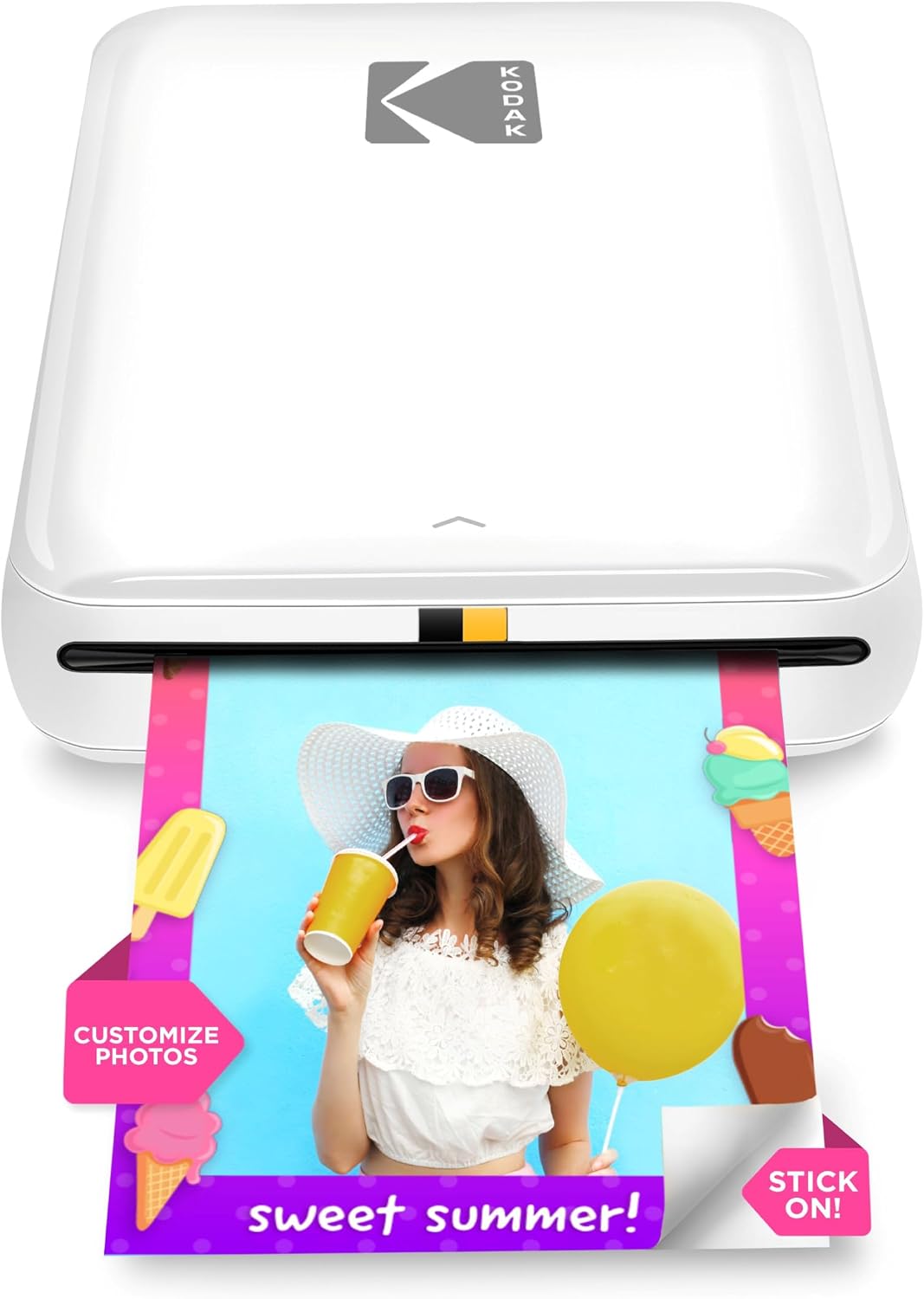
KODAK Step Instant Photo Printer
| Print media | 2×3 inches ZINK paper |
|---|---|
| Maximum Sheet Capacity | 10 |
| Connectivity | Bluetooth, NFC |
| Print Resolution | 313 x 400 dpi (color) |
| Battery prints per charge | Up to 25 prints |
The KODAK Step Instant Photo Printer is a compact, battery-powered mobile printer that turns phone photos into 2×3-inch sticky-backed prints without ink cartridges using ZINK zero-ink technology. You pair it to your phone over Bluetooth or NFC, use the KODAK STEP PRINTS app to edit, add stickers or collages, then print a full-color photo in about a minute. The built-in rechargeable battery can produce roughly 25 prints per charge and the device accepts 2×3 ZINK paper loaded in a small tray with up to a 10-sheet capacity. The prints are protected with a laminated coating to resist smudges and water, and the simple app editing makes it useful for crafters, parties, and on-the-go snapshots. Expect modest resolution compared with larger photo printers and steady one-page-per-minute output, so it is best for quick fun prints rather than high-volume or professional photo labs. Its strengths are portability and convenience while limitations are small print size, paper cost, and slower per-page throughput.
Best for: Buyers who want a proven, easy-to-use portable printer for instant stickers and casual photo projects and who value social sharing and quick, edited prints from a phone.
Less Ideal for: People who need larger prints, high-resolution archival photos, or high-volume printing should consider a desktop photo printer or lab services instead.
- True pocketable design with built-in rechargeable battery for mobile printing
- ZINK zero-ink technology eliminates cartridges and produces smudge- and water-resistant sticky-backed photos
- Bluetooth and NFC connectivity with a dedicated app offering editing, collages, stickers, and filters
- Starter paper included and simple paper tray supporting up to 10 sheets for quick setup
- Prints are limited to 2×3 inches, which is small for display or framing
- Print speed and resolution are modest compared with desktop photo printers
Verdict: If you want a compact, app-driven printer for instant 2×3 sticky-backed photos and easy social-ready editing, the KODAK Step is a reliable portable choice.
Nelko PP01 Photo Printer

| Printer Type | Inkjet |
|---|---|
| Print media | Glossy photo paper (sticky-backed) |
| Paper Size | 52x90mm (2×3 inches) |
| Resolution | 600 x 600 DPI |
| Connectivity | Bluetooth |
The Nelko PP01 is a compact Bluetooth inkjet designed for quick 2×3-inch photo prints from iOS and Android phones. You pair it with the Nelko app to edit, add frames or stickers, then send images to the printer; a single color cartridge and sticky-backed photo paper are used for output. Prints are 600 DPI and come out vivid with water- and tear-resistant paper suited for scrapbooks, planners, and party favors. The unit is genuinely portable and includes a USB charging cable and 20 sheets of paper so you can start printing right away. Expect relatively slow throughput — about one print per minute — and the small paper size limits use to snapshots rather than larger photos. The printer uses replaceable color cartridges that the brand rates for dozens of prints, and occasional cleaning cycles or contact wipes may be needed if cartridges are idle. For someone who wants instant, durable 2×3 prints for crafts or events, the PP01 is a practical, easy-to-use option; it is not intended as a replacement for full-size photo labs or larger-format printers.
Best for: Buyers who want a low-effort way to make durable 2×3 photo prints for scrapbooks, events, or on-the-go memory sharing and who prioritize ease of use and reliable, consistent results.
Less Ideal for: People who need larger-format prints, high-volume photo production, or professional lab-quality color matching should look at full-size photo printers or lab services instead.
- True portability with pocket-friendly footprint and USB charging cable included
- Bluetooth smartphone pairing and a dedicated app with editing tools for quick, on-phone customization
- 600 DPI inkjet output on sticky-backed, smudge- and water-resistant photo paper
- Starts ready to use with one cartridge and 20 sheets of paper included
- Limited to 2×3-inch prints so not suitable for larger photos
- Print speed is slow at roughly one photo per minute
Verdict: If you want an easy, pocketable solution for printing durable 2×3 photos straight from your phone, the Nelko PP01 delivers simple, app-driven results.
Choosing the Right Color Printer for Photos: Key Factors to Consider
Print Quality and Resolution
Photographic prints require fine detail and smooth gradients. Printers that offer higher effective DPI and finer droplet control reproduce texture and subtle tonal shifts more faithfully. Look for machines that document their maximum resolution and mention technologies like variable droplet size or dedicated photo black inks. Higher resolution alone does not guarantee better results; pairing resolution with effective color management and a good ink set is crucial.
When evaluating samples or lab tests, inspect shadow detail, highlight rolloff, and color transitions. Printers that render deep blacks without crushing shadow detail and preserve highlight nuance will generally produce more pleasing photo output.
Color Accuracy and Profiling Support
Accurate color reproduction depends on both the printer's inkset and its ability to use color profiles. Printers that support ICC profiles and offer fine driver-level color controls let you match output to your edited files. Expanded color gamut inks, such as dedicated cyan, magenta, light cyan, and light magenta, improve skin tones and subtle hues compared with four-color only systems.
Also consider whether the printer works smoothly with your editing workflow. Native support for common color spaces and easy profile installation reduces guesswork. If you plan to soft-proof and batch-print edited images, look for drivers and software that preserve color intent and rendering options.
Media Handling and Paper Types
Photographers use a range of paper finishes and sizes, from glossy 4x6s to heavyweight fine-art sheets. A good photo printer should accept the paper weights and sizes you plan to use, offer true borderless printing for full-bleed images, and have reliable feeding to avoid scuffs or jams. Machines with rear or straight-through paper paths make printing on heavy or textured media easier.
Consider also tray capacity and whether the printer supports roll feeding for panoramic prints. If you often print odd sizes, check for manual feed slots and adjustable guides so sheets feed squarely and consistently.
Ink System and Ongoing Maintenance
Ink design affects longevity, running costs, and color stability. Printers with more color cartridges let you replace only depleted colors, which can save money and maintain color fidelity. Pigment inks tend to resist fading and handle glossy and matte papers differently than dye inks, so choose based on the finish and longevity you need.
Maintenance needs like head clean cycles, nozzle checks, and periodic alignment impact both cost and uptime. Some printers have user-replaceable print heads or automated maintenance routines that reduce downtime. Factor in how often you print and whether you can tolerate occasional maintenance cycles.
Connectivity and Workflow Integration
Smooth file transfer and printing from cameras, phones, or editing software speeds up production. Look for Wi-Fi, Ethernet, USB, and direct print options such as PictBridge or memory card slots if you prefer camera-to-printer workflows. Reliable driver support on your operating system and color-managed printing from image editors are important for consistent results.
Also assess the software bundle: RIPs or advanced print utilities can provide finer control over color and layout, while cloud or mobile apps may simplify casual printing tasks. Think about whether you need remote printing or on-device editing tools for quick adjustments.
Paper Size Versatility and Borderless Printing
If you plan to produce prints for display or portfolios, size flexibility matters. Printers that handle small snapshot sizes as well as larger borderless prints let you produce a wider range of deliverables without outsourcing. True borderless printing reduces the need for trimming, and roll-fed or large-sheet support enables panoramic and poster prints.
Verify that the printer supports the exact sizes you use most often and whether it provides consistent borderless output across different paper types.
Understanding Ink Types and Longevity
Ink chemistry plays a big role in both appearance and longevity. Dye-based inks typically yield vibrant colors and deep blacks on glossy papers but can be more prone to fading over time. Pigment-based inks usually provide better lightfastness and are preferred for prints meant to last or be displayed under light.
Pay attention to manufacturer lightfastness claims and third-party durability data where available. For archival or gallery work, pigment inks or hybrid pigment/dye systems are often the safer choice.
- Dye inks: vivid colors, best on glossy paper; less fade resistant
- Pigment inks: superior fade resistance, better for matte and fine-art papers
- Hybrid sets: balance between vibrancy and longevity
Setting Up Color Management
Proper color management involves matching your monitor, editing software, and printer so colors translate predictably. Calibrate and profile your monitor, use ICC profiles for your paper and printer combination, and enable color-managed printing in your editor or print driver.
If you cannot create custom profiles, use manufacturer or paper-maker profiles and perform test prints to confirm skin tones and critical colors. Soft proofing in your editor helps anticipate how prints will look under specific rendering intents.
- Calibrate monitor before printing
- Use ICC profiles for specific paper stocks
- Soft-proof and print test patches
Paper Choices and Finishes
Paper finish affects the look and feel of a print as much as the printer does. Glossy and luster papers enhance color saturation and contrast, while matte and baryta-style fine art papers produce a more subdued, tactile result. Consider the viewing environment and how prints will be framed when choosing finishes.
Heavier, textured stocks often require a straight-through feed or rear tray to prevent scuffing. Match the ink type to the paper finish for optimal results.
- Glossy/luster: high gloss and saturated colors
- Matte/fine art: subdued tones and texture
- Baryta: deep blacks with a traditional look
Practical Maintenance Tips
Routine maintenance keeps nozzle health and color balance stable. Run periodic nozzle checks and short clean cycles when you notice banding or missing colors. Keep the printer in a dust-minimized area and use recommended paper paths for heavy stock.
For intermittent use, print a small photo weekly to reduce nozzles drying out. If the device supports user-replaceable printheads, learn the replacement process to reduce downtime.
- Perform nozzle checks before critical prints
- Store inks and paper in stable humidity conditions
- Run small maintenance prints to keep nozzles active
Workflow Tips for Faster Photo Printing
Batching prints and using saved driver presets saves time and ensures consistency. Create presets for specific paper-and-ink combinations, include borderless settings when needed, and standardize output sizes to avoid repeated layout adjustments.
For high-volume or gallery work, consider integrating a simple RIP or color-management utility to automate color conversion and cropping tasks so that your prints are consistent across jobs.
- Use driver presets for each paper type
- Batch similar images to reduce setup time
- Consider RIP software for consistent color handling
How We Chose the Best Color Printer for Photos
We evaluated candidates based on criteria that matter for producing photographic prints at home or in a small studio. First, print quality and color fidelity were prioritized by looking at achievable DPI, ink color set, and the printer's support for color profiles. Second, media handling and paper support were considered, including maximum paper weight, sheet types supported, and borderless printing options. Third, workflow and color management features were assessed, such as ICC profile support, driver control, and connectivity for easy file transfer from cameras or editing software. Fourth, ink system and cost impact were evaluated by examining cartridge or tank designs and recommended maintenance routines. Fifth, reliability and ease of use were included, covering setup, paper handling, and maintenance tasks like head cleaning. We excluded office-centric machines optimized only for text throughput or drafts. We also filtered out printers lacking support for common photo papers or those without basic color profile controls. The resulting shortlist favors devices that balance measurable output quality with practical handling and predictable color behavior.
Our full evaluation process is outlined in our review methodology.
FAQ
Is a pigment ink necessary for photo prints?
It depends on the desired longevity and paper finish. Pigment inks generally offer better lightfastness and are preferred for archival prints and many matte or fine-art papers. Dye inks can produce more vivid colors on glossy papers but may fade faster over time.
Can I get gallery-quality photos from a home color printer?
Often you can, if you match a photo-capable printer with appropriate paper, ICC profiles, and careful color management. Achieving gallery quality also depends on camera files and post-processing; good technique upstream reduces reliance on the printer to correct issues.
How important is borderless printing for photos?
Borderless printing is convenient for full-bleed images and reduces trimming, but it is not essential for all workflows. If you frame prints with mats or need exact composition control, borderless may be less critical than accurate crop and paper handling.
What maintenance should I expect with a photo printer?
Expect periodic nozzle checks, occasional head cleaning cycles, and the need to replace cartridges or refill tanks. Heavy or infrequent use increases maintenance frequency, so plan for routine checks if you print high volumes or go long periods between prints.
Do I need special paper to get good results?
Yes. Photo-specific papers are formulated to interact with inks for better color, contrast, and longevity. Using the correct paper profile and matching media settings in the driver helps prevent issues like ink bleed or poor color reproduction.
Final Verdict
Choosing a color printer for photos means balancing print fidelity, media flexibility, and the ongoing costs of ink and maintenance. Prioritize machines that support the paper types and sizes you use, offer solid color profiling options, and provide the ink chemistry suited to your desired longevity. For most home photographers, a model that combines accurate color controls, reliable media handling, and repeatable results will deliver the best return over time.