
Note: This article contains affiliate links. If you click on these links and make a purchase, we may earn a small commission at no extra cost to you. This helps support our research and content. Read our full affiliate disclosure here.
If you need vivid color prints without dedicating a full desk to a bulky machine, a compact color printer can be the right choice. These machines are built for tight spaces such as dorm rooms, home offices, or kitchens while still offering photo-capable output, wireless convenience, and reasonable per-page costs. This guide covers our top shortlisted compact color printers across common use cases, from casual photo printing to light office tasks. We evaluated each option on practical factors that matter in everyday use, including print quality, operating cost, connectivity, and footprint. Read on for the considerations that will help you match a model to your workflow, then check the product list for the best fits by use case.
Top Picks at a Glance
| Best Overall The best all-around choice for most situations | HP Envy 6555 All-in-One Printer |  |
| Best Quality Built to a higher standard if you want something more solid | Epson EcoTank ET-2800 |  |
| Best Value The sweet spot between price and what you get | Brother Work Smart 1360 MFC-J1360DW |  |
| Best Budget The cheapest option that still gets the job done reliably | Canon PIXMA TS3720 | 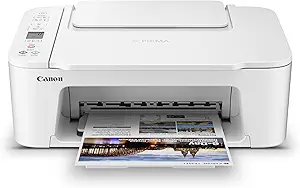 |
| Top Rated A top-rated pick with lots of positive feedback | Xerox C245 Color Multifunction Printer |  |
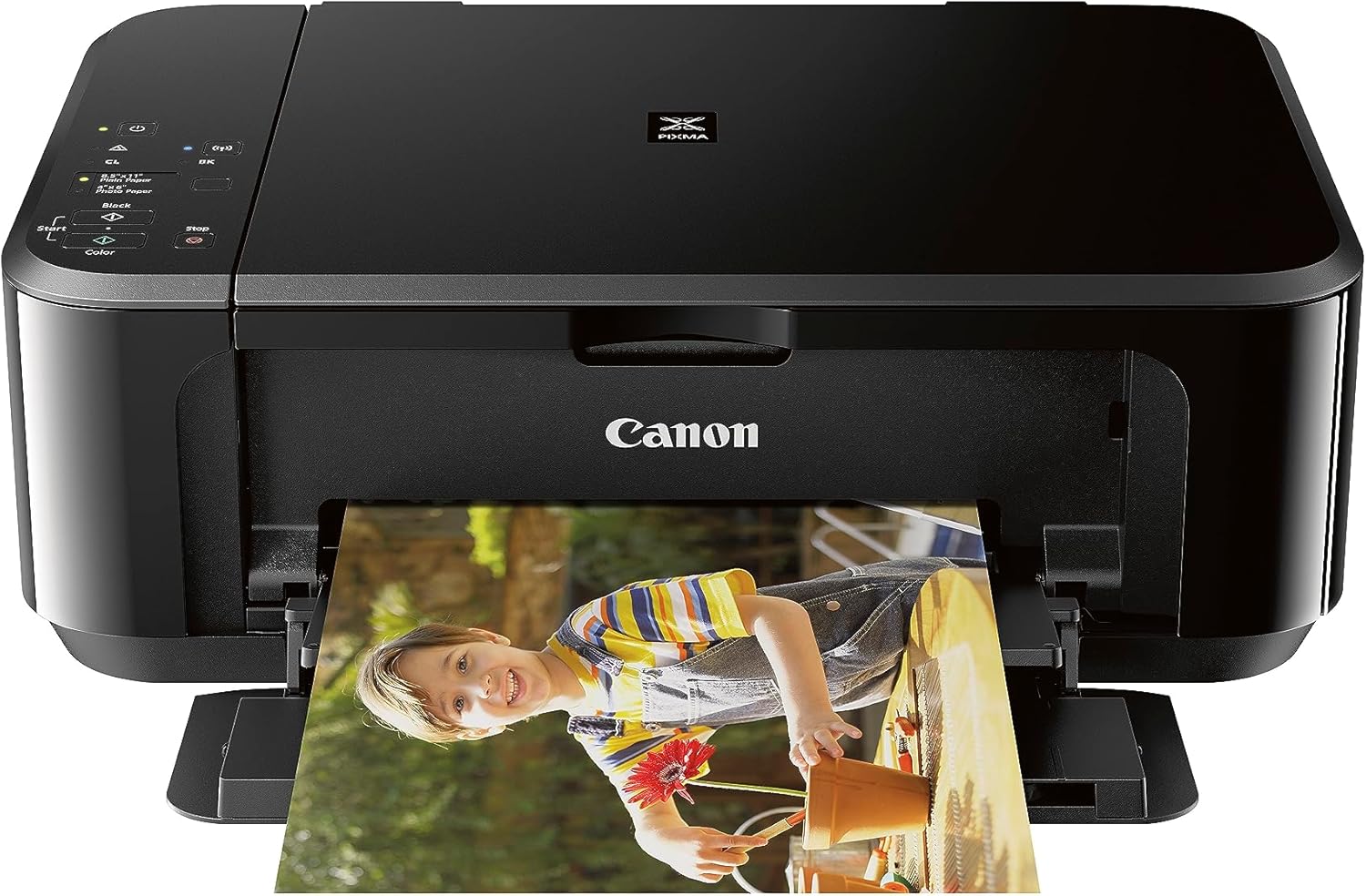
| Most Popular A crowd favorite that many people choose with confidence | Canon PIXMA MG3620 |  |
HP Envy 6555 All-in-One Printer

| Printer Type | HP Thermal Inkjet |
|---|---|
| Automatic Document Feeder | 35-sheet ADF |
| Maximum Sheet Capacity | 100 |
| Duplex | Automatic |
| Compatible Cartridge | HP 68 series |
The HP Envy 6555 is a compact home-focused all-in-one that handles everyday document and photo tasks with convenient mobile and wireless options. It prints color and black-and-white pages at modest speeds (about 7 ppm color, 10 ppm mono), supports automatic two-sided printing, and includes a 35-sheet automatic document feeder for multi-page scans and copies. The 2.4-inch color touchscreen and HP mobile app simplify setup and on-device job control, while HPs P3 true-to-screen tech helps deliver vibrant photos when you use recommended papers. Connectivity covers AirPrint, USB, Chromebook support, and cloud/mobile printing so it fits mixed-device homes. The printer uses HP 68 series cartridges and is set up for HP Instant Ink trials, which can cut ongoing ink hassles if you subscribe. Trade-offs are typical of compact inkjets: paper capacity tops out around 100 sheets and print speed and duty cycle are aimed at light to moderate home use rather than heavy office workloads.
Best for: Buyers who want a compact, easy-to-use all-in-one for home tasks and occasional photo printing, and who prioritize wireless/mobile convenience and simple maintenance.
Less Ideal for: Businesses or users who need fast, high-volume printing or larger paper capacity should consider higher-duty printers designed for heavy workloads.
- All-in-one functions with flatbed scanner plus 35-sheet ADF for simple multi-page scanning and copying
- Automatic two-sided printing reduces paper use for documents
- Intuitive color touchscreen and robust mobile/cloud printing options including AirPrint and HP app
- High optimized photo resolution and true-to-screen tech for better home photo prints
- Compact footprint with 100-sheet input suitable for limited desk space
- Print speeds are modest compared with higher-volume office printers
- Designed for light to moderate home use so not ideal for heavy daily print volumes
Verdict: A compact, user-friendly all-in-one that balances photo-capable color output and wireless convenience for home users who need a reliable everyday printer.
Epson EcoTank ET-2800

| Printer Type | Inkjet |
|---|---|
| Printer Connectivity Type | USB, Wi-Fi |
| Maximum print Resolution Color | 5760 x 1440 dpi |
| B&W Pages per Minute | 10 |
| Maximum Sheet Capacity | 100 |
The ET-2800 is a compact all-in-one that replaces cartridges with refillable EcoTank bottles, making it well suited for frequent home printing without constant ink changes. It prints, scans and copies and supports wireless and voice-activated printing from mobile devices, plus a simple LCD for direct control. Print quality benefits from Epson PrecisionCore Micro Piezo technology and a high maximum resolution, so text and photos look sharp for school projects, household documents and casual photo prints. Speed is modest but reasonable for a compact home model at up to 10 ISO pages per minute for black and 5 ppm for color, and the 100-sheet capacity keeps small jobs running without constant refills. The cartridge-free design cuts ongoing consumable cost and waste, though Epson recommends genuine ink for best results and to avoid warranty issues. Duplex printing is not automatic and the ET-2800 lacks advanced business features like ADF or ethernet, so it is optimized for personal or family use rather than high-volume office workflows.
Best for: Buyers who prioritize low ongoing ink cost and reliable home print quality for frequent document and photo printing will appreciate this compact EcoTank model.
Less Ideal for: People who need automatic two-sided printing, large office workflows, or fast high-volume color output should consider a different small office-focused machine.
- Cartridge-free EcoTank system greatly reduces how often you refill ink
- Wireless and mobile printing with voice-activation for convenient remote use
- High maximum print resolution for detailed color photos and sharp text
- Compact footprint with built-in scanner and LCD for standalone copying and scanning
- 100-sheet input capacity suitable for everyday home printing
- No automatic duplex (two-sided) printing
- Slower color print speed compared with higher-end compact color models
Verdict: Choose the ET-2800 if you want a compact home color all-in-one that cuts recurring ink costs with refillable EcoTank tanks while delivering strong print quality.
Brother Work Smart 1360 MFC-J1360DW

| Printer Type | Inkjet |
|---|---|
| Functions | Print, Copy, Scan |
| Duplex | Automatic |
| Maximum Sheet Capacity | 150 |
| Printer Connectivity Type | USB, Wi-Fi |
The Brother Work Smart 1360 is a compact all-in-one inkjet designed for home and small home-office use. It handles everyday tasks like printing reports, scanning documents and copying with a 20-sheet automatic document feeder and a flatbed scanner, and its automatic duplex printing saves paper on two-sided jobs. Setup and mobile printing are straightforward via Wi‑Fi, Wi‑Fi Direct and the Brother Mobile Connect app, and the 1.8" color display gives basic on-device controls and cloud access. Print speed is competitive for the class at up to 16 ppm black and 9 ppm color, producing sharp text and reasonably vibrant color for documents and occasional photos. The 150-sheet tray and Page Gauge ink monitoring make light batch jobs manageable, while Brother genuine LC501 cartridges and optional high-yield packs help control running costs. Expect modest photo quality compared with dedicated photo printers and typical ink costs for color inkjets, but for a compact, feature-rich unit that prioritizes convenience and two-sided printing it performs well.
Best for: Buyers who want a small, practical all-in-one that simplifies everyday home and home-office printing tasks with reliable wireless setup and two-sided printing.
Less Ideal for: Users who need high-volume color photo printing, tight per-page ink costs, or advanced touchscreen controls should consider more specialized printers.
- Automatic duplexing for two-sided prints
- 20-sheet ADF plus flatbed scanner for simple multi-page scanning and copying
- Wireless printing with Wi‑Fi, Wi‑Fi Direct and mobile app support
- 150-sheet input tray suitable for moderate home-office workloads
- Supports Brother genuine standard and high-yield ink options
- Color inkjet cost-per-page remains higher than monochrome laser alternatives
- Small color display limits advanced on-device navigation
Verdict: A compact, no-frills color all-in-one that maximizes everyday convenience for home and small-office users who value wireless setup and automatic two-sided printing.
Canon PIXMA TS3720

| Printer Type | Inkjet |
|---|---|
| Maximum print Resolution Color | 4800 x 1200 dots_per_inch |
| Color Pages per Minute | 4 pages_per_minute |
| B&W Pages per Minute | 7.7 pages_per_minute |
| Printer Connectivity Type | USB, Wi-Fi |
The Canon PIXMA TS3720 is a compact all-in-one inkjet built for simple home use, offering print, copy, and flatbed scan functions in a small footprint. It uses a two-cartridge hybrid ink system with pigment black for sharp text and dye-based color inks for photos, producing up to 4800 x 1200 dpi color output and borderless photo support up to 5 x 7 inches. Setup and mobile printing are straightforward via Canon PRINT, AirPrint, and Mopria, and the rear tray holds up to 60 sheets for occasional document jobs. Print speeds are modest at about 7.7 ppm black and 4 ppm color, so it handles schoolwork, letters, and photos but is not suited for heavy office throughput. The 1.5-inch LCD and app control make basic tasks easy, and dual-band Wi-Fi helps keep mobile connections stable. Expect operating costs and cartridge changes typical of two-cartridge consumer printers and single-sided printing only, but for buyers wanting a budget-friendly, space-saving color printer for home tasks the TS3720 covers the essentials well.
Best for: Buyers wanting an inexpensive, space-saving color printer for light home tasks like schoolwork, casual photos, and occasional document printing who prioritize easy setup and mobile printing.
Less Ideal for: Users who need fast duplex printing or frequent high-volume output for a home office or small business should look at higher-capacity models.
- Compact all-in-one design fits small desks and home spaces
- Simple two-cartridge hybrid ink system for easy replacement
- Wireless mobile printing via Canon PRINT, AirPrint, and Mopria
- Borderless photo printing and high maximum color resolution
- Single-sided (simplex) printing only
- Modest print speeds not ideal for high-volume jobs
Verdict: A budget-friendly, compact all-in-one that delivers easy wireless printing and good photo-capable output for light home use.
Xerox C245 Color Multifunction Printer

| Print Speed | 26 pages_per_minute |
|---|---|
| Duplex | Automatic |
| Connectivity | Ethernet, USB, Wi-Fi |
| Maximum print Resolution Color | 2400×600 dots_per_inch |
The Xerox C245 is a compact color laser multifunction designed for small desks and home offices, delivering 26 pages per minute for both color and black-and-white jobs while handling scanning and copying tasks through a flatbed and 50-sheet feeder. It connects via Wi‑Fi, Ethernet, or USB and supports mobile printing with Apple AirPrint and Mopria, while the Xerox Easy Assist app simplifies setup and on-device control through a color touchscreen. Automatic two-sided printing, Energy Star and EPEAT certifications, and high-resolution output (2400×600 dpi) make it suitable for professional documents and marketing materials without a large footprint. Practical benefits include support for high-yield toner to lower running costs and built-in security features to protect documents on networked setups. Trade-offs are its modest paper capacity and heavier power draw compared with smaller inkjet alternatives, and its print speed and throughput are tuned to light to moderate office workloads rather than high-volume production environments.
Best for: Buyers who prioritize dependable, factory-quality color output and straightforward networked setup for small offices or home professionals that need an all-in-one device in a compact footprint.
Less Ideal for: Users who require high-volume daily print throughput or large paper trays for heavy production jobs should consider larger office-class devices instead.
- Compact all-in-one design fits small desks while offering print, scan, and copy functions
- 26 ppm color and B&W speed with automatic duplex for efficient two-sided printing
- Multiple connectivity options including dual-band Wi‑Fi, Ethernet, USB, and mobile printing support
- High maximum print resolution (2400×600 dpi) for crisp text and vibrant color graphics
- Energy Star and EPEAT certifications plus support for high-yield toner to reduce operating costs
- 50-sheet maximum input limits large batch printing without frequent reloads
- Relatively high power consumption compared with small inkjet models
Verdict: Choose the Xerox C245 when you want a compact, reliable color laser multifunction that delivers professional-looking prints and easy wireless setup for small office use.
Canon PIXMA MG3620
| Printer Type | Inkjet |
|---|---|
| Functions | Print, Copy, Scan |
| Connectivity | Wireless, USB 2.0 |
| Sheet Capacity | 100 |
| Duplex | Automatic |
The Canon PIXMA MG3620 is a small wireless all-in-one inkjet designed for everyday home use, letting you print, copy, and scan from a phone, tablet, or computer. It supports mobile printing standards like AirPrint and Google Cloud Print and connects over Wi-Fi or USB, so you can send photos and documents from a smartphone without moving files to a PC. The printer delivers modest speeds—about 9.9 ppm for black and 5.7 ppm for color—and a high-looking photo resolution of up to 4800 x 1200 dpi for images, while text is handled at standard 600 x 600 dpi. A 100-sheet tray and automatic duplexing make it easier to handle multi-page jobs, and the flatbed scanner covers basic scanning and copying needs. Expect typical inkjet considerations: color photo output can be attractive on glossy paper but ink costs and cartridge changes are ongoing ownership factors. Its compact footprint and app control make it convenient for dorms, small offices, or kitchens where space is limited, but it is best suited to light to moderate volumes rather than heavy daily office printing.
Best for: Buyers who prioritize a compact, easy-to-use all-in-one for occasional home photo and document printing and who rely on mobile device printing and simple setup.
Less Ideal for: Users who need high monthly page volumes, very fast color throughput, or the lowest long-term cost per page should consider more robust or business-focused printers.
- Wireless mobile printing via AirPrint and Google Cloud Print for easy phone/tablet workflows
- Automatic duplex printing saves paper on two-sided documents
- High photographic resolution (4800 x 1200 dpi) for better photo prints
- Compact footprint with a 100-sheet tray fits small workspaces
- Relatively slow color print speed compared with laser or higher-end inkjets
- Ongoing ink cartridge replacements increase operating costs over time
Verdict: A compact, Wi-Fi capable all-in-one that delivers good photo quality and convenient mobile printing for light home use.
Choosing the Right Compact Color Printer: Key Factors to Consider
Print Quality (Documents and Photos)
Color rendering and resolution directly affect whether prints look professional or hobby-grade. For documents, legible text and accurate color fills matter for presentations and handouts. For photos, consider color gamut, saturation, and how the printer handles gradients and skin tones.
Printers vary in their drivers and color-management features, which influence consistency across devices. If you plan to print photos regularly, look for models with higher DPI capabilities and support for photo papers. For mixed use, a balance between sharp textual output and credible photo color is the best compromise.
Operating Cost and Consumables
Long-term expense often outweighs the initial purchase price. Check estimated per-page costs for color and black-and-white, and whether the model supports high-yield cartridges or refillable tanks. Inkjet printers can have low upfront cost but high ink consumption, while some compact designs offer low-cost refill options.
Also consider how easy and costly it is to replace cartridges, and whether the printer uses separate color cartridges or combined tri-color packs. Separate cartridges let you replace only the depleted color, lowering waste and cost for users with uneven color usage.
Connectivity and Mobile Printing
A compact printer should be easy to place and use from multiple devices. Wireless features like reliable Wi-Fi, robust mobile printing protocols, and easy cloud or network setups are important for home environments. Look for straightforward Wi-Fi setup options and support for printing from phones, tablets, and laptops without complex driver installs.
Ethernet is less common in compact units but can be useful if you want a stable network connection. Also check the availability and quality of the companion app for scanning, maintenance, and troubleshooting if the printer includes an all-in-one scanner.
Physical Size, Noise, and Placement
The main benefit of compact models is space savings. Confirm the device dimensions and whether front or top paper trays fit within your shelving or desk arrangement. Consider how much clearance is needed for paper loading and output stacking.
Noise level is another everyday concern for small spaces. Some compact printers are noticeably quieter, which matters if the device sits near work or sleeping areas. Also factor in ventilation and heat if you plan to operate the printer in an enclosed cabinet.
Speed and Duty Cycle
Even in small formats, print speed influences usability. If you print occasional snapshots, speed is less important. For light office work, look for realistic pages-per-minute ratings for both color and monochrome pages and how the device performs under small batches.
Match the printer's rated monthly duty cycle to your expected usage. Compact printers are typically designed for light to moderate volume; choosing a unit with a slightly higher duty rating can improve longevity if your usage is bursty.
Maintenance and Supportability
Practical maintenance matters more with compact units because tight internals can make some tasks fiddly. Check how accessible ink or toner bays are and whether the unit has user-replaceable parts like feed rollers or batteries for portable models.
Also consider firmware update frequency and quality of online support materials. A well-supported compact printer will have clear guides for routine tasks and firmware or driver updates that maintain compatibility with current devices.
Which Compact Color Printer Is Right For Your Space
Think about where the printer will live and how often you will use it. If counter space is extremely limited, prioritize models with a minimal footprint and front-loading trays. For a desktop that also serves as a photo printing surface, choose a model optimized for photo paper handling and reliable margins.
- Measure the intended shelf or desk area and include clearance for paper loading.
- Decide whether you need top-adjacent access for scanning or just simple printing.
- Consider whether noise during operation could disrupt nearby activities.
Optimizing Print Quality Without Professional Tools
You can get remarkably good color prints from compact models by matching paper type to the job and using correct print settings. Use the printer driver to select photo paper profiles for photos and plain paper settings for text to avoid over-saturation or washed-out color. Many apps and drivers offer preset modes for balanced color or natural skin tones.
- Use manufacturer-recommended photo paper for best color and longevity.
- Calibrate color in software only if you print frequently and need consistent color across devices.
- Avoid third-party inks unless you accept potential tradeoffs in longevity and color accuracy.
Managing Ongoing Ink Costs
Reduce operating costs by choosing printers that accept high-yield cartridges or refillable ink tanks. Monitor ink usage through the device software and set driver defaults to draft or economy mode for everyday documents. For photos, switch to higher-quality modes only when needed.
- Enable draft mode for internal documents to save color ink.
- Buy high-yield cartridges when available if your usage is consistent.
- Use grayscale or black-and-white drivers for text-heavy prints to conserve color.
Setting Up Network and Mobile Printing
For simple, reliable printing, test wireless setup before final placement. Put the printer on the same network as your devices and confirm mobile printing features work from your phone or tablet. If you rely on scanning or cloud workflows, check the companion app for scan-to-email or cloud upload features.
- Use 2.4 GHz Wi-Fi during setup if the printer has trouble with 5 GHz networks.
- Create a stable network name for the printer to avoid reconnect issues.
- Keep firmware and app versions current to maintain compatibility.
Photo Printing Tips for Compact Printers
When printing photos, choose the correct paper finish and weight to get the intended look. Matte paper reduces glare while glossy papers increase pop and saturation. Allow prints to dry fully and handle by the edges to avoid fingerprints.
- Let glossy papers air dry on a flat surface to avoid smudging.
- Use the highest quality setting sparingly to conserve ink.
- Store unused photo paper in a cool, dry place to prevent curling.
How We Chose the Best Compact Color Printer
We focused on compact color printers suited to small spaces and everyday color printing needs. Our editorial filters prioritized machines that balance a small physical footprint with dependable color output and reasonable long-term operating costs. We required modern connectivity standards such as reliable Wi-Fi and mobile printing, and looked for models with straightforward setup and maintenance routines. Evaluation criteria included measurable print quality for documents and photos, ongoing ink or toner costs, wireless and local connectivity options, physical footprint and noise, and user serviceability such as cartridge replacement and firmware support. We excluded large all-in-one units that require substantial counter space and devices lacking color photo capability. Models with consistently poor reliability histories or absent wireless features were not considered. The shortlist spotlights compact printers that make sensible tradeoffs between size and performance for typical home and small-office tasks.
Our full evaluation process is outlined in our review methodology.
FAQ
Can compact color printers produce high-quality photo prints?
Many compact color printers can produce good photo prints suitable for casual display and personal albums. For gallery-level prints or large format, larger photo printers with specialized color sets perform better. Paper quality, driver settings, and ink technology all influence final results.
Are refillable ink tanks worth it for compact models?
Refillable tanks can offer very low per-page costs and are worth considering if you print frequently. They require more careful handling during refills and may increase the unit size slightly, so balance the savings against footprint and convenience.
How do I reduce color ink use for everyday documents?
Set the default driver mode to draft or economy for routine documents and use grayscale for text-heavy prints. Disable color printing in application print dialogs when only black text is needed. Regular monitoring of ink levels also helps plan replacements.
Will a compact printer work on a home Wi-Fi network with multiple devices?
Yes, compact printers with modern wireless support generally work well on a typical home Wi-Fi network. Ensure the printer and devices use compatible frequency bands and keep firmware current to minimize connection issues. For high stability, a wired connection is preferable when available.
How often should I run maintenance tasks like nozzle checks?
Run nozzle checks and print head alignments periodically or when you notice color banding or missing nozzles. Using the printer regularly prevents ink from drying in the nozzles. If printing is infrequent, perform a quick nozzle check weekly or before important print jobs.
Final Verdict
Choosing the right compact color printer means balancing footprint, print quality, and operating cost against how and where you plan to print. Prioritize print quality and consumable economics if you print photos or color documents regularly. If space is the primary constraint, focus on compact dimensions, quiet operation, and easy paper handling. Weigh the tradeoffs described here against your expected monthly volume and typical print tasks to narrow the field. With those priorities set, you can confidently pick a compact color printer that meets your daily needs without taking over your workspace.