
Note: This article contains affiliate links. If you click on these links and make a purchase, we may earn a small commission at no extra cost to you. This helps support our research and content. Read our full affiliate disclosure here.
If you regularly need to print while away from a desk, a portable printer for laptops can make the difference between finishing a job on time and scrambling for a shop. These compact devices prioritize portability, simple setup, and battery-powered operation so you can produce documents, receipts, or photos directly from your laptop in hotel rooms, client sites, or transit hubs. This guide highlights the top shortlisted portable printers for laptops, focusing on print quality, battery life, connectivity, and build portability. Read on to see the criteria we used and practical tradeoffs to weigh before you buy.
Top Picks at a Glance
| Best Overall The best all-around choice for most situations | Canon PIXMA TR150 Portable Printer |  |
| Best Quality Built to a higher standard if you want something more solid | Phomemo M832D Portable Printer |  |
| Best Value The sweet spot between price and what you get | Gloryang PD-A4 Portable Printer |  |
| Best Budget The cheapest option that still gets the job done reliably | Rongta F11A Portable Thermal Printer |  |
| Top Rated A top-rated pick with lots of positive feedback | HP OfficeJet 200 Mobile Printer |  |
| Most Popular A crowd favorite that many people choose with confidence | HP OfficeJet 250 Mobile Printer |  |
| Best Seller A high-volume bestseller chosen again and again | TATTMUSE A285M Portable Thermal Printer |  |
Canon PIXMA TR150 Portable Printer

| Printer Type | Inkjet |
|---|---|
| Print Resolution | 4800 x 1200 dpi |
| B&W Pages per Minute | 9 pages_per_minute |
| Color Pages per Minute | 5.5 pages_per_minute |
| Connectivity | USB, Wi-Fi |
The Canon PIXMA TR150 is a lightweight portable inkjet that lets you print documents and borderless photos from laptops, phones, or tablets via Wi‑Fi or USB. It is built for travel and small workspaces, with an optional detachable battery that can provide up to roughly 330 pages per full charge and a 1.44-inch OLED for basic on-device control. The five-color ink system and 4800 x 1200 dpi resolution produce noticeably better photo and flyer output than typical mobile printers, while print speeds around 9 ppm black and 5.5 ppm color keep short jobs moving. Paper handling supports a variety of sizes including letter, legal, and photo formats, and automatic duplexing is convenient for two‑sided documents. Trade-offs are typical of portable machines: it has a modest 50-sheet capacity and is not intended as a heavy-duty office workhorse, and running costs will be higher than with larger multifunction units. For buyers who need good-looking color prints on the go and simple wireless workflow, the TR150 balances image quality, portability, and straightforward controls.
Best for: Buyers who need a travel-friendly printer that delivers better-than-basic color and photo prints from a laptop or mobile device and who value portability and wireless convenience.
Less Ideal for: Users who print large monthly volumes, need an integrated scanner or fax, or want the lowest long-term ink costs should consider a desktop multifunction or tank-style office printer instead.
- Truly portable design with optional detachable battery for cordless use
- High maximum print resolution (4800 x 1200 dpi) for sharp photos and marketing materials
- Wireless printing from laptops, smartphones, and cloud services plus USB connectivity
- Automatic duplex printing for two-sided documents
- Supports a wide range of paper sizes including borderless photo sizes
- Small 50-sheet input/output capacity limits high-volume use
- Portable ink system and smaller cartridges can lead to higher per-page costs
Verdict: Choose the PIXMA TR150 when you want a genuinely portable printer that produces high-resolution color and photo prints from your laptop or phone while on the go.
Phomemo M832D Portable Printer

| Printer Type | Thermal |
|---|---|
| Maximum Print Resolution | 300 dpi |
| Connectivity | Bluetooth, USB |
| Battery | 2600mAh |
| Maximum Media Size | 8.5 x 11 inch |
The Phomemo M832D is a portable inkless thermal printer built for on-the-go document and receipt-style printing from phones, tablets, and via USB-C on laptops. It uses thermal paper so there is no ink to replace and produces monochrome output at 300 dpi, which yields readable text and simple graphics suitable for contracts, invoices, notes, and browser pages. The touchscreen shows battery and connection status and helps guide paper placement, and the internal 2600mAh battery is sized for extended mobile use. Connectivity is primarily Bluetooth for phones and tablets and USB-C for computers, and the printer accepts full US Letter/A4 sheets as well as smaller thermal rolls, giving flexible media options for laptop users who need letter-sized prints away from an office. Print speed is moderate at about 6 pages per minute and output is simplex only, so it is best for single-sided jobs. Because it relies on thermal paper, printed pages can curl and do not behave like standard office-printed copies, and it cannot print in color.
Best for: Laptop users who need a compact, battery-powered printer for single-sided documents and receipts when working remotely or traveling and who prioritize portability and reliable monochrome output.
Less Ideal for: People who need color prints, high-speed duplex printing, or standard office paper output for archival documents should look at full-size laser or inkjet alternatives.
- Inkless thermal printing eliminates the need for ink or toner
- Supports US Letter and smaller thermal roll paper for flexible media use
- 300 dpi resolution provides clear monochrome text and simple graphics
- Touchscreen shows battery and connection status and assists with paper placement
- Monochrome-only output and no duplex printing
- Thermal paper can curl and produces different edge quality compared with standard office prints
Verdict: Choose the M832D when you need a compact, battery-powered thermal printer that delivers clear monochrome A4/Letter prints from laptops and mobile devices while avoiding ink and toner.
Gloryang PD-A4 Portable Printer

| Printer Type | Thermal |
|---|---|
| Maximum Media Size | Letter (8.5 x 11 inches) |
| Printer Connectivity Type | Bluetooth |
| Maximum Print Resolution Black and White | 203x 203 dpi |
| B&W Pages per Minute | 35 pages_per_minute |
The Gloryang PD-A4 is an inkless thermal printer designed for portable use with phones, tablets, and computers via Bluetooth and an app. It prints monochrome output up to letter size (8.5 x 11 inches) at about 203 dpi and claims speeds up to 35 pages per minute, making it suitable for quick contracts, receipts, school materials, and basic black-and-white images. The kit includes a carrying case, USB charging cable, and three rolls of thermal paper, and the built-in paper bin and dual paper-loading options keep small workspaces tidy. Battery-backed portability and lightweight construction make it useful for travel, field work, or mobile sales, but it only supports thermal paper and requires the vendor app or drivers to format prints, which limits workflow flexibility for users who need standard plain-paper printing or color output. For buyers focused on compact, low-maintenance monochrome printing on thermal media, the PD-A4 is a practical choice; it is less suitable if you need full-page color prints or compatibility with regular copy paper.
Best for: Buyers who prioritize a compact, low-maintenance printer for mobile document needs and like the convenience of printing directly from phones or laptops while traveling or working offsite.
Less Ideal for: Users who require color printing, standard plain-paper compatibility, or enterprise workflows that depend on networked, multifunction printers.
- Inkless thermal printing eliminates ink, toner, and ribbons
- Supports up to letter-size (8.5 x 11 in) thermal media for full-page prints
- Bluetooth connectivity and companion app for mobile device printing
- Includes carry case and three rolls of thermal paper for immediate use
- Only prints on thermal paper and cannot use regular copy paper
- Monochrome output only and limited to 203 dpi thermal resolution
Verdict: A lightweight, ink-free thermal printer built for mobile, monochrome letter-size printing directly from phones and laptops.
Rongta F11A Portable Thermal Printer
| Printer Type | Thermal |
|---|---|
| Printer Output Type | Monochrome |
| Resolution | 203 x 203 dpi |
| Printer Connectivity Type | Bluetooth, USB |
| Paper Size | 8.5 x 11 inches |
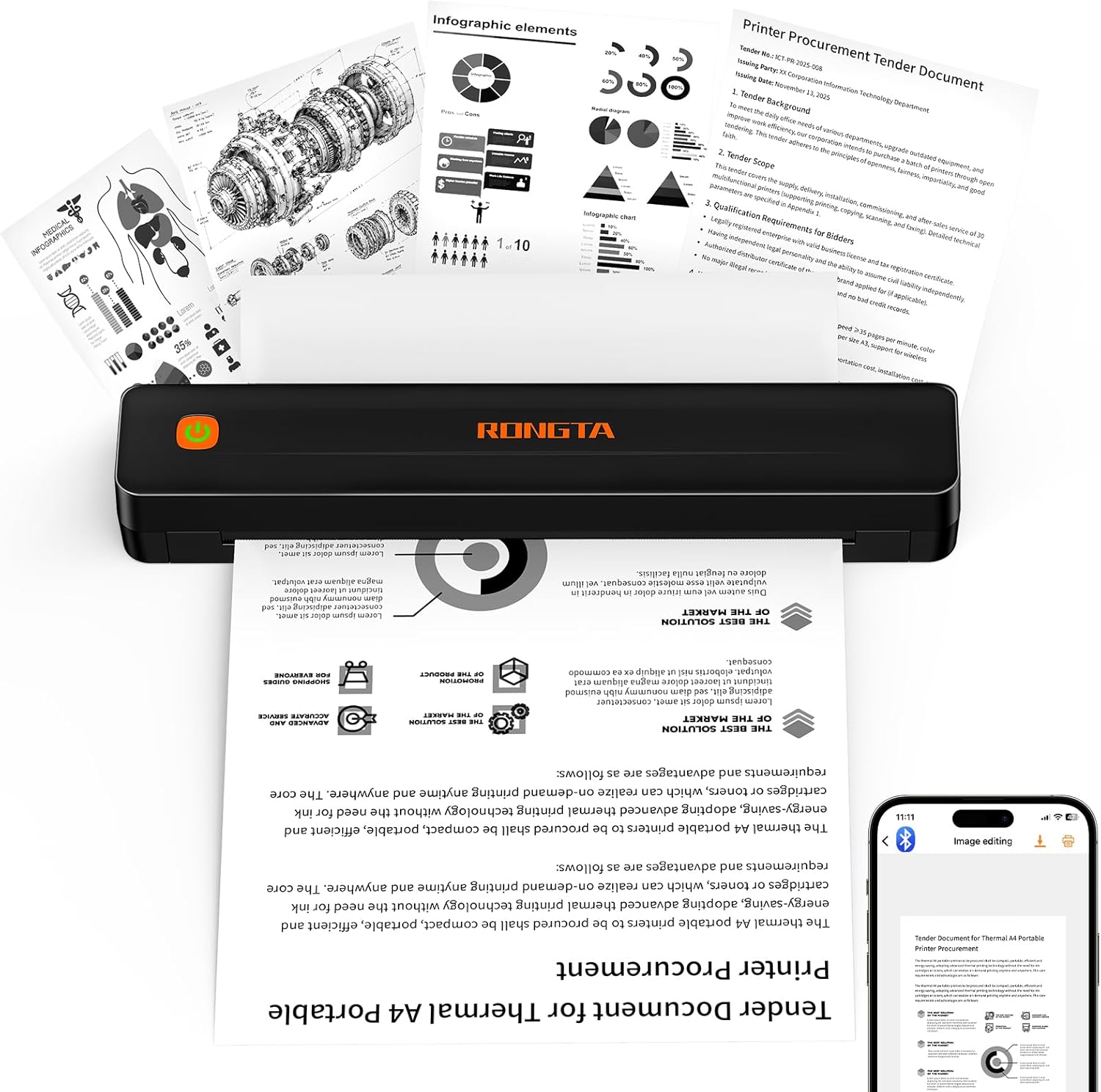
The Rongta F11A is a budget-oriented portable thermal printer designed to print monochrome documents up to US Letter (8.5 x 11) using inkless thermal paper. It pairs with Android and iOS devices through the Rongta app and can also connect to laptops via USB, making it a simple companion for on-the-go printing of recipes, forms, assignments, and travel documents. Print quality is basic but usable at 203 x 203 dpi, and the unit is quiet in operation at under 60 dB. Notable conveniences are its large printable width for a portable unit and the lack of ink or ribbon supplies, which keeps ongoing costs low if you use thermal paper. Limitations include dependence on the vendor app for Bluetooth pairing, no support for Chrome printing from mobile, and thermal-only media so it cannot use standard office paper; speed and resolution are modest compared with desktop inkjet or laser printers. For basic mobile printing tasks where low operating cost and portability matter, the F11A is a practical budget pick.
Best for: Buyers who need an inexpensive, truly portable printer to produce monochrome documents from a laptop or phone while keeping ongoing costs low and care more about convenience than photo-quality output.
Less Ideal for: Users who need full compatibility with Chrome mobile printing, color output, high-resolution text or graphics, or who prefer using standard office paper instead of thermal media.
- Prints up to US Letter (8.5 x 11) on thermal paper, larger than many portable units
- Connects via Bluetooth and USB for mobile and laptop use
- Inkless thermal design eliminates ribbons and cartridges, lowering operating cost
- Quiet operation suitable for libraries or meetings
- Requires the Rongta app for Bluetooth pairing and does not support Chrome printing from mobile
- Print resolution and speed are basic at 203 dpi and about 7 ppm
Verdict: A wallet-friendly portable thermal printer for laptops and phones when you need simple, inkless monochrome prints and low running costs.
HP OfficeJet 200 Mobile Printer
| Printer Type | Inkjet |
|---|---|
| Print Output Type | Color |
| Connectivity | USB, Wi-Fi |
| Print Speed B&W | 10 pages_per_minute |
| Maximum Print Resolution | 600 x 600 dpi |
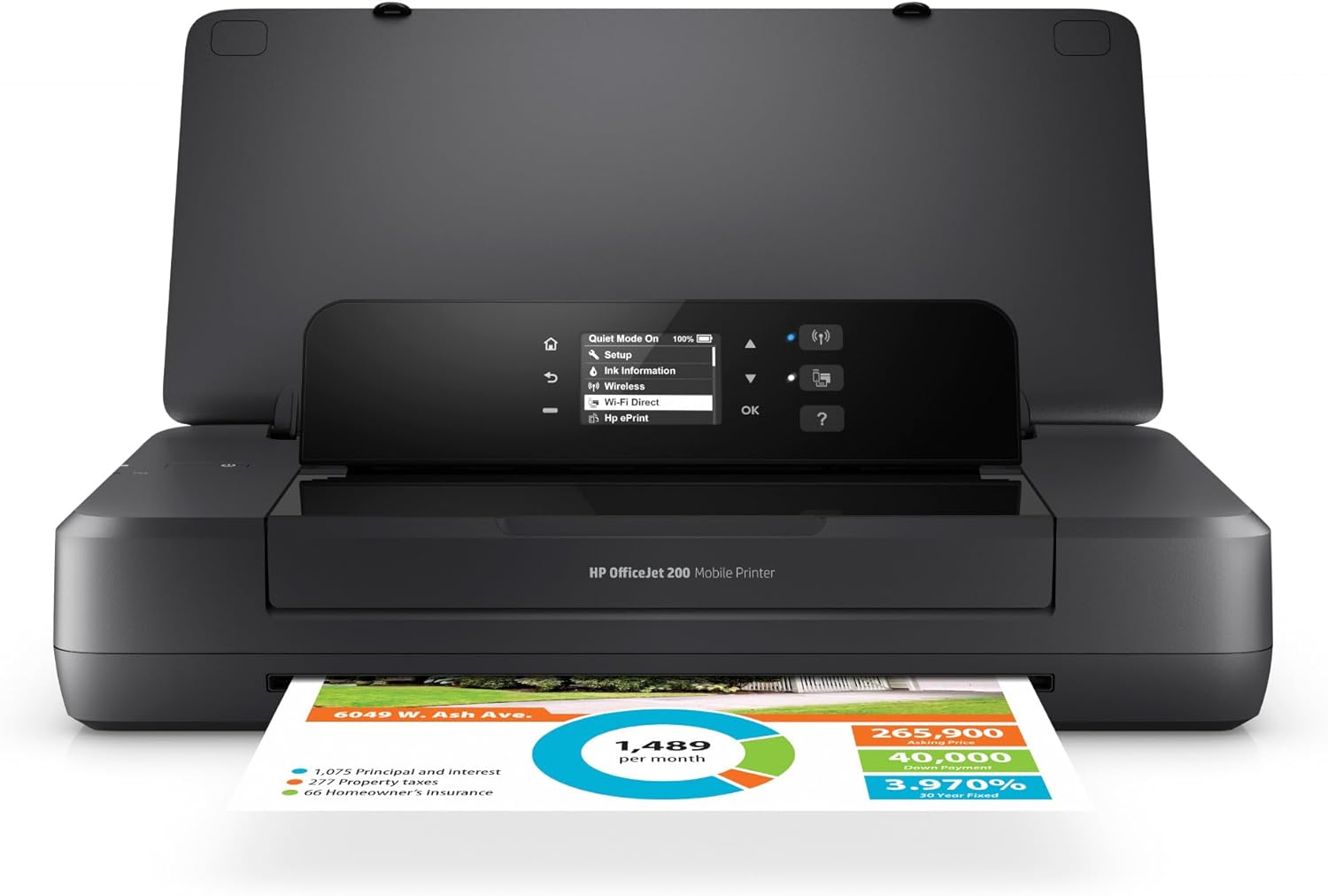
The HP OfficeJet 200 is a portable color inkjet built for printing on the road from a laptop, tablet, or smartphone. It includes a rechargeable battery with HP Fast Charge that restores most capacity quickly, a 2-inch mono control panel, and USB and Wi-Fi connectivity so you can print with or without a router. The printer handles common paper sizes including envelopes and legal, produces up to 10 black pages per minute (7 ppm color), and supports manual duplexing for two-sided jobs. Paired with the HP Smart app you can print from cloud services and scan by using your phone camera, which makes it useful for quick contracts, invoices, and travel documents. Expect professional-looking text at 600 x 600 dpi, but photo quality and color speed are modest compared with larger office machines, and the 50-sheet capacity means frequent refills for heavier bursts. Battery runtime and page yield depend on cartridge choice, so carry spare cartridges for extended trips.
Best for: Buyers who need a reliable, travel-ready printer to produce business documents and occasional color pages while on the road and value quick setup and dependable performance.
Less Ideal for: Users who print large volumes of photos or high-volume office teams who need high-capacity trays and faster color throughput should look at larger desktop models.
- True portability with included rechargeable battery and fast-charge support
- Wi‑Fi and USB connectivity allow printing from laptops and mobile devices without a network
- Supports a wide range of paper sizes including legal and envelopes
- Solid 600 x 600 dpi text quality suitable for business documents
- Works with the HP Smart app for cloud printing and mobile scanning
- Limited 50-sheet input capacity for bulk printing
- Color print speed and photo quality are modest compared with full-size printers
Verdict: Choose the OfficeJet 200 when you want a dependable, battery-powered portable printer that delivers solid text quality and easy mobile printing for laptop users on the go.
HP OfficeJet 250 Mobile Printer

| Printer Type | Inkjet |
|---|---|
| Printer Connectivity Type | wired, wireless |
| Maximum print Resolution Color | 4800 x 1200 dpi |
| B&W Pages per Minute | 20 pages_per_minute |
| Color Pages per Minute | 19 pages_per_minute |
The HP OfficeJet 250 is a portable all‑in‑one inkjet designed for professionals who need printing, scanning, and copying away from the office. It connects via wired or wireless methods and works with the HP Smart app and cloud services so you can print from a laptop or smartphone without a network. The built‑in battery and fast charge let you recharge up to 90% quickly, and the 2.65‑inch color touchscreen plus a 10‑page automatic document feeder make short jobs and multipage scans straightforward. Print quality is strong for text and photos when using Original HP 62 cartridges, and speeds approach typical mobile printer levels at around 19–20 ppm. Expect manual duplexing and modest paper handling compared with full‑size office printers, and replaceable cartridges mean ongoing supply costs. The unit is best when portability and occasional on‑site printing matter more than high monthly volumes.
Best for: Buyers who prioritize reliable, on‑the‑go printing and want a compact all‑in‑one they can take to client sites or use from a laptop without relying on a network; they value proven performance and peer recommendations.
Less Ideal for: Users who need high monthly page volumes, large paper trays, or automated two‑sided printing for heavy office workflows should consider a full‑size desktop printer instead.
- True mobile all‑in‑one: prints, scans, and copies from battery power.
- Fast charging battery that can be charged in a car or AC outlet.
- Wireless printing with HP Smart app and cloud printing support.
- 10‑page automatic document feeder speeds multipage scanning and copying.
- Paper capacity and output trays are limited compared with desktop office printers.
- Manual duplexing only, so two‑sided jobs require intervention.
Verdict: Choose the OfficeJet 250 when you need a proven, battery‑powered all‑in‑one that delivers laptop‑friendly printing, scanning, and copying on the road.
TATTMUSE A285M Portable Thermal Printer

| Printer Type | Thermal |
|---|---|
| Printer Connectivity Type | Bluetooth, USB |
| Maximum Media Size | 8.5 x 11 inch |
| Maximum Print Resolution Black and White | 203 dots_per_inch |
| B&W Pages per Minute | 7 |
The TATTMUSE A285M is a small, rechargeable thermal printer built for on-the-go document and receipt printing. It uses heat-sensitive thermal paper so there is no ink, toner, or ribbon to replace, and supports multiple paper widths including US Letter and A4 as well as narrower roll sizes for receipts. You pair phones and tablets over Bluetooth and print directly from the vendor app, while laptops and desktops require a USB-C connection and a driver install. Print quality is monochrome only at about 203 dpi and up to roughly 7 pages per minute, which is fine for invoices, boarding passes, packing lists, and quick black-and-white documents but not for photos or high-resolution graphics. The built-in paper bin and portability make it useful for mobile professionals, and the 11.1 Wh battery and compact footprint mean it packs easily into a bag. Limitations to note are thermal-paper-only media, manual duplexing, and the need to load the correct paper type and app or driver for reliable connectivity.
Best for: Buyers who prioritize a low-maintenance, portable printer for simple documents and receipts and want a reliable travel-ready device that minimizes consumable upkeep.
Less Ideal for: If you need color printing, high-resolution photo output, or regular duplex office printing, choose a conventional inkjet or laser printer instead.
- Inkless thermal printing eliminates ink and toner maintenance
- Bluetooth support for phone and tablet printing via app
- Supports multiple thermal paper sizes including US Letter and A4
- Compact, lightweight design with built-in paper bin for portability
- USB-C connection for laptop/PC printing with driver support
- Prints only in black and white and only on thermal paper
- Laptops require a driver install and USB connection rather than Bluetooth
Verdict: Pick the A285M if you want a fuss-free, pocketable thermal printer for quick black-and-white documents from phones or a USB-connected laptop.
Choosing the Right Portable Printer for Laptops: Key Factors to Consider
Print Quality and Resolution
Print clarity determines how professional your documents and images look when printed from a portable printer for laptops. Text legibility depends on DPI and the device's ability to render small fonts cleanly. Photos and graphics require higher resolution and accurate color handling; low-resolution portable models can make images appear soft or banded.
Consider the types of jobs you will print most often. If you need crisp contracts or invoices, prioritize monochrome and mixed-document quality. If you occasionally print photos or marketing materials, choose a device with better color reproduction and higher resolution.
Battery Life and Power Options
Battery capacity and how the printer charges directly affect how useful it is during travel or long days without outlets. Longer battery life reduces the need to carry power adapters or find mains access. Fast charging and the ability to print while plugged in give flexibility when power is available.
Look for realistic page-yield estimates at typical print settings rather than theoretical maximums. Consider whether the battery is user-replaceable or integrated, and whether the printer supports USB-C power delivery from common laptop power banks for emergency top-ups.
Connectivity and Laptop Compatibility
A portable printer must pair reliably with laptops across different operating systems and connection methods. Native Wi-Fi printing, Bluetooth pairing, direct USB connection, and support for common printing protocols are all important. Compatibility with the laptop's OS version and minimal driver fuss make setup faster on-site.
Also check whether the printer supports peer-to-peer printing or mobile hotspot workflows, since corporate networks or public Wi-Fi may restrict direct device communication. Simple, well-documented setup and cross-platform drivers reduce downtime when you need to print quickly.
Size, Weight, and Durability
True portability combines compact dimensions with low weight while still protecting the mechanism and media. A smaller footprint fits in a backpack or briefcase and reduces travel burden. However, extreme miniaturization can come at the cost of slower speeds, smaller paper capacity, or less robust build quality.
Consider the carrying scenario: frequent plane travel calls for rugged housing and secure latches, while occasional car-based use may prioritize a slightly larger device with higher capacity. Materials, corner protection, and whether the printer includes a travel case are practical considerations.
Paper Handling and Supported Media
Paper capacity, supported sizes, and feed method determine how convenient the printer is for real tasks. A small removable tray or single-sheet feed might be fine for occasional documents, but higher-capacity trays reduce interruptions during multi-page jobs. Check supported media types such as plain paper, photo paper, labels, and adhesive receipts if your workflow requires them.
Also evaluate maximum printable size and borderless options for images. Some portable printers are optimized for photos only, while others handle standard letter/A4 pages reasonably well. The paper path and how easily jammed sheets are cleared matter when you are away from tools.
Setup, Drivers, and Ongoing Support
Ease of installation affects how quickly you can start printing from a laptop in unfamiliar environments. Printers with straightforward driverless modes, universal PCL or AirPrint-like compatibility, or well-designed setup apps minimize friction. Reliable firmware updates and clear online documentation reduce compatibility headaches over time.
Consider whether the manufacturer provides utilities for calibration, battery diagnostics, and media handling. Good support resources are especially valuable when your printing needs are mobile and you cannot rely on onsite IT assistance.
How Portable Printers Connect to Laptops
Portable printers typically offer several connection methods to accommodate different laptop setups. Bluetooth is a common option for quick one-off jobs from a laptop, but it can be slower and less reliable for larger files. Wireless LAN or direct Wi-Fi printing offers faster transfer rates and better stability for multiple-page documents.
Direct USB or USB-C connections provide the most predictable performance and are useful when working in places with restricted wireless access. Some models also support printing from a laptop hotspot, which can be a reliable workaround when a shared Wi-Fi network blocks device-to-device communication.
- Bluetooth: simple pairing for quick prints, best for short jobs
- Wi-Fi / Wi-Fi Direct: faster, better for multi-page or photo jobs
- USB / USB-C: most reliable and consistent performance
- Hotspot printing: handy when network restrictions exist
Managing Consumables and Running Costs
Consumables like ink, toner, or thermal media are a recurring cost that can dominate the total cost of ownership for portable printers. Some compact printers use proprietary cartridges or integrated printheads that are more expensive to replace, while others accept standard small-format cartridges with more predictable costs.
Thermal printers used for receipts and labels eliminate ink but require special media. If you plan to print frequently, choose a model with reasonably priced consumables and clear information on page yield so you can budget effectively.
- Check page yield ratings for realistic expectations
- Consider bulk media or multi-pack cartridge options
- Factor in special media like photo paper or labels if needed
Speed Expectations for Mobile Printing
Portable printers trade print speed for compactness. A device that prints quickly in an office environment may be rare in the mobile category. Expect slower pages-per-minute rates, especially for color or high-resolution photo jobs. For many mobile users, perceived speed matters more than raw numbers. Fast first-page-out and consistent throughput during short bursts of printing are practical performance indicators.
If your workflow involves printing multi-page documents regularly, favor models that maintain steady speeds and have an adequate paper path to avoid frequent reloads. For occasional photo printing, prioritize quality over raw speed.
- First-page-out time often matters more than sustained PPM
- Color and photo jobs will be slower than text-only printing
- Look for steady performance under intermittent use
Maintaining Print Quality on the Road
Environmental factors such as humidity, temperature, and vibration during travel can affect print quality. Carry media in protective sleeves and store the printer in a padded compartment. Thermal printers are less sensitive to ink smudging but need the right media type and storage conditions.
Regular calibration and cleaning are easier with models that provide accessible printheads and simple maintenance routines. For users who rely on crisp document output, occasional on-the-go maintenance prevents degradation of results over time.
- Store consumables and media in protective packaging
- Perform basic cleaning and calibration periodically
- Avoid storing prints in hot or humid conditions to prevent smearing
Use Cases Where Portable Printers Shine
Portable printers excel in client-facing roles like field service reports, contracts, or receipts where immediate hard copies are required. They are also valuable for travel-heavy professionals who need to finalize paperwork without relying on hotel business centers. Event staff and pop-up retailers benefit from compact photo or label printing at a booth.
For hobbyist photographers and content creators, a portable printer can produce small prints for quick proofs or demonstrations. Understanding the primary use case will guide whether you prioritize photo-capable models, thermal receipt printers, or compact letter/A4 capable devices.
- Field service reports and contracts
- Travelers who need occasional document printing
- Event staff and pop-up retail labeling
- On-the-go photo proofs for photographers
How We Chose the Best Portable Printer for Laptops
We selected portable printers based on criteria that matter to people who need reliable printing on the go. Print quality and resolution were prioritized to ensure readable text and acceptable photo output from a small printer. Battery life and charge time were evaluated because many users will rely on untethered operation for multiple pages or several short jobs per day. Connectivity options were a key filter, including stable Wi-Fi, Bluetooth, and direct USB or wireless printing from a laptop without complex setup. Size, weight, and case durability were considered to ensure true portability for briefcases and backpacks. Paper handling and supported media sizes were checked to confirm that common laptop-use formats like letter, A4, and smaller photo rolls are supported. We also looked at ease of setup and driver support, favoring devices that work smoothly across common laptop operating systems. We excluded products that are not designed primarily for mobile use, require fixed mains power without a viable battery option, or lack straightforward laptop connectivity. The final selections emphasize a balance of portability and practical printing capability rather than one extreme attribute alone.
Our full evaluation process is outlined in our review methodology.
FAQ
Will a portable printer for laptops print from any laptop operating system?
Often it depends on the printer's driver support. Many portable printers support major operating systems via driverless protocols or vendor apps, but you should confirm compatibility with your laptop's OS version before buying.
How many pages can I expect per battery charge?
Battery capacity varies widely and depends on factors like print mode, color use, and page complexity. Manufacturers provide page-yield estimates, but real-world counts are usually lower when printing photos or heavy graphics.
Are portable printers good for photo printing?
Some portable printers are optimized for photos and offer higher resolution and specialized inks or thermal dye-sublimation. Others are focused on documents and will produce only basic photo quality. Choose a photo-capable model if image fidelity is important.
Can I use standard paper sizes with a portable printer?
Many portable printers support common sizes like A4 or letter in reduced capacities, but some are limited to smaller photo or receipt media. Verify supported media sizes and tray capacities to match your typical page formats.
How do I maintain a portable printer while traveling?
Keep ink and media in protective cases, avoid extreme temperatures, and run periodic printhead cleaning routines. Carry a small tool kit or cleaning wipes if you expect frequent use in the field.
Final Verdict
When choosing a portable printer for laptops, prioritize the features that match your typical mobile workflow. If you print mostly documents, focus on readable text, reliable connectivity, and battery life. For photo printing, emphasize higher resolution and media handling. Be prepared to trade off raw speed and capacity for a smaller footprint and lighter weight. Decide which factors—battery endurance, print quality, or supported media—matter most and use those priorities to narrow your options. That approach will help you pick a portable printer that reliably meets your on-the-go printing needs.