
Note: This article contains affiliate links. If you click on these links and make a purchase, we may earn a small commission at no extra cost to you. This helps support our research and content. Read our full affiliate disclosure here.
Picking the right desktop Consumer 3D Printer matters because it determines how reliably you can turn ideas into usable parts. Whether you want simple prototypes, hobbyist miniatures, or functional household tools, a machine that balances print quality, ease of setup, and material flexibility will save you time and frustration. This guide presents seven shortlisted options that cover beginner to advanced needs and explains the most relevant tradeoffs. Below you will find our top picks and straightforward explanations of the strengths buyers should weigh, plus clear criteria we used to assemble the list.
Top Picks at a Glance
| Best Overall The best all-around choice for most situations | Bambu Lab P1S 3D Printer |  |
| Best Quality Built to a higher standard if you want something more solid | QIDI Max4 Combo 3D Printer |  |
| Best Value The sweet spot between price and what you get | Creality Ender 3 V3 SE |  |
| Best Budget The cheapest option that still gets the job done reliably | Entina Tina2C Mini 3D Printer |  |
| Top Rated A top-rated pick with lots of positive feedback | ELEGOO Neptune 3 Pro |  |
| Most Popular A crowd favorite that many people choose with confidence | Creality K1C 3D Printer |  |
| Best Seller A high-volume bestseller chosen again and again | FLASHFORGE AD5X 3D Printer |  |
Bambu Lab P1S 3D Printer

| Build Volume | 256×256×256 mm³ |
|---|---|
| Max Speed | 500 mm/s |
| Max Acceleration | 20 m/s² |
| Supported Filaments | PLA, PETG, TPU, PVA, PET, ABS, ASA; capable: PA, PC |
The Bambu Lab P1S is a consumer-focused enclosed CoreXY FDM printer built for fast, reliable printing with a short setup time. It ships ready-to-use and targets users who want high throughput thanks to reported top speeds of 500 mm/s and very high acceleration, which shortens print times for medium-sized parts. The enclosed chassis and direct-drive extruder expand material compatibility to common filaments like PLA, PETG, TPU and some engineering plastics, and automatic bed leveling plus a built-in camera simplify ongoing operation and print monitoring. The P1S supports multi-color or multi-material printing when connected to Bambu Lab's AMS accessory, which broadens creative options but requires buying the AMS separately. Practical limits include the 256×256×256 mm build volume that caps maximum part size and manufacturer guidance against carbon or glass-filled composites. For someone who values speed, an easy setup, and a polished ecosystem, the P1S delivers a strong balance of performance and usability, though large-format or composite-heavy projects will need different hardware.
Best for: Buyers who want a fast, user-friendly consumer printer that balances print speed, material flexibility, and a polished ecosystem for everyday prototyping and hobby projects.
Less Ideal for: People who primarily need very large build volumes or who plan to print heavily reinforced composite filaments should consider different specialty machines.
- High top speed and acceleration for faster prints
- Enclosed CoreXY design improves stability and supports more filaments
- Automatic bed leveling and built-in camera for easier setup and monitoring
- Direct-drive extruder expands filament choices and handles flexible materials
- Multi-color printing requires purchasing the AMS accessory separately
- Build volume is limited to a 256×256×256 mm cube
Verdict: The P1S is the best pick for users who want rapid, hassle-free consumer 3D printing with broad filament support and a polished, beginner-friendly experience.
QIDI Max4 Combo 3D Printer

| Build volume | 390×390×340 mm |
|---|---|
| Chamber temperature | ≤65℃ |
| Print head temperature | ≤370°C |
| Max tool head speed | ≤800 mm/s |
The QIDI Max4 Combo is built for performance-focused users who need a big build area and the ability to print engineering materials. It provides a 390×390×340 mm build volume and a 65°C actively heated chamber that improves dimensional stability for ABS, PC, nylon and carbon-fiber composites, while the 370°C-capable hotend and hardened-steel nozzle let you run abrasive, high-temperature filaments. Mechanically it leans toward precision and speed with closed-loop X/Y motors, dual Z lead screws, anti-backlash components and a tool head rated up to 800 mm/s with high acceleration for fast production runs. Practical touches include a full-surface silicone heated bed for even first layers, a 5-inch touch screen, AI camera for failed-print detection, and multiple connectivity options including Wi-Fi, Ethernet and offline USB. Expect industrial-capable output in a desktop footprint, but note the Polar Cooler accessory is sold separately and the highest speeds depend on tuned profiles and material flow rather than raw top-speed numbers alone.
Best for: Buyers who prioritize print speed, dimensional stability and the ability to run engineering-grade materials for large prototypes or functional parts.
Less Ideal for: Casual hobbyists who only print small PLA models or users on a tight budget who do not need high-temperature or large-format capability.
- Very large 390×390×340 mm build volume for single-piece large prints
- Heated chamber to 65°C and 370°C hotend support engineering and high-temperature materials
- Closed-loop X/Y motors and dual Z lead screws for improved precision and repeatability
- Full-surface silicone heated bed improves first-layer adhesion and reduces warping
- Built-in AI camera and multiple connectivity options for convenient monitoring and remote control
- Polar Cooler sold separately so optimal high-temp airflow requires an extra purchase
- Peak tool-head speed quoted requires careful tuning and suitable filaments to achieve in practice
Verdict: If you need a desktop printer that scales to large, engineering-grade prints with high-temperature capability and fast tool-head performance, the QIDI Max4 Combo is built for that purpose.
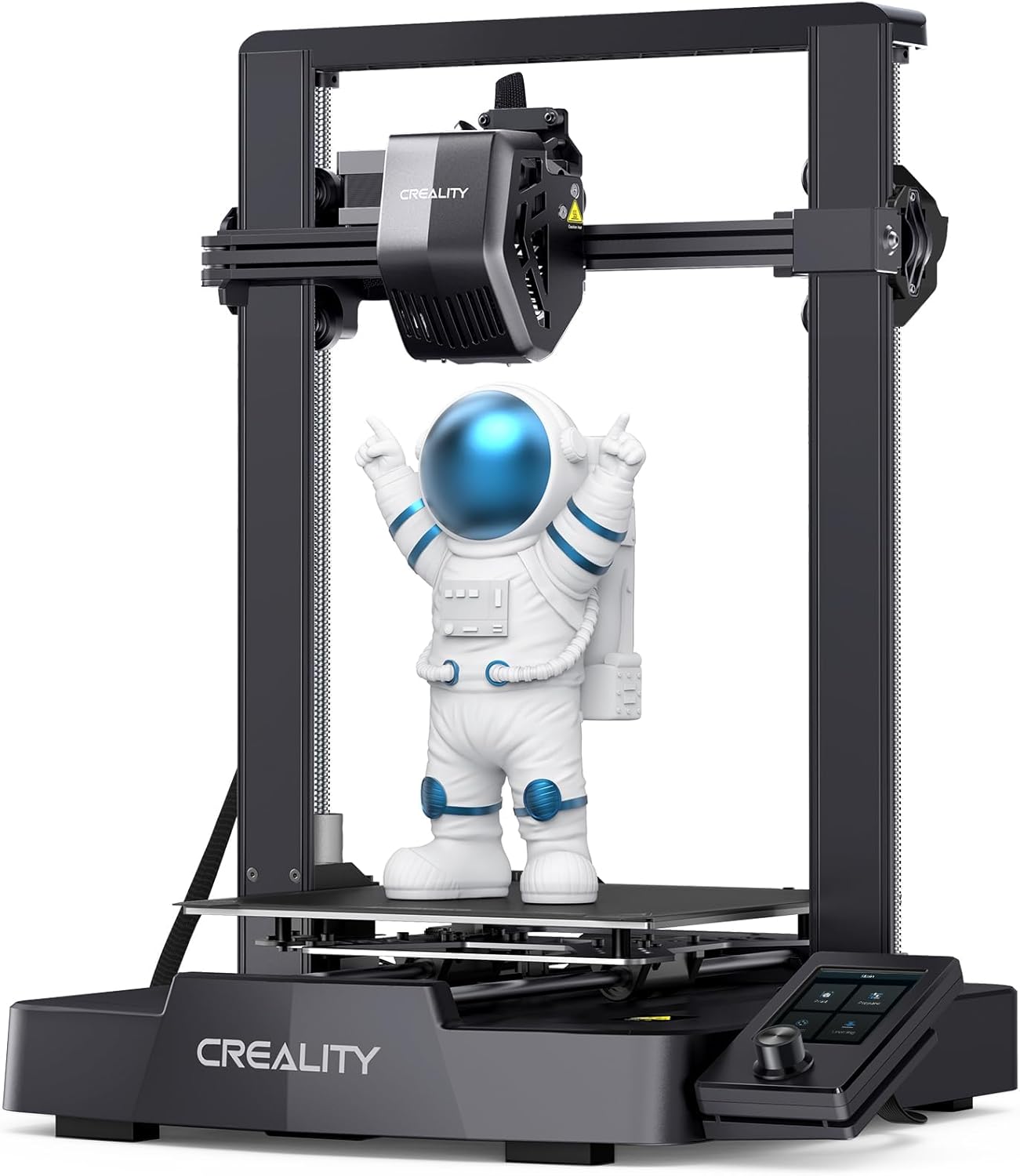
Creality Ender 3 V3 SE
| Max printing speed | 250 mm/s |
|---|---|
| Printing acceleration | 2500 mm/s² |
| Extruder type | Sprite full-metal dual-gear direct extruder |
| Auto leveling | CR Touch + strain sensor |
The Ender 3 V3 SE is a user-focused desktop FDM printer that targets quicker, trouble-free prints. It ships partially preassembled so you can complete setup in a few simple steps and start printing in about 20 minutes, and its Sprite full-metal dual-gear direct extruder handles common filaments like PLA, TPU and PETG with smooth feeding. Creality highlights a 250 mm/s maximum speed and higher acceleration for shorter print times, while CR Touch auto leveling plus a strain sensor handle Z-offsets so you do not need to micro-adjust the bed between jobs. Mechanical stability comes from dual Z-leadscrews and dual Y-axis linear shafts, which help reduce wobble on taller parts. The machine also supports auto filament load/unload and a clearer UI for basic controls. Expect practical benefits like faster turnarounds, simpler first prints, and more reliable extrusion with flexible materials, but note this is still a hobbyist desktop printer with a moderate build volume and typical limitations in precision compared with larger prosumer machines.
Best for: Buyers who want a plug-and-play desktop printer that speeds up small to medium prints and reduces setup fuss while still allowing hands-on tuning.
Less Ideal for: Users who need very large build volumes or the highest professional-level dimensional accuracy for end-use parts.
- Fast rated top speed (250 mm/s) and higher acceleration for shorter print times
- Sprite full-metal dual-gear direct extruder improves filament feeding for TPU, PETG and PLA
- CR Touch auto leveling with strain sensor simplifies bed leveling and Z-offset setup
- Dual Z-axis lead screws and dual Y-axis linear shafts increase stability and reduce Z-wobble
- Preassembled design and auto filament loading let you start printing quickly
- Build volume is moderate compared with larger prosumer printers
- Higher top speed may require tuning to maintain fine detail and surface finish
Verdict: A fast, easy-to-start desktop printer that trims print time and reduces leveling headaches for practical hobbyists and makers.
Entina Tina2C Mini 3D Printer

| Print volume | 3.9 × 3.9 × 3.9 inch |
|---|---|
| Connectivity | 2.4G WiFi, TF card |
| Control app | Poloprint Cloud (AI features, model library) |
The Entina Tina2C is a compact, fully assembled beginner 3D printer aimed at kids and first-time users. It connects to the Poloprint Cloud app for guided setup and one-click prints, supports 2.4 GHz WiFi or TF card offline printing, and includes features like intelligent auto-leveling, power-loss resume, a self-cleaning style nozzle and a flexible magnetic build plate for easy model removal. Typical use cases are small STEM projects, classroom activities, and quick prototypes where ease of use matters more than large prints. Notable conveniences are the app library with AI-assisted search and photo-to-print options plus a quick-swap printhead that simplifies maintenance. The trade-offs are the very small 3.9 × 3.9 × 3.9 inch printable area and modest industrial speed claims, so it is best for small parts and learning rather than production work or large models. Noise is low and integrated LED lighting helps monitor prints without extra setup.
Best for: Buyers seeking an affordable, easy-to-learn desktop 3D printer for kids, classrooms, or hobbyists who prioritize guided setup and quick results over large print size.
Less Ideal for: Users who need large build volume, fast production throughput, or industrial-grade reliability should choose a larger desktop or prosumer machine instead.
- Designed for beginners with guided app setup and one-click printing from a large model library
- WiFi and TF card support give flexible wireless or offline printing workflows
- Auto-leveling and power-loss resume increase first-print success for learners
- Magnetic flexible build plate and quick-swap printhead make part removal and maintenance easy
- Very small build volume limits projects to small models and classroom exercises
- Not intended for heavy production use or large-scale prototyping
Verdict: If you want an affordable, kid-friendly starter 3D printer that gets beginners printing quickly, the Tina2C delivers a simple, low-friction learning experience.
ELEGOO Neptune 3 Pro

| Build volume | 225 x 225 x 280 mm |
|---|---|
| Noise level | 47 dB |
| Filament diameter | 1.75 mm |
| Extruder type | Dual-gear direct drive |
| Auto leveling | 36-point |
The ELEGOO Neptune 3 Pro is a ready-to-run FDM printer aimed at hobbyists and makers who want reliable, consistent prints without a long setup process. It ships with largely preassembled main parts and a toolkit so you can start printing quickly in its 225 x 225 x 280 mm build area. Key hardware that supports reliable results includes a dual-gear stainless steel direct drive extruder for steady filament feeding, a titanium throat and brass nozzle with an aluminum heat sink to reduce clogs, and dual lead screws with dual Z motors for stable layer registration. Practical features for longer jobs are 36-point auto bed leveling, a filament runout sensor, and power-loss resume. The removable PEI magnetic platform makes part removal and surface prep straightforward. Trade-offs are typical for this class: it is an open-frame consumer printer so you may need enclosure or tuning for demanding materials, and advanced users might want a larger build volume or enclosed heated chamber for consistent ABS or nylon results. For everyday PLA, PETG, and TPU projects it balances ease of use and dependable hardware.
Best for: Buyers who prioritize dependable, low-fuss printing for everyday projects and want hardware features that reduce jams and failed long prints.
Less Ideal for: Users who need a very large build area or factory-enclosed heated chambers for frequent high-temperature materials should consider other options.
- Dual-gear direct drive extruder provides consistent filament feeding and fewer jams
- 36-point auto bed leveling simplifies first-layer setup and improves print reliability
- Filament runout sensor and power-loss resume protect long prints from interruptions
- Dual lead screws and dual Z motors deliver stable Z-axis motion and accurate layers
- Open-frame design may require an enclosure or tuning for high-temperature or humidity-sensitive filaments
- Build volume is mid-size and may be limiting for large single-piece prints
Verdict: The Neptune 3 Pro is a practical, reliability-focused consumer 3D printer that minimizes jams and failed long prints with robust feeding, auto leveling, and backup sensors.
Creality K1C 3D Printer

| Print speed | 600 mm/s |
|---|---|
| Max nozzle temperature | 300 ℃ |
| Supported filaments | PLA, ASA, ABS, TPU, PLA-CF, PET-CF |
The Creality K1C targets hobbyists and makers who want faster turnaround on prints without heavy setup. It ships mostly assembled and is effectively plug-and-play, with auto Z offset and auto leveling that reduce time spent fiddling with calibration. The printer emphasizes speed with a 600 mm/s top print speed and high acceleration, while a clog-free direct extruder (300 C capable) and a steel-tipped copper nozzle with titanium-alloy heatbreak let it handle higher-temp and abrasive filaments such as carbon-fiber blends. An onboard AI camera offers failure detection and time-lapse monitoring, and an upgraded multi-fan cooling layout improves bridging and surface finish. Practical benefits include quick first prints, easier multi-material experimentation, and reduced maintenance from the extruder design. Important limitations are that real-world print quality at maximum speeds will require tuning and may not match slower, precision-focused machines, and the build volume is moderate at about 8.66 x 8.66 x 9.84 inches which limits large parts.
Best for: Buyers who value quick setup and fast print turnaround and want a versatile desktop printer that can handle advanced filaments with minimal initial tuning.
Less Ideal for: Users who prioritize absolute fine-detail prints or large-format single-piece builds should consider a slower precision-oriented or larger-volume machine instead.
- Plug-and-play setup with auto Z offset and auto leveling for fast first prints
- Very high advertised top speed (600 mm/s) and strong acceleration for faster part turnaround
- Clog-free direct extruder rated to 300 C, compatible with carbon-fiber and other high-temp filaments
- AI camera for real-time failure detection and time-lapse recording
- Upgraded multi-fan cooling system that improves bridging and surface finish
- Extreme top speeds will need careful tuning and may sacrifice fine detail compared with slower printers
- Moderate build volume limits printing of larger single-piece models
Verdict: Choose the Creality K1C if you want a ready-to-run desktop printer focused on very fast prints and the ability to use high-temperature and carbon-fiber filaments.
FLASHFORGE AD5X 3D Printer

| Build volume | 220×220×220 mm |
|---|---|
| Max nozzle temp | 300°C |
| Travel speed | 600 mm/s |
| Structure | Core XY |
| Filament compatibility | PLA/ABS/PETG/TPU/CF/etc. |
The FLASHFORGE AD5X is a CoreXY desktop FDM printer aimed at faster, higher‑throughput printing while keeping everyday operation simple. It prints up to four colors and accepts common filaments including PLA, ABS, PETG and TPU, using a 300°C direct‑drive extruder and a quick‑detach nozzle system for faster nozzle swaps. The one‑click auto leveling, automatic filament feed/retract, and resume‑printing after power loss make routine jobs and longer prints less fiddly, and an intelligent filament system reduces failed prints from runouts. Flash Maker app support allows remote monitoring and control. Where it stands out is speed: the CoreXY motion, 600 mm/s travel and high acceleration are tuned for rapid prototyping and small batch runs, and interchangeable nozzle sizes let you trade detail for throughput. Expect louder operation and a steeper learning curve if you push the top speeds, and the open structure means you will need to manage ambient conditions for temperature‑sensitive materials. Setup and occasional tuning are still required despite the automation features.
Best for: Buyers who want a faster, feature‑rich desktop printer for prototyping or small batch work and appreciate automation that lowers the chance of simple failures.
Less Ideal for: Those who need a fully enclosed, ultra‑quiet machine for high‑temperature engineering prints or users who prefer a plug‑and‑play, entry‑level printer with minimal setup.
- High travel speed and acceleration for much faster print times than typical consumer printers
- Supports up to four‑color printing for multi‑material or multicolor parts
- 300°C direct‑drive extruder with quick‑detach nozzle and multiple nozzle sizes for material flexibility and detail control
- One‑click auto leveling, resume‑print and automatic filament feed reduce user intervention and failed prints
- App monitoring and intelligent filament system enable remote control and fewer filament issues
- Open CoreXY structure is more sensitive to drafts and temperature changes when printing ABS or engineering filaments
- Pushing the machine to its top speeds may require extra tuning and can increase noise
Verdict: Choose the AD5X if you prioritize much faster prints and multi‑color capability with helpful automation features to reduce failed jobs.
Choosing the Right Consumer 3D Printer: Key Factors to Consider
Print Quality & Resolution
Print quality determines how fine the visible detail and dimensional accuracy will be. Look at the minimum layer height the machine can reliably hold, but also consider how well it maintains dimensional consistency on multi-hour prints. Better quality matters when you plan to print miniatures, detailed prototypes, or parts that must fit together precisely.
Calibration features and a stable motion system reduce layer artifacts and ringing. A higher advertised resolution is useful only if the hardware, firmware, and slicer settings can reproduce it consistently in everyday conditions.
Build Volume and Part Size
Build volume limits the maximum single-part size and influences how you plan projects. Larger volumes let you print full prototypes in one piece and reduce the need to split models. However, a bigger build area can increase footprint and warm-up time and may raise the chance of warping for certain materials.
Consider the typical objects you will print and where the printer will live. A compact machine with a modest build area can be ideal for hobbyists and desktop use, while makers who need larger functional parts should prioritize a taller or wider build volume.
Material Compatibility
Material compatibility affects what parts you can make and how durable they will be. Common thermoplastics like PLA are easy to print and suitable for most household and prototyping uses. If you need stronger, heat-resistant, or flexible parts, confirm the printer supports higher-temperature filaments and has the appropriate hotend and heated bed.
Consider whether you might use specialty filaments such as TPU or composite blends. Compatibility also includes ease of switching materials and whether the machine handles retraction and flow control accurately to avoid stringing and under-extrusion.
Ease Of Setup And Calibration
A printer that is easy to assemble and calibrate saves hours of frustration, especially for beginners. Look for features like auto bed leveling, guided first-print wizards, and well-documented calibration steps. Clear mechanical access to the bed and hotend makes routine adjustments and maintenance simpler.
Software-side guidance, pre-configured profiles, and active community support also reduce the learning curve. If you are new to 3D printing, prioritize machines that streamline these initial tasks.
Reliability And Maintenance
Reliability measures how often prints complete without failure and how repeatable results are across sessions. A mechanically rigid frame, quality motion components, and consistent filament feeding reduce print failures. Consider the frequency and complexity of routine maintenance tasks like nozzle changes, belt tensioning, and lubricant points.
Availability of replacement parts and the modularity of wear items will affect long-term ownership. Machines that require frequent tinkering can be fine for hobbyists but are less suitable for users who need consistent, hands-off printing.
Software And Ecosystem
The printer's software and ecosystem shape day-to-day productivity. Intuitive slicer integration, reliable firmware updates, and good documentation make preparing prints faster and less error-prone. Look for printers that work with widely used slicers and offer configurable profiles.
Community resources, firmware moddability, and accessory ecosystems can extend functionality over time. A strong ecosystem helps when troubleshooting or when you want to add upgrades later on.
Choosing The Right Filament For Your Projects
Different filaments suit different applications. PLA is the most forgiving for beginners and produces good surface finish for display pieces and prototypes. ABS and PETG provide stronger, more heat-resistant parts but often require a heated bed and enclosure to control warping and layer adhesion.
Flexible filaments such as TPU need a printer with a filament path that reduces binding and has appropriate extrusion settings. Composite filaments with wood, metal, or carbon fillers may require hardened nozzles and more precise extrusion control.
- PLA: Easy, good detail, minimal warping.
- PETG: Tough, slightly flexible, good layer adhesion.
- ABS: Heat resistant but challenging without enclosure.
- TPU: Flexible, needs controlled filament path.
- Composite filaments: Require hardened nozzle and tuned extrusion.
Maintaining Print Accuracy Over Time
Routine maintenance preserves dimensional accuracy. Regularly check belt tension, lead screw lubrication, and pulley alignment. Replace worn nozzles and clean the build surface to prevent adhesion issues that distort parts.
Run calibration prints after significant hardware changes or when you notice dimensional drift. Keeping firmware and slicer profiles up to date also helps maintain consistent results.
- Check belts and pulleys monthly for hobby use.
- Swap nozzles that show wear to avoid under-extrusion.
- Clean bed surface and re-level after heavy usage.
Workflows For Faster Prototyping
Efficient prototyping uses quick iteration loops. Start with low-resolution, fast prints to validate form and fit, then switch to finer settings for functional tests. Orient models to balance strength and print time and use breakaway supports where possible to speed removal.
Automating post-processing steps like sanding, vapor smoothing, or annealing for specific materials can also speed up transitioning from prototype to finished part.
- Use draft mode for quick fit checks.
- Orient parts to minimize supports and improve strength.
- Batch similar parts to reduce setup and cooldown cycles.
Safety And Workspace Considerations
Consider ventilation and fume management, especially when printing materials that release odors or particulates at higher temperatures. A well-ventilated room or localized extraction reduces exposure to fumes. Enclosures help stabilize temperatures for challenging materials and also provide a barrier from hot components.
Keep the printer on a stable, level surface and maintain clearance for filament spools and filament paths. Manage cables and hotend access to avoid accidental contact with heated components.
- Use enclosures for ABS and other heat-sensitive filaments.
- Provide ventilation or filtration for long prints.
- Keep the build area clear and level for best adhesion.
Upgrades That Extend Usefulness
Certain upgrades can significantly expand capability. Hardened steel nozzles improve compatibility with abrasive composite filaments. A better hotend or all-metal heat break raises maximum safe extrusion temperatures. Improved bed surfaces or automatic mesh leveling sensors reduce first-layer headaches.
Some users add filament run-out sensors, enclosure panels, or quieter motion drivers. Upgrades should match your needs and skill level; many improvements require tuning to avoid new issues.
- Hardened nozzles for composite filaments.
- All-metal hotend for higher-temperature materials.
- Filament sensors and mesh leveling for convenience.
How We Chose the Best Consumer 3D Printer
We focused on practical dimensions that matter to everyday users seeking a Consumer 3D Printer. Our selection filters prioritized machines with demonstrable print quality across common filament types, straightforward setup and calibration workflows for beginners, and consistent reliability for multi-hour prints. We also looked for printers with helpful software and community resources, safety and enclosure options where relevant, and sensible compatibility with widely used materials and build plate surfaces. Excluded from consideration were experimental or industrial machines intended for commercial production, custom kits requiring advanced fabrication skills, and printers with persistent reliability or safety complaints in owner reports. The evaluation emphasized measurable specs and real-world usability: layer resolution and dimensional consistency, firmware and software usability, build volume relative to typical desktop needs, hardware quality and ease of maintenance, and material compatibility. These same dimensions form the backbone of our scoring and informed which products made the shortlist.
Our full evaluation process is outlined in our review methodology.
FAQ
What print resolution is good enough for hobby projects?
For most hobby prints, a layer height between 0.1 and 0.2 millimeters balances detail and print time. Use 0.05 to 0.1 millimeters when you need finer surface finish, keeping in mind print times increase significantly.
Do I need an enclosure for a Consumer 3D Printer?
An enclosure is helpful when printing heat-sensitive materials like ABS because it reduces warping by maintaining a stable temperature. For PLA and basic hobby use, an enclosure is not usually required.
How often should I replace the nozzle?
Nozzle life depends on filament type and usage. For typical PLA use, a brass nozzle can last many months; abrasive filaments or heavy daily printing may require replacement every few weeks to months. Replace when you see consistent under-extrusion or surface artifacts.
Is auto bed leveling necessary?
Auto bed leveling simplifies first-layer calibration and is especially useful for new users or machines on uneven surfaces. It is not strictly necessary if you are comfortable manually leveling and your printer maintains a stable bed.
Can I use the printer for small production runs?
Many Consumer 3D Printers can handle small production runs if you accept longer per-part times and the need to monitor prints. Prioritize reliability, easy part removal, and consistent filament feeding when planning batch work.
Final Verdict
When choosing a Consumer 3D Printer, prioritize the capabilities that match how you plan to use it: print quality for detailed models, build volume for large parts, or material compatibility for functional prototypes. Ease of setup and reliable hardware reduce time spent troubleshooting, while a robust software ecosystem and maintenance plan keep results consistent. Balance tradeoffs between size, complexity, and upgrade potential. Focus on the criteria outlined here to pick a machine that delivers the right mix of usability and capability for your projects.