
Note: This article contains affiliate links. If you click on these links and make a purchase, we may earn a small commission at no extra cost to you. This helps support our research and content. Read our full affiliate disclosure here.
If you want to print multi-color prototypes or combine rigid and flexible materials without reshaping parts by hand, a dual-extruder 3D printer can save time and expand what you can make. Under $500, these machines balance extra hardware with compact footprints and user-friendly software so you can add multi-material capability without a professional budget. This guide covers six shortlisted dual-extruder 3D printers that represent the best options in this price range. We evaluate them on print quality, reliability, ease of use, and maintenance so you can pick the unit that fits your workspace and workflow. Read on to see which features matter most and which tradeoffs to expect.
Top Picks at a Glance
| Best Overall The best all-around choice for most situations | Creality K2 SE 4C 3D Printer |  |
| Best Quality Built to a higher standard if you want something more solid | FLASHFORGE AD5M Pro |  |
| Best Value The sweet spot between price and what you get | Anycubic Kobra S1 Combo |  |
| Best Budget The cheapest option that still gets the job done reliably | OLAPRIN T300D Pro 3D Printer |  |
| Top Rated A top-rated pick with lots of positive feedback | Anycubic Kobra X |  |
| Most Popular A crowd favorite that many people choose with confidence | FLASHFORGE AD5X 3D Printer |  |
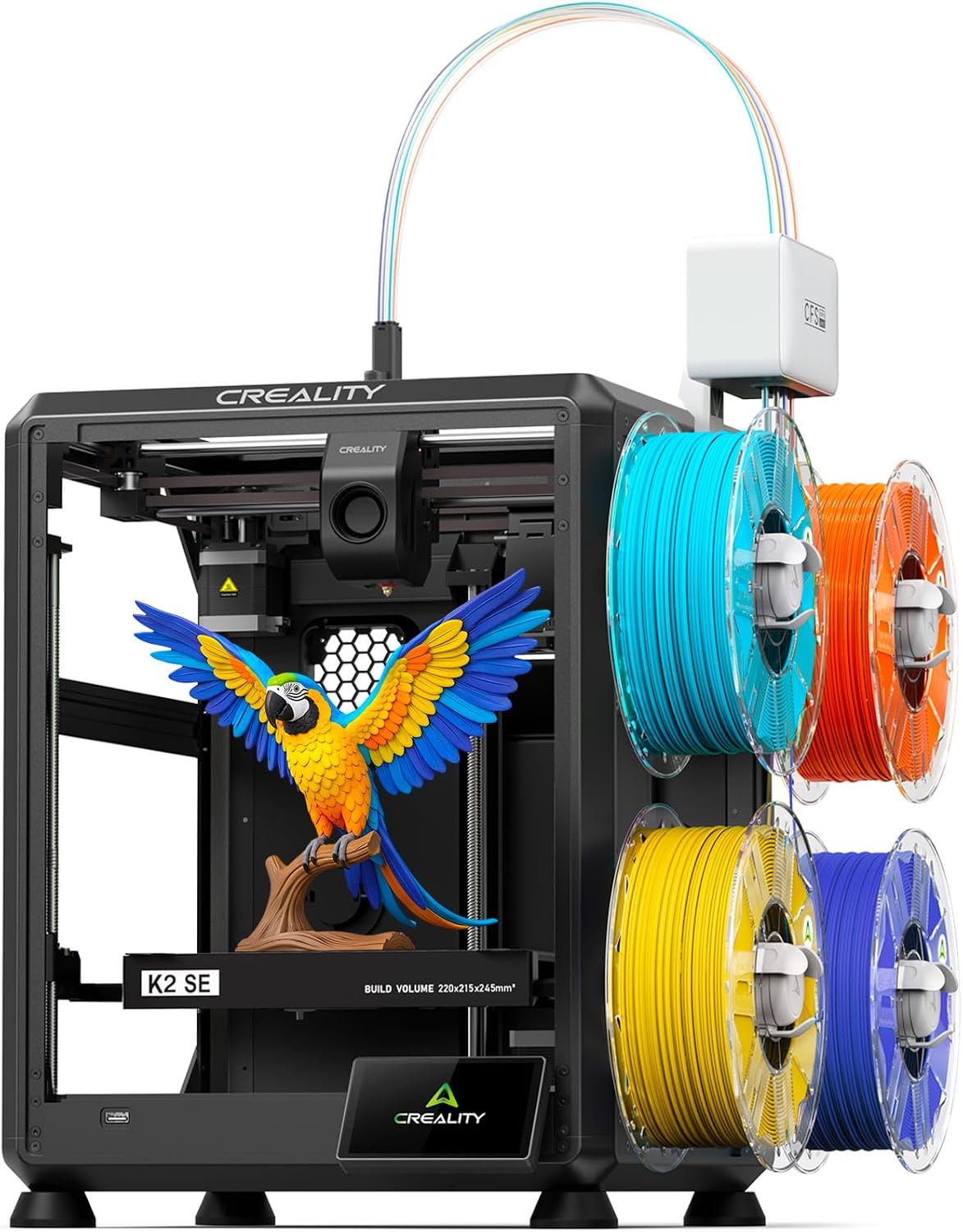
Creality K2 SE 4C 3D Printer
| Print speed | ≤500mm/s |
|---|---|
| Build volume | 220×215×245mm |
| Acceleration | ≤20000mm/s² |
| Leveling type | Auto leveling |
The Creality K2 SE 4C is a ready-to-use CoreXY FDM printer built for multicolor projects and faster turnarounds. It uses a four-color printing system and a compact footprint to produce toys, props, prototypes, and educational models without complex upgrades. The printer supports up to 500mm/s speeds with 20,000mm/s² acceleration, a heated bed, and an all-metal frame that reduces vibration for cleaner detail. Beginner-friendly features include automatic bed leveling, filament runout and tangle detection, power-loss recovery, and skip-partial-failure protection so long prints are less likely to fail. It works with common filaments such as PLA and PETG and offers Creality OS and local USB printing for simple workflows or deeper customization. Limitations include the relatively small stated build volume compared with larger dual-extruder systems and the inherent learning curve to dial in multicolor prints for seamless transitions. Expect the best results after some tuning and filament management when combining multiple colors or materials.
Best for: Buyers who want a compact, ready-to-run printer that balances multicolor capability, speed, and ease of use for hobby projects, prototypes, classrooms, or makerspaces.
Less Ideal for: Users who need very large build volumes or industrial-grade multi-material production should consider larger or more specialized systems.
- Four-color multicolor printing out of the box for more creative prints
- CoreXY motion enabling high top speeds and fast acceleration
- Auto bed leveling and print-protection features reduce failed prints
- Ready-to-print setup with OS and offline USB options for easy start
- Build volume is modest compared with larger multi-extruder machines
- Multicolor printing still requires tuning and careful filament management
Verdict: If you want a compact, fast, and beginner-friendly multicolor CoreXY printer under $500, the Creality K2 SE 4C delivers the best balance of speed and out-of-the-box multicolor capability.
FLASHFORGE AD5M Pro

| Nozzle sizes | 0.25/0.4/0.6/0.8mm |
|---|---|
| Max extruder temp | 280°C |
| Build plate | Double-sided PEI steel plate |
| Connectivity | Wi‑Fi; Ethernet; USB; Cloud |
| Leveling | Full-auto one-click leveling |
The FLASHFORGE AD5M Pro is a CoreXY enclosed printer aimed at faster desktop production while keeping prints clean and monitored. It reaches very high travel speeds (listed to 600mm/s) and offers multiple nozzle sizes (0.25/0.4/0.6/0.8mm) so you can trade fine detail for throughput, and a 280°C direct-drive extruder that handles flexible and composite filaments. Full-auto one-click leveling and a double-sided PEI steel plate make bed prep and part removal straightforward for repeated runs. The sealed chamber, HEPA13 plus activated carbon filtration, and auxiliary chamber cooling improve part quality and reduce fumes for home or classroom use. Connectivity options include Wi‑Fi, Ethernet, USB, cloud printing, and a camera for remote monitoring and job control. Practical limits: marketed silent modes still list typical noise around 50 dB in standard mode, and claims of extreme acceleration require tuned profiles and robust slicer settings to realize in real prints. This unit is best when you need faster prints with flexible filament support and integrated monitoring, but expect to spend time dialing slicer settings to balance speed, quality, and reliability.
Best for: Buyers who prioritize higher throughput and the ability to run flexible or composite filaments while wanting an enclosed, monitored desktop printer for frequent use.
Less Ideal for: Users who need out‑of-the-box ultra-fine detail at slow speeds or those who prefer a fully silent printer without any tuning or setup work.
- High advertised travel speed and acceleration for faster prints when tuned
- Multiple nozzle sizes and 280°C direct-drive extruder for flexible and composite filaments
- Full-auto one-click leveling and double-sided PEI steel plate simplify bed prep and part removal
- Enclosed chamber with HEPA13 plus activated carbon filtration improves safety and air quality
- Wi‑Fi/Ethernet/USB/cloud connectivity and built-in camera enable remote monitoring and control
- Achieving advertised top speeds and accelerations requires careful slicer tuning and may sacrifice surface finish
- Standard mode noise around 50 dB is noticeable in quiet workspaces
Verdict: Choose the AD5M Pro if you want a fast CoreXY enclosed printer that handles flexible and composite filaments and includes filtration and remote monitoring for frequent desktop production.
Anycubic Kobra S1 Combo

| Hotend max temperature | 320℃ |
|---|---|
| Print speed (advertised) | 600mm/s |
| Heated bed max temperature | 120℃ |
| Filament support | PLA, PETG, ABS, ASA |
The Anycubic Kobra S1 Combo pairs two ACE PRO units to enable multicolor printing and built-in filament drying while using an enclosed CoreXY frame for faster motion. It is typically used by hobbyists and makers who want multi-filament prints without constantly swapping spools; the ACE PRO modules provide active PTC heating and circulating hot air plus anti-entanglement handling that keep filaments dry for more reliable prints. A 320℃ metal hotend and a bed that can reach up to 120℃ let you print materials beyond PLA such as ABS and ASA, and the included camera, belt-tension monitoring, and Anycubic app support remote oversight and job tracking. The machine targets high-speed printing up to 600mm/s, so prints finish faster than most consumer printers, but that speed demands careful tuning to avoid quality loss on detailed parts. Setup and multi-extruder calibration are more involved than single-extruder machines, and the noise level is listed around 44dB which is reasonable but not silent. If you want a feature-rich, budget multicolor solution and are comfortable dialing in settings, this unit delivers a strong set of capabilities for the price.
Best for: Buyers who prioritize practical, time-saving multicolor printing and want built-in filament drying to reduce failed prints, and who are willing to invest time in calibration and tuning.
Less Ideal for: Users seeking a turn-key, ultra-quiet desktop printer or those unwilling to perform multi-extruder calibration and print-profile optimization.
- Built-in ACE PRO drying system for active filament drying and anti-entanglement handling
- Supports multicolor printing by combining two ACE PRO modules (up to 4–8 colors per brand claims)
- High-temperature 320℃ metal hotend and 120℃ heated bed expand material compatibility to ABS/ASA/PETG
- CoreXY construction and advertised high speeds (up to 600mm/s) reduce print times for larger jobs
- Integrated camera and monitoring features with app support for remote oversight
- Multicolor dual-extruder setup requires careful calibration and adds setup complexity
- Very high advertised speeds may require tuning to maintain fine-detail print quality
Verdict: For buyers who want an affordable dual-extruder multicolor printer with active filament drying and high-temperature capability, the Kobra S1 Combo packs advanced features that cut failed prints and speed up production under $500.
OLAPRIN T300D Pro 3D Printer

| Filament diameter | 1.75 mm |
|---|---|
| Compatible filaments | PLA, PETG, ABS, TPU |
| Item model number | T300D Pro |
The T300D Pro is a budget-friendly dual-extrusion 3D printer aimed at multipurpose hobby and light-prototype use. It uses two independent spool holders feeding a single or dual nozzle arrangement to produce two-color or multi-material prints without painting, and the all-metal frame and dual-drive extrusion promise more stable high-speed printing and finer surface detail than basic single-extruder kits. It arrives mostly preassembled and includes an intuitive color display and manual bed leveling knobs, which makes initial setup and first prints quicker for newcomers. The printer supports a wide range of 1.75mm filaments including PLA, PETG, ABS, and TPU, so you can switch between cosmetic and functional parts. Practical limits to expect are modest community support and fewer advanced features compared with pricier models, and reported average customer feedback suggests some users needed tuning to reach reliable jams-free operation. For makers who want two-color capability on a tight budget, the T300D Pro packs capable hardware with accessible controls, but plan to spend time calibrating and dialing in filament settings for the best results.
Best for: Buyers on a tight budget who want real dual-color or multi-material printing without spending for premium prosumer machines and who are willing to do some setup and tuning.
Less Ideal for: Those who need plug-and-play reliability for production workflows or want extensive community mods and firmware support should consider more established higher-end models.
- True dual-extrusion capable for two-color or mixed-material prints
- Sturdy all-metal frame for improved stability at higher speeds
- Supports common 1.75mm filaments including PLA, PETG, ABS, and TPU
- Mostly preassembled with a full-color display and simple bed-leveling knobs for faster setup
- May require calibration and tuning to avoid jams and achieve consistent quality
- Customer feedback volume is low and average ratings indicate variable out-of-box reliability
Verdict: If you want capable two-color printing under $500 and are comfortable tuning a machine, the T300D Pro delivers strong hardware value for the price.
Anycubic Kobra X

| Build volume | 260 x 260 x 260 mm |
|---|---|
| Max nozzle temperature | 300°C |
| Supported materials | PLA, PETG, TPU, PVA, ASA |
| Connectivity | 2.4G/5G Wi-Fi and LAN |
The Anycubic Kobra X is a consumer-grade FDM printer built for multicolor and mixed-material projects while keeping setup and everyday use straightforward. It ships with four built-in ACE 2 Pro extruders that can expand to a larger palette, an adaptive ACE GEN 2 extruder that adjusts extrusion force for soft and hard filaments, and a hardened steel nozzle rated to 300°C for printing PLA, PETG, TPU, PVA and ASA. LeviQ 3.0 auto-bed leveling and a 49-point calibration aim to deliver a reliable first layer without manual fiddling, and features like power/filament recovery, spaghetti detection and AI camera monitoring reduce failed prints. The machine emphasizes speed, claiming high accelerations up to 600 mm/s and shorter purge paths to cut filament waste. Practical trade-offs are its focus on speed and multicolor plumbing which can increase maintenance compared with single-extruder setups, and advanced features rely on the Anycubic app and network connectivity for full convenience. For someone wanting a fast, feature-rich multicolor printer under $500, the Kobra X delivers a strong reliability-oriented feature set for everyday maker use.
Best for: Buyers who prioritize dependable, low-touch printing and want native multicolor and mixed-material capability for home, classroom, or makerspace projects.
Less Ideal for: Users who prefer the simplest, lowest-maintenance single-extruder printers or who need industrial-grade throughput and uptime guarantees for continuous production.
- Native multi-color capability with four ACE 2 Pro units and expandable color palette
- LeviQ 3.0 49-point auto-bed leveling for more consistent first layers
- Adaptive ACE GEN 2 extrusion handles both soft and hard filaments without manual tuning
- Built-in AI camera, spaghetti detection, and power/filament recovery reduce failed prints
- High-speed, multicolor plumbing increases mechanical complexity and may require more maintenance than single-extruder machines
- Some advanced features depend on the app and network connectivity for full functionality
Verdict: Choose the Kobra X if you want a fast, feature-rich multicolor FDM printer with robust leveling and fail-safety features for reliable everyday use under $500.
FLASHFORGE AD5X 3D Printer

| Build volume | 220×220×220mm |
|---|---|
| Extruder max temp | 300°C |
| Structure | Core XY (open) |
| Nozzle sizes | 0.25 / 0.4 / 0.6 / 0.8 mm |
| Travel speed | 600 mm/s |
The FLASHFORGE AD5X is a CoreXY desktop FDM printer aimed at fast, versatile prototyping and hobbyist workflows. It handles up to four-color prints and uses a 300°C direct-drive extruder with quick-detach nozzles (0.25–0.8mm) so you can swap for fine detail or faster coarse prints. The machine includes one-click auto leveling, automatic filament feeding/retraction, resume-after-power-loss, and an intelligent filament system to reduce failed jobs. Its high travel speed (600mm/s) and strong acceleration reduce cycle times for batch or iterative prints while dual-channel cooling and vibration compensation help maintain print quality at speed. Practical limits include an open-frame design and a modest 220×220×220mm build area, which constrain large assemblies and enclosure-dependent materials; it also lacks an integrated circulation/heated chamber. For buyers who value quick multi-color capability and tooling flexibility at a sub-$500 target, the AD5X balances speed and convenience with a few compromises around large-format and high-temp chambered printing.
Best for: Buyers who want a fast, flexible desktop printer that can produce multi-color prototypes and detailed parts quickly while minimizing setup fuss and failed prints.
Less Ideal for: Users who need large-format builds, a fully enclosed heated chamber for high-temperature materials, or strict dust/humidity control for specialized filaments.
- Supports multi-color printing up to 4 colors for more complex, single-run parts
- 300°C direct-drive extruder with quick-detach nozzles for easy swaps and versatile materials
- One-click auto leveling and automatic filament feed/retract simplify setup and reduce failed prints
- High travel speed and acceleration shorten print times for prototypes and small production runs
- Resume printing and intelligent filament detection protect long prints from interruptions
- Open CoreXY structure and 220×220×220mm build volume limit large or enclosure-required prints
- No built-in chamber circulation for reliably printing some high-temp or moisture-sensitive materials
Verdict: Choose the AD5X if you want a speedy, multi-color capable desktop printer that prioritizes rapid prototyping and ease of use under a sub-$500 constraint.
Choosing the Right Dual-Extruder 3D Printer: Key Factors to Consider
Print Quality & Extruder Alignment
Accurate alignment of the two nozzles is essential for clean multi-material prints. Even small offsets between extruders create gaps, zits, or visible seams where the toolpaths meet. Look for machines that provide easy hardware adjustments for nozzle height and XY offset, plus firmware or slicer-assisted calibration routines.
Layer adhesion between different materials can be a challenge, so consider how the printer manages retraction, wipe towers, or prime pillars. These strategies help purge a nozzle without contaminating the part, improving surface finish and dimensional fidelity.
Filament Compatibility & Feed System
A true dual-extruder setup should feed two filament types reliably without frequent jams. Check whether the feed system uses direct drive or Bowden paths, as each affects flexible filament handling and retraction tuning differently. Direct drive extruders typically handle TPU and other soft materials better, while Bowden setups can offer lighter carriage mass for higher speed.
Also consider filament diameter tolerance and filament runout detection. Robust feeders and well-aligned filament paths reduce stress on drive gears and lower the chance of mid-print failures.
Bed Leveling & First-Layer Reliability
Consistent first-layer adhesion is more critical with dual-extrusion because two nozzles can interact with the print surface differently. Machines that offer reliable bed leveling—automatic or guided manual—save time and reduce failed multi-nozzle prints. A flat, well-heated bed surface and good adhesion options (PEI, textured sheets, or adhesive plates) help prevent warping when different materials contract at different rates.
Consider how easy it is to re-level and whether the printer maintains calibration across long print jobs. Simpler, repeatable bed setup makes multi-material work much less frustrating.
Firmware, Slicer Support, and Workflow
Dual-extrusion introduces extra complexity in slicing and toolpath management. Check that the printer is compatible with mainstream slicers that support multiple toolheads and offer features like prime towers, ooze control, and per-tool temperature settings. Clear documentation and preset profiles for dual-extrusion greatly reduce setup time.
Workflow considerations also include how filament changes are handled and whether the machine supports pause-and-resume reliably. Good firmware-level features, such as nozzle parking and tool-change routines, simplify multi-material prints and reduce stringing or cross-contamination between extruders.
Accessibility and Routine Maintenance
Frequent tasks like nozzle cleaning, hotend swaps, and extruder gear maintenance should be straightforward. In this price range, expect some user maintenance, so favor designs with easy access to hotends, removable build plates, and modular extruder components. Clear instructions for common fixes and accessible spare parts can extend the usable life of the machine.
Consider how easy it is to reach the filament path and to clear jams without disassembling large sections of the printer. Simpler maintenance reduces downtime and keeps prints moving.
Pros and Cons of Dual-Extrusion Under $500
Dual-extrusion at this price point opens practical multi-material printing for hobbyists and small workshops, but there are tradeoffs. You can expect more creative capability such as printing support structures in a dissolvable filament or combining rigid and flexible materials in a single part. However, budget models may require more hands-on calibration and patience to dial in clean tool changes.
Common limitations include smaller build volumes, simpler motion systems that limit top speed, and fewer automated calibration features than higher-end machines. Understanding these tradeoffs helps set realistic expectations for print time and finishing work.
- Benefits: multi-material parts, support material separation, faster prototyping of complex geometries
- Drawbacks: extra calibration, potential reduced reliability, smaller build area compared with single-extruder counterparts
Typical Dual-Extruder Architectures
Manufacturers implement dual-extrusion in a few typical ways: two independent toolheads, a single carriage with two nozzles fixed together, or single-hotend systems that switch filaments through a mixing or selector mechanism. Each architecture affects print speed, calibration needs, and clog-handling complexity.
Independent toolheads offer flexibility and can reduce nozzle interference, but they require precise alignment. Fixed-dual-nozzle carriages are mechanically simpler but demand careful nozzle height matching. Understanding the architecture helps with troubleshooting and choosing the right post-purchase maintenance approach.
- Independent toolheads: easier nozzles separation but more calibration steps
- Fixed dual-nozzle carriage: compact but needs precise height matching
- Single-hotend filament switching: simpler nozzle setup but can be slower and require purge towers
Slicer Settings That Make Dual-Extrusion Work
Slicer configuration plays a major role in the success of dual-extrusion prints. Key settings include toolchange retraction, prime tower or ooze shield dimensions, wipe behavior, and per-tool temperature overrides. Small tweaks in these areas often produce the largest improvements in surface finish and color separation.
Use slicer presets that match the printer architecture when available and run calibration prints to establish correct nozzle offsets. Keep a log of successful settings for common filament combinations to speed up future prints.
- Set accurate nozzle XY and Z offsets before detailed prints
- Enable prime towers or wipe moves to reduce color contamination
- Adjust retraction per tool and per filament type
Workspace and Safety Considerations
Dual-extruder machines create more heat sources and moving parts in a compact area, so provide ample ventilation and a stable surface. If you plan to print filaments that emit fumes, place the printer in a ventilated room or use local extraction. Enclosures help with temperature stability when printing temperature-sensitive materials.
Also consider noise level and filament storage. Dual-extrusion often means managing two active filament spools; keep them on consistent-diameter spindles and protect hygroscopic materials with dry boxes or sealed containers.
- Use a stable, level table to reduce frame vibration
- Provide airflow or filtration for fumes from some filaments
- Store filaments in sealed containers with desiccant
Common Troubleshooting Steps
When prints show layer misalignment or visible seams between materials, re-check nozzle height and XY offsets first. Small changes in bed leveling or Z-offset can produce large visible differences at the tool-change boundary. Test with calibration cubes and simple multi-color prints before committing to long runs.
For persistent ooze or stringing, increase purge volumes or adjust wipe moves. If flexible filaments are involved and jams are frequent, examine the filament path and consider switching to a direct-drive feeder or adjusting retraction settings.
- Recalibrate nozzle offsets and bed leveling after any hardware changes
- Increase prime tower size if contamination appears between color changes
- Inspect filament path for tight bends that can cause feeding issues
How We Chose the Best Dual-Extruder 3D Printer
We built the shortlist by focusing on the attributes that matter most for affordable dual-extruder 3D printers. Key evaluation criteria included print quality and filament handling, since accurate nozzle alignment and consistent extrusion determine usable multi-material results. We assessed reliability and mechanical stability, looking for robust frame design, consistent bed leveling approaches, and durable motion components that reduce print failures. Usability and software support were weighed to reflect real-world setup time, slicer compatibility, and dual-extrusion tuning features. Maintenance and serviceability were included so owners can easily swap nozzles, clear clogs, and perform routine calibration. Finally, value for the stated price tier was considered, emphasizing which models deliver the best combination of features rather than raw specs. We excluded single-extruder machines and industrial-grade systems outside the stated budget. We also filtered out products that lacked clear dual-feeding solutions or required extensive aftermarket modification to run two filaments. The resulting selections prioritize out-of-the-box dual-extrusion capability, documented calibration procedures, and hardware that supports consistent multi-material prints.
Our full evaluation process is outlined in our review methodology.
FAQ
Can a dual-extruder 3D printer under $500 print dissolvable supports reliably?
Often, yes. Many budget dual-extruder machines support printing a water-soluble or breakaway support material on one nozzle and the model material on the other. Reliability depends on good filament feeding, correct temperatures, and proper slicer prime tower or wipe settings to avoid contamination.
Is a direct-drive or Bowden dual-extruder better for flexible filaments?
Direct-drive setups generally handle flexible filaments better because the filament path is shorter and more controlled. Bowden systems can work but usually require more tuning and slower print speeds to avoid buckling the filament.
How often will I need to recalibrate nozzle offsets with a budget dual-extruder?
It depends on usage and transport, but expect to check offsets periodically, especially after nozzle or carriage adjustments. Regular calibration routines before important prints minimize alignment issues and improve first-run success rates.
Do I need special slicer software for dual-extrusion?
Most mainstream slicers support dual-extrusion workflows, including toolchange scripts and prime tower generation. The key is having printer profiles that match your machine's architecture so the slicer knows the correct offsets and tool-change behaviors.
Will dual-extrusion increase print times significantly?
Yes, multi-material prints often take longer because of additional tool-change moves, prime tower or wipe operations, and potential slower speeds for cleaner transitions. Plan for longer cycle times when using two materials.
Final Verdict
For buyers on a budget, dual-extrusion under $500 expands what you can build without requiring professional equipment. Prioritize machines that make alignment and filament feeding straightforward, and be prepared to spend time tuning slicer settings and maintaining the extruders. Balance the desire for larger build volume against the need for reliable nozzle calibration and easy access for maintenance. With realistic expectations and attention to setup, a budget dual-extruder can deliver useful multi-material capability for prototyping and creative projects.