
Note: This article contains affiliate links. If you click on these links and make a purchase, we may earn a small commission at no extra cost to you. This helps support our research and content. Read our full affiliate disclosure here.
Getting the right electronic thermostat matters more than most homeowners realize. A good unit keeps indoor temperatures steady, reduces energy waste, and makes daily comfort effortless. Whether you want programmable schedules, improved sensing accuracy, or easier installation, the right thermostat changes how your heating and cooling system performs. This guide shortlists the top electronic thermostats available for typical home HVAC setups and evaluates them across accuracy, installability, and scheduling capabilities. Read on to see the key strengths we tested for selection and what to expect from each top pick.
Top Picks at a Glance
| Best Overall The best all-around choice for most situations | ecobee Smart Thermostat Enhanced |  |
| Best Quality Built to a higher standard if you want something more solid | ecobee Smart Thermostat Premium |  |
| Best Value The sweet spot between price and what you get | Sensi Lite Smart Thermostat ST25 | 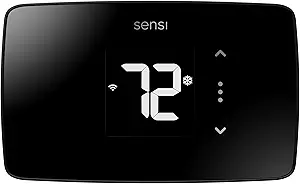 |
| Best Budget The cheapest option that still gets the job done reliably | Miuputake STN601 Thermostat |  |
| Top Rated A top-rated pick with lots of positive feedback | Sensi Smart Thermostat ST55 |  |
| Most Popular A crowd favorite that many people choose with confidence | Google Nest Thermostat |  |
| Best Seller A high-volume bestseller chosen again and again | Amazon Smart Thermostat |  |
ecobee Smart Thermostat Enhanced

| Connectivity Technology | Wi-Fi |
|---|---|
| Controller Type | Amazon Alexa, Android, Apple HomeKit, Google Assistant, iOS |
| Power Source | Corded Electric |
| Voltage | 24 volts |
| Display Type | LCD |
The ecobee Smart Thermostat Enhanced is a wall-mounted, hardwired smart thermostat designed to reduce heating and cooling costs while keeping indoor comfort automated. It connects over dual-band Wi-Fi and works with Siri, Alexa, Google Assistant, Apple HomeKit and common smart-home platforms, letting you control temperature from the ecobee app or voice devices. The unit includes a power extender kit and trim plate for straightforward DIY installation on most 24 VAC systems, and built-in radar occupancy sensing plus SmartSensor support lets the thermostat prioritize occupied rooms. eco+ software automates away/sleep adjustments and learns preferences over time to cut energy use. The large LCD touchscreen provides direct interaction while the device stays hardwired so you do not rely on disposable batteries. Important limits to note are the need to confirm HVAC compatibility beforehand and that line-voltage, millivolt, and some atypical control systems are not supported, so some homes will require alternative solutions.
Best for: Buyers who want a reliable, feature-rich smart thermostat that automatically manages comfort and energy use and integrates with major voice assistants and smart-home platforms.
Less Ideal for: Homes that use line-voltage heating, millivolt systems, or proprietary control protocols should consider a thermostat designed specifically for those systems instead.
- Built-in radar occupancy sensing and support for remote SmartSensors to improve comfort where people actually are
- Broad smart-home compatibility including Alexa, Google Assistant and HomeKit for voice and app control
- Includes Power Extender Kit and trim plate to simplify DIY installation on systems lacking a C wire
- Hardwired power and a 4-inch LCD touchscreen provide reliable control without frequent battery changes
- Not compatible with line-voltage, millivolt, or 0-10VDC systems so it does not fit every HVAC setup
- Requires checking system compatibility beforehand which can add complexity for nonstandard systems
Verdict: A robust, hardwired smart thermostat that delivers automated energy savings and wide smart-home integration for most 24 VAC HVAC systems.
ecobee Smart Thermostat Premium

| Controller Type | Amazon Alexa, Android, Apple HomeKit, Google Assistant, iOS |
|---|---|
| Connectivity Protocol | Wi-Fi |
| Power Source | Battery Powered |
| Voltage | 24 volts |
| Included Components | SmartSensor, Backplate, Wire labels, Screws, Power Extender Kit, Trim plate |
The ecobee Smart Thermostat Premium is a high-end programmable thermostat that focuses on precise comfort and energy savings. It pairs with the ecobee app and major smart platforms to control heating and cooling, and includes a SmartSensor to detect and correct hot or cold spots. Notable features include built-in Alexa or Siri voice control, a large LCD cinematic display, an air quality monitor with alerts and filter reminders, radar occupancy sensing for better presence detection, and a Power Extender Kit for C-wire-less installs. In practice the thermostat simplifies day-to-day control via voice, phone app, or on-device buttons and can save energy by using occupancy and scheduling to avoid conditioning empty rooms. Setup is designed for DIY with wiring labels and the included hardware, though full Siri support requires an Apple home hub. The main compromises are that compatibility must be checked for some high-voltage or unusual systems and advanced features like live doorbell view require an ecobee doorbell and proper wiring, so installers should verify system match before buying.
Best for: Buyers who prioritize accurate, automated comfort and energy savings and want a smart thermostat that integrates voice control, air quality monitoring, and room-level sensing.
Less Ideal for: Homes with line-voltage HVAC systems or uncommon control voltages, or users who need a minimal basic thermostat without smart features.
- Built-in voice assistant (Alexa or Siri) and speaker for hands-free control and media playback
- Included SmartSensor helps manage hot and cold spots for more consistent room-level comfort
- Built-in air quality monitor with alerts and filter change reminders
- Radar occupancy sensor improves presence detection compared with motion-only sensors
- Power Extender Kit and wiring labels included to simplify DIY installation on homes without a C-wire
- Not compatible with line-voltage or certain low-voltage control systems, so compatibility check is required
- Siri functionality requires an Apple home hub to enable full voice control features
Verdict: Choose the ecobee Smart Thermostat Premium if you want a performance-focused smart thermostat that combines accurate room sensing, built-in voice control, and air quality monitoring to maximize comfort and efficiency.
Sensi Lite Smart Thermostat ST25
| Connectivity Technology | Wi‑Fi |
|---|---|
| Control Method | App, Touch, Voice |
| Power Source | Battery or C‑wire |
| Specific Uses For Product | Air Conditioner, Boiler, Furnace, Heat Pump |
| Number of Batteries | 2 AAA (included) |
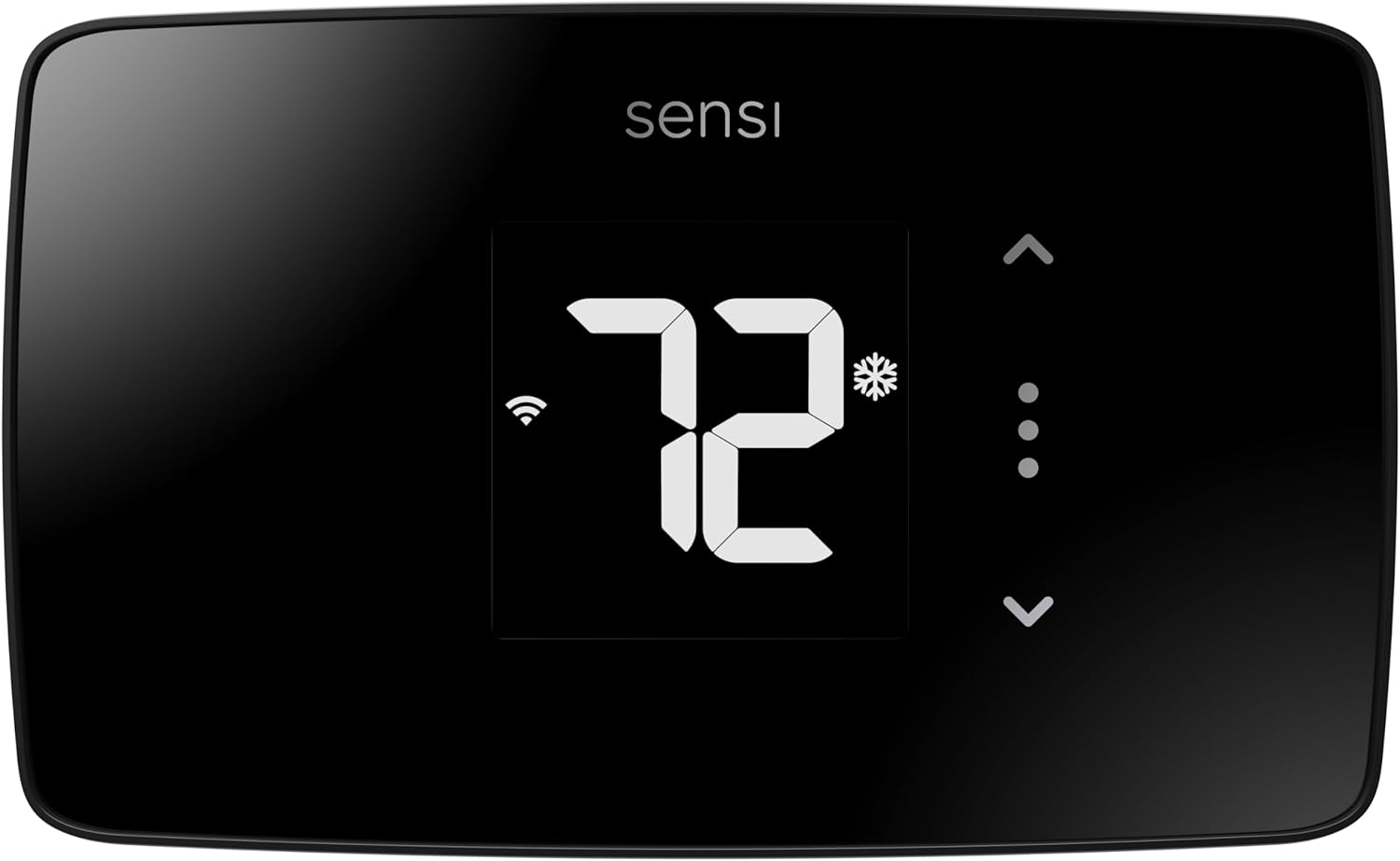
The Sensi Lite is a straightforward smart thermostat that replaces a basic wall stat with Wi‑Fi control, mobile scheduling, and voice assistant integration. It is designed for DIY install with a built-in level and step‑by‑step guidance, and it can run on included AAA batteries or a C‑wire when required by some systems. The thermostat connects to 2.4 GHz Wi‑Fi so you can adjust temperature, use geofencing, and view usage reports from the Sensi app, and it supports common HVAC types including furnaces, heat pumps, boilers, and air conditioners. Notable practical benefits are Energy Star certification that targets energy savings and privacy protections that limit data sharing. Limitations include a basic LCD rather than a color touchscreen and the need for a C‑wire on certain heat‑only or cool‑only setups, which may require additional wiring or an adapter for some older systems.
Best for: Buyers who want a practical, no‑frills smart thermostat that cuts energy use and gives reliable remote control without a complicated setup or advanced interface.
Less Ideal for: Users seeking a premium touchscreen thermostat with advanced UI, or installers who need a model designed for multi‑stage or commercial HVAC complexity.
- Easy DIY installation with built‑in level and clear instructions.
- Wi‑Fi connectivity with app control, geofencing, and remote access from the Sensi app.
- Energy Star certified features aimed at reducing HVAC energy use.
- Works with major voice assistants for convenient hands‑free control.
- Includes batteries and basic mounting hardware for a ready install.
- Requires a common wire for some system types which may need extra wiring work.
- Basic LCD display lacks advanced touchscreen controls and visual polish.
Verdict: A simple, energy‑minded smart thermostat that delivers reliable remote control and easy DIY install for residential HVAC systems.
Miuputake STN601 Thermostat

| Controller Type | Push Button |
|---|---|
| Temperature Control Type | Manual |
| Power Source | 24VAC or 2 AAA batteries |
| Display Type | LCD with backlight |
| System Compatibility | 1 Heat/1 Cool single-stage systems |
The Miuputake STN601 is a straightforward nonprogrammable thermostat aimed at replacing a basic single-stage home controller. It supports common forced-air systems, heat-only setups, and simple heat pump configurations and can run on 24VAC or two AAA batteries for installations without a common wire. Setup is designed to be DIY-friendly with a universal sub-base, large terminal blocks, and included screws and anchors, and the backlit LCD plus button controls make temperature changes quick and obvious. Useful features include adjustable temperature differential for energy tuning, selectable compressor delay protection, Celsius/Fahrenheit conversion, and a low-battery indicator. It is not suitable for systems requiring auxiliary/emergency heat, line-voltage baseboard heat, mini-splits, or 12V RV setups, so checking compatibility before purchase is important. The unit keeps things simple rather than offering scheduling, remote access, or smart-home integration, which keeps cost and complexity down but limits advanced control options.
Best for: Buyers who want a low-cost, no-frills replacement thermostat that is easy to install and operate and who prioritize straightforward manual control over scheduling or smart features.
Less Ideal for: Users looking for programmable schedules, Wi-Fi or smart-home integration, or support for multi-stage or dual-fuel HVAC systems should look elsewhere.
- Wide compatibility with common single-stage forced-air and heat-only systems
- Can run on 24VAC or two AAA batteries so no C-wire needed for many installs
- Simple DIY installation with universal sub-base and large terminal blocks
- Backlit LCD and tactile button controls make temperature changes easy
- Adjustable temperature differential and compressor delay protection for basic energy optimization
- Nonprogrammable with no scheduling or remote/smart-home features
- Not compatible with systems that use auxiliary/emergency heat, line-voltage baseboard, or mini-splits
- Limited to 1 heat/1 cool single-stage control
Verdict: A budget-friendly, easy-to-install manual thermostat that covers common single-stage HVAC setups without smart features.
Sensi Smart Thermostat ST55

| Connectivity Technology | Wi-Fi |
|---|---|
| Controller Type | Amazon Alexa, Apple HomeKit, Google Assistant, SmartThings, Vera |
| Power Source | Corded Electric |
| Display Type | LED |
| Number of Batteries | 2 AA batteries required. (included) |
The Sensi Smart Thermostat ST55 is a wall‑mounted Wi‑Fi thermostat designed to replace a traditional programmable stat while adding remote control, usage reports, and energy‑saving tools. Installation is DIY friendly with step‑by‑step app guidance, included mounting hardware, and most homes do not require a common wire. Once set up you can control temperature from the Sensi mobile app, touch buttons, or voice assistants including Alexa, Google Assistant, and Apple HomeKit integrations. The unit shows basic info on an LED display and offers scheduler, filter reminders, smart alerts, and usage reports to help reduce HVAC runtime. Practical benefits include Energy Star certification and built‑in HVAC diagnostics from an experienced manufacturer. Limitations to note are its straightforward LED/button interface rather than a large color touchscreen and dependence on 2.4 GHz Wi‑Fi for remote features, which may matter in congested networks or advanced smart home setups.
Best for: Buyers who prioritize a reliable, no‑frills smart thermostat that integrates with major ecosystems and provides energy reports without needing professional installation.
Less Ideal for: Users seeking a premium touchscreen interface, advanced home automation power users, or those who need 5 GHz Wi‑Fi support should consider other models.
- Easy DIY installation with app guidance and included hardware
- Works with major voice assistants and Apple HomeKit for hands‑free control
- Energy Star certified with usage reports and smart alerts to help save HVAC energy
- Includes batteries and filter reminders for simple maintenance
- Uses a basic LED/button display rather than a full color touchscreen
- Requires 2.4 GHz Wi‑Fi which can limit connectivity in some network environments
Verdict: A dependable, Energy Star certified smart thermostat that delivers reliable app and voice control with easy DIY installation for buyers who value proven performance.
Google Nest Thermostat

| Connectivity Technology | Bluetooth, Wi-Fi |
|---|---|
| Power Source | Battery Powered |
| Display Type | LCD |
| Control Type | Remote Control, Voice Control |
| Number of Batteries | 2 A batteries required (included) |
The Google Nest Thermostat is a compact smart thermostat that replaces a conventional wall unit and lets you control temperature from the device, the Google Home app, or compatible voice assistants. It connects over 2.4/5 GHz Wi‑Fi and Bluetooth Low Energy, supports remote scheduling and mobile notifications, and can automatically set an Eco temperature when it detects you are away to reduce energy use. Installation is designed for DIY in most homes and the package includes mounting hardware and batteries so you can get it running quickly. The thermostat offers HVAC monitoring with alerts for potential system issues and Savings Finder suggestions in the app to help cut costs. Limitations to be aware of: some heating or cooling setups still require a C wire or an external power accessory, voice features and alerts need working internet, and advanced energy services like Nest Renew have regional or account requirements. The interface is straightforward and the device integrates well into Google smart home setups, making it a practical choice for buyers who want basic smart scheduling and energy-saving features without a steep learning curve.
Best for: Buyers who want an easy-to-use smart thermostat that integrates with Google Home and focuses on straightforward energy savings and remote control rather than advanced professional HVAC diagnostics.
Less Ideal for: Homes with unusual or 110–120V HVAC systems or buyers who need a thermostat that performs deep, professional-level HVAC diagnostics and reporting.
- Wi‑Fi and Bluetooth connectivity for remote control and app scheduling
- Automatically sets Eco temperature when you leave to reduce energy use
- Includes mounting hardware and batteries for quick DIY installation
- HVAC monitoring and app alerts to highlight potential system issues
- May require a C wire or power accessory for some HVAC systems
- Voice control and remote alerts depend on reliable internet connectivity
Verdict: A simple, app‑driven smart thermostat that delivers remote control and energy-saving features with easy DIY installation for typical homes.
Amazon Smart Thermostat

| Requires C-wire | Yes |
|---|---|
| Works with | Alexa and Ring |
| Manufacturer tech | Honeywell Home technology |
| Remote control | Alexa app |
The Amazon Smart Thermostat is a straightforward, Alexa-focused programmable thermostat designed to replace a conventional wall thermostat and help lower heating and cooling costs. Installation is guided through the Alexa app and requires a C-wire, making it a typical DIY swap for homes with compatible wiring. Once installed it can run schedules for home, away, and sleep modes, respond to voice commands via Alexa devices, and use presence or temperature readings from other Alexa devices to adjust comfort zones automatically. The unit is built on Honeywell Home thermostat technology, so it follows familiar control logic and offers remote control from the Alexa app for on-the-go adjustments. Practical benefits include energy-saving scheduling, integration with Alexa routines, and access to potential local rebates communicated after purchase. Limitations are the reliance on the Alexa ecosystem for advanced features, the C-wire requirement which may need extra wiring in older homes, and limited independent third-party smart-home integrations compared with some competitor platforms.
Best for: Buyers who want a simple, Alexa-integrated smart thermostat backed by established thermostat technology and prefer a low-risk, app-guided DIY installation and energy-saving scheduling.
Less Ideal for: People who do not use Alexa or who need broad third-party smart home platform compatibility should consider other thermostats that prioritize open integrations.
- Easy DIY installation guided by the Alexa app for typical wired thermostats
- Works with Alexa and Ring for voice control and presence-aware adjustments
- Programmable schedules and remote control via the Alexa app
- Based on Honeywell Home thermostat technology for familiar performance
- Provides information about potential local energy rebate programs after purchase
- Requires a C-wire which may necessitate additional wiring or adapter
- Advanced features are tied to the Alexa ecosystem rather than platform-agnostic integrations
Verdict: Choose this thermostat if you want a reliable, Alexa-first smart thermostat that makes DIY replacement and energy-saving schedules simple.
Choosing the Right Electronic Thermostat: Key Factors to Consider
Wiring Compatibility
Confirm which wires your HVAC system uses and whether the thermostat supports them. Many homes have a common 24V system, but configurations vary by furnace, heat pump, and zoned setups.
A thermostat that does not match your wiring can be difficult or impossible to install without adapters or an HVAC technician. Look for clear terminal labels, support for C-wire or power options, and compatibility with common systems to avoid unexpected installation work.
Temperature Sensing and Placement
Where a thermostat senses temperature affects comfort. Wall placement away from direct sunlight, drafts, kitchens, and heat sources yields better readings. Some electronic thermostats allow remote sensors or multi-room sensing to override a single-location bias.
Consider whether you need remote sensors if your primary living area differs from the thermostat location. Better sensing reduces short cycling and uneven temperature between rooms, improving both comfort and efficiency.
Programming and Automation Features
The depth of scheduling options determines how closely your thermostat can match household routines. Simple programmable models support fixed weekday/weekend schedules, while more advanced thermostats offer adaptive schedules, geofencing, and event-based triggers.
More automation can yield energy savings when managed properly, but overly complex setups may be unnecessary for smaller households. Choose a level of automation that you will actually use and that integrates with your daily patterns.
Connectivity and Remote Control
Built-in Wi-Fi, Bluetooth, or proprietary wireless hubs enable remote control, system alerts, and firmware updates. Remote access is useful for adjusting temperature on the go, receiving maintenance reminders, or checking system behavior when away.
Assess the quality of the accompanying app and whether data is stored locally or in the cloud. Reliable connectivity and a usable app improve the long-term experience and troubleshooting when systems behave unexpectedly.
Energy Reporting and Smart Features
Some electronic thermostats provide runtime logs, energy reports, and suggestions to reduce consumption. These features help track how settings affect energy use and identify opportunities to save.
If tracking and efficiency are priorities, prioritize thermostats that provide clear, actionable energy data. Keep in mind that reports are useful only if they are easy to understand and match your billing cycles or usage patterns.
Display, Controls, and Accessibility
A clear display and intuitive controls make daily adjustments painless. Backlit screens, readable fonts, and tactile buttons or responsive touchscreens reduce friction for all users, including guests and older family members.
Accessibility also includes audible feedback, large temperature readouts, and straightforward menu structures. If multiple household members will change settings, a simple interface reduces accidental changes and confusion.
Installation Tips for a Smooth Swap
Turn power off at the breaker before removing the old thermostat to prevent short circuits and protect the control board. Photograph the existing wiring and label each wire to match the new thermostat terminals. Refer to the furnace or air handler documentation if any terminal labels are unclear.
If your system lacks a dedicated common power wire, check whether the new thermostat supports alternative power options or a power adapter. When in doubt, consult a qualified technician rather than forcing a wiring change that could damage the HVAC control board.
- Turn off HVAC power and take a photo of current wiring
- Label wires and match terminals carefully
- Confirm C-wire or power options before installing
- Use a multimeter to verify terminal voltages if comfortable
Using Remote Sensors Effectively
Remote sensors help mitigate temperature differences across the home. Place sensors in frequently used rooms rather than bedrooms that are rarely occupied. Avoid locating sensors near windows, direct sunlight, or heat sources.
When multiple sensors are present, use averaging or prioritized-room settings if available. This approach helps the HVAC system respond to the areas you care about most while avoiding overcorrection from an outlier sensor.
- Place sensors in main living space, not utility rooms
- Avoid direct sunlight or drafts
- Use averaging or priority settings when supported
Maximizing Energy Savings Without Losing Comfort
Set reasonable setbacks for unoccupied times rather than extreme temperature swings that cause long recovery cycles. Small setbacks often deliver most of the savings with less disruption. Use programmable schedules or geofencing to automate setbacks based on occupancy patterns.
Combine thermostat scheduling with good home practices such as sealing drafts and maintaining HVAC equipment. Thermostat optimization delivers the best results when the heating and cooling systems are well maintained and the building envelope is reasonably efficient.
- Use modest setbacks to reduce runtime
- Automate schedules tied to occupancy
- Maintain HVAC and seal leaks for best results
Troubleshooting Common Installation Issues
If the thermostat shows an error or the HVAC system will not respond, first verify power at the thermostat and the furnace control board. A tripped breaker, blown fuse, or miswired terminal are common causes. Re-check wire labels and tightness at both ends.
For intermittent connectivity or app control problems, confirm the thermostat is within range of your Wi-Fi network and that your router supports the device's frequency band. Firmware updates and a full power cycle can resolve many stability issues.
- Verify power at thermostat and control board
- Re-check wire connections and labels
- Confirm Wi-Fi band and signal strength
- Perform firmware updates and power cycles
When to Call a Professional
Hire a professional for complex systems such as multi-stage furnaces, zoned HVAC, or integrated home automation that requires compatibility checks. Professionals can safely adapt wiring, configure control boards, and verify system health.
Also call a technician if you encounter unexpected voltage readings, unclear terminal labels, or any sign of damage on the control board. Attempting complex electrical work without experience risks further damage and safety hazards.
- Complex multi-stage or zoned systems
- Unclear or damaged control board connections
- Unexpected voltages or system errors
How We Chose the Best Electronic Thermostat
We focused on features and specifications that directly affect daily comfort, energy use, and installation effort. Primary evaluation criteria included temperature sensing accuracy and control logic, which determine how precisely a thermostat maintains setpoints. Installation complexity and wiring compatibility were measured because many buyers install or replace thermostats themselves and need clear wiring options and straightforward mounting. We also assessed programming and scheduling flexibility to reflect how well a thermostat can match occupant routines and reduce wasted runtime. Connectivity and app control were evaluated for remote access, scheduling edits, and data logging. Finally, build quality and display/usability were considered to ensure the thermostat remains reliable and simple to operate over time. Units that lacked basic wiring compatibility, failed to provide clear scheduling options, or had inconsistent temperature reporting were excluded. We prioritized thermostats that balance accurate control, practical installation, and dependable daily operation for typical residential heating and cooling systems.
Our full evaluation process is outlined in our review methodology.
FAQ
Do I need a C-wire for an electronic thermostat?
Often, yes. Many electronic thermostats require a common 24V power connection for reliable operation. Some models include alternative power modules or can charge via other wiring, but a dedicated C-wire is the most dependable option for continuous power.
Can an electronic thermostat control both heating and cooling?
Usually. Most residential electronic thermostats support single-stage or multi-stage heating and cooling configurations. Check the thermostat's wiring and feature specifications to ensure it matches your HVAC system's control needs.
Will a smart electronic thermostat save me money on energy bills?
It can, depending on how you use it. Smart scheduling, adaptive setbacks, and occupancy-based control often reduce runtime. Savings depend on local energy costs, HVAC efficiency, and whether you configure and maintain the thermostat and system properly.
Are remote sensors necessary for good temperature control?
Not always. Remote sensors are helpful when the thermostat's mounting location does not represent the main living area. For many homes, a well-placed single thermostat provides adequate control without extra sensors.
How do I know if my thermostat is compatible with my furnace?
Compare terminal labels and control signals between your furnace or air handler and the thermostat's wiring diagram. Look for compatibility with common control voltages and terminal functions. When uncertain, consult the HVAC documentation or a technician to confirm compatibility.
Final Verdict
Choosing an electronic thermostat comes down to matching wiring compatibility, sensing strategy, and the level of automation you will use. Prioritize models that support your system wiring and offer accurate sensing or remote sensors if room-by-room comfort matters. Balance connectivity features against ease of installation and a clear user interface. Focus on temperature accuracy and reliable installation first, then consider scheduling, remote access, and energy reporting based on how you live. With those priorities in mind, you can select a thermostat that improves comfort and efficiency without unnecessary complexity.