
Note: This article contains affiliate links. If you click on these links and make a purchase, we may earn a small commission at no extra cost to you. This helps support our research and content. Read our full affiliate disclosure here.
If you want smarter temperature control without a big upfront cost, inexpensive smart thermostats can deliver energy savings, easier scheduling, and remote access. Choosing the right budget thermostat matters because cheap options vary widely in wiring compatibility, learning features, and app quality. This guide shortlists the best inexpensive smart thermostats and explains the practical tradeoffs you should expect. We evaluated devices for wiring and compatibility, ease of setup, control features, and energy reporting so you can pick a simple model that fits your home and HVAC system. Read on for the top budget picks and the factors to consider before you buy.
Top Picks at a Glance
| Best Overall The best all-around choice for most situations | Sensi Lite Smart Thermostat ST25 | 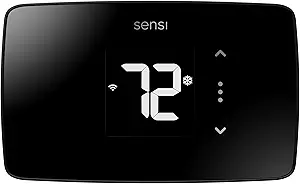 |
| Best Quality Built to a higher standard if you want something more solid | ecobee Smart Thermostat Essential |  |
| Best Value The sweet spot between price and what you get | Honeywell Home X2S Smart Thermostat |  |
| Best Budget The cheapest option that still gets the job done reliably | WYZE Smart WiFi Thermostat |  |
| Most Popular A crowd favorite that many people choose with confidence | Amazon Smart Thermostat |  |
| Best Seller A high-volume bestseller chosen again and again | Google Nest Thermostat |  |
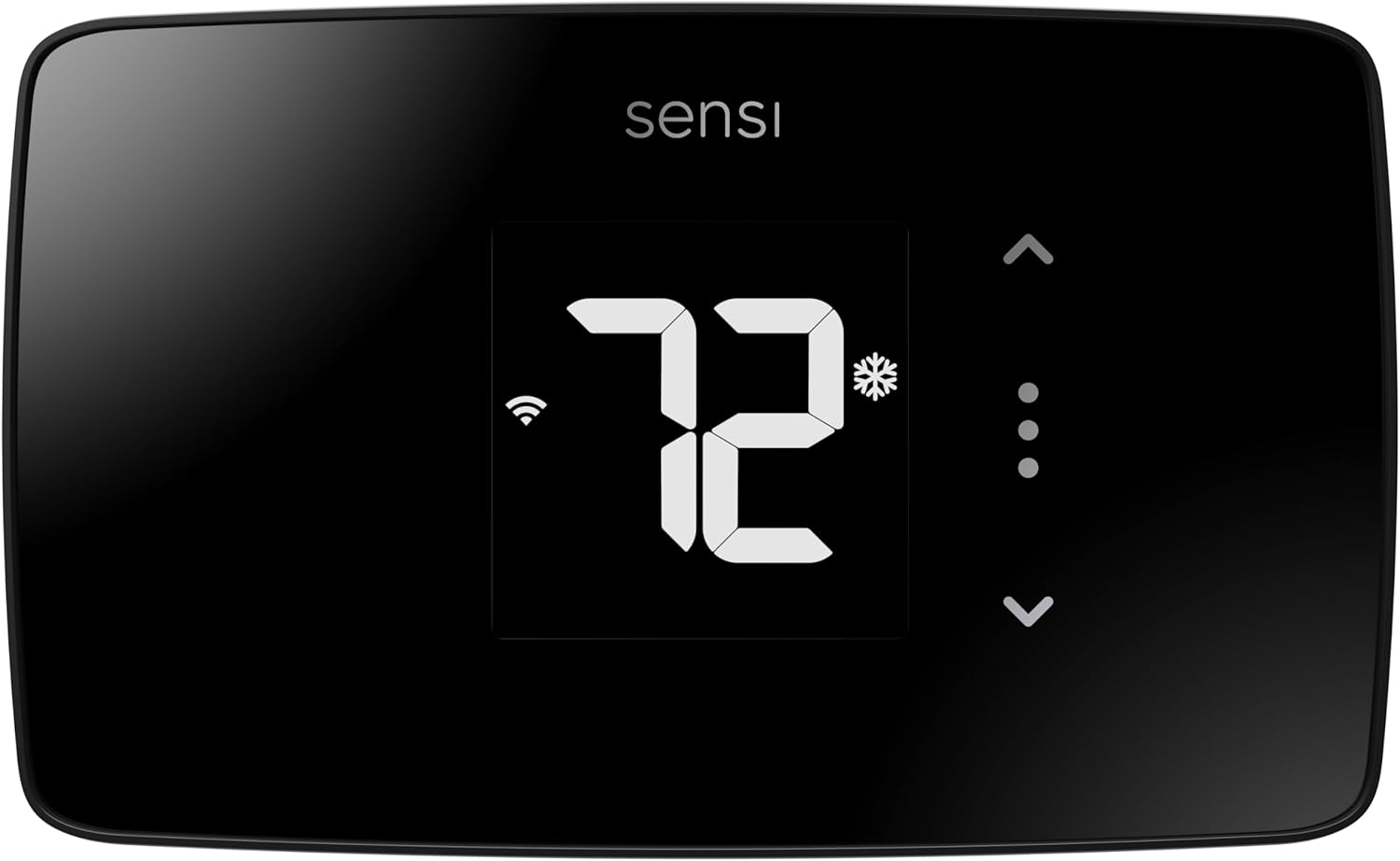
Sensi Lite Smart Thermostat ST25
| Connectivity Technology | Wi-Fi |
|---|---|
| Control Method | App, Touch, Voice |
| Power Source | Battery or C-wire |
| Number of Batteries | 2 AAA batteries (included) |
| Specific Uses For Product | Air Conditioner, Boiler, Furnace, Heat Pump |
The Sensi Lite ST25 is an entry-level smart thermostat that brings remote app control, basic scheduling, and voice assistant support to homes without a high price tag. It pairs with 2.4 GHz Wi‑Fi and works with common HVAC equipment including furnaces, heat pumps, boilers, and AC, with C‑wire required on some setups. Installation is aimed at DIYers thanks to a built-in level, step-by-step guide, and included mounting hardware and wire labels, and the unit runs on two AAA batteries or a C‑wire. The LCD display and simple touch controls keep operation straightforward, while the Sensi mobile app adds geofencing, usage reports, and remote temperature adjustments that can help lower energy use. Privacy-focused policies and Energy Star certification are practical pluses. Limitations include a basic feature set compared with premium models — there is no color touchscreen, advanced learning algorithms, or multi-zone support — but for buyers wanting reliable remote control, scheduling, and voice compatibility at a low cost, it delivers solid value.
Best for: Buyers who want a straightforward, budget-friendly smart thermostat that adds app control, basic scheduling, and voice support without complex setup or premium features.
Less Ideal for: Homes needing advanced features like multi‑zone management, adaptive learning algorithms, or a high‑end touchscreen interface should consider more fully featured models.
- Easy DIY install with built-in level, clear instructions, and included mounting hardware
- Remote control and scheduling via a top-rated mobile app with geofencing and usage reports
- Works with common HVAC systems and supports voice assistants like Alexa and Google Assistant
- Energy Star certified and designed to help reduce HVAC energy usage
- Basic feature set without advanced learning, multi-zone support, or a color touchscreen
Verdict: A reliable, no-frills smart thermostat that delivers remote control, scheduling, and voice compatibility at an affordable price.
ecobee Smart Thermostat Essential

| Connectivity Technology | Wi-Fi |
|---|---|
| Controller Type | Amazon Alexa, Android, Apple HomeKit, Google Assistant, iOS |
| Power Source | Battery Powered |
| Display Type | LCD |
| Screen Size | 3.74 inches |
The ecobee Smart Thermostat Essential is a pared-down smart thermostat intended to deliver remote control and energy-saving schedules without premium extras. It mounts on the wall and uses a 3.74-inch color touchscreen plus the ecobee app to change temperature, set schedules, and view basic info. The unit supports Wi‑Fi and integrates with Alexa, Google Assistant, and Apple HomeKit for voice control, and it includes auto-away and auto-scheduling features to reduce runtime. It is designed to be compatible with most 24VAC HVAC systems and can use ecobee's Power Extender Kit when a C‑wire is not present. Practical benefits include straightforward DIY installation, Energy Star qualification, and built-in eco+ settings that can preheat or precool based on time-of-use and occupancy to cut energy costs. Limitations are that it lacks advanced sensors and built-in air quality monitoring found on higher-end ecobee models and may require the PEK for some older wiring setups, adding complexity and cost for those homes.
Best for: Buyers who want an affordable, no-frills smart thermostat that provides reliable app and voice control and focuses on lowering HVAC runtime rather than luxury features.
Less Ideal for: Users who need multi-room sensing, built-in air quality monitoring, or advanced HVAC diagnostics should consider higher-end models with those capabilities.
- Simple touchscreen and app control for basic smart thermostat tasks
- Works with Alexa, Google Assistant, and Apple HomeKit for voice control
- Energy Star certified with eco+ features to reduce heating and cooling runtime
- Compatible with most 24VAC HVAC systems and offers a Power Extender Kit for homes without a C‑wire
- Easy DIY installation with included backplate and mounting hardware
- Does not include advanced room sensors or built-in air quality monitoring
- Battery powered design may require PEK or more frequent battery changes in some installs
Verdict: A budget-friendly smart thermostat that delivers proven app and voice control plus energy-saving schedules for buyers prioritizing performance and savings over premium extras.
Honeywell Home X2S Smart Thermostat

| Compatibility | Up to 2H/2C conventional or Up to 2H/1C heat pump |
|---|---|
| Connectivity | WiFi (2.4 or 5 GHz) |
| Power | C‑wire required (24 VAC) |
| Screen | LCD |
| Energy Rating | ENERGY STAR certified |
The Honeywell Home X2S is a budget-friendly smart thermostat that gives you remote control, scheduling, and basic home automation integration without a steep learning curve. It connects via Wi‑Fi (2.4 or 5 GHz) and is Matter certified, so it works with Alexa, Google Assistant, and Apple HomeKit through the First Alert app for temperature adjustments and voice control. The unit supports flexible scheduling (7‑day, 5‑1‑1, 5‑2, 1‑week or nonprogrammable), auto-away, humidity monitoring, and filter change reminders to help lower energy use. It is designed for typical residential HVAC setups—up to 2 heat/2 cool conventional systems or up to 2 heat/1 cool heat pumps—and requires a C‑wire for power. The display is a clear LCD and the faceplate includes interchangeable accents to blend with decor. Tradeoffs are minimal for the price: advanced learning features and some high-end energy optimization tools found on premium models are absent, and installation may require a C‑wire or adapter for some homes.
Best for: Buyers who want a straightforward, energy‑minded smart thermostat that integrates with major voice platforms and offers reliable remote scheduling without the premium model complexity.
Less Ideal for: Users seeking adaptive learning thermostats with advanced optimization routines or people who need a battery‑only installation without a C‑wire option.
- Matter certified and compatible with Alexa, Google Assistant, and Apple HomeKit for broad smart home control
- ENERGY STAR certified with flexible scheduling and auto-away to help reduce energy use
- Wi‑Fi support on 2.4 and 5 GHz for remote app control via the First Alert app
- Humidity display and filter change reminders add basic home‑comfort and maintenance tracking
- Requires a C‑wire for proper operation which may need additional wiring or an adapter
- Lacks advanced learning algorithms and some premium energy‑optimization features
Verdict: A cost-conscious smart thermostat that delivers reliable Wi‑Fi and Matter integration with energy-saving scheduling for typical home HVAC systems.
WYZE Smart WiFi Thermostat

| Connectivity Technology | Wi-Fi |
|---|---|
| Connectivity Protocol | Wi-Fi (2.4 GHz only) |
| Controller Type | Amazon Alexa, Google Assistant |
| Temperature Control Type | programmable |
| Power Source | Corded Electric |
The Wyze Smart WiFi Thermostat is a value-oriented smart thermostat aimed at replacing a conventional wall thermostat with app-based control and simple automation. It connects to 2.4 GHz Wi‑Fi and integrates with Alexa and Google Assistant so you can change temperature with voice or from the Wyze app, and it includes a guided installation flow and a C-wire adapter for homes lacking a common wire. Typical use revolves around remote temperature control, 7-day scheduling for Home/Sleep/Away modes, and automatic on/off via the built-in motion sensor and phone location to save energy. The app also provides usage insights and energy-saving suggestions. As a renewed unit it offers low cost but comes with the limited 90-day warranty and depends on 2.4 GHz Wi‑Fi only, so homes with 5 GHz-only networks or unusual high-voltage systems are not supported. For buyers who want straightforward smart control and scheduling without premium features like large touch displays, sophisticated HVAC integrations, or multi-zone support, this unit provides a practical, inexpensive upgrade.
Best for: Buyers who want an inexpensive, no-frills smart thermostat that adds app and voice control and basic scheduling to a standard home HVAC system without paying for premium features.
Less Ideal for: Homes that need advanced HVAC integrations, multi-zone control, or that operate on high-voltage systems or 5 GHz-only Wi‑Fi networks should look elsewhere.
- App control with remote temperature adjustment from anywhere via 2.4 GHz Wi‑Fi
- Works with Amazon Alexa and Google Assistant for voice control
- Guided DIY installation and included C-wire adapter for homes without a C-wire
- 7-day scheduling and presence/motion-based automatic on/off to save energy
- Provides usage tracking and app insights to help reduce wasted energy
- Only compatible with 2.4 GHz Wi‑Fi and not suitable for 5 GHz-only networks
- Sold renewed with a limited 90-day warranty rather than a full new-product warranty
Verdict: A cost-focused smart thermostat that delivers app and voice control, basic scheduling, and energy insights for budget-minded homeowners.
Amazon Smart Thermostat

| Required wiring | C-wire required |
|---|---|
| Works with | Alexa and Ring |
| Manufacturer technology | Honeywell Home thermostat technology |
The Amazon Smart Thermostat is a purpose-built, Alexa-centric thermostat that replaces a conventional wall unit to add scheduling, remote control, and basic presence-aware temperature adjustments. It installs through a standard C-wire connection and pairs with the Alexa app to create home, away, and sleep schedules, plus Alexa routines when used with Alexa devices for presence detection. The unit leans on Honeywell Home thermostat technology for its core control functions and provides on-the-go temperature control via the Alexa app. Its most practical benefits are simple DIY setup, clear Alexa integration for voice control and routines, and access to potential local rebate information. Limitations include reliance on the Alexa ecosystem for advanced automation and the need for a C-wire in many homes, so it will not be a drop-in swap for every older thermostat without additional wiring or an adapter.
Best for: Buyers who want an inexpensive, easy-to-install smart thermostat that works smoothly with Alexa and prioritizes straightforward schedules and voice control backed by wide user adoption.
Less Ideal for: People who prefer platform-agnostic smart home gear or who cannot provide a C-wire without running new wiring or using an adapter.
- Simple DIY installation guided by the Alexa app
- Tight Alexa integration for voice control, routines, and presence-based adjustments
- Remote monitoring and control from the Alexa app
- Built on Honeywell Home thermostat technology for proven control logic
- Requires a C-wire in many installations
- Advanced automation and features are tied to the Alexa ecosystem
Verdict: Choose this thermostat if you want a budget-friendly, Alexa-first smart thermostat that adds reliable scheduling and voice control to a conventional HVAC system.
Google Nest Thermostat

| Connectivity Technology | Bluetooth, Wi-Fi |
|---|---|
| Power Source | Battery Powered |
| Display Type | LCD |
| Control Type | Remote Control, Voice Control |
| Number of Batteries | 2 A batteries required. |
The Google Nest Thermostat is an entry-level smart thermostat that brings app and voice control, basic HVAC monitoring, and energy-saving automation to a typical home. It installs on a wall plate and is designed for user installation in about 30 minutes using the Google Home app; it runs on included A batteries and works without a C wire in most homes. In daily use you can change temperature with the touch bar, the app, or voice through compatible assistants, and features like Eco Temperature and Savings Finder look for ways to reduce energy use automatically. The thermostat also sends alerts if it detects possible system issues and supports Wi‑Fi and Bluetooth connectivity. Trade-offs versus higher-end models include a simpler LCD screen rather than a full color display, fewer advanced scheduling and learning features, and limited integration depth with some third-party HVAC tools. For buyers seeking basic smart controls and energy savings without premium sensors or a higher price, the Nest Thermostat is a practical option.
Best for: Buyers who want a reliable, budget-friendly smart thermostat that delivers straightforward app and voice control with simple energy-saving features and easy DIY installation.
Less Ideal for: Homes needing advanced learning schedules, color touchscreen controls, or professional-grade HVAC diagnostics should consider higher-end models instead.
- Easy user installation with Google Home app guidance
- Remote control from smartphone and voice assistants
- Energy-saving features like Eco Temperature and Savings Finder
- Battery powered and compatible with most systems without a C wire
- Basic HVAC monitoring and alerts for potential issues
- Simpler 2-inch LCD and fewer advanced learning features than premium Nest models
- May require a C wire or power accessory for some HVAC setups
Verdict: A cost-conscious smart thermostat that gives dependable app and voice control plus basic energy-saving features for mainstream homeowners.
Choosing the Right Inexpensive Smart Thermostat: Key Factors to Consider
Wiring and HVAC Compatibility
Confirming wiring and HVAC compatibility is critical because budget smart thermostats sometimes omit features needed for older or complex systems. Check whether the thermostat requires a common wire, supports conventional systems, heat pumps, multi-stage heating or cooling, and any millivolt or line-voltage setups. Knowing your furnace or air handler wiring pattern ahead of time prevents purchase mismatches and can save you from needing a professional.
Compatibility affects not just whether the unit will power up but also whether it can control all stages of your HVAC properly. If your system uses multi-stage equipment or auxiliary heat, ensure the thermostat documents support for those terminals so you retain full control and safety interlocks.
Installation and Setup Simplicity
A budget smart thermostat should be straightforward to install for someone comfortable with basic wiring, but some entry-level models streamline setup with clear labeling, in-app wiring guides, and automatic system detection. Evaluate how well the manufacturer documents the steps, whether the device provides built-in surge or polarity protection, and if adapter accessories are available for missing common-wire situations.
Ease of setup also includes the clarity of the mounting hardware and whether the unit uses a simple two-piece mount or requires removing wall plates and drywall. Faster, less fussy installations reduce the chance of improper hookups that can damage HVAC controls.
Controls and Mobile App Quality
Smart thermostats live or die by their control interfaces. Even inexpensive models should offer reliable remote access, straightforward thermostat controls, and responsive mobile apps. Consider whether the app provides temperature overrides, hold functions, and manual scheduling without confusing menus.
The app should clearly show current temperature, setpoint, and system mode, and it should push notifications for connection problems or abnormal temperature swings. Good remote control quality reduces the need to interact with the physical thermostat and improves day-to-day convenience.
Scheduling, Automation, and Learning Features
Decide if you need simple weekly schedules, geofencing, or adaptive learning. Some inexpensive thermostats offer basic scheduling only, which is sufficient for many buyers who want timed temperature changes. Others include learning algorithms or occupancy-based adjustments that can increase energy savings but may require more tuning.
Weigh how much automation you want against complexity. For a first-time smart thermostat buyer, predictable schedules and simple away modes often deliver the best mix of convenience and controllability without the quirks of automatic learning behavior.
Energy Reporting and Savings Feedback
Energy reporting helps you understand whether the thermostat is actually reducing consumption. Budget models vary in the depth of their reporting: some provide daily or weekly usage summaries and simple tips, while others only report run time without contextual comparison. Reliable reporting requires consistent system telemetry and clear presentation of trends.
If reducing energy bills is a primary goal, prioritize thermostats that provide meaningful runtime and temperature-history data so you can correlate behavior changes with savings. Even modest insights can help tune schedules and identify maintenance issues with HVAC equipment.
Firmware Support and Security
Ongoing firmware updates and a track record of security patches are important because smart thermostats connect to home networks. Budget devices sometimes skimp on long-term support, which can leave them vulnerable or incompatible with evolving smart-home ecosystems. Verify whether the manufacturer regularly issues updates and documents security practices.
Good support also means accessible customer service and clear recovery steps in case of connectivity failures. A well-supported device reduces the risk of being locked into outdated functionality or unsafe failure modes.
Common Installation Pitfalls and How to Avoid Them
Many issues during thermostat installation come from mismatched wiring expectations or missing common wires. Before you remove your old thermostat, photograph its wiring and label each conductor. Compare terminals to the new thermostat's compatibility list to ensure each function has a corresponding input.
If your home lacks a common wire, check whether the budget thermostat supports power-stealing operation or if the maker supplies a C-wire adapter. Avoid improvising connections between unrelated transformers. When in doubt, consult an HVAC technician to prevent damage to control boards.
- Take a clear photo of existing wiring before disconnecting anything.
- Match each terminal function rather than assuming colors map directly.
- Use a C-wire adapter if the new thermostat needs a common wire and your system lacks one.
- Double-check voltage type for legacy or millivolt systems.
Using Simple Automation to Maximize Savings
You do not need complex learning algorithms to save energy. Start with time-of-day schedules that lower setpoints during sleep and when the house is empty. Combine schedules with an away mode that holds a more efficient temperature while you are gone.
If the thermostat offers geofencing, use it cautiously. Geofencing can automate away behavior but may be sensitive to device location permissions and battery states. Test any automation for a few weeks to ensure it matches your routine before relying on it.
- Begin with a simple weekday/weekend schedule.
- Use away modes for extended absences.
- Enable delta-based setbacks rather than extreme temperature swings to avoid comfort issues.
Troubleshooting Connectivity and App Issues
Wi-Fi connectivity problems are a common frustration with budget smart thermostats. Place the thermostat within reliable range of your router or add a mesh node if signal strength is poor. Some inexpensive units rely on 2.4 GHz networks, so confirm your router broadcasts that band.
If the mobile app loses connection, try restarting the thermostat and router first, then check for firmware updates. Keep account credentials secure and enable two-factor authentication if the service offers it.
- Prefer 2.4 GHz network compatibility for better range.
- Restart devices and check for updates before deeper troubleshooting.
- Record error messages and consult support documentation when needed.
Integrations and Smart Home Compatibility
Budget thermostats vary in how they integrate with wider smart-home systems. Some provide basic voice control and platform links, while others limit control to a proprietary app. Confirm whether the thermostat supports the ecosystem you use and which features are available remotely versus only on the device.
Integration matters for routines and scenes. If you plan to link temperature changes with other devices, ensure the thermostat exposes scheduling and hold controls through the integration rather than only manual setpoint adjustments.
- Check voice assistant and ecosystem support before buying.
- Verify which controls are available through third-party integrations.
- Expect limited or basic integration features on lower-cost models.
When to Consider Professional Installation
Professional installation is worth considering if your HVAC system is older, uses uncommon control voltages, or includes multi-stage equipment. A technician can verify control board compatibility, safely handle line-voltage systems, and install a C-wire if necessary.
For typical single-stage residential systems with a standard 24 VAC control, many buyers can complete installation themselves using clear documentation and photos. Choose professional help when uncertainty could risk system damage.
- Hire a pro for line-voltage or millivolt systems.
- Consider a technician if you lack confidence with low-voltage wiring.
- Use professional help to install a reliable common wire when required.
How We Chose the Best Inexpensive Smart Thermostat
We focused on products that deliver core smart thermostat benefits at a lower price point while avoiding gadgets that sacrifice essential compatibility or safety features. Primary evaluation criteria included wiring and HVAC compatibility, setup simplicity, mobile and remote controls, scheduling and learning capabilities, and energy reporting accuracy. We also checked build quality and whether the thermostat maintained reliable temperature control in everyday use. Excluded from consideration were devices that required professional-only installation, lacked any remote control option, or offered no compatibility with common residential HVAC configurations. We prioritized thermostats that balance easy user setup with clear compatibility documentation so buyers can install or verify fitment themselves. Finally, we considered ongoing firmware support and update history as a proxy for long-term reliability and security.
Our full evaluation process is outlined in our review methodology.
FAQ
Do inexpensive smart thermostats need a common wire?
Many inexpensive smart thermostats require a common wire to power the device reliably, though some support power-stealing or include a C-wire adapter. Check wiring requirements before buying to avoid installation surprises.
Can I install a budget smart thermostat myself?
If your system uses standard 24 VAC terminals and you are comfortable with basic wiring, DIY installation is often feasible. Seek professional help for line-voltage, millivolt, or multi-stage systems to avoid damaging HVAC controls.
Will a cheap smart thermostat save energy?
A budget smart thermostat can save energy if you use scheduling and setbacks consistently. The level of savings depends on your climate, HVAC efficiency, and how actively you use automated schedules or away modes.
Do these thermostats work with voice assistants?
Some inexpensive models offer basic voice-control support while others restrict control to their app. Confirm which voice platforms are supported and whether integrated features match your needs before choosing a model.
How often do budget thermostats receive firmware updates?
Update cadence varies by manufacturer. Some provide regular security and feature updates, while others issue updates infrequently. Prefer devices with a documented history of firmware maintenance if long-term support matters.
Final Verdict
For most buyers, the best inexpensive smart thermostat balances clear wiring compatibility, an easy installation path, and a usable mobile app. Prioritize models that document HVAC support and provide straightforward scheduling and energy feedback. Expect tradeoffs in advanced learning and deep integrations at lower price points; focus on the few features that matter most to your household and verify wiring before you buy so you can install with confidence.