
Note: This article contains affiliate links. If you click on these links and make a purchase, we may earn a small commission at no extra cost to you. This helps support our research and content. Read our full affiliate disclosure here.
If you want simpler, lower-maintenance printing at home, an inkless printer can cut the fuss without sacrificing basic output. These devices remove cartridge management and the risk of dried ink, which matters if you print intermittently, mainly need receipts, labels, or occasional photos, or want a compact desktop solution. This guide covers a short list of the top inkless printers suited for home use, shortlisted for dependability, print quality, and long-term operating costs. We evaluate each option against real-world needs like ease of use, connectivity, and the types of documents and media you are likely to print. Read on to find the right match for your home printing routine.
Top Picks at a Glance
| Best Overall The best all-around choice for most situations | iDPRT MT610 Pro Portable Printer |  |
| Best Quality Built to a higher standard if you want something more solid | iDPRT MT610 Pro |  |
| Best Value The sweet spot between price and what you get | Phomemo M08F Portable Printer |  |
| Best Budget The cheapest option that still gets the job done reliably | Rongta F11A Portable Thermal Printer |  |
| Top Rated A top-rated pick with lots of positive feedback | ETIKEZ D90E Portable Printer |  |
| Most Popular A crowd favorite that many people choose with confidence | NDYIN N80 Portable Printer |  |
| Best Seller A high-volume bestseller chosen again and again | TATTMUSE A285M Portable Thermal Printer |  |
iDPRT MT610 Pro Portable Printer

| Print Resolution | 300 dpi |
|---|---|
| Maximum Media Size | 8.5 x 11 inch |
| Connectivity | Bluetooth, USB |
| Power Consumption | 7.4 watts |
The iDPRT MT610 Pro is a lightweight inkless thermal printer designed for on-the-go and home printing of monochrome documents and graphics. It prints US Letter and A4 sheet-fed or folded thermal paper at 300 DPI, producing a full page in about 4 seconds and up to 35 pages per minute in sustained scenarios. Setup is straightforward: use the HerePrint app for iOS and Android Bluetooth printing, or connect by USB to a computer after installing the driver. The built-in 2000 mAh battery supports several hours of use and the manufacturer lists a 360-sheet single-charge capacity, which makes it handy for mobile tasks like travel, receipts, forms, and quick home prints without ink. Because it is thermal-only and inkless, output is monochrome and requires compatible thermal paper; some users may need to try specific paper to avoid light or blank prints. The compact size and app control are practical for occasional home users who want a portable, low-maintenance printer rather than a full-featured inkjet or laser device.
Best for: Buyers who want a compact, low-maintenance printer for home or travel use and value fast, inkless monochrome printing controlled from a phone or laptop.
Less Ideal for: Users who need color printing, photo-quality output, or heavy daily office printing should choose an inkjet or laser instead.
- High 300 DPI resolution for clear monochrome text and simple graphics
- Bluetooth app printing plus USB connection for phone and computer compatibility
- Inkless thermal printing removes need for cartridges or toner
- Built-in battery with multi-hour runtime and long sheet capacity per charge
- Supports full US Letter/A4 media for standard document printing
- Prints only in monochrome on thermal paper so no color output
- Requires compatible thermal paper to avoid faint or blank prints
Verdict: A portable, inkless 300 DPI thermal printer that is ideal for home users who want fast, cartridge-free monochrome printing on full‑page thermal paper.
iDPRT MT610 Pro

| Resolution | 300 x 300 |
|---|---|
| Printer Type | Thermal |
| Printer Connectivity Type | Bluetooth |
| Hardware Interface | USB Type C |
| Maximum Media Size | Letter (8.5 x 11 inches) |
The iDPRT MT610 Pro is a lightweight, inkless thermal printer designed for mobile and home use that prints up to US Letter (8.5 x 11) on thermal paper. It connects to phones over Bluetooth using the HerePrint app and to computers via USB-C with a downloadable driver, making it useful for on-the-go contracts, receipts, and quick documents. At 300 dpi it produces sharp monochrome text and simple graphics, and the vendor claims fast single-page times (roughly 4 to 6 seconds per A4 page) and long battery life from a built-in 2000 mAh pack. Practical benefits include no-ink operation, very small footprint for carrying with a laptop, and support for common mobile workflows like printing photos and notes from the app. Limitations are inherent to thermal technology: you must use thermal paper, images with large dark areas can lose detail, and color printing is not supported. Also expect to install the app or drivers for each device and to source replacement thermal paper separately.
Best for: Buyers who prioritize fast, portable document printing and want a compact, no-ink solution for printing contracts, receipts, and single-page reports from phones or laptops.
Less Ideal for: Users who need high-fidelity photo or color printing or who prefer standard ink/laser paper output for archival documents should look at other printer types.
- Inkless thermal printing eliminates cartridges and messy replacements
- Supports full Letter (8.5 x 11) paper for standard documents
- Wireless Bluetooth pairing with HerePrint app for quick mobile printing
- Compact, lightweight design easy to carry with a laptop or in a bag
- Prints only monochrome on thermal paper so no color output
- Requires HerePrint app or drivers and separate thermal paper purchases
Verdict: Choose the MT610 Pro when you need a fast, truly portable inkless printer for clear monochrome Letter-size documents from phones or laptops.
Phomemo M08F Portable Printer

| Printer Type | Thermal |
|---|---|
| Maximum Media Size | 8.5 x 11 inch |
| Resolution | 203×203 DPI |
| Printer Connectivity Type | Bluetooth |
| Hardware Interface | USB Type C |
The Phomemo M08F is a portable thermal printer designed for on-the-go printing of black-and-white documents and tattoo stencils on 8.5 x 11 inch thermal media. It connects wirelessly over Bluetooth or by USB-C to a laptop and is controlled through the Phomemo app for quick one-tap prints; the built-in rechargeable battery and included soft pouch make it convenient for travel or small home offices. At 203 x 203 dpi the output delivers clear, dark monochrome images suitable for text, labels, and transfer stencils, and the inkless thermal technology removes the need for cartridges or ribbons. Practical limits are its modest print speed and simplex-only output, so it is better suited for occasional document printing, labels, or artwork transfers rather than high-volume office tasks. The printer ships with a small starter roll of letter thermal paper but performs best with the manufacturer-recommended media, so ongoing consumable compatibility should be considered.
Best for: Buyers who prioritize compact, low-maintenance printing at home or on the move and want an inkless solution for occasional letter-size documents, labels, or stencil transfers.
Less Ideal for: People who need fast, duplex, or high-volume color printing for regular office use should choose a different desktop printer.
- Prints full US Letter (8.5 x 11") pages with inkless thermal technology
- Bluetooth wireless printing plus USB-C connection for laptop or phone
- 203 x 203 dpi resolution produces crisp, dark monochrome output
- Built-in rechargeable battery and compact form for easy travel
- Simplex-only printing and relatively slow page throughput for heavy workloads
- Requires specific thermal media for best results, increasing consumable dependency
Verdict: Choose the M08F if you want a portable, inkless thermal printer that reliably produces letter-size monochrome prints for light home or travel use.
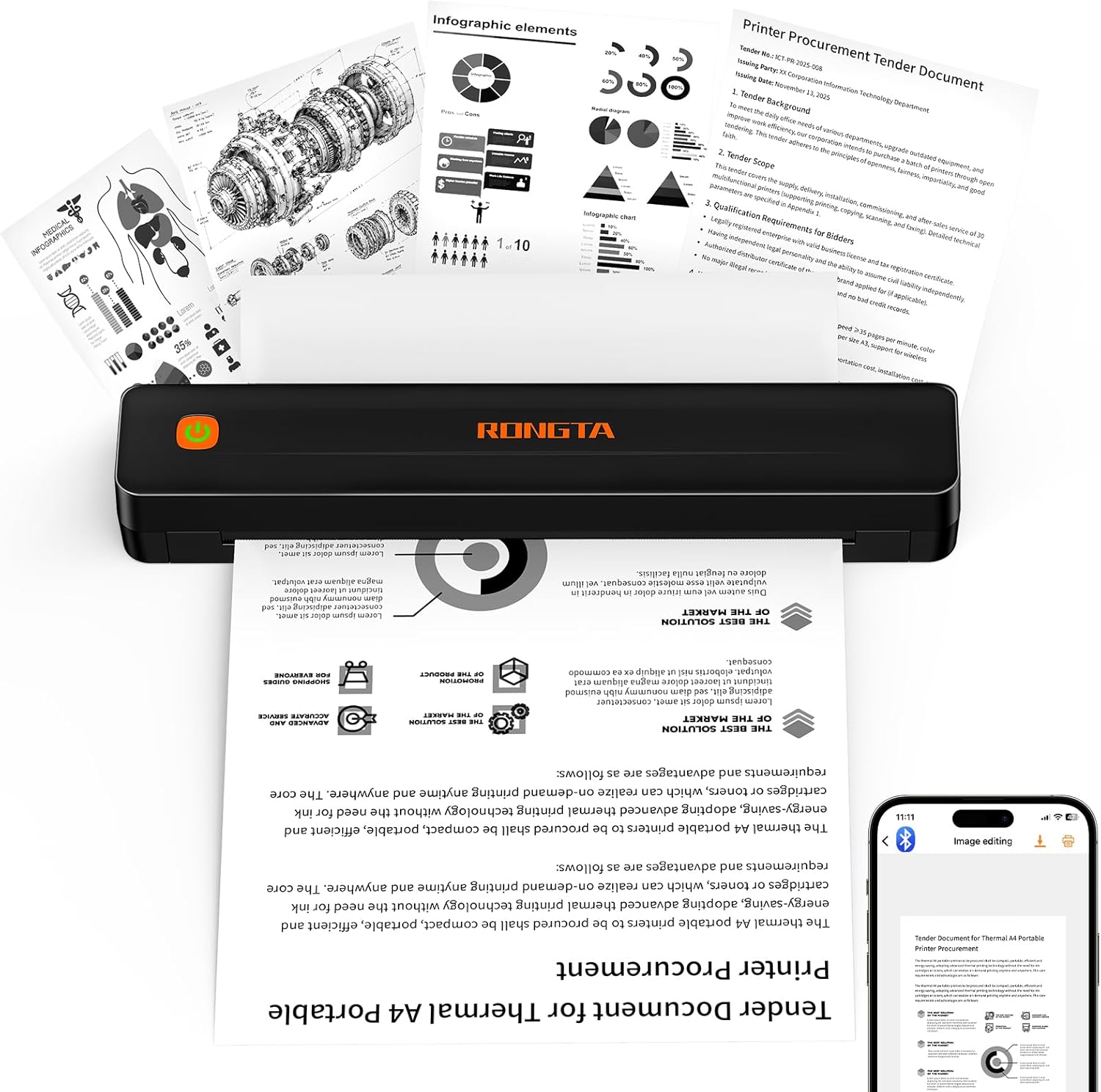
Rongta F11A Portable Thermal Printer
| Printer Type | Thermal |
|---|---|
| Resolution | 203 x 203 dpi |
| Maximum Media Size | Letter (8.5 x 11 inches) |
| Printer Connectivity Type | Bluetooth, USB |
| Print Speed | 7 pages_per_minute |
The Rongta F11A is an inkless portable thermal printer designed for simple monochrome printing on thermal paper up to 8.5 x 11 inches. It links to phones and tablets through the Rongta app over Bluetooth and can also connect to laptops via USB, making it useful for quick on-the-road copies of recipes, study materials, forms, and travel documents. At 203 dpi it produces readable text and basic graphics while running quietly under 60 dB, and because it uses thermal paper there are no ink or ribbon costs. Setup requires using the vendor app for Bluetooth pairing which adds a step compared with native OS pairing, and it does not work with regular copy paper. Print speed is modest at about 7 pages per minute and the output is simplex only, so it is best for occasional single-sided prints rather than high-volume office jobs. For buyers who want a low-cost, portable solution for occasional home printing without ink, the F11A is a practical choice with straightforward connectivity and low operating costs.
Best for: Buyers looking for an affordable, portable printer to produce occasional single-sided documents, receipts, or study materials without ink expenses and who prioritize low operating cost over photo-quality output.
Less Ideal for: Users who need high-resolution prints, duplex printing, heavy daily volume, or the ability to print on standard non-thermal paper should consider a different printer type.
- Inkless thermal printing eliminates ink and ribbon costs
- Bluetooth and USB connectivity for mobile devices and laptops
- Supports full US Letter (8.5 x 11) media for standard documents
- Compact, quiet operation suitable for travel or home use
- Requires vendor app for Bluetooth pairing and does not support native browser printing
- Print quality is basic at 203 dpi and prints single-sided only
Verdict: A budget-friendly, ink-free portable printer for home users who need occasional, standard-size monochrome prints while keeping operating costs minimal.
ETIKEZ D90E Portable Printer

| Printer Type | Thermal |
|---|---|
| Printer Output Type | Monochrome |
| Printer Connectivity Type | Bluetooth, USB |
| Maximum Media Size | 8.5 x 11 Inch |
| B&W Pages per Minute | 4 pages_per_minute |
The ETIKEZ D90E is a lightweight inkless thermal printer designed for on-the-go black-and-white printing of US letter and A4 thermal sheets. It connects to phones and tablets over Bluetooth using the Labelnize app and prints from laptops or desktops via USB after installing the provided driver, so it works well for travel, field paperwork, and quick office tasks. Notable features include a built-in paper bin, a small travel case, rechargeable operation, and support for up to 8.5 x 11 inch thermal media; the unit ships with a 10-sheet starter pack. Practical benefits are low running cost because no ink or ribbons are required, easy portability that fits into a backpack, and simple paper jam handling with an auto-eject function. Important limitations are that it prints only in black and white, requires thermal paper (not regular copy paper), needs the Labelnize app for mobile printing, and desktop use requires driver installation over USB which may complicate setup on some computers. Print speed is modest at about four monochrome pages per minute, so it is best for occasional document jobs rather than high-volume printing.
Best for: Buyers who prioritize reliable, low-maintenance mobile printing for occasional documents and field tasks and want a compact, ink-free printer they can carry between home and travel.
Less Ideal for: People who need fast, high-volume office printing, color output, or a plug-and-play desktop printer that works with standard copy paper without driver setup.
- Inkless thermal printing eliminates ink, toner, and ribbon costs
- Bluetooth and USB connectivity for mobile and desktop workflows
- Supports full US letter / A4 thermal sheets up to 8.5 x 11 inches
- Compact, lightweight design with travel case for easy portability
- Includes starter pack and built-in paper bin for neat handling
- Monochrome-only output, no color printing
- Requires thermal paper only and will not print on regular copy paper
- Desktop use needs driver installation which can complicate setup
Verdict: Choose the D90E when you want a portable, ink-free thermal printer that reliably produces black-and-white US letter/A4 pages for travel and light home printing needs.
NDYIN N80 Portable Printer

| Printer Type | Thermal |
|---|---|
| Maximum Print Resolution | 203 dots_per_inch |
| Printer Connectivity Type | Bluetooth |
| Hardware Interface | USB Type C |
| Built-In Media | Includes US Letter thermal paper roll (7m) |
The NDYIN N80 is a small, battery-powered thermal printer meant for mobile and light home use where quick, ink-free prints are useful. It pairs with smartphones and tablets over Bluetooth using the Nada Print app and connects to laptops or desktops over USB‑C with a driver, so it covers both mobile and PC workflows. The printer uses direct thermal technology at 203 dpi, producing clear monochrome output for documents, receipts, boarding passes, tattoo transfer templates, and simple images on specially formatted US Letter or A4 thermal paper rolls. A built-in 1500 mAh battery claims about 160 sheets per charge, and the unit is lightweight and pocketable for travel or occasional office tasks. Important limits: it only accepts thermal media (not regular copy paper), Bluetooth printing is limited to phones and tablets, and PC printing requires installing a driver and a wired connection. For sustained heavy printing or color output you will need a conventional ink or laser printer, but for portable, no-ink monochrome jobs the N80 is a practical choice.
Best for: Buyers who need a travel-friendly, ink-free printer for occasional monochrome documents, receipts, or templates and who value portability and simple wireless phone printing.
Less Ideal for: Anyone who needs color printing, high-volume office output, or the ability to print on ordinary copy paper should look at conventional inkjet or laser printers instead.
- Inkless direct thermal printing eliminates ink, toner, and ribbons
- Bluetooth support for smartphones and tablets plus USB‑C for laptops provides flexible connectivity
- 203 dpi resolution gives legible monochrome output for documents and receipts
- Built-in rechargeable battery and compact weight make it highly portable
- Only prints on special thermal US Letter/A4 media and cannot use regular paper
- PC printing requires a wired USB connection and driver installation
Verdict: A compact, battery-powered inkless printer that delivers convenient, monochrome US Letter/A4 prints from phones and laptops when portability and no-ink operation are the priority.
TATTMUSE A285M Portable Thermal Printer

| Printer Type | Thermal |
|---|---|
| Maximum Media Size | 8.5 x 11 inch |
| Connectivity | Bluetooth, USB |
| Maximum Print Resolution Black and White | 203 dots_per_inch |
| B&W Pages per Minute | 7 |
The TATTMUSE A285M is a lightweight inkless thermal printer designed for mobile or small-home use where quick black-and-white prints are needed. It uses thermal paper instead of ink or toner, so you avoid cartridge costs and maintenance; the built-in paper bin holds rolls or single-sheet thermal media and supports sizes from 2.08" up to 8.5" x 11". Pairing to phones and tablets is done over Bluetooth via a companion app, while laptops and desktops require a USB-C connection and a driver install, making the printer straightforward for casual document, receipt, and label printing but less seamless for full desktop workflows. Print quality targets text and simple graphics at up to 203 dpi and around 7 ppm, which is adequate for invoices, receipts, itineraries, and quick drafts but not for high-resolution photos or color output. The rechargeable battery and 11.1 Wh power rating keep it portable for travel or field work, though users must use thermal paper only. For buyers who want a low-maintenance, portable home inkless option, the A285M is a practical fit; expect basic monochrome output and occasional driver setup for computer use.
Best for: Buyers who prioritize low-maintenance, portable printing for receipts, invoices, boarding passes, and occasional full-page monochrome documents and who want a simple app-driven phone printing workflow.
Less Ideal for: Users who need color printing, high-resolution photo output, or a plug-and-play desktop printer for heavy document work should consider alternatives better suited to those needs.
- Inkless thermal printing removes ink and toner costs and reduces maintenance.
- Supports multiple thermal paper widths including US Letter and A4 for full-page printing.
- Bluetooth app support for phones and tablets makes mobile printing simple.
- Compact, lightweight design and rechargeable battery make it easy to carry for travel or field use.
- Only prints in monochrome on thermal paper so no color or standard copy paper support.
- Computers require a USB connection and a driver download which adds setup steps.
Verdict: A285M is the practical choice for a risk-averse buyer who wants a low-maintenance, portable inkless printer for reliable monochrome home and travel printing.
Choosing the Right Inkless Printer for Home: Key Factors to Consider
Print Quality And Resolution
Print clarity determines how usable an inkless printer will be for typical home tasks like text documents, labels, and casual photos. Higher native resolution and good thermal or dye-sub transfer circuitry matter for legibility and image detail. Expect tradeoffs: very compact inkless units often prioritize text and labels over fine photographic detail.
When evaluating print quality, consider the kinds of pages you print most: if you mostly print black-and-white documents, lower resolution can still be perfectly acceptable. If you occasionally print photos or graphics, look for devices and media that explicitly advertise better tonal range and contrast.
Media Types And Sizes Supported
Inkless printers rely on specific paper or roll media, so compatibility and available sizes directly affect what you can print at home. Some units accept only narrow thermal-roll paper for labels and receipts, while others accept a variety of cut-sheet sizes or special photo papers designed for thermal or dry-dye transfer processes.
Check whether the media is sold in common sizes and whether it supports the output you need—labels, stickers, plain cut sheets, or small photos. Consider whether the media comes pre-coated, has adhesive backing, or is designed for archival permanence if you need longer-lasting prints.
Connectivity And Mobile Support
Modern home printers should integrate smoothly with phones, tablets, and laptops. Wireless connectivity options like Wi-Fi and Bluetooth and good mobile or desktop apps simplify printing from multiple devices around the home. AirPrint-style or native mobile printing support reduces friction for casual users.
Also think about setup workflows: a one-click app connection or QR-based onboarding can remove a lot of time and frustration. If you often print from cloud services or email attachments, check whether the printer or its app supports those sources directly.
Ease Of Setup, Maintenance, And Daily Use
One of the main appeals of inkless printers is reduced maintenance, but some models still require occasional calibration, careful media loading, or firmware updates. Evaluate how straightforward the initial setup is and how easy it is to load media and clear jams.
Look for models with clear status indicators, simple feed paths, and minimal routine tasks. If you print infrequently, also consider how the device handles long idle periods and whether it requires any periodic maintenance to keep prints consistent.
Operating Costs And Media Availability
Although inkless printers eliminate ink cartridges, they shift cost into special paper, labels, or thermal film. Operating cost depends on the price and yield of that media and how often you print. Media sold only in proprietary or obscure formats will increase long-term cost and hassle.
Verify that the media needed is available through multiple outlets and in sizes you use regularly. Factor media cost per page into your decision and compare it with how much printing you anticipate to avoid surprises after purchase.
Who Benefits Most From An Inkless Printer
Inkless printers are a good fit for households that value simplicity and low maintenance. They work well for people who print sporadically, those who need labels or receipts, and anyone who wants a compact desktop footprint without the worry of ink drying out in cartridges.
- Casual home printing: schedules and frequency that do not justify cartridge upkeep
- Labeling and organization: printing address or storage labels on demand
- Compact workspaces: small devices that occupy less desk space
Typical Print Jobs And Realistic Expectations
Understand what an inkless printer can and cannot do before you choose. Many deliver crisp text and functional graphics but have limits with continuous-tone photo reproduction. If you need family photos for framing, a dedicated photo workflow is still preferable. For household tasks such as homework pages, lists, labels, and short color or monochrome graphics, inkless models can be entirely adequate.
- Text documents and invoices: usually excellent legibility
- Small photos and snapshots: acceptable for casual use but not museum-quality
- Labels and stickers: well suited to thermal-roll-capable models
Setting Up A Home Printing Workflow
Plan where the printer will live and how family members will send jobs. Place the unit where media loading is straightforward and where wireless signal is dependable. Use a shared account or app that everyone can access for mobile printing and keep spare media stocked near the device to avoid interruptions.
- Assign a central user or app for family printing jobs
- Keep extra rolls or sheets in a designated drawer or box
- Test printing from all major devices during setup to confirm connectivity
Media Storage And Longevity
Inkless media can be sensitive to heat and humidity, especially thermal paper which reacts to temperature. Store unused rolls or sheets in a cool, dry place to preserve shelf life and print stability. If your household environment fluctuates in temperature, consider sealed containers or moving media to climate-stable areas.
- Avoid direct sunlight and high humidity areas like bathrooms
- Rotate older stock first to prevent degradation
- Check manufacturer guidance on expected archival life for important prints
Troubleshooting Common Issues
Typical problems include feed jams, faint prints from low-contrast media, and connectivity hiccups. For feed problems, remove and reseat the media following the manufacturer steps and inspect for debris. For faint or uneven prints, try a different batch of media or run any calibration utility supplied by the device app.
- Reseating media often solves single-sheet or roll feeding errors
- Use manufacturer diagnostics in the app to check connectivity and firmware
- Keep a basic maintenance kit: lint-free cloth and a small brush
How We Chose the Best Inkless Printer for Home
We screened compact and desktop-focused inkless printers intended for home users, favoring models that deliver consistent output without the maintenance burden of liquid ink. Our evaluation prioritized tangible, user-relevant criteria: print quality on typical home media, ease of setup and daily use, reliability for intermittent printing, and the total cost of consumables and media over time. We excluded industrial or point-of-sale machines that require commercial paper supplies or special installation. We also left out devices that rely on rare or proprietary media that are hard to source for home users. Selection criteria focused on measurable specs and typical user experience: native resolution and media handling for image and text clarity, wireless and mobile connectivity for modern home workflows, mechanical reliability for infrequent use, and the ongoing cost and availability of thermal or other inkless media. The shortlist reflects a balance between practical home features and long-term ownership considerations rather than marketing claims. Models that scored poorly on setup simplicity, media availability, or basic print legibility for home documents were not included.
Our full evaluation process is outlined in our review methodology.
FAQ
Are inkless printers good for printing photos at home?
Inkless printers can produce casual snapshots and small prints suitable for sharing or short-term display. They generally do not match the tonal range and archival qualities of dedicated photo printers that use pigment or dye inks.
How long do inkless prints last?
Longevity depends on the media type and storage conditions. Thermal prints are sensitive to heat and light and may fade faster than ink-on-paper prints. Some specialized inkless photo media is treated for longer life, but check the media specs if archival permanence matters.
Can multiple household members print from the same inkless printer?
Yes. Most modern inkless printers support Wi-Fi or Bluetooth and have companion apps that let multiple users send jobs. Setup ease varies, so test connections from different devices during installation.
Is special paper hard to find for inkless printers?
Availability varies by media type. Common thermal roll sizes and standard cut-sheet media are often easy to source, but some proprietary sizes or specialty photo media may be less widely stocked. Check supply channels before committing if availability is critical.
Do inkless printers require frequent maintenance?
They typically require less maintenance than inkjet printers because there are no liquid inks to clog. However, you should still keep the feed path clean, load media correctly, and occasionally update firmware or app software to maintain reliable operation.
Final Verdict
Prioritize the use cases you expect most often and match those to the media compatibility and print quality of the inkless printer you choose. If you need reliable text, labels, and occasional snapshots from a compact device, favor units with straightforward media handling, broad connectivity, and commonly available media formats. If archival photos or high-fidelity images are important, weigh whether the available inkless media meets your permanence and tonal needs. Focus on connectivity, ease of use, and the ongoing cost and availability of media when making a final decision. Those tradeoffs will tell you whether an inkless printer is a practical long-term fit for your home printing needs.