
Note: This article contains affiliate links. If you click on these links and make a purchase, we may earn a small commission at no extra cost to you. This helps support our research and content. Read our full affiliate disclosure here.
Picking the right label maker for addresses matters when you send mail regularly or manage contact lists. A good unit prints crisp type, resists smudging, and formats multi-line addresses quickly so your envelopes and packages look professional and are easy to read. This guide shortlists the top options for address labeling and evaluates each for print quality, setup, and day-to-day reliability. Read on to see which label makers made the cut and why they suit mailing, return-address, and bulk-label tasks.
Top Picks at a Glance
| Best Overall The best all-around choice for most situations | Phomemo M110 Label Printer |  |
| Best Quality Built to a higher standard if you want something more solid | Brother QL-810W Label Printer |  |
| Best Value The sweet spot between price and what you get | SUPVAN T50M Pro Label Maker |  |
| Best Budget The cheapest option that still gets the job done reliably | Rongta R22A Label Maker |  |
| Top Rated A top-rated pick with lots of positive feedback | NIIMBOT B1 Label Maker |  |
| Most Popular A crowd favorite that many people choose with confidence | Nelko P21 Label Maker |  |
| Best Seller A high-volume bestseller chosen again and again | TYPONOS PM240 Label Maker |  |
Phomemo M110 Label Printer

| Printer Type | Thermal |
|---|---|
| Maximum Print Resolution Black and White | 203dpi |
| Printer Connectivity Type | Bluetooth, USB |
| Hardware Interface | USB Type C |
| Maximum Media Size | 50mm x 30mm |
The Phomemo M110 is a portable thermal label printer that connects via Bluetooth or USB-C and prints monochrome labels for home, office, school, and small-business use. You design or choose templates in the Print Master app on a smartphone or tablet and send jobs wirelessly; the app supports templates, OCR from photos, and Excel batch printing for multiple address labels. The unit handles label widths up to about 50mm and uses thermal media so no ink or toner is required, which keeps operating costs low and maintenance simple. Its small footprint and built-in roll make it easy to tuck on a desk or carry between locations, and the automatic duplex note in the spec set suggests straightforward handling of label feeds. Limitations are its 203 dpi monochrome output and thermal-only media, so it is not suitable for color printing or large shipping labels, and advanced graphic detail will look softer than higher-resolution printers.
Best for: Buyers who want a compact, easy-to-use label maker for printing address labels and everyday small-business labels from a phone or computer and value app templates and batch printing.
Less Ideal for: Users who need high-resolution graphic or color labels, or those who must print full-size shipping labels should look elsewhere.
- Bluetooth and USB-C connectivity for phone and PC printing
- Thermal printing requires no ink or toner
- App with templates, OCR, and Excel batch printing speeds address label workflows
- Compact, portable design easy to move between home and office
- Supports a range of label widths up to about 50mm for address and small product labels
- Monochrome 203 dpi output limits fine graphic detail
- Not intended for shipping-size labels or color printing
Verdict: A portable, app-driven thermal label printer well suited for fast, low-cost address and small-business label printing.
Brother QL-810W Label Printer

| Printer Type | Thermal |
|---|---|
| Print Speed | Up to 110 labels per minute |
| Maximum Print Resolution | 300 dpi |
| Connectivity | USB, Wireless |
| Supported Ink Color | Black, Red |
The Brother QL-810W is a thermal desktop label printer built for fast address and shipping workflows. It connects via USB or built-in wireless and works with Brother DK rolls and the iPrint & Label mobile app so you can print from PCs, laptops, and smartphones. Notable features include high-speed printing—up to 110 standard address labels per minute at 300 dpi—and the ability to print black and red on compatible DK-2251 rolls, plus an automatic cutter and drop-in label cartridges for quick supply changes. In practice this model excels when you need many labels quickly for mailing, file folders, name badges, and basic signage; the mobile and network options make it easy to share the device in a small office. Limitations to be aware of are that it is a thermal, print-only unit (no ink/toner but no color photography), and some advanced connectivity (Ethernet or Bluetooth) is available only on other models in the series rather than this SKU. Overall it is a strong performer if speed and reliable monochrome/address printing are your priorities.
Best for: Buyers who need rapid, high-volume address and shipping label production and value mobile/network printing and fast throughput for small office or home-business use.
Less Ideal for: Users who need full-color photo printing, multifunction office equipment, or advanced wired network features built into the printer should consider other options.
- Very fast label throughput up to 110 standard address labels per minute.
- Wireless and USB connectivity for printing from mobile devices and PCs.
- Supports black and red printing on DK-2251 rolls for two-color labels.
- Automatic cutter and easy drop-in DK rolls speed supply changes.
- Does not support full-color printing beyond black/red on special rolls.
- Print-only device with no scanning or copying functions.
Verdict: If you need blazing-fast, reliable address and shipping labels with mobile and wireless printing, the QL-810W is a performance-focused choice.
SUPVAN T50M Pro Label Maker

| Printer Type | Thermal |
|---|---|
| Print Resolution | 203 dpi |
| Controller Type | Android / iOS |
| Printer Connectivity Type | USB |
| Power Consumption | 10 watts |
The SUPVAN T50M Pro is a thermal, inkless label printer designed for quick address and general-purpose labeling using a companion app on Android or iOS. You design labels in the free app—choosing from 30+ fonts, frames and 660+ icons—or import images, then send prints over Bluetooth or USB-C. The unit prints monochrome labels at 203 dpi and supports tapes from about 3/4" up to 2" wide, producing durable, waterproof labels suitable for mailing addresses, file folders, and product tags. It is lightweight and straightforward to use with auto label size recognition and a one-input tray setup, so batch or single address labels work fine for small-scale shipping or office organization. Limitations include monochrome-only output and modest resolution compared with higher-end thermal models, and it relies on the app for most advanced layout features rather than onboard controls. Power draw is low at 10 W, and a starter tape and charging cable are included, making it a practical pick for everyday address labeling needs.
Best for: Buyers who want a practical, app-driven label printer for clear, durable address labels and general home or small-business organization without complex setup.
Less Ideal for: Users who need color printing, very high-resolution graphics, or a heavy-duty industrial labeler for large batch commercial shipping.
- Easy app-driven design with many fonts, frames and 660+ icons for address and address-label customization
- Prints durable, waterproof labels suitable for mailing, files, and product tagging
- Inkless thermal printing with USB-C connectivity keeps operation simple and low maintenance
- Supports tapes up to 2 inches wide, covering common address label sizes
- Monochrome printing only, so no color labels or colored text options
- Relies heavily on the mobile app for layout and features rather than a full onboard interface
Verdict: A compact, app-first thermal printer that makes durable monochrome address labels simply and reliably for home and small-business use.
Rongta R22A Label Maker

| Printer Type | Thermal |
|---|---|
| Printer Connectivity Type | Bluetooth |
| Maximum Media Size | 2 inch Wide |
| Maximum Print Resolution Black and White | 203 x 203 DPI |
| Wattage | 10 watts |
The Rongta R22A is a small, budget-minded thermal label maker that connects over Bluetooth to iOS and Android devices via the RONGTA app. It prints monochrome adhesive labels (up to 2 inches wide) without ink, so setup is simply loading a roll, pairing the phone, and printing from templates or custom text in the app. The app offers many fonts, borders, and symbols plus saved templates for quick reprints, which makes addressing envelopes, packages, and address labels straightforward. Print quality is typical for a 203 x 203 DPI thermal engine — clear for text and simple barcodes but not suitable for fine graphics or color. The unit is portable with a rechargeable battery and auto-shutoff to save power, and it ships with a small roll of labels and a Type-C cable. Limitations include no computer connectivity, only black-and-white output, and modest media size restricted to 2 inches, so it is best for standard address and shipping labels rather than large-format or color jobs.
Best for: Buyers who want an inexpensive, portable way to print clear address and shipping labels directly from their phone or tablet using ready-made templates and saved designs.
Less Ideal for: Users who need color printing, higher-resolution graphics, direct computer printing, or wide-format labels should consider other models with those capabilities.
- Bluetooth pairing with iOS and Android for phone/tablet printing
- Inkless thermal printing avoids cartridges and mess
- App includes many fonts, borders, symbols, and saved templates for fast label creation
- Compact, rechargeable and portable design with auto-shutoff
- No USB/computer connectivity — phone or tablet required
- Prints only black-and-white and max 203 x 203 DPI resolution
- Limited to 2-inch wide media, not suitable for large-format labels
Verdict: A compact, wallet-friendly Bluetooth thermal printer that makes quick, mess-free address and shipping labels from your phone.
NIIMBOT B1 Label Maker

| Printer Type | Thermal |
|---|---|
| Printer Connectivity Type | Bluetooth |
| Maximum Media Size | 2 inches |
| Resolution | 203dpi |
| Wattage | 1500 milliamp_hours |
The NIIMBOT B1 is a small, portable thermal label printer that connects over Bluetooth to iOS and Android devices and via USB to Windows PCs for one-off or batch address labels. You design labels in the NIIMBOT app, which auto-detects tape width and offers many fonts, borders, and symbols so you can save templates and reprint addresses quickly. Thermal inkless printing eliminates cartridges and mess, and the built-in rechargeable battery with auto-shutoff makes it convenient for occasional mobile use. At 203 dpi the output is crisp enough for addresses and mailing labels, and the printer accepts genuine NIIMBOT label rolls from about 0.8 to 2 inches wide for reliable media handling. Important limits: the device requires the vendor app and authentic NIIMBOT label rolls for full label detection, and it is not designed for tablet pairing. For anyone needing durable, easy-to-print address labels from a phone or laptop, the B1 is a dependable, low-maintenance option; power users who need broader tape compatibility or higher resolution photo-quality prints may want a different model.
Best for: Buyers who prioritize a reliable, low-maintenance label maker for printing addresses from phones or laptops and want simple template-driven workflows that just work.
Less Ideal for: People who need broad third-party tape compatibility, tablet-only workflows, or photo-grade print resolution should consider other models.
- Bluetooth pairing with iOS and Android plus USB support for PC makes it flexible for phones and laptops
- Thermal inkless printing removes the need for ink or cartridges
- App auto-detects label width and saves templates to speed repeated address printing
- Rechargeable battery with auto-shutoff enables portable, low-maintenance use
- Accepts label widths up to 2 inches suitable for standard address labels
- Requires NIIMBOT-branded label rolls for the label detection system to work reliably
- 203 dpi is adequate for text but not for high-resolution photo printing
Verdict: A compact, low-maintenance thermal label printer that reliably produces crisp address labels from phone or PC using the NIIMBOT app and official label rolls.
Nelko P21 Label Maker
| Printer Type | Thermal |
|---|---|
| Printer Connectivity Type | Bluetooth |
| Resolution | 203 x 203 DPI |
| Hardware Interface | USB Type C |
| Paper Size | 15X30mm,12X40mm,14x40mm,14X50mm,14x75mm |
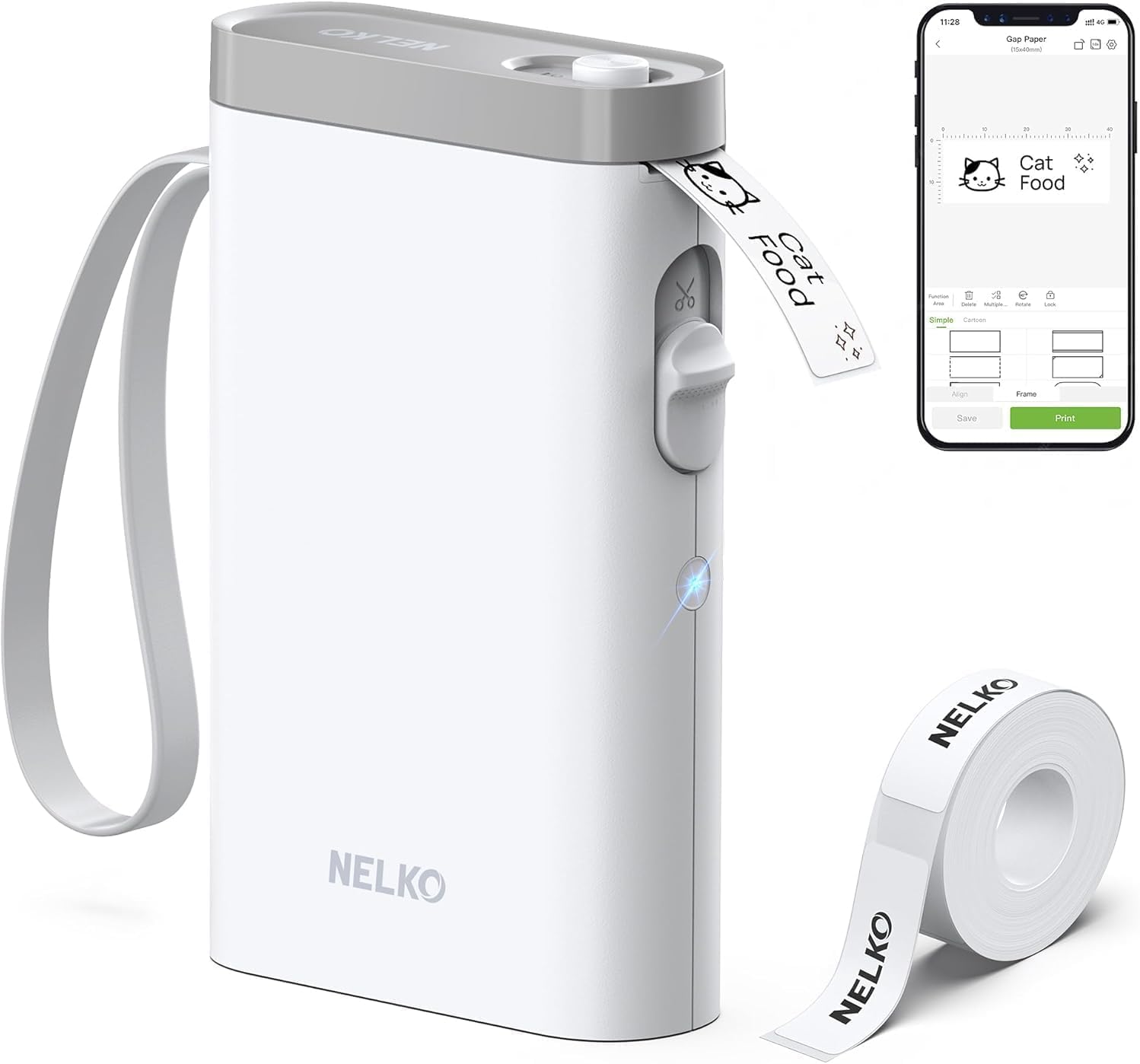
The Nelko P21 is a pocketable thermal label maker that links over Bluetooth to the Nelko mobile app so you can design and print address labels, tags, and stickers from a phone. It uses direct thermal printing at 203 DPI, so text, simple barcodes, and QR codes come out crisp without ink or cartridges, and the built-in rechargeable battery keeps it portable for spot printing. The app includes many templates, icons, borders, and materials which make creating address labels quick, and the device accepts several fixed tape sizes (14×40mm, 14×50mm, 14×75mm, etc.). A built-in cutter and USB‑C charging add practical convenience. Limitations include monochrome-only output and reliance on the proprietary app for Bluetooth pairing and size selection, and some users report connection quirks on certain Android versions and the need to use genuine label paper for the best results. For printing simple address labels and organizing mail, it is fast and easy to carry around, but it is not a substitute for full-size label or shipping printers when you need larger formats or color.
Best for: Buyers who want an easy, portable way to create neat address labels and small mailing tags from their smartphone with ready-made templates and fast thermal output.
Less Ideal for: People who need full-color labels, wider format shipping labels, or a desktop printer that integrates with a computer should consider a different label or shipping printer.
- Compact, lightweight design for portable use and on-the-spot label printing.
- Direct thermal printing at 203 DPI produces clear monochrome text, QR codes, and barcodes without ink.
- Bluetooth app control with many templates, icons, and borders simplifies address label design.
- Includes built-in cutter and USB-C rechargeable battery for convenient mobile operation.
- Prints only in monochrome so color labels require patterned tapes rather than true color printing.
- Requires the Nelko app for pairing and size selection which can be less convenient than direct device control.
Verdict: A pocketable Bluetooth thermal label maker that makes fast, professional-looking monochrome address labels from your phone.
TYPONOS PM240 Label Maker

| Printer Type | Thermal |
|---|---|
| Resolution | 203 x 203 dpi |
| Connectivity | Bluetooth, USB |
| Built-In Media | Includes 3 label rolls (40×30mm, 50×80mm, 50×50mm) |
| Wattage | 5.55 watts |
The TYPONOS PM240 is a pocketable thermal label maker aimed at home, classroom, and small business use for printing address labels, tags, and stickers. It prints monochrome labels at 203 dpi using thermal media, so no ink or toner is required, and three starter rolls (rectangular and round sizes) are included. You can print from iOS/Android using the Labelnize app over Bluetooth or plug it into a PC via USB Type-C; the app offers many templates, icons, and batch/Excel import which makes address and barcode printing straightforward. Built-in features like automatic label-size detection via RFID chips, auto paper rewind, and a rechargeable battery improve convenience for intermittent desktop or mobile labeling. Limitations to note are that Bluetooth and USB cannot be used simultaneously and the device is single-function print-only with modest resolution compared with higher-end label printers, so very dense small-font address blocks may be less crisp. For everyday address labels, pantry jars, and classroom organization the PM240 is a practical, easy-to-use option.
Best for: Buyers who want a low-risk, easy-to-use label printer for mailing addresses and everyday labeling that works from a phone or PC and includes starter labels out of the box.
Less Ideal for: Users who need high-resolution, multifunction commercial label printers or who require simultaneous wired and wireless connections during heavy production runs.
- Thermal printing at 203 dpi requires no ink or toner
- Bluetooth app with many templates, icons, Excel import, and batch printing
- Includes three starter label rolls of commonly used sizes
- Rechargeable battery and compact, portable form factor
- Automatic label-size detection via RFID-enabled rolls
- Cannot use Bluetooth and USB at the same time
- Single-function print-only device with modest resolution for very small text
Verdict: A compact, no-ink thermal label maker with a full-featured phone app and starter rolls that makes printing address labels quick and simple for everyday users.
Choosing the Right Label Maker for Addresses: Key Factors to Consider
Print Clarity & Font Sizes
Address labels rely on small, legible type that postal workers and scanners can read. Look for a label maker that supports high resolution printing and multiple font sizes so your return addresses, recipient names, and ZIP codes remain sharp at typical envelope sizes.
Smaller font options let you fit longer addresses on standard label lengths without shrinking readability. Also consider whether the unit offers bold or enhanced contrast modes, which can improve legibility on textured or colored tapes.
Label Materials and Adhesive Strength
Different mailing situations require different tape durability. For outdoor shipping or packages that may be exposed to moisture, weather-resistant and fade-resistant tapes are important. For indoor mail and record-keeping, standard paper tapes may be sufficient and more economical.
Adhesive strength affects whether labels stay attached to glossy or textured surfaces. If you label a variety of package materials, choose models that accept multiple tape types and widths so you can pick the right combination for each job.
Formatting Flexibility for Multi-Line Addresses
Addresses are multi-line by nature. A label maker that offers easy line breaks, alignment controls, and templates for common address layouts saves time and prevents formatting errors. Some units include dedicated address templates or the ability to import address blocks to keep spacing consistent.
Consistent formatting reduces rework when a printed label truncates or wraps awkwardly. Look for preview functionality and quick edit tools to confirm that the entire address will print as intended before consuming tape.
Connectivity and Data Import Options
If you regularly print from contact lists or spreadsheets, data import capabilities become a major time-saver. Models that connect to a computer, phone app, or accept CSV imports let you batch-print addresses without manual retyping.
Wireless options help for mobile workflow, while USB or direct keyboard input is useful for stationary setups. Verify compatibility with common file formats and whether the companion software preserves address line breaks and special characters.
Tape Widths, Sizes, and Consumable Availability
Different envelope sizes and label uses call for different tape widths. A system that supports multiple widths gives you flexibility for small return-address labels and larger shipping labels.
Also consider how easy it is to find replacement tapes and whether the manufacturer offers weatherproof or specialty tapes. Readily available consumables reduce downtime and let you match label material to each mailing scenario.
Power, Portability, and Duty Cycle
Consider where you will use the label maker. If you print labels on the go or at events, battery-powered portability is important. For office-heavy use, AC-powered units or rechargeable batteries reduce interruption.
Duty cycle describes how many labels the unit can handle before overheating or needing rest. For frequent batch printing, choose a model rated for higher daily throughput to avoid performance slowdowns.
Preparing Addresses for Batch Printing
When you plan to print many address labels at once, preparation in your source file makes the process smoother. Clean up contact lists so each address component sits in its own column if you plan to import to a companion app. Ensure street, city, state, and ZIP are consistently formatted to avoid misaligned labels.
- Use a spreadsheet and export as CSV when supported
- Normalize abbreviations like St. and Ave. to maintain consistent label length
- Remove non-address text and verify postal codes before import
Choosing Tape Widths for Common Envelope Sizes
Match tape width to the envelopes and packages you use most. Small return-address labels are often best on narrow tapes, while parcel and shipping labels need wider formats to include full addresses and tracking numbers. Having two or three common widths on hand covers most mailing needs without waste.
- 2-line return addresses: narrow tape (e.g., 12 mm to 18 mm)
- Standard #10 envelopes and small parcels: medium tape (e.g., 24 mm)
- Large parcels and multi-line labels: wide tape (36 mm and up)
Maintaining Consistent Mailroom Workflow
Establish templates and naming conventions for saved address formats so anyone in your office can print labels without recreating settings. Keep an extra tape supply and a charged backup battery near the label maker to avoid interruptions during peak mailing times. Periodic cleaning of the print head and tape path prevents smearing and maintains consistent print quality.
- Create standard templates for return, shipping, and instruction labels
- Store replacement tapes in a dry, labeled bin
- Schedule basic maintenance every few months depending on usage
Label Placement and Postal Readability
Place address labels on the flat center area of envelopes and parcels to ensure postal sorting machines can read the text and barcodes. Avoid wrapping labels over seams, edges, or textured surfaces that may distort printing or reduce adhesion. Use weather-resistant tapes for shipments exposed to the elements to maintain readability through transit.
- Center labels on the largest flat surface
- Avoid folding or creasing labels across parcel edges
- Prefer contrast between tape color and print for machine readability
How We Chose the Best Label Maker for Addresses
We prioritized devices that make address printing fast, legible, and durable. Evaluation centered on factors that directly affect mailing workflows: print clarity and resolution for small address text, label material compatibility for weather and postal handling, and formatting features that handle multi-line addresses and variable fields. We tested setup and connectivity options that influence speed when integrating with contact lists or spreadsheets. Battery life and power options mattered for mobile use and busy front-office environments. Finally, we considered long-term use factors such as tape roll availability and ease of replacing consumables. We excluded devices that focus solely on decorative crafting labels or printers designed only for barcode and industrial tagging, since those do not prioritize address formatting or postal durability. Units lacking clear multi-line formatting controls or with inconsistent tape supply chains were also filtered out. The final picks demonstrate a balance between address-focused features, reliable consumables, and straightforward operation for everyday mailing tasks.
Our full evaluation process is outlined in our review methodology.
FAQ
Can I print multiple addresses from a spreadsheet?
Often you can. Many label makers support CSV or app-based imports that map spreadsheet columns to address fields. Check whether the companion software preserves line breaks and template spacing to avoid truncated lines.
What tape type is best for outdoor shipments?
Choose weather-resistant, laminated tapes that resist moisture and UV exposure. These tapes hold ink or thermal print better under harsh conditions and are less likely to fade during transit.
Will a handheld battery label maker handle bulk address printing?
Handheld units are fine for occasional batches, but they may be slower and have smaller consumable capacity. For consistent high-volume use, prefer models designed for higher duty cycles or AC power.
How do I ensure printed addresses meet postal service readability standards?
Use high-contrast tapes and clear font sizes, avoid decorative fonts, and center labels on flat areas. Preview and test a few labels to confirm scannability and adjust font size or boldness if needed.
Are special adhesives necessary for glossy or padded envelopes?
Yes. Glossy and padded materials may require stronger adhesives or specialty tapes to maintain bond. Look for tapes specified as compatible with low-energy or uneven surfaces.
Final Verdict
Choosing the right label maker for addresses comes down to matching print clarity, tape durability, and formatting flexibility to your mailing needs. Prioritize devices that produce legible small text, accept the tape widths you use most, and offer reliable data import or template support. Balance portability and power needs against your expected batch sizes. With the factors above in mind, focus on models that simplify address formatting and keep consumables accessible so printing stays fast and dependable.