
Note: This article contains affiliate links. If you click on these links and make a purchase, we may earn a small commission at no extra cost to you. This helps support our research and content. Read our full affiliate disclosure here.
When you work with ribbons, fabrics, bins, and tiny embellishments, clear, attractive labels make setup, storage, and gifting easier. A label maker for crafters is more than a utility device; it helps keep materials sorted, protects delicate supplies with the right tapes, and produces tags that match your aesthetic. This guide covers seven shortlisted label makers suited to craft rooms and hobby studios, chosen for print crispness, tape compatibility, and ease of use. Read on to see the evaluation criteria we used and which device features matter most for creative workflows.
Top Picks at a Glance
| Best Overall The best all-around choice for most situations | NIIMBOT D110M Label Maker |  |
| Best Quality Built to a higher standard if you want something more solid | NIIMBOT M2 Label Maker |  |
| Best Value The sweet spot between price and what you get | SUPVAN E10 Label Maker |  |
| Best Budget The cheapest option that still gets the job done reliably | Makeid L1 Label Maker |  |
| Top Rated A top-rated pick with lots of positive feedback | Brother P-touch PTD210 | 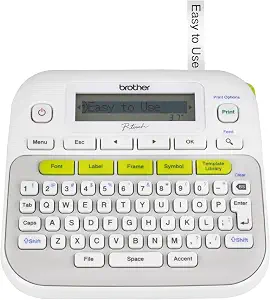 |
| Most Popular A crowd favorite that many people choose with confidence | Phomemo D30 Portable Label Maker | 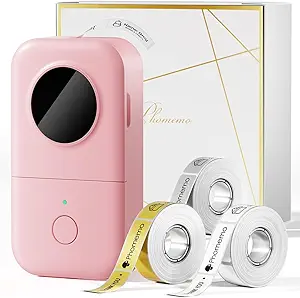 |
| Best Seller A high-volume bestseller chosen again and again | Brother P-Touch PT-N20 |  |
NIIMBOT D110M Label Maker

| Printer Type | Thermal |
|---|---|
| Resolution | 203 x 203 DPI |
| Printer Connectivity Type | Bluetooth |
| Hardware Interface | USB |
| Compatible Devices | Smartphones, iPhone, IOS & Android |
The NIIMBOT D110M is a pocket-size Bluetooth thermal label printer intended for quick home, school, and small-business labeling from an iOS or Android phone. It uses direct thermal technology at 203 DPI so you get sharp black text without ink or toner, and the device accepts pre-cut rolls in multiple widths that the app can detect automatically. Setup is simple: charge via USB‑C, pair over Bluetooth, choose a template in the NIIMBOT app, then print single or batch runs for jars, tags, cable IDs, price stickers or school name labels. Its strengths are portability, cordless operation, and a variety of fun label styles including clear and round options that suit craft projects. Limitations are that it prints only monochrome and is app‑centric so it cannot print from a computer, and print area is constrained by the supported tape sizes which may be small for large craft labels. The built-in battery and lightweight body make it convenient to carry to workshops or crafting tables, while the 203 DPI output keeps text and simple graphics crisp for tags and decoration.
Best for: Crafters who want a portable, app-driven labeler for jars, tags, and small decorative projects and value easy templates and sharp monochrome text.
Less Ideal for: People who need full‑color printing, large-format labels, or desktop computer printing should consider higher‑capacity or color-capable printers instead.
- Direct thermal printing at 203 DPI gives clear black text without ink or cartridges
- Bluetooth mobile app control with templates for quick creative labels
- Compact, rechargeable USB‑C design that is easy to carry to craft stations
- Auto-detects different pre-cut tape types including clear and round options
- Monochrome only so color printing requires pre-colored tapes
- Cannot print from a computer—mobile app required
- Tape widths are limited, not suited for very large labels
Verdict: A small, mobile-first thermal label maker that delivers sharp monochrome labels and creative tape options ideal for crafters who need portable, app-based printing.
NIIMBOT M2 Label Maker

| Printer Type | Thermal |
|---|---|
| Maximum print Resolution Color | 300 x 300 dpi |
| Maximum Media Size | 2inch |
| Printer Connectivity Type | Bluetooth |
| Hardware Interface | USB |
The NIIMBOT M2 is a compact thermal transfer label maker built for high-quality, long-lasting labels. It uses ribbons plus label rolls to produce 300 dpi prints that resist water, oil, solvents, abrasion, and extreme temperatures, making it suitable for durable tags and outdoor or refrigerated uses. You design labels in the NIIMBOT app on phone or in the Windows driver on a PC and send jobs over Bluetooth or USB; the app offers templates, barcodes, QR codes, Excel import and batch printing to speed repetitive tasks. The M2 intelligently recognizes installed consumables, supports color ribbons in multiple shades, and auto-rewinds to reduce waste. Practical limits include the need for two consumables (labels and ribbons) and occasional driver installation for PC use, and color printing requires buying compatible ribbons separately. For crafters who want crisp, durable decorative or functional labels and are comfortable managing supplies, the M2 delivers studio-grade print quality in a small footprint.
Best for: Crafters who prioritize high-resolution, permanent labels for projects and small-run product tags and who value color printing and app-based design control.
Less Ideal for: Casual label users who want a cheap, no-fuss single-supply printer or those who need a completely plug-and-play PC-free workflow.
- 300 dpi thermal transfer printing for sharp, long-lasting labels
- Supports color ribbons for multi-color designs and accents
- Bluetooth app plus USB driver allow mobile and PC editing and batch printing
- Automatic consumable recognition and paper rewind reduce wasted labels
- Requires separate ribbon purchases for color printing
- Thermal transfer workflow uses two consumables which increases ongoing cost
Verdict: Choose the M2 if you need studio-quality, durable color and black labels for crafted goods and small business tagging.
SUPVAN E10 Label Maker
| Printer Type | Thermal |
|---|---|
| Connectivity | Bluetooth |
| Hardware Interface | USB Type C |
| Print Resolution | 203 dpi |
| Print media | Labels |
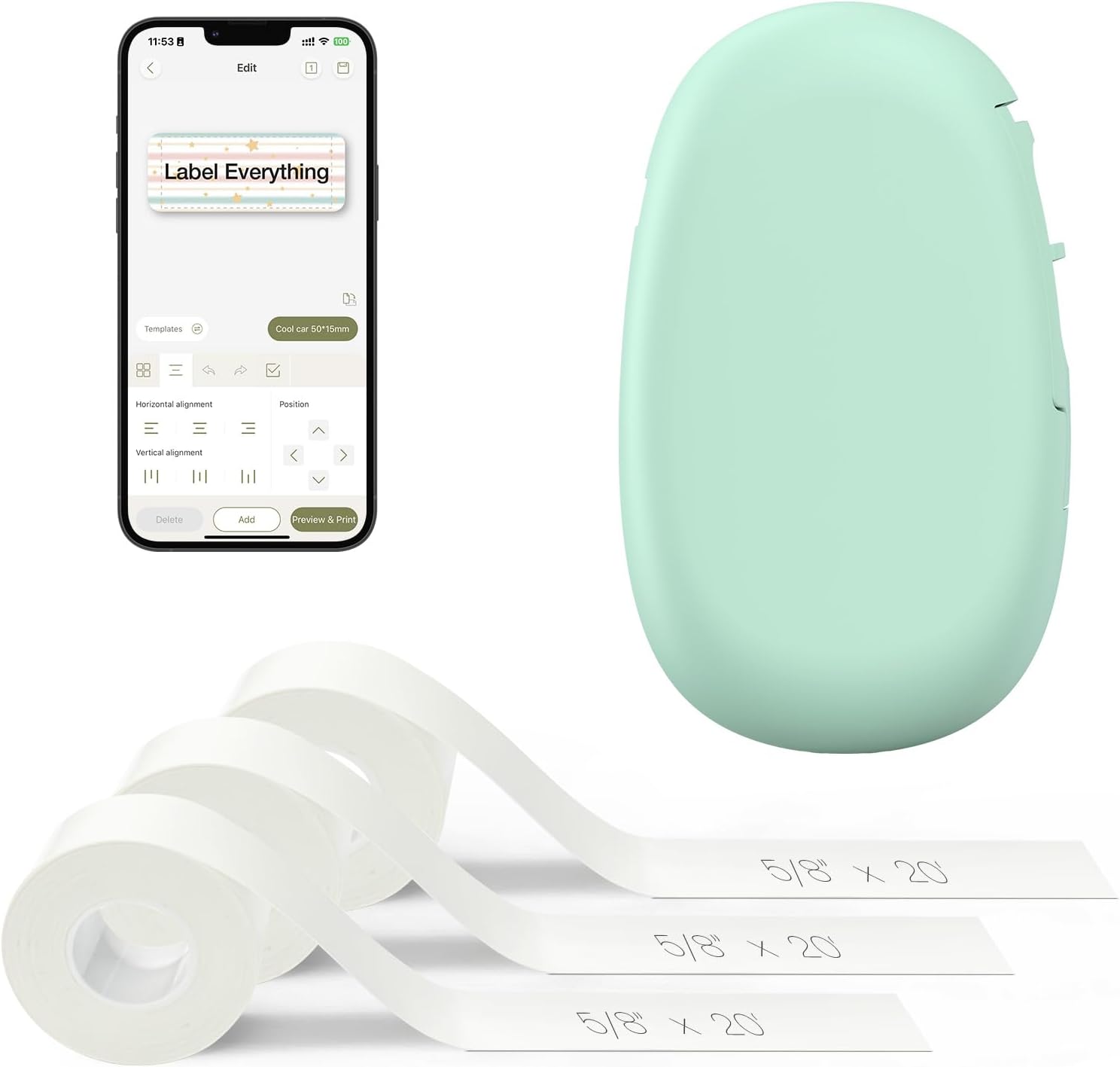
The SUPVAN E10 is a small, battery-powered thermal label maker that connects over Bluetooth to an Android or iOS app for designing and printing custom labels. It prints monochrome, laminated labels that are waterproof, oil-proof, and scratch-resistant, and it accepts both continuous and die-cut E-series tapes so you can print single custom lengths or batches. The app offers a wide range of fonts, frames, and icons which makes layout and styling quick for craft projects, pantry organization, or labeling supplies. The built-in cutter and USB-C charging simplify daily use, and the rechargeable battery is designed to last a long time between charges. Print resolution is 203 dpi, which yields clear text and simple graphics but is not suited for high-detail images. The device is small and lightweight, so it is easy to move between workspaces, though that compact size also means it lacks advanced desktop features like large media handling or high-volume throughput. For crafters who value portability and versatile tape options, the E10 is a practical, app-driven label solution.
Best for: Crafters and makers who want a portable, app-driven label printer to create durable, customized labels for projects, supplies, and small-batch production.
Less Ideal for: People who need photo-quality printing, high-volume commercial label runs, or large-format media handling should consider a more powerful desktop or industrial label printer.
- Accepts both continuous and die-cut laminated tapes for flexible label lengths and batch printing
- Bluetooth app control with many fonts, frames, and icons for easy customized designs
- Built-in cutter and USB-C rechargeable battery for convenient everyday use
- Laminated labels are waterproof, oil-proof, and scratch-resistant for durable craft and household applications
- 203 dpi monochrome printing limits fine-image detail and complex graphics reproduction
- Compact desktop capacity is best for small runs rather than high-volume labeling tasks
Verdict: A compact, app-controlled thermal label maker that gives crafters easy, durable custom labels with flexible tape options.
Makeid L1 Label Maker

| Printer Type | Thermal |
|---|---|
| Print Resolution | 203 x 203 |
| Printer Connectivity Type | Bluetooth |
| Hardware Interface | USB Type C |
| Paper Size | 9/12/16mm*4m,12mm*35mm |
The Makeid L1 is a lightweight, portable thermal label maker that connects over Bluetooth to the MakeID-Life app so you can design and print monochrome labels from your phone. It accepts continuous and pre-sized tapes in 9, 12 and 16 mm widths, prints at 203 dpi (with selectable 300 dpi options noted), and uses inkless thermal printing for smudge- and water-resistant labels that peel off cleanly. Setup is straightforward — charge via USB-C, install the app, pair the device, and choose templates or custom text. The built-in cutter and compact size make it handy for craft tables, small-business packaging, and quick household labeling. Limitations include monochrome-only output and modest print resolution compared with dedicated desktop units, and reliance on the mobile app and Bluetooth means using it without a phone is awkward. For crafters on a budget who want portable, durable labels without consumable ink, the L1 delivers practical performance in a tiny package.
Best for: Crafters who prioritize a low-cost, portable labeler for organizing projects, packaging small handmade goods, and creating durable black-on-white labels from their phone.
Less Ideal for: People who need full-color labels, high-resolution photo-quality prints, or a stand-alone desktop labeler that works without a mobile device.
- Very lightweight and portable for use at craft tables or on the go
- Inkless thermal printing produces smudge- and water-resistant labels
- Works with multiple tape widths (9/12/16 mm) including continuous and pre-sized rolls
- USB-C rechargeable battery and built-in cutter for convenient, cordless use
- Bluetooth app control offers templates and quick customization from a smartphone
- Monochrome-only output limits decorative color options
- Depends on the smartphone app and Bluetooth pairing to operate
Verdict: A compact, budget-friendly thermal labeler that gives crafters durable, easy-to-make monochrome labels from a smartphone.
Brother P-touch PTD210

| Print media | Labels |
|---|---|
| Paper Size | 12 millimeters |
| Display Type | LCD |
| Printer Connectivity Type | USB |
| Maximum Print Resolution Black and White | 300 dpi |
The Brother P-touch PTD210 is a compact handheld label maker for crafting and home organization that lets you print professional-looking monochrome labels quickly. It uses thermal printing with a simple LCD preview and one-touch keys to access 14 fonts, 10 styles, 97 frames and over 600 symbols, plus 27 ready-made templates for common tasks. Typical use cases include labeling scrapbook pages, gift tags, storage containers and file folders where quick, neat text labels are needed. The unit runs on AAA batteries or optional AC power and ships with a 12 mm starter TZe laminated tape so you can start printing immediately. Its portability and easy tape loading make short runs and on-the-spot labeling convenient. Limitations include monochrome output only and no backlight on the display, which can make setup in low light a bit fiddly, and reliance on proprietary TZe tapes for replacement media.
Best for: Crafters who want a dependable, portable labeler for tidy text labels and decorative accents and who value ready-made templates to speed up small creative projects.
Less Ideal for: If you need full-color labels, advanced graphic printing, or wide-format output for large craft projects, this is not the right choice.
- Large built-in library of fonts, frames and symbols for decorative crafting labels
- 27 one-touch templates speed up common label designs
- Portable, lightweight design with battery or optional AC power
- Thermal printing with preview reduces wasted labels
- Monochrome printing only, no color or multi-line styling beyond two lines
- No display backlight which can hinder visibility in dim lighting
Verdict: A reliable, easy-to-use handheld labeler that speeds up crafting with many built-in fonts, symbols and templates.
Phomemo D30 Portable Label Maker

| Printer Type | Thermal |
|---|---|
| Printer Output Type | Monochrome |
| Resolution | 203 x 203 DPI |
| Printer Connectivity Type | Bluetooth |
| Maximum Media Size | 0.59 inch |
The Phomemo D30 is a compact Bluetooth thermal label maker designed for quick, mobile label printing from iOS or Android devices. You build labels in the free app using templates, fonts, icons, barcodes and even OCR or voice input, then send jobs to the D30 for inkless thermal output onto pre-cut or continuous tapes. Its small rechargeable body and Bluetooth connectivity make it convenient for craft tables, classroom projects, and small-business price tags where portability matters. The printer produces crisp black-only text and simple graphics at a 203 dpi resolution and supports a wide variety of patterned and colored tape stocks to add visual interest without color printing. Limitations include monochrome-only output and a narrow maximum media width, so it is not suitable for large-format stickers or full-color prints; designers must rely on patterned tapes rather than built-in color. Print speed and battery endurance are fine for hobby and light business use but will be slower for high-volume labeling runs.
Best for: Crafters and small-business makers who want a portable, app-driven label printer to produce decorative, template-based stickers and tags quickly at craft tables or events.
Less Ideal for: People who need full-color printing, wide-format labels, or high-volume continuous production should look at larger desktop or color label printers.
- True thermal, inkless printing eliminates ink, toner, and ribbons
- Bluetooth app control with templates, fonts, icons, barcode and QR support
- Small, rechargeable and highly portable for craft tables or classrooms
- Works with many patterned and specialty tapes to create colorful-looking labels despite monochrome output
- Prints only black-on-media so color requires patterned tapes
- Limited maximum media width restricts large-format labels
Verdict: If you want a pocketable, app-controlled label maker that makes professional-looking black-on-patterned tapes for crafts and small-business tags, the D30 is an easy, portable choice.
Brother P-Touch PT-N20

| Print media | Labels |
|---|---|
| Maximum Media Size | 12mm |
| Display Type | LCD |
| Printer Connectivity Type | USB |
| Battery Power | 6 AAA batteries (not included) |
The Brother P-Touch PT-N20 is a compact personal desktop label maker built for quick, colorful labeling with Brother Btag 12mm tapes. You type on a full QWERTY keyboard, preview up to 16 characters on the display, then print and cut labels that can include 3 fonts, 7 styles, 15 frames, and 250 symbols for decorative or functional uses. It prints two lines of text (up to 9mm combined height) and stores up to 10 labels for fast reprinting, which is handy when you are making multiple identical tags for craft projects, planners, or storage. The unit runs on six AAA batteries or can use a separate AC adapter and connects via USB for simple file or power options. Because it is designed around Brother Btag tapes, labels are durable and resistant to water, heat, and dishwasher cycles, making them suitable for craft items, containers, and gift tags. Limitations include the narrow 12mm tape width and a modest display that only previews a short string, so it is less suited to long multi-line designs or wider specialty tapes used by some crafters.
Best for: Crafters and organizers who want a simple, reliable desktop labeler to produce colorful, durable tags and repetitive batch labels without a steep learning curve.
Less Ideal for: Users who need wide-format labels, complex multi-line designs, or advanced desktop design software workflows should look at more feature-rich models.
- Full QWERTY keyboard for faster, familiar typing
- Wide palette of built-in fonts, frames, and 250 symbols for decorative labels
- Prints durable Btag labels that resist water, heat, dishwasher and freezer cycles
- Preview screen and saved label memory reduce wasted tape when batch-printing
- Limited to ~12mm (½") tapes so not compatible with wider label styles
- Small 16-character display restricts previewing longer text or complex layouts
Verdict: A user-friendly desktop label maker that makes colorful, durable 12mm Btag labels quickly and consistently for craft and organization projects.
Choosing the Right Label Maker for Crafters: Key Factors to Consider
Print Quality and Resolution
Crafters often need small, legible text and crisp decorative elements. Higher print resolution matters when making tiny tags, fine script labels, or layered designs that will be visible on finished pieces.
Poor resolution causes fuzzy edges, which looks unprofessional on handmade items. Consider whether the device supports multiple font sizes, clear alignment guides, and whether labels can be previewed before printing to avoid wasted tape.
Tape Material and Width Options
Different projects require different tape types. Matte and glossy tapes behave differently with inks and adhesives, while fabric-safe or removable tapes are better for temporary displays and gift wrapping.
Look for label makers that accept several widths so you can create narrow tabs for small jars or wide banners for storage tubs. Compatibility with decorative tapes and multiple adhesive strengths gives you the flexibility to match labels to surfaces and longevity needs.
Design Flexibility and Font Support
Design features determine how well you can tailor labels to a crafting aesthetic. Built-in fonts, symbols, borders, and alignment options let you produce labels that complement your work rather than clash with it.
Devices that offer template libraries, custom spacing, and access to additional fonts via an app will speed up repetitive tasks. Also consider whether the unit supports accented characters or special symbols you use in project labeling.
Ease of Use and Learning Curve
You should be able to produce a label quickly without a lengthy setup. Physical keyboards, intuitive menus, or straightforward mobile apps reduce friction when you are in the flow of a project.
Consider how simple it is to change tape, preview layouts, and repeat past labels. If multiple people will use the device in a shared studio, straightforward operation and clear instructions are especially important.
Portability and Power Options
Crafters who attend markets, workshops, or move between rooms need a label maker that is easy to transport. Battery-powered units or those with USB charging offer flexibility compared with strict AC-only devices.
Weight and size matter when packing equipment. Also assess battery life or whether the device supports both battery and external power for longer sessions away from a workbench.
Durability and Tape Replacement
A device that fails or jams during a busy crafting session becomes a productivity drain. Robust feed mechanisms, accessible tape compartments, and clear replacement instructions reduce downtime.
Consider how easy it is to find compatible tapes and whether the tape cartridges protect stored rolls from dust and humidity. Durable housings resist bumps common in active studios.
Label Uses and Surface Considerations
Different crafting materials require different label approaches. Paper, plastic, glass, fabric, and painted wood each interact with adhesives in unique ways, so selecting the right tape material and adhesive strength is essential for long-lasting results.
For porous surfaces like unsealed wood or fabric, consider cloth-safe or removable adhesives and test a small patch. For slick surfaces such as glass and plastic, opt for stronger permanent adhesives or laminated tapes to resist moisture and handling.
- Paper and cardstock: standard matte tapes or paper-friendly adhesives
- Glass and plastic: high-adhesion or laminated tapes
- Fabric: fabric-safe, removable, or stitched label options
- Painted or sealed wood: compatible permanent adhesive or affixed tags
Designing Decorative Labels
If you want labels that match a brand or handmade style, think beyond plain text. Borders, symbols, and varied type sizes create visual hierarchy on small tags. Choose a device or companion app that supports those features.
Plan label layouts by measuring the item and previewing text line breaks. For multi-line labels, prioritize font legibility over ornate styling to ensure readability at small sizes.
- Use bold or larger fonts for item names and smaller fonts for dates or batch numbers
- Reserve decorative fonts for accents and not for essential information
- Test prints on scrap tape to refine spacing and alignment
Maintenance and Tape Storage
Regular maintenance keeps a label maker reliable. Wiping the print head gently and keeping the tape path clear prevents jams and smudges. Follow manufacturer cleaning guidance and avoid abrasive cleaners that can damage the mechanism.
Store tape rolls in a cool, dry place away from direct sunlight to prevent adhesive degradation. Keep spare rolls organized by width and color so you can swap materials quickly during projects.
- Clean print head after heavy use to maintain crisp output
- Inspect tape edges for dust before loading
- Label spare rolls to match width and finish for fast identification
Integrating Labeling Into Craft Workflow
Make labeling part of your standard workflow rather than an afterthought. Add labeling steps to your project checklist, batch-create storage labels during inventory sessions, and use templates for recurring projects like gift tags or product labels.
Batch printing saves time and tape by letting you queue multiple labels. Keep commonly used templates saved on the device or app so you can quickly reprint and maintain consistency across projects.
- Create templates for common items like storage bins and supply jars
- Batch-print labels before busy seasons or craft fairs
- Assign one person to standardize label styles in shared studios
Safety and Non-Text Uses
Labels can do more than identify. Use color-coded tapes to flag fragile items, label washing instructions on handmade textiles, or create temporary stencils for small projects. Think about adhesive toxicity if labels come into contact with items that children or pets may handle.
When affixing to items that will be washed or handled frequently, choose waterproof or laminated options. For labels that sit on finished goods, ensure the adhesive will not react with paints, varnishes, or dyes.
- Color codes improve visual sorting during assembly
- Laminated or waterproof tapes protect labels on washable items
- Test adhesives on scrap materials when in doubt
How We Chose the Best Label Maker for Crafters
We focused on features that matter most to people who use labels in crafting projects and studio organization. First, we prioritized print quality and font control because fine text and small decorative labels need crisp edges and reliable alignment. Second, tape variety and compatibility were essential since crafters often need different widths, materials, and decorative tapes for fabrics, jars, planners, and gifts. Third, ease of formatting and design was assessed, including keyboard, mobile app, or template support for decorative symbols and multiple line layouts. Fourth, portability and battery or power options were considered for makers who move between worktables, craft fairs, and classrooms. Finally, build durability and how easily the device handles adhesive longevity and tape replacement were evaluated. We excluded devices designed only for heavy industrial or office use that lack the decorative typefaces and tape varieties crafters prefer. Also excluded were units without any fine formatting control or with limited tape sizes. The shortlist reflects products that balance precise, repeatable output with the tape options and user interfaces that suit creative projects.
Our full evaluation process is outlined in our review methodology.
FAQ
What tape type is best for fabric tags?
Fabric-safe tapes or removable cloth-compatible adhesives are usually best for temporary fabric tags. For permanent fabric labels, consider tapes specifically labeled as fabric or sewable tags and test on a scrap to ensure the adhesive does not stiffen or discolor the textile.
Can I use decorative tapes for packaging and product labels?
Yes, decorative tapes work well for packaging and product labels when they offer sufficient adhesion and a finish that suits handling. For items that may be exposed to moisture or heavy handling, choose laminated or higher-adhesion decorative tapes.
How do I get consistent label sizes for a batch of jars?
Measure the available space and choose a tape width that fits the label area. Use saved templates or repeatable settings in the device or app to lock font size and margins, then batch-print the required number of identical labels.
Are app-connected label makers worth it for crafters?
App-connected devices can be very useful if you need access to more fonts, templates, or the convenience of designing on a larger screen. They are especially helpful for repeated or complex layouts, though standalone units with robust onboard features can be simpler for quick tasks.
How should I store printed labels to prevent fading?
Keep printed labels out of direct sunlight and store finished items in cool, dry conditions. For labels on items exposed to moisture, use laminated tapes or protected placement to minimize abrasion and fading.
Final Verdict
Choosing the right label maker for crafters is about matching device capabilities to how you work. Prioritize print quality and tape variety if you make small, detailed tags and decorative labels. If you move between venues, value portability and power options. Finally, favor devices with design flexibility and easy tape replacement to keep your studio productive. Balance these tradeoffs based on whether aesthetics, durability, or convenience matters most to your projects, and you will have a labeling setup that supports both organization and presentation.