
Note: This article contains affiliate links. If you click on these links and make a purchase, we may earn a small commission at no extra cost to you. This helps support our research and content. Read our full affiliate disclosure here.
If you store homemade sauces, cleaning concentrates, personal care mixes, or batch-brewed beverages, reliable bottle labeling keeps your kitchen, pantry, or workshop organized and safe. A dedicated label maker for bottles produces consistently sized, legible, and durable labels that resist moisture and handling. This guide covers the top shortlisted options for bottle labeling and explains the practical features that matter for daily use. You'll find picks that emphasize waterproof printing, compact footprints for small workspaces, and simple application processes. Read on to understand the tradeoffs and pick the device that fits how you actually label bottles.
Top Picks at a Glance
| Best Overall The best all-around choice for most situations | DYMO LetraTag 100H |  |
| Best Quality Built to a higher standard if you want something more solid | NIIMBOT M2 Thermal Transfer Label Maker |  |
| Best Value The sweet spot between price and what you get | NIIMBOT B1 Label Printer |  |
| Best Budget The cheapest option that still gets the job done reliably | NDYIN N12 Label Maker |  |
| Top Rated A top-rated pick with lots of positive feedback | Nelko P21 Label Maker |  |
| Most Popular A crowd favorite that many people choose with confidence | SUPVAN T50M Pro Label Maker |  |
| Best Seller A high-volume bestseller chosen again and again | Phomemo D30 Label Maker |  |
DYMO LetraTag 100H

| Printer Type | Thermal |
|---|---|
| Printer Output Type | Monochrome |
| Display Type | LCD |
| Print Resolution | 300 x 300 |
| Printer Connectivity Type | USB |
The DYMO LetraTag 100H is a small, battery-powered thermal label maker built for quick, everyday labeling tasks around the home or office. You type on its built-in keyboard, preview text and simple formatting on the graphical LCD, then print on 1/2" LetraTag label cassettes in paper, plastic, or iron-on varieties. It offers multiple font sizes, basic print styles and box borders, so you can create clean, consistent labels for jars, shelves, cords, and clothing. Setup is simple and the unit is light and portable, making it easy to move between the kitchen, craft room, and storage areas; auto-off helps preserve battery life. The machine prints monochrome at modest resolution and speed, so it is best for small runs rather than high-volume commercial use, and it requires DYMO-compatible cassettes rather than third-party rolls. For labeling bottles specifically, its variety of tape materials and clear WYSIWYG display make sizing and legibility straightforward, though buyers should expect manual trimming and occasional tape changes for many small labels.
Best for: Buyers who want a straightforward, portable labeler to make neat, readable labels for bottles, pantry jars, and small storage projects without a steep learning curve.
Less Ideal for: People who need high-speed, high-resolution production labeling or want to use non-DYMO third-party tape ecosystems.
- Portable, lightweight handheld design for easy use around the home
- Graphical LCD previews text effects so labels print as expected
- Supports multiple tape types (paper, plastic, iron-on) suitable for bottles and containers
- Simple formatting options including font sizes, styles, and box borders
- Print speed and resolution are modest, so it is not suited to large labeling batches
- Requires DYMO LetraTag cassettes which limits tape sourcing options
Verdict: A small, easy-to-use handheld label maker that makes tidy, legible labels for bottles and household containers with minimal fuss.
NIIMBOT M2 Thermal Transfer Label Maker

| Resolution | 300 x 300 |
|---|---|
| Maximum print Resolution | 300 dpi |
| Print media | Labels |
| Printer Connectivity Type | Bluetooth, USB |
| Maximum Media Size | 2 INCH |
The NIIMBOT M2 is a compact thermal transfer label maker designed for durable, long-lasting labels suited to demanding environments. It pairs with smartphones and PCs over Bluetooth or USB and prints at 300 dpi, so text, barcodes, and small graphics come out sharp for bottle and small-container identification. Because it uses thermal transfer ribbons rather than direct thermal paper, printed labels are advertised to resist water, oil, chemicals, abrasion, and a wide temperature range, making them appropriate for bottles stored in cold, hot, or outdoor conditions. The M2 supports automatic label recognition and density adjustment through the NIIMBOT app, and the app offers templates, icons, QR codes, and basic Excel/scan import for batch work. Practical limits include reliance on proprietary M2 thermal transfer labels and ribbons and the need to install drivers for PC use, which adds some sourcing and setup overhead for high-volume shops. The unit is portable and suitable for on-demand bottle labeling, but continuous high-volume runs may reveal the unit noise and ribbon-change cadence noted by the manufacturer.
Best for: Buyers who need crisp, durable labels for bottles and small containers and prioritize print permanence and legibility in harsh storage conditions.
Less Ideal for: Users who need unrestricted label media choices or those who require nonstop industrial volume printing without frequent ribbon changes should consider higher-capacity desktop printers.
- 300 dpi thermal transfer printing produces sharp text, barcodes, and small graphics
- Printed labels resist water, oil, chemicals, abrasion and wide temperature ranges
- Bluetooth and USB connectivity with smartphone app templates and batch import
- Portable, compact design with included ribbon and label roll for immediate use
- Only compatible with M2 thermal transfer labels and ribbons, requiring specific refills
- Requires driver download for PC use and app login to save print history
Verdict: Choose the M2 when you need portable, high-resolution labels for bottles that withstand water, chemicals, and extreme temperatures.
NIIMBOT B1 Label Printer

| Printer Type | Thermal |
|---|---|
| Resolution | 203 x 203 dpi |
| Maximum Media Size | 50x80mm |
| Printer Connectivity Type | Bluetooth |
| Hardware Interface | USB |
The NIIMBOT B1 is a small, portable thermal label printer designed for quick sticker printing from a phone or PC. You pair it over Bluetooth with the NIIMBOT app (iOS/Android) or connect via USB to a Windows computer, then use the app's templates, fonts, symbols and auto-detection to print labels without ink. It ships with three label rolls in common sizes and supports 1–2 inch widths, which makes it easy to produce food, storage, cable or bottle labels. The printer is lightweight, has automatic label size recognition and a 203 dpi thermal engine that yields clear black-only prints for text and simple graphics. Limitations include compatibility locked to genuine NIIMBOT labels for the detection system and monochrome-only output, so you cannot print in color or rely on third-party tapes without possible detection issues. Battery and advanced desktop workflow details are limited, so heavier desktop users should confirm PC driver setup before committing.
Best for: Buyers who want a straightforward, space-saving label solution to create consistent, professional-looking bottle and pantry labels using a phone or PC and bundled tapes.
Less Ideal for: Users who need color labels, want to use third-party label stock universally, or require a heavy-duty desktop printer for high-volume commercial printing.
- Portable, compact footprint for easy placement and transport
- Bluetooth and USB connectivity for phone and PC printing
- App offers many templates, fonts and symbols and auto-detects label size
- Ships with three useful label rolls in common widths for immediate use
- 203 dpi thermal printing produces clear, legible monochrome labels
- Printer requires genuine NIIMBOT labels for reliable detection and optimal performance
- Prints only in black, no color or dual-color capability
Verdict: A compact, app-driven thermal labeler ideal for quickly making clear black bottle labels when you want a simple, portable solution with bundled genuine tapes.
NDYIN N12 Label Maker
| Printer Type | Thermal |
|---|---|
| Connectivity | Bluetooth |
| Resolution | 203 x 203 dpi |
| Built-In Media | 1*180 Pre-cut white labels (14x40mm) |
| Specific Uses For Product | Home, Office, School |
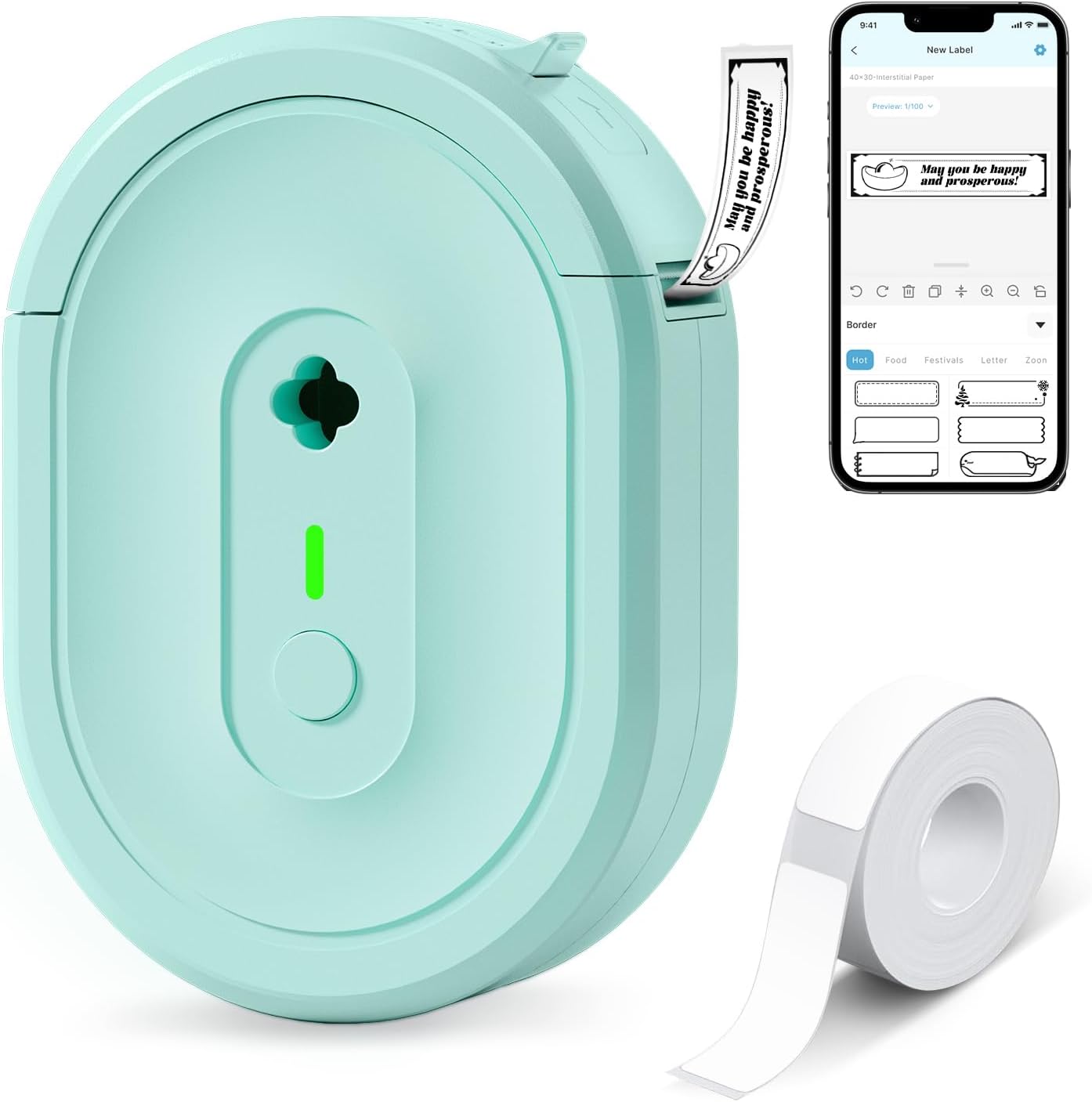
The NDYIN N12 is a small Bluetooth thermal label printer that lets you design labels on your phone and print direct-thermal black text without ink or ribbons. Setup is done through the free Nada Print app where you pick label size, fonts, frames, and symbols, then send jobs wirelessly to the pocket-sized unit. It ships with a roll of pre-cut labels and a USB charging cable and runs on a built-in rechargeable battery for portable use around the kitchen, office, or classroom. Print quality is simple monochrome at 203 dpi, which handles text, barcodes, and basic graphics cleanly for bottle, jar, and cable tags but will not produce high-resolution graphics or color. The device supports a handful of fixed label widths and requires correct paper-size selection in the app, so label length flexibility is limited. For buyers who want a low-cost, no-ink solution to make tidy bottle and container labels, the N12 is practical and easy to use, though it is best suited to text-focused labeling rather than decorative or photo-quality prints.
Best for: Buyers looking for an affordable, portable labeler to produce clear text labels for bottles, jars, and basic household organization with minimal ongoing costs.
Less Ideal for: People who need high-resolution graphics, color labels, or highly flexible custom label lengths should consider more advanced label printers.
- Direct thermal printing requires no ink, toner, or ribbons
- Bluetooth connection and companion app with many templates make label design easy
- Rechargeable battery and compact size for portable use
- Includes a roll of pre-cut labels and USB charging cable
- Monochrome 203 dpi output limits fine detail and no color printing
- Label lengths are fixed and must match app settings, reducing flexibility
Verdict: If you want a cheap, portable, no-ink label maker for tidy bottle and jar tags, the N12 delivers straightforward Bluetooth printing with very low ongoing cost.
Nelko P21 Label Maker
| Printer Type | Thermal |
|---|---|
| Print Resolution | 203 DPI |
| Printer Connectivity Type | Bluetooth |
| Hardware Interface | USB Type C |
| Paper Size | 15X30mm,12X40mm,14x40mm,14X50mm,14x75mm |
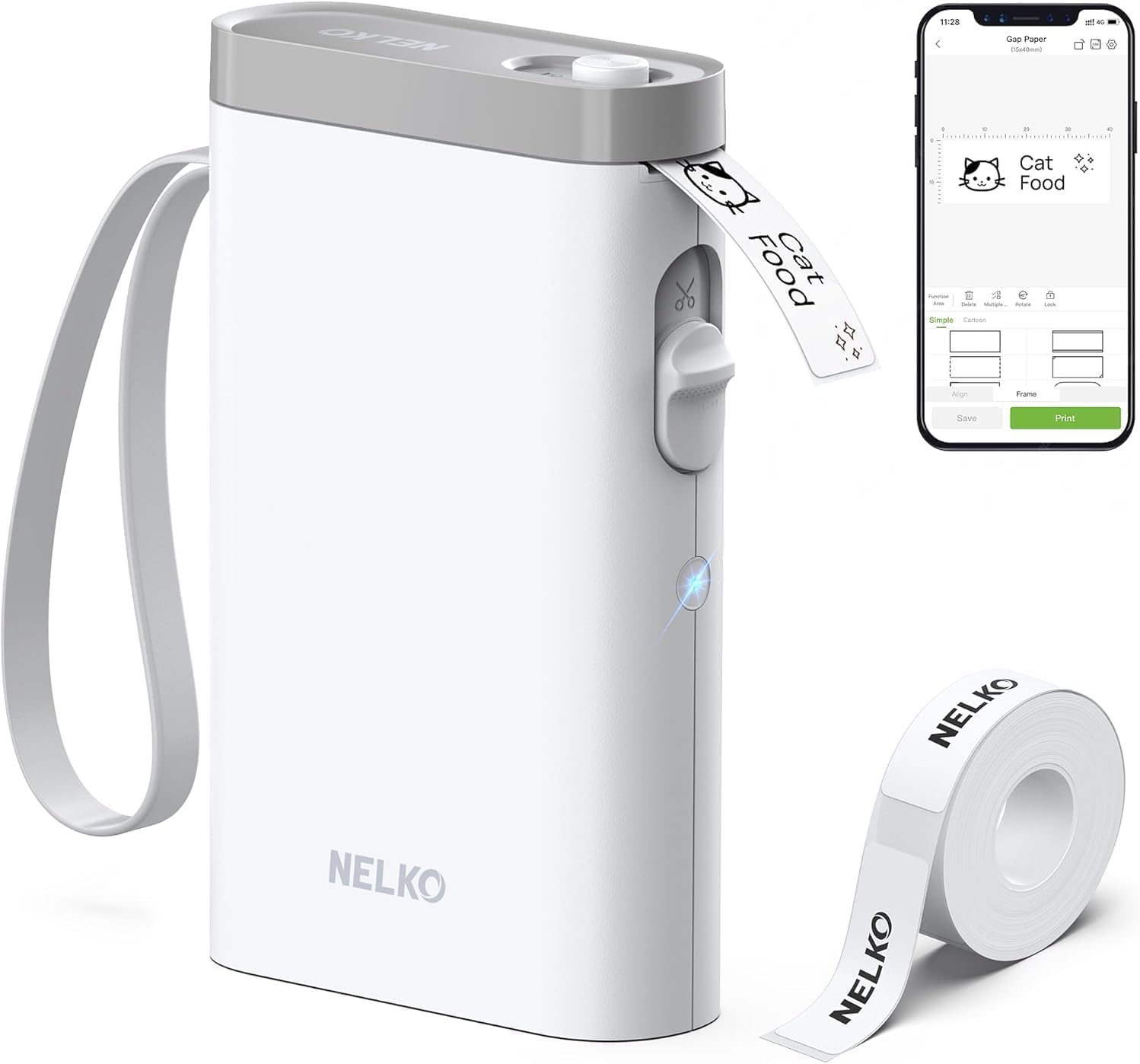
The Nelko P21 is a pocketable Bluetooth thermal label printer designed to make simple, durable labels from your iOS or Android phone using the Nelko app. It uses direct thermal technology at 203 DPI for sharp black-on-white printing without ink, and connects over Bluetooth with USB-C charging for the internal battery. The app supplies templates, icons, borders, QR and barcodes, and supports fixed tape sizes so you can quickly design labels for jars, bottles, bins, and classroom supplies. Setup is straightforward through the app, and the built-in cutter and portable size make on-the-spot printing convenient. Important limitations: it prints only monochrome, requires the proprietary-style thermal tape sizes listed by the manufacturer, and does not support computers or continuous label rolls. For bottle labeling the P21 produces clear, waterproof-ish stickers when paired with recommended tapes, but be sure to use genuine Nelko label paper and pick the correct tape width in the app to avoid misprints.
Best for: Buyers who need a reliable, portable label maker for tidy, consistent bottle and jar labeling and who prefer controlling designs from a smartphone app.
Less Ideal for: Those who need full-color labels, continuous-roll printing, or a printer that connects to a PC should consider other solutions.
- Direct thermal printing at 203 DPI produces legible, high-definition monochrome text and simple graphics without ink
- Pocketable, lightweight design with built-in rechargeable battery and USB-C charging for portability
- Bluetooth app control provides many templates, icons, and the ability to print QR codes and barcodes from a phone
- Built-in cutter and fixed tape sizes make consistent, ready-to-use labels for jars and bottles
- Prints only in black and white and depends on specific Nelko thermal tapes for best results
- Not compatible with computers and may have connectivity limits on some Android 14 devices
Verdict: If you want a small, dependable Bluetooth label maker for neat, app-designed bottle labels, the Nelko P21 delivers clear thermal prints and easy on-the-go use.
SUPVAN T50M Pro Label Maker

| Printer Type | Thermal |
|---|---|
| Print Resolution | 203 dots_per_inch |
| Maximum Media Size | 1-5/8'' x 1-3/16'' |
| Connectivity | USB Type C |
| Power Consumption | 10 watts |
The SUPVAN T50M Pro is a thermal label printer aimed at home, school, and small business tasks like organizing pantry jars, labeling bottles, or printing address and cable tags. It connects via USB Type-C and uses a free mobile app to design labels with 30+ fonts, frames, and 660+ icons, plus support for images, barcodes, and QR codes. Because it is thermal and inkless, labels are quick to produce and carry a waterproof, durable finish suited to bottles and containers. Print resolution is 203 dpi, which yields clear text and simple graphics but not photo-grade detail. The unit includes a starter tape and charging cable and is lightweight and portable for countertop use. Limitations are the monochrome-only output and a maximum media width around 2 inches, so it is not suitable for large-format color branding or very high-resolution logo work. For everyday bottle labeling, spice jars, and small product tags the T50M Pro is a practical, easy-to-use choice that emphasizes durability and app-driven customization.
Best for: Buyers who want an easy, app-driven label maker that produces durable, waterproof monochrome labels for bottles, pantry containers, and small product tags and who value clear social proof and low technical risk in their purchase.
Less Ideal for: Those who need full-color printing, large-format labels, or photo-quality logo printing for product packaging should look at dedicated color label printers or professional print services.
- Inkless thermal printing for fast, maintenance-free labels
- Free mobile app with many fonts, frames, icons and image/barcode support
- Waterproof and durable label tape suitable for bottles and kitchen use
- Compact, lightweight design with USB Type-C connectivity
- Includes starter tape and charging cable out of the box
- Prints only in monochrome so no color logos or full-color graphics
- Maximum print width limited to about 2 inches for small-to-medium labels
Verdict: A straightforward, app-powered thermal label maker that delivers durable, waterproof monochrome labels ideal for bottle and pantry organization.
Phomemo D30 Label Maker

| Printer Type | Thermal |
|---|---|
| Printer Connectivity Type | Bluetooth |
| Hardware Interface | Bluetooth 4.0, USB Type C |
| Maximum Print Resolution Black and White | 203 dots_per_inch |
| Print media | Labels |
The Phomemo D30 is a lightweight, rechargeable thermal label printer designed for quick, on-the-go labeling via the Print Master app on Android or iOS. You create labels on your phone, connect over Bluetooth, and print black text onto continuous or pre-cut thermal tapes; color effects come from patterned tapes rather than color printing. The app provides many templates, icons, fonts and features like barcode/QR generation, Excel batch import and OCR to speed repetitive tasks. Because it uses thermal printing there is no ink, toner, or ribbon to replace, and the German thermal head and 203 dpi resolution produce clear, small-format labels ideal for jars, bottles, bins and classroom supplies. The unit is very compact and includes USB‑C charging, but it prints only one copy per run and is limited to monochrome output, so it is not suited to multi-copy high-volume production or full-color needs. For labeling bottles where durable, small black-on-patterned labels are fine, the D30 is convenient and economical.
Best for: Buyers who want an easy, low-maintenance labeler for household bottles, pantry jars, classroom items or small-business price tags and value app templates and portability over industrial speed.
Less Ideal for: People who need full-color printing, high-volume multi-copy output, or industrial label durability requirements should consider a different solution.
- Very portable and rechargeable for labeling on the go
- Inkless thermal printing lowers operating cost and maintenance
- App-driven templates, icons and batch import speed up label creation
- 203 dpi thermal head delivers clear text on small labels
- Works with patterned tapes to create colorful-looking labels without color printing
- Prints only black text so color requires patterned tape
- Single-copy per run and not intended for heavy industrial throughput
Verdict: If you need a compact, app-driven, inkless label maker for neat black text labels on bottles and jars, the Phomemo D30 is a practical and economical choice.
Choosing the Right Label Maker for Bottles: Key Factors to Consider
Print Durability and Material
Labels on bottles are exposed to moisture, condensation, oils, and frequent handling. Choosing tapes and inks rated for water resistance and abrasion resistance matters because a poorly made label will fade, smear, or peel within days. Waterproof laminated tapes or thermal-transfer materials typically hold up best.
Consider whether the device prints with pigment-based ink, thermal transfer, or thermal direct methods. Thermal-transfer systems paired with laminated tape often produce the most durable results for bottles. If you store bottles in the refrigerator, freezer, or near liquids, prioritize materials explicitly rated for those conditions.
Tape Width and Size Options
Bottle necks and curved surfaces require narrow, flexible labels that conform without wrinkling or overhang. Tape available in multiple narrow widths lets you choose a label length and height that fits small jars, standard drink bottles, and tall lotion bottles. Predefined size presets reduce wasted tape and speed up repetitive labeling.
Also check whether the device supports continuous tape lengths or fixed-size cartridges. Continuous tape allows custom lengths for oddly shaped bottles, while preset labels are convenient for fast batch work. Match the tape widths to the most common bottle diameters you use.
Adhesive Type and Surface Compatibility
Adhesion varies by substrate. Glass, PET, HDPE, and coated surfaces each interact differently with adhesives. For smooth glass bottles, a standard permanent adhesive often works well, but textured or low-energy plastics may need stronger adhesives or primed tapes.
If you plan to remove and re-label bottles often, consider repositionable or removable adhesives. For long-term storage or outdoor exposure, permanent marine-grade or solvent-resistant adhesives provide better longevity. Verify that the chosen tape adheres reliably to the specific bottle materials you use.
Print Legibility and Font Control
Small labels demand highly legible fonts and good contrast. The best label makers for bottles offer adjustable font sizes, bold and outline options, and high-contrast print modes so small text remains readable at arm's length. Built-in templates for dates, ingredient lists, or measurement marks help maintain consistent results.
Also look for features like margin control and alignment options to make the best use of narrow tape. Crisp edges and consistent ink density help make tiny labels easy to scan by eye or camera.
Application Features and Cutter Quality
How you apply a label matters for speed and neatness. Devices with integrated cutters, peel windows, and lined tape make single-handed application faster and reduce misaligned labels. A clean, reliable cutter prevents jagged edges that can catch and peel on bottle necks.
For high-volume tasks, look for automatic cutters or dispensers that let you print and apply repeatedly without fussy trimming. For occasional users, a simple peel-and-stick workflow with clear alignment guides is usually sufficient.
Portability, Power, and Workspace Fit
If you label bottles across different locations, compact and battery-powered units are useful. Consider battery life, ability to run on AC power, and the overall footprint relative to your workspace. Heavier desktop models can be steadier for batch runs but may be cumbersome in a small kitchen.
Think about storage for extra tapes and whether the device requires proprietary cartridges that must be kept on hand. A lightweight, compact label maker can be more convenient for occasional bottle labeling while a stable desktop unit may be better for recurring, larger batches.
Best Label Design Practices for Bottles
Design labels with the bottle shape and use case in mind. For small necks, minimize horizontal text and use stacked lines or symbols to convey information in limited space.
Use high-contrast color combinations such as dark text on a light background to maximize legibility, especially in dim or crowded storage areas.
- Include a clear short title, date, and any required safety or ingredient notes.
- Use symbols or short codes for frequently repeated items to save space.
- Test a sample label on the bottle before printing a full batch.
Preparing Bottle Surfaces for Long-Lasting Labels
Clean and dry bottle surfaces thoroughly before applying labels. Residues from oils, detergents, or condensation will reduce adhesion and accelerate edge lifting.
Wipe the application area with isopropyl alcohol when possible, and allow it to evaporate fully before sticking a label.
- Avoid labeling over curved seams or textured areas.
- Apply labels at room temperature for best adhesive performance.
- Press edges firmly and smooth out air bubbles to ensure full contact.
Label Types: When to Use Removable Versus Permanent
Removable labels are ideal for temporary contents or when you plan to change bottle contents frequently. They peel off with minimal residue but are less suited to wet or oily environments.
Permanent waterproof labels are better for long-term storage, outdoor exposure, or bottles that will be handled often. They resist peeling and keep printing legible in harsh conditions.
- Choose removable for short-term labeling or rental equipment.
- Choose permanent for archival storage, outdoor use, or exposure to liquids.
- Consider a protective overlaminate for extra abrasion resistance.
Batch Labeling Workflow Tips
For batch jobs, lay out bottles and labels in a production sequence to minimize handling. Print a few test labels to confirm fit and alignment before committing to a full run.
Use consistent label templates and store profiles on the device or app to speed up repeated tasks.
- Label from left to right to keep a steady rhythm.
- Use temporary tape strips to hold labels in place while drying on porous surfaces.
- Keep spare tapes and a spare cutter blade nearby for uninterrupted work.
Using Mobile Apps and Connectivity
Many modern label makers offer mobile app connectivity for custom templates, easy editing, and cloud-synced label libraries. When available, use apps to create consistent templates and transfer them to the device quickly.
Bluetooth or USB connectivity can simplify complex label layouts that are tedious to enter on small keypads.
- Save commonly used templates in the app for repeatable tasks.
- Check app export options if you need to share designs across devices.
- Ensure the app supports the tape widths and print modes you plan to use.
How We Chose the Best Label Maker for Bottles
We prioritized label makers that address the specific demands of bottle labeling: waterproof or water-resistant print materials, narrow tape widths that fit standard bottle necks, and adhesive formulas that stay secure on glass and common plastics. We examined device ergonomics and setup effort because many bottle-labeling tasks happen in small batches or in tight spaces. Print clarity was a key filter, including font sizing and contrast options for small surfaces. Durability-related criteria included tape material, ink permanence, and resistance to moisture, oils, and abrasion. We also evaluated application ease, such as built-in cutters, peel-back liners, and label size presets for common bottle shapes. We excluded devices intended only for office use with wide, non-watertight tapes and any machines that cannot print on narrow, durable tape formats. Products that require proprietary, hard-to-find consumables were deprioritized. The shortlist favors units that balance waterproof labeling performance, consistent output for small-diameter bottles, and straightforward everyday operation.
Our full evaluation process is outlined in our review methodology.
FAQ
What tape width is best for standard drink bottles?
Narrow tape widths, typically between 9 mm and 12 mm, work best for standard drink bottles and water bottles. They conform better to curved surfaces and allow for readable text without wrapping too far around the bottle.
Are laminated labels necessary for refrigerated bottles?
Laminated or waterproof tapes are recommended for refrigerated bottles because condensation can cause unlaminated labels to lift or the ink to run. Laminated labels protect the print layer and greatly extend longevity in cold, wet environments.
Can I remove labels cleanly from glass bottles?
Many removable adhesives come off glass cleanly, especially if you warm the adhesive slightly or soak the bottle in warm soapy water. Permanent adhesives may require a solvent or mechanical scrubbing to remove residue.
Is a battery-powered label maker good for labeling on the go?
Battery-powered models are convenient for mobile work and short batch jobs, but check battery life and whether the unit accepts common rechargeable batteries. For extended sessions, a mains-powered unit provides uninterrupted operation.
Do label makers print small enough text for ingredient lists?
Many label makers support small font sizes and multiple lines, but legibility depends on tape width and print resolution. For detailed ingredient lists, use a wider tape on a flat area or include a short code on the label that references a full list stored elsewhere.
Final Verdict
Focus on print durability, tape sizing, and adhesive compatibility when choosing a label maker for bottles. Balance portability and workflow features against how often and where you will label. Prioritize laminated or waterproof tapes and narrow-width options for the best results on curved bottle surfaces. With the right combination of materials and device features, you can achieve reliable, long-lasting bottle identification without extra fuss.