
Note: This article contains affiliate links. If you click on these links and make a purchase, we may earn a small commission at no extra cost to you. This helps support our research and content. Read our full affiliate disclosure here.
A good label maker for classrooms saves time, keeps learning spaces organized, and helps students find materials independently. You want devices that are easy to operate, produce durable labels that withstand daily school wear, and support the common sizes and materials used in schools. This guide covers seven shortlisted label makers chosen for classroom workflows, from cubby tags to binder and supply labels. We evaluate each option for ease of use, label durability, tape compatibility, and classroom-friendly features so you can pick the right tool for your school setting. Read on for the factors we weighed and practical advice to match a device to your room and routines.
Top Picks at a Glance
| Best Overall The best all-around choice for most situations | Brother P-touch PTD220 |  |
| Best Quality Built to a higher standard if you want something more solid | NIIMBOT M2 Label Maker |  |
| Best Value The sweet spot between price and what you get | Nelko P21 Label Maker |  |
| Best Budget The cheapest option that still gets the job done reliably | NDYIN N12 Label Maker |  |
| Top Rated A top-rated pick with lots of positive feedback | DYMO LetraTag 100H Label Maker |  |
| Most Popular A crowd favorite that many people choose with confidence | Phomemo D30 Label Maker |  |
| Best Seller A high-volume bestseller chosen again and again | Brother P-Touch PT-N20 |  |
Brother P-touch PTD220

| Print resolution | 180 dpi |
|---|---|
| Max tape width | 12mm |
| Lines | Up to 2 lines |
| Memory | Stores 30 labels |
| Connectivity | USB wired |
The Brother P-touch PTD220 is a small, battery-powered label maker designed to produce durable laminated labels up to 12mm wide for everyday organization tasks. It uses Brother TZe tapes and prints one or two lines at 180 dpi, letting you pick from 14 fonts, 11 font styles, 99 frames and over 600 symbols to customize classroom or office labels. The 15-character display and QWERTY keyboard make composing and previewing text straightforward, and you can store up to 30 frequently used labels for quick reprints. It runs on six AAA batteries or an optional AC adapter and connects via USB for basic wired use. Practical benefits include quick setup, rugged laminated tape options for high-traffic surfaces, and templates for common labels which save time when labeling shelves, bins, and student supplies. Limitations are the narrow maximum tape width (about 1/2 inch) and a simple monochrome display with modest resolution, so it is best for standard classroom labeling rather than large-format or highly stylized signs.
Best for: Classroom teachers and school aides who need a simple, portable tool to make durable, reusable labels for bins, shelves, and student materials and who value speed and repeatability.
Less Ideal for: Schools that need wide-format signage, full-color printing, or advanced PC design capabilities for large posters should consider other solutions.
- Compact, handheld design that is easy to carry between classroom stations
- QWERTY keyboard and 15-character preview screen speed up label creation
- Customizable options: 14 fonts, 11 styles, 99 frames and 600+ symbols
- Stores up to 30 frequently used labels for fast reprinting
- Prints durable laminated TZe tapes that adhere to a variety of surfaces
- Maximum tape width limited to 12mm, restricting larger label formats
- Monochrome, non-backlit display and 180 dpi resolution limit complex layouts
Verdict: A portable, easy-to-use label maker that delivers durable, customizable 12mm laminated labels ideal for fast classroom organization.
NIIMBOT M2 Label Maker

| Printer Type | Thermal Transfer Tech |
|---|---|
| Resolution | 300 x 300 dpi |
| Maximum Media Size | 2 INCH |
| Printer Connectivity Type | Bluetooth, USB |
| Compatible Devices | Smartphones, PC |
The NIIMBOT M2 is a compact thermal transfer label maker built for durable, high-clarity labels in classrooms and small-business settings. It connects to iOS and Android phones over Bluetooth (supports multiple devices) or to a PC by USB and is controlled through the NIIMBOT app with templates for text, icons, barcodes and tables. The printer uses thermal transfer ribbons rather than direct thermal paper, so printed labels are waterproof, chemical- and scratch-resistant and rated to last 8 to 10 years, which is useful for long-term storage, labelling classroom supplies, bins and equipment. At 300 dpi the output is crisp for small text and barcodes, and automatic label recognition and adaptive print density reduce setup fiddling. Trade-offs: it only prints monochrome and requires M2-series thermal transfer labels and ribbons rather than cheaper standard thermal tape, and the ribbon mechanism makes audible noise during extended runs. For classroom use it shines when durability and print quality matter more than color or the lowest consumable cost.
Best for: Teachers and classroom tech organizers who prioritize long-lasting, high-resolution monochrome labels for inventory, bins and equipment and who want mobile app control for quick label creation.
Less Ideal for: Users who need color labels, the lowest-cost consumables, or near-silent operation during high-volume printing should consider alternatives.
- Thermal transfer printing produces waterproof, scratch- and chemical-resistant labels rated to last 8–10 years.
- 300 dpi resolution delivers clear small text, barcodes and simple graphics.
- Bluetooth and USB control from smartphone apps or PC with multiple-device Bluetooth support.
- Automatic label recognition and adaptive print density reduce manual setup.
- Portable, compact design with included ribbon and starter label roll.
- Only prints monochrome; no color printing capability.
- Requires M2-series thermal transfer labels and ribbons, which are different from standard thermal tape.
- Mechanism and ribbon contact cause noticeable noise during prolonged printing.
Verdict: Choose the M2 when classroom labels must be crisp and survive years of handling and harsh conditions.
Nelko P21 Label Maker
| Printer Type | Thermal |
|---|---|
| Printer Connectivity Type | Bluetooth |
| Resolution | 203 x 203 DPI |
| Hardware Interface | USB Type C |
| Paper Size | 15X30mm,12X40mm,14x40mm,14X50mm,14x75mm |
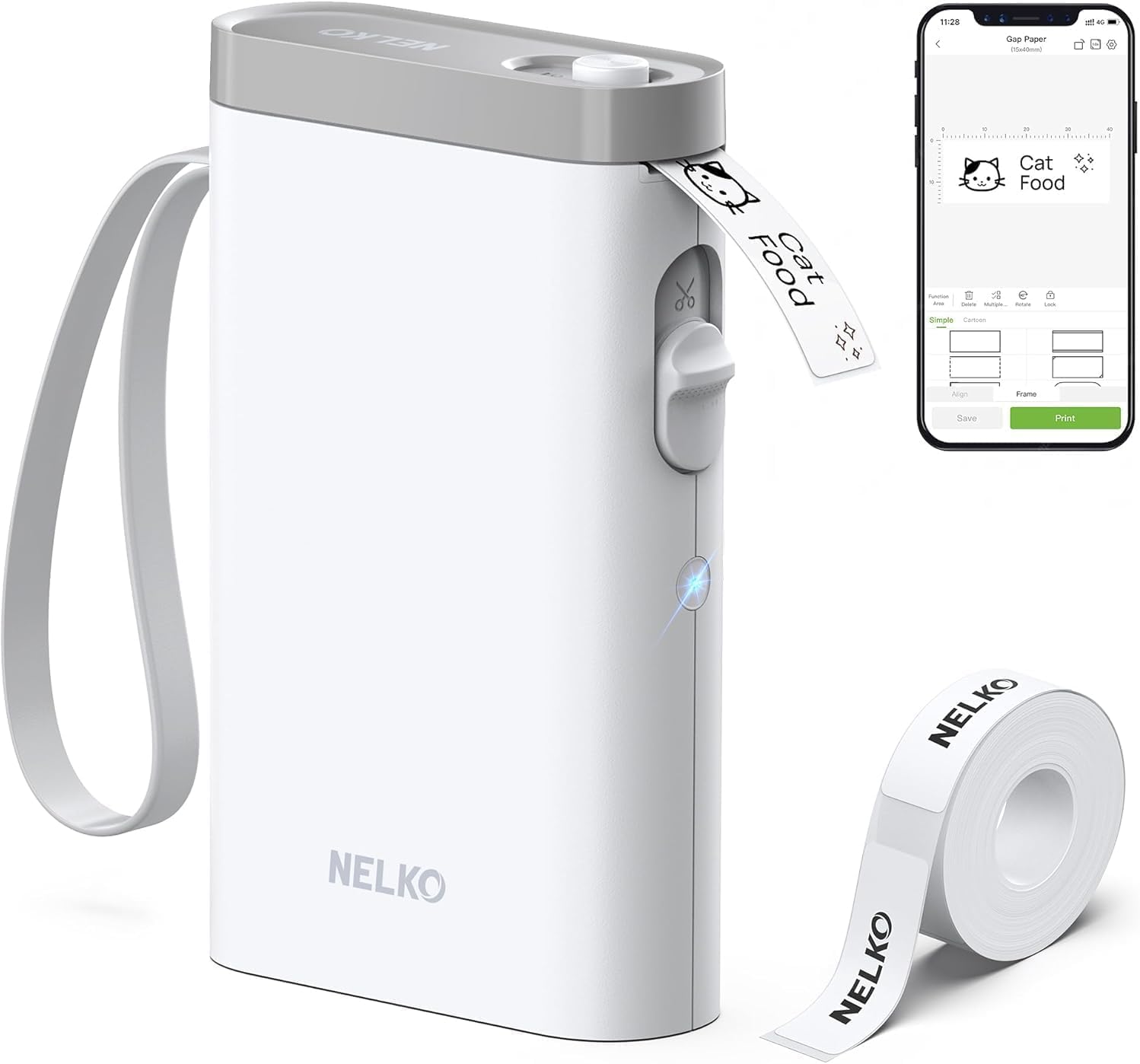
The Nelko P21 is a pocketable thermal label maker that links to your iOS or Android phone via the Nelko app to design and print monochrome labels without ink. You load a roll of thermal label tape, pick a template or build a custom layout in the app (text, QR codes, barcodes, icons and borders are supported) and print using Bluetooth; the unit includes a built-in cutter and rechargeable USB-C battery. At 203 DPI it delivers clear, high-definition text for classroom bins, name tags, price labels and supply organization, and the app offers many templates and decorative materials to speed recurring tasks. Limitations to expect: it prints only black on thermal tape, requires the vendor app for Bluetooth pairing (iOS 13+), and is not compatible with computers or Android 14 devices according to the listing. For everyday school and teacher labeling the P21 balances portability, app-driven customization and low running cost, though power users who need full-color printing or desktop connectivity will want a different solution.
Best for: Teachers and classroom organizers who want a compact, app-driven label maker to quickly create clear, reusable labels and decorative name tags on the go.
Less Ideal for: People who need full-color labels, desktop/PC connectivity, or guaranteed compatibility with the latest Android 14 phones should consider other printers.
- Pocketable, lightweight design for easy classroom carry and on-the-spot printing
- Bluetooth + app control provides many templates, icons and creative label options
- Thermal inkless printing at 203 DPI produces clear, durable black-on-white labels
- Built-in cutter and rechargeable USB-C battery for convenient, cordless use
- Supports QR code and barcode printing useful for inventory and student materials
- Monochrome-only output; no native full-color printing
- Requires the Nelko mobile app for pairing and design and is not PC-compatible
- Listing notes incompatibility with Android 14 and recommends specific genuine tapes for best results
Verdict: A highly portable, app-powered thermal label maker built for teachers and classroom organizers who need quick, clear monochrome labels and lots of template choices.
NDYIN N12 Label Maker
| Printer Type | Thermal |
|---|---|
| Connectivity | Bluetooth |
| Print Resolution | 203 x 203 dpi |
| Built-In Media | 1*180 Pre-cut white labels (14x40mm) |
| Compatible Devices | Smartphones, Tablets |
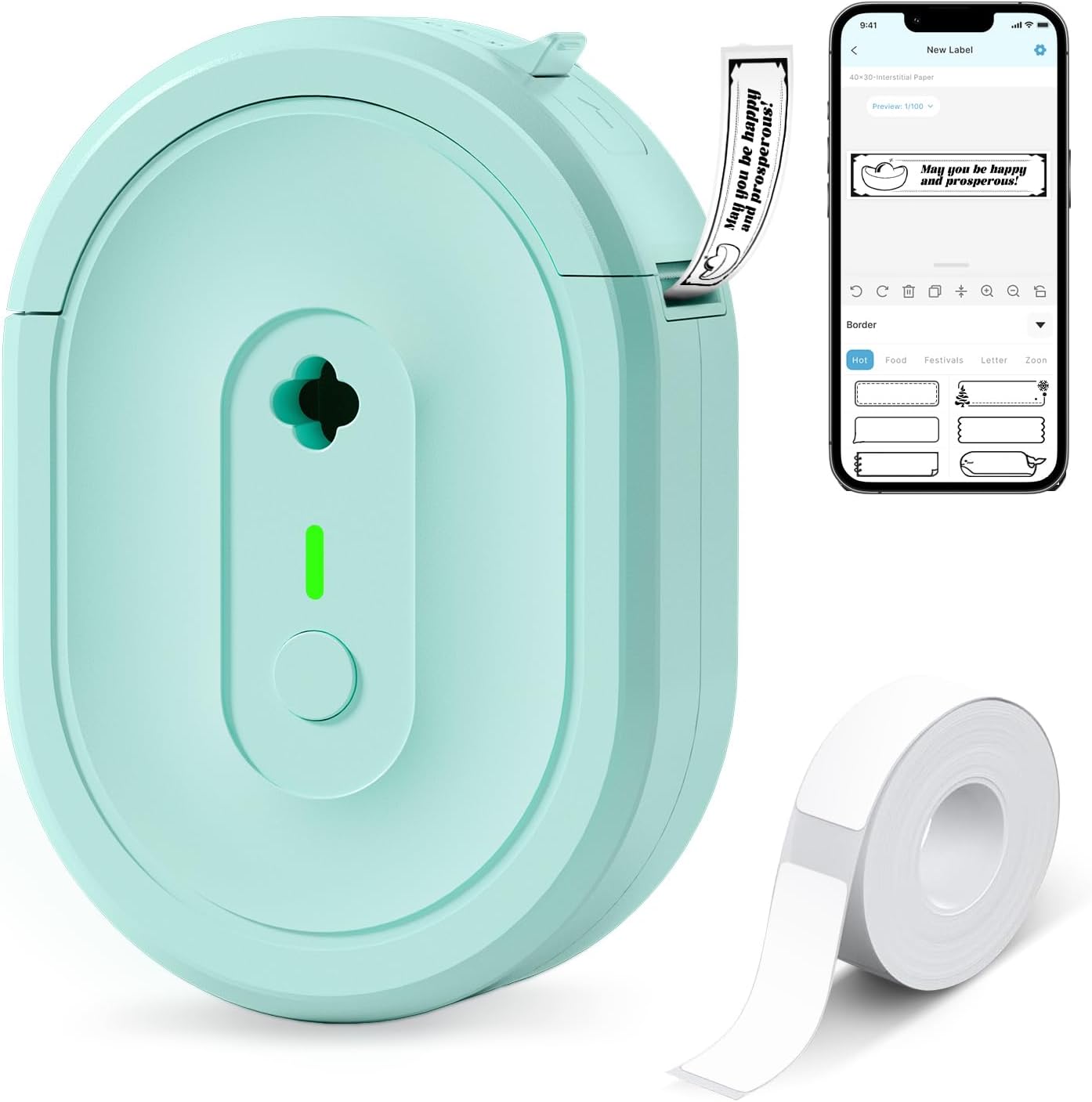
The NDYIN N12 is a small, battery-powered thermal label printer that pairs with the free Nada Print app to create and print monochrome adhesive labels from smartphones and tablets. It uses direct thermal technology so you do not need ink, toner, or ribbons, and it ships with a roll of pre-cut labels plus a charging cable. In classroom use it is handy for quick name tags, supply labels, and organizing bins: the app offers many templates, fonts, symbols, and frames to speed layout, and Bluetooth connectivity keeps the device portable so teachers can walk between desks and print on the spot. Print resolution is basic 203 dpi so text and barcodes come out clear at small sizes but you will not get photo-quality detail. The printer only outputs black-on-white labels and requires selecting the correct label size in the app before printing, and label lengths are fixed to supported sizes. For teachers needing an affordable, easy-to-use labeler for everyday classroom organization, the N12 covers essential tasks without ongoing ink costs.
Best for: Teachers and classroom staff who need an inexpensive, portable label maker for quick name tags, supply bins, and basic organization without recurring ink costs.
Less Ideal for: Users who need color labels, high-resolution graphics, or variable-length custom rolls for professional-looking product tags should consider a different printer.
- Direct thermal printing eliminates ink, toner, and ribbon consumables
- Bluetooth pairing with free Nada Print app offers many templates, fonts, and symbols
- Built-in rechargeable battery for portable use around a classroom
- Comes with pre-cut labels and is compact enough to carry between stations
- Monochrome-only 203 dpi output limits fine graphic detail and color labeling
Verdict: A budget-friendly, portable thermal labeler that lets teachers print clear black-and-white labels from a phone without ongoing ink expenses.
DYMO LetraTag 100H Label Maker

| Print technology | Direct Thermal Printing, 200 dpi |
|---|---|
| Power source | 4x AA Batteries (not included) |
| Tapes included | Paper (black on white), Plastic (black on white), Plastic (black on clear) |
The DYMO LetraTag 100H is a small, battery-powered handheld label maker built for quick, on-the-spot labeling around the classroom. It uses direct thermal printing so no ink or toner is required and ships with three tapes (paper, plastic white, and clear) to start labeling bins, folders, and student supplies. The unit offers a clear graphical LCD so you can preview text effects and pick from five font sizes, seven print styles, eight box styles, basic icons, two-line printing and a date stamp for organization tasks. Its compact, lightweight design and auto-off power saver make it easy to carry between rooms and conserve battery life during light use. Limitations include reliance on AA batteries rather than rechargeable power and the basic keyboard and layout, which are slower than a phone app for bulk label creation. For teachers wanting a durable, no-fuss labeler for classrooms, the LetraTag 100H covers core needs without a steep learning curve.
Best for: Teachers and classroom organizers who need a straightforward, dependable handheld labeler for labeling bins, shelves, and student materials with clear, durable tapes.
Less Ideal for: Schools or users who create large batches of labels frequently and prefer app-based design or rechargeable, high-volume label printers.
- Direct thermal printing so no ink or toner is needed
- Graphical LCD preview with multiple font sizes and styles for precise labels
- Includes a variety pack of three starter tapes for immediate use
- Compact, lightweight handheld design that is easy to move between rooms
- Runs on 4x AA batteries instead of a built-in rechargeable battery
- Keyboard entry is slower than designing labels from a smartphone app
Verdict: A simple, dependable handheld label maker that gives teachers fast, no-ink labeling with built-in preview and starter tapes.
Phomemo D30 Label Maker

| Printer Type | Thermal |
|---|---|
| Printer Connectivity Type | Bluetooth |
| Controller Type | Android, iOS |
| Resolution | 203 dots_per_inch |
| Wattage | 7 watt-hours |
The Phomemo D30 is a pocketable thermal label maker designed for quick, app-driven labeling at home, school, or small retail. It pairs over Bluetooth with the Print Master app (Android and iOS) where you can pick templates, import icons, create barcodes and print batch lists from Excel, then send a single-line monochrome print job to the D30. Because it uses thermal printing, there is no ink or ribbon to replace and it accepts a wide range of patterned label tapes for colorful backgrounds while printing black text. Its small, rechargeable form factor makes it easy to carry between classrooms or supply closets, and the German print head plus 203 dpi resolution delivers crisp, readable text for name tags, bin labels, and price tags. Limitations to note are monochrome output only and the need to manage label size selection in the app to avoid misaligned prints, so users should plan on matching tape type and template before printing.
Best for: Teachers and classroom organizers who want a lightweight, app-driven labeler to produce consistent name tags, bin labels, and project stickers quickly and without dealing with ink or ribbons.
Less Ideal for: Users who need multi-color printing from the device itself or who prefer a standalone keyboard-driven label maker instead of a smartphone app workflow.
- Portable, lightweight design with built-in rechargeable battery for classroom mobility
- Thermal, inkless printing reduces ongoing consumable costs
- Large template and icon library via the Print Master app for quick custom labels
- Supports continuous and pre-cut label tapes including patterned and specialty styles
- 203 dpi print head gives clear, legible text suitable for name tags and storage labels
- Prints only black text so color effects require patterned tapes
- Requires correct paper size selection in the app to avoid offset printing
Verdict: A pocketable, app-controlled thermal labeler that delivers crisp monochrome labels and low running costs, well suited for classroom labeling and organization.
Brother P-Touch PT-N20

| Maximum Media Size | 12mm |
|---|---|
| Print Resolution | 180 dots per inch |
| Display Type | LCD |
| Printer Connectivity Type | USB |
| Battery Power | 6 AAA batteries (not included) |
The Brother P-Touch PT-N20 is a user-friendly desktop label maker intended for quick, colorful labeling with Brother Btag 12mm tapes. It uses a full QWERTY keyboard and a 16-character LCD so you can type and preview text before printing, then cut labels cleanly with the built-in cutter. The PT-N20 includes 3 fonts, 7 font styles, 15 frames and 250 symbols for classroom-friendly customization and saves up to 10 labels for fast reprints of common tags. It prints up to two lines of text with good 180 dpi resolution and handles water and temperature-resistant Btag tapes that survive microwaves, dishwashers and freezers. Power comes from six AAA batteries or an optional AC adapter, and connectivity is limited to USB for direct connections. For classrooms this model excels at durable, colorful name tags, supply labels, and chore charts, though it is optimized for ~1/2 inch (12mm) tape only and does not offer wireless mobile design features that some teachers might prefer.
Best for: Teachers and classroom organizers who want a simple, reliable desktop labeler that makes durable, colorful labels quickly and minimizes printing mistakes.
Less Ideal for: Users who need wireless or mobile design/printing workflows or who require a variety of tape widths and sizes should consider other models.
- Full QWERTY keyboard and 16-character preview screen for fast, familiar typing and typo prevention
- Wide range of built-in fonts, styles, frames, and 250 symbols for creative classroom labels
- Uses durable Brother Btag tapes that are water, temperature and dishwasher resistant
- Built-in cutter and label memory (saves 10) speed repetitive classroom tasks
- Limited to ~1/2 inch (12mm) Btag label tapes only
- No Bluetooth or mobile app design options for tablet or phone printing
Verdict: A straightforward, classroom-ready label maker that delivers fast, durable, colorful 12mm labels with an easy-to-use keyboard and preview screen.
Choosing the Right Label Maker for Classrooms: Key Factors to Consider
Ease of Operation
Ease of operation matters because teachers and volunteers often need to make many labels quickly with minimal training. Look for label makers with intuitive keyboards, clear screens, and simple menus so creating a set of cubby tags or shelf labels takes minutes rather than hours.
An accessible device reduces errors and frustration during busy prep periods. Backlit displays, large font preview, and one-touch templates for common label types cut down repetitive steps and speed classroom setup.
Label Material and Durability
Classroom labels face heavy handling, occasional cleaning, and exposure to glue, markers, and damp hands. Choosing the right label material and tape laminate directly affects how long labels remain readable and intact.
Laminated tapes resist scuffs and liquids better, while cloth-safe adhesive options are gentler on delicate surfaces like painted wood. Consider whether labels need to be removable without residue or permanently stick to storage bins, and pick a tape type suited to that need.
Tape Widths and Format Versatility
Different classroom tasks call for different label sizes. Narrow tapes are good for pencils and small supply bins, while wider tapes work better for shelf edges and cubby fronts. A label maker that accepts multiple tape widths or interchangeable cartridges reduces the need to own multiple devices.
Also consider whether the device supports specialty tapes such as magnetic labels, iron-on labels for fabric, or writable labels for whiteboard surfaces. Flexibility here saves time and money over the school year.
Speed and Battery Life
Speed is about both how quickly the device prints a single label and how many labels it can produce during a session. Fast print engines and reliable battery life are important for teachers preparing dozens of labels in one sitting or during classroom transitions.
Rechargeable options or devices that accept common replaceable batteries may be preferable depending on classroom access to charging. Consider whether you will often use the label maker away from power and choose a model that keeps up with your expected throughput.
Connectivity and Template Support
Some teachers prefer creating detailed labels on a computer or tablet where typing and layout are faster. Devices with Bluetooth or USB connectivity and companion apps let you design on a larger screen, store templates, and print multiple identical labels with minimal rework.
Built-in template libraries and the ability to import classroom-specific icons or fonts can streamline repeated tasks like name tags, subject labels, and procedure reminders. If multiple staff members will print consistently, networked or app-based template sharing is a useful convenience.
Preparing Labels for Different Classroom Zones
Different classroom areas have different labeling needs. For student cubbies and lockers you will want wider, laminated labels with bold type for quick recognition. Supply cupboards and drawer fronts can use medium-width, durable tape that resists scuffing and repeated opening. For small items or tool organizers narrow tapes with clear adhesive work best.
- Use bold, high-contrast fonts for student-facing labels.
- Consider color-coding supplies by subject or student group.
- Reserve removable, low-residue tapes for rental or shared equipment.
Templates and Naming Conventions That Scale
Establish consistent naming conventions and templates to save time across the school year. Create a few standard templates — for names, subject bins, classroom jobs, and dates — and store them in the device or companion app when possible. This keeps labels uniform and makes batch printing more efficient.
- Include grade and subject abbreviations for clarity.
- Add icons or simple shapes to help pre-readers identify storage locations.
- Use serial naming for sets, such as 'Math Bin 1, Math Bin 2', to avoid duplicates.
Safe Labeling Practices for School Surfaces
Different surfaces call for different adhesives and removal methods. Painted wood, laminated shelves, and plastic bins tolerate standard adhesives, but delicate painted surfaces may lift with strong permanent tapes. Test a removable corner before applying many labels to new furniture. For fabric or clothing, use iron-on or cloth-safe labels designed to withstand laundering.
- Always test a small inconspicuous area before full application.
- Use removable or low-residue tapes for rented or shared school property.
- Label both the front and the side of deep storage so items are identifiable from multiple angles.
Storage and Organization of Label Supplies
Keep an organized supply of tapes and spare batteries in a dedicated teacher drawer or supply cabinet. Label tape sizes, colors, and types in the storage area itself so staff can quickly find the right media. Track inventory levels if you print labels regularly to avoid mid-project interruptions.
- Store unused tapes away from heat and sunlight to preserve adhesive.
- Group tapes by width and type for faster selection.
- Keep a basic repair kit for the label maker, including cleaning tools and a spare cutting blade if applicable.
How We Chose the Best Label Maker for Classrooms
We focused on features and performance that matter in real classrooms. First, we prioritized ease of use for busy teachers and teacher assistants, looking for clear keyboards, straightforward menu systems, and quick label creation workflows that reduce setup time. Second, durability was essential: we evaluated devices and tape formats based on resistance to scuffs, repeated handling, cleaning, and common classroom adhesives. Third, we considered tape and label versatility. Devices that accept a range of tape widths and materials — including laminated, cloth-safe, and writable options — scored higher because they cover more classroom needs. Fourth, connectivity and template support were assessed for teachers who prepare labels on a computer or tablet versus those who prefer handheld standalone operation. Other practical filters excluded products aimed only at industrial or office printing that lack portability or that require proprietary, hard-to-find media. We also excluded novelty labelers with tiny keyboards or fragile construction that would not endure daily classroom use. The final selections balance speed, robustness, and media flexibility so the criteria here match the scoring metrics we used.
Our full evaluation process is outlined in our review methodology.
FAQ
What tape type should I use for student cubbies?
Laminated, medium- to wide-width tape is usually best for cubbies because it resists scuffs and moisture and has enough surface area for names to be legible from a distance.
Can I print labels from a tablet or laptop?
Often depends on the model. Many classroom-friendly label makers offer Bluetooth or USB connectivity and companion apps that let you design labels on larger screens for faster typing and template management.
How do I remove old labels without damaging furniture?
Test a small area first, then warm the adhesive gently with a hair dryer to soften the glue before peeling slowly. Use a mild adhesive remover if residue remains, and follow with a surface-appropriate cleaner.
Are there labelers that work well for fabric and clothing?
Yes. Look for devices or tapes specifically designed for iron-on or fabric-safe labels; they are formulated to withstand laundering and flexible handling without peeling.
What maintenance does a classroom label maker need?
Keep the print head and cutter area free of dust and adhesive residue, store tapes properly, replace batteries or recharge as needed, and follow the manufacturer instructions for occasional cleaning to maintain consistent print quality.
Final Verdict
Prioritize the features that match how you will use the label maker in your classroom. If you need many labels quickly, favor speed, battery life, and easy templates. If labels must last through heavy use and cleaning, focus on tape durability and material compatibility. Balancing tape versatility, ease of operation, and connectivity will help you pick a device that reduces prep time and keeps your classroom orderly. Choose the metrics most important to your routines and use those tradeoffs to select confidently.