
Note: This article contains affiliate links. If you click on these links and make a purchase, we may earn a small commission at no extra cost to you. This helps support our research and content. Read our full affiliate disclosure here.
If you make candles for market or gifting, clear, durable labels matter for safety, branding, and compliance. The right label maker for candles produces legible text at small sizes, handles specialty materials, and uses adhesives that stay put on glass, metal tins, and wax-coated surfaces. This guide shortlists the top label makers for candles, focusing on real-world needs such as print clarity, material compatibility, and label longevity. Below you will find products selected for small-batch makers through higher-volume crafters, plus the evaluation criteria we used to narrow the field. Use the quick tips after the product list to match a machine to your workflow.
Top Picks at a Glance
| Best Overall The best all-around choice for most situations | Phomemo M110 Label Printer |  |
| Best Quality Built to a higher standard if you want something more solid | NIIMBOT M2 Label Maker |  |
| Best Value The sweet spot between price and what you get | SUPVAN T50M Pro Label Maker |  |
| Best Budget The cheapest option that still gets the job done reliably | NDYIN N12 Label Maker |  |
| Top Rated A top-rated pick with lots of positive feedback | NIIMBOT B1 Label Maker |  |
| Most Popular A crowd favorite that many people choose with confidence | Nelko P21 Label Maker |  |
| Best Seller A high-volume bestseller chosen again and again | TYPONOS PM240 Label Maker |  |
Phomemo M110 Label Printer

| Printer Type | Thermal |
|---|---|
| Maximum Print Resolution Black and White | 203dpi |
| Printer Connectivity Type | Bluetooth, USB |
| Hardware Interface | USB Type C |
| Print media | Labels |
The Phomemo M110 is a small Bluetooth thermal label printer for basic monochrome labels and quick on-demand printing. It pairs with the vendor Print Master app on smartphones and PCs to access templates, edit layouts, and run simple batch prints from Excel, which makes it handy for producing product labels, price tags, or address stickers. The unit accepts rolls in the 20–50 mm range, includes a test roll and a USB‑C cable, and prints at 203 dpi so text and simple logos come out clear for candle jar labels and small packaging. Bluetooth 4.0 provides a fast one‑tap connection for mobile workflows, and the app's OCR and template library speed setup. Expect limitations if you need color, wide shipping labels, or very high-resolution graphics since it is monochrome thermal only and optimized for short runs. Battery capacity is modest and some premium app templates require a paid subscription, but for labeling small-batch candles this model is a convenient, space-saving option.
Best for: Buyers who want a compact, app-driven label printer for neat, consistent product labels and small-batch production like candles and artisan goods.
Less Ideal for: Anyone needing full-color labels, large shipping labels, or high-resolution photo printing should look at different label or color printers.
- Portable, compact footprint that fits a small workspace or countertop
- Bluetooth 4.0 plus USB-C connectivity for phone and PC printing
- App-based templates and OCR speed label creation and Excel batch printing
- Accepts multiple label widths (approx. 20–50 mm) suited to candle jars
- 203 dpi thermal resolution produces crisp monochrome text and simple logos
- Monochrome thermal printing only so no color or full‑color artwork
- Not intended for wide shipping labels or large-format prints
Verdict: A compact, app-powered thermal label printer that makes fast, consistent monochrome labels for small-batch candle makers.
NIIMBOT M2 Label Maker

| Maximum print Resolution Color | 300 x 300 dpi |
|---|---|
| Printer Connectivity Type | Bluetooth |
| Hardware Interface | USB |
| Maximum Media Size | 2inch |
| Print media | Labels |
The NIIMBOT M2 is a desktop thermal transfer label maker built for clear, long-lasting labels in small business or craft settings. It uses thermal transfer ribbons plus label rolls, which produces sharp 300 DPI prints that resist water, oil, abrasion, and extreme temperatures — useful for candle jars that need durable, fade-resistant branding and ingredient tags. You design labels in the NIIMBOT app over Bluetooth or connect via USB to a PC for driver-based editing, and the app includes templates, barcodes, QR codes, images, and batch printing. The unit accepts 20–50 mm widths and intelligently recognizes consumables to adjust print density and rewind paper automatically. Practical downsides are the dual-consumable system — you must buy both ribbons and M2-specific label rolls — and the need to install a PC driver for computer use. For candle makers who want crisp, custom, and weatherproof labels that last, the M2 delivers professional-looking results with a bit more consumable management than direct thermal alternatives.
Best for: Candle makers and small-batch producers who prioritize high-quality, long-lasting labels and want flexible design from phone or computer for professional looking packaging.
Less Ideal for: Users who want the simplest, no-refill solution or lowest ongoing cost per label should consider direct thermal or integrated-cartridge models instead.
- 300 DPI thermal transfer printing for sharp, durable labels
- Supports color ribbons for multi-color branding
- Bluetooth app plus USB connection for mobile and PC editing
- Adaptive print density and automatic paper rewind to reduce waste
- Requires separate ribbon and M2-specific label rolls as consumables
- PC connection needs driver installation
Verdict: Choose the M2 when you need durable, high-resolution color labels for candles that withstand handling and environmental exposure.
SUPVAN T50M Pro Label Maker

| Printer Type | Thermal |
|---|---|
| Controller Type | Android / iOS |
| Resolution | 203 dots_per_inch |
| Printer Connectivity Type | USB |
| Maximum Media Size | 1-5/8'' x 1-3/16'' |
The SUPVAN T50M Pro is a thermal label maker that pairs with an Android or iOS app to design and print waterproof, inkless labels for home, office, or small business use. You create labels on your phone or tablet using the free app, which offers over 30 fonts, hundreds of icons, image import, barcode and QR code support, and automatic label-size recognition to simplify layout. The printer itself uses USB Type-C for power and prints monochrome output at a 203 dpi resolution, producing clear text and simple graphics suitable for product tags, addresses, and candle labels. Included starter tape and a compact footprint make it easy to keep on a workbench, and the thermal printing means no ink refills. Limitations are that it only prints black-and-white at its fixed maximum width and its resolution and media handling are best for text, logos, and simple barcodes rather than fine photographic prints or wide-format artwork.
Best for: Someone making small-batch candle labels who values quick app-based design, durable waterproof labels, and a compact, low-maintenance printer for home or small business production.
Less Ideal for: If you need full-color, high-resolution photographic labels or wide-format decorative wraps for candles, choose a color label printer or professional print service instead.
- Connects to Android and iOS app with design tools, icons, barcode and QR support
- Thermal, inkless printing so no ink or toner to replace
- Waterproof, durable label tapes suitable for product and candle labeling
- Compact desktop footprint with USB-C power and included starter tape
- App auto label-size recognition speeds up printing for mixed label shapes
- Monochrome-only output and 203 dpi limit fine image detail
- Maximum media width capped at about 2 inches, limiting large decorative labels
Verdict: A compact, app-driven thermal label printer that delivers durable monochrome labels ideal for small-batch candle makers who need fast, low-maintenance labeling.
NDYIN N12 Label Maker
| Printer Type | Thermal |
|---|---|
| Printer Connectivity Type | Bluetooth |
| Resolution | 203 x 203 dpi |
| Built-In Media | 1×180 pre-cut white labels (14×40mm) |
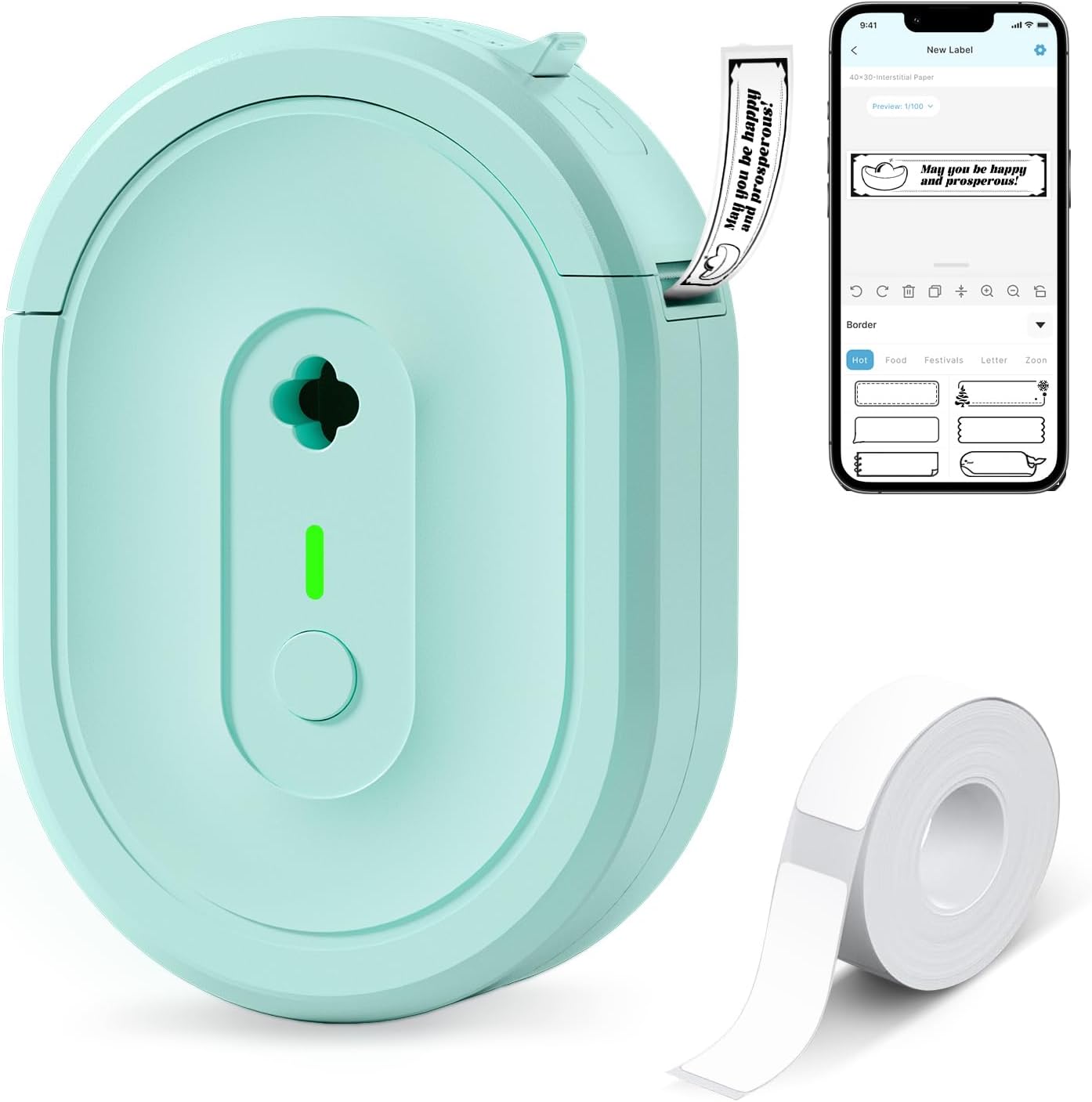
The NDYIN N12 is a portable thermal label printer that connects over Bluetooth to the free Nada Print app so you can design and print black-and-white labels from iOS and Android devices. It ships with a roll of pre-cut labels and prints direct-thermal output, which means no ink, toner, or ribbons to replace and lower ongoing costs. The app offers lots of templates, frames, symbols, and fonts for quick customization, and the built-in rechargeable battery keeps it cordless for countertop use or short label runs. Print resolution is modest at 203 dpi, so text and simple barcodes look crisp enough for jar and candle tags but fine detail or photographic prints are not supported. Label widths are fixed to common sizes used for product tags, and setup requires selecting the correct paper size in the app before printing. This is a straightforward, low-cost option for small-batch candle labeling, especially when you want portable Bluetooth control and minimal consumable expense.
Best for: Someone making small batches of candle or product tags who wants a low-cost, portable labeler that pairs with a phone and minimizes ongoing consumable expense.
Less Ideal for: If you need high-resolution full-color labels, long continuous industrial printing, or custom-sized labels beyond the supported presets, choose a different printer.
- Direct thermal printing so no ink, toner, or ribbons required
- Bluetooth connection and companion app for on-phone label design
- Built-in rechargeable battery for cordless use
- Includes pre-cut labels and common label sizes out of the box
- Print is monochrome only with 203 dpi resolution, not suitable for detailed graphics
- Label lengths and widths are fixed to supported sizes
Verdict: A budget-friendly portable thermal labeler that pairs with your phone to produce affordable monochrome tags ideal for small-batch candle labeling.
NIIMBOT B1 Label Maker

| Printer Type | Thermal |
|---|---|
| Maximum Print Resolution Black and White | 203 dpi |
| Printer Connectivity Type | Bluetooth |
| Maximum Media Size | 50x80mm |
| Battery | 1500mAh |
The NIIMBOT B1 is a portable thermal label maker designed for quick, inkless sticker printing from a phone or PC. You pair it over Bluetooth with the NIIMBOT app or connect by USB to a Windows computer to design labels from a library of fonts, borders, and symbols, and the printer auto-detects label width to simplify setup. It includes three rolls of factory labels in mixed shapes and supports 1 to 2 inch widths, making it straightforward to print ingredient, care, and branding stickers for candles. The 203 dpi engine and 60 ppm nominal speed produce legible text and simple logos, and the device is lightweight and easy to move around a workbench. Important limits: the system is designed to work with genuine NIIMBOT labels that use a proprietary detection method, so third-party or generic rolls may not be recognized, and the 203 dpi resolution limits very fine photographic detail. For makers who need consistent, reliable label output with an app-driven workflow, the B1 covers the essentials without bulky setup or consumable mess.
Best for: Candle makers who prioritize dependable, repeatable labels and want a simple app-driven workflow to print ingredient and branding stickers quickly.
Less Ideal for: If you need to use third-party label rolls or require high-resolution photo labels for premium packaging, look for a different model with open media support or higher dpi.
- Bluetooth pairing with NIIMBOT app for quick phone-based label design
- Auto-detects label width so rolls load and print without manual template changes
- Ships with three mixed-size NIIMBOT rolls so you can start labeling immediately
- Thermal, inkless printing keeps labels smudge-free and low maintenance
- Only reliably recognizes genuine NIIMBOT labels due to proprietary detection
- 203 dpi resolution is not sufficient for high-detail photo printing
Verdict: A compact, app-driven thermal printer that reliably produces clean, smudge-free candle labels when used with genuine NIIMBOT rolls.
Nelko P21 Label Maker

| Printer Type | Thermal |
|---|---|
| Print Resolution | 203 x 203 DPI |
| Connectivity | Bluetooth |
| Print media | Labels |
| Maximum Media Size | 14x75mm |
The Nelko P21 is a pocketable Bluetooth thermal label maker that pairs with the Nelko smartphone app to design and print adhesive labels for home, classroom, and small-business needs. You create labels on your phone using templates, icons, barcodes or QR codes and send them to the P21 for inkless thermal printing at 203 DPI. The unit's rechargeable battery and built-in cutter make it convenient for on-the-go labeling, and the app supports many decorative borders and materials so you can style labels for candle jars, packaging, and price tags. Practical limits include monochrome-only output and fixed label widths that require compatible Nelko tapes, and the app-based pairing can be finicky unless you follow the setup steps and use supported OS versions. For candle makers the device is handy for short runs of tidy, waterproof tags and ingredient or care-label stickers, but it is not suited to full-color artwork or large production runs.
Best for: Candle makers who want a compact, app-based solution for clean, waterproof ingredient and price labels and occasional small batch runs and who value ease of use and social-proof features like templates.
Less Ideal for: If you need full-color labels, high-volume commercial production, or a desktop computer workflow, choose a color-capable or higher-throughput label printer instead.
- Portable, lightweight design for printing on the go
- App-driven templates and icons let you create decorative and informative candle labels
- Thermal, inkless printing at 203 DPI produces crisp black text and simple graphics
- Built-in cutter and rechargeable battery simplify small batch labeling tasks
- Prints only monochrome so it cannot reproduce full-color artwork
- Requires specific width label tapes and the Nelko app for operation
Verdict: For candle makers who prioritize portable, app-designed monochrome labels and quick small-batch production, the Nelko P21 delivers an easy, template-rich inkless solution.
TYPONOS PM240 Label Maker

| Printer Type | Thermal |
|---|---|
| Resolution | 203 x 203 dpi |
| Connectivity | Bluetooth, USB (USB Type C) |
| Built-In Media | Includes 3 label rolls (40×30mm, 50×80mm, 50×50mm) |
The TYPONOS PM240 is a pocketable thermal label maker aimed at home, classroom, and small-business use. It prints monochrome labels at 203 dpi using thermal media, so no ink or toner is required, and it can run from its built-in rechargeable battery for portable use or be connected to a PC via USB Type‑C. Setup typically involves installing the Labelnize app on iOS or Android, pairing over Bluetooth and choosing from many templates, icons and fonts; the app also supports batch printing and Excel import for multiple candle labels. The package includes three tape rolls in common sizes and the printer supports square, round and transparent labels that work well for glass jars and candle containers. Notable conveniences include automatic label-size detection via an RFID chip in compatible rolls and a quick 3‑second first print time, but Bluetooth and USB cannot be used at the same time and the device is monochrome only, so it cannot produce color labels. For buyers who want simple, durable thermal labels for product names, ingredients, and barcodes on candles, the PM240 is a capable, low‑maintenance choice.
Best for: Someone who needs reliable, easy-to-create durable labels for small candle production or retail, and prefers a simple app-driven workflow with ready-to-print media.
Less Ideal for: If you need full-color labels, high-volume industrial printing, or multi-connection workflows where simultaneous USB and Bluetooth are required, choose a different solution.
- Thermal printing at 203 dpi provides crisp, ink-free text and barcodes.
- Includes three label rolls and supports common shapes and transparent media suitable for candle jars.
- Bluetooth app with templates, Excel import and batch printing speeds up printing many product labels.
- Portable with built-in rechargeable battery and USB‑C connectivity for PC use.
- RFID-enabled rolls auto-detect size to reduce setup mistakes with compatible media.
- Monochrome output only, so no color labels or colored graphics.
- Bluetooth and USB cannot be used simultaneously which limits connection flexibility during some workflows.
Verdict: A compact, app-driven thermal label maker that makes crisp, durable monochrome labels fast, ideal for small-batch candle makers who want an easy, low-maintenance labeling workflow.
Choosing the Right Label Maker for Candles: Key Factors to Consider
Print Resolution and Font Support
High resolution and flexible font options are essential because candle labels often include small ingredient lists and required safety warnings. A machine with finer dot-per-inch capability produces sharper text and crisper lines for small-size labels.
Also consider whether the label maker supports scalable fonts and custom sizing. That lets you fit mandated information into constrained spaces without sacrificing legibility. If your labels include small logos or decorative elements, a higher resolution unit will reproduce those details more faithfully.
Material and Tape Compatibility
Candle labels are applied to a variety of surfaces such as glass jars, metal tins, and wax-coated containers. Choose a label maker that works with a range of materials, including thermal paper, laminated tapes, and printable vinyl. Waterproof or laminated media resist smudging and exposure to melted wax or humidity.
Check whether the machine accepts third-party tapes and continuous rolls for custom-width labels. Compatibility with wider media increases design flexibility and can lower consumable costs when you buy materials in bulk.
Adhesive Strength and Environmental Resistance
Labels on candles must stay attached despite heat near the wick, occasional handling, and possible exposure to moisture. Strong permanent adhesives and heat-resistant formulations reduce peeling and bubbling. For candles stored in varied conditions, look for labels rated for high temperature and humidity.
Some adhesives are optimized for glass and metal while others are better for slightly textured or waxy surfaces. Picking the right adhesive type for the surfaces you use will prevent failures during shipping or display.
Label Size Flexibility and Layout Options
Candle containers range from tiny tealights to large jars, so the ability to set custom label widths and heights matters. Machines that support continuous rolls and precise cutting let you make stripe labels, wraparound designs, and small information tags without wasting media.
Good layout software or onboard editing features speed up multi-line ingredient blocks, barcode printing, and batch numbering. The more control you have over margins, alignment, and text wrapping, the cleaner the finished label will look on your product.
Operational Cost and Consumable Availability
Consumables are an ongoing expense for any label workflow. Consider the cost per label for the media types you plan to use and whether third-party supplies are readily available. Machines that accept standard-width rolls or have economical ribbon options can reduce long-term cost.
Also evaluate how easy it is to replace tapes and ribbons in the studio environment. Frequent changeovers add labor time, so higher-capacity rolls or simpler loading mechanisms can be a real efficiency gain when producing larger batches.
Ease of Use and Workflow Integration
A user-friendly interface, reliable label feeding, and intuitive software matter when you are producing many labels. If you sell at markets or need to reprint batches on demand, quick setup and minimal troubleshooting save time. Consider whether the device connects to a computer, mobile app, or offers standalone editing.
Also think about portability and power options. Battery or USB-powered units can be handy if you do pop-up events or need a compact station for on-site labeling.
Choosing Labels That Withstand Heat and Wax
Candles create localized heat that can affect label adhesion and ink stability. Use laminated or heat-rated vinyl labels on containers that will see elevated surface temperatures. These materials maintain adhesion and prevent ink softening when a candle warms the jar or tin.
For labels that sit near the rim or close to the flame, keep a safety margin between the printed area and the wick and use inks and adhesives rated for higher temperatures. Test a label on a single sample jar before committing to a full batch to confirm appearance and durability.
- Prefer laminated or coated media for oily or wax-prone surfaces
- Avoid fragile paper tapes on jars that will be handled frequently
- Test adhesion on the actual container material before large runs
Design Tips for Small Labels and Required Text
Candle labels often require ingredient lists, scent names, and safety warnings in a confined space. Use high-contrast text—dark text on a light background or vice versa—to maximize readability. Choose a clean sans-serif font for small sizes, and keep line spacing adequate to avoid crowding.
If you need to include mandatory safety statements, prioritize those elements in your layout and use larger or bolder text for critical warnings while keeping secondary information smaller but legible.
- Keep critical warnings at a minimum size of legibility for your chosen print resolution
- Use test prints to ensure barcodes or QR codes scan reliably at small sizes
- Leave a margin around the edges to avoid cutting into text
Batch Labeling and Serial Numbering Strategies
For makers producing multiple scented lines or limited editions, batch numbering and date codes help with inventory and quality control. Look for label maker workflows that support sequential numbering or variable fields so you can automate these small changes across a roll.
If you sell through retailers or attend markets, preprinting common label elements and applying variable stickers for scent or batch reduces setup time. Consider grouping labels by scent or production date during application to simplify fulfillment.
- Use sequential numbering for lot traceability
- Group label application by scent to minimize mix-ups
- Consider pre-cut label stacks for high-volume production
Waterproofing and Cleaning Considerations
Candles can be exposed to spills, moisture during shipping, or handling that requires cleaning around the container. Waterproof labels or laminated finishes protect printed information from smudging or running. This is especially important if labels include ingredient lists or contact info that must remain legible.
When cleaning jars, avoid harsh solvents that can dissolve adhesives or inks. A mild wipe usually preserves the label; for heavily soiled containers, consider removable protective sleeves or secondary packaging.
- Choose laminated or waterproof media for outdoor or humid conditions
- Avoid solvent-based cleaners near printed labels
- Use protective finishes when necessary to extend label life
Workflow Setup for Markets and Pop-Up Sales
If you sell at craft markets, portable label solutions and simple reprint workflows are beneficial. Devices with battery or USB power and compact footprints work well at temporary stalls. Prepare common label templates ahead of events to speed on-site printing.
Bring spare rolls and a basic toolkit for quick fixes. A clear, consistent label application station reduces errors and keeps presentation professional during busy sales periods.
- Prepare templates for popular scents or sizes before events
- Pack spare media and basic tools for reapplication
- Use compact, fast machines for on-the-spot labeling
How We Chose the Best Label Maker for Candles
We focused on the features that matter most to candle makers and small-batch label users. First, print quality and resolution were prioritized so ingredient lists, warning text, and small logos remain readable at standard candle label sizes. Second, material and font flexibility were evaluated so the machines can handle thermal, laminated, and printable vinyl options commonly used on glass and metal. Third, adhesive performance and weather resistance were considered because candles can be exposed to moisture, heat, and handling that reveal weak labels. Fourth, speed and consumable cost were reviewed to ensure machines suit both hobbyists and higher-output crafters. Finally, ease of use and portability were weighed to reflect typical craft studio workflows. We excluded devices that cannot print narrow labels or that lack support for waterproof or heat-resistant tapes. We also excluded specialized industrial labelers that are impractical for small studios. The resulting list emphasizes machines that balance legibility, material compatibility, durable adhesives, and operational cost.
Our full evaluation process is outlined in our review methodology.
FAQ
Can I use a standard label maker on glass candle jars?
Often yes. Standard label makers will adhere to many glass surfaces, but adhesion depends on the tape formulation. For long-term durability on glass, choose waterproof or vinyl labels with permanent adhesive and test on the actual jar finish first.
What label material is best for candles that may see melted wax?
Laminated or coated vinyl labels perform best when wax contact is possible. These materials resist smearing and hold adhesive when exposed to small amounts of oil or wax, unlike plain paper tapes that can soften or peel.
Do I need a special printer for small ingredient lists and warnings?
You do not necessarily need a specialty printer, but you should choose a machine with high print resolution and good font scaling. That ensures small regulatory text remains legible at typical candle label sizes.
How do I prevent labels from peeling during shipping?
Ensure surfaces are clean and dry before applying labels, use permanent adhesives rated for the container material, and consider a light laminate or protective coating. Secure packaging that minimizes friction also helps prevent peeling in transit.
Is it better to preprint labels or print on demand at markets?
Both approaches work depending on volume. Preprinting saves time for high-volume SKUs, while on-demand printing offers flexibility for custom orders. Many makers use a hybrid approach: preprint common labels and print variable details at events.
Final Verdict
Choosing the right label maker for candles comes down to balancing print clarity, material compatibility, and adhesive performance against your production volume. Prioritize machines that produce sharp small text, accept durable media, and offer adhesives suited to your container surfaces. Also consider consumable costs and whether the workflow supports batch numbering or on-demand printing. If you focus on legibility and adhesive longevity first, then match label size flexibility and speed to your output level, you will have a labeling setup that protects your brand and meets regulatory needs without slowing production.