
Note: This article contains affiliate links. If you click on these links and make a purchase, we may earn a small commission at no extra cost to you. This helps support our research and content. Read our full affiliate disclosure here.
Organizing jars in the pantry, kitchen, or craft room is easier when your labels stay readable and in place. A good label maker for jars helps you identify contents quickly, maintain consistent styling across containers, and avoid smudges or peeling from humidity. This guide presents seven shortlisted label makers chosen for home jar labeling tasks and explains the practical differences that matter for everyday use. We focus on usability, adhesive durability, label material options, and how each tool handles common jar surfaces. Read on to find options that simplify setup and make your jars look cohesive.
Top Picks at a Glance
| Best Overall The best all-around choice for most situations | SUPVAN T50M Pro Label Maker |  |
| Best Quality Built to a higher standard if you want something more solid | Brother P-touch PTD210 |  |
| Best Value The sweet spot between price and what you get | Nelko P21 Label Maker |  |
| Best Budget The cheapest option that still gets the job done reliably | NDYIN N12 Label Maker |  |
| Top Rated A top-rated pick with lots of positive feedback | NIIMBOT B1 Label Printer |  |
| Most Popular A crowd favorite that many people choose with confidence | Phomemo D30 Mini Label Maker |  |
| Best Seller A high-volume bestseller chosen again and again | TYPONOS PM240 Label Maker |  |
SUPVAN T50M Pro Label Maker

| Printer Type | Thermal |
|---|---|
| Maximum Media Size | 1-5/8'' x 1-3/16'' |
| Resolution | 203 dpi |
| Connectivity | USB Type C |
| Power Consumption | 10 watts |
The SUPVAN T50M Pro is a small thermal label printer designed for home, school and small business labeling tasks. It connects via USB and a companion Bluetooth app lets you design labels with over 30 fonts, frames and 660+ icons, import images, and use batch or barcode/QR printing for things like product tags or address labels. The unit ships with a charging cable and a sample 40mm x 30mm white tape and uses SUPVAN T50M series tapes that are waterproof and durable, so printed jar and pantry labels resist moisture and kitchen conditions. Print resolution is 203 dpi, which delivers clear monochrome text and simple graphics but not photographic color. Setup is straightforward and inkless thermal printing keeps running costs low, though the device is limited to monochrome output and requires compatible SUPVAN tapes for best results. Its compact footprint makes it easy to store or keep on a kitchen counter for ongoing jar organization projects.
Best for: Buyers who want a simple, durable labeling solution for jars and pantry organization and value a mobile app for quick custom designs and barcode/QR printing.
Less Ideal for: Users who need color labels, photographic-quality prints, or who prefer a standalone keyboard device without dependence on an app.
- Free companion app with templates, fonts and 660+ icons for fast label design
- Waterproof, durable label tape suited to kitchen and pantry jars
- Inkless thermal printing reduces consumable cost and mess
- Compact, lightweight unit that is easy to store or move
- Prints only in monochrome so no color or photo-quality labels
- Requires SUPVAN T50M series tapes to match auto-size recognition and durability
Verdict: A compact, app-driven thermal label printer that produces durable, waterproof monochrome labels ideal for tidy, long-lasting jar and pantry organization.
Brother P-touch PTD210

| Print Resolution | 180 x 180 dpi |
|---|---|
| Tape Widths | 12mm, 9mm, 6mm, 3.5mm |
| Connectivity | USB |
| Power | 6 AAA batteries or optional AC adapter |
The Brother P-touch PTD210 is a handheld thermal label maker that prints laminated TZe tape for durable, dishwasher- and freezer-safe labels. It is used by loading one of the included 12mm tapes, composing text with the push-button keyboard, choosing from 14 fonts, frames and over 600 symbols, previewing on the LCD, and printing short, high-contrast labels for jars, containers, shelves, and cables. The bundle includes one sample tape and three full-length tapes so you can start labeling immediately, and the device runs on six AAA batteries or an optional AC adapter for desk use. Its 180 x 180 dpi monochrome output produces crisp, legible characters at a modest speed, and the variety of templates and styling options makes it easy to create consistent, professional-looking jar labels. Limitations are its single-color print and small display which make long entries and multi-line formatting cumbersome, and it relies on Brother TZe tapes for the laminated results buyers expect.
Best for: Buyers who prioritize fast, durable, factory-quality labels for pantry and jar organization and want a straightforward, portable device that produces consistent results.
Less Ideal for: If you need multi-color or high-resolution graphic labels, or you prefer full computer design software for complex layouts, this handheld unit is not the best fit.
- Prints on durable laminated TZe tape that is water and fade resistant for jars and kitchen use
- Includes multiple full-length tapes so you can start labeling out of the box
- Simple one-touch keys, templates and a preview LCD speed up common labeling tasks
- Portable battery operation with optional AC adapter for both on-the-go and desk use
- Monochrome, single-color output limits decorative or multi-color labeling
- Small LCD and keypad make long or complex label layouts harder to design
Verdict: For quick, durable jar labeling with professional laminated tapes, the Brother PT-D210 delivers reliable, portable performance.
Nelko P21 Label Maker
| Printer Type | Thermal |
|---|---|
| Resolution | 203 x 203 DPI |
| Printer Connectivity Type | Bluetooth |
| Hardware Interface | USB Type C |
| Paper Size | 15X30mm,12X40mm,14x40mm,14X50mm,14x75mm |
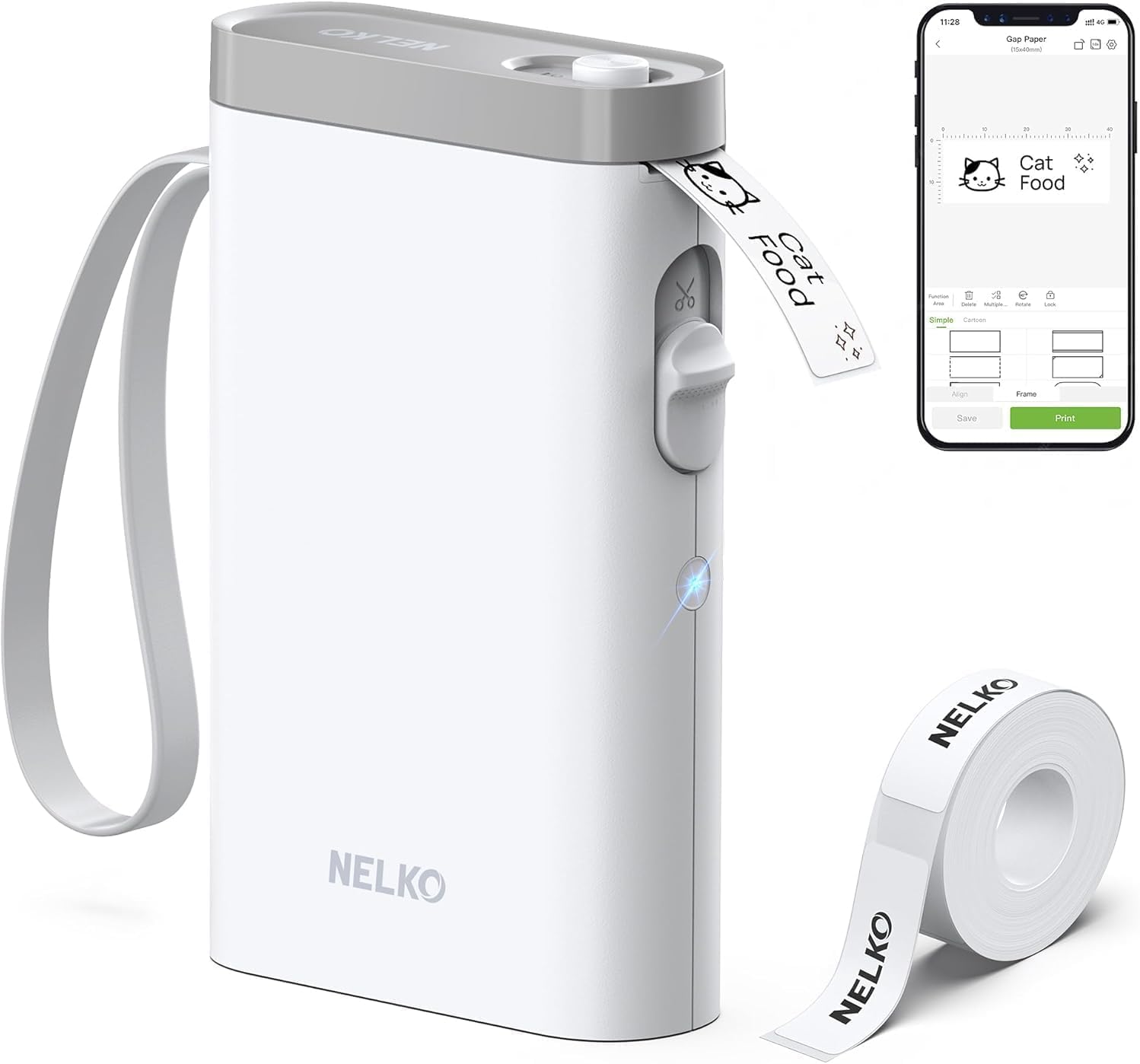
The Nelko P21 is a pocketable Bluetooth thermal label maker designed for quick, app-driven label creation. You connect it to the Nelko mobile app on iOS or Android, pick a template or design a custom label with text, barcodes, QR codes, icons and borders, then print to one of the fixed thermal tape sizes supported. It uses direct thermal technology at 203 DPI so prints are sharp for text and simple graphics and there is a built-in rechargeable battery and USB-C charging. The device is very portable and easy to use for organizing jars, pantry containers, classroom bins and office supplies, and the app's library of templates speeds repetitive labeling. Limitations to note are that it prints only in monochrome, uses fixed-length thermal tapes (no continuous rolls), and the app connection process can require following the brand's pairing steps; it also is not compatible with Android 14 phones per the listing. For straightforward jar and pantry labeling this delivers fast, neat results but expect to buy compatible label rolls for consistent print quality.
Best for: Buyers who want a no-fuss, portable label maker to quickly create tidy, consistent labels for jars, pantry containers and home organization using a smartphone app.
Less Ideal for: If you need full-color labels, variable continuous-roll lengths, or computer-based printing workflows, choose a different label printer.
- Compact, pocketable design for on-the-go labeling
- Direct thermal printing at 203 DPI produces clear monochrome text and simple graphics
- Bluetooth app control with many templates and icons speeds batch labeling
- Rechargeable battery and USB-C charging for cordless use
- Includes one roll of label paper and built-in cutter for ready-to-use setup
- Prints only in black monochrome so no true color printing
- Supports only fixed-length thermal tape sizes and not continuous rolls
- App pairing can require specific steps and some phones (Android 14) are unsupported
Verdict: A small, app-controlled thermal label maker that makes fast, neat monochrome labels for jars and pantry organization.
NDYIN N12 Label Maker
| Printer Type | Thermal |
|---|---|
| Connectivity | Bluetooth |
| Print Resolution | 203 x 203 dpi |
| Built-In Media | 1*180 Pre-cut white labels (14x40mm) |
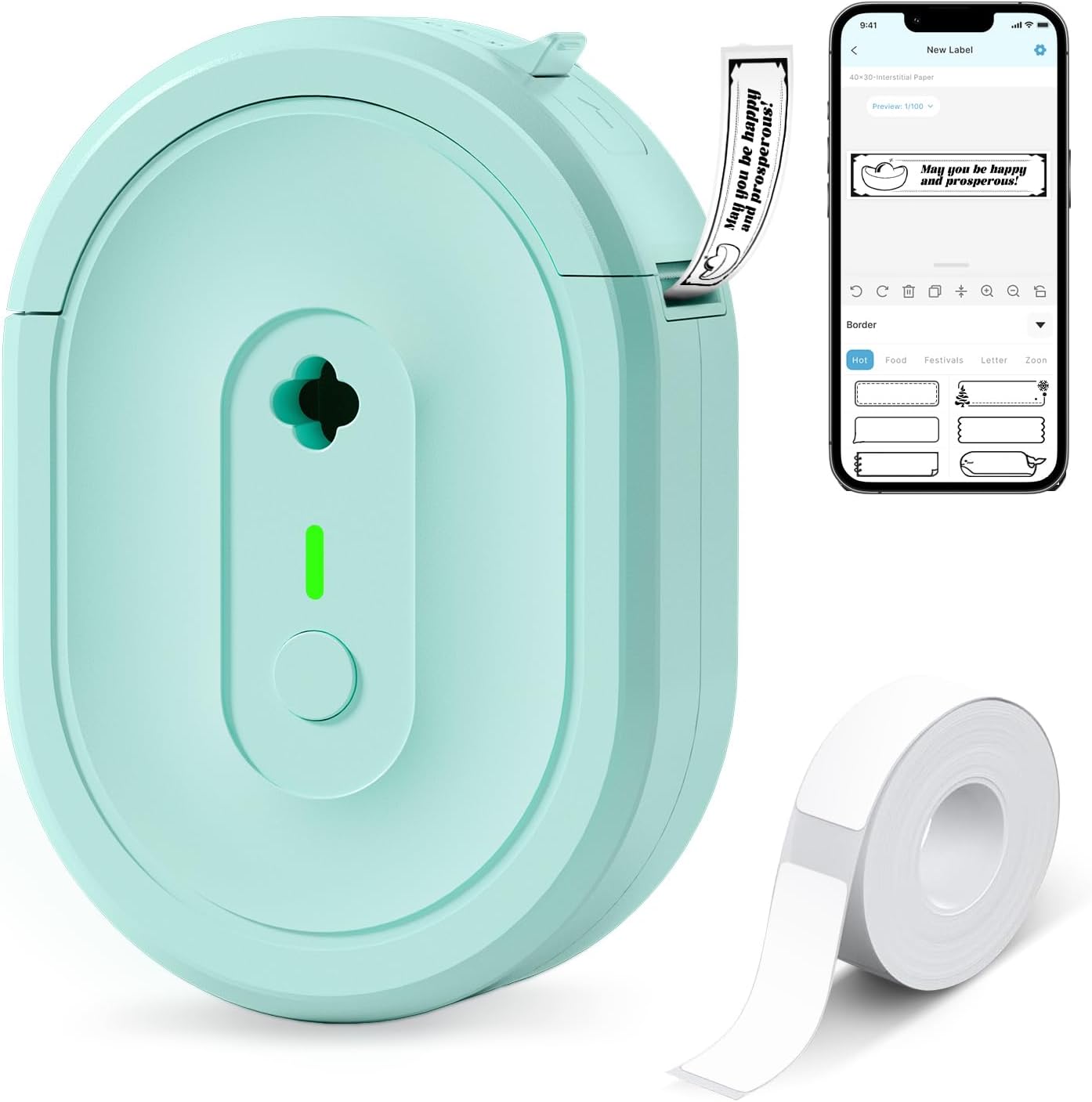
The NDYIN N12 is a small, portable thermal label maker that pairs over Bluetooth with the free Nada Print app to produce monochrome adhesive labels for home, office, and school use. It is typically used for quick organization tasks like jar labeling, cable ID, file tags, and small price or name tags; labels load as pre-cut rolls and the printer runs on a built-in rechargeable battery so you do not need replacement batteries or ink. The Nada Print app supplies a large library of templates, fonts, symbols, and frames so you can create neat, consistent jar labels and adjust size presets to match the included label widths. Print quality is typical direct thermal black-and-white at 203 dpi, which is fine for text and simple barcodes but not for photographic or high-detail graphics. The unit is light and pocketable, and thermal printing keeps ongoing consumable costs low, though you must buy compatible rolls for different sizes and it prints only in black. For budget-minded buyers who want a simple, app-driven way to label jars and small containers, the N12 is an economical, functional choice.
Best for: Buyers who want an inexpensive, portable way to create neat, consistent labels for jars and small containers using a smartphone app and low ongoing consumable costs.
Less Ideal for: Users who need color printing, photo-quality labels, or high-resolution graphic output should look for a different printer or service.
- Direct thermal printing requires no ink, toner, or ribbons, lowering ongoing costs
- Built-in rechargeable battery for portable, cordless use
- Bluetooth connection and Nada Print app with many templates, fonts, and symbols
- Includes pre-cut label roll and charging cable out of the box
- Prints only black-and-white at 203 dpi, so no color or high-detail graphics
- Requires buying specific thermal label rolls for other sizes or longer runs
Verdict: A budget-friendly, app-driven portable thermal labeler that makes fast, low-cost black-and-white jar labels with minimal fuss.
NIIMBOT B1 Label Printer

| Printer Type | Thermal |
|---|---|
| Print Resolution | 203 x 203 dpi |
| Maximum Media Size | 50x80mm |
| Connectivity | Bluetooth, USB |
The NIIMBOT B1 is a small Bluetooth thermal label printer intended for quick, stick-on labels at home or in a small business. It prints monochrome labels between about 1 and 2 inches wide using thermal transfer, so you do not need ink cartridges and the machine is essentially maintenance-free. Setup is done through the NIIMBOT app on iOS or Android or via a USB connection to Windows, and the app offers many fonts, borders, and symbols plus automatic label-size detection so printing jars, pantry containers, or cable tags is fast. The unit is portable and light, and the bundle includes three rolls of factory labels sized for common jar and small-container uses. Important limitations are that the printer recognizes only genuine NIIMBOT labels with its detection system, and resolution is limited to 203 dpi so very fine photo-quality printing is not possible. If you want a low-effort, reliable label workflow for jars and storage, the B1 provides simple, mostly plug-and-print operation with minimal upkeep.
Best for: Buyers who want a dependable, low-maintenance label printer for organizing jars and pantry items and who value simple mobile or PC printing workflows.
Less Ideal for: Users who need high-resolution photo or full-color labels or who prefer to use third-party label stock without vendor-specific media control.
- Thermal printing requires no ink and keeps running costs low.
- Bluetooth and USB connectivity let you print from phone or PC.
- Includes three roll labels sized for common jar and pantry uses.
- App auto-detects label size and supplies many fonts and symbols for quick layout.
- Printer only accepts genuine NIIMBOT labels because of its label detection system.
- 203 dpi resolution limits very fine or photo-quality prints.
Verdict: A fuss-free thermal label printer that reliably produces durable, inkless jar labels using NIIMBOT’s app-driven workflow.
Phomemo D30 Mini Label Maker

| Printer Type | Thermal |
|---|---|
| Maximum Print Resolution | 203 dpi |
| Compatible Devices | Smartphones, Tablets |
| Maximum Media Size | 15mm |
| Battery | 1200mAh, USB-C charging |
The Phomemo D30 is a compact thermal label printer that pairs with Android or iOS devices over Bluetooth and prints monochrome labels using adhesive thermal tape. You design labels in the free Print Master app (templates, fonts, icons, barcodes and batch import are supported) and send jobs to the D30 for fast, inkless output at 203 dpi and up to roughly 40 pages per minute. Its 1200 mAh battery and USB-C charging make it portable for on-the-go tasks but note it cannot print while charging and typical continuous runtime is about two hours per charge. The unit accepts tapes from 6 to 15 mm, including patterned and waterproof options, so you can create clear jar labels and decorative stickers without ink. Setup and app-driven formatting are convenient, though printing is black-only so color effects rely on preprinted tapes. For small-batch home, classroom, or market labeling the D30 balances speed, tiny footprint, and low consumable cost; it is less suited to high-volume industrial runs or users who need multicolor printing from the device itself.
Best for: Buyers who want a small, app-driven labeler for neat, customizable jar and pantry labels and who value easy setup and social-proof features like templates and batch import.
Less Ideal for: People who need full-color on-demand printing, industrial-scale throughput, or continuous printing while connected to power should look elsewhere.
- Pocket-sized and lightweight for easy carrying and storage.
- Thermal printing requires no ink, toner, or ribbon, lowering ongoing costs.
- Free Print Master app with many templates, fonts, icons, and batch import for fast label creation.
- Supports 6–15 mm tapes including waterproof and patterned options suitable for jar labeling.
- Rechargeable 1200 mAh battery with USB-C charging for portable use.
- Prints black text only, so color must come from patterned tapes rather than ink.
- Cannot print while charging, which limits continuous operation during long sessions.
Verdict: A compact, app-controlled thermal labeler that makes quick, low-cost monochrome jar labels with plenty of templates and tape options.
TYPONOS PM240 Label Maker

| Printer Type | Thermal |
|---|---|
| Resolution | 203 x 203 dpi |
| Connectivity | Bluetooth, USB |
| Built-In Media | 3 label rolls (40×30mm, 50×80mm, 50×50mm) |
| Wattage | 5.55 watts |
The TYPONOS PM240 is a small, portable thermal label maker intended for quick, no-ink printing of rectangular and round 1–2 inch labels. It pairs with the Labelnize app for iOS, Android, and PC to access templates, icons, fonts, Excel import, batch printing, OCR, and automatic label-size detection via built-in RFID chips in TYPONOS rolls. In practice the PM240 is convenient for jar labeling because it supports transparent and round labels, prints at 203 DPI with fast first-print times, and includes three common label sizes out of the box. The USB-C connection and rechargeable battery make it easy to use at a desk or carry between rooms, though Bluetooth and USB cannot be used simultaneously. The app-driven workflow adds flexibility but requires a phone or PC for full feature access and occasional attention to the green liner sticker on rolls. For routine home or small-business jar labeling the PM240 delivers crisp, waterproof prints and straightforward setup, with a compact footprint that fits on a shelf or in a drawer.
Best for: Buyers who want a low‑risk, easy-to-use label printer for tidy jar organization and small-scale business labeling and who prefer a compact device with app templates and ready-to-use label rolls.
Less Ideal for: Large-scale shipping operations or users who need purely standalone, menu-driven label printing without a phone or PC should consider a different industrial or dedicated standalone model.
- Thermal printing at 203 DPI produces crisp, ink-free labels
- Includes three label rolls (multiple sizes and a round roll) suitable for jars
- Bluetooth app and USB-C support Excel import, batch printing, and many templates
- Labels are waterproof, oil-resistant, and have strong adhesion for jars
- Built-in rechargeable battery and lightweight portable design
- Bluetooth and USB cannot be used at the same time, which can complicate some workflows
- Full functionality depends on the Labelnize app and compatible TYPONOS rolls with RFID
Verdict: The PM240 is a compact, app-driven thermal label maker that makes durable, high-resolution jar labels easy with included rolls and smart label-size detection.
Choosing the Right Label Maker for Jars: Key Factors to Consider
Adhesive Type and Durability
Jar surfaces vary from smooth glass to textured plastic and metal lids, so adhesive performance is critical. Look for label makers that support both removable and permanent adhesives or that offer laminated tape options. Durable adhesives resist humidity, steam from cooking, and repeated handling, which matters for pantry jars and kitchen storage. Poor adhesive choices lead to peeling or labels that collect grime around the edges.
Also consider whether the labels are washable or water-resistant. If you plan to wipe jars or run them under warm water, laminated or waterproof tapes preserve the printed text and avoid smearing. Finally, check how the tape behaves on curved or small-surface areas; some adhesives are formulated to conform to curves, reducing lifting at the label edges.
Label Material and Finish
Label materials affect appearance and longevity. Matte paper tapes give a low-profile, writeable surface for erasable ink, while laminated or plastic tapes provide water resistance and a glossier finish. For spice jars and frequently handled containers, laminated tape resists oils and moisture better than plain paper.
Consider whether the device supports different tape widths and colors. Narrow tapes work better on small jars and lids, while wider tapes offer a cleaner look on large canisters. If aesthetics matter, look for options that produce consistent print density and sharp edges so labels look neat and professional across your collection.
Print Size and Clarity
Legibility is essential when labels are viewed at a glance. Devices that offer adjustable font sizes and high print resolution make compact labels readable without crowding. A crisp typeface helps distinguish small ingredient names and measurement notes on narrow jar fronts.
Think about whether you need bold or outline styles for contrast against jar contents. Some label makers include preview or editing modes that show how text will wrap on a chosen tape width, which reduces wasted labels and ensures your wording fits the available space.
Ease of Use and Workflow
Labeling many jars becomes tedious if the device is awkward to operate. Ergonomic keyboards, clear displays, template shortcuts, and one-button formatting speed up batch jobs. Battery-powered, handheld units can be used directly at your pantry or pantry cart, while plug-in models may be preferable for frequent long sessions.
Evaluate how the device handles repeated printing tasks, whether it supports copying a label or saving templates, and if it can quickly switch between fonts and sizes. Simple connectivity options for importing text or lists can also streamline labeling large quantities of jars.
Tape Loading and Compatibility
Tape loading mechanics influence how easily you can swap colors or widths. Cartridges that snap in cleanly reduce downtime and mistakes. Verify the range of tape widths the device accepts so you can choose sizes for tiny spice jars and broad pantry canisters.
Also consider tape availability and whether the maker supports common tape types like laminated, fabric-look, or writeable paper. Devices that restrict you to a single proprietary tape family limit versatility. Easy-to-source tapes simplify long-term upkeep and let you experiment with finishes and colors.
Power Source and Portability
Where you plan to use the label maker affects whether you need batteries or a mains adapter. Battery-powered units let you label jars right where they sit on the shelf or workbench, which is useful when photographing or arranging items. Plug-in models can be better for high-volume labeling sessions, avoiding battery swaps.
Check battery life estimates and whether the device supports rechargeable cells or a USB power option. Also consider the unit's weight and size if you expect to carry it between locations or store it in a drawer when not in use.
Best Label Styles for Different Jar Uses
Different jar uses call for different label styles. For pantry staples and long-term storage, choose water-resistant laminated labels that withstand spills and steam. For short-term or frequently changed contents, removable paper labels let you update contents without adhesive residue.
Aesthetic choices matter for visible storage. Narrow, centered labels work well on spice jars, while wider wrap-style labels can include cooking notes or ingredient lists on larger canisters. Consider matte finishes for a subtle look and glossy laminated tapes when easy cleaning is the priority.
- Spice jars: narrow, high-contrast text; laminated for heat and humidity.
- Pantry canisters: wider labels with bold headings and optional subtext.
- Freezer storage: use cold-resistant tapes and permanent adhesives.
Preparing Jars for Long-Lasting Labels
Surface preparation improves adhesion and longevity. Clean jars with an alcohol wipe or soapy water to remove oils and dust, then allow them to dry fully before applying labels. For textured lids, consider a smaller label footprint or a laminated tape that conforms better to uneven surfaces.
When applying labels to curved surfaces, press from the center outward to minimize bubbles and ensure edge adhesion. Give adhesive tapes a few hours to bond before exposing jars to steam or washing to reduce the chance of lifting.
- Clean with isopropyl alcohol for best adhesion.
- Dry completely before applying label.
- Press firmly and let adhesive set for several hours.
Batch Labeling Tips and Shortcuts
If you are labeling many jars at once, set up templates for common text like 'Flour', 'Sugar', or measurement markings to speed production. Use consistent tape widths so you can reuse templates across similar containers. Some label makers allow you to store frequently used labels or copy previous entries, which reduces repetitive typing.
Organize jars into groups before labeling to maintain a steady workflow. Keep extra tape cartridges and batteries on hand to avoid interruptions. Test a sample label on a spare jar to confirm size and clarity before printing full batches.
- Create and save templates for commonly used names.
- Group jars by size to apply consistent label widths.
- Keep spares of tape cartridges and power sources nearby.
Label Removal and Surface Care
When you need to remove labels, start gently to avoid scratching glass or damaging printed finishes. Soaking the jar in warm, soapy water often loosens adhesive; leftover residue can be removed with a small amount of rubbing alcohol or a gentle adhesive remover compatible with the jar finish.
Avoid scraping with sharp tools that could scratch glass or metal lids. For reusable jars, choose removable or low-tack label options to make turnover easier without long cleanup steps.
- Soak in warm, soapy water to loosen stubborn labels.
- Use alcohol-based cleaners to remove residue.
- Prefer low-tack labels for frequently changed contents.
Designing Labels That Read Well
Good label design is functional. Use larger, bold fonts for main content names and smaller text for dates or notes. Keep wording concise to avoid crowding narrow label areas and prioritize high-contrast color combinations so text stands out against jar contents.
If you track use-by dates or batch numbers, include small boxes or fields in your template to write in with a fine-tip marker after printing. This hybrid approach combines the speed of printed labels with the flexibility of handwritten details.
- Bold main text, smaller secondary text for dates.
- High contrast colors improve visibility across contents.
- Include small writeable fields for batch or expiry information.
How We Chose the Best Label Maker for Jars
We prioritized tools that specifically meet the demands of jar labeling in home settings. Evaluation emphasized adhesive performance on glass, plastic, and metal jar surfaces; label material and finish options including laminated or water-resistant tapes; and typeface clarity at small sizes for legibility on narrow jar fronts. Usability factors covered keyboard layout, label preview or editing features, and tape loading simplicity so labeling is efficient in batch tasks. We also considered print resolution and character sizing for consistent results on both small spice jars and larger canisters, plus battery or power options for mobile use in the kitchen. Exclusions included devices intended only for industrial barcode printing or large-format signage, and any label units lacking basic water resistance or removable adhesive options. The final shortlist reflects products that balance adhesion, material versatility, and day-to-day ease of use for jar organization.
Our full evaluation process is outlined in our review methodology.
FAQ
Are laminated labels necessary for kitchen jars?
Laminated labels are not strictly necessary but they help a lot. They resist water, oils, and heat better than plain paper tapes, which keeps printed text readable through wiping and occasional splashes.
Can I use removable labels on glass jars without residue?
Often yes. Many removable adhesives are formulated to peel cleanly from glass. Success depends on surface prep and how long the label remains in place. Long-term exposure to humidity can increase residue risk.
What tape width works best for spice jars?
Narrow tapes, typically 6 to 12 millimeters wide, are easiest for spice jars because they fit small fronts and lids without wrapping. Smaller width keeps text readable and avoids crowding the label area.
How should I label jars I plan to freeze?
Use cold-resistant tapes with permanent adhesives and high-contrast print. Some tapes are rated for freezer use to prevent peeling in low temperatures. Also include a writeable field for dates in case printed information needs updating.
Do label makers work well on curved surfaces?
Many labels adhere fine to gentle curves, but very small or highly convex surfaces can challenge adhesion. Choose tapes formulated to conform to curves or use smaller labels placed on flatter parts of the jar.
Final Verdict
Focus on adhesive durability, label material, and print clarity when choosing a label maker for jars. Decide whether water resistance or removability is more important for your jars and pick tape widths that fit the range of container sizes you own. Prioritize devices that streamline batch labeling and offer easy tape loading so you can maintain a tidy, consistent pantry with minimal effort. With those tradeoffs in mind, you can confidently select a tool that balances durability and ease of use for long-lasting jar organization.