
Note: This article contains affiliate links. If you click on these links and make a purchase, we may earn a small commission at no extra cost to you. This helps support our research and content. Read our full affiliate disclosure here.
If you sell, gift, or organize items that need consistent, legible packaging, a dedicated label maker for product labels makes the job faster and more professional. The right unit helps you print ingredient lists, barcodes, lot codes, or decorative branding in sizes and materials that match your containers. In this guide we narrowed the field to the top choices suited specifically for product labeling, including options geared toward small-batch producers and home-based businesses. Below are our shortlisted label makers that balance print quality, material options, and long-term durability. Use the evaluation notes to match a model to the types of labels you produce and the volume you expect to print.
Top Picks at a Glance
| Best Overall The best all-around choice for most situations | Phomemo D30 Label Maker |  |
| Best Quality Built to a higher standard if you want something more solid | NIIMBOT M2 Label Maker |  |
| Best Value The sweet spot between price and what you get | SUPVAN T50M Pro Label Maker |  |
| Best Budget The cheapest option that still gets the job done reliably | NDYIN N12 Label Maker |  |
| Top Rated A top-rated pick with lots of positive feedback | DYMO LetraTag 100H Label Maker |  |
| Most Popular A crowd favorite that many people choose with confidence | Nelko P21 Label Maker |  |
| Best Seller A high-volume bestseller chosen again and again | TYPONOS PM240 Label Maker |  |
Phomemo D30 Label Maker

| Printer Type | Thermal |
|---|---|
| Printer Connectivity Type | Bluetooth |
| Hardware Interface | Bluetooth 4.0, USB Type C |
| Resolution | 203 dots_per_inch |
| Print media | Labels |
The Phomemo D30 is a compact, rechargeable thermal label printer designed for quick, on-the-go labeling via the Print Master app on Android or iOS. You design labels on your phone, connect over Bluetooth, and print black text onto a variety of patterned or plain thermal label tapes without ink or ribbons. Its app provides many templates, icons, fonts, barcode/QR tools and batch import, which makes creating product price tags or small-batch product labels straightforward. The unit is very light and portable, and uses USB‑C for charging, so it is convenient for classroom, home, office, and small business use. Print quality is good for text and simple barcodes at the stated 203 dpi, but it prints only in black so any color comes from the tape itself rather than multicolor printing. Labels require selecting the correct paper size in the app to avoid offsets, and heavy-duty industrial labeling or large-format tags are outside its scope. For merchants creating small product labels or price tags, the D30 is a capable, cost-efficient choice when you need portable, app-driven label production.
Best for: Buyers who want an affordable, portable label printer for creating neat product tags, price labels, and small-batch barcode labels using a smartphone-driven design workflow.
Less Ideal for: Businesses that need full‑color printing, large-format labels, or high-volume industrial label production should look at dedicated commercial label printers instead.
- Truly portable, lightweight design with rechargeable battery and USB‑C charging
- Inkless thermal printing cuts operating costs and needs no cartridges or ribbons
- Robust mobile app with many templates, icons, fonts, barcode/QR and batch import features
- Supports continuous and pre-cut tapes plus patterned tapes for decorative color backgrounds
- Good text clarity at 203 dpi suitable for price tags, small product labels and organization
- Prints only black, so color requires patterned tapes rather than true color printing
- Small maximum media width limits label size for larger product tags
Verdict: A pocketable, app-driven thermal label maker that delivers crisp monochrome product and price labels with minimal operating cost, ideal for small-batch retail and craft sellers.
NIIMBOT M2 Label Maker

| Printer Type | Thermal |
|---|---|
| Maximum print Resolution Color | 300 x 300 dpi |
| Maximum Media Size | 2inch |
| Printer Connectivity Type | Bluetooth |
| Hardware Interface | USB |
The NIIMBOT M2 is a desktop 2-inch thermal transfer label maker aimed at small businesses and product labeling tasks. It uses thermal transfer ribbons and label rolls to deliver 300 DPI prints that resist water, oil, fading, and extreme temperatures, which makes labels suitable for refrigerated or outdoor product use. You control layouts and templates from the NIIMBOT app over Bluetooth or connect to a PC via USB for driver-enabled printing, and the app supports barcodes, QR codes, images, batch print, and Excel import for quick product runs. The printer recognizes consumable size, auto-rewinds paper, and can print in multiple ribbon colors when you add color ribbons. Practical downsides are the need to buy separate color ribbons and to use M2-series thermal transfer labels only, and Windows PC setup requires a driver install which can add setup time for some users.
Best for: Buyers who prioritize print durability and high-resolution labels for product packaging, refrigerated goods, or outdoor use and need flexible mobile and PC editing workflows for batch product runs.
Less Ideal for: Casual home users who only need occasional household labels or those unwilling to manage separate ribbons and specialty label rolls should consider simpler thermal printers or inkless models.
- 300 DPI thermal transfer printing for crisp, long-lasting labels suitable for harsh conditions
- Supports color ribbon printing for multi-color labels and visual product branding
- Bluetooth app plus USB PC connection allow mobile editing and batch printing workflows
- Automatic consumable recognition and paper rewind reduce wasted labels during setup
- Requires M2-series thermal transfer labels and ribbons to achieve intended durability
- Color ribbons are sold separately so multi-color printing adds ongoing consumable cost
Verdict: Choose the M2 when you need factory-quality, long-lasting product labels with 300 DPI color-capable thermal transfer printing and mobile/PC editing.
SUPVAN T50M Pro Label Maker

| Printer Type | Thermal |
|---|---|
| Controller Type | Android / iOS |
| Print Resolution | 203 dots_per_inch |
| Printer Connectivity Type | USB |
| Power Consumption | 10 watts |
The SUPVAN T50M Pro is a small thermal label printer that connects via Bluetooth and USB-C to an Android or iOS device and prints monochrome labels 3/4" to 2" wide without ink. You design labels in the companion app, which offers over 30 fonts, frames and 660+ icons plus image and barcode/QR support for product labels, addresses, cable tags and more. The unit ships with a charging cable and a sample 40 mm x 30 mm tape and uses SUPVAN T50M series label tapes that are waterproof and durable for indoor or light outdoor use. Print quality is 203 dpi, which delivers clear text and decent graphics for small logos and barcodes, and the device is lightweight and easy to move between workstations. Limitations include monochrome output only and a single USB-C port, so multi-color or high-resolution photo labels are not possible and tape width is constrained to supported cartridges. For small businesses that need consistent, durable product labels and flexible app-based layout tools, it is an efficient, no-ink solution.
Best for: Buyers who prioritize practical, durable product labels and want an easy app-driven workflow to create address, barcode, and branding labels without managing ink or complex printers.
Less Ideal for: If you need full-color labels, photo-quality printing, or large-format label production, a color label printer or commercial label press is a better choice.
- App-based design with 30+ fonts and 660+ icons for versatile label layouts
- Thermal, inkless printing so no cartridges or toner to replace
- Prints waterproof, durable labels suitable for product tags and organization
- Compact, lightweight desktop form factor with USB-C charging and Bluetooth pairing
- 203 dpi resolution provides clear text and usable barcode/QR output
- Monochrome printing only, so no color labels or multi-color logos
- Limited to SUPVAN T50M series tape widths and formats
Verdict: A compact, app-driven thermal label maker that delivers durable monochrome product labels quickly and without ink, ideal for small businesses focused on practical, consistent labeling.
NDYIN N12 Label Maker
| Printer Type | Thermal |
|---|---|
| Printer Connectivity Type | Bluetooth |
| Resolution | 203 x 203 dpi |
| Built-In Media | 1*180 Pre-cut white labels (14x40mm) |
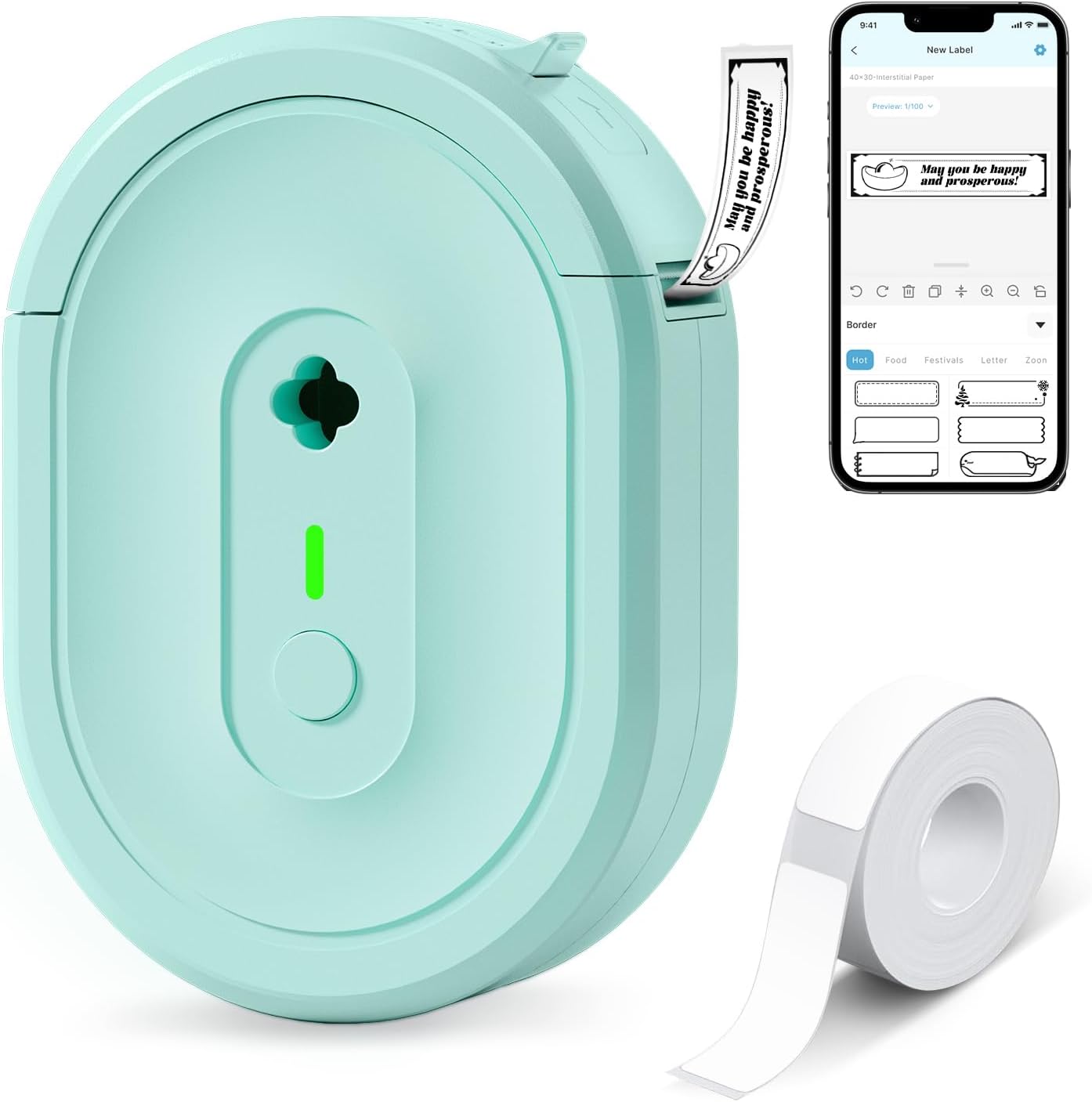
The NDYIN N12 is a small, portable thermal label maker that connects to smartphones and tablets over Bluetooth and prints black-and-white adhesive labels using direct thermal paper. You design labels in the free Nada Print app, which includes many fonts, frames, and symbols to create price tags, pantry labels, cable markers, and basic product labels. It ships with pre-cut labels and a USB charging cable and runs on a built-in rechargeable battery so there are no ink or ribbon replacements. Print resolution is modest at 203 dpi, so text and simple barcodes come out clear but very fine detail or high-density graphics will not be crisp. The unit is tailored to quick, low-cost labeling rather than heavy-duty industrial use, and label widths are limited to the sizes the app supports. For small businesses or sellers who need affordable, on-demand product labels and simple barcode printing, the N12 is a practical, low-cost option.
Best for: Small shops or budget-minded sellers who need an inexpensive, portable way to print basic product labels and price tags from a phone or tablet.
Less Ideal for: Businesses that require high-resolution graphics, color labels, or high-volume industrial labeling should look at more robust thermal or thermal-transfer systems.
- Direct thermal printing eliminates the need for ink, toner, or ribbons
- Bluetooth pairing with smartphones and tablets using the Nada Print app
- Built-in rechargeable battery for portable, cordless use
- Includes pre-cut labels and charging cable for out-of-the-box operation
- 203 dpi resolution limits fine detail and high-density barcode clarity
- Outputs only monochrome labels, no color printing capability
Verdict: A low-cost, portable Bluetooth thermal label maker ideal for printing simple monochrome product labels and price tags from a smartphone.
DYMO LetraTag 100H Label Maker

| Included tapes | 3 (paper black on white, plastic black on white, plastic black on clear) |
|---|---|
| Print technology | Direct thermal, 200 dpi |
| Power source | 4x AA batteries (not included) |
| Font & styles | 5 font sizes, 7 print styles, 8 box styles |
The DYMO LetraTag 100H is a small handheld thermal label maker designed for basic home and office labeling tasks. It prints on paper and plastic cassette tapes and includes three starter tapes (paper white, plastic white, plastic clear), so you can label files, bins, cords, and clothing right away. The unit offers simple formatting tools: five font sizes, multiple print and box styles, two-line printing, a date stamp and nine memory slots for frequently used labels, all previewed on a clear graphical LCD before printing. It runs on four AA batteries and has auto-off to conserve power, making it portable for quick sessions away from a desk. Because it uses direct thermal printing there is no ink or toner to replace, but tape is a proprietary format so ongoing costs depend on buying compatible DYMO cassettes. The LetraTag 100H is straightforward, reliable for routine labeling, and best when you need fast, no-fuss labels rather than high-volume industrial print runs.
Best for: Buyers who prioritize a dependable, simple-to-use label maker for consistent everyday organization and small batch product labeling where portability and predictable results matter.
Less Ideal for: Not a good fit for high-volume or industrial product labeling needs that require continuous AC power, wide-format labels, or advanced connectivity and integration.
- Compact, lightweight handheld design for easy portability
- Graphical LCD lets you preview labels before printing
- Supports multiple font sizes, print styles, box styles and two-line printing
- Includes three starter tapes (paper and plastic) so it is ready to use out of the box
- Direct thermal printing requires no ink or toner
- Uses proprietary DYMO cassettes so replacement tape is an ongoing purchase
- Battery powered only; requires four AA cells and no AC adapter is included
Verdict: A compact, battery-powered label maker that reliably produces ready-to-use paper and plastic labels for low- to moderate-volume product labeling and everyday organization.
Nelko P21 Label Maker
| Printer Type | Thermal |
|---|---|
| Print Resolution | 203 DPI |
| Connectivity | Bluetooth |
| Hardware Interface | USB Type C |
| Print media | Labels |
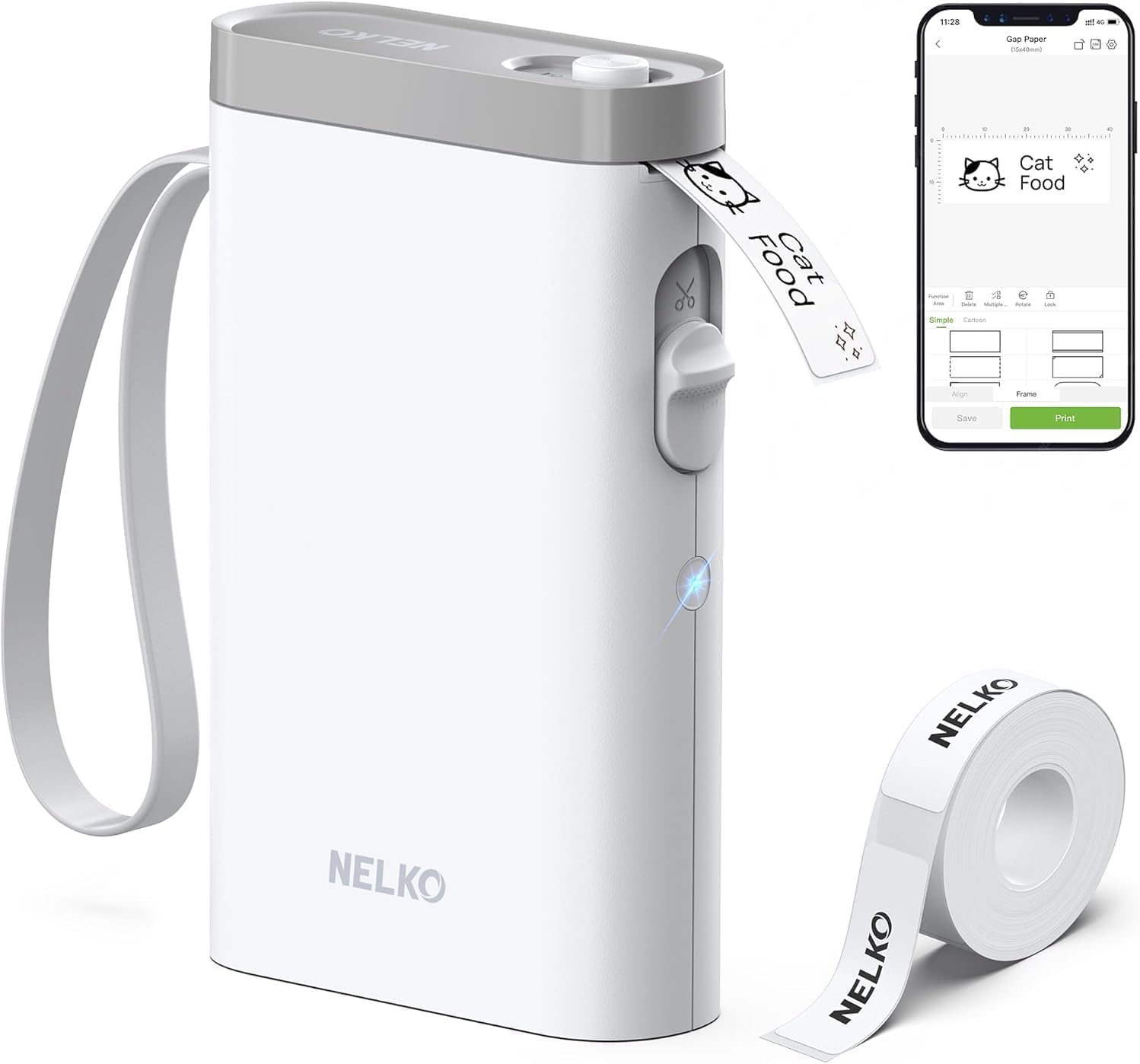
The Nelko P21 is a pocketable Bluetooth thermal label maker designed for quick, inkless label printing from iOS and Android phones via the Nelko app. You design labels in the app using templates, icons, barcodes, or images and send them to the printer over Bluetooth, then the built-in cutter delivers a clean, single-sheet output. The device uses direct thermal technology at 203 DPI, so print quality for text and simple graphics is sharp for product labels and classroom or office organization, and it runs on a rechargeable internal battery charged over USB-C. Practical strengths include a small footprint that slips into a pocket, broad app template support, and bundled label tape to get started. Limitations are that it prints only monochrome thermal labels of fixed roll sizes, requires the Nelko app for connection (iOS 13+ noted) and is incompatible with Android 14 on some phones, and continuous label tapes or computer-based printing are not supported, so high-volume or full-color label production will need a different tool.
Best for: Buyers who want a low-cost, portable way to create tidy, customized product and organizational labels from a phone and value app templates and ease of use backed by many customer reviews.
Less Ideal for: Businesses needing full-color, high-volume, or computer-driven label production should choose a dedicated desktop or thermal shipping label printer instead.
- Compact, lightweight design that is highly portable and easy to store
- Direct thermal printing at 203 DPI produces clear black-and-white text and simple graphics without ink
- Wireless Bluetooth control with extensive app templates and design options for quick customization
- Rechargeable battery and USB-C charging make it easy to keep powered without replaceable batteries
- Monochrome-only thermal printing and fixed label sizes limit full-color or large-format product labels
- Requires the Nelko mobile app to print and is reported incompatible with some Android 14 phones
- Not intended for computer connections or continuous roll printing, which reduces suitability for high-volume labeling
Verdict: If you need a small, app-driven thermal label maker for neat monochrome product labels and quick on-the-go printing, the Nelko P21 is a practical, portable choice.
TYPONOS PM240 Label Maker

| Printer Type | Thermal |
|---|---|
| Resolution | 203 x 203 dpi |
| Printer Connectivity Type | Bluetooth, USB |
| Built-In Media | 3 label rolls included (various sizes) |
| Wattage | 5.55 watts |
The TYPONOS PM240 is a portable thermal label maker designed for quick, ink-free printing of address labels, price tags, barcodes and small product labels. It pairs with iOS, Android and PC via Bluetooth or USB Type‑C and uses the Labelnize app to access thousands of templates, icons and fonts plus Excel import and batch printing for product labelling work. The unit includes three starter rolls and supports multiple label sizes and round or transparent media detected automatically with built-in RFID chips. In use the PM240 produces sharp 203 dpi monochrome prints at a fast initial-print time and offers basic controls on the device for single-button jobs. Its 1500 mAh battery and lightweight body make it easy to carry for tagging inventory or labeling shipments. Limitations to consider are monochrome-only output, the need to use compatible TYPONOS labels for automatic detection, and the Bluetooth link disabling while USB is connected, which can complicate mixed workflows.
Best for: Buyers who prioritize reliable, easy-to-use labeling for small product batches, retail tags or shipping labels and who want a portable printer that integrates with phone or PC apps.
Less Ideal for: Users who need full-color labels, industrial high-volume thermal printing, or those who prefer an offline device without app dependency.
- Thermal printing at 203 dpi gives crisp, ink-free labels.
- Bluetooth and USB Type‑C connectivity for phones, tablets and PCs.
- Labelnize app with many templates, icons, Excel import and batch printing.
- Includes three label rolls and supports multiple sizes and transparent/round media.
- Built-in RFID label detection simplifies setup and prevents size mistakes.
- Monochrome printing only, no color labels.
- Bluetooth and USB cannot be used simultaneously, which limits simultaneous PC/phone workflows.
- Automatic features rely on compatible TYPONOS label rolls for best performance.
Verdict: A compact, app-driven thermal label printer that makes crisp monochrome product labels and batch printing simple for small businesses and sellers who want a low-risk, easy workflow.
Choosing the Right Label Maker for Product Labels: Key Factors to Consider
Print Resolution and Font Control
High print resolution matters because product labels often include small text such as ingredient lists, lot codes, and barcodes. A label maker with fine dpi and precise font sizing helps ensure small characters remain legible at typical product label dimensions.
Look for models that let you adjust font weight, spacing, and line height and that support barcode formats you need. Poor resolution or limited font control can make compliance labeling or barcode scanning unreliable, which affects retail use and inventory management.
Material Options and Adhesive Strength
Product labels may require different materials depending on packaging and storage conditions. Paper, gloss, matte, and synthetic waterproof tapes each behave differently against glass, plastic, fabric, or textured surfaces. Choose a label maker that supports the tape materials you plan to use.
Adhesive strength and liner type are also critical. Strong permanent adhesives are needed for long-term product use, while removable adhesives can be useful for temporary labels. Consider whether labels will be exposed to moisture, oils, sunlight, or refrigeration and select materials rated to withstand those conditions.
Label Sizes and Cutting Options
Product packaging comes in many shapes and sizes, so the ability to create narrow, wide, or custom-length labels is important. Some label makers offer continuous tape with a built-in cutter for variable lengths, while others rely on fixed-width cartridges with predefined sizes.
Flexible cutting options reduce wasted material and let you optimize label space for regulatory information or branding. If you need shaped labels or kiss-cut sticker sheets, confirm the machine or its consumables support those formats.
Connectivity and Template Workflow
Efficient production depends on easy design and batch printing. Label makers that connect to a computer or mobile app and that let you import CSV files, save templates, or access a library of label layouts speed up repeated prints and maintain consistency across batches.
Consider whether the software supports common file formats, allows barcode generation, and provides preview features. A clunky workflow will slow production and increase the chance of labeling errors during larger runs.
Throughput and Maintenance
Think about the number of labels you expect to print regularly. Machines with higher print speed and larger tape rolls reduce downtime for moderate commercial output. Also factor in maintenance tasks such as label head cleaning and how easy it is to swap tapes.
Frequent maintenance or small roll capacity can interrupt workflow and increase consumable waste. For higher-volume runs, prioritize models designed for continuous use and with accessible service parts.
Legibility Under Real-World Conditions
Labels must remain readable not just when newly printed but over the product life cycle. Consider exposure to handling, moisture, sunlight, and abrasion. The combination of print method and tape material determines long-term legibility.
Opt for materials and inks rated for the environment your products will face. Testing a few labels under expected conditions can prevent rework and ensure compliance for ingredients and regulatory text.
Common Label Sizes and When To Use Them
Product labels vary from tiny ingredient tags to larger brand panels. Narrow 1/2- to 3/4-inch labels work well for small jars or neck tags where minimal text is required. Wider labels, 1.5 to 3 inches, suit front-facing branding or longer ingredient lists.
Plan label size around legibility and information hierarchy. Reserve the prime visible real estate for product name and logo, then use smaller secondary panels for ingredients, directions, or barcodes. If you need variable data like batch numbers, leave a dedicated area that remains consistent across label layouts.
- Small labels: ideal for barcodes, lot codes, and small jars
- Medium labels: common for ingredient lists and regulatory text
- Large labels: best for branding and multi-line directions
Design Tips for Readable Product Labels
Keep typography simple and ensure contrast between text and background. Use sans-serif faces for small text and increase tracking or font size to prevent crowding. Avoid decorative fonts for required regulatory information.
Include sufficient margins and line spacing to prevent ink bleed from reducing legibility. When printing barcodes, allow quiet zones and verify scannability at the final printed size. Test prints on the target material to account for any ink absorption or sheen that affects contrast.
- Use high-contrast color combinations
- Increase font size for required small-print elements
- Always test barcode scanning on the final material
Workflow Practices for Small-Batch Production
Establish templates for each product variant to save time and keep labeling consistent. Templates should include fixed zones for required information and placeholders for variable fields like dates and lot numbers. Organize templates by product size to avoid layout errors during printing.
Batch printing is faster when you prepare CSV files with variable data and use a label maker that supports import. Maintain a log of tape types used per product to ensure replacement rolls match original materials and adhesives for continuity.
- Create and save templates for repeatability
- Use CSV batch import for variable data
- Log consumable types to maintain consistency
Durability Testing and Environment Considerations
Before committing to a material, simulate real-world exposure. Apply labels to the intended substrate and expose them to moisture, heat, and abrasion the way they will encounter during storage or use. Observe for lift, fading, or smudging over several days.
Consider finishing options like overlaminates or protective clear tapes for labels that will see heavy handling or exposure. These treatments can add cost but significantly extend the life of printed information.
- Test labels on the actual substrate
- Include environmental exposure in tests
- Use protective laminates for high-wear labels
Regulatory and Barcode Considerations
Ensure your label layouts include all legally required information for your product category and market. The size of required text may be constrained by package size, so select a label format that meets both legibility and regulatory size rules.
If you need barcodes, confirm the label maker supports the symbology and density required. Test barcode readability across supply chain scanning points because some scanners are less tolerant of low-contrast or low-resolution prints.
- Add mandatory regulatory fields to templates
- Verify barcode symbology and density support
- Test scans at multiple points in your workflow
How We Chose the Best Label Maker for Product Labels
We evaluated candidates based on objective, buyer-focused criteria that matter for product labeling work. Primary considerations were print resolution and font control to ensure small text, ingredients, and barcodes remain legible on small labels. Material versatility and adhesive reliability determined whether a machine can handle paper, matte, gloss, and weather- or moisture-resistant tapes suitable for different packaging environments. Speed and throughput were measured for small-batch and moderate commercial runs to identify units that minimize setup time without sacrificing consistency. We also examined connectivity and workflow features such as PC or mobile design software, template libraries, and CSV import to streamline batch printing. We excluded general office labelers that lack high-resolution printing or limited material compatibility for product use. Products that could not produce common product-label sizes, lacked durable adhesive options, or had no workable design/export tools were filtered out. The resulting list focuses on label makers that deliver readable, durable labels and practical workflow features for producers and makers.
Our full evaluation process is outlined in our review methodology.
FAQ
What tape material is best for jars that go in the fridge?
Synthetic waterproof tapes with permanent adhesive are usually best for refrigerated items because they resist moisture and do not delaminate. Test a sample on the exact jar surface and monitor adhesion after several temperature cycles.
Can I print barcodes with a consumer label maker?
Many label makers support common barcode formats, but reliable scanning depends on print resolution, contrast, and label material. Generate a barcode at the correct size and density and test scanning on the finished label before large runs.
How do I make small ingredient text readable on tiny labels?
Use a high-resolution printer setting, choose a clear sans-serif font, increase tracking and line spacing, and test on the final material. If legal requirements force very small type, consider a larger label area or a folded insert.
Are removable adhesives useful for product labels?
Removable adhesives are useful for temporary labeling or seasonal packaging but are not recommended for products that need long-term adhesion. Evaluate whether labels must stay affixed through transit, storage, and consumer use before choosing removable options.
How often should I replace label rolls during production?
Replacement frequency depends on roll capacity and print volume. For steady small-batch production, use larger rolls when possible to reduce changeovers. Keep spare rolls of the same material and adhesive on hand to prevent interruptions.
Final Verdict
When choosing a label maker for product labels, prioritize print clarity, material compatibility, and workflow features that match your production volume. Smaller operations often benefit most from high-resolution printing and flexible template support, while higher throughput requires larger tape capacity and faster output. Balance durability and legibility against the types of surfaces and environments your products will encounter. By testing materials and standardizing templates, you can maintain consistent, compliant labeling and minimize rework. Focus on the criteria that address your packaging needs to select the right tool for your operation.