
Note: This article contains affiliate links. If you click on these links and make a purchase, we may earn a small commission at no extra cost to you. This helps support our research and content. Read our full affiliate disclosure here.
If you run a classroom, a reliable label maker saves time and keeps supplies, bins, and student spaces orderly. The right label maker for teachers should be intuitive for busy educators, durable enough for daily handling, and capable of producing clear, legible text and symbols for everything from cubbies to learning centers. This guide highlights a shortlist of top label makers chosen for teacher workflows, classroom materials, and common school-day wear. Below you will find our top picks plus the factors we weighed, so you can match features to your classroom duties and labeling needs.
Top Picks at a Glance
| Best Overall The best all-around choice for most situations | Brother P-Touch PTD220 |  |
| Best Quality Built to a higher standard if you want something more solid | Brother P‑Touch PT‑D610BT |  |
| Best Value The sweet spot between price and what you get | SUPVAN E11 Label Maker |  |
| Best Budget The cheapest option that still gets the job done reliably | NDYIN N12 Label Maker |  |
| Top Rated A top-rated pick with lots of positive feedback | DYMO LetraTag 100H |  |
| Most Popular A crowd favorite that many people choose with confidence | Phomemo D30 Label Maker |  |
| Best Seller A high-volume bestseller chosen again and again | Phomemo D30 Label Maker |  |
Brother P-Touch PTD220

| Print resolution | 180 dpi |
|---|---|
| Maximum tape width | 12 mm |
| Number of saved labels | 30 |
| Power | 6 AAA batteries or optional AC adapter |
| Lines | Up to 2 lines |
The Brother P-Touch PTD220 is a straightforward, portable label maker aimed at everyday organization tasks in classrooms and small workspaces. It uses Brother TZe laminated tapes up to 12mm (about 1/2 inch) and prints one or two lines at 180 dpi, letting you produce durable, easy-to-peel labels for bins, folders, shelves, and classroom supplies. The unit has a familiar QWERTY keyboard, one-touch formatting keys, 25 preset templates, and on-device memory to save up to 30 frequently used labels, which speeds repeat printing for common tasks. You can choose from multiple fonts, styles, frames, and hundreds of symbols to make clear, kid-friendly or color-coded labels. It runs on six AAA batteries or an optional AC adapter so it can be used around the room without a plug. Limitations are the 12mm maximum tape width and manual cutter, which is fine for typical teacher labeling but less suited to larger signage or PC-based design and printing needs. For routine classroom labeling the PTD220 is quick, simple, and durable.
Best for: Teachers who need a simple, portable label maker for making durable classroom labels quickly and reprinting the same layouts often.
Less Ideal for: Users who want wide-format signage, advanced PC-based design and printing, or built-in wireless connectivity should consider a more advanced model.
- Durable laminated TZe tape support for long-lasting labels.
- QWERTY keyboard and one-touch formatting speed up label creation.
- Can store up to 30 frequently used labels for fast reprinting.
- Wide selection of fonts, frames, and over 600 symbols for customization.
- Battery power option enables cordless use in classrooms.
- Maximum tape width limited to 12mm, not suitable for larger signs.
- No Bluetooth or PC connectivity for advanced label design.
Verdict: A compact, easy-to-use label maker that makes durable, repeatable classroom labels fast, ideal for teachers who prioritize portability and simplicity.
Brother P‑Touch PT‑D610BT

| Print resolution | 180 x 360 dpi |
|---|---|
| Maximum tape width | 24 mm (~1") |
| Connectivity | Bluetooth, USB |
| Display | Full-color backlit LCD |
The Brother P-Touch PT-D610BT is a business-focused label maker built for repeated, accurate label production in busy classrooms and offices. It prints durable laminated TZe tape up to 1 inch wide with a high-resolution thermal engine that handles crisp barcodes, logos, and multi-line text. You can type directly on the built-in QWERTY keyboard or design on a phone, tablet, or PC using the iPrint&Label app or P-touch Editor software over Bluetooth or USB, which is handy for sharing templates across staff. The large two-line full-color LCD gives a true preview and one-touch formatting makes it fast to apply frames, fonts, and symbols without trial prints. Built-in memory, 175 preset templates, an automatic cutter, and barcode/QR capability speed up common classroom tasks like asset tags, shelf labels, and file organization. The PT-D610BT is a workhorse for high-volume labeling, though it relies on Brother TZe cartridges for tape variety and uses a desktop power setup better suited to a classroom or office than strictly portable use.
Best for: Teachers and school staff who need fast, reliable, classroom-grade labels and want easy template sharing across devices to standardize signs, bins, and asset tags.
Less Ideal for: Someone who needs a pocket-sized, battery-first portable labeler for occasional home use should consider a smaller handheld model instead.
- High-resolution printing for clear barcodes, logos, and multi-line text.
- Bluetooth and USB connectivity plus mobile and desktop apps for shared template creation.
- Large color LCD with print preview reduces wasted labels.
- Automatic cutter and built-in memory speed up repetitive classroom labeling tasks.
- Requires proprietary Brother TZe tape cartridges for laminated, durable labels.
- Desktop-oriented power and size make it less convenient for fully mobile use.
Verdict: Choose the PT-D610BT if you need a durable, high-resolution label maker that speeds high-volume classroom labeling with mobile and desktop design options.
SUPVAN E11 Label Maker

| Printer Type | Thermal |
|---|---|
| Print Resolution | 203 dpi |
| Connectivity | Bluetooth |
| Power | USB Type C, rechargeable battery |
| Included Media | 4 tapes (continuous and die-cut) |
The SUPVAN E11 is a handheld thermal label printer built for quick on-the-spot labeling and more detailed designs via a companion Bluetooth app. You can type directly on the built-in keyboard for fast frequent labels or connect a smartphone to access 30+ fonts, frames and 660+ icons for classroom organizers, student supplies, and pantry bins. It accepts both continuous and die-cut tapes and ships with four tapes to get started. The rechargeable battery supports extended portable use and the 203 dpi thermal engine produces clear monochrome labels that are waterproof and scratch resistant when used with laminated tapes. Practical features include a small LCD, USB-C charging, and minimal 0.2-inch margins to save tape on long runs. Limitations are the monochrome-only output and reliance on SUPVAN genuine tapes for best results, and advanced layout tweaks work best from the app rather than the tiny keyboard.
Best for: Teachers who want a versatile, portable labeler that handles quick classroom labeling from the device and more polished designs from a phone app to organize supplies and student materials.
Less Ideal for: Anyone who needs color labels, full desktop layout control without a phone, or a heavy-duty industrial labeler for large-volume commercial printing.
- Built-in keyboard for fast standalone printing
- Bluetooth app with many fonts, frames and icons for custom designs
- Works with continuous and die-cut tapes for batch or single labels
- Rechargeable battery and USB-C for portable, low-maintenance use
- Prints only black on white/laminated tapes (no color printing)
- Best results depend on genuine SUPVAN tapes
Verdict: A compact, battery-powered label maker that blends fast keyboard printing with a powerful app for polished classroom labeling.
NDYIN N12 Label Maker
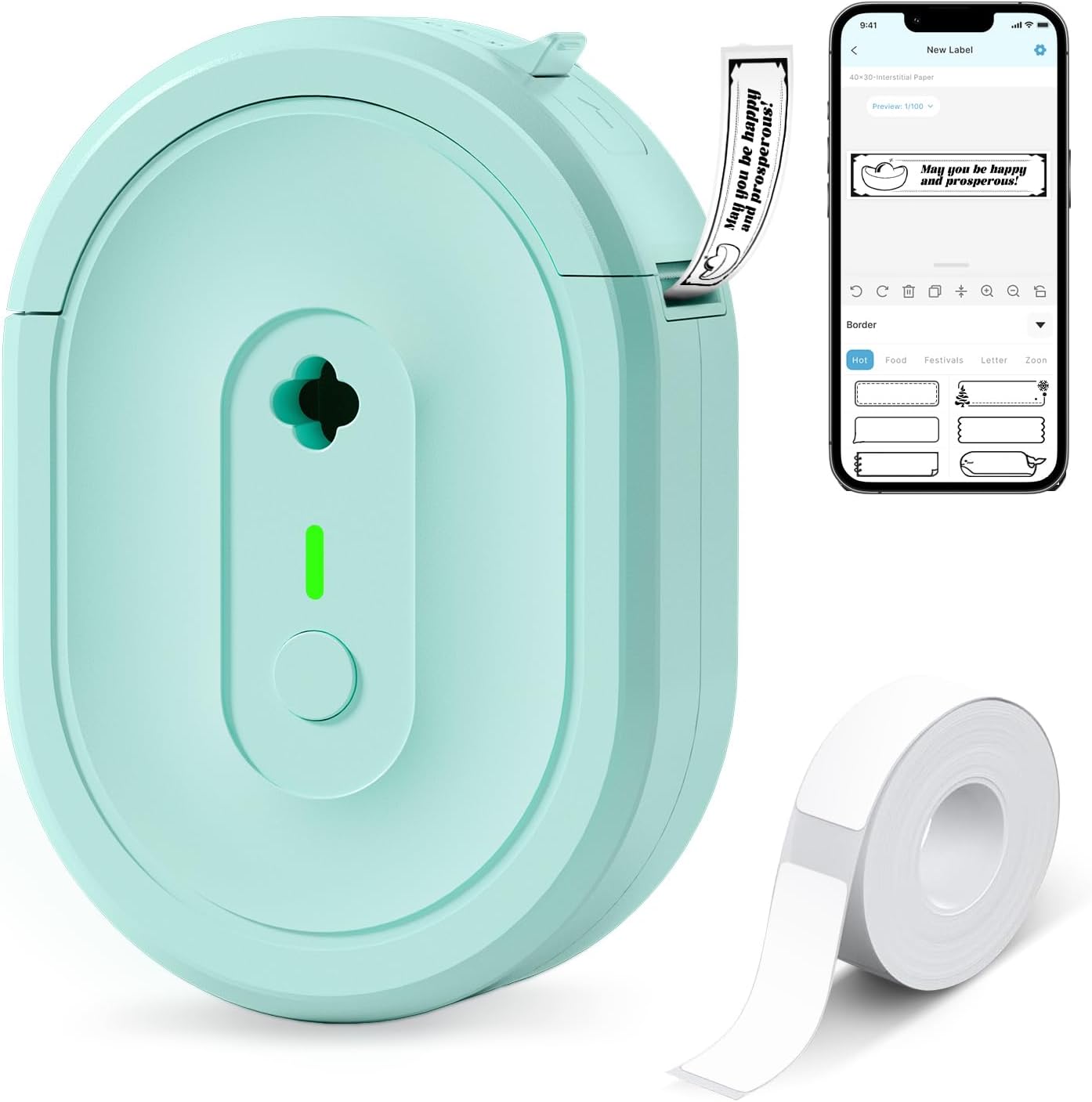
| Printer Type | Thermal |
|---|---|
| Connectivity | Bluetooth |
| Resolution | 203 x 203 dpi |
| Built-In Media | 1*180 Pre-cut white labels (14x40mm) |
The NDYIN N12 is a pocketable thermal label maker that connects to your phone or tablet over Bluetooth and prints black-on-white adhesive labels without ink or ribbons. It uses direct thermal technology and a rechargeable battery, so ongoing costs are limited to replacement label rolls; the package includes a pre-cut roll and a charging cable. Setup is handled through the free "Nada Print" app, which supplies a large set of templates, fonts, symbols, and frames for classroom labeling, name tags, and small price tags. Print resolution and speed are modest but adequate for text and simple barcodes; printing is monochrome only and label widths are fixed to supported sizes. The printer is lightweight and portable, making it easy to move between desks, classrooms, and supply closets, but you will need to manage roll sizes and app settings to match label dimensions. For teachers who need quick, low-cost labeling without a desktop printer, the N12 delivers a practical, app-driven solution.
Best for: Teachers looking for an inexpensive, portable way to create durable classroom labels, name tags, and storage tags quickly from a phone or tablet.
Less Ideal for: Anyone who needs color printing, highly detailed graphics, or variable-width labels beyond the supported preset sizes should consider a different solution.
- Direct thermal printing requires no ink, toner, or ribbons
- Bluetooth pairing with iOS and Android via the Nada Print app for on‑the‑go label design
- Comes with a pre-cut roll and charging cable so it is ready to use out of the box
- Lightweight and portable for moving between classrooms or storage areas
- Prints only in black and white so no color labels
- Fixed label widths require correct paper size selection in the app
Verdict: A low-cost, app-driven thermal label printer that gives teachers a portable, ink-free way to make classroom labels and name tags quickly.
DYMO LetraTag 100H

| Included Components | LetraTag 100H plus 3 tapes |
|---|---|
| Print Technology | 200 dpi / Direct Thermal Printing |
| Power Source | 4x AA Batteries (not included) |
| Font & Styles | 5 font sizes, 7 print styles, 8 box styles |
The DYMO LetraTag 100H is a small handheld thermal label maker aimed at simple home and classroom organization. It prints on paper and plastic cassettes and arrives with three tapes (white paper, white plastic, clear plastic) so you can start labeling immediately. The unit offers 5 font sizes, multiple print and box styles, a two-line print option, nine label memories and a date stamp, and a clear graphical LCD so you can preview text before printing. It runs on four AA batteries and has auto-off to preserve power, which keeps it ready for periodic classroom use without frequent recharging. Because it is a direct thermal printer there is no ink or toner to replace, and LetraTag tapes are easy to load and peel for fast application. The limitations are its small, handheld layout which is best for short runs rather than heavy daily batch printing, and using disposable batteries can be inconvenient for high-volume use compared with plug-in or rechargeable solutions.
Best for: Teachers who need a reliable, no-fuss label maker for classroom organization, quick labeling of bins, folders, and student items, and who value portability and predictable print results.
Less Ideal for: Teachers or staff who need to produce large batches of labels daily or want a corded/rechargeable desktop unit for continuous use should consider a higher-capacity model instead.
- Compact, lightweight handheld design for easy portability around the classroom
- Graphical LCD preview reduces misprints by showing fonts and styles before printing
- Includes three starter tapes (paper and plastic) so teachers can use multiple label types right away
- Direct thermal printing requires no ink or toner, lowering ongoing consumable maintenance
- Runs on four AA batteries which can be costly and interruptive during heavy daily labeling
- Not ideal for high-volume or continuous batch printing due to handheld size and thermal mechanism
Verdict: A dependable, portable label maker that gives teachers quick, predictable labels with minimal upkeep thanks to direct thermal printing and an easy-to-read preview display.
Phomemo D30 Label Maker

| Printer Type | Thermal |
|---|---|
| Print Resolution | 203 x 203 DPI |
| Connectivity | Bluetooth |
| Print media | Labels |
| Power Consumption | 7 watts |
The Phomemo D30 is a pocket-size thermal label maker that links to your phone over Bluetooth and prints black text onto a wide range of pre-cut and continuous label tapes. Teachers can use the app to pick templates, borders and icons, import spreadsheets for class lists or print barcode and QR code labels for supplies and student bins. The D30 emphasizes portability and speed: it uses a rechargeable battery, feeds both gap and continuous tapes, and its German thermal print head yields relatively sharp 203 dpi output at roughly 40 pages per minute. The bundled 12×40mm pre-cut tapes and large template library make it fast to create name tags, shelf labels and date stickers. Limitations to note are monochrome output only and dependence on the mobile app for layout and firmware features, which means you need a smartphone and may face occasional app or connectivity hiccups. For classroom labeling tasks it is a compact, versatile option that balances ease of use with broad tape compatibility.
Best for: Teachers who need a lightweight, mobile label solution to make name tags, bin labels and classroom organizers quickly using phone templates and spreadsheet imports.
Less Ideal for: Anyone who needs full-color printing, a standalone keyboard interface, or entirely offline operation without a smartphone.
- Portable, pocketable design for use around the classroom or on the go
- Bluetooth connectivity and phone app with thousands of templates, icons and borders
- Works with many tape types including continuous and pre-cut shapes for flexible label styles
- Rechargeable battery and fast initial-page print time for quick labeling
- 203 dpi thermal print head gives clear, consistent black text on compatible tapes
- Prints black text only so color must come from patterned or colored tapes rather than true color printing
- Relies on the mobile app for layout and printing which may introduce connectivity or software issues
Verdict: A compact, app-driven thermal labeler built to help teachers produce fast, consistent monochrome name tags and classroom labels on a wide variety of tapes.
Phomemo D30 Label Maker

| Printer Type | Thermal |
|---|---|
| Printer Connectivity Type | Bluetooth |
| Hardware Interface | Bluetooth 4.0, USB Type C |
| Maximum Print Resolution Black and White | 203 dots_per_inch |
| Wattage | 7 watt-hours |
The Phomemo D30 is a palm‑sized Bluetooth thermal label maker designed for quick, app-driven label printing in classrooms and home offices. Pair it with the Print Master app on Android or iOS to access thousands of templates, icons, borders and fonts, then print black text onto a range of patterned or colored thermal label tapes. It uses inkless thermal printing and a rechargeable battery so you avoid ink or ribbon replacement, and the German thermal print head claims improved clarity and consistent output. The printer handles continuous and pre-cut tapes (select the correct paper size in the app) and supports features teachers will like such as batch import from Excel, barcode/QR generation, and OCR for scanned text. Limitations include monochrome output only and a small media width, so large-format labels or multi-color text are not possible; occasional alignment issues can occur if the app template size is set incorrectly. For everyday classroom labeling, desk bins, cubbies and student name tags, the D30 is lightweight, easy to carry, and simple to use.
Best for: Teachers and classroom organizers who want a simple, portable way to create consistent name tags, bin labels and student supplies with minimal ongoing cost and a user-friendly app.
Less Ideal for: Anyone who needs full‑color printing, wide-format labels, or heavy industrial labeling should look for a desktop or commercial label printer instead.
- Very portable and rechargeable for on‑the‑go classroom use
- Inkless thermal printing reduces ongoing consumable costs
- Rich app with templates, icons, fonts and batch import for fast labeling
- Works with continuous and pre-cut tapes for flexible label lengths
- Prints black text only so color requires patterned tapes
- Small maximum media width limits large labels
Verdict: A lightweight, app-driven label maker that makes fast, low-cost monochrome labels ideal for classroom name tags and organizing supplies.
Choosing the Right Label Maker for Teachers: Key Factors to Consider
Ease of Use and Learning Curve
Teachers often need to create labels quickly between lessons or during planning time. A label maker with simple menus, clear buttons, and an intuitive workflow reduces the time spent figuring out settings and increases the time spent on instruction. Built-in templates, one-touch symbols, and a straightforward text-entry method matter more than advanced but complicated features. If a device pairs with a mobile app or computer software, consider how easy that connection and the app interface are to use in a classroom setting.
Label Durability and Finish
Classroom labels see heavy wear from student handling, regular cleaning, and occasional spills. Durable tapes with strong adhesive, water resistance, and matte or glossy finishes can keep labels readable and intact for months. Some tapes resist UV fading and can withstand regular wiping with disinfectant wipes. Choosing a tape material and finish that fits the intended surface, whether plastic storage bins, laminated charts, or fabric pockets, prevents early peeling and reduces relabeling workload.
Tape Widths and Consumable Availability
The range of tape widths a label maker supports determines how much text or decoration you can fit on a single label. Wider tapes are useful for shelf and drawer labels, while narrow tapes work well for name tags or cords. Equally important is the ongoing availability and cost of replacement tapes in school-friendly colors and materials. Choose a model that uses tapes sold in common retail channels and available in the colors and adhesive strengths you need for long-term classroom use.
Power Options and Portability
Many teachers move between rooms or prepare materials off-site. Battery-powered models or those with rechargeable options are helpful if you need portability. AC adapters are useful for heavy label-print days in a classroom prep area. Consider battery life under real use: frequent label batches, use of backlit screens, or Bluetooth connections can reduce runtime. Lightweight units with a compact footprint are easier to store and carry in a teacher tote.
Customization and Readability
Labels should be easy for students and adults to read at a glance. Look for devices that offer clear font choices, adjustable font sizes, and straightforward alignment controls. Built-in icons, borders, and simple graphic elements help create visual cues for younger learners. Avoid label makers that bury basic formatting options; quick access to bold, underline, and spacing controls saves time when producing dozens of labels.
Connectivity and Integration
Some teachers will benefit from label makers that connect to a phone, tablet, or computer to batch-create labels from spreadsheets or templates. Wireless or USB connectivity can speed up production and allow you to reuse label templates year to year. However, connectivity should be reliable and the companion app uncomplicated. If a device requires frequent firmware updates or complex pairing, that can negate the convenience of computer-assisted printing.
Smart Uses for Labels in the Classroom
Labels do more than identify storage. Use consistent labeling to teach routines, show classroom rules, and create visual schedules. Labels on learning stations and centers help students transition more independently.
Color-coded labels clarify systems like subject bins, supply ownership, or behavior charts. Laminated label overlays or clear protective tape can extend label life on high-touch items.
- Label folders with student names and subject to speed distribution
- Mark technology cords and chargers by device type
- Create bins labeled by supply type to reduce lost items
Preparing Labels in Batches
Batch preparation is efficient for start-of-term setup. Use templates and consistent naming conventions so labels are uniform across the room. If your label maker supports computer-based printing, prepare spreadsheets with exact names and export them to the device or companion app.
When printing in bulk, choose tape widths that accommodate the longest text you need and test a sample to confirm readability. Organize printed labels by location or function for quick application.
- Create a master spreadsheet for student names and common labels
- Print a few test labels to verify font size and adhesive
- Store extra printed labels in a binder or labeled envelope
Maintaining Labels Over the School Year
Inspect high-traffic labels periodically and replace those that peel or fade. Keep a small stock of replacement tape in your classroom supply cabinet to avoid last-minute trips.
For surfaces that will be disinfected frequently, choose tapes designed to withstand cleaning solutions or apply a clear protective film over the label to preserve it.
- Schedule a quick label check after each holiday break
- Store spare tapes in a cool, dry place to preserve adhesive
- Use removable tape for temporary labels and permanent tape for long-term identification
Accessibility and Readability Best Practices
Prioritize high-contrast text and simple fonts to help all students read labels quickly. Larger font sizes and short, consistent phrasing reduce confusion for emerging readers or students with low vision.
Incorporate simple icons next to text where appropriate. Icons can provide a nonverbal cue that supports comprehension without adding clutter.
- Use black text on a white or yellow background for visibility
- Avoid overly stylized fonts that reduce legibility
- Place labels at eye level for the intended age group
Classroom-Friendly Tape Materials and Surfaces
Different surfaces need different tapes. Smooth plastic and laminated surfaces accept most adhesive tapes well, while textured or fabric surfaces may require specialized tapes or removable solutions. Test a small area before applying large labels to avoid damage.
For frequently handled items, choose tapes with stronger adhesive and consider matte finishes to reduce glare under classroom lights.
- Test adhesive on a hidden spot before full application
- Use removable tape for rented or shared furniture
- Consider fabric-safe options for cloth bins or soft materials
How We Chose the Best Label Maker for Teachers
We focused on features that matter to teachers who need fast, dependable labeling across a range of classroom materials. Key evaluation points included ease of use for non-technical users, label durability for frequent handling and cleaning, tape and consumable options for different surfaces, and the variety of fonts and symbols that help make labels readable for students. Battery life and portable operation were considered for teachers who move between rooms or work on-the-go, while connectivity and print speed were included for those who prepare labels from a computer or tablet. We excluded specialty industrial labelers and multi-function printers that are not optimized for everyday classroom tasks. We prioritized models with straightforward controls, tape sizes commonly used in schools, and proven durability. Our process favored products that balance simplicity with useful customization options so teachers can create consistent, long-lasting labels without a steep learning curve.
Our full evaluation process is outlined in our review methodology.
FAQ
What tape width is best for general classroom labeling?
A medium-width tape, typically around 12 to 18 millimeters, balances readability and space efficiency for shelves, bins, and name tags. Narrower tapes work for cords and small items, while wider tapes are useful for larger storage areas.
Can I use a label maker on laminated charts and posters?
Yes. Smooth, laminated surfaces accept most label tapes well. For best adhesion and longevity, clean the surface before applying and consider a clear protective overlay if the item is wiped frequently.
Should teachers choose battery or AC-powered label makers?
It depends. Battery-powered or rechargeable units are convenient for portability and quick fixes around the school. AC-powered devices are better for printing large batches in a prep area. Consider how often you will need mobility versus volume printing.
How do I make labels more durable against cleaning products?
Select tapes with water-resistant or wipeable finishes and test them with your classroom disinfectants. Applying a clear laminate strip or protective film over the label can also protect printed text from repeated wiping.
Can I create labels from my computer or tablet?
Many label makers offer companion apps or desktop software that let you design and batch-print labels from a computer or tablet. This is useful for importing lists and creating consistent templates, but check that the connection method and app are straightforward to use.
Final Verdict
When choosing a label maker for teachers, prioritize ease of use, durable tape options, and the tape widths that match your classroom needs. Portability and simple customization features will save time across daily tasks, while reliable adhesives and readable fonts reduce relabeling work. Focus on the tradeoffs between mobility and batch-print capability, and pick a model whose tape selection and interface match how you prepare and apply labels. With those priorities in mind, you can select a label maker that keeps your classroom organized and reduces routine maintenance.