
Note: This article contains affiliate links. If you click on these links and make a purchase, we may earn a small commission at no extra cost to you. This helps support our research and content. Read our full affiliate disclosure here.
A portable label maker can turn clutter into order in minutes, whether you are labeling storage bins, cables, or school supplies. You want a device that is easy to use on the go, prints legible, long-lasting labels, and fits the types of surfaces you use most often. This guide covers seven shortlisted portable label makers selected for everyday home and office use, with a clear look at setup, print quality, and tape compatibility. Read on to see which features matter most and which models match different labeling routines.
Top Picks at a Glance
| Best Overall The best all-around choice for most situations | DYMO LetraTag 100H |  |
| Best Quality Built to a higher standard if you want something more solid | Brother P‑Touch PTD220 |  |
| Best Value The sweet spot between price and what you get | NIIMBOT D110 Mini Label Maker |  |
| Best Budget The cheapest option that still gets the job done reliably | NDYIN N12 Label Maker |  |
| Top Rated A top-rated pick with lots of positive feedback | Brother P-Touch PTH110BP |  |
| Most Popular A crowd favorite that many people choose with confidence | Nelko P21 Label Maker |  |
| Best Seller A high-volume bestseller chosen again and again | Phomemo D30 Label Maker |  |
DYMO LetraTag 100H

| Printer Type | Thermal |
|---|---|
| Printer Output Type | Monochrome |
| Resolution | 300 x 300 |
| Print media | Labels |
| Printer Connectivity Type | USB |
The DYMO LetraTag 100H is a small, battery-powered handheld label maker built for quick, informal labeling around the house. It uses direct thermal printing with easy-to-load LetraTag cassettes and includes two starter tapes and a magnetic holder, so you can label pantry containers, craft projects, clothing with iron-on tape, or tidy up a home office right out of the box. The machine shows a clear graphical LCD preview of text effects and offers multiple font sizes, print styles, box styles, and simple formatting like underlining and bolding, which makes it easy to create legible, consistent labels without a computer. It runs on AA batteries and connects via a single USB port for basic interfacing, though printing is primarily standalone. Expect straightforward, low-waste operation with no ink or toner, but note the unit prints only in black and at a modest speed and resolution suitable for small tasks rather than high-volume or high-resolution graphics. For routine home labeling and quick organization jobs it is convenient and reliable, but it is not intended as a heavy-duty office production printer.
Best for: Buyers who want a simple, portable label maker for home organization, crafts, and occasional office use and who prioritize ease of use and quick setup over high-volume printing.
Less Ideal for: People who need fast, high-resolution, or color label production for large-scale office or industrial labeling tasks should choose a more powerful desktop or specialist printer.
- Compact, lightweight handheld design for portability
- Graphical LCD preview shows font effects before printing
- Includes two label cassettes and a magnetic holder to start labeling immediately
- Multiple font sizes, print styles, and box styles for easy formatting
- Direct thermal printing requires no ink or toner, reducing waste
- Prints only in monochrome and at modest speed and resolution
Verdict: A small, easy-to-use handheld label maker that delivers convenient, low-waste monochrome labels for everyday home organization.
Brother P‑Touch PTD220

| Printer Type | Thermal |
|---|---|
| Maximum Tape width | 12mm (1/2") |
| Display | 15-character monochrome |
| Memory | Save up to 30 labels |
| Print Resolution | 180 dpi |
The Brother P-Touch PTD220 is a small, battery-powered label maker designed for quick home and small-office labeling tasks. It prints on Brother TZe laminated tapes up to 12mm (about 1/2 inch) and supports one- or two-line printing with a 15-character preview screen so you can check text before printing. The unit includes a familiar QWERTY keyboard, one-touch formatting keys, 25 preset templates, and the ability to save up to 30 frequently used labels, which speeds repetitive jobs. It offers 14 fonts, 11 font styles, 99 frames, and 600+ symbols for visual customization, and its laminated tapes are durable and available in many adhesive and finish options. Limitations are basic connectivity and tape width: the PTD220 is wired/standalone only (no Bluetooth or PC app printing) and is limited to 12mm tape, so it is not suited for wider signage or heavy-duty commercial labeling. For straightforward, on-the-go organization and fast reprints, it is a practical, easy-to-learn choice.
Best for: Buyers who want a straightforward, performance-focused handheld label maker for rapid home or small-office organization and frequent reprinting of stored labels.
Less Ideal for: Users who need Bluetooth or PC-based label design workflows or who require wider-format labels for larger signage or heavy industrial use.
- Compact, portable design for home and small-office use
- QWERTY keyboard and 15-character preview make label creation fast and intuitive
- Store up to 30 frequently used labels for quick reprinting
- Wide range of built-in fonts, frames, and 600+ symbols for customization
- Prints on durable laminated TZe tapes suited for many surfaces
- No wireless or PC connectivity for design from a computer or phone
- Maximum tape width limited to 12mm, not suitable for larger labels
Verdict: A compact, no-frills portable label maker that delivers fast, reliable laminated labels and quick reprints for performance-minded home and small-office organizers.
NIIMBOT D110 Mini Label Maker

| Printer Type | Thermal |
|---|---|
| Resolution | 203 x 203 DPI |
| Printer Connectivity Type | Bluetooth |
| Hardware Interface | USB Type C |
| Wattage | 1500 milliamp_hours |
The NIIMBOT D110 is a pocketable thermal label maker that connects over Bluetooth and prints monochrome labels from iOS or Android using the NIIMBOT app. It is intended for quick home, school, or small business labeling tasks like jar tags, cable IDs, price labels, and file organization. The machine uses direct thermal printing at 203 DPI so you get clear, inkless labels and the upgraded automatic label rewind and first-label calibration help reduce wasted tape. A built-in 1500 mAh rechargeable battery supports several hours of continuous use and the USB-C port simplifies charging. The app supplies templates, icons, borders, and basic logo placement so you can create varied labels without a computer. Limitations are a narrow maximum print width (about 15 mm) and monochrome output, so it is not suitable for larger signage or color-coded printing, and you must rely on compatible tape sizes sold for the D110 series. For anyone wanting a small, efficient labeler for everyday organization, the D110 balances portability and useful app-driven features.
Best for: Buyers who want a no-fuss, highly portable labeler for everyday organization and small business tasks and who prioritize efficiency and minimal setup.
Less Ideal for: People who need wide-format, color, or high-volume industrial labeling should consider a larger desktop or color-capable printer instead.
- Very compact and lightweight for pocket or bag portability
- Direct thermal printing at 203 DPI delivers clear, inkless labels
- Bluetooth app control with templates and icons for quick design
- Automatic label rewind and first-label calibration to reduce waste
- Rechargeable 1500 mAh battery with USB-C charging
- Prints only monochrome labels and a narrow maximum width, limiting larger or color labeling
Verdict: A pocketable, app-driven thermal label maker that delivers clear, waste-minimizing labels for everyday home and small business organization.
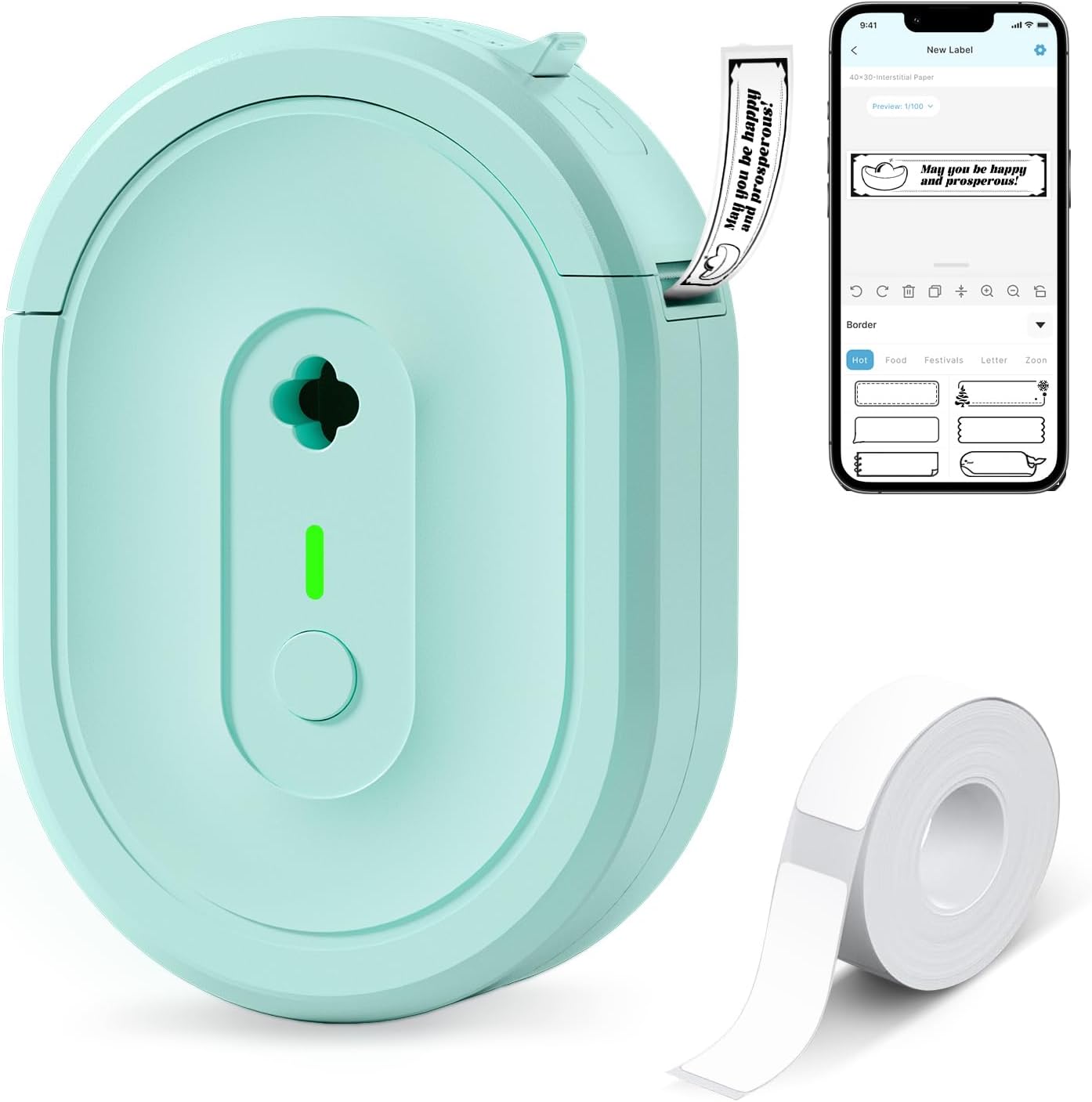
NDYIN N12 Label Maker
| Printer Type | Thermal |
|---|---|
| Printer Connectivity Type | Bluetooth |
| Resolution | 203 x 203 dpi |
| Built-In Media | 1*180 Pre-cut white labels (14x40mm) |
| Specific Uses For Product | Home, Office, School |
The NDYIN N12 is a small, battery-powered thermal label maker that pairs with the free Nada Print app to print monochrome labels from iOS and Android devices. It uses direct thermal technology so no ink, toner, or ribbons are required, and it ships with a pre-cut roll of labels and a charging cable. Typical uses include kitchen and home organization, spice and food date labels, cable and file tagging, and simple price or name tags for small business or school projects. The app offers many templates, fonts, symbols, and frame options so you can design labels on your phone before sending them over Bluetooth. Print quality is limited to black-and-white at 203 dpi, and label sizes are fixed to the thermal media the machine accepts, so it is not suitable for full-color or variable-width printing. Its small footprint and built-in rechargeable battery make it easy to carry between rooms or to events, and the lack of replaceable ink keeps operating costs low for budget-focused buyers.
Best for: Someone looking for an inexpensive, portable label maker to handle household, school, or small-business tagging tasks and who values low operating cost and easy smartphone-based design.
Less Ideal for: Users who need full-color labels, high-resolution graphics, or variable-width continuous printing for professional packaging or photographic labels.
- Direct thermal printing requires no ink, toner, or ribbons, lowering ongoing costs
- Bluetooth connection and Nada Print app provide many templates, fonts, and symbols
- Compact, lightweight, and battery-powered for easy portability
- Includes a roll of pre-cut labels and a charging cable out of the box
- Prints only black-and-white at 203 dpi, so detail and photo quality are limited
- Label lengths and widths are fixed to supported thermal media sizes
Verdict: A pocket-friendly, ink-free Bluetooth label printer that delivers basic, low-cost black-and-white labels for everyday organization and small projects.
Brother P-Touch PTH110BP

| Tape width supported | up to 12 mm |
|---|---|
| Fonts | 3 |
| Frames | 14 |
| Built-in memory | 15 labels |
| Power | 6 AAA batteries or AC adapter (sold separately) |
The Brother P-Touch PTH110BP is a portable label maker designed for straightforward, reliable labeling at home or on the go. It uses Brother P-Touch TZe laminated tapes that resist water, fading, peeling, and extreme temperatures, so labels remain legible in demanding conditions. The unit prints up to two lines on 12 mm wide tapes, offers three fonts, 14 frames, and more than 250 symbols for customization, and stores up to 15 labels for quick reprints. Operation is simple via a QWERTY-style keyboard, preview display, and one-touch keys, and the bundle includes one sample tape plus three full-length 12 mm tapes so you can start labeling immediately. Power comes from six AAA batteries for true portability or an optional AC adapter for stationary use. Expect modest print speed typical of compact labelers and reliance on genuine TZe tapes for best durability, but for everyday organization, cable ID, and small-business labeling this unit delivers consistent, long-lasting results.
Best for: Buyers who prioritize dependable, long-lasting labels and a straightforward portable tool for home, office, or small-business organization.
Less Ideal for: People needing very high-volume, high-speed industrial printing or advanced connectivity and software integration should choose a larger desktop model instead.
- Durable laminated TZe tapes that resist water, fading, peeling, and extreme temperatures
- Built-in memory for up to 15 labels enables fast reprinting of common labels
- Includes four label tapes in the bundle so you can start labeling right away
- Compact handheld design with QWERTY keyboard and preview display for easy use
- Print speed and output are modest compared with desktop or industrial labelers
Verdict: Choose the P-Touch PTH110BP when you need a compact, dependable portable labeler that produces durable, long-lasting laminated labels.
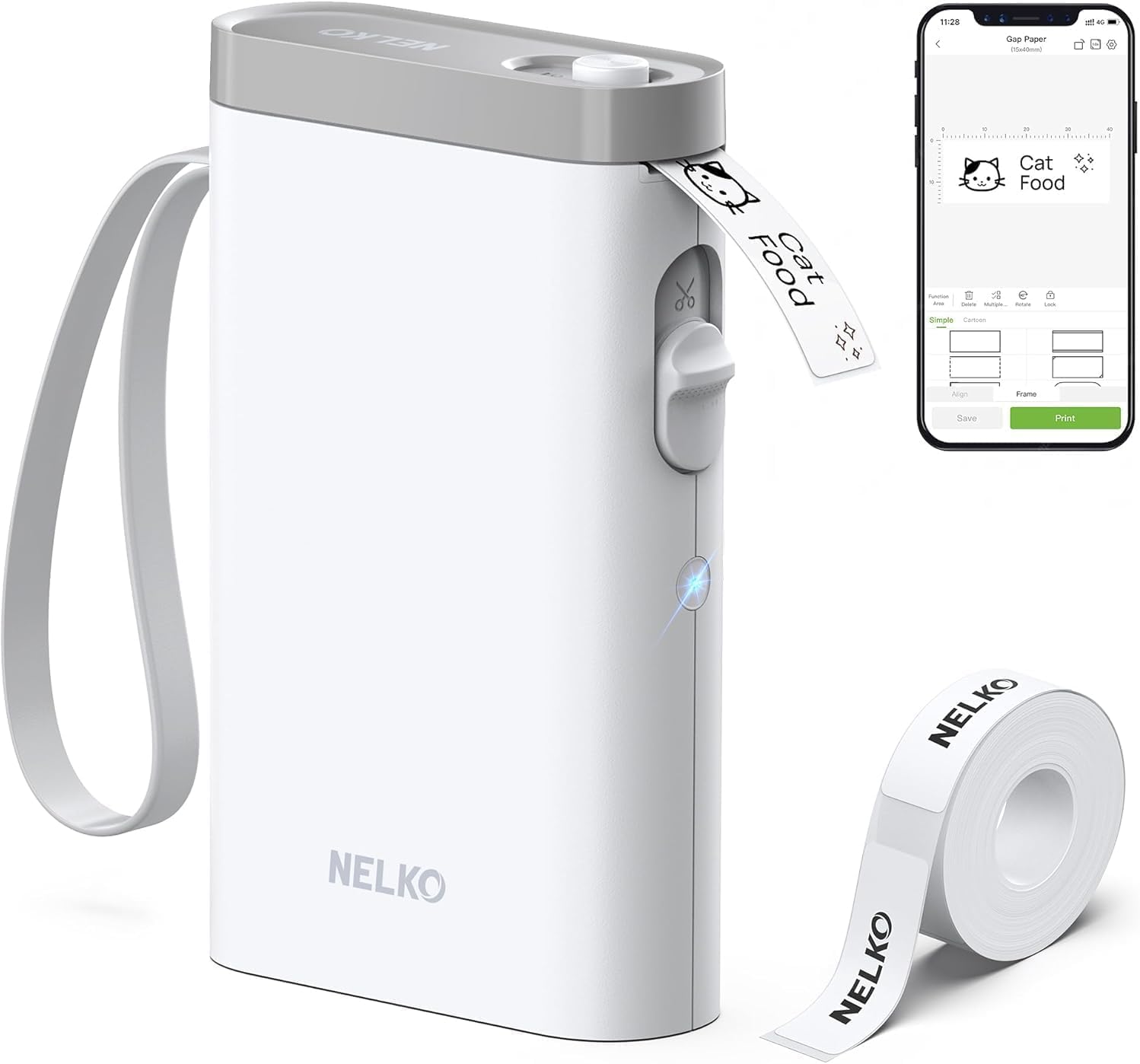
Nelko P21 Label Maker
| Printer Type | Thermal |
|---|---|
| Printer Output Type | Monochrome |
| Resolution | 203 x 203 DPI |
| Printer Connectivity Type | Bluetooth |
| Hardware Interface | USB Type C |
The Nelko P21 is a pocketable thermal label maker that connects to your phone over Bluetooth and prints monochrome labels from dedicated rolls. You design labels in the Nelko app using templates, icons, barcodes, QR codes and borders, then send jobs to the P21 which cuts each label with its built-in cutter. With a 203 DPI thermal head and direct thermal printing, output is crisp for text and simple graphics when you use the manufacturer tapes, and the built-in rechargeable battery makes it convenient for quick on-the-go labeling. The device is limited to fixed label widths and cannot print continuous rolls, and it relies entirely on the app so it is not usable from a computer. Some Android 14 phones are reported as incompatible and third-party tapes may produce lower quality prints, so expect the best results with Nelko media and a compatible smartphone. For lightweight home, classroom, or small-business labeling where portability and app-driven design matter, the P21 delivers straightforward, reliable performance.
Best for: Buyers who want a small, app-driven label maker for quick organization projects, classrooms, or small-business price tags and who value portability and a large template library backed by many user reviews.
Less Ideal for: People who need computer-based printing, variable continuous-label widths, or industrial/large-batch label production should look at larger desktop label printers instead.
- Very compact and portable for handheld or pocket use
- Bluetooth pairing with a feature-rich mobile app for templates, icons, QR codes and borders
- Direct thermal printing at 203 DPI produces clear monochrome text without ink
- Built-in rechargeable battery and USB‑C charging for convenient mobile use
- Included roll of label paper and built-in cutter for ready-to-use operation
- Limited to fixed label sizes and not compatible with continuous label rolls
- Requires the Nelko mobile app and cannot print from a computer
- Some newer Android phones (Android 14) may be incompatible with the device
Verdict: A pocketable, app-first thermal label maker that produces crisp monochrome labels when used with Nelko tapes, ideal for portable home, classroom, and small-business organization.
Phomemo D30 Label Maker

| Printer Type | Thermal |
|---|---|
| Printer Connectivity Type | Bluetooth |
| Hardware Interface | Bluetooth 4.0, USB Type C |
| Maximum Print Resolution Black and White | 203 dots_per_inch |
| Wattage | 7 watt-hours |
The Phomemo D30 is a pocketable thermal label printer that connects to phones and tablets over Bluetooth and prints black text onto pre-sized thermal label tape. You design labels in the Print Master app, which includes templates, icons, fonts, barcode/QR generation, Excel import and picture/voice input, then send a single-label print job to the D30. Because it uses thermal printing there is no ink or ribbon to replace, and the unit is rechargeable via USB‑C for on-the-go use. The D30 handles continuous and pre-cut tape formats and offers clear 203 dpi output for typical household, classroom and small-business tagging. Limitations are that it only prints in black (color effects come from patterned tapes) and label alignment can require selecting the correct paper size in the app to avoid offsets; advanced users may also find the small physical controls restrictive. For straightforward labeling tasks it delivers fast, economical, and portable performance.
Best for: Buyers who want a simple, low-maintenance portable labeler for home, classroom, or small-business tagging and who prioritize reliability and easy app-driven label design.
Less Ideal for: People who need full‑color printing, high-volume industrial labeling, or heavy keyboard-style label entry workflows should consider other options.
- Very compact and lightweight for pocket or bag portability.
- Bluetooth + Print Master app provides many templates, fonts, icons and batch import tools.
- Inkless thermal printing eliminates ink, toner or ribbon for lower running costs.
- Rechargeable via USB‑C and supports continuous and pre-cut tapes for flexible label lengths.
- Prints only black text so color requires patterned label tape.
- Requires correct paper-size selection in the app to avoid offset prints.
Verdict: A tiny, app-driven thermal label maker that reliably produces sharp black labels with minimal upkeep, ideal for everyday home, school, and small-business tagging.
Choosing the Right Portable Label Maker: Key Factors to Consider
Typing and Interface
How you enter text and navigate settings dramatically affects speed. A comfortable keyboard or responsive touchscreen reduces the time it takes to create multiple labels in a session, which matters if you are organizing many items. Look for models with clear button layouts, decent-sized keys, and intuitive menu flows.
Layout options such as QWERTY, alphabetical, or predictive text can make a real difference depending on whether you prefer fast typing or simple one-handed use. Backlit displays and physical feedback on keys also help in low-light or mobile scenarios.
Print Quality and Legibility
Label readability depends on print resolution and available font sizes. Higher print fidelity produces crisper small text and sharper barcodes. For items that require quick scanning or small-font labels, prioritize devices that handle fine detail without smudging.
Contrast between text and tape color also affects legibility, so consider machines that support multiple contrast options. Consistent alignment and reliable margins prevent cut-off characters, which improves the professional appearance of labels.
Tape Formats and Durability
Tape width, material, and adhesive strength determine where a label will hold up. Vinyl and laminated tapes withstand moisture, abrasion, and sunlight better than plain paper tapes, making them a better choice for kitchens, garages, or outdoor use. Multiple tape widths increase flexibility for different labeling tasks.
Also consider ease of sourcing replacement tapes and whether the machine accepts standard, widely available cartridges. Some tapes are designed for specific surfaces like fabric or cable wraps, and choosing the right material reduces re-labeling over time.
Battery Life and Power Options
Portability often means battery operation, so assess how long a label maker runs on typical battery sets and whether it accepts rechargeable packs or USB power. Longer battery life reduces interruptions during large organizing projects and keeps a device useful on the road.
Models that offer both battery and external power provide flexibility: you can use them unplugged for mobile jobs and plug in for extended desk work. Also check for easy battery replacement and common battery types to avoid downtime.
Portability and Physical Build
Weight, size, and shape affect how comfortable a device is to carry and use away from a desk. A compact, well-balanced label maker fits in a tote or utility bag and is easier to manipulate with one hand. Durable housing and rubberized grips improve handling in busy environments.
Consider whether the design protects the tape compartment during transit and how the feed and cutter mechanisms perform after repeated use. A sturdy cutter and protected tape path reduce jams and improve long-term reliability.
Connectivity and Integration
Some portable label makers offer Bluetooth or USB connections to phones and computers, enabling faster text entry, template use, and access to fonts or graphics. For users who need consistent branding or complex layouts, pairing with an app or desktop software can speed production and ensure uniform labels.
Note that connectivity can add setup steps and dependency on updates. If you prefer a completely offline workflow, prioritize strong on-device formatting tools rather than app-dependent features.
Common Tape Types and Where to Use Them
Understanding tape materials helps you choose the right label for each surface. Laminated tapes resist moisture and abrasion, making them suitable for kitchen containers, outdoor bins, and areas that see frequent handling. Vinyl tapes offer flexibility for curved surfaces like cable bundles and tool handles, while cloth or fabric tapes are better for temporary wardrobe or laundry labeling.
Tape width is also important. Narrow tapes work well for cables and small tags, while wider tapes allow larger fonts and clearer headers on storage boxes. Consider purchasing a couple of common widths to cover different needs.
- Laminated: Water and abrasion resistant
- Vinyl: Flexible, good for curved surfaces
- Cloth: Soft, temporary textile labels
- Various widths: Match label size to application
Tips for Getting Professional-Looking Labels
Simple formatting choices improve the look of every label. Use a single font size for similar groups of items, apply bold or outline sparingly for emphasis, and center or left-align consistently. Keep text brief and use abbreviations only when they remain clear to other users.
Clean the surface before applying a label and press firmly for a few seconds to promote adhesion. For visible placements, pick high-contrast tape colors. For long-term durability, select laminated or weatherproof tapes and avoid putting labels on surfaces that flex excessively.
- Use consistent font sizes and alignment
- Clean and dry surfaces before applying
- Choose high-contrast color combinations
- Select durable tape for heavy-use areas
Maintaining Your Portable Label Maker
Routine maintenance keeps the cutter and print head functioning well. Periodically remove the tape cartridge and clean any adhesive residue from the feed path and cutter. Use a soft cloth and isopropyl alcohol sparingly to avoid damaging plastic parts.
Store the device with the tape door closed and in a dry place to prevent dust buildup. Replace tapes before they are completely empty if you notice print quality degrading, and keep spare common-width tapes on hand to avoid interruptions during labeling projects.
- Clean feed path and cutter occasionally
- Store in a dry, dust-free place
- Have spare tapes available
- Avoid harsh chemicals on plastic components
When to Use Mobile Apps Vs On-Device Editing
Mobile apps are useful when you need to create long lists, import contact or inventory data, or access a wider selection of fonts and symbols. They speed up repetitive tasks by letting you design templates and send them to the label maker in batches.
On-device editing is faster for quick one-off labels when you do not want to pair a phone or if you are working where connectivity is unreliable. If you value simplicity and immediate operation, focus on label makers with robust on-device formatting tools.
- Apps: Best for templates, long lists, and extended fonts
- On-device: Best for quick, offline labeling
- Consider workflow to choose connectivity options
Labeling Ideas for Home and Office
A portable label maker has many practical applications beyond pantry and file labels. Use it to mark charger cables, remote controls, kids school supplies, and seasonal storage bins. In the office, label shelves, drawer contents, and meeting-room equipment to reduce time spent searching for items.
Labels can also serve creative purposes like making consistent tags for party favors, labeling craft supplies, or organizing drawers in workshops. Choosing the appropriate tape material makes these labels both functional and tidy in appearance.
- Cables and chargers: narrow vinyl or heat-shrink labels
- Pantry and storage: laminated tapes for moisture resistance
- Office files and shelves: clear, high-contrast labels
- Craft and hobby storage: various widths for small items
How We Chose the Best Portable Label Maker
We evaluated portable label makers by focusing on the attributes that most affect everyday usability and lasting results. Primary considerations included typing and interface convenience, which reflects how quickly users can create labels; print quality and resolution, which determine legibility at typical label sizes; tape formats and durability, covering adhesive strength, weather resistance, and available widths; battery and power options, since many users need cordless portability; and build and button layout, which affects one-handed operation and travel resilience. We tested for setup simplicity and the clarity of on-device menus, and we favored products with clear instructions and accessible replacement tape. Exclusions included devices that require uncommon proprietary tapes with limited availability, units intended only for industrial fixed installations, and labelers lacking any portability features. The resulting shortlist emphasizes models that balance fast labeling workflows, robust label materials, and straightforward maintenance.
Our full evaluation process is outlined in our review methodology.
FAQ
How long do printed labels usually last?
Lifespan depends on tape material and exposure. Laminated and vinyl tapes typically last years under normal indoor conditions, while paper-based tapes may fade or peel sooner. High-traffic or outdoor placements shorten life, so choose durable tapes for those uses.
Can I use third-party tapes with most portable label makers?
It depends on the model. Some devices accept standard-sized tapes from multiple manufacturers, while others require proprietary cartridges. Check the tape compatibility spec to ensure easy sourcing of replacements and avoid downtime.
Is Bluetooth connectivity worth it for a portable label maker?
Bluetooth is helpful if you regularly create complex labels, import lists, or want to use phone-based templates. For quick, occasional labeling where you need immediate offline operation, a strong on-device interface may be more convenient.
How do I get clear prints on small labels?
Choose a machine with higher print resolution and use a dark-on-light high-contrast tape. Keep text concise and use a legible font size, and avoid over-styling that reduces clarity. Regularly clean the print head to prevent smudging.
What is the best tape width for everyday home use?
A medium width, typically around 12 to 18 millimeters, covers most home tasks: pantry labels, file tags, and cable labels. Narrower tapes are better for small items and cables, while wider tapes work for bins and headers.
Final Verdict
Prioritize the features that match how and where you will label most often. If you create many labels on the go, favor comfortable typing, battery longevity, and a compact, durable build. If durability matters more than portability, select a machine that supports laminated or vinyl tapes and wider tape formats. Balancing interface speed, tape availability, and print clarity will get you the most useful portable label maker for home or office needs. Focus on the dimensions that match your workflow and you will have tidy, long-lasting labels that reduce clutter and save time.