
Note: This article contains affiliate links. If you click on these links and make a purchase, we may earn a small commission at no extra cost to you. This helps support our research and content. Read our full affiliate disclosure here.
Finding a dependable label maker on a budget matters because labels are the simplest fix for clutter and lost items. You want a tool that is quick to use, inexpensive to run, and durable enough to last through frequent relabeling. This guide covers the top shortlisted label makers that balance upfront affordability with sensible long-term costs and straightforward operation. We evaluated options that fit small offices, kitchens, storage rooms, and students on tight budgets. Below you will find practical guidance on usability, tape costs, durability, and setup to help you pick the best budget-friendly label maker for your needs.
Top Picks at a Glance
| Best Overall The best all-around choice for most situations | DYMO LetraTag 100H |  |
| Best Quality Built to a higher standard if you want something more solid | Brother P-touch PTD220 |  |
| Best Value The sweet spot between price and what you get | SUPVAN E11 Label Maker |  |
| Best Budget The cheapest option that still gets the job done reliably | NDYIN N12 Label Maker |  |
| Top Rated A top-rated pick with lots of positive feedback | Brother P-touch PTH110 |  |
| Most Popular A crowd favorite that many people choose with confidence | Phomemo D30 Label Maker |  |
DYMO LetraTag 100H

| Printer Type | Thermal |
|---|---|
| Printer Output Type | Monochrome |
| Resolution | 300 x 300 |
| Printer Connectivity Type | USB |
| Power Source | 4x AA Batteries (not included) |
The DYMO LetraTag 100H is a small, battery-powered handheld label maker built for quick home and office labeling tasks. It prints on LetraTag cassettes using direct thermal printing and offers a clear LCD that previews font effects before you print. The unit includes basic formatting choices—five font sizes, several print styles and box styles—and ships with two tapes and a magnetic holder for easy placement. It is lightweight and portable, so it is convenient for pantry, toy bin, file and clothing labels, and the auto-off feature helps preserve battery life. Connective features are limited to the device itself; this model uses onboard controls rather than Bluetooth app printing. Print speed and resolution are modest, so it is best for straightforward text labels rather than high-volume industrial jobs. Using authentic DYMO tapes gives the cleanest result and the variety of tape materials (paper, plastic, iron-on) widens everyday uses. For buyers seeking a straightforward, affordable labeler for household organization, the LetraTag 100H covers the essentials without extra complexity.
Best for: Buyers who want an affordable, no-frills label maker for household and small office organization and who value simplicity and portability over advanced connectivity.
Less Ideal for: Users who need networked printing, high-throughput labeling for business use, or precise graphic/large-format labels should choose a more capable model.
- Compact, lightweight handheld design for portability
- Graphical LCD preview so you see font effects before printing
- Simple formatting options including multiple font sizes and box styles
- Includes two label cassettes and a magnetic holder for immediate use
- No wireless or app connectivity on this model so you cannot print from a phone or tablet
- Basic print speed and resolution unsuitable for high-volume or detailed graphic labels
Verdict: A simple, budget-friendly handheld label maker that delivers reliable, easy-to-read labels for home and small office organization.
Brother P-touch PTD220

| Print resolution | 180 dpi |
|---|---|
| Maximum tape width | 12 mm |
| Lines | 2 |
| Memory | Stores up to 30 labels |
| Connectivity | USB wired |
The Brother P-touch PTD220 is a straightforward handheld label maker designed for fast home and small-office organization. It prints on Brother TZe laminated tapes up to about 1/2 inch (12mm) and offers a 15-character preview screen, a QWERTY keyboard, one-touch formatting keys, and 25 preset templates for quick label creation. You can choose from 14 fonts, 11 font styles, 99 frames, and more than 600 symbols, and store up to 30 frequently used labels for repeat printing. The PTD220 runs on six AAA batteries or an optional AC adapter and connects via USB for wired workflows. Its thermal printing at 180 dpi produces durable, laminated labels that stick to a variety of surfaces; the manual cutter and two-line printing are handy for most household and office tasks. Limitations for performance-oriented users include a modest print width (12mm), manual tape cutting, and no Bluetooth or advanced PC design features found on higher-end models, but for basic, reliable labeling it is a compact, efficient choice.
Best for: Buyers who prioritize reliable, fast on-device label creation for home or small-office organization and want a compact, no-frills machine that performs consistently.
Less Ideal for: Users who need wide-format labels, wireless mobile design and printing, or advanced PC-based layout options should consider more feature-rich models.
- Easy-to-use QWERTY keyboard with one-touch formatting and a preview screen for quick, mistake-free labels
- Wide selection of fonts, frames, and symbols for personalized labels
- Stores up to 30 frequently used labels for fast reprinting
- Prints on durable Brother TZe laminated tapes that adhere to many surfaces
- Runs on batteries or optional AC adapter for portable or stationary use
- Prints only up to 12mm tape width so larger labels are not possible
- No Bluetooth or wireless design features for mobile app integration
- Manual tape cutter rather than an automatic cutter
Verdict: A compact, dependable label maker that delivers fast, durable 12mm laminated labels and saved templates for buyers who need solid everyday performance on a budget.
SUPVAN E11 Label Maker

| Printer Type | Thermal |
|---|---|
| Print Resolution | 203 dpi |
| Connectivity | Bluetooth |
| Power | USB Type C, rechargeable battery |
The SUPVAN E11 is a small thermal label printer that offers two printing workflows: a built-in QWERTY keyboard for quick on-device labels and a Bluetooth-connected app for more complex designs. It prints monochrome laminated labels using die-cut or continuous tapes and supports many templates, fonts, frames, icons and barcode/QR code output through the app. The unit is rechargeable and lightweight, so it is easy to carry between home, office and school tasks, and minimal 0.2-inch margins reduce tape waste. Practical touches include an LCD for on-device editing, USB-C charging and compatibility with a variety of SUPVAN E-series tapes. Expect fast simple prints at 203 dpi and around 40 B&W pages-per-minute equivalent speed for short labels. Limitations are typical for budget thermal labelers: no color printing, manual duplex only, and the best experience depends on the brand's tapes and the mobile app for advanced layouts. For basic to moderate labeling jobs the E11 balances speed, portability and tape efficiency well.
Best for: Buyers who want an affordable, no-frills labeler that reduces tape waste and can switch between quick keyboard printing and app-driven custom designs for home and light office use.
Less Ideal for: People who need color labels, industrial heavy-duty labeling, or full desktop software integration should look at higher-end or specialized models instead.
- Dual input methods: on-device keyboard for quick labels plus a Bluetooth app for complex designs.
- Rechargeable and lightweight for portable use across home, office, and school.
- Supports both continuous and die-cut tapes and prints with minimal margins to save tape.
- App offers many fonts, frames and icons plus barcode/QR code support for organized labeling.
- Prints only monochrome labels at 203 dpi, so no color or photo printing.
- Relies on SUPVAN-compatible label tapes for best results, which may limit third-party options.
Verdict: A budget-friendly, portable label maker that saves tape with minimal margins and combines quick keyboard printing with a feature-rich app for everyday organization.
NDYIN N12 Label Maker
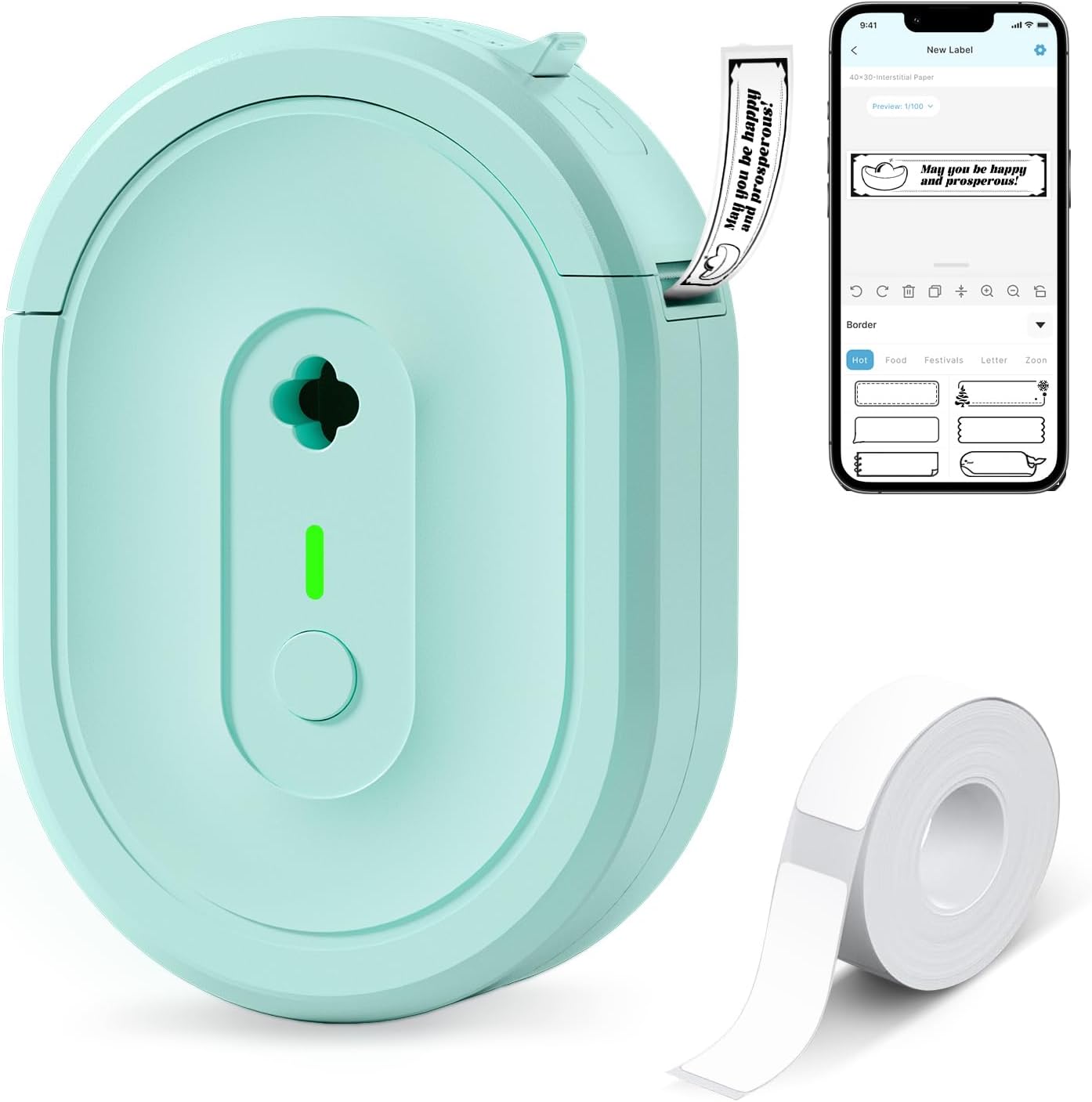
| Printer Type | Thermal |
|---|---|
| Printer Connectivity Type | Bluetooth |
| Resolution | 203 x 203 dpi |
| Built-In Media | 1×180 pre-cut white labels (14×40mm) |
The NDYIN N12 is a pocketable Bluetooth thermal label printer that prints black-on-white labels from your smartphone via the free Nada Print app. It is primarily used for home, school, and small-office tasks like labeling jars, cables, files, spice jars, price tags, and name tags. The unit uses direct thermal technology and a built-in rechargeable battery so there is no ink, toner, or ribbon to buy, and the box includes one roll of pre-cut 14×40mm labels and a USB charging cable. The app offers many templates, fonts, frames, and symbols which makes quick custom labels easy. Print quality is basic 203 dpi monochrome so text and simple barcodes are clear but not photo-quality, and label width/length options are limited to supported sizes. Setup requires installing the app and selecting the correct label size before printing, and it only prints in black so colored labels are not possible. For buyers who want an inexpensive, portable way to organize around the house or run small tag-and-price tasks, this covers the essentials without recurring consumable costs.
Best for: Buyers who prioritize the lowest ongoing costs and a simple mobile setup for home, classroom, or small-business labeling will appreciate this compact, app-driven printer.
Less Ideal for: Users who need high-resolution, color, or wide-format label printing for professional packaging or photo-like labels should look at higher-end models.
- Direct thermal printing eliminates ink, toner, and ribbons
- Built-in rechargeable battery for portable use
- Bluetooth connectivity works with iOS and Android via the Nada Print app
- Includes pre-cut labels and charging cable out of the box
- App provides many templates, fonts, frames, and symbols for quick label design
- Print resolution is 203 dpi monochrome only so no color or high-detail prints
- Fixed label sizes require selecting correct paper size in the app before printing
Verdict: If you want an affordable, portable label printer with no ink costs and easy smartphone app design, the N12 is a practical budget pick.
Brother P-touch PTH110

| Printer Type | Thermal |
|---|---|
| Print media | Labels |
| Display Type | LCD |
| Maximum print Resolution Color | 300 dpi |
| Battery power | 6 AAA batteries (not included) |
The Brother P-touch PTH110 is a handheld thermal label maker built for straightforward organization tasks at home or in small offices. It uses Brother TZe laminated tapes to print durable one- or two-line monochrome labels and includes a full QWERTY keyboard, an easy-to-read graphical LCD preview, and one-touch keys for quick access to fonts, frames, and symbols. The unit stores up to 15 label designs for fast reprints and offers 3 fonts, 14 frames, and over 250 symbols to dress up labels for cables, storage bins, and household items. It runs on six AAA batteries for portable use or an optional AC adapter, and prints at modest speeds suitable for occasional to regular labeling. Limitations are typical of compact labelers: print is monochrome only, tape width is limited to 12 mm, and more advanced layout or mobile app features are not available on this model. For buyers who prioritize steady, no-frills labeling and durable laminated tape compatibility, the PTH110 is a dependable, easy-to-use choice.
Best for: Buyers who want a reliable, simple labeler for home or small-office organization and value durable laminated labels and straightforward, repeatable operation.
Less Ideal for: Users who need multi-color labels, wide-format printing, mobile app control, or advanced layout features should consider more feature-rich models.
- Durable laminated TZe tape compatibility for long-lasting labels
- Full QWERTY keyboard and graphical LCD make typing and previewing easy
- Built-in memory stores up to 15 labels for quick reprints
- Portable battery operation with optional AC adapter for flexible use
- Monochrome output only with no color printing options
- Limited to labels up to 12 mm (about 1/2 inch) wide
Verdict: A dependable, no-frills handheld label maker that delivers durable laminated monochrome labels and simple repeatable operation on a budget.
Phomemo D30 Label Maker

| Printer Type | Thermal |
|---|---|
| Printer Connectivity Type | Bluetooth |
| Hardware Interface | Bluetooth 4.0, USB Type C |
| Maximum Print Resolution Black and White | 203 dots_per_inch |
| Wattage | 7 watt-hours |
The Phomemo D30 is a pocketable Bluetooth thermal label maker that pairs with the Print Master app to design and print custom monochrome labels on continuous or pre-cut tapes. It is typically used for household sorting, classroom name tags, office file labeling, and small-business price tags where quick, inkless output is desirable. Notable features include a German thermal print head for sharper text, wide creative resources in the app (many icons, fonts, templates, barcode/QR support, Excel import and OCR), USB-C charging, and support for patterned color tapes so labels can be visually colorful despite black-only printing. Practical benefits are low running cost thanks to inkless thermal printing, very small portable form factor for on-the-go use, and flexible label design through the app. Limitations to consider are monochrome output only, the need to use the app (and select correct tape size) for reliable alignment, and modest media width that restricts large-format labels. For buyers valuing a low-cost, creative, and portable label solution, the D30 delivers strong capability in a tiny package.
Best for: Buyers who want an inexpensive, portable label maker that emphasizes creative label design and low operating costs for home, classroom, or small-business labeling and who prefer app-driven workflows.
Less Ideal for: Users who need true multicolor printing or wide-format labels for large signs, or those who want a standalone device that does not rely on a smartphone app.
- Inkless thermal printing cuts ongoing costs by eliminating ink, toner, or ribbons
- Extensive app library with thousands of icons, fonts, templates, and Excel/QR support
- Very compact and rechargeable with USB-C for easy portable use
- Supports continuous and pre-cut tapes including patterned color tapes for decorative labels
- Prints only black text so color requires patterned label tape rather than true multicolor printing
- Requires the Print Master app and correct template selection to avoid misaligned prints
Verdict: If you want a budget-friendly, highly portable label maker with powerful app design tools and low running costs, the Phomemo D30 is a strong choice.
Choosing the Right Label Maker on a Budget: Key Factors to Consider
Upfront Price Vs Long-Term Cost
A low sticker price is attractive, but the long-term cost is driven by replacement tape or cartridge pricing and how often you print labels. Calculate expected monthly or yearly tape usage and compare that to the initial purchase price. For example, if you expect frequent relabeling in a busy household or small business, slightly higher upfront cost for a machine that accepts cheaper third-party tape can save money over time.
Also consider whether the unit uses batteries or an AC adapter, since ongoing battery replacement can add to running costs. Look for machines that offer efficient power modes or accept standard battery sizes that you already use elsewhere in the home.
Availability and Variety of Label Tape
Label tape availability affects both cost and usefulness. Machines that accept only a narrow width or a proprietary cartridge with limited color or material options will restrict what you can label. Wider tape options make headers and shelf labels easier to read, while specialty materials like laminated or weatherproof tape are useful if you need labels for storage boxes, garage shelving, or outdoor use.
Also check whether compatible third-party tapes exist. Third-party options often lower per-foot cost and increase color and width choices. Confirm standard sizes and check seller listings to ensure you can source tape locally or online without long lead times.
Ease of Use and Label Editing
A label maker that is quick and intuitive to use will be used more often. Key interface elements include a clear keypad or keyboard, a readable screen that previews output, and straightforward navigation for font size, style, and alignment. Built-in templates or quick-format buttons for common label types speed up repetitive tasks.
If you plan to create many labels from a computer or phone, check whether the unit supports simple connectivity and easy text transfer. For small-budget units, a clear onboard workflow often matters more than rarely used network features.
Print Quality and Legibility
Label legibility depends on tape quality, print resolution, and available font sizes. Even a cheap label maker should produce crisp, uniform characters that remain readable at typical viewing distances for shelves, bins, or file folders. Consider how small or large your labels need to be and whether the device supports adjustable font sizes or bold styles.
Contrast between tape background and print color is essential. Black-on-white or black-on-clear typically offers the best legibility for general-purpose labeling. For specialty uses, check whether the device can handle metallic, colored, or high-contrast tapes.
Build Quality and Durability
A budget label maker still needs to survive drops, frequent handling, and occasional spills in kitchens or garages. Check for a solid-feeling case, responsive buttons, and a reliable tape cutter mechanism. Units with flimsy cutters or poor tape feeding become frustrating fast and increase wasted consumables.
Also consider warranty coverage and the simplicity of replacing wear items like cutters or guides. A modest investment in build quality reduces the chance you will replace the entire unit sooner than expected.
Best Uses for Budget Label Makers
Budget label makers excel at everyday organization tasks like labeling storage bins, pantry containers, school supplies, cords, and shelving. Their simplicity and low running costs make them ideal for homeowners, students, and small offices that need straightforward, readable labels without advanced features.
For seasonal projects such as holiday decor labeling or short-term storage, a budget unit gives you fast results without a large commitment. If you need durable outdoor or commercial-grade labels regularly, consider whether a higher-tier model or specialty tape is necessary before committing to a budget device.
- Pantry and food storage labeling
- Cable and cord identification
- Classroom and student supplies
- Small office file and shelf organization
- Temporary event or project labels
Tape Types and When to Use Each
Most budget label makers use laminated plastic tapes that resist smudging and water. These are the go-to for general household and office labeling because they balance durability with low cost. Clear tapes are useful when you want a less obtrusive label, while colored tapes help with visual coding.
Specialty tapes such as extra-wide, heat-resistant, or metallic varieties are sometimes available even for budget devices. Reserve these for specific tasks like labeling outdoor storage, toolboxes, or electrical panels where material properties matter more than price.
- Laminated plastic: general-purpose, water-resistant
- Clear: unobtrusive labeling on glass or plastic
- Colored: color-coding for quick visual sorting
- Extra-wide: headers and shelf labels for readability
- Specialty: heat- or chemical-resistant for harsh environments
Power Options: Battery Vs. AC
Battery power makes a label maker portable and convenient for tasks around the house or on-site. However, frequent use on batteries can raise ownership costs. If portability is essential, choose a unit with efficient power use and common battery types. Look for battery-saving features such as automatic shutoff.
AC-powered models reduce ongoing battery costs and are a sensible choice if you primarily use the device at a desk or fixed workspace. Some budget options offer both battery and AC power for flexibility without sacrificing runtime.
- Battery: portable, watch for common battery types
- AC adapter: better for fixed workspaces and frequent use
- Hybrid models: combine portability with low ongoing cost
Maintenance Tips to Reduce Running Costs
Extend tape life by cutting labels to size and avoiding long single-line prints when a smaller label will do. Store tapes in a cool, dry place to prevent adhesive degradation. Clean the cutter and feed guides occasionally to prevent jams that waste tape.
Keep a small stock of commonly used tape widths and colors to avoid purchasing small, expensive cartridges in a hurry. For units that accept third-party tape, check compatibility lists and test one roll before buying in bulk.
- Trim labels to needed length to reduce waste
- Clean cutter and feed paths regularly
- Store tapes properly to preserve adhesive
- Stock common widths to avoid emergency purchases
Accessibility and Label Legibility
Consider font size, contrast, and tactile labeling needs when selecting a device. Larger fonts and high-contrast tape choices make labels easier to read at a distance or for users with limited vision. Some label makers offer bold or framed text options that improve readability for shelving and storage.
For users who need tactile or Braille-like identification, budget label makers are limited. In those cases, supplement printed labels with raised stickers or embossed labels from specialty tools designed for accessibility.
- Use larger fonts for shelf and bin labels
- Choose high-contrast tape for long-distance readability
- Consider supplemental tactile solutions for accessibility
How We Chose the Best Label Maker on a Budget
We focused on practical, buyer-facing criteria that determine whether a label maker is genuinely budget friendly over time. Primary filters included upfront price and the availability and cost of replacement tape or cartridges. We prioritized devices with easy text entry and editing, because a clumsy interface increases time spent and discourages use. Durability and build quality were considered to ensure the unit survives typical home or light-office handling. Battery or power efficiency mattered for portable models, and we favored models with multiple tape widths or compatible third-party tapes to keep long-term consumable options open. Excluded items included heavy industrial or commercial label printers, network-only units requiring special drivers, and devices with proprietary consumables that are difficult to source. We also excluded units with limited character sets or missing key layout features that make labels hard to read. The final picks reflect a balance of low initial cost, manageable ongoing consumable expense, clear and flexible text/layout tools, and reasonable physical durability.
Our full evaluation process is outlined in our review methodology.
FAQ
How much does label tape typically cost over time?
Tape cost varies by width and material, but for budget users expect to replace rolls periodically. Choosing a machine that accepts third-party tape can significantly lower per-foot cost. Estimate monthly usage to compare long-term expenses with the initial unit price.
Can I use third-party tapes with a budget label maker?
Many budget label makers accept compatible third-party tapes, but not all do. Check the machine specifications for supported tape sizes and formats. Using third-party tape often reduces running costs but confirm fit and feed reliability before buying in bulk.
Are battery-powered label makers practical for frequent use?
Battery models are convenient and portable, but frequent users may find battery replacement or recharge cycles add cost and downtime. If you label many items daily, opt for AC capability or a model with efficient power management.
What tape width should I choose for general home labeling?
A medium-width tape around 9 to 12 millimeters is versatile for most home uses, offering readable text without taking too much space. Wider tapes are better for shelf headers and signage, while narrower tapes suit cables and small items.
How durable are labels from budget units?
Budget label makers that use laminated tapes typically produce water- and smudge-resistant labels suitable for indoor use. For exposure to sunlight, chemicals, or outdoor conditions, select tapes specified as weatherproof or consider specialty materials.
Final Verdict
When choosing a label maker on a budget, weigh upfront cost against the long-term expense of replacement tape and the device's ease of use. Prioritize models that accept multiple tape widths or third-party consumables if you expect frequent labeling. Also consider power options and label durability relative to where you will use the labels. Decide whether portability or low running cost matters most, then pick the unit that balances those priorities. With a clear understanding of tape availability, print legibility, and build quality, you can select an affordable label maker that meets everyday organization needs without unexpected ongoing expenses.