
Note: This article contains affiliate links. If you click on these links and make a purchase, we may earn a small commission at no extra cost to you. This helps support our research and content. Read our full affiliate disclosure here.
When you need a neat, durable way to identify garments, a dedicated label maker for clothes makes organization simple and reliable. Whether you label kids clothing, uniforms, seasonal storage, or fabric care tags, the right device produces legible, long-lasting labels that withstand washing, drying, and regular wear. This guide highlights seven shortlisted label makers chosen for their suitability on textiles and in garment care environments. We evaluate each option on durability, ease of printing, and how well the labels adhere and survive laundering. Read on to see which features matter most and which devices match common laundry and wardrobe workflows.
Top Picks at a Glance
| Best Overall The best all-around choice for most situations | Nelko P21 Label Maker |  |
| Best Quality Built to a higher standard if you want something more solid | Brother P-touch PTD220 |  |
| Best Value The sweet spot between price and what you get | SUPVAN E10 Label Maker |  |
| Best Budget The cheapest option that still gets the job done reliably | NDYIN N12 Label Maker |  |
| Top Rated A top-rated pick with lots of positive feedback | DYMO LetraTag 100H |  |
| Most Popular A crowd favorite that many people choose with confidence | Phomemo D30 Label Maker |  |
| Best Seller A high-volume bestseller chosen again and again | Brother P-touch PT-N20 Label Maker |  |
Nelko P21 Label Maker
| Printer Type | Thermal |
|---|---|
| Printer Connectivity Type | Bluetooth |
| Resolution | 203 x 203 DPI |
| Hardware Interface | USB Type C |
| Paper Size | 15X30mm,12X40mm,14x40mm,14X50mm,14x75mm |
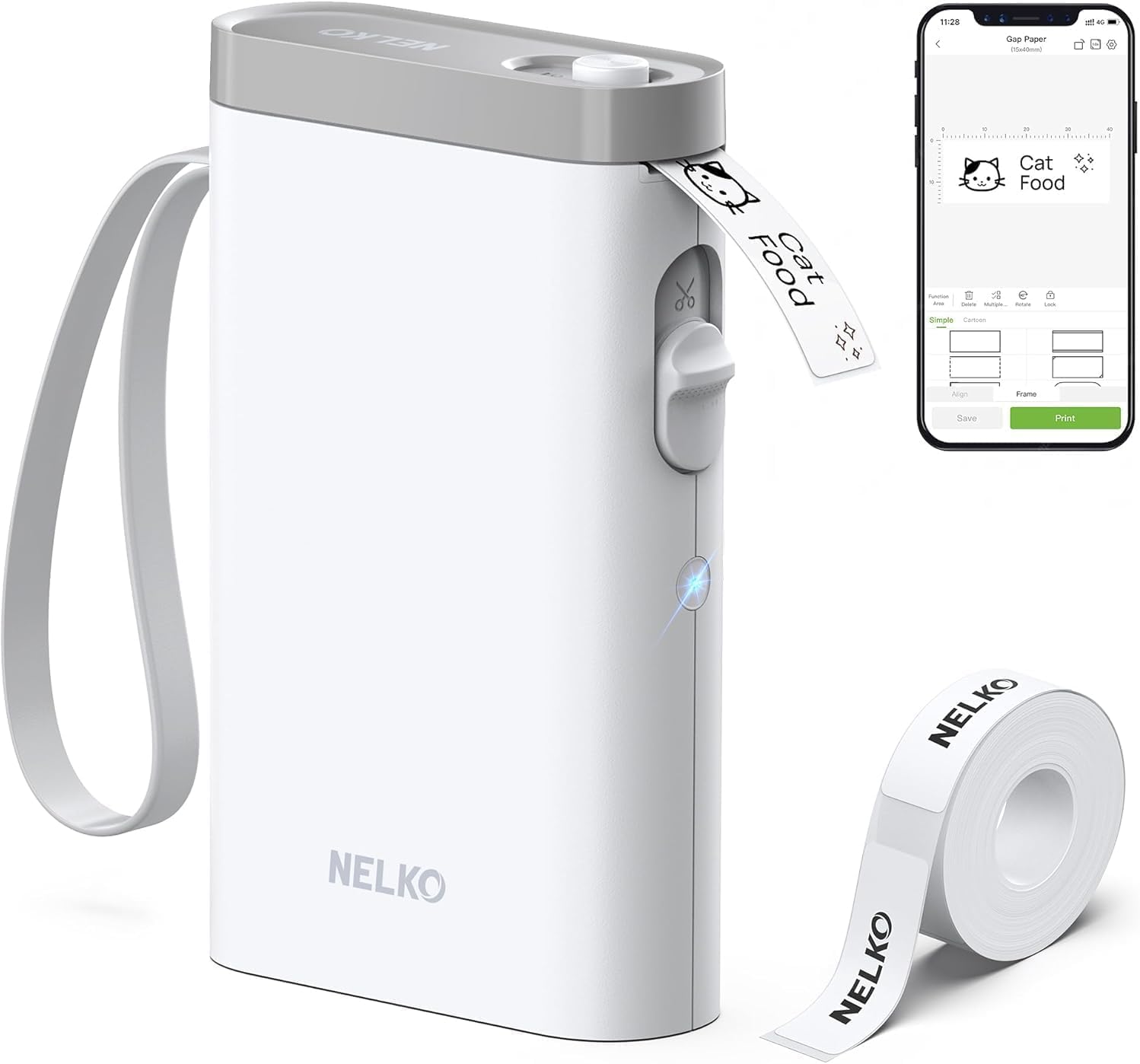
The Nelko P21 is a pocketable thermal label maker that pairs with the Nelko mobile app to design and print adhesive labels for home, classroom, and light business use. You build labels on your phone using templates, icons, barcodes or images, then send them over Bluetooth to print in black at 203 DPI on pre-sized thermal tapes; the unit includes a built-in cutter and a rechargeable battery and charges over USB-C. In practice it is handy for labeling clothes, bins, lunchboxes and classroom supplies because it is small, easy to carry, and produces crisp monochrome text and simple graphics when you use the recommended tapes. Limitations to note: printing is monochrome only, label length and widths are fixed to supported tape sizes, and setup requires the Nelko app (iOS 13+ supported; Android compatibility notes apply). The P21 is best when you want a lightweight, app-driven label solution rather than a full desktop printer with variable media options.
Best for: Buyers who want a lightweight, app-driven label maker for organizing clothes, kids items, and classroom supplies and value portability and simple, repeatable label designs.
Less Ideal for: People who need full-color printing, variable label lengths or desktop computer connectivity should look at larger desktop label printers instead.
- Very compact and portable for on-the-go labeling
- Bluetooth control via a phone app with many templates and icons
- Direct thermal printing so no ink or cartridges required
- Rechargeable battery and USB-C charging for convenience
- Monochrome-only output limits color or full-color graphics
- Requires the Nelko app for setup and printing
- Supports only fixed tape sizes and not continuous rolls
Verdict: If you want a pocketable, app-controlled thermal label maker for clothes and classroom organization, the Nelko P21 delivers easy, inkless monochrome labels with minimal fuss.
Brother P-touch PTD220

| Maximum Tape Width | 12mm |
|---|---|
| Print Resolution | 180 dpi |
| Display | 15-character |
| Memory | Stores 30 labels |
| Power | 6 AAA batteries or optional AC adapter |
The Brother P-touch PT-D220 is a simple, battery-powered handheld label maker designed for quick home and small-office labeling tasks. It prints on Brother TZe laminated tapes up to 12mm (~1/2 inch) and supports one- or two-line labels you can preview on the 15-character display before printing. The built-in QWERTY keyboard, one-touch formatting keys, 25 preset templates, and a memory for up to 30 stored labels make repetitive jobs fast, and the variety of fonts, frames, and symbols lets you make tidy name tags or clothing labels that look consistent. For clothing use the laminated TZe tapes are durable and available in water-resistant and extra-strong adhesive options that cling to fabric labels or storage bins. The unit is compact and portable, runs on AAA batteries or an optional AC adapter, and connects via USB only on higher models so this one is truly standalone. Limitations include a maximum tape width of 12mm, manual cutter, and modest preview space on the small screen, so heavy-duty batch work or wide-format garment tags will require a different model.
Best for: Someone who wants a reliable, portable label maker to create durable, consistent name and care labels for clothes and small sewing projects and values speed and ease of use over wide-format capability.
Less Ideal for: Users who need wide or high-volume garment tags, advanced PC design integration, or an auto-cutter and faster throughput for large batch labeling.
- Prints durable laminated TZe tapes up to 12mm suitable for water-resistant clothing tags
- QWERTY keyboard and one-touch formatting make label creation fast and intuitive
- Stores up to 30 frequently used labels for quick reprinting
- Includes 25 preset templates plus multiple fonts, frames, and 600+ symbols for professional-looking tags
- Max tape width limited to 12mm which restricts larger garment tags
- Small 15-character display limits complex previews and layout editing
- No built-in USB or Bluetooth connectivity for PC/mobile design workflows on this model
Verdict: A compact, easy-to-use label maker that delivers durable, consistent small-format labels ideal for clothing and home sewing projects.
SUPVAN E10 Label Maker
| Printer Type | Thermal |
|---|---|
| Print Resolution | 203 dpi |
| Printer Connectivity Type | Bluetooth |
| Hardware Interface | USB Type C |
| Maximum Media Size | 0.59 inch |
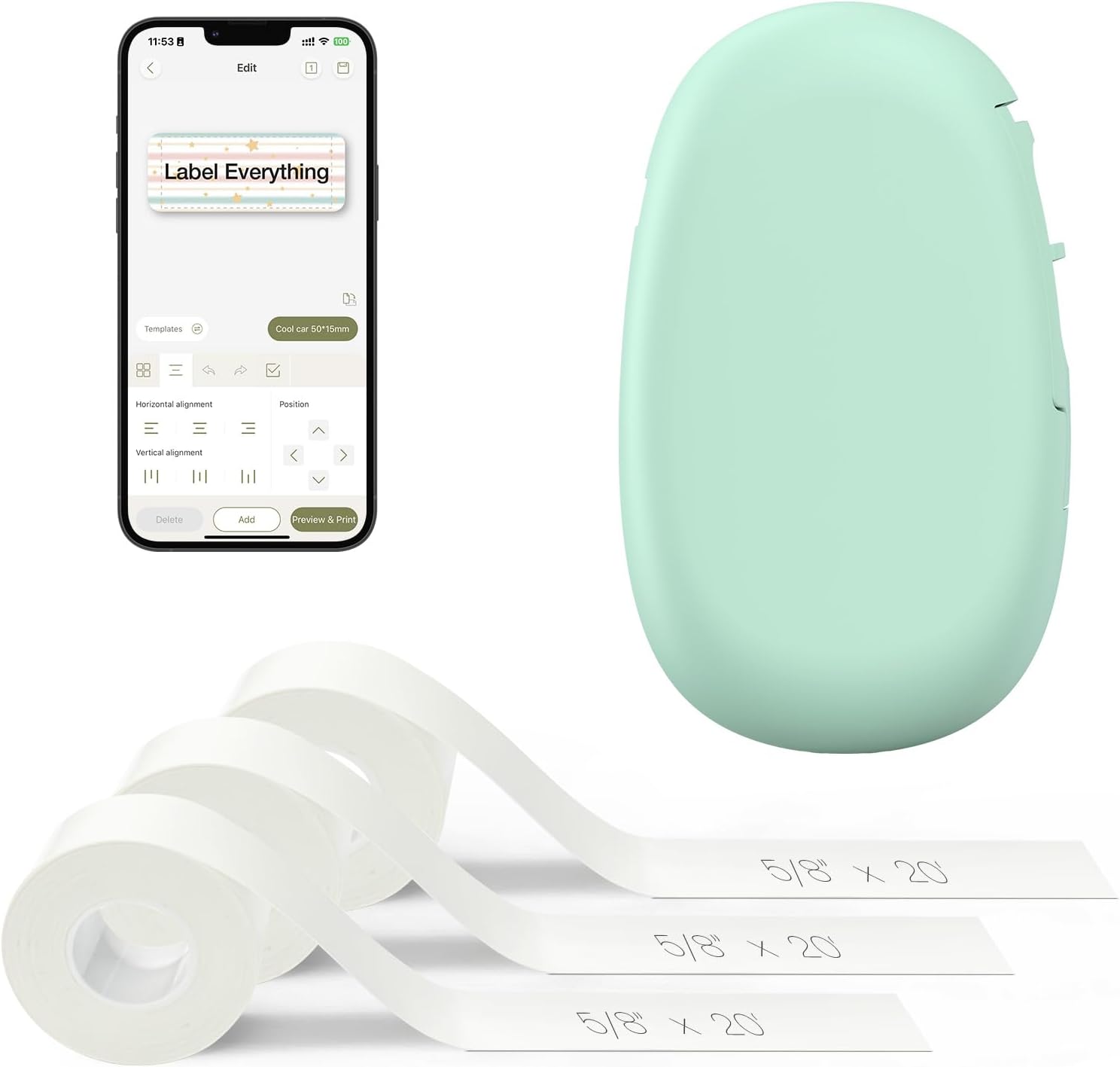
The SUPVAN E10 is a pocketable thermal label maker that pairs with an Android or iOS app to design and print monochrome labels without ink. It accepts both continuous and die-cut E-series tapes, includes a built-in cutter, and ships with three white continuous rolls so you can start labeling right away. The app offers many fonts, frames, and icons which makes creating clothing name tags and garment-care labels quick, and the laminated tape is waterproof and scratch resistant for wash-and-wear durability. Rechargeable battery and USB-C charging keep it cordless for extended use, and Bluetooth connectivity makes setup simple. Limitations: print resolution and single-color output mean no colored or photographic labels, and the device is optimized for narrow 0.59 inch media so larger tags are not possible. For clothing labeling the E10 is practical, fast, and low-maintenance but best when you only need simple, durable text labels.
Best for: Buyers who want a low-fuss, app-driven labeler to make durable name and care tags for clothing and school uniforms and who prioritize speed and waterproof durability over decorative color.
Less Ideal for: People who need full-color, wide-format, or photographic labels for apparel branding or large textile tags should consider other label printers.
- Prints waterproof laminated labels suitable for garments
- Works wirelessly via Bluetooth with an iOS/Android app for easy design
- Accepts continuous and die-cut tapes for custom lengths or batch prints
- Rechargeable battery with USB-C makes it portable and low maintenance
- Prints only monochrome text at 203 dpi, no color printing or graphics
Verdict: A compact, app-controlled thermal labeler that delivers quick, waterproof name and care tags ideal for organizing clothes and uniforms.
NDYIN N12 Label Maker
| Printer Type | Thermal |
|---|---|
| Printer Connectivity Type | Bluetooth |
| Resolution | 203 x 203 dpi |
| Built-In Media | 1*180 Pre-cut white labels(14*40mm) |
| Specific Uses For Product | Home, Office, School |
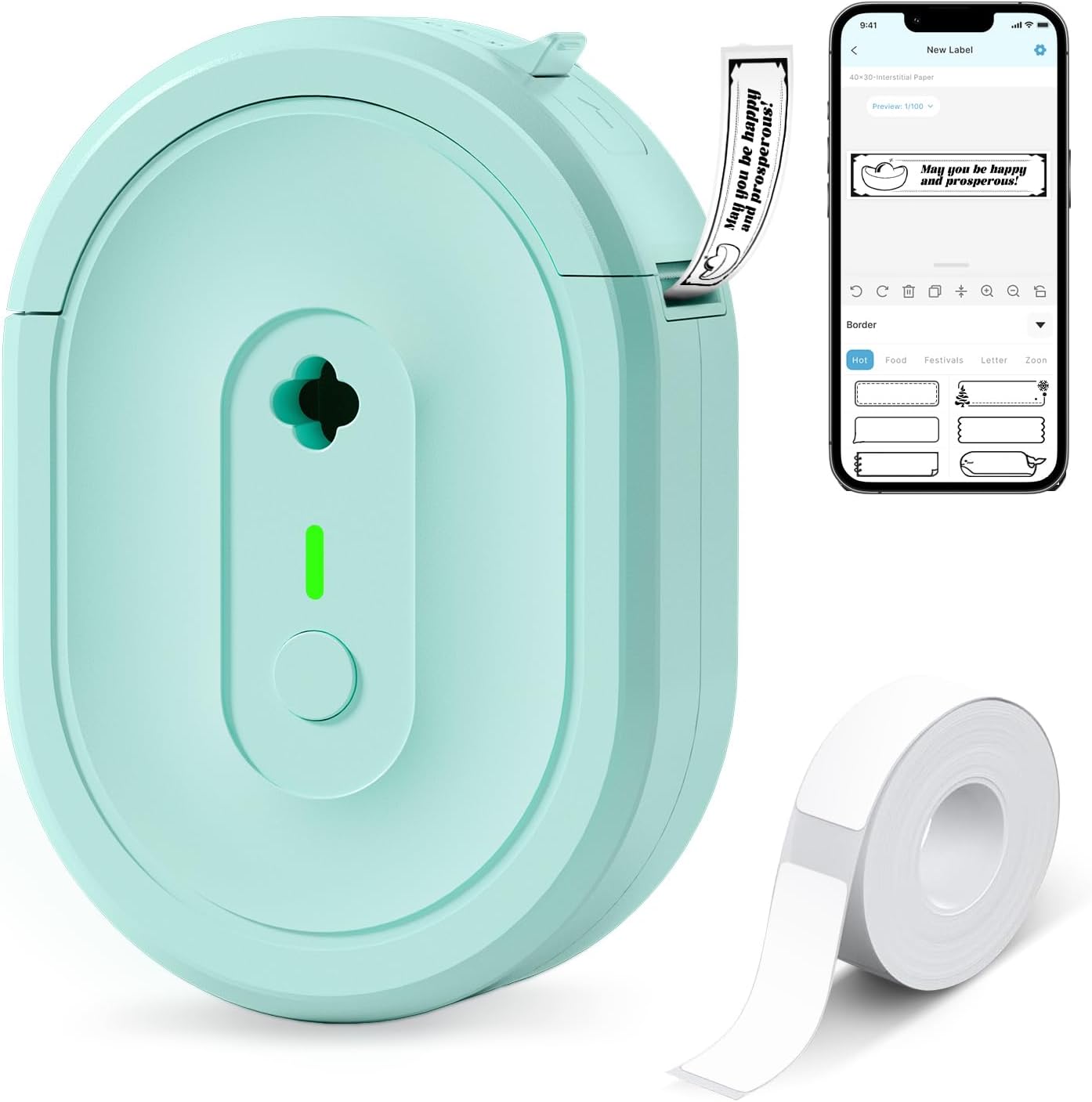
The NDYIN N12 is a small, battery-powered thermal label maker that connects via Bluetooth to the free Nada Print app on phones and tablets to produce monochrome adhesive labels. It ships with a roll of pre-cut labels and a charging cable, so setup is straightforward: pair, choose a template or create text in the app, select the correct label size, and print. The direct thermal engine means no ink, toner, or ribbons are required, lowering running costs for frequent clothing tags, size labels, or laundry care notes. Its compact, pocketable design and mobile connectivity make it easy to use at home or on the go, and the app offers many fonts, frames, and symbols for clear garment labels. Limitations include single-color output and label width constraints, so it is not suitable when you need colored tags or very wide labels, and the print resolution is basic compared with higher-end thermal printers.
Best for: Shoppers looking for an affordable, low-maintenance label maker to create neat laundry, size, and care tags at home or for small clothing projects using a phone-based app.
Less Ideal for: Users who need full-color tags, very wide labels, or industrial-grade print durability for heavy commercial garment production should look at higher-end or specialized label systems.
- Direct thermal printing requires no ink, toner, or ribbons which lowers ongoing costs
- Bluetooth pairing with the Nada Print app lets you design labels from smartphones and tablets
- Compact, portable form factor with built-in rechargeable battery for mobile labeling
- Includes pre-cut labels and charging cable for out-of-the-box use
- Prints only black on thermal paper so no color or multi-tone tags are possible
- Limited maximum media width restricts label size options for large clothing tags
Verdict: A budget-friendly, portable Bluetooth thermal printer that delivers low-cost, phone-driven black-and-white labels ideal for home clothing and laundry tagging.
DYMO LetraTag 100H

| Printer Type | Thermal |
|---|---|
| Print media | Labels |
| Display Type | LCD |
| Printer Connectivity Type | USB |
| Maximum Print Resolution Black and White | 300 dpi |
The DYMO LetraTag 100H is a small, battery-powered handheld label maker aimed at simple, reliable labeling around the house. It prints on half-inch LetraTag label cassettes in paper, plastic, and iron-on varieties, and its graphical LCD shows a WYSIWYG preview of font sizes, styles, and borders before you print. Typical uses include pantry and storage labels, filing, craft projects, and iron-on clothing tags when paired with fabric tape. The unit includes two label cassettes and a magnetic holder for quick access, and auto-off conserves battery life. Because it uses direct thermal technology there is no ink to replace, which reduces maintenance and waste. Limitations are its basic print resolution and single-line half-inch width which restricts long text and fine detail, and it runs on AA batteries rather than a rechargeable pack, so heavy daily use will require frequent battery replacement or spares. For straightforward, low-effort labeling tasks—especially making washable iron-on clothing tags—the LetraTag 100H is dependable and easy to operate.
Best for: Buyers who prioritize a low-maintenance, easy-to-use label maker for home tasks and need straightforward washable clothing tags and storage labels.
Less Ideal for: Users who need wide-format, multi-line, high-resolution labels or who plan heavy commercial printing should choose a more advanced desktop label printer.
- Compact, lightweight handheld design for portability
- Graphical LCD with WYSIWYG preview to reduce printing mistakes
- Works with paper, plastic, and iron-on LetraTag tapes for clothing labels
- Direct thermal printing requires no ink or toner
- Includes two label cassettes and a magnetic holder for quick setup
- Print width limited to 1/2 inch so long text is truncated or needs abbreviation
- Uses AA batteries instead of an internal rechargeable battery
Verdict: A simple, dependable handheld label maker that makes durable half-inch paper, plastic, and iron-on clothing labels with minimal upkeep.
Phomemo D30 Label Maker

| Printer Type | Thermal |
|---|---|
| Printer Connectivity Type | Bluetooth |
| Hardware Interface | Bluetooth 4.0, USB Type C |
| Resolution | 203 dots_per_inch |
| Print media | Labels |
The Phomemo D30 is a pocketable thermal label maker that connects to iOS or Android via Bluetooth and prints black text onto continuous or pre-cut thermal label tapes. You build labels in the Print Master app where hundreds of templates, fonts, icons and borders are available, plus batch import, barcode/QR generation and simple image or logo printing. It is rechargeable and inkless, so there are no cartridges to replace and running costs are limited to label tape. Print quality is decent for organizing clothing tags, storage bins and small garment labels thanks to a 203 dpi thermal head, and the device handles the D30 tape sizes the app expects. Limitations include monochrome output only and the need to do layout through the app rather than an on-device keyboard, so quick on-the-spot edits without a phone are awkward. The unit is optimized for light-duty tasks like name tags, kids clothing, and home wardrobe organization rather than heavy industrial labeling.
Best for: Buyers who want a low-cost, portable labeler for organizing clothes, kids items and small wardrobe projects and who prefer designing labels on their phone before printing.
Less Ideal for: People who need on-device standalone labeling, full-color printing, or heavy-duty industrial garment tags should consider other solutions.
- Pocket-sized and lightweight for easy carrying
- Bluetooth app control with extensive templates, fonts and icons
- Inkless thermal printing cuts ongoing ink costs
- Rechargeable via USB-C for convenient power
- Supports batch import, barcodes and logo printing via the app
- Prints only black text so color requires patterned tapes
- Requires smartphone app for design and Bluetooth pairing
Verdict: A lightweight, app-driven thermal labeler that delivers sharp black-on-tape labels ideal for clothing organization and casual wardrobe use.
Brother P-touch PT-N20 Label Maker

| Print media | Labels |
|---|---|
| Maximum Media Size | 12mm |
| Display Type | LCD |
| Printer Connectivity Type | USB |
| Print Resolution | 180 dots per inch |
The Brother P-touch PT-N20 is a user-friendly desktop label maker that prints on ~1/2" (12mm) P-touch Btag tapes in a range of colors for home and small-office use. You type on a full QWERTY keyboard, preview up to 16 characters on the display, then print and use the built-in cutter for neat labels. It includes 3 fonts, 7 font styles, 15 frames and 250 symbols, and saves up to 10 labels for quick reprints, which makes producing clothing labels, chore tags, and small household IDs fast and straightforward. The device runs on AAA batteries or an optional AC adapter and connects via USB for basic integration. Because it is made for Brother Btag tapes, you get durable, water- and temperature-resistant labels that survive laundering and dishwashing when used as directed. Limitations are modest: it only handles 12mm tape width and the monochrome, 16-character display restricts complex previews compared with app-driven models, so advanced layout work or very long multi-line labels can be awkward.
Best for: Buyers who want a dependable, easy-to-use label maker for creating durable, laundry-safe clothing labels and colorful organization tags without relying on a phone app or complex setup.
Less Ideal for: People who need multi-width tapes, elaborate multi-line layouts, or advanced editing from a mobile app should consider more feature-rich, app-connected models.
- Full QWERTY keyboard and preview screen for fast, familiar typing and typo checks
- Built-in cutter for clean label edges on every print
- Works with Brother Btag tapes that are water, temperature, and fade resistant for laundry-safe clothing labels
- Includes a variety of fonts, frames, and 250 symbols for decorative and functional clothing tags
- Accepts only ~1/2" (12mm) tape width, limiting multi-size label options
- Simple monochrome 16-character display and limited memory make complex layouts and long text less convenient
Verdict: A simple, reliable desktop label maker that produces durable, laundry-safe 12mm clothing labels with minimal setup and familiar keyboard typing.
Choosing the Right Label Maker for Clothes: Key Factors to Consider
Print Durability and Wash Resistance
How well a label survives repeated laundering is the top concern for clothing. Durable print involves both the tape material and the printing method. Heat and mechanical action in washers and dryers can fade ink or peel tape edges, so choose label media explicitly rated for wash resistance.
Look for tapes or tags described as waterproof, heat-resistant, or washer-safe. That helps ensure names, sizes, and care notes remain readable after many laundry cycles. If you plan to label frequently laundered items like kids clothing or work uniforms, prioritize durability over decorative features.
Fabric Compatibility and Comfort
Labels must adhere to or integrate with different fabric types without causing damage or discomfort. Some tapes have adhesives that perform well on synthetic fibers but poorly on delicate knits or textured fabrics. Iron-on labels require heat application, which can harm heat-sensitive materials or trims.
Consider whether labels will be sewn in, ironed on, or stuck with adhesive. Sew-in tags offer the most reliable long-term solution for delicate or high-use garments, while iron-on or adhesive options are faster for bulk labeling but may not suit all fabrics.
Attachment Options and Versatility
The way a label attaches dictates its longevity and where it can be placed. Devices that support multiple media types—adhesive tapes, iron-on patches, and sew-in tags—let you pick the best method for each garment. Velcro-style labels or tag holders are useful for items that change owners or need temporary labeling.
Think about placement too. Neck labels, hem tags, and inside seams each have different exposure to wear and laundering. A flexible attachment strategy keeps garments comfortable and labels secure.
Ease of Use and Workflow Fit
Labeling clothing is often repetitive, so speed and simplicity matter. Evaluate how quickly you can compose, format, and print labels. Devices with mobile apps and templates can accelerate batch work and help you reuse label formats. On-device keyboards and displays are handy for small jobs without a phone, but may slow down larger runs.
Battery life or the need for power also affects workflow. Portable units with long battery life are useful when labeling at events or on-site in schools and camps. Consider how labels are loaded and how accessible supplies are when planning frequent use.
Label Legibility and Formatting Options
Labels must be readable at a glance, especially for names and care cues. Check available font sizes, bolding options, and whether symbols or icons are supported for allergy or care flags. Some devices let you set margins, alignment, and multiple lines, which helps when space is limited.
Good contrast between text and tape background improves readability after wear. If you label children's clothing or uniforms, choose formats that remain legible even when shrunk or faded slightly.
Supply Availability and Cost Over Time
The long-term cost and availability of tapes, patches, and tags matter more than the initial device price. Some label media are specialty items or come in proprietary cartridges that limit options and can have higher recurring costs. Others accept generic tapes that lower ongoing expense.
Consider how often you will relabel and whether readily available supplies exist in the sizes and colors you need. Easy-to-find, affordably priced media reduces friction and keeps labeling sustainable for large households, classrooms, or care facilities.
Best Label Types for Different Garments
Different garments and fabric constructions respond better to specific label types. For high-wear items like daily uniforms, sew-in tags or robust iron-on patches provide the longest-lasting results. For quick identification or temporary use, adhesive fabric tapes or removable tag holders are more convenient.
When choosing label type, match the method to fabric care instructions and the item's tolerance for heat and stitching. Delicate fabrics and items with embellishments often do best with soft, thin sew-in labels or removable tag systems placed in less-stressed seams.
- Sew-in labels: most durable, best for frequent laundering
- Iron-on labels: fast application, depends on fabric heat tolerance
- Adhesive fabric tapes: quick and versatile, may peel over time
- Removable tag holders: ideal for temporary or shared items
Applying Labels So They Last
Placement and application technique strongly influence how long a label lasts. If ironing on, use a pressing cloth and apply consistent pressure for the recommended time. Allow the patch to cool before handling to ensure adhesive bonds properly.
For sew-in tags, stitch close to the seam allowance to avoid catching or fraying. Adhesive labels bond best to smooth, clean surfaces. Remove lint and dirt and let the fabric dry before applying any adhesive tape.
- Test a patch on a hidden seam to confirm heat tolerance
- Trim excess tape after application to reduce snags
- Reinforce high-stress labels with a few hand stitches if needed
Organizing and Formatting Labels Efficiently
For bulk labeling, set up templates that include repeated elements such as last name, first initial, and year or room number. Using templates saves time and ensures consistent formatting across items. Group garments by category and label in batches to streamline the process.
When space is tight on a tag, prioritize critical information and use icons or abbreviations where supported. Keep a master list of label formats and common abbreviations to maintain consistency across a household or institution.
- Create and save label templates for common formats
- Use abbreviations consistently and document them
- Batch similar fabrics to apply appropriate label types together
Care and Maintenance of Printed Labels
Even the most durable labels will benefit from proper care. Turn garments inside out for washing when possible and avoid harsh bleaching agents on labeled areas. Line drying can extend label life compared with frequent high-heat drying.
Inspect labels periodically for lifting edges or fading. Reapply or reinforce labels before they fail completely to avoid lost identification during laundry cycles.
- Turn garments inside out to reduce abrasion on labels
- Avoid direct application of bleach to labeled areas
- Replace or resew labels showing wear before they detach
Accessibility and Child-Friendly Labeling
If labeling children's clothing, prioritize soft, rounded labels and placements that avoid rubbing against skin. Use larger fonts or bold text for easy reading by caregivers and teachers. Consider color-coding or icon markers to help non-readers identify items quickly.
Choose label materials that are hypoallergenic and test a sample label against sensitive skin when necessary. Removable and reusable label systems can be useful for outgrown items or shared wardrobes.
- Use larger text and icons for preschool-age children
- Select soft sew-in labels to reduce chafing
- Color-code label backgrounds for quick recognition
How We Chose the Best Label Maker for Clothes
We focused on attributes that matter when labeling clothing and textiles. First, we prioritized print durability and material compatibility, selecting devices that produce tapes or tags designed to survive repeated washing and dryer heat. Second, we assessed ease of use, including setup, on-device controls or companion app intuitiveness, and the speed of generating labels during busy laundry or classroom prep. Third, we considered adhesive and attachment options, such as iron-on, sew-in, or strong fabric-safe adhesives, since how a label is applied affects longevity and garment comfort. Fourth, we looked at text clarity and font options for legibility on small tags. Finally, battery or power options and portability were weighed for users who need to label on the go or in locations without easy access to power. We excluded devices intended only for paper, shipping, or industrial barcode printing because their tapes and adhesives are not suitable for wearable fabrics. Products were filtered by whether they support fabric-safe tapes or provide reliable sew-on or iron-on label media. The selected evaluation criteria are practical and specific to clothing use, so the shortlisted label makers match the needs of parents, caregivers, educators, and anyone organizing wardrobes with durable, washable labels.
Our full evaluation process is outlined in our review methodology.
FAQ
Can labels printed by a label maker survive the washing machine?
Many label makers produce tapes or patches specifically rated as washer-safe, but durability depends on media type and application. Sew-in labels and heat-applied patches typically last best, while adhesive fabric tapes may weaken over many wash cycles.
Are iron-on labels safe for all fabrics?
Not always. Iron-on labels require heat and pressure, which can damage heat-sensitive fabrics or trims. Test on a hidden area first and consult the garment care label before applying an iron-on patch.
Is it better to sew labels or use adhesive ones?
Sewing offers the most reliable, long-term attachment and is gentler on fabrics over repeated laundering. Adhesive labels are faster and convenient for temporary needs, but they may lose adhesion sooner, especially on textured or stretchy fabrics.
How do I keep printed text legible after many washes?
Choose label media designed for wash resistance, apply according to instructions, and use high-contrast color combinations. Turning garments inside out for washing and avoiding harsh bleach will also help preserve legibility.
Can I use a standard label tape on delicate knitwear?
Standard adhesive tapes may not bond well to delicate knits and can cause puckering or show-through. Opt for sew-in tags or soft fabric patches designed for delicate materials instead.
Final Verdict
Pick a label maker for clothes based on the fabrics you label most often and how long the labels need to last. If garments face heavy laundering, prioritize print durability and sew-in or heat-applied media. For occasional or temporary labeling, faster adhesive options may be sufficient. Balance attachment method, legibility, and supply availability to match your workflow. With the right combination of label type and application technique, you can keep wardrobes organized and identification reliable over many wash cycles.