
Note: This article contains affiliate links. If you click on these links and make a purchase, we may earn a small commission at no extra cost to you. This helps support our research and content. Read our full affiliate disclosure here.
If you need professional-looking cards, invitations, or heavy paper craft projects, choosing the right laser printer for cardstock makes a big difference. Cardstock puts more stress on paper paths, fusers, and feed mechanisms than standard copier paper, so a unit built to handle heavier media reduces jams, misfeeds, and finish defects. This guide shortlists the top models designed to work with cardstock and similar thick sheets. We evaluated practical factors like media handling, print durability, and output quality to surface printers that balance reliability and finished appearance. Read on for our top picks and what to prioritize when buying a laser printer for cardstock.
Top Picks at a Glance
| Best Overall The best all-around choice for most situations | Brother HL-L6210DW Laser Printer |  |
| Best Quality Built to a higher standard if you want something more solid | Canon imageCLASS MF665Cdw |  |
| Best Value The sweet spot between price and what you get | Xerox B230 Monochrome Laser Printer |  |
| Best Budget The cheapest option that still gets the job done reliably | HP LaserJet M110w |  |
| Top Rated A top-rated pick with lots of positive feedback | HP LaserJet Pro MFP 3101sdw |  |
| Most Popular A crowd favorite that many people choose with confidence | Canon imageCLASS LBP6030w |  |
| Best Seller A high-volume bestseller chosen again and again | Brother HL-L2405W Laser Printer |  |
Brother HL-L6210DW Laser Printer

| Print speed (B&W) | 50 pages_per_minute |
|---|---|
| Max resolution (B&W) | 1200 x 1200 dpi |
| Paper capacity (standard) | 520 + 100 sheets |
| Connectivity | Gigabit Ethernet, USB, Wi-Fi |
| In-box toner yield | 3,000 pages |
The Brother HL-L6210DW is a dedicated monochrome laser designed for busy offices that need fast, reliable black-and-white output. It prints up to 50 pages per minute and produces sharp 1200 x 1200 dpi text and simple graphics on standard media, with automatic duplex to save paper. Paper handling is robust for a desktop unit thanks to a 520-sheet main tray plus a 100-sheet multipurpose feed for envelopes or cardstock, and capacity can be expanded with optional trays for longer runs. Connectivity covers Gigabit Ethernet, USB, and dual-band Wi-Fi so the printer can be shared across wired or mobile setups, and app control simplifies mobile printing. Brother supplies a 3,000-page starter toner and supports very high-yield replacement cartridges to lower running costs for heavy use. Limitations: it is monochrome only so no color printing, and while the multipurpose tray handles heavier stock, very thick specialty cardstock or frequent print-on-cardstock workflows may still require testing for feed reliability and finish quality. Overall it is a fast, workhorse mono laser that balances speed, capacity, and running cost for office use.
Best for: Buyers who need a dependable, high-speed black-and-white printer for regular heavy print runs and want low operating cost and flexible network sharing.
Less Ideal for: People who need color printing, photo-quality output, or frequent printing on very heavy specialty cardstocks should consider color or specialty printers instead.
- Very fast monochrome print speed up to 50 ppm for high-volume jobs
- 520-sheet main tray plus 100-sheet multipurpose tray with optional expansion for long runs
- Automatic duplexing reduces paper use on two-sided jobs
- Gigabit Ethernet and dual-band Wi-Fi plus USB for flexible network and mobile printing
- Supports high-yield Brother toner options to lower cost per page
- Monochrome only so not suitable when color output is needed
- Thicker specialty cardstock may require testing; not specifically optimized for heavy stock
Verdict: If you need fast, cost-efficient monochrome printing with strong paper capacity and solid networking for office cardstock tasks, this Brother laser is a practical, balanced choice.
Canon imageCLASS MF665Cdw

| Printer Type | Laser |
|---|---|
| Print Output | Color |
| Pages per Minute | 26 ppm |
| ADF Capacity | 50 sheets |
| Compatible Cartridge | Canon Genuine Toner 075 |
The Canon imageCLASS MF665Cdw is a mid‑range color laser multifunction printer built for small offices and power users who need steady throughput. It delivers up to 26 ppm in color and black, a fast first‑page time, and a 5" color touchscreen for quick job setup and access to common functions. Paper handling is practical: a 250‑sheet cassette plus a single‑sheet multipurpose tray and a 50‑sheet single‑pass duplex ADF make short runs and multi‑page scanning efficient. It uses Canon Genuine Toner 075/075H for consistent color output and higher yields, and supports wireless and mobile printing via Canon PRINT, AirPrint and Mopria. The MF665Cdw balances speed and reliability, but its 600 x 600 dpi resolution and laser halftone output mean very fine photographic detail on cardstock will be limited compared with high‑end color laser or dedicated photo printers. Expect strong, durable prints and good cardstock handling for brochures, flyers and short-run marketing pieces rather than gallery‑quality photo prints.
Best for: Buyers who need a workhorse color laser that handles frequent office printing, quick two‑sided scanning, and short runs of marketing materials on heavier paper.
Less Ideal for: Those who prioritize ultra‑high photographic detail or large volume specialty cardstock production should consider higher‑resolution or dedicated print solutions.
- Fast and consistent print speed up to 26 ppm for color and black
- Single‑pass 50‑sheet duplex ADF speeds two‑sided scanning and copying
- 250‑sheet main cassette plus multipurpose tray reduces reloading during jobs
- Wireless and mobile printing support including Canon PRINT, AirPrint and Mopria
- Uses high‑capacity Canon Genuine Toner 075/075H for reliable color and higher yields
- Maximum print resolution of 600 x 600 dpi limits very fine photo detail on cardstock
Verdict: If you need a fast, reliable color laser MFP that handles two‑sided scanning and short‑run cardstock jobs for office marketing materials, this Canon is a strong choice.
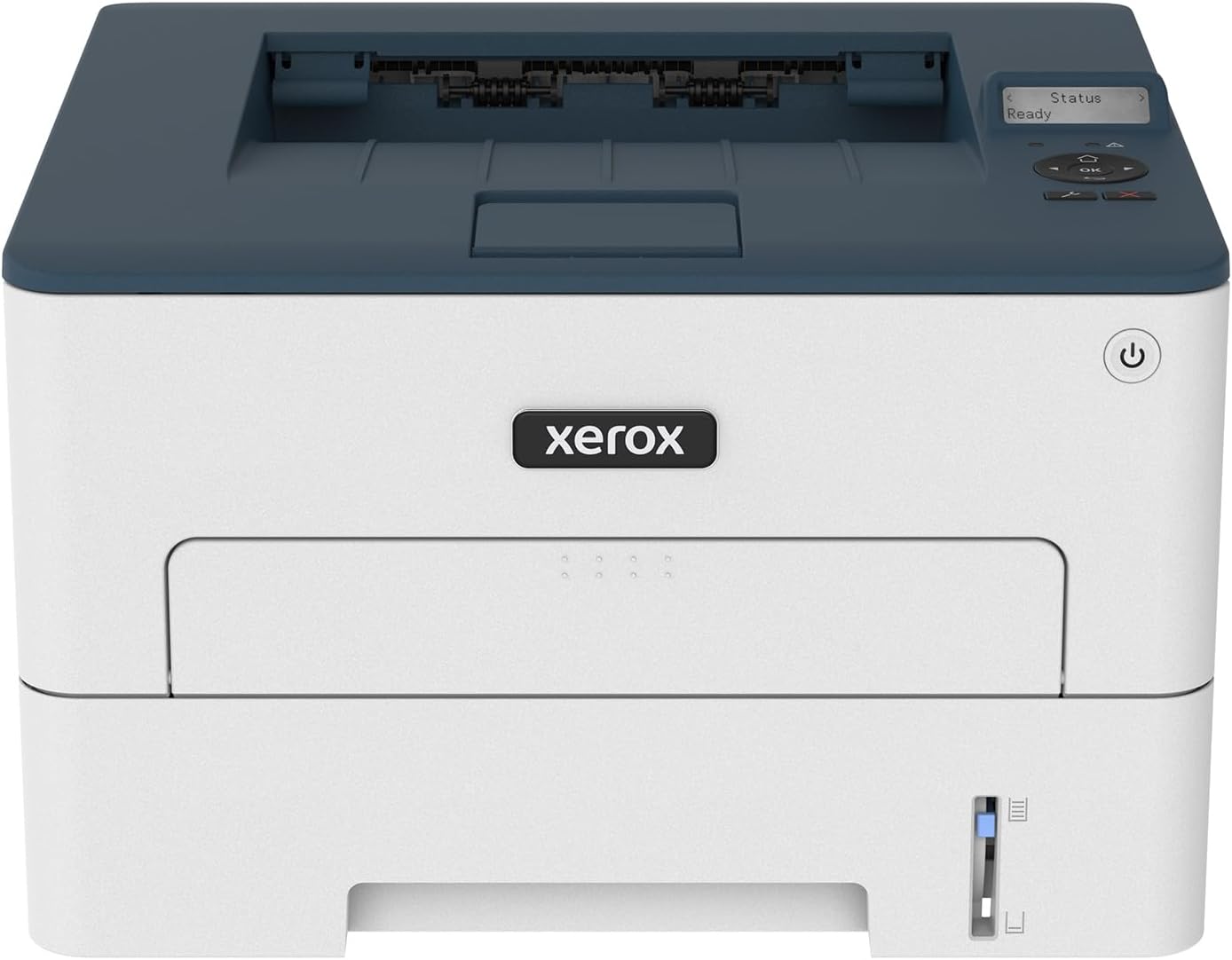
Xerox B230 Monochrome Laser Printer
| Printer Type | Laser |
|---|---|
| Maximum Copy Speed Black and White | 36 pages_per_minute |
| Maximum Sheet Capacity | 250 |
| Duplex | Automatic |
| Printer Connectivity Type | USB, Wi-Fi |
The Xerox B230 is a small-footprint black-and-white laser printer aimed at home offices and small teams that need reliable, fast monochrome output. It prints up to 36 ppm, supports automatic two-sided printing, and accepts up to 250 sheets in the main tray, which reduces trips to refill paper. The printer includes built-in Wi-Fi with Wi‑Fi Direct and mobile printing support for AirPrint and Mopria, making it practical for workplaces using smartphones and Chromebooks, and setup is straightforward with Xerox Smart Start. A 1 GHz dual-core processor and 256 MB memory help keep short jobs moving, and automatic duplexing plus N-up printing can save paper on draft work. Important limitations for cardstock use are that this is a plain-paper-focused, monochrome device: while its paper handling supports a range of sizes up to legal, heavier cardstock or specialty stocks may not feed as reliably as on heavier-duty printers, and there is no color output. For buyers prioritizing compact, fast monochrome printing with easy mobile connectivity, the B230 delivers sensible performance and low running fuss.
Best for: Buyers who want a compact, dependable monochrome workhorse for everyday office documents and mobile printing without extra complexity.
Less Ideal for: Users who need color printing, frequent high-volume cardstock or heavyweight specialty media, or advanced finishing features should look at more heavy-duty models.
- Fast monochrome printing up to 36 pages per minute for quick document turnaround
- Automatic duplexing reduces paper use and saves time on two-sided jobs
- Built-in Wi‑Fi, Wi‑Fi Direct and mobile printing support for easy smartphone and Chromebook printing
- 250-sheet main tray lowers how often you need to reload paper
- Compact design fits tight workspaces common in small offices or home office setups
- Monochrome only, so it cannot print color designs or color-coded cardstock
- Not optimized for heavy or specialty cardstock so thicker stocks may feed less reliably
Verdict: Choose the B230 if you need a compact, fast monochrome printer with easy wireless and mobile printing for routine office documents.
HP LaserJet M110w

| Printer Type | Laser |
|---|---|
| Printer Output Type | Black & White |
| B&W Pages per Minute | 21 pages_per_minute |
| Maximum Media Size | 8.5 x 14 inch |
| Duplex | Automatic |
The HP LaserJet M110w is a small, work-focused monochrome laser printer that handles everyday document and form printing for home offices or small teams. It prints up to 21 pages per minute and reaches the first page in around eight seconds, so it keeps short print jobs moving. The unit offers USB and wireless connectivity with mobile printing via the HP Smart app and supports paper sizes up to 8.5 x 14 inches, which makes it usable for envelopes and heavier paper like cardstock in small batches. It includes a preinstalled introductory black toner and an automatic duplex feature for two-sided printing. The compact footprint and low power draw make it easy to tuck into tight workspaces, but the single-tray 150-sheet capacity and monochrome output limit its usefulness for high-volume color jobs or bulk cardstock runs. It also requires original HP cartridges with built-in chips, which is important to factor into ongoing running costs.
Best for: Buyers who need a small, reliable monochrome laser for occasional to moderate document and small-batch cardstock printing and who prioritize fast single-sided output and simple wireless setup.
Less Ideal for: People who need high-volume cardstock printing, color output, or bulk media capacity should consider larger multifunction or color printers instead.
- Fast monochrome printing up to 21 ppm for quick document output
- Supports up to 8.5 x 14 inch media, allowing small-batch cardstock and envelope printing
- Compact footprint fits small desks or home office corners
- Wireless and USB connectivity with mobile printing via the HP Smart app
- Automatic duplexing for two-sided prints without manual flipping
- Single-tray 150-sheet capacity limits large print jobs
- Monochrome-only output cannot produce color prints or proofs
- Requires original HP toner cartridges with built-in chips, affecting running costs
Verdict: Choose the HP LaserJet M110w if you want a compact, fast monochrome laser that can handle occasional cardstock and envelopes for a small home office or team.
HP LaserJet Pro MFP 3101sdw

| Printer Type | Laser |
|---|---|
| Printer Output Type | Monochrome |
| Maximum Print Resolution Black and White | Up to 1200 x 1200 dpi |
| B&W Pages per Minute | 40 |
| Maximum Sheet Capacity | 250 |
The HP LaserJet Pro MFP 3101sdw is a compact monochrome laser MFP built for small offices that need dependable document workflows. It prints, scans (ADF and flatbed), copies and offers automatic two-sided printing plus a 50-sheet ADF for batch scanning, which makes it useful for processing reports, invoices, and simple marketing pieces on heavier stock. Notable points include up to 40 B&W pages per minute and first-page-out times around seven seconds, an LED display with app control and AirPrint/Mopria support for mobile printing, and a 250-sheet input that reduces how often you reload paper. The printer emphasizes reliability and management features, including Ethernet and USB alongside Wi-Fi and HP app integration for remote setup and monitoring. Limitations for cardstock use are implied: this is a monochrome office laser optimized for plain paper and business documents, so very heavy or specialty cardstocks and full‑color prints are outside its intended scope, and HP requires cartridges with HP chip circuitry for full compatibility.
Best for: Buyers who prioritize a dependable, workhorse monochrome MFP for frequent high-volume black-and-white document printing and basic cardstock tasks within a small-team office environment.
Less Ideal for: Anyone needing full-color prints on cardstock, heavy specialty stock, or a dedicated printer tuned specifically for heavy paper and cardstock finishing.
- Fast monochrome printing up to 40 ppm for quick batch runs
- Automatic duplexing and 50-sheet ADF speeds multi-page scanning and copying
- 250-sheet input tray reduces frequent paper refills
- Multiple connectivity options including Ethernet, Wi‑Fi, USB, AirPrint and Mopria for flexible setup
- App control and remote management tools for streamlined administration
- Designed for plain paper and business documents so very heavy or specialty cardstock may not feed reliably
- Monochrome output only, not suitable when color printing on cardstock is required
Verdict: A fast, reliability-focused monochrome MFP that handles high-volume black-and-white office printing and basic cardstock tasks for small teams.
Canon imageCLASS LBP6030w

| Printer Type | Laser |
|---|---|
| Printer Output Type | Black & White |
| B&W Pages per Minute | 19 pages_per_minute |
| Printer Connectivity Type | Wi-Fi |
| Compatible Cartridge | Canon Genuine Toner 125 (1,600 page yield) |
The Canon imageCLASS LBP6030w is a small, single-function monochrome laser printer built for everyday document printing in home or small office settings. It connects over Wi-Fi or USB and prints up to 19 pages per minute with an 8-second first page time, making it suitable for moderate workloads like reports, invoices, and handouts. The unit's compact footprint and energy saver mode (under 2 watts) make it easy to tuck onto a shelf or desk without a big power draw. Paper handling supports up to 150 sheets in the tray and 8.5 x 14 inch media, so it can handle standard and legal paper and modest batch jobs, but it does not offer automatic duplexing. It uses Canon Genuine Toner 125 with a quoted 1,600-page yield, which keeps supplies straightforward but means ongoing toner cost is a consideration for heavy printing. For buyers who need color output, scanning, or high-volume duplex features this model will feel limited, but for reliable monochrome prints in a compact, wireless package it performs its core job well.
Best for: Buyers who prioritize a compact, reliable monochrome printer for occasional to moderate cardstock or document printing and want wireless convenience backed by many user reviews.
Less Ideal for: Users who need built-in scanning, color printing, automatic duplexing, or very high monthly page volumes should look at more feature-rich models.
- Compact footprint fits small desks or shelves
- Wireless printing plus USB connection for flexible placement
- Fast monochrome speed up to 19 ppm with quick first-page output
- Energy saver mode reduces power draw during idle periods
- Uses a single Canon Genuine Toner cartridge for simple replacement
- No automatic duplex printing
- Monochrome only so not suitable for color projects
Verdict: A compact, wireless monochrome laser that reliably handles everyday cardstock and document printing when you need straightforward, fast black-and-white output.
Brother HL-L2405W Laser Printer

| Print speed (B&W) | 30 ppm |
|---|---|
| Resolution | 1200 x 1200 dpi |
| Paper tray capacity | 250 sheets |
| Connectivity | Wi-Fi, USB |
| Maximum media size | 8.5 x 14 inch |
The Brother HL-L2405W is a small, no-frills monochrome laser printer built for home and small office use where reliable black-and-white output is the priority. It prints up to 30 pages per minute and delivers 1200 x 1200 dpi resolution for sharp text and simple graphics, and the 250-sheet tray reduces refill frequency for moderate workloads. Dual-band Wi-Fi and a USB 2.0 port let you print from phones, tablets, or a single PC, and the Brother Mobile Connect app simplifies remote printing and supply management. The manual feed slot supports envelopes and some specialty papers, though this model only prints one-sided and does not have an automatic duplexer or a dedicated heavy media feed for frequent cardstock jobs. In practice it is fast, compact, and economical for everyday documents and occasional thicker media, but heavy cardstock or frequent two-sided cardstock projects may require a model with manual duplexing features or a heavier-duty feed path.
Best for: Buyers who want a dependable, compact monochrome laser for everyday home or small-office printing and value easy wireless setup and low-maintenance operation.
Less Ideal for: Users who need frequent two-sided printing or who plan to run heavy, high-volume cardstock projects should consider more robust office models with automatic duplex and heavy-media handling.
- Fast 30 ppm black-and-white printing for quick document output
- High 1200 x 1200 dpi resolution for crisp text and basic graphics
- 250-sheet input tray lowers how often you refill paper
- Dual-band Wi-Fi plus USB lets you print from mobile devices and computers
- Companion Brother Mobile Connect app for remote printing and supply management
- No automatic duplexing so two-sided printing requires manual page flipping
- Not primarily designed for heavy or frequent cardstock printing due to basic feed path
Verdict: Choose the HL-L2405W if you want a compact, fast, and reliable monochrome laser printer for routine single-sided documents with simple occasional specialty paper handling.
Choosing the Right Laser Printer for Cardstock: Key Factors to Consider
Supported Media Weight
Cardstock comes in a wide range of weights and thicknesses, so confirm the printer's maximum supported media weight and recommended paper thickness. Manufacturers usually publish weight limits in grams per square meter or points, and selecting a printer that specifies support for heavier weights prevents misfeeds and mechanical stress.
Buying a printer with a higher rated media weight reduces the risk of jams and mechanical wear when you use thicker cards regularly. If you plan to print on textured or coated cardstock, allow extra margin above your typical stock weight to accommodate surface variations.
Paper Path and Feed Options
The internal paper path influences how gently thick media passes through the printer. A straight-through or rear-feed path minimizes bends and sharp curves that can cause jams or scuffing on heavy sheets. Adjustable trays and manual feed slots that accept a single heavy sheet are useful for occasional card printing.
Look for dedicated multipurpose trays or manual feed options that permit single-sheet feeding without forcing the main tray into a tight curve. Rear or straight-through exits also make it easier to print heavy, coated, or embossed stocks without risk of damage.
Fuser and Heat Management
Toner-based printing relies on a fuser unit to bond toner to the substrate. Cardstock often requires slightly different fusing profiles than plain paper to ensure toner adheres without causing curling or heat damage. Check whether the printer's fuser can handle heavier media and whether it offers adjustable settings for different paper types.
Stable heat distribution and a robust fuser assembly reduce the chance of print defects, especially on coated stocks where the toner must bond without smearing. For frequent heavy-media use, prefer printers with proven fuser durability and accessible service parts.
Output Quality on Thick Stock
High-resolution print engines and precise toner application are important for crisp text and solid fills on cardstock. Thicker, textured surfaces can make small text look softer if the engine lacks adequate definition or toner control. Evaluate resolution specs and rendering quality for the types of prints you plan to make, such as fine typography or simple graphic elements.
Keep in mind that extremely fine photo-style halftones are not the primary strength of most laser printers on thick cardstock. Prioritize devices that render sharp edges and consistent solids for cards, labels, and typographic work.
Tray Capacity and Workflow
Consider how often you will print cards and whether you need to run short batches or larger runs. Trays that accept small stacks of heavy media and a manual feed option for single sheets improve workflow. If you alternate between standard paper and cardstock frequently, look for easy-to-switch feed systems that do not require constant tray reconfiguration.
Also assess multi-sheet handling: some printers can feed several heavy sheets consistently in a row, while others are intended for occasional single-sheet use. Choose a capacity that matches the rhythm of your projects to avoid frequent interruptions.
Maintenance and Longevity
Frequent use with heavy media increases wear on rollers, guides, and the fuser. Opt for printers with accessible maintenance procedures and user-replaceable feed components. Durable rollers, clear maintenance instructions, and availability of service parts extend usable life when you use the device for cardstock work.
Check whether the printer provides easy access to common wear items and whether standard maintenance cycles accommodate heavier stock without voiding warranties or causing premature failures.
How to Prepare Cardstock for Best Results
Preparing cardstock before printing reduces jams and improves final appearance. Always fan a small stack first to separate sheets and reduce static. If your printer recommends preheating for heavy media, allow the unit to reach ready temperature before feeding the first sheet.
Use the manual feed tray for heavier or coated stocks when available. Align sheets carefully and avoid overloading the tray. For textured stocks, test a single sheet first to verify feed behavior and print adhesion before running a batch.
- Fan and separate sheets to reduce static and sticking
- Use manual feed or multipurpose tray for heavy or coated cards
- Print a single test sheet to check fusing and alignment
Choosing the Right Paper Type Settings
Selecting the correct paper type in the printer driver helps set proper fuser temperature and toner density. Choose a setting closest to heavy paper, cardstock, or a custom media preset when available. Avoid leaving the driver on default plain-paper settings when printing thicker media.
If your driver supports custom weight or thickness input, use those fields to more precisely match the stock. Some printers allow lower speed, higher-heat modes that improve adhesion on coated cards.
- Select heavy paper or cardstock driver presets
- Use custom weight entries if the driver allows
- Consider lower-speed modes for better fusing on coated stocks
Finishing Tips for Cardstock Projects
After printing, let sheets cool flat before stacking to avoid blocking or offset toner transfer. If you plan to score, fold, or run cards through cutters, use appropriate tools to avoid cracking at the fold. For best results, score before folding and test on a scrap sheet first.
If you want additional surface protection, consider a light transparent finish applied after printing, provided your chosen finish is compatible with toner on heavy stock. Avoid wet coatings that may cause toner migration unless you test for compatibility.
- Allow prints to cool flat before stacking
- Score before folding to prevent cracking
- Test any post-print coatings for toner compatibility
When to Use Manual Feed Vs. Tray
Manual feed is often the safest choice for single or occasional heavy-sheet printing because it reduces the number of transport rollers the sheet crosses. Use the manual or multipurpose tray for one-off cards or special stocks. Reserve main trays for regular stacks of stock that match the tray's supported weight.
For small runs, feed sheets one at a time to reduce misfeeds. If you have to print larger batches of heavy stock frequently, select a printer with a multipurpose cassette rated for higher weights or a dedicated heavyweight feed option.
- Use manual feed for single sheets and odd sizes
- Use tray feeding for short stacks if the tray supports the weight
- Feed one sheet at a time for small heavy-stock runs
How We Chose the Best Laser Printer for Cardstock
We focused on criteria that matter most when printing cardstock and other heavier stock. First, media feed reliability was a primary filter: machines that explicitly support heavier media weights or have straight-through or rear feed paths scored higher because they reduce the chance of jams and edge damage. Second, fuser and heat tolerance mattered since consistent fusing is essential for toner adhesion on thick sheets and for preventing curling or warping. Third, output quality for text and simple graphics determined which engines produced crisp, readable results on textured card stocks. Fourth, paper handling flexibility and tray capacity were evaluated to assess how easily users can switch between standard paper and heavier media without repeated reloading. Finally, long-term durability and maintenance considerations—robust rollers, easily replaceable feeders, and accessible maintenance parts—were counted to favor units suited for intermittent but sometimes intensive card-printing tasks. We excluded compact or wallet-size printers without explicit support for heavier stock, and consumer bargain models that lack clear media-weight specs. We did not include inkjet or thermal-transfer printers because the guide is scoped to laser devices. The shortlist emphasizes printers whose published specifications and feature sets align with the stresses of cardstock printing rather than general office copying.
Our full evaluation process is outlined in our review methodology.
FAQ
Can most laser printers handle standard 110 lb cardstock?
It depends on the model. Some laser printers list support for heavier weights around 110 lb when measured in the manufacturer's specified weight units, while others are limited to lighter card stocks. Always check the printer's maximum supported media weight and test a single sheet first.
Will toner rub off on cardstock after printing?
Toner is fused to the paper by heat, so properly fused prints usually resist smudging. However, coated stocks and improper fusing can lead to toner that is not fully bonded. Using the correct paper type settings and allowing prints to cool before stacking reduces rub-off risk.
Is it better to use the manual feed for thick or textured card stock?
Yes. Manual or multipurpose feeds typically expose the sheet to fewer bends and rollers, lowering jam risk. For thicker or textured stocks, feeding single sheets via the manual feed is often the most reliable method.
How can I avoid curling when printing on heavy paper?
Curling is usually caused by uneven heat or moisture changes. Select the correct media setting to ensure appropriate fuser behavior, avoid overexposing the sheet to heat, and allow prints to cool flat. Lower-speed modes, if available, can also reduce curling.
Will printing on cardstock void my printer warranty?
Not usually, as long as you stay within the manufacturer's specified media guidelines. Using unsupported media weights or forcing nonrecommended stock can lead to jams or damage that may not be covered. Check the documentation for the printer's media limits.
Final Verdict
Prioritize printers that explicitly support heavier media and that offer gentle, straight-through feeding or manual feed options if you plan to print cardstock regularly. Balance print engine sharpness and reliable fusing against tray flexibility and maintenance needs to match your typical run sizes. If you only print occasional cards, a model with a solid manual feed will be sufficient. For frequent or larger runs, favor units rated for higher media weights and designed with robust feed paths to minimize downtime and maintenance.