
Note: This article contains affiliate links. If you click on these links and make a purchase, we may earn a small commission at no extra cost to you. This helps support our research and content. Read our full affiliate disclosure here.
If you need portable, inexpensive printing for receipts, photos, labels, or occasional documents, choosing the right mini printer matters. Size and cost make tradeoffs inevitable, so focusing on print quality, connection options, and running costs will help you find a small unit that fits how you plan to use it. This guide shortlists the top compact printers for budget-minded buyers and explains why each option earned a spot. Read on for a concise evaluation of portability, image and text output, and everyday usability to help you pick the best mini printer for simple, on-the-go tasks.
Top Picks at a Glance
| Best Overall The best all-around choice for most situations | NDYIN N80 Portable Printer |  |
| Best Quality Built to a higher standard if you want something more solid | Liene Pearl N200 Pro |  |
| Best Value The sweet spot between price and what you get | Memoking T02 Mini Sticker Printer |  |
| Best Budget The cheapest option that still gets the job done reliably | Phomemo M02X Pocket Printer |  |
| Top Rated A top-rated pick with lots of positive feedback | KODAK Step Instant Photo Printer |  |
| Most Popular A crowd favorite that many people choose with confidence | TATTMUSE A285M Portable Thermal Printer |  |
NDYIN N80 Portable Printer

| Printer Type | Thermal |
|---|---|
| Maximum Print Resolution Black and White | 203 dpi |
| B&W Pages per Minute | 4 pages_per_minute |
| Printer Connectivity Type | Bluetooth |
| Hardware Interface | USB Type C |
The NDYIN N80 is a pocketable thermal printer that prints monochrome documents up to US Letter or A4 using direct thermal paper, making it an inkless option for travel or light office tasks. It pairs with smartphones and tablets over Bluetooth via the Nada Print app and connects to laptops and PCs over USB-C with a driver, so mobile users can send PDFs, images, invoices, or boarding passes on the go. The 203 dpi resolution yields readable text and simple graphics, and the built-in 1500mAh battery claims about 160 US Letter pages per full charge, which is useful for short trips or field work. Practical limits are obvious: it only accepts thermal paper and will not print on regular copy paper, Bluetooth printing is restricted to mobile devices, and you may need the vendor's thermal rolls for best quality. For a budget mini printer the N80 offers straightforward, no-ink printing and solid portability, but it is best for light, occasional document needs rather than heavy desktop use.
Best for: Someone who wants an affordable, portable printer for on-the-road or occasional document printing from a phone or tablet and values low maintenance over full office throughput.
Less Ideal for: Users who need high-volume desktop printing, color output, or the ability to use standard copy paper should look at traditional inkjet or laser printers instead.
- Inkless thermal printing eliminates ink, toner, and ribbons
- Bluetooth support for iPhone and Android plus USB‑C for PC connections
- Compact, lightweight design with rechargeable 1500mAh battery
- Supports full US Letter and A4 thermal media for standard-size documents
- Only prints on thermal paper and cannot use regular copy paper
- Bluetooth printing limited to smartphones and tablets while PCs require a USB driver
Verdict: If you need a budget, truly portable no-ink printer for occasional full‑size document prints from your phone or tablet, the N80 is a practical, low-maintenance choice.
Liene Pearl N200 Pro

| Printer Type | Dye Sublimation |
|---|---|
| Maximum Media Size | 2 x 3 inches |
| Printer Connectivity Type | Bluetooth |
| Hardware Interface | USB Type C |
| Resolution | 300 x 300 dpi |
The Liene Pearl N200 Pro is a pocketable dye-sublimation photo printer made for on-the-go 2×3 sticker prints from iOS and Android phones. It uses Bluetooth connectivity and a companion app to send images, apply AI styles or filters, and print without needing a PC. Notable features include dye-sublimation printing for sharper, longer-lasting colors than ZINK, a built-in rechargeable battery rated for up to about 27 prints per charge, group Bluetooth pairing so multiple people can queue jobs, and a simple one-button InstaPic mode for shoot-and-print use. Paper loads as a 50-sheet adhesive pack and the removable cartridge system makes refills straightforward. Practical benefits are strong: prints resist fingerprints and light splash exposure, the app adds creative tools and quick editing, and the small footprint makes it easy to carry to parties or trips. Important limitations are the slow nominal speed of roughly one page per minute and a 10-sheet cassette capacity at a time, so it is best for short sessions rather than sustained heavy printing, and dye-sub supplies are required for proper results.
Best for: Buyers who prioritize print quality and creative app features in a truly portable printer and want a compact device for occasional event, travel, or social use.
Less Ideal for: People who need fast, high-volume printing or larger photo sizes should consider a desktop or faster portable model instead.
- Dye-sublimation printing yields sharper, longer-lasting color than ZINK alternatives
- Bluetooth pairing with group-print support so multiple phones can connect
- Built-in rechargeable battery for cordless printing (up to ~27 prints per full charge)
- Companion app provides AI styles, filters, and one-touch InstaPic shoot-and-print mode
- Slow throughput at about one print per minute, limiting high-volume use
- Small paper tray/output capacity requires frequent refills for events
Verdict: Choose the Liene Pearl N200 Pro if you want the best small-format print quality and creative app features in a pocketable dye-sub printer for parties and travel.
Memoking T02 Mini Sticker Printer

| Printer Type | Thermal |
|---|---|
| Printer Connectivity Type | Bluetooth |
| Hardware Interface | USB Type C |
| Maximum Media Size | 53mm |
| Maximum Print Resolution Black and White | 203 dots_per_inch |
The Memoking T02 is a compact Bluetooth thermal sticker printer designed for quick, inkless prints from iOS and Android phones using the companion app. It prints monochrome labels and simple photos on 53mm thermal paper and ships with three rolls of paper, making it ready for journaling, labeling, study notes, to-do lists, and small crafts. The app adds convenience with AI-assisted sticker cropping, filters, and layout tools so casual users can create fun stickers and basic graphics without a computer. Physical benefits include a tiny footprint, USB-C charging and simple one-step Bluetooth pairing. Limitations are inherent to the format: prints are low-resolution (203 dpi) and monochrome, the media capacity is small, and the device is optimized for phone app workflows rather than direct computer printing. For buyers prioritizing portability and cheap ongoing use, the T02 delivers straightforward, low-cost output; power users needing high-resolution photos or color prints should consider larger devices.
Best for: Buyers who want a low-cost, portable printer for labels, journaling, quick study aids, and craft stickers made from a smartphone with minimal fuss.
Less Ideal for: People who need high-resolution photo prints, color output, or regular large-format printing should choose a different printer class.
- True thermal printing with no ink required and three rolls of paper included
- Compact, lightweight design that is easy to carry or store
- Bluetooth pairing and phone app with AI tools for quick sticker creation
- USB-C charging for modern, convenient power
- Works with iOS and Android smartphones for on-the-go printing
- Monochrome 203 dpi output limits photo detail and is not suitable for color prints
- Small media capacity and 53mm paper width restricts print size
Verdict: A budget-friendly, pocketable thermal sticker printer that delivers inkless monochrome labels and simple prints directly from your phone.
Phomemo M02X Pocket Printer

| Printer Type | Thermal |
|---|---|
| Resolution | 203DPI |
| Printer Connectivity Type | Bluetooth |
| Print media | Banner paper, Glossy photo paper |
The Phomemo M02X is a pocket-sized thermal sticker printer designed for quick inkless printing from smartphones. It pairs over Bluetooth 4.0 with Android and iOS devices and uses thermal paper so you do not need ink or toner, which keeps running costs low. You print labels, short notes, small photos, and study aids through the Phomemo app that includes fonts, patterns, and a one-tap AI design tool for fast layouts. At roughly 203 dpi the output is clear enough for text, simple graphics, and small photos, and the tiny footprint makes it genuinely portable for school, craft projects, and light labeling around the home. Limitations are the single-color monochrome output, narrow 53 mm paper width, and very small sheet capacity so it is not meant for long production runs or full-size photos. The app-driven workflow is convenient but means you are dependent on your phone and the app for advanced formatting.
Best for: Buyers who want an inexpensive, highly portable printer for quick labels, study notes, craft stickers, and casual photo prints that keep ongoing costs low.
Less Ideal for: Users needing color photos, high-volume printing, or wider-format labels should look at larger dedicated printers instead.
- Inkless thermal printing eliminates the need for ink or toner
- Compact, pocketable design for true portability
- Bluetooth pairing with Android and iOS for wireless phone printing
- App includes fonts, patterns, and one-tap AI design for quick creative prints
- Monochrome output only, no full-color printing
- Narrow 53 mm paper width and single-sheet capacity limit larger tasks
- Dependent on the smartphone app for formatting and advanced features
Verdict: If you need a cheap, truly portable inkless printer for stickers, labels, and study notes, the Phomemo M02X delivers strong value for budget-minded buyers.
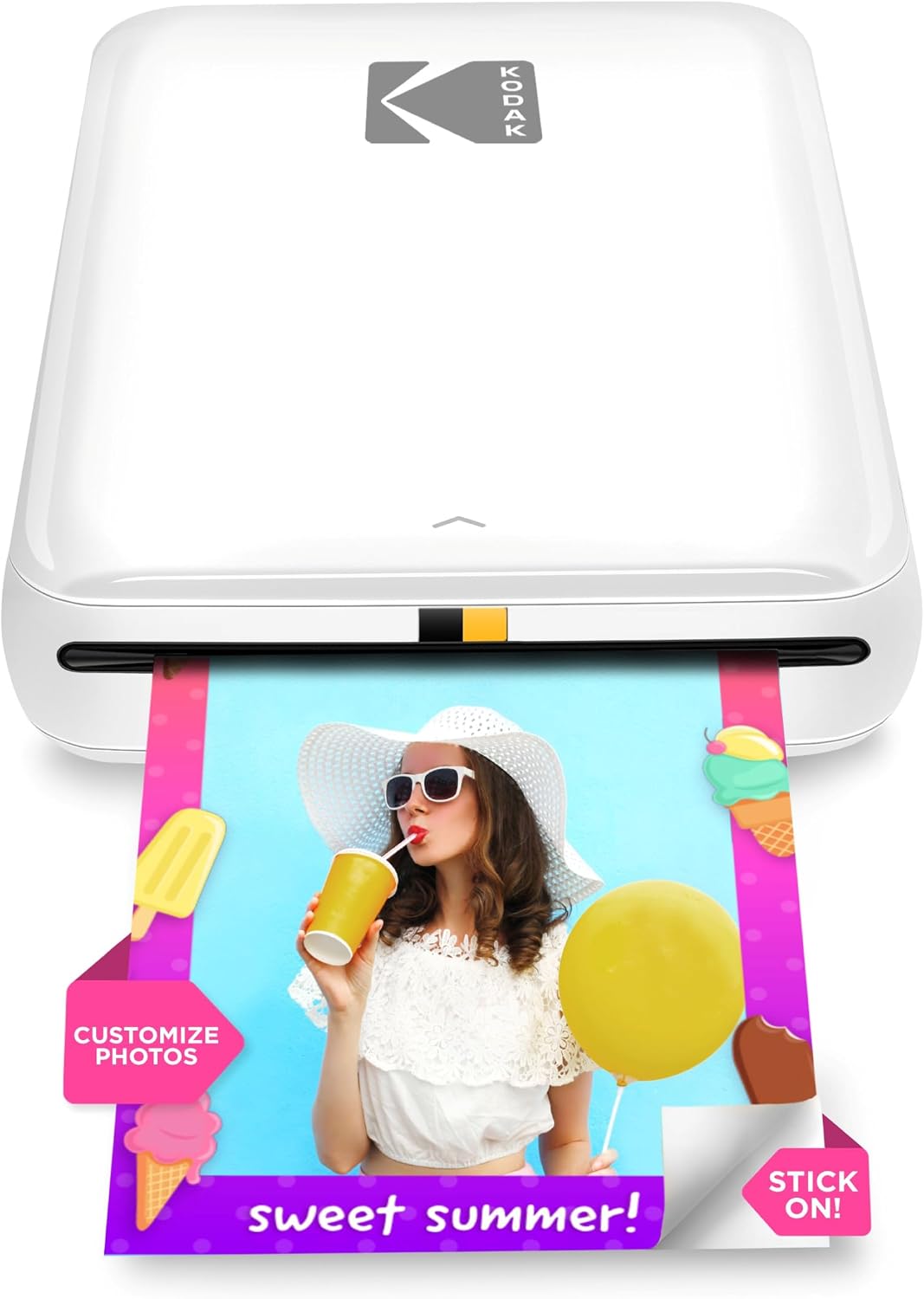
KODAK Step Instant Photo Printer
| Print media | Glossy photo paper (2×3 inches) |
|---|---|
| Maximum Sheet Capacity | 10 |
| Maximum print Resolution Color | 313 x 400 dpi |
| Connectivity | Bluetooth, NFC |
| Battery life | Up to 25 prints per charge |
The KODAK Step is a compact Bluetooth/NFC photo printer designed to turn smartphone images into 2×3-inch sticky-backed photos without ink cartridges. You pair it with the KODAK STEP PRINTS app to edit, add stickers, or make collages, then print a single photo in about a minute using ZINK paper, which embeds color crystals instead of ink. The built-in rechargeable battery supports roughly 25 prints per charge and the paper tray holds up to 10 sheets, making the unit convenient for parties, craft projects, and travel. Image resolution is modest (up to 313 x 400 dpi color), so prints look bright and durable but lack the fine detail of larger photo printers. Connectivity is simple via Bluetooth or NFC, but printing requires the app and proprietary ZINK paper, so ongoing costs are tied to consumables. If you want a tiny, reliable way to get quick, peel-and-stick snapshots from your phone, the Step delivers consistent, low-fuss results; if you need larger or high-resolution archival prints, look to a desk printer instead.
Best for: Buyers who prioritize a compact, dependable printer for quick, social or craft prints and want simple wireless operation without cartridge maintenance.
Less Ideal for: People who need large format, high-detail, or archival-quality photographic prints should choose a full-size photo printer instead.
- Truly portable pocket-sized design for on-the-go printing
- ZINK zero-ink technology eliminates cartridges and messy ink
- Simple wireless pairing via Bluetooth or NFC with app control
- Sticky-backed 2×3 prints are water and smudge resistant for easy display
- Rechargeable battery supports about 25 prints per charge and a 10-sheet tray
- Print resolution and detail are limited compared with larger photo printers
- Requires the KODAK app and proprietary ZINK paper for every print
Verdict: A compact, fuss-free mini printer that reliably delivers peel-and-stick 2×3 photos from your phone without ink cartridges.
TATTMUSE A285M Portable Thermal Printer

| Printer Type | Thermal |
|---|---|
| Maximum Media Size | 8.5 x 11 inch |
| Printer Connectivity Type | Bluetooth, USB |
| B&W Pages per Minute | 7 |
| Wattage | 11.1 watt-hours |
The TATTMUSE A285M is a small, battery‑powered thermal printer aimed at on‑the‑go printing for travelers, mobile workers, and small offices. It prints black‑and‑white output on thermal paper (no ink or toner) and supports multiple paper widths including US Letter and A4, with a stated print speed around 7 ppm and up to 203 dpi effective resolution. Connection to phones and tablets is via Bluetooth and controlled through the vendor app, while laptops and desktops require a USB‑C connection and a driver. The built‑in paper bin and support for rolls or single sheets make it flexible for receipts, invoices, boarding passes, and quick documents. Practical benefits include very low running cost because no ink is used, light weight for travel, and simple app control for mobile printing. Important limitations are monochrome thermal‑only output (no regular paper or color) and that USB printing from computers needs a driver installation, which may complicate occasional laptop use.
Best for: Buyers who need a low‑cost, portable printer for receipts, invoices, boarding passes, and simple documents while traveling or working remotely and who prefer easy mobile printing from phones.
Less Ideal for: Users who need color output, standard copy‑paper compatibility, or seamless Bluetooth printing from laptops should look at other desktop or color portable printers.
- Inkless thermal printing reduces consumable costs and eliminates cartridges
- Bluetooth app control for quick mobile printing from phones and tablets
- Supports multiple thermal paper widths up to US Letter/A4
- Lightweight, compact design with built‑in paper bin for travel
- Prints only monochrome on thermal paper and cannot use regular copy paper
- PC/laptop printing requires a driver and USB connection rather than Bluetooth
Verdict: If you want an inexpensive, truly portable inkless printer for monochrome mobile printing on thermal paper, the A285M delivers straightforward, low‑running‑cost performance for travel and field work.
Choosing the Right Mini Printer on a Budget: Key Factors to Consider
Print Quality
Print quality determines how usable your mini printer will be for different tasks. For text-heavy needs such as receipts, invoices, or simple documents, crisp, legible type at small sizes is essential. For photo or label printing, expect more noticeable differences in resolution, color accuracy, and gradation.
On a budget, manufacturers often trade resolution or color fidelity for cost and compactness. If you plan to print photos or graphics, look for models that advertise higher DPI or use dye-sublimation or higher-resolution thermal technologies. For mainly text output, a basic thermal or low-resolution ink device may be acceptable and will typically be cheaper to operate.
Connectivity and Compatibility
How the mini printer connects affects where and how you can print. Bluetooth and Wi-Fi give you true mobile freedom for phones and tablets, while USB or wired connections are useful for laptops or kiosk-style setups. Some units support app-based printing, AirPrint, or Android-friendly protocols, and those options reduce friction when switching between devices.
Check compatibility with the specific phones, tablets, or operating systems you intend to use. On-budget models sometimes limit protocol support or require a companion app with restricted features, which can be frustrating if you need straightforward printing from multiple platforms.
Portability and Power
Physical size, weight, and battery performance are core to the mini printer experience. Smaller devices are easier to carry but may have smaller paper formats and shorter battery life. If you plan to print while traveling, events, or from a mobile workstation, prioritize models with a reliable internal battery or the option to run from a power bank.
Consider how often you will need to charge or replace power sources. Battery-swappable designs or devices that support standard USB-C power delivery can be more convenient and reduce downtime when you are away from mains power.
Operating Cost and Consumables
Upfront price is only part of the equation. Consumables such as ink cartridges, thermal paper rolls, and specialized media can dominate long-term ownership cost. Some budget mini printers use proprietary cartridges or expensive photo papers, which undermines the initial savings.
Estimate cost per page for the types of printing you will do most often. Units that support refillable ink, standard-size paper rolls, or widely available thermal paper typically deliver lower operating costs. Also consider how easy it is to source replacements where you live.
Durability and Build Quality
Mini printers are designed to be moved, so durability matters more than it might for a desktop model. Build quality influences how well a device withstands transport, occasional bumps, and repeated loading of paper or labels. Cheap plastics can save money but may lead to broken latches, misfeeds, or worn buttons.
Look for reinforced paper feeds, secure battery compartments, and thoughtful layout of ports. A slightly heavier but better-built device can be a smarter budget choice if it reduces service issues and extends usable life.
Ease of Setup and Daily Use
A budget mini printer can quickly become frustrating if setup and everyday operation are cumbersome. Clear labeling, simple paper loading, responsive apps, and straightforward firmware or driver support make a big difference for nontechnical users. For frequent use, factors like print speed for small jobs and how the device indicates low paper or low battery are practical considerations.
Pay attention to whether the manufacturer supplies a usable mobile app and whether the device supports common printing workflows. On-budget options sometimes cut corners in user interface design, so prioritize units that keep the basics simple and reliable.
Paper Types and Sizes to Expect
Mini printers support a range of small formats that affect what you can print. Common options include narrow thermal rolls for receipts, small photo strips, and label-style media. Choose a device that matches the size of documents you actually need to produce rather than assuming all mini printers will handle standard letter or A4 pages.
If you need sticker labels or wallet-sized photos, confirm that the printer supports those specific media types and check whether the paper is proprietary. Also consider edge-to-edge printing needs, as some compact devices maintain margins to protect the print mechanism.
- Thermal roll printers are inexpensive to operate but limited to monochrome output.
- Small dye-sublimation or ink-based mini printers allow color photos but may use costlier consumables.
- Label and sticker media are often sold in dedicated roll sizes that must match the printer.
Battery Strategies and Power Solutions
Mini printers vary widely in battery life. Some are built for occasional bursts of printing and have smaller batteries, while others include larger rechargeable packs intended for extended mobile use. Consider your typical printing frequency when evaluating advertised battery runtimes.
If the device supports USB-C power delivery, you can often power or charge it from common power banks. For fieldwork, look for devices that can operate while charging and that offer clear battery-level indicators so you do not run out mid-job.
- Verify whether charging requires a proprietary adapter or a universal USB cable.
- If long runs are needed, seek models with replaceable batteries or the option to use external power.
- Look for quick-charge features if you frequently need fast top-ups between jobs.
Mobile Printing Workflows
The best mini printers for on-the-go use streamline mobile workflows through simple apps, reliable Bluetooth pairing, and direct printing from common photo apps or document viewers. Tests of interoperability with your phone or tablet matter because some budget models rely on clumsy proprietary apps.
When using a printer with a mobile device, consider how templates, formatting, and margins are handled. Some apps provide layout presets for stickers or receipts, which speeds up repeat tasks without manual resizing.
- Prefer models with Bluetooth Low Energy or Wi-Fi Direct for stable mobile connections.
- Check for app support on both iOS and Android if you switch between platforms.
- Firmware updates via a mobile app can improve compatibility over time; confirm update paths.
Durability Tips for Frequent Transport
If you will carry a mini printer in a bag or vehicle, protect it from shocks and spills. Use padded cases or dedicated compartments to avoid damage to exposed buttons and paper feeds. Regular maintenance such as cleaning rollers and keeping paper dust-free extends service life.
For event or field use, choose a printer with ruggedized controls and easy-to-open paper compartments. Components that lock securely during transit reduce the chance of jams or misfeeds when you power on the unit in a new location.
- Store replacement paper separately to reduce dust and moisture exposure.
- Avoid overfilling paper compartments which can strain feed mechanisms.
- Inspect battery contacts periodically for corrosion if the device is used outdoors.
Common Mistakes Budget Buyers Make
Buyers often focus only on the lowest upfront cost and underestimate running costs from consumables and replacement parts. A cheap unit that requires expensive photo paper or proprietary cartridges will cost more over time than a slightly pricier model that uses standard media.
Another frequent mistake is ignoring connectivity limits. Verify that the printer supports the devices you actually use. Finally, do not overlook build quality. Extremely light, flimsy devices can save money initially but lead to early failures and annoying downtime.
- Check consumable availability before committing to a model.
- Test compatibility with your phone or tablet in advance when possible.
- Consider total cost of ownership, not just the purchase price.
How We Chose the Best Mini Printer on a Budget
We prioritized mini printers that deliver the most useful combination of compact size, reliable connectivity, and low ongoing cost. Our selection process focused on practical attributes that matter for budget-focused buyers: print output quality for both text and photos, the range and stability of wireless and wired connection options, ease of use for mobile and desktop setups, and the long-term cost of consumables. We also considered build quality and portability, including device dimensions, weight, and battery options where applicable, because true mini printers need to be easy to carry and set up. Products were excluded if they required expensive proprietary consumables or lacked common connectivity standards. We filtered out models with consistently poor user feedback on reliability or those that offered only niche functionality unsuitable for general-purpose on-the-go printing. The final choices reflect a balance between upfront affordability and reasonable operating cost, prioritizing devices that perform well across the key dimensions above.
Our full evaluation process is outlined in our review methodology.
FAQ
Can a mini printer handle photo prints?
Many mini printers can produce small photo prints, but output quality depends on the printing technology. Dye-sublimation or higher-resolution ink devices produce better color and detail than basic thermal printers, which are usually monochrome.
How long do batteries in mini printers typically last?
Battery life varies widely based on capacity and print frequency. Some compact units support only a few dozen small prints per charge, while larger-battery models can handle hundreds. Expect shorter runtimes for photo printing versus simple text or receipt output.
Are replacement paper and supplies easy to find for budget mini printers?
Availability depends on the media format the printer uses. Thermal rolls and standard label sizes are generally easy to source and inexpensive. Proprietary photo papers or unique cartridge types may be harder to find and can increase long-term costs.
Will a mini printer work with both iPhone and Android devices?
Many mini printers support both platforms, but compatibility is not guaranteed. Check whether the device supports common protocols like AirPrint or standard Bluetooth printing, and confirm that the manufacturer's app works on your platform.
Can mini printers print standard documents like invoices or letters?
Mini printers are typically limited to small formats and are not suitable for full-size letters or A4 documents. They are best for receipts, small invoices, labels, and wallet-sized photos. If you need standard pages, a compact full-size printer is a better choice.
Final Verdict
When shopping for a mini printer on a budget, prioritize the features that match how and where you will print most often. Focus on print quality for the types of documents you need, reliable connectivity for your devices, and the realistic cost of consumables. Balance portability against battery life and build quality so the unit survives regular transport. By weighing these tradeoffs, you can choose a compact printer that delivers useful performance without surprise operating costs.