
Note: This article contains affiliate links. If you click on these links and make a purchase, we may earn a small commission at no extra cost to you. This helps support our research and content. Read our full affiliate disclosure here.
If you need dependable, fast black-and-white output without breaking the bank, a budget laser printer can be the most practical choice. In home and small-office settings, the right model reduces time spent waiting at the device and lowers ongoing supply costs. This guide shortlists the top options under $200 and explains the tradeoffs buyers should expect when prioritizing speed, cartridge yield, and footprint. Below you will find our top picks for dependable budget laser printers, plus the evaluation criteria we used to assess print speed, running costs, and ease of setup and maintenance.
Top Picks at a Glance
| Best Overall The best all-around choice for most situations | Xerox B230 Printer |  |
| Best Quality Built to a higher standard if you want something more solid | HP LaserJet MFP M234sdw |  |
| Best Value The sweet spot between price and what you get | HP LaserJet M110w |  |
| Best Budget The cheapest option that still gets the job done reliably | Canon imageCLASS LBP6030w |  |
| Top Rated A top-rated pick with lots of positive feedback | Canon imageCLASS LBP122dw |  |
| Most Popular A crowd favorite that many people choose with confidence | Brother HL-L2300D Laser Printer |  |
| Best Seller A high-volume bestseller chosen again and again | Brother HL-L2405W Laser Printer |  |
Xerox B230 Printer
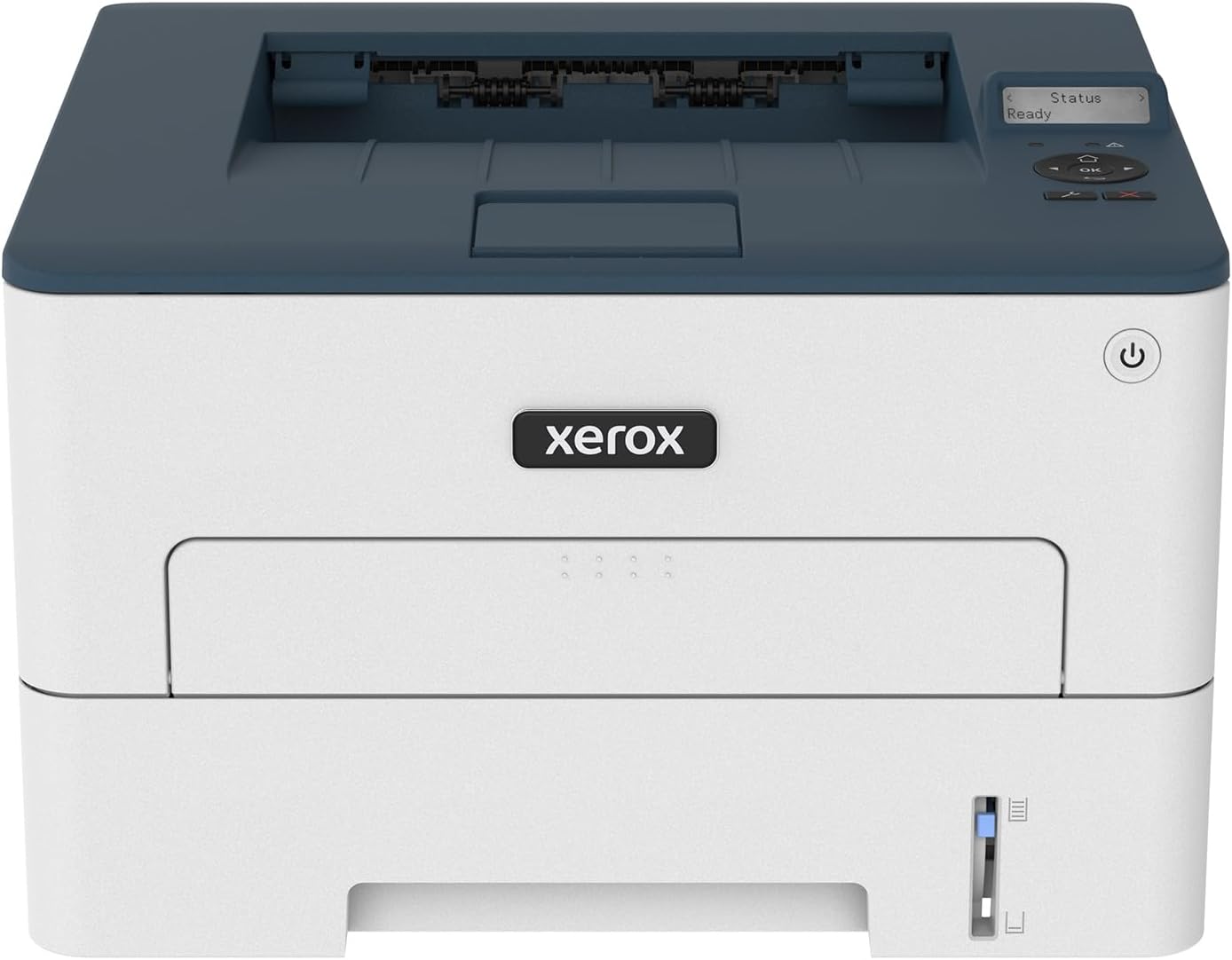
| Printer Type | Laser |
|---|---|
| Print Speed | 36 pages_per_minute |
| Maximum Sheet Capacity | 250 |
| Duplex | Automatic |
| Printer Connectivity Type | USB, Wi-Fi |
The Xerox B230 is a compact black-and-white laser printer aimed at small teams and home offices that need reliable, straightforward printing under budget constraints. It prints up to 36 pages per minute, supports automatic two-sided printing, and accepts up to 250 sheets in its tray so you can handle moderate monthly volumes without constant refilling. Built-in Wi‑Fi with Wi‑Fi Direct plus support for AirPrint and Mopria makes printing from smartphones and Chromebooks simple, and the 1 GHz dual-core processor with 256 MB memory helps keep jobs moving. Setup is designed to be user friendly with Xerox Smart Start and mobile pairing, and security features help protect documents on shared networks. Image quality is sharp for text at a high 2400 x 2400 dpi resolution, but remember this is a monochrome device so it will not print color. If you need multifunction features like scanning or heavy enterprise throughput, those will require stepping up to a different model. For buyers who want fast, low-cost black-and-white prints and easy mobile connectivity in a small footprint, the B230 hits the essentials well.
Best for: Buyers who need a cost-conscious, fast black-and-white printer for a small office or home office and prioritize reliable wireless mobile printing and low running fuss.
Less Ideal for: Users who require color printing, integrated scanning or copying, or very high monthly volume printing should consider multifunction or higher-volume models instead.
- Fast monochrome print speed up to 36 ppm for quick document output
- Automatic duplex printing reduces paper use and saves time
- Built-in Wi‑Fi, Wi‑Fi Direct and mobile printing support for easy smartphone and Chromebook printing
- 250-sheet standard paper capacity lowers how often you refill the tray
- High sharpness for text with up to 2400 x 2400 dpi resolution
- Prints only in black and white so no color output capability
- Does not include scanning or copying functions since it is print-only
Verdict: A compact, fast monochrome laser that delivers dependable wireless black-and-white printing and automatic duplexing for small offices on a tight budget.
HP LaserJet MFP M234sdw

| Printer Type | Laser |
|---|---|
| B&W Pages per Minute | 30 pages_per_minute |
| Duplex | Automatic |
| Printer Connectivity Type | Wi-Fi |
| Maximum Sheet Capacity | 150 |
The HP LaserJet MFP M234sdw is a small-office monochrome laser multifunction that focuses on speed and everyday reliability. It delivers fast single-sided output up to 30 ppm and automatic two-sided printing for routine document workflows, while the 40-page automatic document feeder lets you scan and copy multi-page jobs hands-free. Connectivity covers dual-band Wi-Fi, Ethernet and USB so you can print from phones, tablets, PCs and the HP Smart app, and built-in security features help protect the device on a network. The 150-sheet input and included starter toner make it suitable for light to moderate workloads for a small team, and the 600 x 600 dpi resolution produces sharp black-and-white text and basic graphics. Expect straightforward setup and touch control, though color printing is not available and photo-quality output is limited by the monochrome engine and resolution. If you need fast, reliable black-and-white printing with scanning and duplexing in a compact footprint, this model handles those tasks well.
Best for: Buyers who prioritize fast, reliable black-and-white output and need an all-in-one device for a small team or home office workflow.
Less Ideal for: Users who require color printing, high-resolution photo output, or heavy-duty departmental print volumes should look for a different class of printer.
- Fast monochrome printing up to 30 pages per minute
- Automatic duplex printing and 40-page automatic document feeder for efficient multi-page scanning and copying
- Dual-band Wi-Fi plus Ethernet and USB for flexible connectivity and mobile printing
- Compact footprint with touchscreen control suitable for small office or home use
- Monochrome-only output means no color printing or color scans
- 600 x 600 dpi resolution limits fine graphic and photo detail
Verdict: A fast, compact monochrome MFP that delivers reliable black-and-white printing, duplexing and scanning for small teams focused on performance.
HP LaserJet M110w

| Printer Type | Laser |
|---|---|
| Printer Output Type | Black & White |
| B&W Pages per Minute | 21 pages_per_minute |
| Maximum Sheet Capacity | 150 |
| Print Resolution | 600 x 600 |
The HP LaserJet M110w is a small black-and-white laser printer aimed at home offices and small teams who need straightforward document printing. It prints up to 21 ppm and wakes quickly for short jobs, handling plain paper, envelopes, labels and card stock from a single 150-sheet tray. Wireless and USB connectivity plus mobile printing support and the HP Smart app make it easy to print from phones, tablets, and laptops without a complex setup. Automatic duplexing is listed, which helps reduce paper use for two-sided jobs, and the preinstalled HP toner gets you started right away. Expect basic 600 x 600 dpi output suitable for text, forms, and simple graphics rather than photo-quality prints. The unit is intentionally compact and energy efficient, but it lacks color printing and has a small paper capacity that will require more frequent refills for heavier workloads. It also enforces use of HP original cartridges for reliable operation and firmware compatibility.
Best for: Buyers who prioritize reliable, fast black-and-white printing in a compact, energy-efficient package for a small team or home office and want easy mobile and wireless printing.
Less Ideal for: Users who need color printing, high-volume paper capacity, or photo-quality output should look at multifunction or color laser options instead.
- Fast monochrome print speed up to 21 pages per minute for quick document jobs
- Compact footprint that fits small desks and home office spaces
- Wireless and USB connectivity with mobile printing via the HP Smart app
- Automatic duplexing to save paper on two-sided prints
- Includes a preinstalled HP introductory black toner so you can print out of the box
- Monochrome only so it cannot print color documents or photos
- Small 150-sheet tray means more frequent paper refills in busier offices
Verdict: A space-saving, energy-efficient monochrome laser that delivers quick, reliable document printing for small teams under $200.
Canon imageCLASS LBP6030w

| Printer Type | Laser |
|---|---|
| B&W Pages per Minute | 19 pages_per_minute |
| Printer Connectivity Type | Wi-Fi |
| Compatible Cartridge | Canon Genuine Toner 125 (1,600 page yield) |
| Maximum Media Size | 8.5 x 14 inch |
The Canon imageCLASS LBP6030w is a small, print-only monochrome laser intended for home and small office users who need straightforward, inexpensive printing. It delivers up to 19 pages per minute with an 8 second first-page-out time and connects over Wi-Fi or USB for mobile and laptop printing. The single 150-sheet input tray and 100-sheet output capacity keep the footprint compact while Canon Genuine Toner 125 provides an estimated 1,600-page yield for predictable running costs. Notable conveniences include Energy Saver mode that cuts power draw and a simple LCD and app control for basic job management. Expect no duplexing, no scanning or copying, and limited paper handling compared with all-in-one models, so it is best for primarily text printing rather than mixed office workflows. Setup and daily use are straightforward, and the small footprint makes it easy to tuck onto a desk or shelf.
Best for: Buyers who need an affordable, no-frills monochrome printer for occasional to moderate text printing and value a small footprint and wireless convenience.
Less Ideal for: Users who need duplexing, color printing, scanning, heavy daily volume, or advanced paper handling should consider multifunction or higher-capacity models instead.
- Compact footprint suitable for small desks and tight workspaces
- Wireless and USB connectivity for easy mobile and laptop printing
- Fast black-and-white output at up to 19 pages per minute
- Energy Saver mode with very low standby power consumption
- Uses Canon Genuine Toner 125 with a predictable 1,600-page yield
- No duplex printing, scanner, or copier functions
- Single tray with modest paper capacity limits high-volume workflows
Verdict: A compact, budget-friendly monochrome laser that delivers reliable, fast text printing and wireless convenience for home and small office use.
Canon imageCLASS LBP122dw

| Printer Type | Laser |
|---|---|
| Printer Output Type | Monochrome |
| B&W Pages per Minute | 30 |
| Maximum Sheet Capacity | 150 |
| Printer Connectivity Type | USB, Wi‑Fi |
The Canon imageCLASS LBP122dw is a print-only monochrome laser aimed at home and small home-office users who need reliable, fast document output. It prints up to 30 pages per minute with an initial page out time around five seconds and supports automatic two-sided printing to save paper. Connectivity includes Wi‑Fi, USB and an Ethernet port, and mobile printing is supported through Canon apps and smartphone compatibility, which makes it easy to print from phones and laptops. The 150-sheet input and starter Canon 071 toner (about 700 pages yield) mean fewer frequent refills than small inkjets, and Canon genuine toner options are available in higher yields. The printer is compact and has a simple LCD for status, but it is print-only—no scanning or copying—and its power draw is relatively high compared with small inkjets. Expect crisp black-and-white text, modest paper capacity, and straightforward setup for users prioritizing durable, low-maintenance printing over multifunction features.
Best for: Buyers who value predictable, fast black-and-white printing and a compact, low-maintenance printer for home or small-office document workloads.
Less Ideal for: People who need an all-in-one scanner/copier/fax solution or who frequently print large multi-hundred-sheet jobs without reloading paper.
- Fast monochrome print speed up to 30 ppm for quick document runs
- Automatic duplexing to reduce paper use
- Wireless, USB and Ethernet connectivity including mobile printing support
- Compact footprint suits small desks or tight spaces
- Uses Canon genuine toner with available higher-yield cartridges for longer runs
- Print-only device with no scan or copy functions
- Starter toner yield is limited, requiring replacement sooner for heavy users
- 150-sheet tray limits large uninterrupted print jobs
Verdict: Choose the LBP122dw when you want a compact, reliable monochrome laser that delivers fast, two-sided printing and easy mobile connectivity for home or small-office document work.
Brother HL-L2300D Laser Printer

| Printer Type | Laser |
|---|---|
| Printer Output Type | Monochrome |
| Maximum Print Resolution Black and White | 2400 x 600 dpi |
| B&W Pages per Minute | 27 |
| Maximum Sheet Capacity | 250 |
The Brother HL-L2300D is a straightforward monochrome laser printer built for basic home and small office use. It prints up to 27 pages per minute at a maximum resolution of 2400 x 600 dpi and includes automatic duplex printing to save paper on two-sided jobs. The 250-sheet input capacity and manual feed slot let you handle standard paper runs plus envelopes or labels, while a single high-speed USB 2.0 port provides a simple wired connection to a PC or laptop. Setup and daily use are uncomplicated because the unit focuses on core printing rather than extras like Wi-Fi or mobile printing. That simplicity keeps running noise and maintenance low, but it also means no network sharing, cloud printing, or built-in scanning/copier features. For buyers who prioritize reliable, fast black-and-white output on a budget, the HL-L2300D does that job well, though those needing wireless connectivity or multifunction capability will want a different model.
Best for: Buyers seeking a reliable, no-frills black-and-white printer for home or a small office who value fast, economical printing and clear user feedback from other owners.
Less Ideal for: Those who need wireless printing, cloud/mobile printing, or an all-in-one device with scanning and copying should consider networked or multifunction models instead.
- Automatic duplex printing reduces paper use and is handled internally
- Fast monochrome output up to 27 ppm for quick single-color jobs
- 250-sheet tray plus manual feed for occasional envelopes and labels
- High print resolution (2400 x 600 dpi) produces sharp black-and-white text
- No Wi-Fi or network connectivity limits sharing and mobile printing
- Print-only device with no built-in scanner or copier
Verdict: A fast, dependable monochrome laser printer that delivers sharp, economical black-and-white output for budget-conscious home and small office buyers.
Brother HL-L2405W Laser Printer

| Printer Type | Laser |
|---|---|
| Printer Output Type | Monochrome |
| B&W Pages per Minute | 30 pages_per_minute |
| Maximum Print Resolution Black and White | 1200 x 1200 dots_per_inch |
| Printer Connectivity Type | USB, Wi-Fi |
The Brother HL-L2405W is a compact black-and-white laser printer aimed at simple, dependable everyday printing. It produces crisp monochrome output at up to 30 pages per minute with a 1200 x 1200 dpi resolution, and it ships with a 250-sheet main tray plus a manual feed for envelopes and specialty paper. Setup and mobile printing are straightforward thanks to dual-band Wi-Fi and USB connectivity and the Brother Mobile Connect app, which also helps track toner and manage supplies. The printer is built for cost-conscious users: it supports Brother Genuine TN830 and higher-yield TN830XL toners and is eligible for Brother Refresh subscription to simplify toner replacement. Expect manual duplexing if you need two-sided pages, and note this is a print-only device with no scan or copy functions. For those prioritizing reliable, fast black-and-white printing in a small footprint, this model delivers predictable performance with easy network and mobile integration.
Best for: Buyers who want a reliable, low-maintenance monochrome printer for home or small-office document printing and who prefer a proven brand and straightforward wireless setup.
Less Ideal for: People who need color, multifunction features like scanning or automatic two-sided printing, or those requiring heavy production workloads.
- Fast monochrome printing up to 30 ppm for quick document output
- Dual-band Wi-Fi plus USB makes network and mobile printing easy
- 250-sheet paper tray reduces frequent refills for moderate volume use
- High 1200 x 1200 dpi resolution produces sharp, readable text
- No built-in scanner or copier so it only handles single-function printing
- Duplex printing is manual rather than automatic
Verdict: A compact, dependable monochrome laser that delivers fast, sharp black-and-white prints with easy wireless setup, ideal for risk-averse buyers seeking predictable performance under $200.
Choosing the Right Laser Printer: Key Factors to Consider
Print Speed and First-Page Time
Speed directly affects productivity. A higher pages-per-minute rating matters if you routinely print multi-page documents, while quick first-page-out times reduce waiting on short jobs.
Manufacturers often quote idealized speeds, so look for models that maintain rated speed in duplex or draft modes. For shared home-office use, prioritize printers with faster real-world throughput to avoid bottlenecks during peak tasks.
Toner Yield and Running Cost
Initial purchase price is only part of the ownership equation. Toner yield and the effective cost per page determine long-term expense, especially for users who print frequently.
Check standard and high-yield cartridge options and whether third-party consumables are commonly available. Also consider how easy it is to replace cartridges and whether the printer tracks toner levels accurately to avoid unexpected downtime.
Duty Cycle and Reliability
Duty cycle indicates how many pages the manufacturer expects the device to handle monthly. Even budget laser printers have very different endurance expectations, and exceeding recommended volumes can accelerate wear.
If you anticipate regular printing above light home usage, choose a model with a higher recommended monthly duty cycle. Reliability also ties into the quality of internal components and the ease of accessing user-replaceable parts.
Connectivity Options
Flexible connectivity reduces setup friction. Look for models that offer USB and Wi-Fi, and if you plan to print from phones or tablets, confirm compatibility with common mobile printing protocols.
Wired Ethernet is uncommon in this price class but helpful in multi-user environments. Also check which operating systems are supported and whether drivers are available and updated for your devices.
Paper Handling and Capacity
Paper tray size, duplexing capability, and supported media weights affect how convenient the printer is for your workflows. A larger input tray reduces the need for frequent refills, while automatic duplexing saves time and paper when printing double-sided documents.
Consider optional manual feed slots for envelopes or labels and whether the output tray keeps pages neatly stacked. Small footprints often mean smaller trays, so balance physical size against capacity needs.
Physical Size and Noise
In home or shared spaces, the printer's footprint and operating noise can be important. A compact unit works better on a desk or small shelf, while quieter operation matters in open-plan areas or late-night printing.
Manufacturers sometimes trade noisier cooling or fuser fans for lower cost, so check user feedback on noise levels and confirm the unit fits comfortably in the intended location.
Monochrome Vs Color in Budget Laser Printers
Most printers under this price point are monochrome designs that focus on text and simple graphics. If you primarily print documents, monochrome lasers offer faster speeds and lower running costs compared with entry-level color models.
Color printing at a budget level often sacrifices toner yield or print quality, so choose monochrome if crisp text and low per-page cost are your priority.
- Monochrome: best for text-heavy use and minimal ongoing expense
- Color: consider only if occasional color output is essential
Setting Up a Budget Laser Printer
Plan the placement before unboxing. Leave room for the output tray and front access to replace toner. Ethernet is rare in this range, so expect USB and Wi-Fi to be the primary connection options.
Follow the manufacturer setup sequence and update firmware and drivers immediately to ensure stable network performance. If Wi-Fi setup is problematic, a temporary USB connection can simplify driver installation before switching to wireless mode.
- Place printer on a stable, ventilated surface
- Install drivers and firmware updates before regular use
- Test duplex printing and any mobile-print features
Managing Consumables and Lowering Operating Costs
Track toner usage and keep a spare cartridge on hand if you have steady printing needs. Using high-yield cartridges reduces the frequency of replacements, and refilling or third-party options can lower costs but may impact print reliability.
Also consider batch-printing when possible to reduce fuser warm-up cycles, which can slightly lower energy use and wear over time.
- Use high-yield cartridges for frequent printing
- Keep a spare cartridge to avoid downtime
- Batch print to improve efficiency
Space, Placement, and Ventilation
Budget lasers produce heat during fusing, so place the unit where it will get some airflow and away from heat-sensitive materials. Make sure top or front access for paper jams and cartridge replacement is not blocked.
Consider the noise and vibration transfer to nearby furniture when selecting a location, especially in small home offices.
- Allow clearance for paper path and cartridge access
- Avoid enclosed cabinets during heavy use
- Place on a solid, level surface to reduce vibration
When to Consider an Upgrade
If your monthly print volume rises consistently above the recommended duty cycle or you need professional-quality graphics and color, a higher-tier model will be more cost-effective in the long run. Similarly, if you require advanced finishing options like stapling or large paper trays, budget models will fall short.
Upgrading also makes sense when network security features or managed-device tools become necessary for multi-user environments.
- Rising monthly volume
- Need for advanced finishing or larger trays
- Requirement for advanced networking or management features
How We Chose the Best Laser Printer
We focused on laser printers that deliver consistent text quality and low operating costs for home and small-office use while staying within the under $200 constraint. Our selection process prioritized measurable, buyer-relevant specifications and real-world usability over marketing claims. Key evaluation criteria included print speed and first-page-out time, because fast output reduces workflow delays; toner yield and estimated cost per page, since consumables drive long-term ownership cost; connectivity and driver support to ensure reliable setup across common devices; and physical footprint and ease of maintenance for tight workspaces. We excluded multifunction machines whose color scanning or photo features added cost without improving core monochrome printing value for budget buyers. We also excluded compact models with severely limited monthly duty cycles that risk premature wear in even modest home-office use. The resulting shortlist favors balanced designs that pair reasonable speeds with durable consumables, straightforward setup, and manageable size.
Our full evaluation process is outlined in our review methodology.
FAQ
Are laser printers under $200 good for home offices?
Often yes. Budget laser printers generally deliver fast, reliable monochrome output and low per-page cost, which suits light to moderate home-office workloads. Ensure the model's duty cycle and toner yield match your expected volume.
How long do toner cartridges typically last?
Toner life varies by cartridge yield and the density of your prints. Standard cartridges may last a few hundred pages, while high-yield options can extend to thousands. Check each model's published yield estimates to forecast costs.
Do these printers support duplex printing?
Some budget laser models include automatic duplexing, but not all. If two-sided printing matters, confirm automatic duplex is supported rather than relying on manual page flipping.
Can I print from my phone or tablet?
Usually. Many entry-level lasers offer Wi-Fi and mobile-print protocols or proprietary apps for phone and tablet printing. Verify compatibility with your device's operating system before buying.
Is a higher pages-per-minute rating always better?
Not always. A higher rating helps with large print jobs, but actual throughput depends on warm-up time, first-page latency, and how the printer performs under continuous duty. Balance speed specs with duty cycle and reliability expectations.
Final Verdict
Budget laser printers under $200 can be excellent choices for focused monochrome printing, offering rapid text output and low long-term costs when matched to the right workload. Prioritize print speed and toner yield if you print frequently, and choose a unit with the connectivity and tray capacity that fits your workspace. Recognize the tradeoffs: smaller trays, fewer advanced features, and modest duty cycles. If your needs remain within light to moderate volumes, a carefully chosen budget laser will deliver dependable, economical printing for the home or small office.